Welcome Guest ( Log In | Register )

Outline · [ Standard ] · Linear+

Review [Review] Cooler Master CM Storm Quickfire Rapid-i

views
     
TSlucidlts
post Jul 14 2014, 11:23 AM, updated 11y ago

brain powder
*******
Senior Member
2,906 posts

Joined: Oct 2010
From: hurrr durrrrr?


Author's Note: The Original Review may be found in www.tech-critter.com, please head to the site to show us your support as well.

user posted image

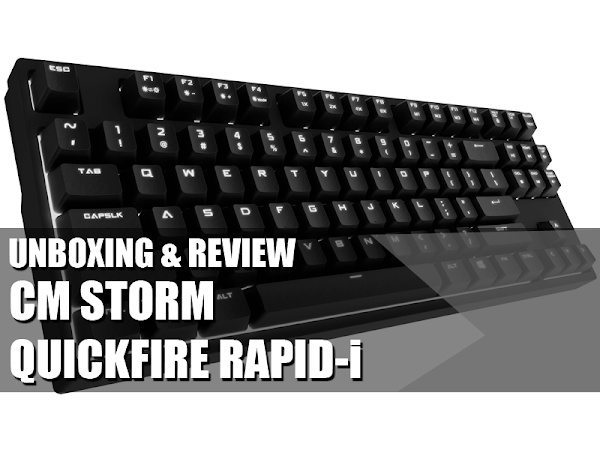
CM Storm started off with their Quickfire Rapid back then and in success, received numerous praises for its excellent built quality and value as it is built by the very same manufacturer for Filco, but cost less than RM300.

If you've been following CM Storm with their product updates, there will be an upcoming replacement for the Quickfire Rapid which known as the Quickfire Rapid-i. Making its début as CM Storm's first backlit tenkeyless mechanical keyboard and it comes with NKRO over USB support that allows you to press every keys at the same time without having to worry about the infamous keyboard ghosting issue.

We thank Cooler Master for sending us a sample unit of the Quickfire Rapid-i here today which makes this unboxing and review possible. The Quickfire Rapid-i will be available in our local Malaysian market this August retailing at RM399. With no further adieu, let us proceed and check out if this is a worthy investment for the mechanical keyboard lovers.

Technical Specification

user posted image

Overview

user posted image

The front of the packaging is pretty straight forward, all the features shown in the icon is pretty much understandable, except for the Turbo Mode - we'll find that out later.

user posted image

At the back of the packaging, we can see some description of the key features of the Quickfire Rapid-i.

user posted image

This is pretty much what you'll get right out of the box:
- The keyboard
- Detachable USB to micro USB cable
- Ring type key cap puller
- User's guide
- Function keys guide
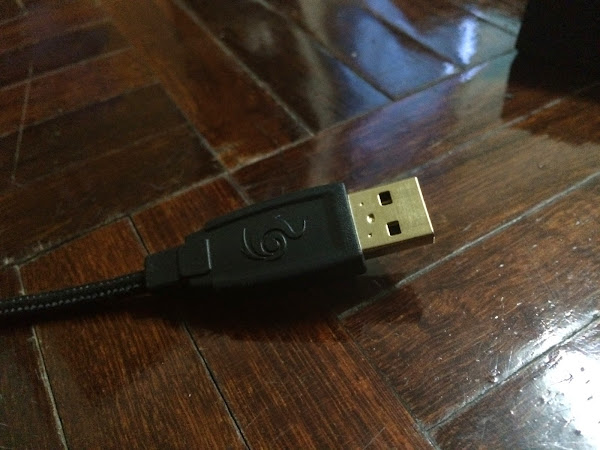
user posted image

As usual, all CM Storm peripherals comes with gold plated USB connector that is less prone to oxidation and it'll stay shiny for a very long time.

user posted image

The other end of the cable is a micro USB connector which that attaches to the back of the Quickfire Rapid-i.

user posted image

Its appearance still resembles the Quickfire Rapid, only that it is now a backlit mechanical keyboard.
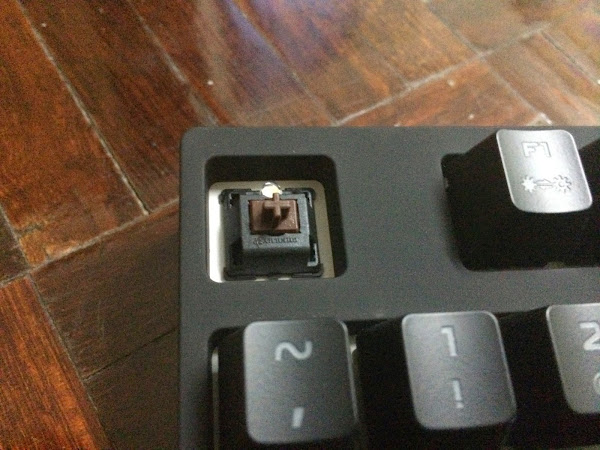
user posted image

The Quickfire Rapid-i we have here is a Brown variant, other variants (Red & Blue) are also available from CM Storm as well.
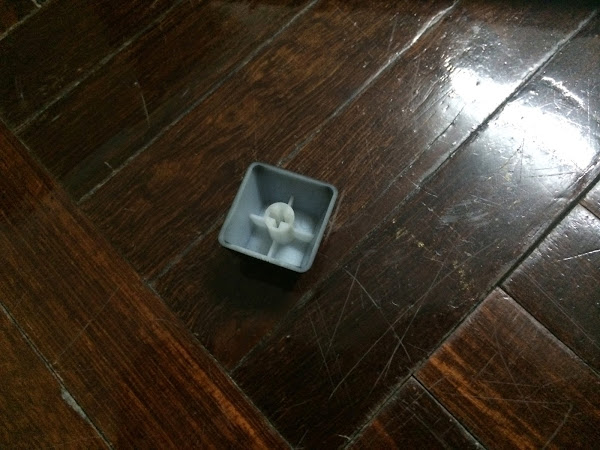
user posted image

Taking a closer look at the key cap, we can see some really clean paint job here.
TSlucidlts
post Jul 14 2014, 11:23 AM

brain powder
*******
Senior Member
2,906 posts

Joined: Oct 2010
From: hurrr durrrrr?


user posted image

Instead of the all familiar Costar stabilizer, the Quickfire Rapid-i now uses cherry type stabilizer which is much easier to remove.

user posted image

The rubberised coating is still there, but with some improvement as we find that coating to be smoother and slightly thicker compared to the Quickfire Rapid.

Function Keys

user posted image

F1 basically allows you to toggle the LED, F2/F3 to adjust its brightness and F4 allows you to toggle for the backlit mode.

user posted image

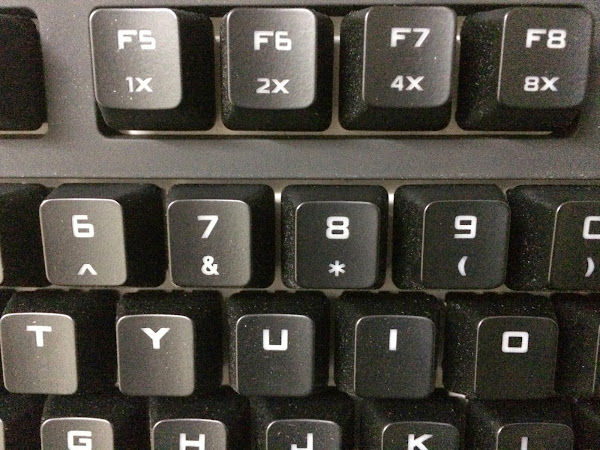
Now is this the interesting part we're looking at, the turbo mode that we've seen on the box earlier. It basically allows you to toggle the input rate of each key pressed, the higher the multiplier you choose, the faster the input rate is. Ridiculous for normal usage but pretty convenient when it comes to skill spamming in RPG games.

user posted image

Don't let the M1~M4 fool you, it's actually the LED profile toggle keys instead of macro keys. Yes, no macro keys.

user posted image

The Windows key lock function has been shifted to the Print Screen key, while the REC function allows you to record your preferred backlit configuration to either one of the backlit profiles on F9 to F12.

user posted image

The media controls that we're so used to see on F5 to F11 has been relocated to this area, which we personally find it to be more ergonomic compared to its previous location.

user posted image user posted image

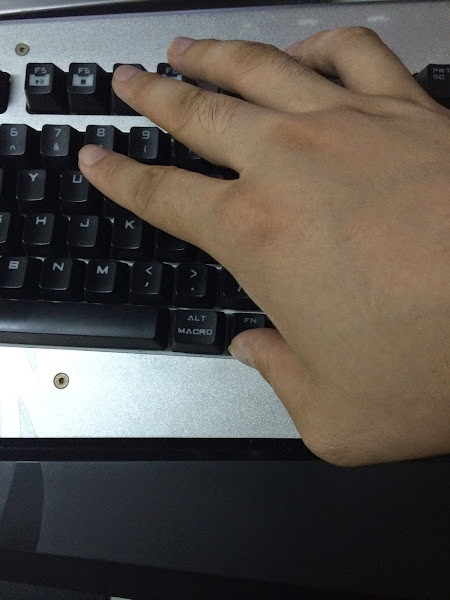
Here's a comparison of accessing the media keys, accessing media keys on a CM Storm MECH requires us to lift our palm to reach the controls, while accessing media keys on a Quickfire Rapid-i doesn't even need us to lift our palm. Ergonomic wins.

user posted image

Let there be light.

This post has been edited by lucidlts: Jul 14 2014, 11:27 AM
TSlucidlts
post Jul 14 2014, 11:28 AM

brain powder
*******
Senior Member
2,906 posts

Joined: Oct 2010
From: hurrr durrrrr?


user posted image

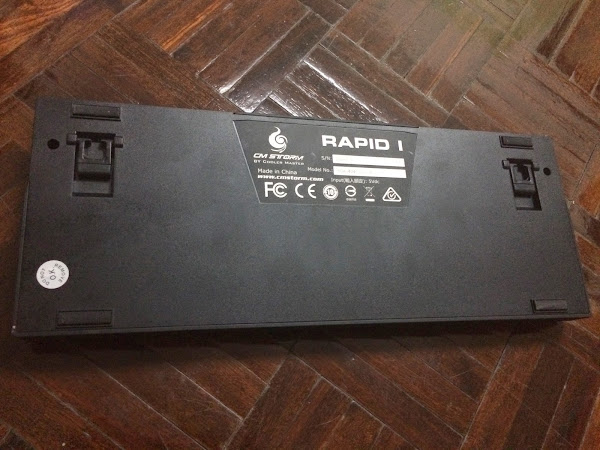
Moving on to the bottom of the keyboard, it seems that CM Storm ditched the cable routing design and went for the old school clean bottom.

user posted image

We were hoping to see a larger keyboard feet, but this still works pretty well to keep your keyboard from slipping away.

user posted image

Depends on your preference, the keyboard feet allows you to tilt your keyboard a little higher to suit your needs.

The ActivLite Introduction from Cooler Master


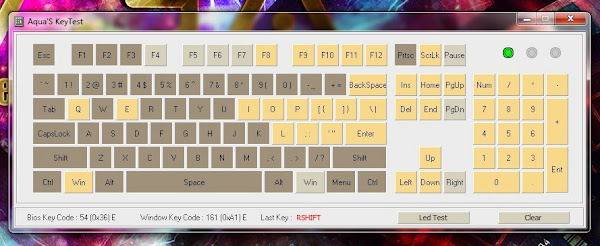
USB NKRO Test

user posted image


Final Thoughts

Practically, the LEDs are only for aesthetic purposes and doesn't really give you any advantages over your opponents. From our point of view, the key feature that makes the CM Storm Quickfire Rapid-i a worthy choice is its solid build quality, more ergonomic media control keys, ability to configure LED up to 4 personal LED profiles and more up coming LED profiles from Cooler Master.

As far as it goes, we've noticed that there's no software available for customizing the LED by far and we really hope to see that soon from Cooler Master.

Pros
Solid build quality
Better and more ergonomic location for media control keys
Capable of up 4 custom LED profiles
Detachable and braided USB cable
Improved rubber coating quality compared to Quickfire Rapid
Full NKRO under USB that allows all keys to be registered simultaneously

Cons
Costly

The CM Storm Quickfire Rapid-i scored a Gold and Recommended award from us here at www.tech-critter.com.
user posted image

This post has been edited by lucidlts: Jul 14 2014, 11:31 AM
CM.Storm
post Aug 13 2014, 03:56 AM

Getting Started
**
Junior Member
80 posts

Joined: Feb 2014
Hi lucidlts,

Thank you for the great effort in reviewing our Quickfire Rapid-i smile.gif
Kaka23
post Nov 15 2015, 03:56 PM

Look at all my stars!!
*******
Senior Member
8,259 posts

Joined: Sep 2009


Anybody using this for typing?

Is it suitable?
TSlucidlts
post Nov 20 2015, 09:03 PM

brain powder
*******
Senior Member
2,906 posts

Joined: Oct 2010
From: hurrr durrrrr?


QUOTE(Kaka23 @ Nov 15 2015, 03:56 PM)
Anybody using this for typing?

Is it suitable?
*
It is lol. wub.gif
Kaka23
post Nov 20 2015, 09:31 PM

Look at all my stars!!
*******
Senior Member
8,259 posts

Joined: Sep 2009


QUOTE(lucidlts @ Nov 20 2015, 09:03 PM)
It is lol.  wub.gif
*
blush.gif
sammiey
post Nov 30 2015, 10:59 PM

Getting Started
**
Junior Member
139 posts

Joined: Nov 2015
Hi, now i m using this keyboard but my version is blue key. I love clap clap sound. hehe Brown key sound like ka ka ka. also good too.

but i have one issue, i have exchange new one already but still come out with same issue.
Attached Image

have you giuys saw something in the photo?

some key light missing when i use few days, i dont know whats going on and i have ask CM they still cant find out this issue so that time they exchange new one for me but still come out the same issue. so i tried send it back.
is it my PC problem? hmm.gif
do you guys have got same issue like me? hmm.gif
TSlucidlts
post Dec 7 2015, 09:19 AM

brain powder
*******
Senior Member
2,906 posts

Joined: Oct 2010
From: hurrr durrrrr?


QUOTE(sammiey @ Nov 30 2015, 10:59 PM)
Hi, now i m using this keyboard but my version is blue key. I love clap clap sound. hehe Brown key sound like ka ka ka. also good too.

but i have one issue, i have exchange new one already but still come out with same issue.
Attached Image

have you giuys saw something in the photo?

some key light missing when i use few days, i dont know whats going on and i have ask CM they still cant find out this issue so that time they exchange new one for me but still come out the same issue. so i tried send it back.
is it my PC problem?  hmm.gif
do you guys have got same issue like me?  hmm.gif
*
looks like dead LED issue there. Do send back for RMA smile.gif


Change to:
| Lo-Fi Version
0.0237sec    0.72    6 queries    GZIP Disabled
Time is now: 20th December 2025 - 05:35 AM