


 Apr 27 2014, 11:08 PM, updated 12y ago


Introduction
ASUS expands its ASUS Republic of Gamers (ROG) series family further with the introduction of the new ROG G56JR gaming notebook. Packed with a 15.6-inch display, the ROG G56JR filling the gap in the gaming notebook which was previously held by the ROG G55VW. The ROG G56JR delivers a desktop-like performance with 4th generation Intel Core i7 “Haswell” processor, NVIDIA GeForce GTX 760M graphics, 12 GB of DDR3 RAM, and 1 TB of storage. It is targeted for gamers who are looking for a glare-free 15.6” Full HD IPS display, which should produce some awesome picture quality and colour reproduction. With all the interesting features in mind, is it powerful enough to give its desktop rivals a threat? Let’s find out together in our review.
Product Link: http://www.asus.com/sg/Notebooks_Ultrabooks/G56JR/
Suggested Retail Price: RM 4,199
Specifications

CPU-Z and GPU-Z Information

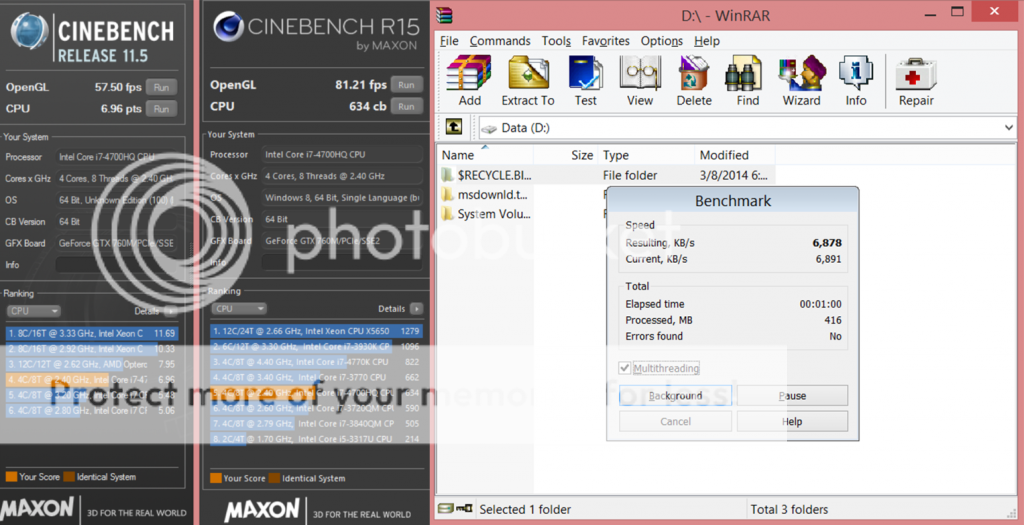
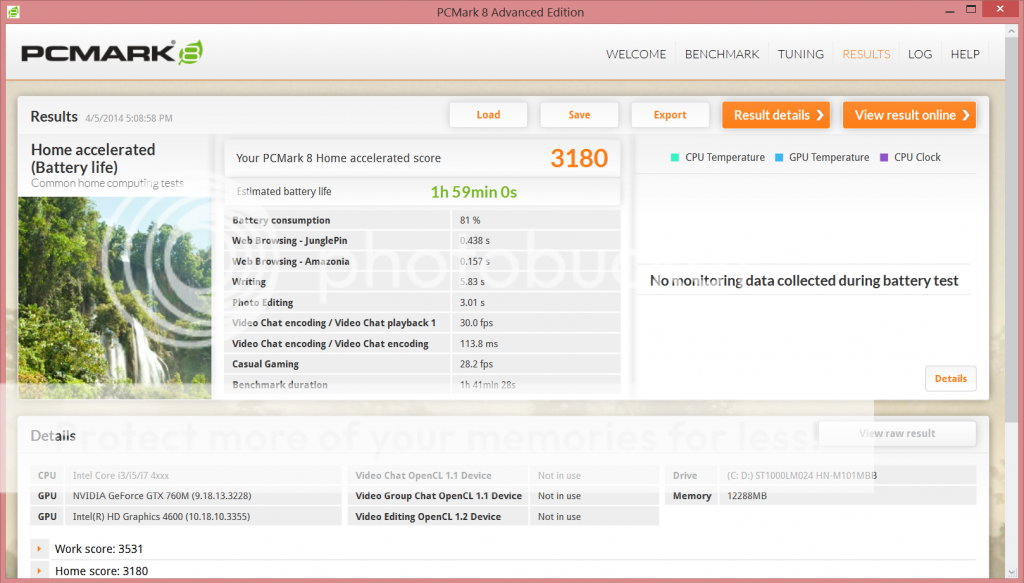
The ASUS ROG G56JR notebook we have in our test lab, specifically the G56JR-CN183H, comes with a powerful Intel Core i7-4700HQ “Haswell” mobile processor. It features four cores and eight threads and comes clocked at 2.4 GHz with TurboBoost 2.0 up to 3.4 GHz. The included 12 GB of Dual-channel 1600 MHz DDR3 RAM should be plenty for any modern memory intensive application and game.
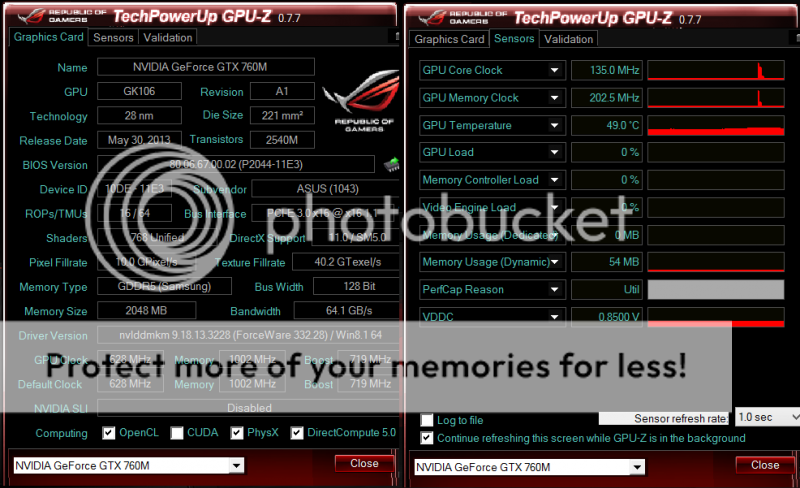
The ASUS ROG G56JR features Optimus technology, meaning that the notebook includes both an integrated Intel HD4600 iGPU for normal tasks and while the notebook is running on battery and a dedicated GPU powered by NVIDIA GeForce GTX 760M for more demanding applications such as games. The dedicated GPU is a mid-end chip, working with a base clock speed of 628 MHz and a Turbo boost clock of 719 MHz.
Unboxing

The front of the packaging looks very elegant with a picture showing the product in the middle. However there is not much information you can get from the front and back sides of the box, other than a white ASUS logo on the bottom right corner and the “G Series Gaming Series” wording to the right of the notebook picture.

One side of the box describes the specifications of the gaming notebook.

Moving to the notebook itself, the ROG G56JR comes with an all-black body, with the exception of the red ASUS logo that lights up, giving the notebook a touch of class.

The exterior of the chassis is made of two clearly distinct materials. The lid is made of a smooth and cool brushed hairline-finish aluminium and the palm rest area comes with a sandblasted finish.

The ROG G56JR's keyboard and touchpad features red backlit. The flat black keys have longer travel than usual, making commands all the more precise and less typos. The brightness of the red backlight is adjustable through the keyboard. The touchpad is comfortable to use, sensitive and spacious. An external mouse is certainly preferable for gaming, but the touchpad works well for web browsing and productivity. You can either use the left- and right-click buttons or simply tap on the touchpad. There is a set of status indicators located below the touchpad showing power status, battery charging status, drive activity, Bluetooth/ wireless LAN status, and capital lock status.

The ROG G56JR has all the connectivity that you may need. One the left side houses a subwoofer jack, a VGA D-sub output, an RJ-45 LAN port, a HDMI output port, and a pair of USB 3.0 ports. The notebook manages its heat well in which the air vents allow cool air to enter and warm air to exit the notebook.
This post has been edited by owikh84: Apr 28 2014, 09:23 PM
 Quote
Quote


















 0.0206sec
 0.29
0.29
 5 queries
 GZIP Disabled