

also what settings did you guys set in the config or console?
tried to use fraps (i know there's a warning at the start) and it showed i got avg 90 when i'm only using a single 7970

AMD Radeon™ Discussion V11, Latest - 14.12 | WHQL - 14.12
|
|
 Apr 30 2014, 01:03 AM Apr 30 2014, 01:03 AM
Return to original view | Post
#1
|
 
Senior Member
1,411 posts Joined: Jun 2009 From: land of burung kenyalang  
|
reading you guys results on the UE4 demo, felt excited to try it out too. wanna know what tool di you guys used to benchmark?
also what settings did you guys set in the config or console? tried to use fraps (i know there's a warning at the start) and it showed i got avg 90 when i'm only using a single 7970 |
|
|
|
|
|
Apr 30 2014, 02:00 AM
Return to original view | Post
#2
|
||||||
|
Senior Member
1,411 posts Joined: Jun 2009 From: land of burung kenyalang
|
QUOTE(Acid_RuleZz @ Apr 30 2014, 01:40 AM) You can Fraps. I use RadeonPro benchmark(basically free Fraps). I use Elemental demo, which one u used? Lemme retry that again. I used the one with 4 other demoes, namely the Cave demo Btw you need to set the resolution to 1920x1080 and Fullscreenmode=0 I get much crappier frametime with OC GPU, kinda expected with an engine that use CPU physics.

 I wonder if it use GPU Phsyx on Nvidia side since UE4 engine natively support GPU Physx.   I need to try this again and see how it goes This post has been edited by graphidz: Apr 30 2014, 02:03 AM |
||||||
|
|
Apr 30 2014, 10:42 AM
Return to original view | Post
#3
|
|
Senior Member
1,411 posts Joined: Jun 2009 From: land of burung kenyalang
|
Acid_RuleZz
Hmm... can you guide me on this. I'm not familiar with the tools you use and this is more or less a "video" instead of a benchmark "program" set the config file to 1920 and 1080 and full screen to 0. rest no change open the 64bit file at the start of the video, i press F9 to benchmark(radeon pro tool). then press again when the video shows the UE4 logo. grabbed the csv file and drag into fraps bench viewer the result : 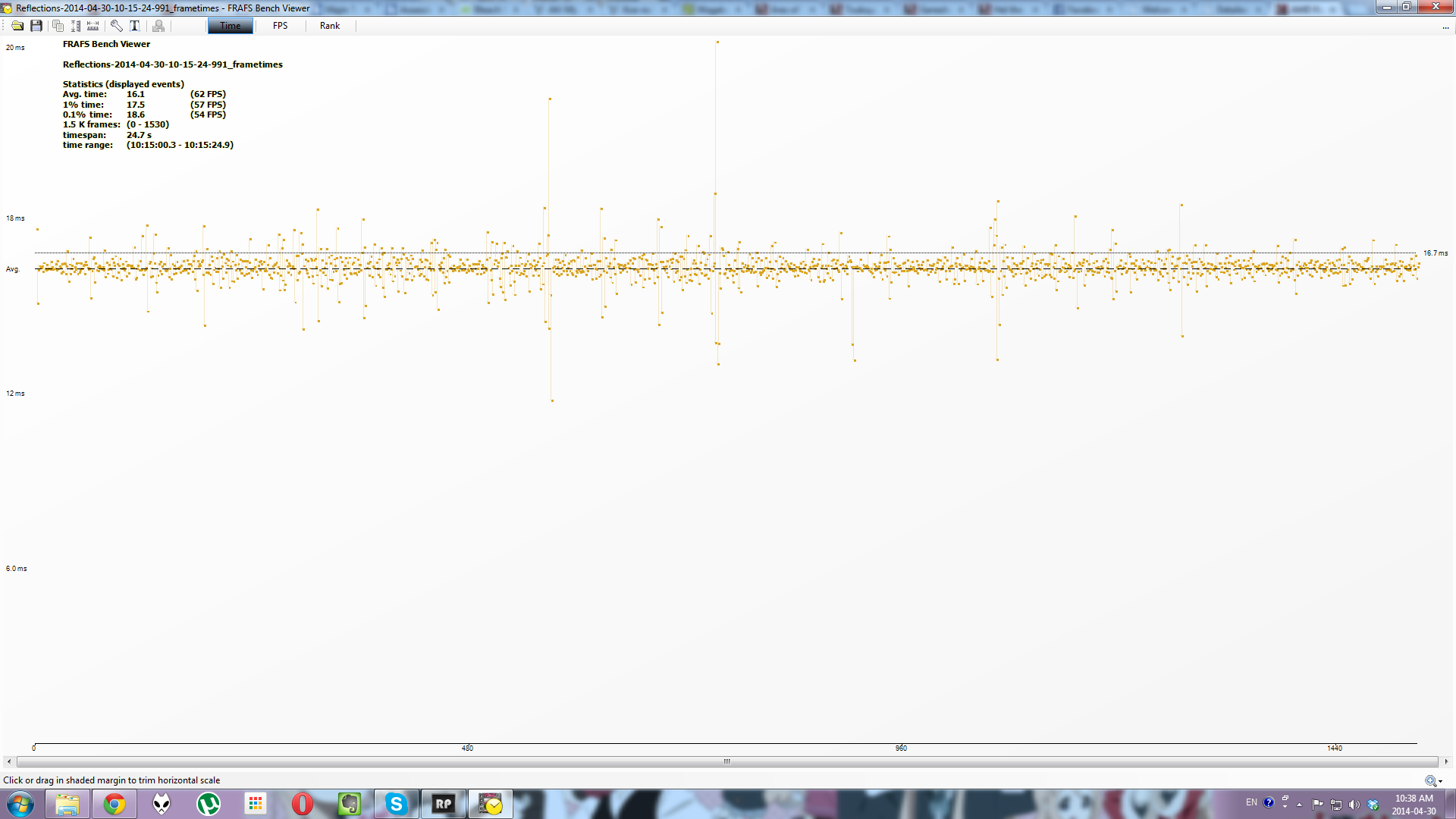 too high don't you think? (specs in the siggy) everything was unchanged except for the resolution change and fullscreen. wonder where i did wrong? UPDATE : using the in-demo FPS tool, the FPS counter stayed around 40-45 until the dude stands up. then the counter was 35-40. then when outside that "dungeon" and the video views the iceman, the counter was 20-30. can't trust fraps? This post has been edited by graphidz: Apr 30 2014, 10:50 AM |
|
|
Apr 30 2014, 02:34 PM
Return to original view | Post
#4
|
|
Senior Member
1,411 posts Joined: Jun 2009 From: land of burung kenyalang
|
QUOTE(Acid_RuleZz @ Apr 30 2014, 11:55 AM) How to activate demo FPS counter? MSI Afterburner reported similar FPS compare to RadeonPro. open up console "~" and type in "set unit" and "set fps" (all minus the quotes) |
|
Topic ClosedOptions
|
| Change to: |  0.0466sec 0.0466sec
 0.45 0.45
 7 queries 7 queries
 GZIP Disabled GZIP Disabled
Time is now: 3rd December 2025 - 10:26 PM |
 Quote
Quote