Welcome Guest ( Log In | Register )

Bump Topic Topic Closed RSS Feed

Outline · [ Standard ] · Linear+

 β™ The Nexus 5 Official Thread V7β™ , 4.4.3 (KTU84M) launched :D

views
     
andyreymex
post Apr 20 2014, 07:00 PM

Getting Started
**
Junior Member
165 posts

Joined: Apr 2010
From: Taman Bukit Pandan, Cheras


Hi, ever since I registered myself here as a Nexus 5 user, I would like to ask something about audio recording.

Although I heard there was an issue about the hissing noise during video recording, I did download this app:

https://play.google.com/store/apps/details?...p3soundrecorder

and so far the recording is okay (not much bothered about the hissing), unlimited and able to change bitrates. But I was wondering what is the highest bitrate it can go only for audio recording?

It could be useful for me again to record a seminar audio only, tried using other apps but turns out recorded audio was like 32kbps and it was not very audible...

Anyone here expert enough to know the highest bitrate???

This post has been edited by andyreymex: Apr 20 2014, 07:01 PM
andyreymex
post Jun 5 2014, 05:49 AM

Getting Started
**
Junior Member
165 posts

Joined: Apr 2010
From: Taman Bukit Pandan, Cheras


Hi,

First of all my phone is bootloader locked, unrooted. Since the 4.4.3 OTA update released, I was looking for information of how to update my phone using the steps given from other sites, like using adb fastboot then update kind of guide. (clearly I can't explain well here because I'm a noob to these stuff)

So I went ahead getting all the files downloaded, the 4.4.3 OTA update file, Android SDK toolkit, some guiding documents. Lastly, I did all the necessary backup which I'm satisfied even though I may lose other files during the process

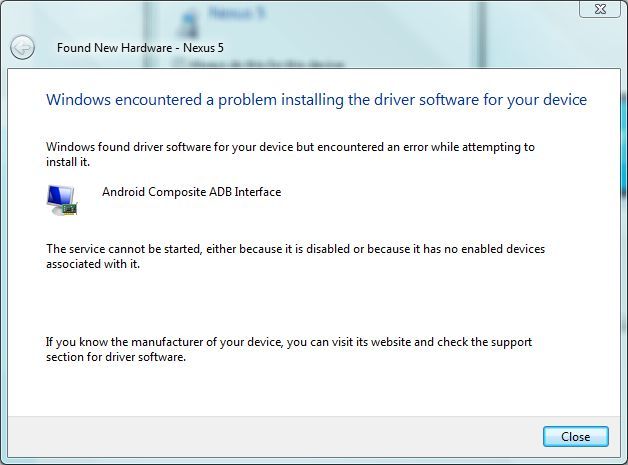
However, I'm stopped by getting my phone recognized from my lappy, windows vista 32 bit. Normally, I can get my phone connected to my lappy with no issues, like transferring files. This time it got me stuck, when I enabled the "USB debugging mode", while connected to my lappy, it automatically searches for new driver, and it turns out a pop up message said I don't have the proper driver, stated something like "Android Composite ADB Interface".

So I googled again, downloaded the latest Android USB Driver, followed the steps given from other site, tried updating the driver from the device manager, in return the same message about Android Composite ADB Interface.

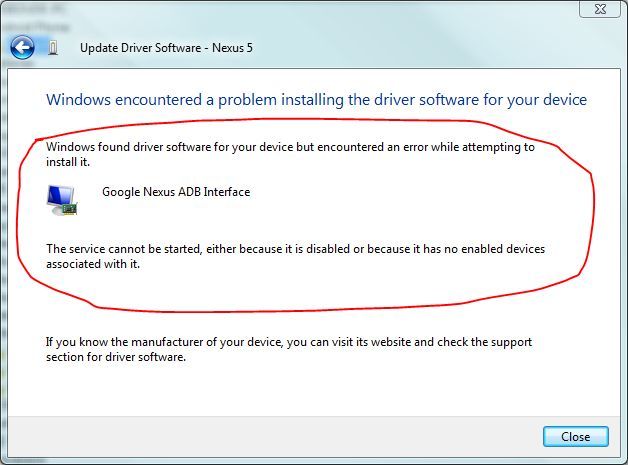
"Windows found driver software for your device but encountered an error while attempting to install it

The service cannot be started, either because it is disabled or because it has no enabled devices associated with it."

How do I get Nexus 5 driver install in order for me to use Android ADB? It seems truly complicated to me.
andyreymex
post Jun 5 2014, 04:21 PM

Getting Started
**
Junior Member
165 posts

Joined: Apr 2010
From: Taman Bukit Pandan, Cheras


QUOTE(xxdesire @ Jun 5 2014, 08:17 AM)
Uninstall all previous drivers and follow this guide ADB and Fastboot Installation
*
tried all the methods, didn't really work 😞

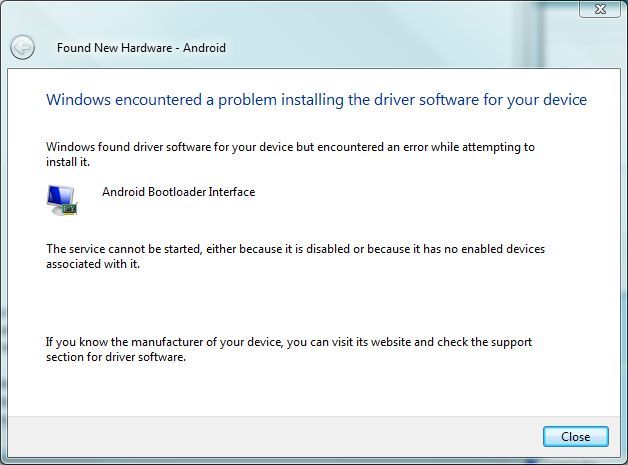
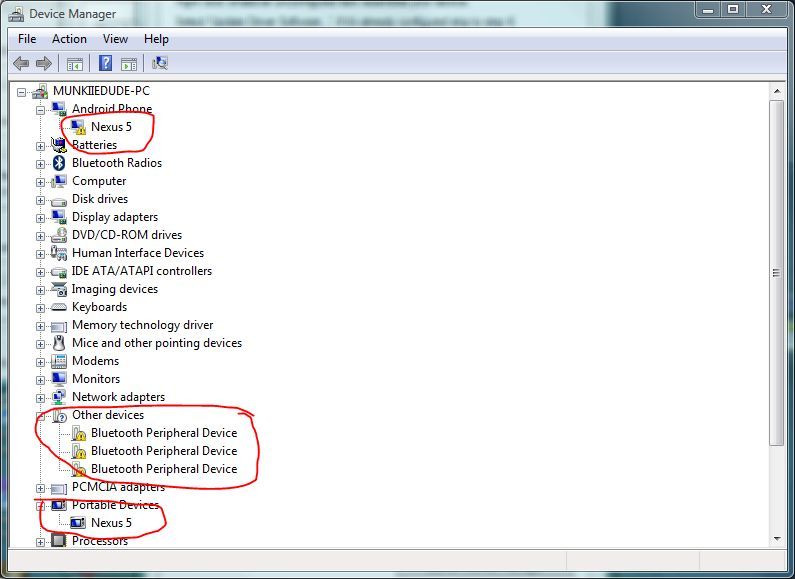
What I got the status was something like this:

user posted image
user posted image

Whenever I plug in my phone, it always show the first image status, with USB debugging on. Uninstall the driver many times, it keeps coming back to the same status. Used all the drivers, trying to update it but same status like first image.😭

Any help from this point? Heard most of you got the OTA update, but I'm still smashing the update button and still no update 😩
andyreymex
post Jun 5 2014, 07:11 PM

Getting Started
**
Junior Member
165 posts

Joined: Apr 2010
From: Taman Bukit Pandan, Cheras


QUOTE(vostro78 @ Jun 5 2014, 06:04 PM)
hi,

try this :

http://forum.xda-developers.com/google-nex...v1-8-0-t2517778

Tried on this toolkit, followed the steps... No luck... I only have one laptop, and I don't think I wanna use my sister's laptop to do all these things because she doesn't like it, provided all the hassles installing this and that, lagi she hates it.

Refer info and image below.

user posted image
user posted image

the first botton is to help you install the device driver. follow the step 1-5 , i use it to install driver, unlock, root, install custom recovery..hope it help you as well.
*
Thanks form the link.

Been this website, done the same steps accordingly, still no luck πŸ˜–πŸ˜–πŸ˜–

It keeps showing the same old status saying the service cannot be started, I don't have a clue what is disabled to prevent this simple installation. I wonder what makes it so complicated to me, while the rest is having good time enjoying their new version of OS... 😒😒😒

Any other ideas?

Edit: sorry about replying within the quote, I don't know how to fix it back, cuz I'm using my phone to post this... Something's wrong with Firefox Beta.

This post has been edited by andyreymex: Jun 5 2014, 07:13 PM
andyreymex
post Jun 6 2014, 12:59 AM

Getting Started
**
Junior Member
165 posts

Joined: Apr 2010
From: Taman Bukit Pandan, Cheras


QUOTE(damn_aged @ Jun 5 2014, 08:40 PM)
bro..i had the same issue as you. was using the usb drivers from google website, on windows 7 64-bit.

what i did was, uninstall the driver (this was while my phone was still connected waiting for the adb file to be fed in hahaha worried as hell) from device manager > re-scan for hardware changes> browse my computer for driver > let me pick a list of device drivers > android usb device (there was another one - android composite usb device) > have disk (choose the google driver folder) >Android ADB device (not the composite one).

dunno if it is same case as u but maybe its worth the try...hehe...
*
I tried what you did, same results.. In fact, I tried all the drivers listed even though it's irrelevant, but no luck... Still the same status windows. 😩😩😩
andyreymex
post Jun 6 2014, 01:05 AM

Getting Started
**
Junior Member
165 posts

Joined: Apr 2010
From: Taman Bukit Pandan, Cheras


QUOTE(vostro78 @ Jun 5 2014, 10:34 PM)
did u actually launch the "Full Driver Installation Guide + automatic + Manual", click inside , and launch USB Deview, follow the step to remove the driver?
*
Yes, I did all the crucial steps, still no luck... Dunno what happen. Unless I had to wait for the OTA. Yet, I can't even unlocked the bootloader and root my phone using my laptop.😞
Oh well, this is really a bummer. 😀
andyreymex
post Jun 7 2014, 06:53 PM

Getting Started
**
Junior Member
165 posts

Joined: Apr 2010
From: Taman Bukit Pandan, Cheras


QUOTE(jerryhean @ Jun 6 2014, 06:09 PM)
For those who don't get the OTA update can try this:
Go to settings, apps, All, select Google services framework, click on force stop, then disable the services, follow by clear data and cache, reboot the phone after that. After reboot, enable back Google services framework, the system update will appear, if not hit the check for update. Good luck!
*
OMG OMG OMG it really works! I thought something happened to my phone and it never gets the update until you guide us this walkthrough! Thanks a lot!

Finally, I got my phone updated!
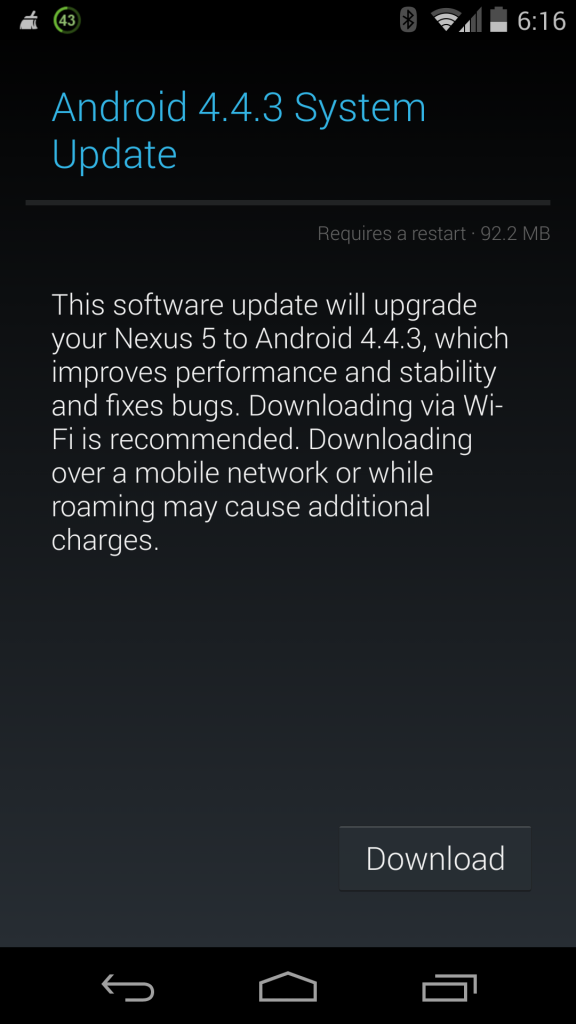
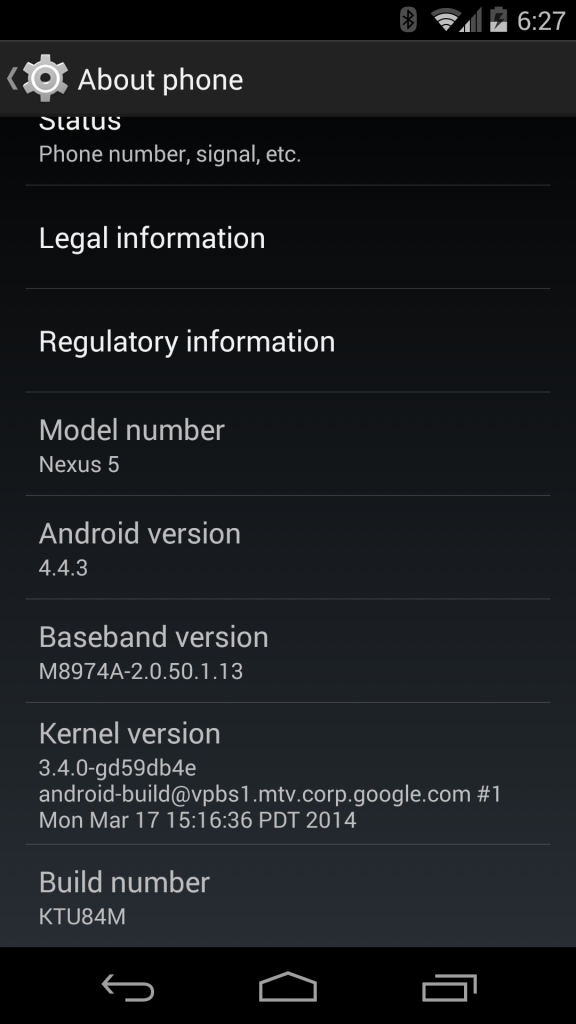
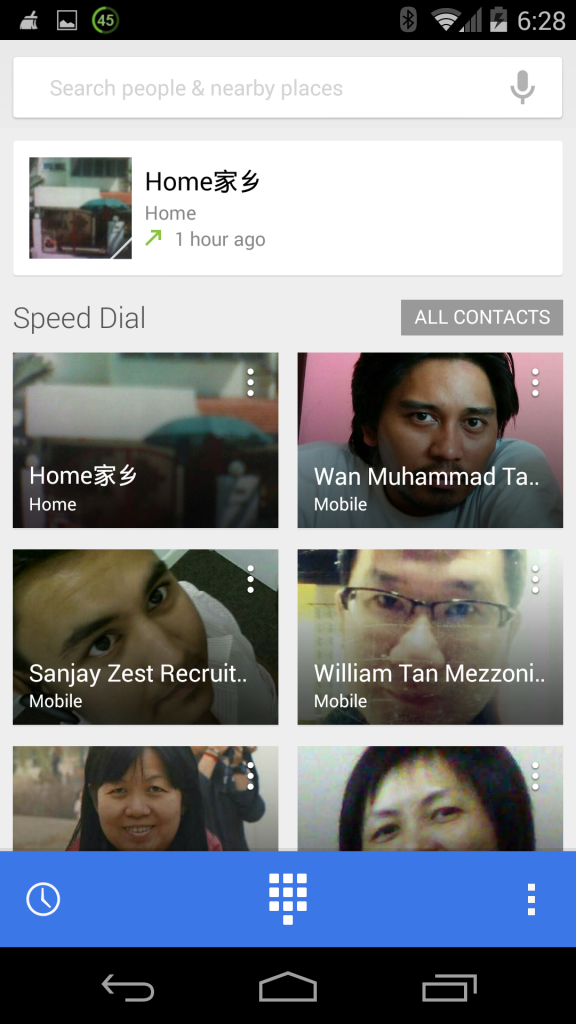
user posted image
user posted image
user posted image

I'm currently at a Chinese coffee shop and used their Wi-Fi. Once I followed the steps, I was looking at the Wi-Fi, hopefully it didn't break off since many of people here all Wi-Fi leechers (that includes me! 😜) then once I pressed the update button, suddenly the Wi-Fi was cut off and the whole update download about 92mb downloaded using LTE... Dang!😑😑😑 I was like WTF at the moment, but think back, well this better be worthwhile since I can't sideload update. Then after finished download the update, the Wi-Fi came back right away and somehow there's an interruption on the download.😱😱 While on Wi-Fi connection, it validates the update file and ask to reboot and update, luckily.πŸ˜“

After the update, I notice the start up animation color circles gotten bigger, anyone notice that?πŸ˜‰ Then it validates the apps, then when I quickly check the Dialer, it did change with blue themed with contact cards, no data erased. And then checked the contacts, the contacts with no profile pic or avatar will have the alphabet icon according to the name on the contacts, which is neat, instead of the stickman face.πŸ‘πŸ‘

Just updated, haven't found any bugs yet. Will update if I ever found one. One particular thing I need to ask, since the camera app bug already fixed, I would like to install Skype again. Because previously I installed Skype, I couldn't use the camera app, and the camera bug hogging the battery life. Anyone who updated 4.4.3 with Skype installed please tell me your experience please.

Anyways, thanks for y'all effort assisting me for the sideload matter, I hope everyone enjoys the new update, and hopefully won't have so many bugs to let us down using this beast!

andyreymex
post Jun 8 2014, 12:22 AM

Getting Started
**
Junior Member
165 posts

Joined: Apr 2010
From: Taman Bukit Pandan, Cheras


QUOTE(haturaya @ Jun 7 2014, 07:56 PM)
Since you'd mention skype, 2 days ago I had a skype video conversation over wifi for 1.5 hour. Everything goes well. No surge of power draw visible.
*
Let's hope Skype's not hogging the battery like previous version. Experienced before when mm.qcamera.daemon appears after Skype installed, cannot access camera after a day or two usage.

Right now have to wait and see if it'll happen again or not, or else bye bye Skype for Android.

Topic ClosedOptions
 

Change to:
| Lo-Fi Version
0.0419sec    0.68    7 queries    GZIP Disabled
Time is now: 10th December 2025 - 07:12 AM