
Welcome Guest ( Log In | Register )

Outline · [ Standard ] · Linear+

 Gaming Mouse Thread V7, where all gamers gathers

views
     
StuartLee2015
post Jun 22 2020, 07:18 PM

Regular
******
Senior Member
1,221 posts

Joined: Sep 2014
From: Malaysia


QUOTE(terradrive @ Jun 22 2020, 07:06 PM)
Sorry if late

Just fixed my double click issue on my deathadder chroma. Need to dissemble the mouse from the bottom for mine and expose the PCB and the omron switch for the button. Open it up and clean the copper switch using alcohols like isopropyl alcohol (the thin copper plate that clicks and the copper contact points on the button).

Opening up my Razer Deathadder
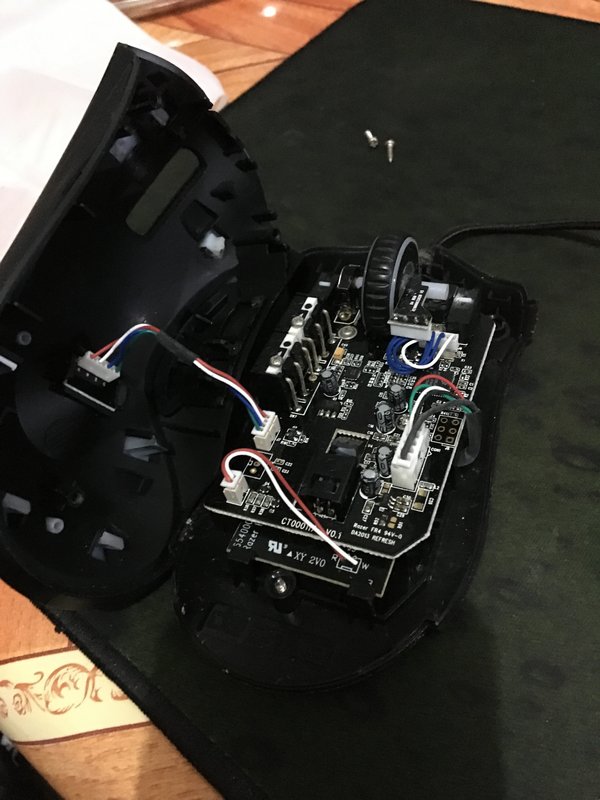
user posted image

The upper casing of the switch, white button, and the thin copper plate that acts as the bridge for the switch
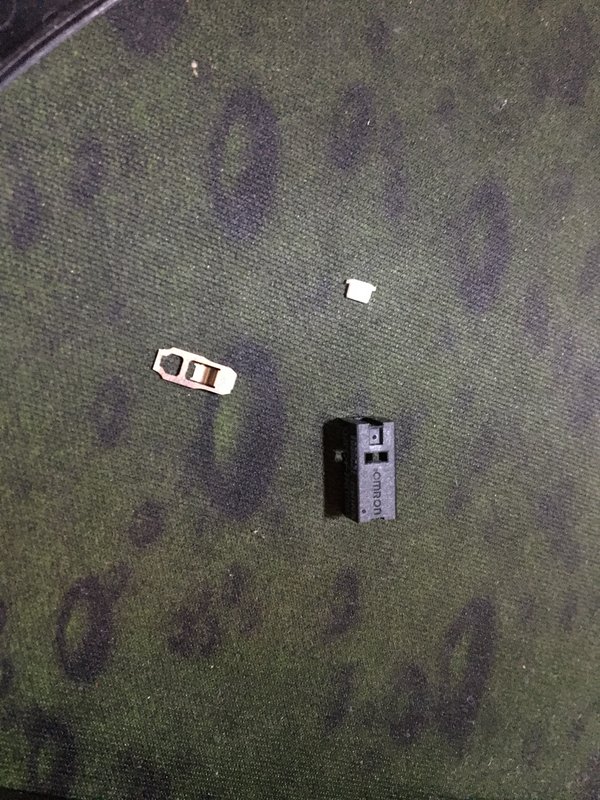
user posted image

The location of the switch after opened up
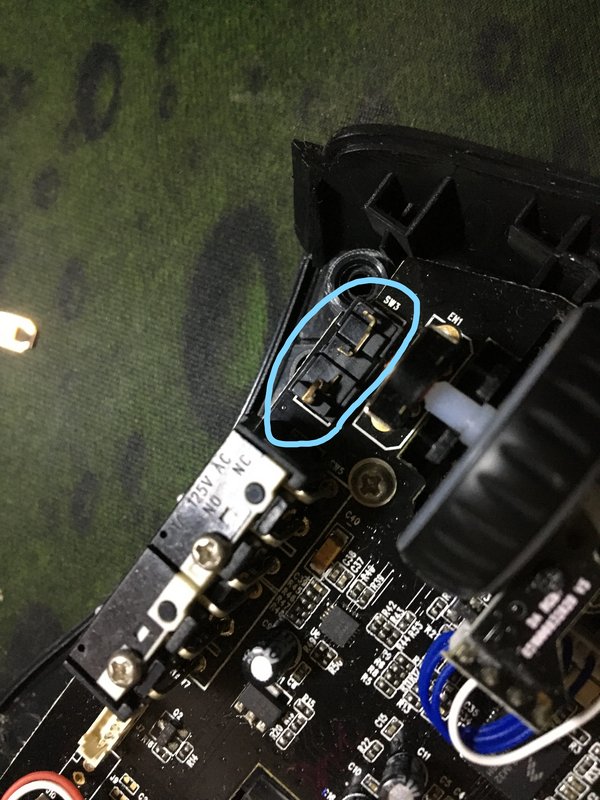
user posted image

How the switch works


Another better way is to probably swap out the switch itself, need to do soldering.
*
I would open up the switch and then flatten it and it's good to go...... I thought of getting soldering tools, but only for this purpose, it kind of wasted... I bought a bunch of switches so i can replace the plate in case i mess up smile.gif

I am using G603.
StuartLee2015
post Jun 22 2020, 07:27 PM

Regular
******
Senior Member
1,221 posts

Joined: Sep 2014
From: Malaysia


QUOTE(terradrive @ Jun 22 2020, 07:24 PM)
I tried opening mine since I don't want to use it anymore if it still has the double click issues. But then no more problems, saved money for the new mouse lol. I thought of getting the Sensei 310 if this failed. Kinda sucks have to discard this mouse if only one button have issues.

But then seems alright if can hire other people to swap in new switches.
*
Actually, the switches itself isn't faulty... it's just overtime it will have oxidation and kind of what caused double-click.... no mouse that uses omron switches are immune....

I've flatten my left and right switches , clean out the switches contact and the plate... and it's good as new.
StuartLee2015
post Jul 29 2020, 10:58 PM

Regular
******
Senior Member
1,221 posts

Joined: Sep 2014
From: Malaysia


QUOTE(SpikeTwo @ Jul 29 2020, 04:43 PM)
Wtf you talking roundabout man? Since when razer is cheapo mouse? You need to learn to differenciate cheaply made and cheap as in price. It should last longer not double click the hell out of me. After the razer shithouse, I got one logitech G9x, another Modern Warfare edition G9X and now mostly using G502. Never have double clicking issues for years now. Sorry I do not use cheap mouse. Logitech lasts so long, maybe I will buy another G502 wireless down the road.
*
wow... G502 Wireless looks so nice.... may buy it one day.
StuartLee2015
post Jul 30 2020, 10:21 AM

Regular
******
Senior Member
1,221 posts

Joined: Sep 2014
From: Malaysia


QUOTE(SpikeTwo @ Jul 30 2020, 09:36 AM)
Now thinking going 903 or go back 502 for wireless.
*
But if using the Logitech Powerplay to keep the mouse charged all the time, isnt it bad for the battery health/lifespan? same theory with wireless charging for phone, isn't it?

I using G603, powered using double AA batteries, so i guess that's more realible and cost efficient but not as fancy as G502 wireless. there's Wired G502, but i don't want wires lol..
StuartLee2015
post Sep 10 2020, 03:43 PM

Regular
******
Senior Member
1,221 posts

Joined: Sep 2014
From: Malaysia


QUOTE(sojurn @ Sep 10 2020, 12:42 PM)
I have the powerplay. From what I've observed, it only charges at 80% and stops at 95%. Supposedly to help with battery life.
*
Oh i see...


Change to:
| Lo-Fi Version
0.0488sec    0.34    7 queries    GZIP Disabled
Time is now: 6th December 2025 - 11:28 PM