Welcome Guest ( Log In | Register )

Outline · [ Standard ] · Linear+

Review [Review] Western Digital My Passport Slim 2TB

views
     
TSlucidlts
post Feb 28 2014, 08:26 PM, updated 12y ago

brain powder
*******
Senior Member
2,906 posts

Joined: Oct 2010
From: hurrr durrrrr?


Author's Note: The Original Review may be found in www.tech-critter.com,
please head to the site to show us your support as well.

user posted image

Portable hard drives has been one of the most important equipment around especially for those who needs carry large amount of data around
and thumbdrives is just not the solution to go for. Western Digital has been a familiar brand when it comes to portable hard drives and it has been
one of the most recommended brand around. Known for exceptionally well built quality, decent transfer speed and portability, WD Elements Portable,
My Passport Ultra, My Passport Slim
are among the best portable hard drive you can get from Western Digital.

We're lucky enough to be able to get our hands on one of the latest portable hard drive from Western Digital, great thanks to Western Digital Malaysia
for providing us their My Passport Slim 2TB to made this review possible.


Technical Specification

Warranty 3-year Limited Warranty
Dimension 110mm x 18mm x 80mm
Weight 220g
Color Silver only
Interface USB 2.0 ( 480mbit / s)
USB 3.0 (5G / s)
Capacity 2 TB
Enclosure Metal
Temperature Operating: 5°C to 35°C
Non-operating: -40°C to 60°C
Compatibility Windows / Mac
Features WD SmartWare Pro
WD SmartWare
Automatic backup
Cloud backup
Password protection
Hardware encryption


Overview

user posted image

The packaging looks great as the details on features offered are well presented as most people would get the information at first sight on the small icons.

user posted image

The back of the packaging shows that Dropbox is the cloud storage used for the mentioned cloud backup at front.

user posted image
user posted image

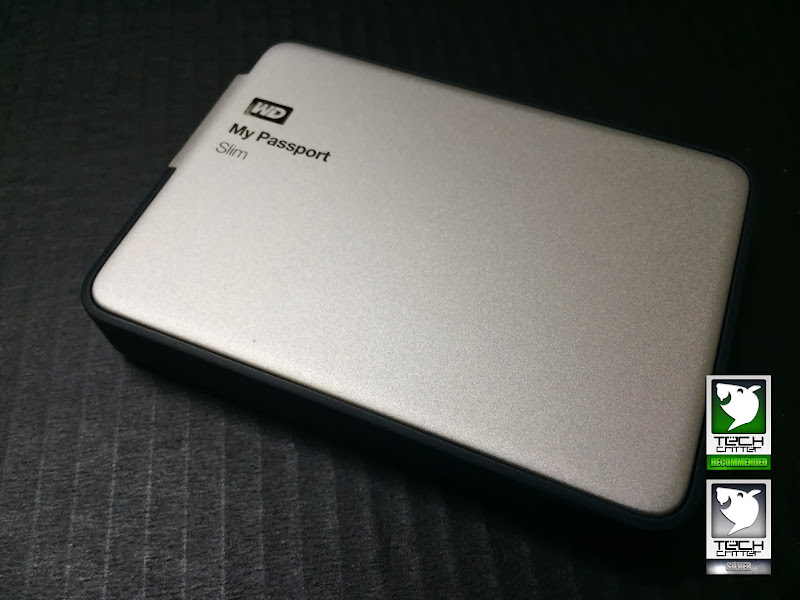
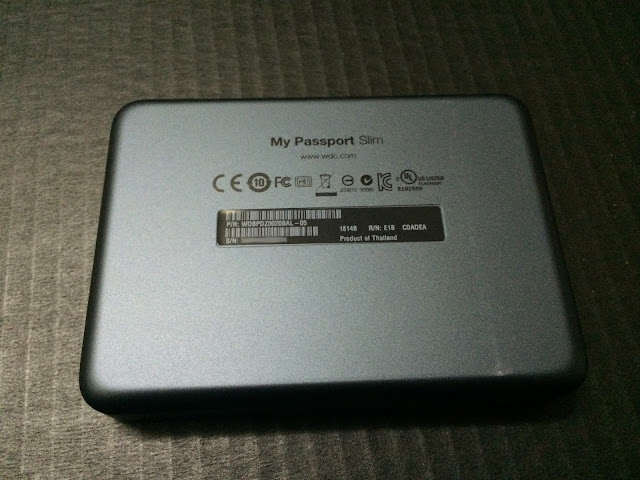
Right out of the box is the My Passport Slim portable hard drive that comes with a full anodized metal enclosure.
This benefits those who often carry their portable hard drive in their pockets, as you won't be getting a cracked hard drive enclosure even if you have it
placed at the back pocket of your pants and accidentally sit on it. Great approach by Western Digital we'd say!
user posted image

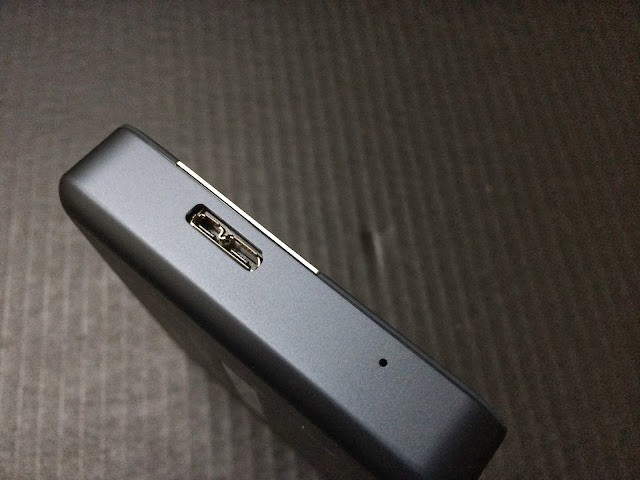
The portable hard drive comes with a USB 3.0 interface for faster transfer speed if your laptop or desktop supports USB 3.0 interface. It's USB 2.0 compatible
as well so there's nothing to worry about not being able to share your files to older generation laptop or desktop that supports up to USB 2.0 at most.

user posted image

The included accessories are quite common for Western Digital portable drive nowadays - USB 3.0 cable for your portable hard drive and user's guide and a pouch for your portable hard drive.

user posted image

The pouch is rather thin and the only protection you'll get is protection from minor scratches.

This post has been edited by lucidlts: Feb 28 2014, 08:30 PM
TSlucidlts
post Feb 28 2014, 08:26 PM

brain powder
*******
Senior Member
2,906 posts

Joined: Oct 2010
From: hurrr durrrrr?


Transfer Speed

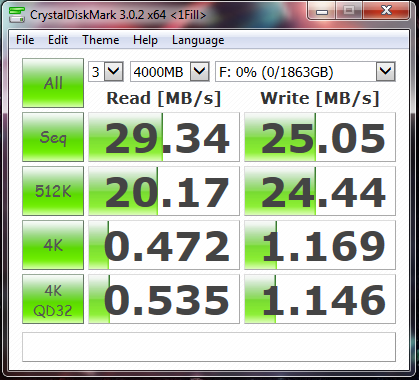
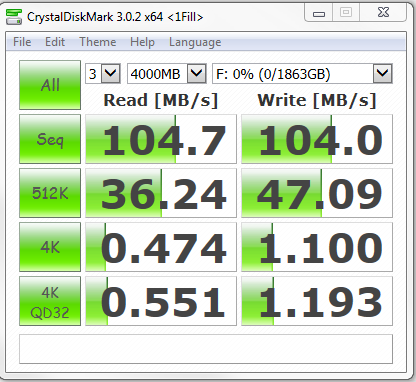
A quick test is done to measure the reading and writing speed for the Western Digital My Passport Slim 2TB using CrystalDiskMark 3.0.2.

user posted image user posted image

*The screenshot on the left is the benchmark result for USB 2.0, whereas the screenshot on the right is the benchmark result for USB 3.0.


Both read/write speed for USB 3.0 stays above 100 MB/s and it's almost 4 times faster than the read/write speed on USB 2.0.
If you've been experiencing slow transfer under USB 2.0 and eager to upgrade to something which is much faster, here's the
My Passport Slim portable hard drive to be added to your consider-to-buy list.


user posted image

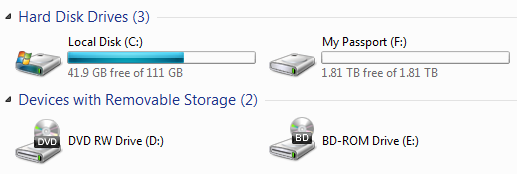
If you're seeing the available capacity 1.81 TB rather than the advertised 2.0 TB, don't get upset as there's an explanation for this
- click here to find out more.


Software

user posted image

There's 3 software that comes along with the portable drive:

WD Drive Utilities

user posted image

Diagnostics allows you to perform test on your drive for potential failure, especially bad sectors that could be fatal to your precious data.

user posted image

The Sleep Timer allows you to put your hard drive to sleep mode if it's being idle for a period of time, great for preserving the longevity of
your portable drive as it's not mean't for 24/7 at the first place.

user posted image

The Drive Erase allows you to erase your entire hard drive, meaning that you will lost all data stored on the drive and you should be extra
careful with this function.

user posted image

The Registration allows you to register your product and obtain notification for software update and customer support. You are encouraged to
register your product upon purchase as you as the product owner get the benefits from it.

This post has been edited by lucidlts: Feb 28 2014, 08:38 PM
TSlucidlts
post Feb 28 2014, 08:27 PM

brain powder
*******
Senior Member
2,906 posts

Joined: Oct 2010
From: hurrr durrrrr?


WD Security

user posted image

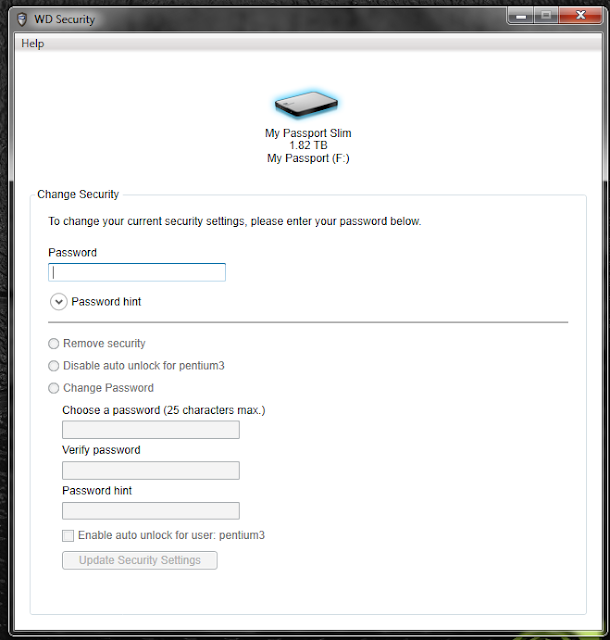
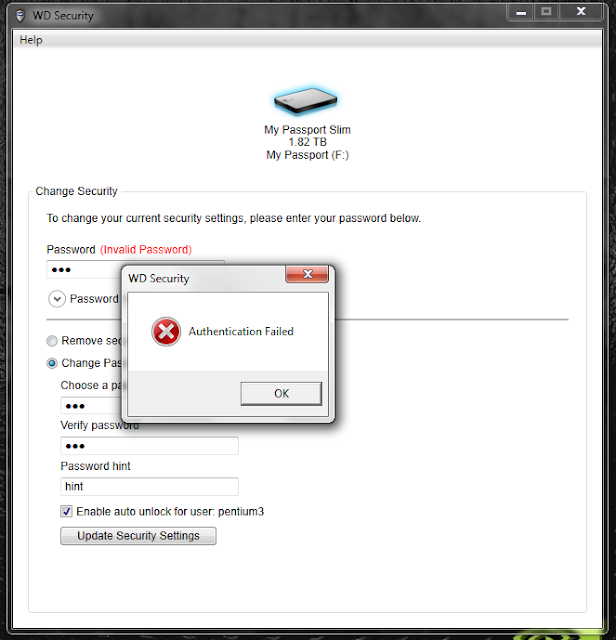
The WD Security is another utility that comes with the hard drive. It allows you apply password protection to secure your data from
being access by unintended party.

user posted image

There are option for you to remove the password protection, auto unlock and change password that is applied to the hard drive,
but you can only perform either of these action with the correct password entered.

user posted image

Failure in remembering your password is fatal - to your data. You should always remember your password as losing your password
is equivalent to losing all the data stored within the hard drive.

user posted image user posted image

Upon successful applying the password protection, this is what you will be prompted before being able to access to the hard drive.


WD SmartWare

user posted image

The WD SmartWare is a data backup utility for Western Digital drives that allows you to manage your data backup easily thanks to
the clean and user friendly interface. There's several option at the Home tab that you can choose for:

- Local drive > My Passport Slim
- Local drive > Dropbox
- My Passport Slim > Dropbox
- Dropbox > My Passport Slim

user posted image

In order to use the backup to Dropbox option, you will need to upgrade your WD SmartWare to WD SmartWare Pro - you're given
3 times limited activation without any extra charges.

user posted image

You're required to login to your Dropbox account to complete this setup and this is what you will be prompted upon successful setup.

user posted image

Proceed to the Backup tab to configure your data backup and the SmartWare will automatically categorize your files for you to backup
- Category Backup is the default settings for first time launch.

user posted image

You can opt for File Backup to select a specific files instead of backing up the all the files that falls into the same category, very convenient
option that comes in handy in the time of need.


This post has been edited by lucidlts: Feb 28 2014, 08:43 PM
TSlucidlts
post Feb 28 2014, 08:27 PM

brain powder
*******
Senior Member
2,906 posts

Joined: Oct 2010
From: hurrr durrrrr?


user posted image

You can backup your files to Dropbox as well but there's a limited space if you're on a free account. Upgrade is necessary if you wish to increase
the storage capacity of your Dropbox account, with a monthly subscription fee of $9.99.

user posted image

Upon successful backup, you get a blue colored check mark on both sides that indicates a successful backup.

user posted image

If you have sensitive data that has to be backed up frequently, you can select the Set Backup Frequency option to setup a schedule for your data
backup based on the following choices:

- Continuous Backup - SmartWare will monitor for changes on designated files and perform backup if changes detected.
- Scheduled Backup - The common backup we've seen today, where backup is performed on the time selected.

user posted image

To retrieve backup files, simple go to the Retrieve tab to select your destination for file retrieval and click next.

user posted image

You can select to either retrieve the backup files to the original location where the files is backed up from, or just to retrieve the backup files to a
single designated folder.

user posted image

At the final step, there's choices for you to either retrieve all files or just certain specified files. After your choices has been decided, simply click
on the Start Retrieving button to retrieve your files.

user posted image

Upon completion, you will be prompted with a blue check mark on both sides, indicating that your files has been retrieved successfully.

user posted image

The Settings tab allows you to perform the following actions:

File History - To set the numbers of backup version to keep for each files, good to prevent bad files from overriding the good copy.

Retrieve Folder - Modify the destination for file retrieve function in the Retrieve tab.

Software Update - Optional, whether to notify you if there's any updates for WD SmartWare.

Dropbox Account - To modify or add Dropbox account for the backup to Dropbox function.

user posted image

The Help tab contains most information you will be needing if you encounter any technical issues with your Western Digital My Passport portable drive.

This post has been edited by lucidlts: Feb 28 2014, 08:46 PM
TSlucidlts
post Feb 28 2014, 08:27 PM

brain powder
*******
Senior Member
2,906 posts

Joined: Oct 2010
From: hurrr durrrrr?


Final Thoughts

The Western Digital My Passport Slim might not be as slim as its name, but its built quality and the included software are things that really worth looking at.

Pros

- Full metal enclosure to ensure best protection to the components inside
- High capacity and USB powered
- Fairly decent read/write speed under USB 3.0
- A pouch is included keep your drive in it
- Excellent included software, very straight forward and user friendly interface

Cons

- The pouch is extremely thin, only protect hard drive against minor scratches
- Only available in 1 color
- Costly, 475 Malaysian Ringgit each

It might not be the fastest portable hard drive around and doesn't comes with a nice pouch, but it's definitely a quality product that we would recommend,
especially for those who seeks for a really solid portable hard drive that has a decent transfer speed.

user posted image

This post has been edited by lucidlts: Feb 28 2014, 08:48 PM
TSlucidlts
post Mar 1 2014, 11:57 AM

brain powder
*******
Senior Member
2,906 posts

Joined: Oct 2010
From: hurrr durrrrr?


QUOTE(queraisya @ Mar 1 2014, 01:23 AM)
Love this info! Thanks for the review!

Thinking of backing my whole system on a "safe drive" externally. Any reccomendations? Currently i have about 3TB worth of files.
*
Thanks and wow... 3TB in total? sweat.gif
Have you ever consider about getting a NAS?
TSlucidlts
post Mar 1 2014, 12:08 PM

brain powder
*******
Senior Member
2,906 posts

Joined: Oct 2010
From: hurrr durrrrr?


QUOTE(kenysl @ Mar 1 2014, 12:04 PM)
nice review as usual bro.
didn't know there's more to a portable hard drive other than plugging it in laugh.gif
*
Actually there's a lot of portable hard drive that comes with a pretty good utility/tool/software/<younameit> but most people just doesn't care or bother to explore it.
TSlucidlts
post Mar 11 2014, 03:40 PM

brain powder
*******
Senior Member
2,906 posts

Joined: Oct 2010
From: hurrr durrrrr?


QUOTE(queraisya @ Mar 1 2014, 03:58 PM)
yeah i did but haven't made any research yet...hehe.
*
If it's 1/2 of that, i would really recommend this drive tongue.gif


Change to:
| Lo-Fi Version
0.0194sec    0.38    7 queries    GZIP Disabled
Time is now: 22nd December 2025 - 07:36 PM