Welcome Guest ( Log In | Register )

Bump Topic Topic Closed RSS Feed
43 Pages « < 37 38 39 40 41 > » Bottom

Outline · [ Standard ] · Linear+

Public : Luke's : Gallery closed!

views
     
Freak`
post Dec 2 2007, 03:24 PM

Attack Attack!
******
Senior Member
1,375 posts

Joined: Jan 2005
From: Batu Gajah, Perak


QUOTE(R a D ! c 4 L @ Dec 2 2007, 03:22 PM)
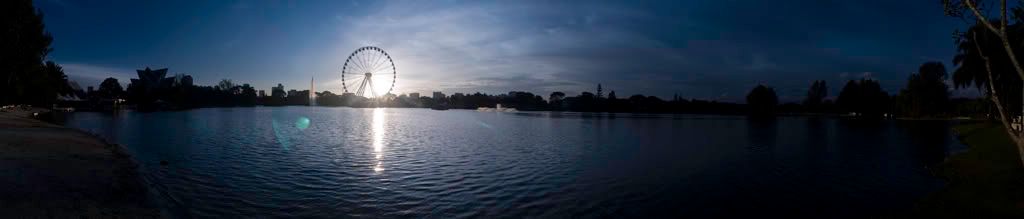
Yes smile.gif Used photoshop cs3's photomerge, its easy, and the good thing is it does it automatically and its really really good biggrin.gif

Thanks!
*
the output really nice .. thumbup.gif

Freak`
nyg
post Dec 2 2007, 11:57 PM

New Member
*
Junior Member
28 posts

Joined: Apr 2006
I've been in that abandoned school in TTDI before. Gives me the creeps. My mate and I climbed the other building. Think we went up about 10 floors before I freaked out. Haha.

f***ing excellent shots, as usual.
TSR a D ! c 4 L
post Dec 3 2007, 12:03 AM

Linc | Nox
Group Icon
Elite
4,744 posts

Joined: Jan 2003
From: Kuala Lumpur


QUOTE(nyg @ Dec 2 2007, 11:57 PM)
I've been in that abandoned school in TTDI before. Gives me the creeps. My mate and I climbed the other building. Think we went up about 10 floors before I freaked out. Haha.

f***ing excellent shots, as usual.
*
huh? 10th floor o_O you must be kidding me, there's no 10th floor on that abandoned school man. Unless you're going to the big abandoned building right beside it.

that's where i plan to go with my friend next smile.gif

thanks man happy.gif
TSR a D ! c 4 L
post Dec 3 2007, 12:47 AM

Linc | Nox
Group Icon
Elite
4,744 posts

Joined: Jan 2003
From: Kuala Lumpur


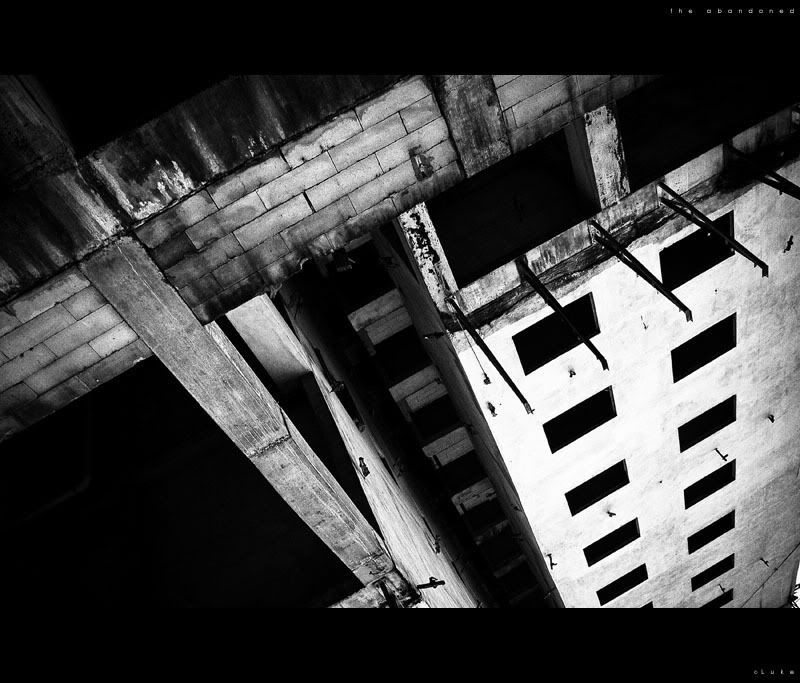
I'll update with some black and whites. smile.gif

Name of this series: "the abandoned".

Location: An abandoned building in TTDI.

#1
user posted image

#2
user posted image

#3
user posted image

#4
user posted image

#5
user posted image

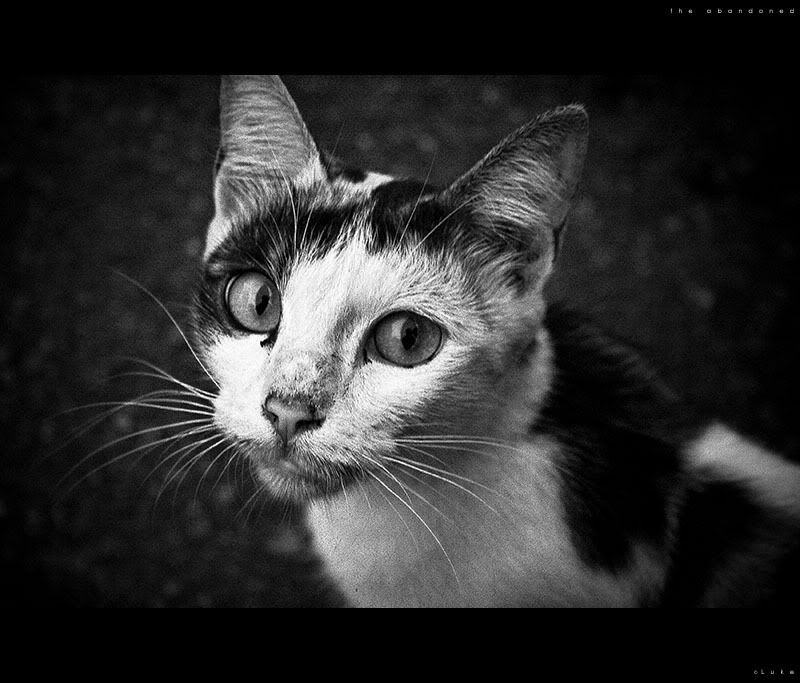
#6 - Final shot, a stray cat. It was kind enough to let me take a shot at him. smile.gif
user posted image

That's all. I didnt manage to go in and explore it's depth, but i'll cover that in the future. Thanks for viewing. happy.gif

r4ydc24
post Dec 3 2007, 03:16 AM

Level of Noobness
******
Senior Member
1,067 posts

Joined: Nov 2004
From: Puncak Jalil


whoa~~ i can sense the sadness in the cat's face... notworthy.gif

n i like #2... rclxms.gif
tuo850
post Dec 3 2007, 04:10 AM

Enthusiast
*****
Senior Member
756 posts

Joined: Jan 2003
From: Kuala Lumpur


#6 look hungry..
TSR a D ! c 4 L
post Dec 3 2007, 06:19 PM

Linc | Nox
Group Icon
Elite
4,744 posts

Joined: Jan 2003
From: Kuala Lumpur


QUOTE(r4ydc24 @ Dec 3 2007, 03:16 AM)
whoa~~ i can sense the sadness in the cat's face... notworthy.gif

n i like #2... rclxms.gif
*
thanks smile.gif

QUOTE(tuo850 @ Dec 3 2007, 04:10 AM)
#6 look hungry..
*
he is, was having dinner that time then it came close smile.gif

pity him, so i gave him some char siew and he gobbled it in seconds, must be really hungry sweat.gif
fcbarcelona-my
post Dec 3 2007, 07:06 PM

Regular
******
Senior Member
1,109 posts

Joined: Oct 2007
whoaa R a D ! c 4 L . nice pic lho. what lens u use? any filter? or edit using photosop? really nice shot
TSR a D ! c 4 L
post Dec 3 2007, 07:09 PM

Linc | Nox
Group Icon
Elite
4,744 posts

Joined: Jan 2003
From: Kuala Lumpur


QUOTE(fcbarcelona-my @ Dec 3 2007, 07:06 PM)
whoaa R a D ! c 4 L . nice pic lho. what lens u use? any filter? or edit using photosop? really nice shot
*
thanks man, well since post 749, i've been using canon 350D and the kit lens only, i do not have other lens to use. smile.gif

RAW editing in adobe lightroom and some photoshop when needed smile.gif

for the black and white series, all of the editing was done in Lightroom, then when I convert them from RAW to jpeg, i used photoshop to add some grain in it. smile.gif
fcbarcelona-my
post Dec 3 2007, 07:18 PM

Regular
******
Senior Member
1,109 posts

Joined: Oct 2007
err...may i know...what is Lightroom? some kind like photoshop? or setting in 350D? . and how to setting raw or JPEG file?

sorry..i'm very new in using my 350D sweat.gif
TSR a D ! c 4 L
post Dec 3 2007, 07:28 PM

Linc | Nox
Group Icon
Elite
4,744 posts

Joined: Jan 2003
From: Kuala Lumpur


QUOTE(fcbarcelona-my @ Dec 3 2007, 07:18 PM)
err...may i know...what is Lightroom? some kind like photoshop? or setting in 350D? . and how to setting raw or JPEG file?

sorry..i'm very new in using my 350D  sweat.gif
*

1st of all, a RAW file is a "digital negative". Everything is "0", except for the exposure(shutter speed and aperture setting) is what you set during u take the shot. Like film. But for film its a different story, there's already a setting inside it, that's why you see certain film produce different quality and style of pictures.

And Adobe Lightroom is a raw editing software. Where you edit the raw files, in Lightroom, you can edit the brightness and contrast of the image without much loss of quality. You can also edit the curves, saturation... almost everything. Because my rule is to get the most out of your shots - I always shoot in RAW. And the best thing here is the setting you made wont affect the original raw file, so once you're done with editing, you convert the image into JPEG while keeping the original raw file. Get it? smile.gif

There's much debate on RAW vs JPEG going around. But I stand my ground on shooting raw. For using lightroom for editing your raws, its like having your own digital darkroom. Like the old days where people used the darkroom to give special effects on films.

Here's a simple RAW vs JPEG link
http://digital-photography-school.com/blog/raw-vs-jpeg/

Read on happy.gif
MR.Shiney
post Dec 3 2007, 07:39 PM

Jacked into the Matrix
******
Senior Member
1,843 posts

Joined: Jan 2006


Nice shots there man. Really liked the cat pic.

QUOTE(R a D ! c 4 L @ Dec 3 2007, 07:28 PM)
» Click to show Spoiler - click again to hide... «

*
owh really?, hmm nice. thanks for the tip! *run away*
TSR a D ! c 4 L
post Dec 3 2007, 07:41 PM

Linc | Nox
Group Icon
Elite
4,744 posts

Joined: Jan 2003
From: Kuala Lumpur


QUOTE(MR.Shiney @ Dec 3 2007, 07:39 PM)
Nice shots there man. Really liked the cat pic.
owh really?, hmm nice. thanks for the tip! *run away*
*
thanks smile.gif

and...

Ya really. smile.gif
zadan
post Dec 5 2007, 11:43 PM

= BF 2 FeVa =
Group Icon
Elite
2,332 posts

Joined: Jan 2003
From: *KL-ian*

love your black & whites.great shots man!

edit:typo

This post has been edited by zadan: Dec 5 2007, 11:43 PM
mindkiller6610
post Dec 6 2007, 02:47 AM

IT-Motion : Your Digital Solutions
*******
Senior Member
2,477 posts

Joined: Feb 2005


i like this :

user posted image

how u did ur pano ? shoot the first photo from the left ? or from the middle ?


TSR a D ! c 4 L
post Dec 6 2007, 03:02 AM

Linc | Nox
Group Icon
Elite
4,744 posts

Joined: Jan 2003
From: Kuala Lumpur


QUOTE(zadan @ Dec 5 2007, 11:43 PM)
love your black & whites.great shots man!

edit:typo
*
thanks smile.gif

QUOTE(mindkiller6610 @ Dec 6 2007, 02:47 AM)
i like this :

user posted image

how u did ur pano ? shoot the first photo from the left ? or from the middle ?
*
start from the left, then overlap each photo for around 40-50%. Then use CS3 to merge them up. smile.gif
mindkiller6610
post Dec 6 2007, 03:12 AM

IT-Motion : Your Digital Solutions
*******
Senior Member
2,477 posts

Joined: Feb 2005


QUOTE(R a D ! c 4 L @ Dec 6 2007, 03:02 AM)
thanks smile.gif
start from the left, then overlap each photo for around 40-50%. Then use CS3 to merge them up. smile.gif
*
thanks sifu.. notworthy.gif notworthy.gif

good nite smile.gif
kevinyong84
post Dec 6 2007, 09:34 AM

Enthusiast
*****
Senior Member
777 posts

Joined: Feb 2006
From: 東京都大森大田区


hey what do u study actually ? im actually just 5 minutes away from ur college haha .. im training now at kota damansara
TSR a D ! c 4 L
post Dec 6 2007, 10:00 AM

Linc | Nox
Group Icon
Elite
4,744 posts

Joined: Jan 2003
From: Kuala Lumpur


QUOTE(mindkiller6610 @ Dec 6 2007, 03:12 AM)
thanks sifu.. notworthy.gif  notworthy.gif

good nite smile.gif
*

no problem man smile.gif


QUOTE(kevinyong84 @ Dec 6 2007, 09:34 AM)
hey what do u study actually ? im actually just 5 minutes away from ur college haha .. im training now at kota damansara
*

im studying photography lo. 2nd sem only smile.gif

my college? SEGi a? hehe...

KD is very near to my place biggrin.gif

Mavik
post Dec 6 2007, 10:57 AM

Patience is a virtue
Group Icon
Elite
7,826 posts

Joined: Jan 2003


QUOTE(R a D ! c 4 L @ Dec 3 2007, 07:28 PM)
1st of all, a RAW file is a "digital negative". Everything is "0", except for the exposure(shutter speed and aperture setting) is what you set during u take the shot. Like film. But for film its a different story, there's already a setting inside it, that's why you see certain film produce different quality and style of pictures.

And Adobe Lightroom is a raw editing software. Where you edit the raw files, in Lightroom, you can edit the brightness and contrast of the image without much loss of quality. You can also edit the curves, saturation... almost everything. Because my rule is to get the most out of your shots - I always shoot in RAW. And the best thing here is the setting you made wont affect the original raw file, so once you're done with editing, you convert the image into JPEG while keeping the original raw file. Get it? smile.gif

There's much debate on RAW vs JPEG going around. But I stand my ground on shooting raw. For using lightroom for editing your raws, its like having your own digital darkroom. Like the old days where people used the darkroom to give special effects on films.

Here's a simple RAW vs JPEG link
http://digital-photography-school.com/blog/raw-vs-jpeg/

Read on happy.gif
*
Hey mate,

Just to help you with your statement because the way you describe it, just covers a very small portion of what Adobe Lightroom actually does.

In the case of RAW, don't confuse him with digital negative especially if you do work with *.DNG type files (http://www.adobe.com/products/dng/). Canon RAW and Nikon RAW will have different formats in file types. In the case of the RAW file, not everything is "0" but basically the whole area of tweaking white balance, exposure and different areas of the photo for a RAW file is because the data picked up by the sensor is in its complete uncompressed and editable state (hence the size of RAW files are much larger than JPEG). Basically the full range of data for each pixel is editable to suit the entire outlook of the image.

Adobe Lightroom is somewhat like a more complexed version of what Picassa can do. Lightroom has of course loads more tweaks and features in terms of developing the photo but of course that comes with a price tag. To say that lightroom is just a RAW editor is seriously limiting its full ability and usage.

To fcbarcelona-my
In the area of shooting RAW versus JPEG, it all depends on what you are shooting. From what you can see through Luke's gallery, most of his shots are post processed to quite a certain extent. If you are the type of person who shoots loads of photos, have limited amount of space in your memory card then JPEG might be the way to go.

There has always been a lot of "heated" discussion between photographers who try to get the picture right on camera (they use JPEG) versus those who use Post processing tools (RAW users). Again it depends on your subject and what is it that you are trying to shoot. Some wedding photographers shoot in RAW, some in JPEG. It all depends on personal preference and how you want to work. Basically all these decisions, determines your own style in shooting.

43 Pages « < 37 38 39 40 41 > » Top
Topic ClosedOptions
 

Change to:
| Lo-Fi Version
0.0260sec    0.37    5 queries    GZIP Disabled
Time is now: 8th December 2025 - 02:05 PM