Welcome Guest ( Log In | Register )

Bump Topic Topic Closed RSS Feed

Outline · [ Standard ] · Linear+

 Android TV Box

views
     
GI Jie
post Nov 27 2016, 01:40 AM

Enthusiast
*****
Senior Member
722 posts

Joined: May 2014
New here. Can anybody tell me if the Himedia Q10Pro is ok?

Specs:
Chipset: Huawei HiSilicon HI3798CV200 Quad-core 64-bit high-performance ARM Cortex A53 with NEON
GPU: Mali-T720
RAM: 2GB DDR3
Flash: 16GB eMMC
OS: Android 5.1
Video: Video Decoding Standard: H.265/HEVC 4Kx2K@60fps, MVC, MPEG1/2/4, VC-1, WMV
Video File Format: TS, MKV, FLV, MOV, AVI, RM, MP4, ISO Blue-ray navigation 3.0
Audio: Audio Decoding Standard: Dolby Digital Plus, DTS-HD, MP3, WMA, AAC, PCM
Audio Format Format: MP3, WMA, APE, Flac, AAC, Ogg, WAV
Pictures: Support JPG, BMP, GIF, PNG and etc.
Subtitle: SSA ASS,SMI ,SRT ,SUB, LRC, SST, TXT, XSS, PSB, SSB
Language: Simple Chinese, Chinese Traditional, English and more languages
Wireless LAN: 2.4GHz/5GHz 802.11a/b/g/n/ac with external antenna for stable internet receiving
Bluetooth: Bluetooth 4.0
HDMI: HDMI 2.0
Support: 4K2K, H.265 hard decoding, Gigabit Ethernet, Dolby Digital Plus and DTS-HD Audio, 3D Bluray subtitles
BD-ISO and 3D BD-ISO, BD rips in BDMV format and ISO for playback, D/3D Games,USB Web Cam, USB mouse and keyboard operation and 2.4G QWERTY Remote, Remote wakeup and standby via ethernet), Firmware local update and OTA online update, SAMBA, NFS network playback, Multilingual GUI
Mouse: Remote control with mouse function for use by all Andorid apps.
Video: 1x HDMI2.0, 1x CVBS
Audio: R/L stereo, SPDIF optical, SPDIF coxial
Network: Wired LAN: 10/100/1000M adaptive network interface
Wireless LAN: 802.11a/b/g/n/ac HG anti-interference single antenna
2X USB 2.0, 1X USB 3.0, 1X USB3.0 device, 1X Built-in SATA interface, 1X SDCARD three-in-one card slot
Network Function: KODI 16, Youtube, Netflix, Google Play, SKYPE, Google browser, Flash11 and HTML5, AirPlay and DLNA, Internet TV, IPTV and Internet Radio.
Remote: 33-key infrared remote control
GI Jie
post Nov 27 2016, 02:36 AM

Enthusiast
*****
Senior Member
722 posts

Joined: May 2014
QUOTE(voncrane @ Nov 27 2016, 02:14 AM)
Yup... The kiddo reported a post of mine too.. Hey kid.. shakehead.gif  shakehead.gif
It's a good box.. However, depending on your needs.. One can't simply conclude without additional info.
*
I now have the MiBox. No ethernet connection and reception is lousy even when connection is great. Actually I don't watch it but the missus does. Mostly Chinese and Korean series and movies. So basically, the android box will be used for that. Hopefully I can get some HK channels as well.
GI Jie
post Nov 27 2016, 04:01 AM

Enthusiast
*****
Senior Member
722 posts

Joined: May 2014
QUOTE(zhiyuanchan @ Nov 27 2016, 02:52 AM)
For your HK channels it's about software and not hardware. Actually MiBox is good enough if you setup properly.  sweat.gif
*
Yes I know it is the software and I have no problems with that. It is definitely the hardware cos my phone is running at over 40mbps at the exact spot where the MiBox is whereas the MiBox is only downloading at less than 1mbps. Maybe it is the content provider but I have no way of testing it. No RJ45 socket in the MiBox and that's why I am thinking of upgrading to an android box with ethernet connection. It is never too expensive to keep the missus in the bedroom while I watch football on tv (astro) outside in the sitting room. brows.gif

I am now using the DLink DAP-1520 (AC750) extender in my bedroom for the MiBox but will change to the DLink DHP-309 (AV600) Powerline if I get an android box with a RJ45 socket. BTW, if I use the Powerline adapter, all I need is one connected to the router and multiple powerline adapters everywhere in the house, right? They are not individually paired, right? Can I like use two adapters connected to the router? Would that be an overkill and defeats the purpose? (I was born in an era where wifi was a phone line connected from the computer to the phone socket and running at between 25kbps and 50kbps).

In conclusion, the Himedia Q10Pro is ok?
GI Jie
post Nov 27 2016, 01:35 PM

Enthusiast
*****
Senior Member
722 posts

Joined: May 2014
QUOTE(voncrane @ Nov 27 2016, 05:57 AM)
When you say it like this? It's a win!  tongue.gif  The HiMedia Q10 Pro is more than sufficient... With wireless AC and Gigabit Ethernet... As for powerline connections. As the electrical connection should be along a phase, the Internet connection (thought halved I believe due to either sending signals up or down at a time) will follow. It’s almost impossible, without consulting an electrician, to know how well powerline ethernet will work for you. Even if your house is ideal, the result probably won’t be as fast or as stable as plugging straight into your network with an ethernet cable. So a direct Ethernet connection to the main router still remains the most ideal setup..
*
Yes, the most ideal setup is out for me cos I did not wire the place up correctly. bangwall.gif Initially I thought that my router would be sufficient as it was positioned smack in the centre of the apartment. Apparently not. mad.gif Won't reach the far corners as there are quite a few concrete walls in between and tearing up the plaster ceiling is not an option now and I have one of the most powerful DLink router (DIR-890L).

I might be tearing up the plaster ceiling later on cos the aircon hoses are leaking... but not until I really have to do so. Now I have small patches on the ceiling but still can make do. Until I do so, which then I will put in the network cables, I have to come up with a solution.

QUOTE(AVFAN @ Nov 27 2016, 09:08 AM)
i m curious how u came to narrow it all down to the himedia q01pro? becos most people want it cheap cheap; q10pro is among the most costly today - with reason.

u r right about the hardware - good hardware gives u better connectivity besides durability and options for video and audio output. from my experience, himedia hardware is excellent - my oldest one is >4 yrs old, still works good with wifi 50ft with an average asus router.

about powerline, i have never had a need for it but i think they work in pairs and only work on the same phase for 3 phase supply. i think u need not go into that until u tested the box's wifi performance. i bet it will be fine up to at least 40ft unless the environment is wifi unfriendly - highrise, too many neighbor users, plenty of metal in the line of sight.
*
Of course I want it cheap but I prefer quality over affordability and anyway the difference between an average and good android box is not substantial. I am more into high end hifi equipment so MYR500+ is actually (paiseh to say) way cheaper than a pair of XLR interconnect cables that I have.

Yes, I will test the wifi capability first before getting an additional powerline adapter but my current MiBox does not offer me such an option and that is why I opted to replace it with one that does. My positioning between the android box/MiBox and router is over 40ft (approximately 60ft) but my extender is next to it.

Actually I have a pair of Powerlines connected from the router to my kid's room and that works fine. I tested its speed (via Ookla) and was consistently getting between 30-40mbps (all three green lights on). I used that to test my room's connection and it only got an orange light which means that it wasn't ideal. Haiz. That is why I wonder if it only works in pairs or otherwise cos I might another pair (if the wifi option is out) and connect it separately to other power points ie. 2 powerlines to router (on different phases) and two to equipment. I can do that by connecting on to the router and another to the box that hosts the main fibre into the place. Currently I have 6X 20A individual electrical cables from the DB for my hifi setup of which one is used for the Powerline. (You'd be surprised how much juice they need). These are "new" additions I put in last year when renovating the place. I might connect one to the "old" power network to see if I get the three green lights.

Lesson no.1: Put in those damned network cables when renovating. Haiz!!!

This post has been edited by GI Jie: Nov 27 2016, 01:40 PM
GI Jie
post Nov 27 2016, 01:43 PM

Enthusiast
*****
Senior Member
722 posts

Joined: May 2014
QUOTE(JimbeamofNRT @ Nov 27 2016, 01:39 PM)
that Himedia Q10PRO is around RM 620 mate...

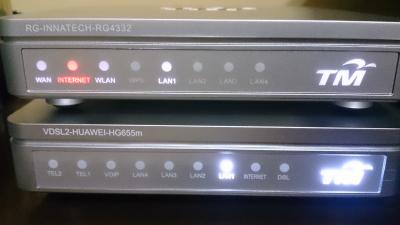
I am still using the stock Unifi Hypptv box Huawei EC2108E which is more old school than the MiBox but I have no problem with streaming. using on iFlix most of the time-but need to constantly update the apps manually otherwise you will see some lags on startup buring during streaming it is perfectly allright

user posted image

user posted image

and yup, I am streaming using stock router as well

user posted image

still thinking to get a better router
*
RM550 on Lazada now. Supplied by LC Marketing Network Media.
GI Jie
post Nov 27 2016, 03:59 PM

Enthusiast
*****
Senior Member
722 posts

Joined: May 2014
QUOTE(JimbeamofNRT @ Nov 27 2016, 01:46 PM)
Good deal I must say. but my stock hypptv box is sufficient for me right now. smile.gif
that D-Link DIR-890L is almost RM 1K mate. must be very good stuff. how big is your house anyway?
*
~3500sf (92X38) condo. tongue.gif
And therein lies the problem. It is quite long.

This post has been edited by GI Jie: Nov 27 2016, 04:00 PM
GI Jie
post Nov 27 2016, 04:20 PM

Enthusiast
*****
Senior Member
722 posts

Joined: May 2014
QUOTE(zzzhhhzzz @ Nov 27 2016, 04:06 PM)
waaa... bungalow condo !!!!!
*
That's why must work really hard lor... Bro, I used to only rent lah but that was like 10 years ago.
Cannot sit at home and hope. Must go out and look for opportunities (cari jalan).

GI Jie
post Nov 28 2016, 03:36 AM

Enthusiast
*****
Senior Member
722 posts

Joined: May 2014
QUOTE(AVFAN @ Nov 27 2016, 05:31 PM)
reading what u wrote, i can see u already know what u want, that's good.

one other thing i can say is IF u r buying a new higher end TV, it will be worth your while to get a uhd4K tv with google android tv if using android quite a bit. it is very convenient with the android built in, works just as good as any equivalent box. in fact, it is superior in that u will get youtube, netflix in uhd4k direct with the tv's android whereas most boxes can't.
*
I now have the Sharp LC60LE950X model in my bedroom. Bought it last year so hopefully won't have to replace it until a decade later. These buggers ain't cheap. The Sharp LC70LE950X is in the sitting room. Got them together.
GI Jie
post Nov 28 2016, 02:44 PM

Enthusiast
*****
Senior Member
722 posts

Joined: May 2014
QUOTE(AVFAN @ Nov 28 2016, 09:08 AM)
a fan of sharp?! biggrin.gif  me too.
le950 models are 1920x1080; a few months later, the ue630 models arrived, 3840x2160 or uhd 4k.
the former do not have google androidtv, the later does.
so, u will need android boxes.
but be informed that if a tv is not 4k and/or HDR, a 4k/HDR box can't deliver it to the tv.
himedia q10pro and q5pro are capable of 4k/HDR, DTS:X, DD Atmos.
*
Ya...I did look at the 4K models but too expensive lah. The LE950 models are HDR, right?
As for TV brands, yes, I prefer Sharp. However, I think the fluctuation in our power supplying is killing off all electrical equipment, Sharp included. My 70" Sharp TV died a few months ago (LED panel problem) but the Sharp people came promptly to replace it.
GI Jie
post Nov 28 2016, 11:28 PM

Enthusiast
*****
Senior Member
722 posts

Joined: May 2014
QUOTE(AVFAN @ Nov 28 2016, 03:28 PM)
Le950 is hd, 3d... not hdr.
Hdr is newer than uhd4k, now comes as additional feature to newest uhd4k tvs.
*
Question: Can I still use the HiMedia Q10Pro on my TV?
GI Jie
post Nov 29 2016, 12:10 AM

Enthusiast
*****
Senior Member
722 posts

Joined: May 2014
QUOTE(AVFAN @ Nov 28 2016, 11:34 PM)
sure it can.
the box video display in settings has many options, incl highest 2160p 60hz.
but the box will detect yr tv and default to 1080p 50hz, can't set it higher manually.
*
Thanks. Had me worried for awhile.
GI Jie
post Nov 29 2016, 01:48 AM

Enthusiast
*****
Senior Member
722 posts

Joined: May 2014
Ordered the HiMedia Q10Pro. That was the easy part. Tweaking it will be the hard part. I don't expect the seller to load and update everything for me so I guess I will have to rely to you people to assist me. Thanks in advance.

I guess I'll have to update the Android and Kodi systems once I get it (after I have configured all the connections). I think this can be done easily as Google Play Store is pre-installed in the box. Then it will be content/source searching. Any recommendations? The box is basically for the missus and she watches Cantones (HK), Chinese (PRC), English and Korean movies/programmes. Even local Astro content is good. That will keep her occupied.

Do I need to customise the launcher?
GI Jie
post Nov 29 2016, 02:03 AM

Enthusiast
*****
Senior Member
722 posts

Joined: May 2014
QUOTE(AVFAN @ Nov 29 2016, 01:58 AM)
there are a few q10pro users here, i believe.
they and users of other models can probably help you.
but will be more appropriate to do that in this himedia thread:
https://forum.lowyat.net/topic/1849024/+1720#top
*
Thanks!!!
GI Jie
post Nov 30 2016, 11:27 PM

Enthusiast
*****
Senior Member
722 posts

Joined: May 2014
QUOTE(ranger2020 @ Nov 30 2016, 08:44 AM)
Try install shafa market and you can get quite a number of apk from there. See which one you like. Of course the popular one are hdp and tv 2.0
*
Thanks

Topic ClosedOptions
 

Change to:
| Lo-Fi Version
0.0236sec    0.50    7 queries    GZIP Disabled
Time is now: 10th December 2025 - 02:59 AM