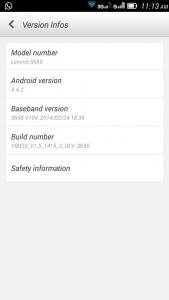
Here is a tutorial to flash VIBEUI ROM running KitKat (4.4.2) on Lenovo S650 :-
If ur current ROM is ROW , follow 01-22
If ur current ROM is CN , follow step below 05-22
If ur current ROM is VIBE, follow step 13-22
Download all items below :-
1.
Flash_Tool2.
S650_S119_1310143.
VRoot4.
TWRP_v2.6.3.0_CN5.
4.4.2_GApps6.
SuperSU_v1.947.
VIBEUI_V1.5_1415_3_DEV_S650_NK_W_A291Copy item 5,6,7 into ur ext sdcard
Install USB drivers 1st...
» Click to show Spoiler - click again to hide... «
Download
USB driverDisconnect the hp from usb
Install exe file
Once finished, connect the hp to usb
How to Flash...
» Click to show Spoiler - click again to hide... «
Unpack FlashTools, and Click on Flash_tool.exe
Select a the MT6582_Android_scatter_emmc.txt in ROM
Wait file to be added into Flash Tool
Check the field “DA DL All With Check Sum”
Choose Option->DA DownLoad All->Speed->Force to High Speed
Turn off your phone, remove the battery.
Hit Download / F8 button
Connect your phone into the computer via USB data cable.
The process will start and and wait until green circles display
Finish !
You can now safely disconnect your phone put the battery in and turn it on.
01. Off ur hp and take out the battery
02. Extract and Flash "S650_S119_131014-Lang_Fix"
03. Once finished, close flash_tool app and disconnect usb cable
04. Insert battery and turn it on, let it boot once
05. Root using "VRoot"
06. Install "MobileUncle MTK Tools" from Play Store
07. Off ur hp and take out the battery
08. Run flash_tool again
09. Extract and Flash "TWRP_v2.6.3.0_S650_CN"
10. Press F9 and answer YES (Don't press F8)
11. Once finished, close flash_tool app and disconnect usb cable
12. Insert battery and turn it on
13. Click 10x "Build Number"
14. Enable "USB debugging"
15. Reboot in Recovery via "MobileUncle MTK Tools"
16. Wipe dalvik cache , cache and data
17. Install "VIBEUI_V1.5_1415_3_DEV_S650_NK_W_A291"
18. Install "GApps"
19. Install "SuperSU"
20. Wipe dalvik cache and cache again
21. Reboot
22. Once ur hp boot, press + for English
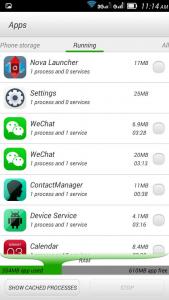
List of apps can be disabled in Titanium Backup :-
youyue
lenovostore
secureit
shareit
syncit
mobileassistant
lenote
gameworld
sinaweather
lenovoservice
tutorial
usercenter
browser (replace with ur own browser)
mynetKindly pin above steps in 1st page
This post has been edited by epo: Apr 13 2014, 02:32 PM Attached thumbnail(s)



 Jan 26 2014, 12:21 AM, updated 12y ago


 Quote
Quote
















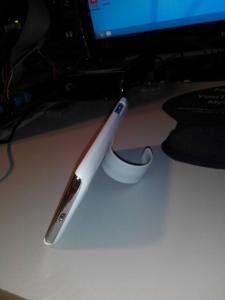
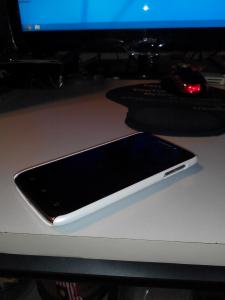
 but yeah 599 original set with original case, ill post pictures tmr,packing stuff for school now haha


















 0.1969sec
 0.71
0.71
 6 queries
 GZIP Disabled