Welcome Guest ( Log In | Register )

Outline · [ Standard ] · Linear+

FAQ Windows Media Player - MINI F.A.Q, MINI F.A.Q (Frequently Asked Questions)

views
     
TSsakuraguy
post Jul 7 2006, 08:12 PM, updated 19y ago

(::.. SuperStar ..::)
*****
Senior Member
828 posts

Joined: Apr 2005
From: Sendai, JAPAN.


Windows Media Player - MINI F.A.Q (Frequently Asked Questions)

Hello all,

This is a thread started for Windows Media Player enthusiasts to avoid, solve and retrieve from their problems.

Have a good read and understand, as this F.A.Q is really important and unveils the potential of Installing, Using and Uninstalling Windows Media Player series.

Source: http://www.myorice.net/forum/showpost.php?p=7&postcount=1

Taken with permission from the Administrator

This post has been edited by sakuraguy: Sep 23 2007, 12:04 PM
TSsakuraguy
post Jul 7 2006, 08:12 PM

(::.. SuperStar ..::)
*****
Senior Member
828 posts

Joined: Apr 2005
From: Sendai, JAPAN.


There is a general focus herein on Windows Media Player 11, 10 and 9 Series. However, this FAQ also covers Windows Media Player 7 (WMP7), Windows Media Player 6 (WMP6), and Media Player for XP (MPXP). Most anything about a previous version applies to the next version(s) too.


* Generally, microsoft.public.windowsmedia.player is where beta issues/feedback should be discussed. Please know your netiquette - newsgroup feedback is pretty dodgy, so the better your posts are, the more likely it is that goodness will result. Provide precise details as possible and make sure what you write is readable. Create bullet points for stuff you feel should be acted on. Even if people agree with you, big messes of text are really hard to sort through and address. Snarkiness will most likely be counter-productive. Nobody's deliberately being mean to you - everybody on the WM team tries to do the right thing.

* v11 Beta setup issues are covered here.

* You can uninstall the WMP11 beta by ticking "Show Updates" in the Add/Remove Programs control panel. If you have run CCleaner, that will destroy WMP's ability to uninstall. I personally strongly recommend not using CCleaner. If you have run CCleaner or otherwise find that uninstall fails, you should still be able to use the System Restore point that WMP created in order to roll back to your previous player version.

* There are some known issues with how albums are sorted in some displays - if albums aren't grouped properly, I believe you would want to turn off the "Release Year" column in the library. There's some third field (beyond Album and Artist) that's being used a sort for your view - turning that field off fixes that up.

* Drag and drop of tracks may not work in some cases. This is being looked into.

* To get a tally of the number of songs and their time, select them. That tally will show up in the chrome briefly. Or hover the mouse over the "Now Doing" region, which is the region above the playlist.

* The Urge service requires the user to be a member of the Administrators group at this time. This is being looked into.

* Archaic MS visualizations are not supported.

* If you have an iPod, stuff like XPlay and MusicBridge is your friend. I personally have one of the new iRiver Clix devices, which are quite cool - I think CNet said "simply awesome". =)

* If the transport controls won't go away in Full Screen mode, delete the registry value "PinFullScreenControls" from HKEY_CURRENT_USER, software\microsoft\media player\preferences .

* If you hit a crash in drmv2clt.dll , run "c:\windows\inf\unregmp2.exe /PerformIndiv" and then you should be good.

TSsakuraguy
post Jul 7 2006, 08:12 PM

(::.. SuperStar ..::)
*****
Senior Member
828 posts

Joined: Apr 2005
From: Sendai, JAPAN.


Windows Media Player 10 Questions

A surprisingly great list of the further updates available to WMP10 is available here. If your host bans that site, here is a paltry mirror.

If you have problems installing or starting up the player, this section deals with all known issues.

If you're having video problems after the latest WMP update and have an nVidia card, go to WMP's Tools:Options:Devices:Performances and uncheck "Use High Quality Mode".

Don't install the WM v9 codec pack on top of WMP10. It doesn't make any sense to do that, and it may break WMA playback for DRM files. Reinstall the v10 player if you install the v9 codec pack by mistake. Symptoms of this problem are a 1) "Module not found" error when playing DRM content, and 2) wmploc.dll being version 10.0.0.3802 or later while wmadmod.dll and/or wmvdmod.dll is only version 10.0.0.3646.

A feature you probably didn't notice: click on the time display in the player - you can now have the player show Current Time:Total Time, as was requested (since normally it just shows Current Time). =)

You must have a music service available in order to use the Info Center feature.
If you get a double library listing (which is just a visual defect), just switch away and then switch back to the Library pane.

If you're on Windows XPSP2 and wish to rollback from WMP10, you will want to check the "Show Updates" button in the Add/Remove Programs control panel, as WMP10 is a system update. It is not possible to install WMP9 on top of WMP10 and you wouldn't want to.

The Nero Fast CD Burning Plug-in does not work in WMP10 at this time. Nero is working to resolve this. There's a recently updated plug-in from Nero for WMP here, but it does not work in WMP10 on my system at least.
The old Radio Tuner is under WMP10's Guide button, then click Radio on that page, then Radio Tuner.

Lyrics can be viewed in WMP10 using View:Captions. You may need to enable Captions using WMP's Tools:Options:Security's "Show local captions when present".

The WMP10 Energy Bliss visualization shows Album Art only if the art is in a separate file and only if it is assigned the name "Folder.jpg" or "AlbumArtSmall.jpg". It will also display album art assigned filename "AlbumArt_WMID_Large.jpg" or "AlbumArt_WMID_Small.jpg", but since the average user doesn't understand how to get the WMID, we'll ignore that. You'll get WMID Album Art for the file if you use "Find Album Info" on the track within the library.

If you get an error that "The current web page is trying to open a site in your Trusted Zone" when opening WMP, go to Internet Explorer's Tools:Internet Options:Security settings and remove "napster.com" from your Trusted Sites list
If you're synching DRM content to a portable device, get the update (mssscp.dll 10.0.0.3649) so that TransferCount decrements correctly.

TSsakuraguy
post Jul 7 2006, 08:13 PM

(::.. SuperStar ..::)
*****
Senior Member
828 posts

Joined: Apr 2005
From: Sendai, JAPAN.


Windows Media Player 9 Series Player Questions


The following is a quick list of ways to make sure your Windows Media Player 9 Series install is working right:

The final release of the player (9.0.0.2980) is available here. The eighteen Microsoft updates to this release are linked to here.

If you are having video flicker during playback, this will fix your nVidia video card up.

If you are having audio distortion during the playback of MP3 files, rename the file "ctmp3.acm" on your system (to "ctmp3.bak" or something like that). This is a Creative PlayCenter MP3 decoder that the Player isn't fully compatible with.
If you have the pirated software "Nimo" or "Tsunami" installed, you are likely crashing. "Nimo" and "Tsunami" are TERRIBLE packages and should be removed. If for some reason that's not possible (?), the updated 0.97 "mmswitch.ax" at Morgan Multimedia has an update for the MMSwitch crash.

If you are getting a class not registered error during playback of some AVI files, this likely means that you have an old broken version of the DivX codec. installed. If you update to their recent build, you should be okay.

If local URL flips (ScriptCommands) do not work, this is a security Feature. Only HTTP or HTTPS URLs work within Windows Media Script Commands at this point. The solution to this limitation is that for local system presentations you will need to handle the URL flips with JavaScript or the like within the web page hosting the player control.

If crossfading (a Windows XP feature) does not work for MP3 files, you likely have a pirated MP3 encoder installed to your system. This codec will NOT crossfade. If you're using WMP9, you can rename the file "l3codeca.acm" (and/or l3codecp.acm) on your system (to "l3codeca.bak" or such) and then reinstall the player and things should work fine at that point. If you're using WMP10, you would need to run "regsvr32.exe l3codeca.acm". However, that won't work if you've pirated the FhG codec: doing so will pretty much leave you broken and out of luck. Don't pirate software.

If MP3 encoding does not work and you're using the Intervideo MP3 Encode pack, you'll need to download an updated version from their web site to get it to work with the 9 Series player.

WMP will reject playback of MP3 files that have headers it does not understand. Read here to get an update to WMP that helps it understand more of your MP3 files.

Make sure your DirectX, video card, and audio card drivers are up to date either via Windows Update or your card manufacturer's web site. You'd be surprised at how much difference good drivers make. Also, these steps should also help.
If you're having CD burning problems, see here.

If WMP is launching at the start-up of your system, this is likely because 3rd party trojan spamware has infected your system. "iedll.exe" for some reasons registers WMP to launch on system start-up - possibly to cover it's own tracks? Regardless, get and run the (free) LavaSoft AdAware anti-spyware software (or SpyBot anti-spy software, or the dedicated CoolWebSearch/iedll.exe killer program), which will clean up iedll.exe. Then you will want to go to "HKEY_CURRENT_USER\Software\Microsoft\Windows\Curre ntVersion\Run" in regedit.exe. There you will likely find a value name entitled "loader" (OR MAYBE SOMETHING ELSE - malicious software did this to your machine, so they try to hide themselves). If this has the data value pointing to wmplayer.exe, delete this registry value. If AFTER CLEANING YOUR SYSTEM OF SPYWARE you still are having this problem, you should be able to use MSConfig to figure out where WMP is being loaded at, and turn it off.


Additionally, please note:

If the 9 Series installer reports failure, this is likely not a critical failure. A partial failure in a subcomponent that appears to have no affect on player performance is likely the cause. If you simply run "wmplayer.exe" directly at this point, the player should likely work fine. I'm looking into this.

Albums/Artists no longer show up in the playlist selection drop down in order to improve performance. If you want them back in that list, right-click on the playlist selection drop down list and select the options you want.
Supposedly DesktopX and ObjectBar's "TrayServer" (as well as "Desktop Manager" and some aspect of WindowBlinds) will block the Windows Media Player 9 Series' toolbar from working correctly. You may need to disable or remove that software for the player toolbar to work.

If you get the error message "Media Player ActiveX Control was not installed. Program can't continue. Please get Media Player control from Microsoft.com" from a CD you're trying to run, I'd be really curious to know what CD that was. It's buggy, and I'd like to contact the vendor and ask them to fix it...
Uninstall/rollback issues are addressed here.

The released hot fixes for the 9 Series Player can be found here at Microsoft, or Carsten maintains a nice list of them here. The ones I know about (as of 10/24/2005) are:

Fix for users prompted for credentials over an NTLM Authenticated proxy (wmnetmgr.dll 9.0.0.3002)
Fix for up to 5 second delay on stream switches (wmnetmgr.dll 9.0.0.3070)
Fix for connection through an authenticated MS Proxy 2.0 server (will usually show up as error 0xC00D0FD7) (wmnetmgr.dll 9.0.0.3080) [Additional proxy config information is here.]

Fix for 0xc00d1197 playing certain files via RTSP can be found here (wmnetmgr.dll 9.0.0.3157)

Fix for a crash when your browser cache is full on a network reconnect here (wmnetmgr.dll 9.0.0.3204)

Fix for WMP asking for credentials when it already has them here (wmnetmgr.dll 9.0.0.3260)

Fix for incorrect anamorophic scaling from the VMR here (quartz.dll 6.5.2600.2578)
Video may not display on a secondary monitor, this fixes that (wmp.dll 9.0.0.3003)
If certain DVDs have a zero-length seek bar during playback, get this fix. (wmp.dll 9.0.0.3004)

A minor update so that the screen saver turns on (if "Allow screen saver during playback" is checked in WMP's Tools:Options menu dialog) in full screen mode at the right time here (wmp.dll 9.0.0.3007)
A fix so that WMP doesn't always try to download radio presets (wmp.dll 9.0.0.3014)

Further security lock-down of URL flips. (wmp.dll version 9.0.0.3075)
A fix for too many Script Commands causing WMP to use too much CPU. (wmp.dll version 9.0.0.3093)
A fix for inability to seek in some files. (wmp.dll version 9.0.0.3121)
Improved speed for transfer between WMP and portable devices. (wmp.dll version 9.0.0.3128)

A fix for certain Ie/non-IE proxy issues is here (wmp.dll version 9.0.0.3147)
A fix to improve WMP's performance when used over Terminal Server here (wmp.dll version 9.0.0.3256)

Fix for script commands after seeking, memory leak with DVR-MR files here (wmp.dll version 9.0.0.3263)

If it has unsynchronized ID3 headers, then the Q814129 QFE will allow these files to play back. (wmvcore 9.0.0.3000) (this QFE also includes the G.711 playback fix)
Some hardware-created ASF files will not work in the 9 Series player (error 0xc00d1199). There is a WMP update here to fix this. (wmvcore.dll 9.0.0.3001)
A fix for extraneous buffering of some high bitrate content is here. (wmvcore.dll 9.0.0.3125)

Fix for memory leak during encoding with custom applications. (wmvcore.dll 9.0.0.3148)

Non-WMP apps that use QASF directly will play back ASF files better with this. (qasf.dll 9.0.0.3080)

Encoding apps that encode for extremely long sessions may stop randomly. This fixes that. (qasf.dll 9.0.0.3125)
Fix for memory leak during encoding with custom applications. (qasf.dll 9.0.0.3125)

Fix for WMP9 not able to restore licenses after rollback, causing error 0xC00D11B4 -- "Windows Media Player cannot restore your licenses because no backed up licenses were found on your computer" here (drmv2clt.dl version 9.0.0.3257)
Fix for encoding of WMA9 Speech codec losing synchronization (pretty much only needed if you're using the Windows Media Encoder) here (wmspdmod.dll 9.0.0.3254)

Note that you only need the most recent update (indicated by the black circles in the list) - so if you have wmp.dll version 9.0.0.3004 for the DVD issue, you don't need to install the 9.0.0.3003 version of wmp.dll (and doing so would be counter-productive).

If your issue does not appear in the above list, that is likely because I believe it is fixed in the 9 Series Player final build. If you are having any other problem with the player, please report it. This is really important - typically the only way MS gets stuff fixed is if customers complain about it to Product Support (the newsgroups don't really count). The developers saying something about it doesn't deliver the same emphasis upon it as if it's actually affecting customers. :\


-END-
samurai1337
post Jul 7 2006, 08:47 PM

@_@
Group Icon
VIP
11,594 posts

Joined: Jan 2003
From: Area 51

Moderation - Thread moved from software forum
Reason - Related to media playback
TSsakuraguy
post Jul 7 2006, 09:11 PM

(::.. SuperStar ..::)
*****
Senior Member
828 posts

Joined: Apr 2005
From: Sendai, JAPAN.


Thank you samurai, appreciate that smile.gif
vin_ann
post Jul 10 2006, 12:42 AM

10k Club
********
All Stars
10,912 posts

Joined: Feb 2006
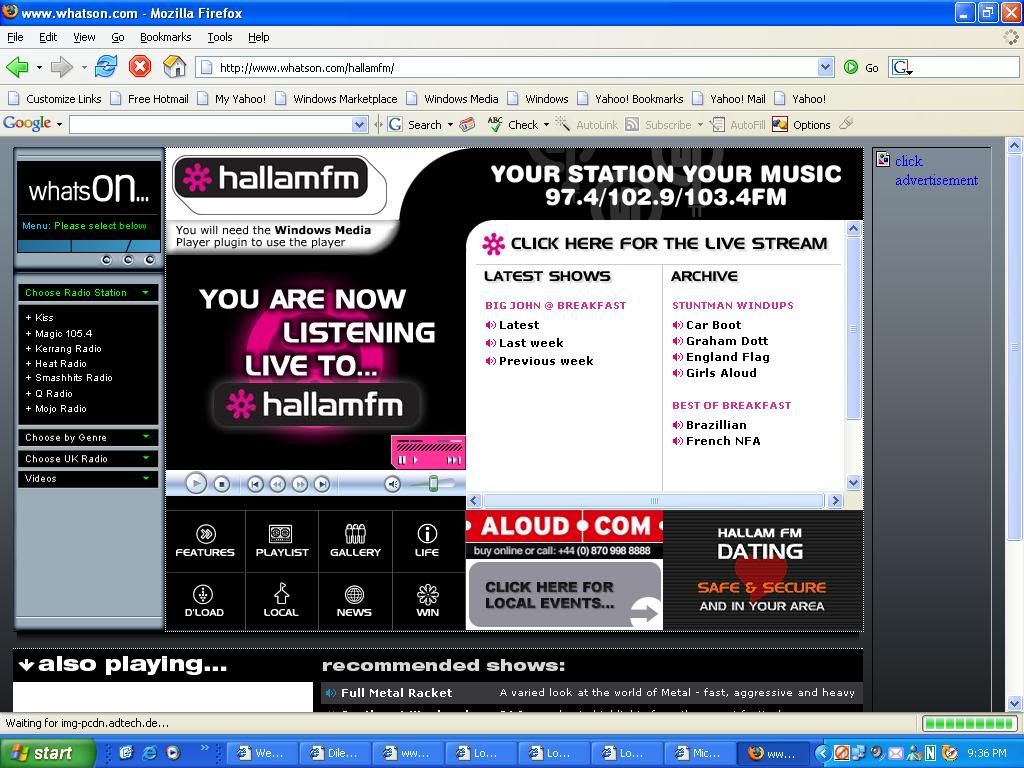
wanna ask, recently i just updated my window media player to WMP9...

then just now, when i wanted to listen to internet radio, i cliked the link, an IE pop-up, then it say you will need window media player plugs-in to play this player.

meaning i have to downloads the plugs-in?

then which plug-ins shd i download?
linkinstreet
post Jul 10 2006, 01:17 AM

Red Bull Addict
Group Icon
Moderator
9,277 posts

Joined: Jan 2005
From: KL. Best place in Malaysia. Nuff said

Some more I like to add.
One of the best plugin that you can get is the TweakMP plugin. It's for WMP9 but works with 10 and 11. What it do is that it can eliminate the player control bar displaying (when in full screen mode) whenever the mouse move. The bar will only be visible when the mouse is at the topmost or bottommost of ur screen. this can solve interrupted vewing with some optical mouse that can't keep quiet.
It also can control the speed that the control bar is hidden.
TSsakuraguy
post Jul 10 2006, 11:31 AM

(::.. SuperStar ..::)
*****
Senior Member
828 posts

Joined: Apr 2005
From: Sendai, JAPAN.


vin_ann : check out the codec and plugins here http://www.microsoft.com/windows/windowsme.../faq/codec.mspx


linkinstreet : Thnx buddie for the source smile.gif
vin_ann
post Jul 10 2006, 10:05 PM

10k Club
********
All Stars
10,912 posts

Joined: Feb 2006
user posted image

any1 got idea what plug-in shd i download and where? ? ?

thanks
TSsakuraguy
post Jul 10 2006, 10:52 PM

(::.. SuperStar ..::)
*****
Senior Member
828 posts

Joined: Apr 2005
From: Sendai, JAPAN.


uh? .. dunt tell me u dont understand wat the BOT says .. "ONLY AVAILABLE IN UK" .. smile.gif

There's no special plug in .. smile.gif
vin_ann
post Jul 11 2006, 10:19 PM

10k Club
********
All Stars
10,912 posts

Joined: Feb 2006
QUOTE(sakuraguy @ Jul 10 2006, 10:52 PM)
uh? .. dunt tell me u dont understand wat the BOT says .. "ONLY AVAILABLE IN UK" .. smile.gif

There's no special plug in .. smile.gif
*
BUT previously i can listen to this radio station...

it's in the NET mah... so anywhere also can listen loh...

so there is no plug in for this ?
TSsakuraguy
post Jul 11 2006, 10:22 PM

(::.. SuperStar ..::)
*****
Senior Member
828 posts

Joined: Apr 2005
From: Sendai, JAPAN.


nope .. unless u find on the website itself , Microsoft has no special codec for this smile.gif try browse around the site and u may find appropriate codec buddie!

good luck!
samurai1337
post Jul 17 2006, 08:13 PM

@_@
Group Icon
VIP
11,594 posts

Joined: Jan 2003
From: Area 51

Can't wait for WMP11 final release, any idea about the date?
TSsakuraguy
post Jul 18 2006, 10:13 AM

(::.. SuperStar ..::)
*****
Senior Member
828 posts

Joined: Apr 2005
From: Sendai, JAPAN.


Unsure ..but rumours within this year smile.gif
kimmiz
post Jul 26 2006, 08:08 PM

Getting Started
**
Junior Member
165 posts

Joined: Jul 2006
I was installing and uninstalling some multimedia software and now when I play my dvd files in windows media, the size of the screen is half. The image is complete just that the size of the screen has been reduced to 50%. What should I do to restore it? The screen is fine when I play other files. It only acts up with dvd files.

//Thread merged

This post has been edited by samurai1337: Jul 26 2006, 09:05 PM
dopodplaya
post Jul 26 2006, 08:16 PM

Look at all my stars!!
*******
Senior Member
2,280 posts

Joined: Jun 2006
QUOTE(kimmiz @ Jul 26 2006, 08:08 PM)
I was installing and uninstalling some multimedia software and now when I play my dvd files in windows media, the size of the screen is half. The image is complete just that the size of the screen has been reduced to 50%. What should I do to restore it? The screen is fine when I play other files. It only acts up with dvd files.
Your DVD decoder (ffmpeg, PowerDVD, Nero DVD decoder or some other DVD decoder), please? Since WMP uses those decoder (WMP is a DVD player, not decoder though), the settings usually come with those decoder apps. Refer to the app concerned.
kimmiz
post Jul 27 2006, 08:48 PM

Getting Started
**
Junior Member
165 posts

Joined: Jul 2006
QUOTE(dopodplaya @ Jul 26 2006, 08:16 PM)
Your DVD decoder (ffmpeg, PowerDVD, Nero DVD decoder or some other DVD decoder), please? Since WMP uses those decoder (WMP is a DVD player, not decoder though), the settings usually come with those decoder apps. Refer to the app concerned.
*
I think it's PowerDVD.
samurai1337
post Jul 27 2006, 08:58 PM

@_@
Group Icon
VIP
11,594 posts

Joined: Jan 2003
From: Area 51

Just tested out WMP 11 public beta and it's very very buggy.

If you guys want to have a stable media player, I would suggest you to stick with WMP10 first.
samurai1337
post Aug 2 2006, 12:26 AM

@_@
Group Icon
VIP
11,594 posts

Joined: Jan 2003
From: Area 51

My WMP11 screenshot
user posted image

I still prefer WMP10 media library concept...this one too difficult to add songs >_<
linkinstreet
post Aug 2 2006, 12:29 AM

Red Bull Addict
Group Icon
Moderator
9,277 posts

Joined: Jan 2005
From: KL. Best place in Malaysia. Nuff said

hahaha, i'm using it and for me it's easier than 10.
8066
post Aug 9 2006, 12:57 PM

Getting Started
**
Junior Member
283 posts

Joined: Jan 2003
From: Lurking..


Ugh guys, I want to ask that if my video file is dual audio, when i watch it how to split the sounds?
TSsakuraguy
post Aug 16 2006, 03:16 PM

(::.. SuperStar ..::)
*****
Senior Member
828 posts

Joined: Apr 2005
From: Sendai, JAPAN.


try find some aftermarket sound splitting software. sorry i cant post here because .. warez arent allowed. dont PM me also .. thnx
jooku1
post Aug 20 2006, 04:10 PM

Enthusiast
*****
Senior Member
704 posts

Joined: Apr 2005
From: Billboard Land


Hi noob question.
I've installed WMP11. NOticed that my chinese songs are displayed as gibberish in the library. Same thing in WMP9 & 10 too.
How to get it to display chinese characters? I've enabled East Asian Languages in the COntrol Panel/Regional settings, but still can't.

Help please. notworthy.gif
samurai1337
post Aug 20 2006, 07:38 PM

@_@
Group Icon
VIP
11,594 posts

Joined: Jan 2003
From: Area 51

QUOTE(jooku1 @ Aug 20 2006, 04:10 PM)
Hi noob question.
I've installed WMP11. NOticed that my chinese songs are displayed as gibberish in the library. Same thing in WMP9 & 10 too.
How to get it to display chinese characters? I've enabled East Asian Languages in the COntrol Panel/Regional settings, but still can't.

Help please. notworthy.gif
*
I think your MP3s are not tagged in Unicode chinese.

A few things you can try.
- Re-tag all the MP3s with chinese unicode (the one you key in using WinXP IME). A very tedious process but good for long term.

- Use Software like Chinese Star to open and see whether

- Use applocale - for more information refer to this thread
jooku1
post Aug 21 2006, 09:41 AM

Enthusiast
*****
Senior Member
704 posts

Joined: Apr 2005
From: Billboard Land


QUOTE(samurai1337 @ Aug 20 2006, 07:38 PM)
I think your MP3s are not tagged in Unicode chinese.

A few things you can try.
- Re-tag all the MP3s with chinese unicode (the one you key in using WinXP IME). A very tedious process but good for long term.

- Use Software like Chinese Star to open and see whether

- Use applocale - for more information refer to this thread
*
Thanks for the tip. Used NJStar. Some characters still a bit mashed up, but at least it's in Chinese now.
Skylinestar
post Aug 28 2006, 07:48 PM

Mega Duck
********
All Stars
10,479 posts

Joined: Jan 2003
From: Sarawak
for the energy bliss in wmp10, why the album art doesn't show even the jpeg file is named AlbumArtSmall? for example, i play "song A" in folder "A", there's no album art. then, i play "song B" in folder "B", the album art shows. when i try play song A again, the album art will display. why?
samurai1337
post Aug 30 2006, 08:33 PM

@_@
Group Icon
VIP
11,594 posts

Joined: Jan 2003
From: Area 51

QUOTE(Skylinestar @ Aug 28 2006, 07:48 PM)
for the energy bliss in wmp10, why the album art doesn't show even the jpeg file is named AlbumArtSmall? for example, i play "song A" in folder "A", there's no album art. then, i play "song B" in folder "B", the album art shows. when i try play song A again, the album art will display. why?
*
Same problem here in WMP11. And even when I try to play song A again the album art won't defect. I think it can be considered as defect.
ychwang
post Sep 2 2006, 12:45 PM

Little *
*******
Senior Member
4,607 posts

Joined: Jan 2003
From: Malaysia
i have a problem here, how to disable album grouping? I want to show the list of all song without group just like WMP10s
samurai1337
post Sep 2 2006, 02:25 PM

@_@
Group Icon
VIP
11,594 posts

Joined: Jan 2003
From: Area 51

QUOTE(ychwang @ Sep 2 2006, 12:45 PM)
i have a problem here, how to disable album grouping? I want to show the list of all song without group just like WMP10s
*
I want to know this too...
You know malaysians don't usually group songs by album, mwahhahah whistling.gif
Skylinestar
post Sep 2 2006, 10:31 PM

Mega Duck
********
All Stars
10,479 posts

Joined: Jan 2003
From: Sarawak
edit: -post deleted- tongue.gif sorry

This post has been edited by Skylinestar: Sep 2 2006, 10:32 PM
kmf123
post Sep 3 2006, 03:44 PM

Casual
***
Junior Member
397 posts

Joined: May 2005
From: Selangor
I've just added all the music into my library, but i get duplicate song names but the songs are still intact. How do i solve this problem ?

Edit: Screenshot added

user posted image

This post has been edited by kmf123: Sep 3 2006, 03:49 PM
LittleLinnet
post Sep 3 2006, 04:32 PM

Iophobia
*******
Senior Member
3,593 posts

Joined: Feb 2005
From: ***Penang***
QUOTE(samurai1337 @ Aug 20 2006, 07:38 PM)
I think your MP3s are not tagged in Unicode chinese.

A few things you can try.
- Re-tag all the MP3s with chinese unicode (the one you key in using WinXP IME). A very tedious process but good for long term.

- Use Software like Chinese Star to open and see whether

- Use applocale - for more information refer to this thread
*
i cant re-tag my MP3s with the chinese unicode now. I wonder why since it used to work before but not now anymore. Once I click Apply for the changes that i made, the field of artist just become blank and cant be editted anymore. Any clue??
PentSY
post Sep 10 2006, 05:21 PM

Getting Started
**
Junior Member
81 posts

Joined: Jan 2003
From: PeeJay, SEL, MY, ASIA, Earth
Is there a lyric plugin for WMP10?
Where to find lyrics?
samurai1337
post Sep 13 2006, 12:49 AM

@_@
Group Icon
VIP
11,594 posts

Joined: Jan 2003
From: Area 51

QUOTE(PentSY @ Sep 10 2006, 05:21 PM)
Is there a lyric plugin for WMP10?
Where to find lyrics?
*
Lyric search engine
http://lyrics.astraweb.com/

For WMP10 lyric plugin you can try your luck here
http://www.lyricsplugin.com/
SUSdattebayo
post Sep 16 2006, 02:24 AM

Look at all my stars!!
*******
Senior Member
5,366 posts

Joined: Aug 2005


Why WMP10 reset the video setting after I reopen the program, it wont save my preferred saturation setting. And it shows oversaturated color when it plays anime. Very troublesome to set it everytime time when I want to watch anime

This post has been edited by dattebayo: Sep 16 2006, 02:25 AM
DjKenji
post Sep 21 2006, 07:44 PM

On my way
****
Senior Member
650 posts

Joined: Sep 2006
From: Klang>Melbourne>OUG>PJ>KL


Wmp11 library not Perfect . ..
i support wmp10

This post has been edited by DjKenji: Sep 21 2006, 08:04 PM
SUSdattebayo
post Oct 16 2006, 12:02 PM

Look at all my stars!!
*******
Senior Member
5,366 posts

Joined: Aug 2005


is that anyway to override the aspect ratio of avi video in WMP11? A feature like clicking View->VideoFrame->Overrride Aspect Ratio in media player classic
linkinstreet
post Oct 16 2006, 12:15 PM

Red Bull Addict
Group Icon
Moderator
9,277 posts

Joined: Jan 2005
From: KL. Best place in Malaysia. Nuff said

For album art problem
- Please rename to 'folder.jpg'

@dattebayo
- not at the moment

For splitting audio
- there is an audio splitter plugin that comes with K-lite, Morgan Audio chooser or multimedia splitter or something like that, but you need to manually choose it.

@kmf
Those are different files. look at the length. that's why it's grouped the same
SUSsanook
post Oct 20 2006, 12:16 PM

Enthusiast
*****
Senior Member
880 posts

Joined: Mar 2006
Window Media Player is a piece of shit software. I can't imagine there are people who can be an enthusiasts for such a buggy, crash-prone piece of shit. there are zillions of other alternative media players out there that play smoothly all the time with various different codecs and subtitle support. Windows Media Player is definitely not one of them.
linkinstreet
post Oct 20 2006, 01:05 PM

Red Bull Addict
Group Icon
Moderator
9,277 posts

Joined: Jan 2005
From: KL. Best place in Malaysia. Nuff said

Watch your mouth. You come in here, run your mouth, and not giving a solid argument. Yes, it might not be that good, but at least it's a hell lot better than Winamp or Real Player. Heck, for a free player, it does a good job and it can play just about everything with codec installed, and the library is one of the best there is.
Buggy? i think it's just ur PC and OS that is buggy. IMO, i never had this player crash since WMP9, and it uses a lot less resources than ppl realize notworthy.gif notworthy.gif
Screw you for hating it

This post has been edited by linkinstreet: Oct 20 2006, 01:08 PM
uhavenot
post Oct 20 2006, 01:16 PM

Getting Started
**
Junior Member
140 posts

Joined: May 2006


LOL... Been using WMP for years.. havent experience any crash problems with the WMP 9 and WMP 10.. WMP 11 sure is buggy.. cuz its still under BETA =\ but i like the concept and interface.. so much like Vista.. rclxms.gif
linkinstreet
post Oct 20 2006, 01:22 PM

Red Bull Addict
Group Icon
Moderator
9,277 posts

Joined: Jan 2005
From: KL. Best place in Malaysia. Nuff said

the transparent toolbar is a good feature. now we don't have to worry that the toolbar will block the video in fullscreen
SUSsanook
post Oct 20 2006, 08:05 PM

Enthusiast
*****
Senior Member
880 posts

Joined: Mar 2006
without any solid argument? I used Media Player Classic and BS Player to playback ASF, WMV, Real Video, MPEG1 and I can easily jump forward and back and seek to any part of the video I played . I tried the same farking thing with Windows Media Player, and the farking thing accesses the harddisk like no tomorrow and once in a while, simply crash. you claimed that my system is shitty and unstable and is unable to run Windows Media Player properly. well, let me put it this way, if we need a farking powerful system with lots of ram to run and playback the same video files that other smaller, simpler and equally free media player can easily playback without any hitches on my shitty system, what is so good about Windows Media Player. It is a bloated piece of shit. and comparing it to Winamp and RealPlayer missed the point entirely. Winamp is primarily an audio MP3 player and it only offers the video playback capability as a secondary function. and RealPlayer is primarily used for playing back RealVideo and it did real well playing back its native format. Compared to shitty Windows Media Player, which can't even playback ASF, windows own farking defective format smoothly, i think the conclusion is clear as snow.

This post has been edited by sanook: Oct 20 2006, 08:14 PM
LittleLinnet
post Oct 20 2006, 08:11 PM

Iophobia
*******
Senior Member
3,593 posts

Joined: Feb 2005
From: ***Penang***
oh well, anyone knows why my WMP11 crashed randomly ?
linkinstreet
post Oct 20 2006, 08:18 PM

Red Bull Addict
Group Icon
Moderator
9,277 posts

Joined: Jan 2005
From: KL. Best place in Malaysia. Nuff said

and that's your argument. Why does my asf played well? and the matter of fact is, the same thing stuck while I used MPC. for one thing, why other ppl here never crashes the damn program, while you did? I played all format in WMP, ASF, RM, MOV, WMA, AVI, and it never once crashed on me. so it crashes on you, so what? it does not mean the software is faulty. and remember, this thread is for ppl that uses WMP to ask for question, not for ppl like you to run their mouth when they feel like it just because 'oh WMP is crap because it can't run on my PC'. Grow up. we don't need ppl like you. We never wanted ppl like you here anyway. you can take your argument elswhere as, well, it's worth nothing in here.

This post has been edited by linkinstreet: Oct 20 2006, 08:18 PM
SUSsanook
post Oct 20 2006, 10:17 PM

Enthusiast
*****
Senior Member
880 posts

Joined: Mar 2006
who the fark are those other people? you people, I people! why don't you run a poll? I am confident I will win hands down in my bet that there are more people having problem with Windows Media Player than those that there are not.
linkinstreet
post Oct 20 2006, 10:33 PM

Red Bull Addict
Group Icon
Moderator
9,277 posts

Joined: Jan 2005
From: KL. Best place in Malaysia. Nuff said

Yeah? so just do it! rather than going into a dedicated WMP thread and just running your mouth just like that. I never want to have a debate on this, as players are usually user preferenced, but seriously dude, watch where you post. You are disregarding that this thread PURPOSE is to help WMP users, not to diss it. Honestly, have you no idea what it is a forum is about? go figure.
altie
post Oct 21 2006, 01:44 AM

Runaway Fridge™
Group Icon
VIP
673 posts

Joined: Jan 2006
From: The Kitchenette™ Status: In Wub ♥™


QUOTE(sanook @ Oct 20 2006, 12:16 PM)
Window Media Player is a piece of shit software. I can't imagine there are people who can be an enthusiasts for such a buggy, crash-prone piece of shit. there are zillions of other alternative media players out there that play smoothly all the time with various different codecs and subtitle support. Windows Media Player is definitely not one of them.
*
Sadly, Microsoft was smart enough to patent the ASF file format so that no one else could use it. So I still use it to watch movies that seem to have a problem seeking in Media Player Classic. And I use it to rip my music CDs. Mostly for simplicity. Why use another software when it's already built in? My goodness Microsoft has undermined my mind! shakehead.gif
LittleLinnet
post Oct 21 2006, 01:23 PM

Iophobia
*******
Senior Member
3,593 posts

Joined: Feb 2005
From: ***Penang***
someone please help me with this problem i got ??
sometimes when half time playing music, suddenly dunno what error appear and WMP have to shut down.

user posted image
linkinstreet
post Oct 22 2006, 06:28 PM

Red Bull Addict
Group Icon
Moderator
9,277 posts

Joined: Jan 2005
From: KL. Best place in Malaysia. Nuff said

there are more info in there that I can't see. do you use visualisation or any other 3rd party plugin? sometimes, even misinstalled codec pack can wreck havoc. If ur using WMP11 beta, it's still buggy
Irishcoffee
post Oct 22 2006, 11:16 PM

ilX / Espressivo
*******
Senior Member
2,994 posts

Joined: Jan 2003
From: Behind You

y my WMP11 always startup with "Library" but not "Now Playing"??
how to set it?
i cant found in option
calvin_gsc
post Oct 23 2006, 01:16 AM

10k Club
********
All Stars
10,261 posts

Joined: Jan 2003


Guys, is there any plugin for WMP10 that can allow the current track details to be shown on the desktop?
linkinstreet
post Oct 23 2006, 03:34 AM

Red Bull Addict
Group Icon
Moderator
9,277 posts

Joined: Jan 2005
From: KL. Best place in Malaysia. Nuff said

@ irishcofee: Because WMP 11 is originally for Vista. they revamped the interface and the startup. nothing you can do. maybe the full version will have the option

@ calvinGSC : use samurize + media info plugin

This post has been edited by linkinstreet: Oct 23 2006, 03:35 AM
samurai1337
post Oct 25 2006, 05:05 PM

@_@
Group Icon
VIP
11,594 posts

Joined: Jan 2003
From: Area 51

Windows Media Player 11 Due on 30th October

Despite mentioning in a press release that Windows Media Player 11 would be ready for 24th October, Neowin has learned via a Microsoft spokesperson that this date has been changed to 30th October.

Windows Media Player 11 sports a new UI, better sync capabilities and an intergrated version of URGE.

Source - Neowin.net

This post has been edited by samurai1337: Oct 25 2006, 05:05 PM
linkinstreet
post Oct 25 2006, 05:49 PM

Red Bull Addict
Group Icon
Moderator
9,277 posts

Joined: Jan 2005
From: KL. Best place in Malaysia. Nuff said

URGE is something that I can live without. Other than that, good news
Vervain
post Oct 25 2006, 07:16 PM

Scathach
*******
Senior Member
5,464 posts

Joined: Mar 2005
well I've been using wmp for a long time. my other players are also available e.g vlc, bs player, real player, zoom player, bink smacker, and winamp. for me, wmp is my basic software. i have no problem running all codecs. the only drawback is only when it requires alot of resource to run those 1048x768 videos there might be a slight jerk. but everything is settle when i oc to a higher speed. so wmp is still my basic choice to view videos or single mp3s.

i have a question here. is it possible force the player to run files which are incomplete? i tried running it on other software its possible but for wmp its hard. any solution?


linkinstreet
post Oct 25 2006, 07:58 PM

Red Bull Addict
Group Icon
Moderator
9,277 posts

Joined: Jan 2005
From: KL. Best place in Malaysia. Nuff said

Sadly no. WMP will read the whole file before playing, which is why it always seems to slow starting up. the good thing about this is that it's faster when searching for a particular time than other player.
I usually watch incomplete file using vDub
calvin_gsc
post Oct 25 2006, 10:22 PM

10k Club
********
All Stars
10,261 posts

Joined: Jan 2003


Are there any free plugins for WMP to display the now playing track title and time on the top of any window or floating on the desktop?
linkinstreet
post Oct 26 2006, 01:23 AM

Red Bull Addict
Group Icon
Moderator
9,277 posts

Joined: Jan 2005
From: KL. Best place in Malaysia. Nuff said

Samurize + Media Plugin

calvin_gsc
post Oct 27 2006, 12:56 AM

10k Club
********
All Stars
10,261 posts

Joined: Jan 2003


QUOTE(linkinstreet @ Oct 26 2006, 01:23 AM)
Samurize + Media Plugin
*
Which media plugin bro?
CherylDarryl
post Oct 27 2006, 09:35 AM

On my way
****
Senior Member
647 posts

Joined: Apr 2006


i tot in the 1st page has a faq list... hmm... i would like to know how much of memory usage when playing a song in WMP11
linkinstreet
post Oct 27 2006, 10:54 AM

Red Bull Addict
Group Icon
Moderator
9,277 posts

Joined: Jan 2005
From: KL. Best place in Malaysia. Nuff said

@calvin. It's installed automatically with Samurize. for more infor visit the Samurize thread at the Desktop Customization section

@Cheryl - It uses less memory than WINAMP for me
samurai1337
post Oct 29 2006, 10:16 AM

@_@
Group Icon
VIP
11,594 posts

Joined: Jan 2003
From: Area 51

Anyone has this problem with WMP11?

It seems that all the albums without album art, use the same cover, which it really shouldn't be sweat.gif

user posted image

This post has been edited by samurai1337: Oct 29 2006, 10:18 AM
linkinstreet
post Oct 29 2006, 05:09 PM

Red Bull Addict
Group Icon
Moderator
9,277 posts

Joined: Jan 2005
From: KL. Best place in Malaysia. Nuff said

No, mine will show the 'Music' logo. I think that 'folder.jpg' might be copied at the root folder
samurai1337
post Oct 31 2006, 07:37 AM

@_@
Group Icon
VIP
11,594 posts

Joined: Jan 2003
From: Area 51

Windows Media Player 11 Released
http://forum.lowyat.net/index.php?showtopic=360492
samurai1337
post Oct 31 2006, 09:57 AM

@_@
Group Icon
VIP
11,594 posts

Joined: Jan 2003
From: Area 51

QUOTE(linkinstreet @ Oct 29 2006, 05:09 PM)
No, mine will show the 'Music' logo. I think that 'folder.jpg' might be copied at the root folder
*
Mind explaining more about this? I can't seem to solve the problem even I've upgraded to WMP11 official

I've to somehow change to detailed view to reduce the album art nuisance sleep.gif

This post has been edited by samurai1337: Oct 31 2006, 10:01 AM
linkinstreet
post Oct 31 2006, 10:06 AM

Red Bull Addict
Group Icon
Moderator
9,277 posts

Joined: Jan 2005
From: KL. Best place in Malaysia. Nuff said

in every folder there would be a hidden file
either albumart or folder.jpg
I think one of these has been copied to every folder or/and the root folder. WMP will use this file for album covers. I think this might be the reason as you already changed the player and it still exist
samurai1337
post Oct 31 2006, 10:46 AM

@_@
Group Icon
VIP
11,594 posts

Joined: Jan 2003
From: Area 51

So where is the folder.jpg located? ALL folders in my hard disk? The folder I store MP3? The WMP11 installation folder? The folder in System32?
fariz
post Nov 1 2006, 09:39 AM

Tan Sri F
Group Icon
VIP
16,825 posts

Joined: Jan 2003
From: Siberia
usually in album folder
linkinstreet
post Nov 1 2006, 09:45 AM

Red Bull Addict
Group Icon
Moderator
9,277 posts

Joined: Jan 2005
From: KL. Best place in Malaysia. Nuff said

I usually make a manual one and paste it in every mp3 folder tongue.gif
user posted image
samurai1337
post Nov 1 2006, 09:51 AM

@_@
Group Icon
VIP
11,594 posts

Joined: Jan 2003
From: Area 51

Thanks linkinstreet
But how do you see the folder.jpg?

I've already enabled hidden file viewing, but I still can't see folder.jpg (however, I'm pretty sure the file is there because when I try to create one, it says file already exist)
fariz
post Nov 1 2006, 09:52 AM

Tan Sri F
Group Icon
VIP
16,825 posts

Joined: Jan 2003
From: Siberia
try unhiding system file
linkinstreet
post Nov 1 2006, 09:53 AM

Red Bull Addict
Group Icon
Moderator
9,277 posts

Joined: Jan 2005
From: KL. Best place in Malaysia. Nuff said

yeah, both folder.jpg and albumart******.jpg are system files
fariz
post Nov 1 2006, 09:54 AM

Tan Sri F
Group Icon
VIP
16,825 posts

Joined: Jan 2003
From: Siberia
QUOTE(linkinstreet @ Nov 1 2006, 09:45 AM)
I usually make a manual one and paste it in every mp3 folder tongue.gif
*
I did it manually too.. tongue.gif

If only WMP11 can read from a central folder, I could make it read from my album cover folder.
samurai1337
post Nov 1 2006, 09:55 AM

@_@
Group Icon
VIP
11,594 posts

Joined: Jan 2003
From: Area 51

You mean this one?
user posted image

*EDIT* ah nvm I've found it tongue.gif

Indeed these are the two files causing trouble
- AlbumArtSmall.jpg
- Folder.jpg

Thanks linkinstreet and fariz thumbup.gif

This post has been edited by samurai1337: Nov 1 2006, 09:58 AM
utopian86
post Nov 1 2006, 12:33 PM

Regular
******
Senior Member
1,239 posts

Joined: Nov 2005
can wmp 11 sync with dell pda? it's using windows 2003 mobile OS.
samurai1337
post Nov 1 2006, 01:08 PM

@_@
Group Icon
VIP
11,594 posts

Joined: Jan 2003
From: Area 51

Is/can your PDA connected to windows xp as Mass Storage (as in you can see a drive in My Computer)?

If yes, then most probably WMP11 will detect it and ask you if you want to sync it
ibu1980
post Nov 1 2006, 06:15 PM

Senior Citizen
****
Senior Member
598 posts

Joined: Mar 2006
From: 202.1.192.196


Just upgraded to WMP11, cool interface biggrin.gif

btw u all using original windows huh? tongue.gif
ibu1980
post Nov 1 2006, 09:41 PM

Senior Citizen
****
Senior Member
598 posts

Joined: Mar 2006
From: 202.1.192.196


uh.. i asked my friend to upgrade.. and shes complaining that she cant add lyrics anymore..

i never add lyrics in old version... no clue with current version as well.

any ideas how to add lyrics to WMP11?
linkinstreet
post Nov 1 2006, 10:27 PM

Red Bull Addict
Group Icon
Moderator
9,277 posts

Joined: Jan 2005
From: KL. Best place in Malaysia. Nuff said

Library --> Song --> Right Click --> Advanced Tag Editor (or CTRL+T) --> Lyrics tab --> Add Lyrics
ibu1980
post Nov 2 2006, 12:34 AM

Senior Citizen
****
Senior Member
598 posts

Joined: Mar 2006
From: 202.1.192.196


Thanx Mate
Icehart
post Nov 3 2006, 05:48 PM

72.55.191.6
********
All Stars
14,905 posts

Joined: Apr 2005
From: Kuala Lumpur & Selangor


QUOTE(Irishcoffee @ Oct 22 2006, 11:16 PM)
y my WMP11 always startup with "Library" but not "Now Playing"??
how to set it?
i cant found in option
*
QUOTE(linkinstreet @ Oct 23 2006, 03:34 AM)
@ irishcofee: Because WMP 11 is originally for Vista. they revamped the interface and the startup. nothing you can do. maybe the full version will have the option

@ calvinGSC : use samurize + media info plugin
*
Is there currently any fixes for this?
linkinstreet
post Nov 3 2006, 05:56 PM

Red Bull Addict
Group Icon
Moderator
9,277 posts

Joined: Jan 2005
From: KL. Best place in Malaysia. Nuff said

nope, not yet.
Irishcoffee
post Nov 3 2006, 10:32 PM

ilX / Espressivo
*******
Senior Member
2,994 posts

Joined: Jan 2003
From: Behind You

how to capture screenshot in WMP 11??
Ctrl+I no work anymore
CherylDarryl
post Nov 9 2006, 07:26 PM

On my way
****
Senior Member
647 posts

Joined: Apr 2006


WMP10 can show lyric but WMP11 dunno where the show lyric option hiding

EDIT:
i found it... just right click on the top bar of WMP11 then choose for Play >> Lyrics >> ON

This post has been edited by CherylDarryl: Nov 11 2006, 11:19 AM
linkinstreet
post Nov 9 2006, 10:44 PM

Red Bull Addict
Group Icon
Moderator
9,277 posts

Joined: Jan 2005
From: KL. Best place in Malaysia. Nuff said

eh? cannot ka? Mine will usually auto load when a file has lyrics. Forgot how did I set it
CherylDarryl
post Nov 10 2006, 12:40 AM

On my way
****
Senior Member
647 posts

Joined: Apr 2006


do you think that URGE is useful??

This post has been edited by CherylDarryl: Nov 11 2006, 11:19 AM
evilnickwong
post Nov 14 2006, 11:09 PM

- Evil by Nature -
*******
Senior Member
5,065 posts

Joined: Jan 2003
From: Taman Tun, KL


I have a question. Typically, I never use the library, rather I just drag and drop m3u playlists into WMP and they stay there in the playlist list. THen I can just listen to any song by picking a playlist (in my case, each playlist is an album).

I installed WMP11 and all was fine until recently, for some reason, I can no longer drag a m3u file from explorer and drop it into WMP11. ANy idea why this has suddenly changed?
moto-moto
post Nov 16 2006, 03:16 PM

Enthusiast
*****
Senior Member
707 posts

Joined: Jan 2006


i have some thing to ask about wmp 10 and 11:
when i play songs in wmp 10's library,and randomly stop and any songs and close and shut down.After i on my com again,it will start at the song where i stopped before i shut down but this doesn't work in wmp 11...did u guys encounter this problem?

This post has been edited by moto-moto: Nov 16 2006, 03:24 PM
s.n.a.g
post Dec 13 2006, 01:01 AM

No Faye. No Live
******
Senior Member
1,217 posts

Joined: Jan 2003
From: Kuala Lumpur


i encounter problem viewing the "info centre view : urge"

need to fill up the "Album Artist Name" in order for that to show the album info...

What's the diff btween "Album Artist Name" & "Artist"?

if i right click > properties on the mp3 file... the artist column is filled up properly..

just curious... i have the tendency to sort and name everything so that the "info centre view :urge" will have a proper display... blush.gif


Attached thumbnail(s)
Attached Image Attached Image Attached Image
nasrul_88
post Dec 13 2006, 01:37 AM

Getting Started
**
Junior Member
286 posts

Joined: Jan 2003


hi, i can't stream video using wmp. first i use wmp 10 then i notice that i can't streaming videos using wmp. after that i uninstall and install wmp 9, i got same result. anyone know how fix this rclxub.gif
the wmp goes like pic below.
thanks


user posted image


Attached thumbnail(s)
Attached Image
linkinstreet
post Dec 13 2006, 01:57 AM

Red Bull Addict
Group Icon
Moderator
9,277 posts

Joined: Jan 2005
From: KL. Best place in Malaysia. Nuff said

@ snag
Album artist is the artist that originally sing the song (I think).

@ nasrul
try Media Player Classic. but I think something is bugging your PC
mizta_mitsui
post Dec 14 2006, 10:06 PM

New Member
*
Junior Member
12 posts

Joined: Dec 2006


hey
can u help me with something
i can't seem to laaunch my WMP
i don't know the problem
when i click it look as if it starting but then nothing

can u help me
CherylDarryl
post Dec 16 2006, 06:30 PM

On my way
****
Senior Member
647 posts

Joined: Apr 2006


QUOTE(mizta_mitsui @ Dec 14 2006, 10:06 PM)
hey
can u help me with something
i can't seem to laaunch my WMP
i don't know the problem
when i click it look as if it starting but then nothing

can u help me
*
your WMP got run in task manager?? or try to reinstall it
bluesky87
post Dec 21 2006, 12:54 AM

Enthusiast
*****
Senior Member
965 posts

Joined: Mar 2005
From: Pluto


Can anybody tell me is this my WMP11 problem or my taskbar problem please?

user posted image

Why is the gap between my minimize WMP and Network/Clock so far? I try to check and uncheck the Hide inactive icons in Taskbar and Start Menu Properties but it didn't change anything. icon_question.gif

And linkinstreet can you help me on customizing my samurize player using WMP please? I posted my questions in the samurize thread but no one's willing to reply me. sad.gif
camel90
post Jan 6 2007, 07:53 AM

Go-Kart racer, Amature Race Driver
******
Senior Member
1,314 posts

Joined: Dec 2005
From: Tumpat,Shah Alam,Bangi,Dengkil.


guys,

my WMP 11 when i play song for about 2 3 minutes it start laggy and the song will be *tersekat2* tongue.gif ...

y ah? my ram already 1.5GB

any solution? sad.gif

start from yesterday this happen, but for a weeks ago its running fine...
SUSsynz
post Jan 6 2007, 03:29 PM

vas te faire enculé
*******
Senior Member
2,642 posts

Joined: Apr 2006


QUOTE(bluesky87 @ Dec 21 2006, 12:54 AM)
Can anybody tell me is this my WMP11 problem or my taskbar problem please?

user posted image

Why is the gap between my minimize WMP and Network/Clock so far? I try to check and uncheck the Hide inactive icons in Taskbar and Start Menu Properties but it didn't change anything.  icon_question.gif

And linkinstreet can you help me on customizing my samurize player using WMP please? I posted my questions in the samurize thread but no one's willing to reply me.  sad.gif
*
Try change to windows default theme and see if it the same
kylee700
post Jan 30 2007, 06:52 PM

Getting Started
**
Junior Member
239 posts

Joined: Oct 2006


em...i just installed the media player 9 programme...and it does not have those side buttons...like media library or copy cd/to cd on the left side.can u plz tell me how to make those buttons appear.i honestly do not know how to get to my media library without it.
xiong
post Jan 30 2007, 07:28 PM

Getting Started
**
Junior Member
271 posts

Joined: Jun 2006
From: sg


Can you post some pics here ? and why not download the WMP 10 ..its available on da net
kylee700
post Jan 30 2007, 11:36 PM

Getting Started
**
Junior Member
239 posts

Joined: Oct 2006


em...i dun have a digi cam le...sorry sad.gif i noe media player 11 is out..but sadly my doanload is very slow le sad.gif the transfer rate about 9 kb.i think it will take a few hours to finish downloading sweat.gif is there any guide to use the media player control?
cajun2de
post Jan 31 2007, 01:14 AM

de Reaper
*******
Senior Member
2,791 posts

Joined: Sep 2005
From: Ipoh/Melaka


the buttons should be on the top panel
linkinstreet
post Jan 31 2007, 09:47 AM

Red Bull Addict
Group Icon
Moderator
9,277 posts

Joined: Jan 2005
From: KL. Best place in Malaysia. Nuff said

QUOTE(kylee700 @ Jan 30 2007, 11:36 PM)
em...i dun have a digi cam le...sorry sad.gif  i noe media player 11 is out..but sadly my doanload is very slow le sad.gif the transfer rate about 9 kb.i think it will take a few hours to finish downloading sweat.gif is there any guide to use the media player control?
*
You have never know that screenshot can be taken by the Print Screen button + Paint have you?

samurai1337
post Jan 31 2007, 09:52 AM

@_@
Group Icon
VIP
11,594 posts

Joined: Jan 2003
From: Area 51

QUOTE(kylee700 @ Jan 30 2007, 06:52 PM)
em...i just installed the media player 9 programme...and it does not have those side buttons...like media library or copy cd/to cd on the left side.can u plz tell me how to make those buttons appear.i honestly do not know how to get to my media library without it.
*
Threads merged


Added on January 31, 2007, 9:53 am
QUOTE(kylee700 @ Jan 30 2007, 06:52 PM)
em...i just installed the media player 9 programme...and it does not have those side buttons...like media library or copy cd/to cd on the left side.can u plz tell me how to make those buttons appear.i honestly do not know how to get to my media library without it.
*
Threads merged

This post has been edited by samurai1337: Jan 31 2007, 09:53 AM
yukihatsu
post Feb 24 2007, 05:54 PM

On my way
****
Senior Member
672 posts

Joined: Dec 2006
QUOTE(synz @ Jan 6 2007, 03:29 PM)
Try change to windows default theme and see if it the same
*
easy... just right click your taskbar, and unmark "Lock The Taskbar"... then adjust (drag) it according to your preferences...
kingmax
post Mar 5 2007, 12:48 AM

Enthusiast
*****
Senior Member
751 posts

Joined: Oct 2006


I am having a problem with WMP 9 .
While playing a avi file , i cannot drag the brightness and contrast at all.When I drag it'll return back to default with is at the middle.
Anyone face this problem ? The video is quite dark and i need to set brighter.
taxidoor
post Mar 12 2007, 11:13 AM

Regular
******
Senior Member
1,008 posts

Joined: Mar 2006
From: Kuantan Pahang


just want to ask why my WMP 11 cant display chinese word?
i dy set at regional there even my Asus Pcprobe dy become chinese word but my WMP still not display chinese word

im using vista home premium
vsx70
post Mar 14 2007, 04:20 PM

Getting Started
**
Junior Member
143 posts

Joined: Jan 2003
From: Gunung Ulu Jerneh


Hi,

Rarely use windows media player,
Recently i'm update my wmp 10 to wmp 11. I'm just noticed that playlist in now playing will dissappear when i closed wmp 11. In wmp 10 now playing playlist still there even i close and reopen back. Is it normal.?o Or any setting that i need to look out.

Tqvm laugh.gif
chibi_tenko
post Mar 25 2007, 11:07 PM

I see. I pinch. I squeeze
******
Senior Member
1,250 posts

Joined: Oct 2006
From: Tropicalu Janguru


Ano... I've been having this weird problem with my WMP v.11. Sometimes when I play my songs, the song's flow is not smooth - it's like... "kick kick dei" <-- cantonese.

However, if I use Media Player Classic, there's NO problem at all. The flow of all the songs are very smooth. Is it a settings problem with my WMP or what??
Pdot
post Mar 26 2007, 09:52 AM

Schadenfreude
****
Senior Member
671 posts

Joined: Sep 2005
From: www.cockobo.net


QUOTE(chibi_tenko @ Mar 25 2007, 11:07 PM)
Ano... I've been having this weird problem with my WMP v.11. Sometimes when I play my songs, the song's flow is not smooth - it's like... "kick kick dei" <-- cantonese.

However, if I use Media Player Classic, there's NO problem at all. The flow of all the songs are very smooth. Is it a settings problem with my WMP or what??
*
What can aspect from a huge, resources hunger WMP *sorry for those WMP fans* vs a lite, less resources hunger MPC. laugh.gif Try not to use any visualizations.
Neslo[#^PenG^#]
post Apr 3 2007, 05:16 PM

Casual
***
Junior Member
471 posts

Joined: Jan 2003
how to repatched back to WMP 10 after installing WMP 11 ?
Turnip
post Apr 5 2007, 09:16 AM

bonjour beau là-bas
******
Senior Member
1,111 posts

Joined: Aug 2005
From: UK


wana ask hw do u use da nvidia decoder plugin fwit WMP 11??i cant get it werk...installed it oredi...when i go to da plugin options in da WMP 11 menu...theres no option ta click it...all i see is da nero burning tools plugin...dats all..or u need to put it manually in da WMP 11 folder??hmmm hmm.gif

This post has been edited by Turnip: Apr 5 2007, 09:38 AM
linkinstreet
post Apr 10 2007, 05:44 PM

Red Bull Addict
Group Icon
Moderator
9,277 posts

Joined: Jan 2005
From: KL. Best place in Malaysia. Nuff said

si there such plugin for WMP? are you sure it's not for something else?
@ pdot: yeah, that's why I never use Winamp. More hogger than WMP laugh.gif
bubucaca
post May 25 2007, 01:12 AM

monkeyshyte
******
Senior Member
1,083 posts

Joined: Mar 2006
From: Your: Control: Panel: Status : Pachelbel Mode

silencio87
post May 25 2007, 02:11 PM

" Freedom is From Within"
******
Senior Member
1,546 posts

Joined: Mar 2005
I cannot use my WMP anymore why????? before this it works fine and now,its say i dont have the codec..yada..yada..yada...
suddenyl i got this problem..whats up?? blink.gif blink:
descendant
post Jun 1 2007, 07:07 PM

Casual
***
Junior Member
329 posts

Joined: Apr 2007
From: Ipoh


i can't save the lyrics
i'm using windows media player 11 on windows vista home premium
i've added the song in the library and after pasting the lyric in the advanced tag editor, i clicked OK but when i go back to the lyric in the advanced tag editor the lyric is still not there!
i've tried it so many times and it still won't save the lyric and i even tried it on other songs too dry.gif
is there anything that i should chang for example file permission or something??? unsure.gif

This post has been edited by descendant: Jun 1 2007, 07:07 PM
linkinstreet
post Jun 1 2007, 10:47 PM

Red Bull Addict
Group Icon
Moderator
9,277 posts

Joined: Jan 2005
From: KL. Best place in Malaysia. Nuff said

Is the file read only? I tested and it works on mine. Also is UAC turned on?
descendant
post Jun 2 2007, 10:34 AM

Casual
***
Junior Member
329 posts

Joined: Apr 2007
From: Ipoh


nope the file is not a read only file and i have my user account control turned off but i still can't save the lyric shakehead.gif
i just noticed something...
when i view the advanced tag editor for a song which already have a lyric, the lyric is not there in the advaced tag editor but when i play the song the lyric did show up... rclxub.gif but why is the lyric not there in the advaced tag editor?? shocking.gif


This post has been edited by descendant: Jun 4 2007, 01:10 PM
deakun111
post Jul 2 2007, 06:12 PM

Getting Started
**
Junior Member
117 posts

Joined: Sep 2006
i have problem viewing chinese lyric in my WMP11 and yes i can save it but the lyrics never show up when im playing the song sad.gif
cckhang
post Jul 28 2007, 05:22 PM

Getting Started
**
Junior Member
58 posts

Joined: Apr 2005
From: Kch,Swk,Msia (Now in Perth,AU)


Did any1 here face a problem with the media usage rights license??

DjKenji
post Jul 31 2007, 05:59 PM

On my way
****
Senior Member
650 posts

Joined: Sep 2006
From: Klang>Melbourne>OUG>PJ>KL


now im using wmp 11, how to change back to wmp 10 ?
wayn3san
post Sep 22 2007, 09:06 PM

On my way
****
Senior Member
562 posts

Joined: Aug 2006
erm guys. i nid help.
i installed windows media player 11 in my windows xp.
then i got 100% cpu usage.
i Dont think so i face this situation when i installed it few weeks back.
but now.im facing this problem.
any solution to it??
1024kbps
post Sep 22 2007, 10:10 PM

李素裳
*******
Senior Member
6,017 posts

Joined: Feb 2007


many reson can cause 100% cpu usage, eg high complexity video codecs, high bitrate/resolution video, poorly-made video decoder, underpower system spec and wrong configurations(video player).

make sure u are using overlay mixer.
or try media player classic instead.
download here http://tibrium.neuf.fr/
wayn3san
post Sep 22 2007, 10:33 PM

On my way
****
Senior Member
562 posts

Joined: Aug 2006
can u teach me how to solve the prob?
i dont wanna use the other player..i wann use WMP 11.@@
can u teach me how to solve the prob?
1024kbps
post Sep 22 2007, 10:49 PM

李素裳
*******
Senior Member
6,017 posts

Joined: Feb 2007


first, tell me ur system spec.
second, what video are u trying to play?(eg resolution, video format.)
wayn3san
post Sep 22 2007, 10:51 PM

On my way
****
Senior Member
562 posts

Joined: Aug 2006
dont say video or anything.
when i on WMP11. the CPU usage is 50k already
if i play any song.
it will rise to 100k.
and my system spec is
core2duo e6300
7300gt
1gb
and 100gb HDD
and so on.
1024kbps
post Sep 22 2007, 11:16 PM

李素裳
*******
Senior Member
6,017 posts

Joined: Feb 2007


duh, do u have large amount of audio/video files on ur "my music" or "my video" folder?
wmp might scanning those folder during start up, so it eats alot of cpu uage, but im not sure.

again, try use media player classic.
trying an alternative player is the simplest way to troubleshoot cpu usage problem.
wayn3san
post Sep 22 2007, 11:44 PM

On my way
****
Senior Member
562 posts

Joined: Aug 2006
erm.my songs are only like 1gb.and winamp doesnt eat the cpu like wmp11. @@
hmm myaabe any files something wrong?
how?
1024kbps
post Sep 22 2007, 11:51 PM

李素裳
*******
Senior Member
6,017 posts

Joined: Feb 2007


temporary move ur audio/video files to other folder , then restart wmp.
wayn3san
post Sep 22 2007, 11:55 PM

On my way
****
Senior Member
562 posts

Joined: Aug 2006
erm.done.i can play song still and the cpu usage is still high. 73%

edit: the files are still in the same hdd. i Cut and paste it in another folder.

edit 2:the wmplayer.exe is eating 86kb.

This post has been edited by wayn3san: Sep 22 2007, 11:56 PM
1024kbps
post Sep 23 2007, 12:33 AM

李素裳
*******
Senior Member
6,017 posts

Joined: Feb 2007


do u have any other fancy stuffs activated? like visualization, or windowsblind, styler?
ur system spec quite good,
so there is no way that wmp can use such high cpu/mem usage just for audio playback.
never encounter such problem before sweat.gif cant help much.
wayn3san
post Sep 23 2007, 12:41 AM

On my way
****
Senior Member
562 posts

Joined: Aug 2006
>.<
im using windows blind . vista .
but running on XP.
last time my WMP not lidat..
now lidis..dono why..
zz
1024kbps
post Sep 23 2007, 01:11 AM

李素裳
*******
Senior Member
6,017 posts

Joined: Feb 2007


try dun use windows blind and see if got any improvements tongue.gif
windowblind and styler eat lot cpu usage too.
wayn3san
post Sep 23 2007, 01:23 AM

On my way
****
Senior Member
562 posts

Joined: Aug 2006
nah.earlier wasnt lidat..
suddenly lidat @@
1024kbps
post Sep 23 2007, 02:10 AM

李素裳
*******
Senior Member
6,017 posts

Joined: Feb 2007


im on vista so i cant help much.
wmp isnt flexible as other media player i would say...
eye candy more than functionality.

try other media player instead sweat.gif
wayn3san
post Sep 23 2007, 02:55 AM

On my way
****
Senior Member
562 posts

Joined: Aug 2006
yes eye candy
i like the skin thats why.
and its more organised compare to winamp..
thats why i want wmp11.
1024kbps
post Sep 23 2007, 03:17 AM

李素裳
*******
Senior Member
6,017 posts

Joined: Feb 2007


u prolly never heard about foobar2000.
this player much easy to organise audio file, support ton of audio format.
but its just an audio player and without skining support.

or try roll back to wmp10 and see >_>
wayn3san
post Sep 23 2007, 03:47 AM

On my way
****
Senior Member
562 posts

Joined: Aug 2006
i heard before.but i try it.its like not suitable for me..i see the prog like very complicating @@
1024kbps
post Sep 23 2007, 04:29 AM

李素裳
*******
Senior Member
6,017 posts

Joined: Feb 2007


yup its complicated, but there are many costumized UI/scripts and plugin to modify it.
multimedia and desktop costumization forum got fb2k topics too, u should chekc them out, or hydrogenaudio.org
jimmy cch
post Nov 10 2007, 02:32 AM

Getting Started
**
Junior Member
277 posts

Joined: Jul 2005
when i try ply avi file in wmp 11.. the video no problem except turn upside down.. may i noe how 2 solve the problem?? thx..
1024kbps
post Nov 10 2007, 02:47 AM

李素裳
*******
Senior Member
6,017 posts

Joined: Feb 2007


try ffdshow?
ffdshow can flip em back to normal position biggrin.gif
linkinstreet
post Nov 10 2007, 07:41 AM

Red Bull Addict
Group Icon
Moderator
9,277 posts

Joined: Jan 2005
From: KL. Best place in Malaysia. Nuff said

rather corrupted installation of codec. Reinstalling codec might help
JY.
post Nov 10 2007, 11:32 AM

Regular
******
Senior Member
1,630 posts

Joined: Oct 2006


ho there, how can i enable WMP 11 to display chinese properly in vista? the chinese song displayed properly in MY COMPUTER, but cant display properly in WMP....
jimmy cch
post Nov 10 2007, 02:45 PM

Getting Started
**
Junior Member
277 posts

Joined: Jul 2005
thx.. i reinstall the code ok liao..
TSsakuraguy
post Nov 11 2007, 12:18 PM

(::.. SuperStar ..::)
*****
Senior Member
828 posts

Joined: Apr 2005
From: Sendai, JAPAN.


Installing & Removing Windows Media Player

Before you install Windows Media Player 11, do the following:

Go to Windows Update and install any high-priority updates that are available for your computer.

If you have a Creative ZEN device, see Issues updating firmware on Creative ZEN portable devices after installing Windows Media Player 11.

Save media information and ratings to your media files. Perform the steps in the following procedure to save media information and star ratings to your media files.

1. In Windows Media Player 10, click the Tools menu, and then click Options.
2. Click the Library tab, select the Maintain my star ratings as global ratings in the media files check box.

When this check box is selected, the user ratings for your songs are saved in your media files rather than in your library database file. This process occurs in the background, so it may take some time before your ratings are saved to all of your media files.

The next step in this procedure ensures that your ratings (and any changes that you have made to other media information) are saved to your files immediately.

3. Click the Tools menu, and then click Process media information now.

Back up your existing data. To use the Backup Utility in Windows XP, click Start, point to All Programs, point to Accessories, point to System Tools, and then click Backup.


Installing the Player on Windows XP Media Center Edition

Windows Media Player 11 for Windows XP supports Windows XP Media Center Edition 2005 with KB900325 (Update Rollup 2 for Windows XP Media Center Edition 2005) and KB925766 (the October 2006 Update Rollup); however, it does not support previous releases of Windows XP Media Center Edition.

If you have Windows XP Media Center Edition 2005, but have not installed the Update Rollup 2, in the Microsoft Knowledge Base, see article 900325, "Update Rollup 2 for Windows XP Media Center Edition 2005." You must download and install it before you can install Windows Media Player 11. The October 2006 Update Rollup is installed with Windows Media Player 11 (provided that your computer is connected to the Internet when the Player is first installed). For more information, in the Microsoft Knowledge Base, see article 925766, "October 2006 Update Rollup for Windows XP Media Center Edition 2005."

Windows Media Player 11 for Windows XP cannot be installed on computers running Windows XP Media Center Edition 2002 or Windows XP Media Center Edition 2004.


Rolling back to a previous version of the Player

Windows Media Player is a feature of the Windows operating system and cannot be removed entirely. However, in Windows XP, you can roll back to the version of the Player that was previously on your computer.

You must be logged on as an administrator or a member of the Administrators group to perform the following procedure.

1. Disconnect any portable music or video devices that might be attached to your computer.
2. Click Start, and then click Control Panel.
3. In the Category View of Control Panel, click Add or Remove Programs, and then click Remove a program.
4. Click Windows Media Player 11, and then click Remove.

If Windows Media Player 11 is not displayed in the list of currently installed programs, then try the following:
- At the top of the list, select the Show updates check box.
- In the Windows XP - Software Updates section, click Windows Media Player 11, and then click Change/Remove.

5. In each of the two confirmation dialog boxes that appear, click OK.
6. When the rollback process is complete (it might take several minutes), click Restart.
7. Click Start, and then click Control Panel.
8. In the Category View of Control Panel, click Add or Remove Programs, and then click Remove a program.
9. Click Windows Media Format 11 Runtime, and then click Remove.


If Windows Media Format 11 Runtime is not displayed in the list of currently installed programs, then try the following:
- At the top of the list, select the Show updates check box.
- In the Windows XP - Software Updates section, click Windows Media Format 11 Runtime, and then click Change/Remove.

If you installed a non-US English version of Windows Media Player 11, the instructions in the dialog boxes that are mentioned in steps 9, 10, and 11 might appear in English.

10. In the first confirmation dialog box that appears, click OK.
11. In the second confirmation dialog box that appears, select the Do you want to continue with the rollback? check box, and then click OK.
12. When the rollback process is complete (it might take several minutes to complete), click Restart.
13. Click Start, and then click Control Panel.
14. In the Category View of Control Panel, click Add or Remove Programs, and then click Remove a program.
15. Click Microsoft User-Mode Driver Framework Feature Pack 1.0.0, and then click Remove.
16. Follow the instructions that appear in the Software Update Removal Wizard.

If the Wudf01000 confirmation dialog box appears, click Yes to continue. When the software removal process is complete (it might take several minutes to complete), click Finish.


Note:
If you remove Windows Media Player 11 and the Windows Media Format 11 Runtime, and then encounter error C00D271D ("A problem has occurred in the Digital Rights Management component. Contact Microsoft product support."), you might be able to resolve the problem by installing the Windows Media Format 9.5 Runtime. For information about installing the Runtime, in the Microsoft Knowledge Base, see article 891122, "Update for Windows Media Digital Rights Management-enabled players."

You might not be able to roll back to a previous version of the Player if the hidden folder $NtUninstallwmp11$ is deleted from your computer. Some non-Microsoft programs (such as CCleaner) delete this folder in an attempt to remove unwanted files from your computer.


Added on November 11, 2007, 12:30 pmFor better Windows XP Resource Memory usage, please use the http://www.majorgeeks.com/Cacheman_XP_d4102.html

This post has been edited by sakuraguy: Nov 11 2007, 12:30 PM

linkinstreet
post Nov 11 2007, 12:45 PM

Red Bull Addict
Group Icon
Moderator
9,277 posts

Joined: Jan 2005
From: KL. Best place in Malaysia. Nuff said

QUOTE(JY. @ Nov 10 2007, 11:32 AM)
ho there, how can i enable WMP 11 to display chinese properly in vista? the chinese song displayed properly in MY COMPUTER, but cant display properly in WMP....
*
Install Microsoft AppLocale. After that run WMP in chinese mode. That should do the trick. If not, manually change the song titles
westthen
post Nov 17 2007, 03:29 AM

Regular
******
Senior Member
1,661 posts

Joined: Jan 2003
guys i got one problem here, usually if i put any ori CD and play using the WMP player it will auto collect the info, singer, name, year bla bla bla...but i only experienced this with english CDs...when i tried with chinese songs CD it just doesn't update...any cure for it? thanks!

My computer has no problem in displaying chinese and japanese characters, i turn it on using the language setting option.

I tired before with some chinese CD last time, when i rip into my com it will auto get the info also, but somehow i'm not able to do it now...Anyone here has any solutions?

This post has been edited by westthen: Nov 17 2007, 03:31 AM
linkinstreet
post Nov 17 2007, 09:24 AM

Red Bull Addict
Group Icon
Moderator
9,277 posts

Joined: Jan 2005
From: KL. Best place in Malaysia. Nuff said

Depends on the database or how the CD is burned. US CD are usually burned with the info inside it, and it will connect to a central database where your player will download the appropriate titles. If the song is not in the database, it will not update. This happens with my L'Arc~en~Ciel and Bon Jovi CD as both are Asian edition and have different song than the international version, thus it updates with wrong titles.
westthen
post Nov 17 2007, 10:39 AM

Regular
******
Senior Member
1,661 posts

Joined: Jan 2003
oh icic, but i tried to rip in a few CDs before from china, it worked nicely as in all the titles and so on. maybe any tricks? i dun want to burn in with track 1,2 and 3 like that lol
linkinstreet
post Nov 17 2007, 01:11 PM

Red Bull Addict
Group Icon
Moderator
9,277 posts

Joined: Jan 2005
From: KL. Best place in Malaysia. Nuff said

depends on wether or not the CD has a database entry.
TuanKing
post Dec 21 2007, 02:50 PM

On my way
****
Senior Member
523 posts

Joined: May 2007
Hey guys,i want to downgrade from wmp 11 to 10, anyone know how to do it? I did remove wmp 11 at control panel and try install wmp 10,but it can't let me install...please help..~~ thanks
1024kbps
post Dec 21 2007, 02:55 PM

李素裳
*******
Senior Member
6,017 posts

Joined: Feb 2007


at least post some error message or screenshot, else god aslo cant help u tongue.gif
why wan to downgrade?
TuanKing
post Dec 21 2007, 02:58 PM

On my way
****
Senior Member
523 posts

Joined: May 2007
Because i dislike wmp 11 lo...especially the library...the error message is like this:


Attached thumbnail(s)
Attached Image
1024kbps
post Dec 21 2007, 03:16 PM

李素裳
*******
Senior Member
6,017 posts

Joined: Feb 2007


hmm, go to add/remove programs, search for windows media format runtime 11.5, uninstall it, reboot and try again.
but becareful coz uninstall wmp will likely to screw up ur system or prolly make ur wmp, and wmv/wma totally unplayable/unusable.


Added on December 21, 2007, 3:18 pmand check this out,
http://forum.lowyat.net/index.php?showtopi...post&p=14038427

This post has been edited by 1024kbps: Dec 21 2007, 03:18 PM
nocar
post Dec 26 2007, 03:26 PM

Enthusiast
*****
Senior Member
752 posts

Joined: Dec 2005


I'm having weird issue with WMP11 when playing audio files. There will be a slight jitter whenever the songs reaching 95% to completion. This is for all songs when using WMP11. No problem if i'm using VLC. Anyone has an idea of the problem?
otherwise
post Jan 6 2008, 05:59 PM

Casual
***
Junior Member
496 posts

Joined: Jan 2003


i would like to know why if im in full screen mode the movie bar become grey and not black as if i play using another player such as vlc.
1024kbps
post Jan 6 2008, 09:08 PM

李素裳
*******
Senior Member
6,017 posts

Joined: Feb 2007


vlc default use overlay mixer which doesnt have this kind of problem,
while wmp use video mixing renderer and enhanced video renderer
if the video decoder use yuv colorspace and if the video width is below 1000, it will use tv scale and black color will show as gray, other color are affected as well.
otherwise
post Jan 7 2008, 08:34 PM

Casual
***
Junior Member
496 posts

Joined: Jan 2003


so how to make it become black? is there any way to setting it?
1024kbps
post Jan 7 2008, 08:46 PM

李素裳
*******
Senior Member
6,017 posts

Joined: Feb 2007


if u are on windows xp, use overlay mixer, the setting is located on performance tab. vista version of wmp11 cant use overlay mixer anymore tongue.gif
the brightness/contrast setting on wmp11 are unusable lol.

depend on what video format u play, install ffdshow might help as it can correct the black level problem in various way.
nocar
post Jan 12 2008, 10:46 AM

Enthusiast
*****
Senior Member
752 posts

Joined: Dec 2005


QUOTE(nocar @ Dec 26 2007, 03:26 PM)
I'm having weird issue with WMP11 when playing audio files. There will be a slight jitter whenever the songs reaching 95% to completion. This is for all songs when using WMP11. No problem if i'm using VLC.  Anyone has an idea of the problem?
*
anyone can help on this matter? smile.gif

linkinstreet
post Jan 12 2008, 10:59 AM

Red Bull Addict
Group Icon
Moderator
9,277 posts

Joined: Jan 2005
From: KL. Best place in Malaysia. Nuff said

never happen to me. I used WMP for my default player. Well you can always use foobar
wen9x88
post Sep 17 2008, 09:02 PM

Look at all my stars!!
*******
Senior Member
2,933 posts

Joined: Nov 2007
From: Kuala lumpur


izzit foobar better than window media player ?
i mean the sound quality.
dlwl
post Oct 2 2008, 01:37 AM

Look at all my stars!!
*******
Senior Member
4,789 posts

Joined: Aug 2005
From: Ipoh <---> Kuala Lumpur


how do i share my media library within my LAN so that i can access it with another pc? i mean like the itunes shared library feature..
Skylinestar
post Oct 5 2008, 11:49 AM

Mega Duck
********
All Stars
10,479 posts

Joined: Jan 2003
From: Sarawak
when i play music using WMP11 on XP sp3, music stutters. i used to face this issue in vista but sp1 solve the problem.

pls help.
ericpires
post Oct 16 2008, 10:22 AM

Arsenal FC
*******
Senior Member
2,657 posts

Joined: Feb 2008
From: Highbury House, 75 Drayton Park, London


How to arrange the playlist properly in wmp 11? right now i see, its like just a mess if compared to itunes or winamp playlist.
gac
post Oct 16 2008, 10:29 AM

Music Soul
******
Senior Member
1,205 posts

Joined: Aug 2007
From: In the heart of Kuala Lumpur


QUOTE(wen9x88 @ Sep 17 2008, 09:02 PM)
izzit foobar better than window media player ?
i mean the sound quality.
*
no no no no wrong concept shakehead.gif
beyond_99
post Oct 20 2008, 07:17 PM

Regular
******
Senior Member
1,035 posts

Joined: Feb 2008
Actually all player can play n produce good sound quality.
However, the sound quality can be affected by media(music file) quality, wire used n the speaker.

Foobar use less memory compare to WMP.
Different software have different 'look'

This post has been edited by beyond_99: Oct 21 2008, 03:11 PM
mois
post Dec 3 2008, 10:17 AM

Enemy Territory
*******
Senior Member
3,626 posts

Joined: Nov 2007
From: Hornbill land


why my window media player 11 eats 28% cpu usage?
ryuzaki_L
post Feb 8 2010, 08:54 PM

Enthusiast
*****
Senior Member
800 posts

Joined: Oct 2007


hi..i am using wmp 11 and i am using it to sync music to my device...but everytime i sync,it always converting the same files and it causes duplicates.any idea how to solve this problem?


Change to:
| Lo-Fi Version
0.1011sec    0.48    6 queries    GZIP Disabled
Time is now: 24th December 2025 - 06:24 AM