Outline ·
[ Standard ] ·
Linear+
Sony XPERIA™ Z1, Official Thread V6, 4.3 (14.2.A.0.290 OTA) out now!
|
houjiji
|
 Dec 29 2013, 12:33 AM Dec 29 2013, 12:33 AM
|

|
QUOTE(Djkarut @ Dec 28 2013, 04:57 PM) yup, nothing shows up when i was redirected to sony select Try restarting your device.. Happened to me before by receiving an error saying your device is not compatible. After a reboot themes are showing like normal and can be downloaded already.  |
|
|
|
|
|
houjiji
|
Dec 30 2013, 01:45 AM
|
|
|
QUOTE(arrowhead7372 @ Dec 29 2013, 09:16 AM) backside itchy...  truthfully i also dunno. probably its cuz of the smaller screen. a mistake i made when i was happily playing with the z1... hahaha oh well... i guess i just need to man up another thing, u guys use which app to view pictures? Albums or Photos? I keep clicking "Just Once" everytime i open a picture. unsure of which to use... Bro try using a 3rd party app call QuickPic. Best 3rd party photo album app you can get.. |
|
|
|
|
|
houjiji
|
Dec 30 2013, 05:02 PM
|
|
|
QUOTE(arrowhead7372 @ Dec 30 2013, 11:35 AM) Thanks man!! Using it now!! Best feature I find with QuickPic is that you're able to exclude / hide a certain folder that might store the avatar / icons of a certain apps like WeChat & etc.  |
|
|
|
|
|
houjiji
|
Dec 31 2013, 08:29 AM
|
|
|
Hi peeps.. Does anyone have the problem like me of unable to click the install button when installing an apk file?
Been bothering me very long since the new 4.3 update. Tried restarting countless times, tried to install different apk and same problem still happen..
|
|
|
|
|
|
houjiji
|
Dec 31 2013, 10:41 AM
|
|
|
QUOTE(patienceGNR @ Dec 31 2013, 08:41 AM) Do you have any screen filters? Turn them off first. Oh okay.. Didn't know it will affect the "Install" button..  Thanks a lot for the help! It's installing already finally.. |
|
|
|
|
|
houjiji
|
Jan 1 2014, 01:43 AM
|
|
|
QUOTE(arrowhead7372 @ Dec 31 2013, 10:40 PM) Anyone experience this? Everytime i exit chrome, and re enter later, it will be a black screen until i scroll then only the webpages appear.. Same shit happening here.. But still okay as it's not giving any other bug other than this.. |
|
|
|
|
|
houjiji
|
Jan 2 2014, 03:49 AM
|
|
|
QUOTE(Pewufod @ Jan 2 2014, 03:33 AM) anyone knows why in manual mode the screen for picture taking is always smaller than superior auto ? Try clicking the 3 button settings on top left corner and check under resolution. The 20.7MP can only be taken under 4:3 ratio, while 8MP can be both 4:3 and 16:9. So in order to take it with full screen, you gotta select the ones that has 16:9 ratio.  This post has been edited by houjiji: Jan 2 2014, 03:50 AM This post has been edited by houjiji: Jan 2 2014, 03:50 AM |
|
|
|
|
|
houjiji
|
Jan 2 2014, 03:52 AM
|
|
|
QUOTE(unknowngenius @ Jan 2 2014, 03:48 AM) For those who didn't root their Z1, we can still transfer apps to SD by dl-ing the app thru apk downloader, and then paste it in SD card folder right? Since if we dl the apps from phone, it'll automatically be stored in the internal memory. Just trying to verify this. Is that even possible? I thought without rooting none of the apps are allowed to be moved to sd card in any ways.  |
|
|
|
|
|
houjiji
|
Jan 2 2014, 03:30 PM
|
|
|
QUOTE(patienceGNR @ Jan 2 2014, 02:54 PM) Hey guys. I just noticed that on the Nilkin Frosted Shield protective case packaging, it says 1x SUPERFINE FIBER CLOTH 1x CASE (obviously  ) 1x HIGH CLEAR SCREEN PROTECTOR however I don't see and received any of the others, other than CASE, anyone who has bought can clarify? I'm checking with seller now. (I think I received the fiber cloth but I cannot confirm) img here » Click to show Spoiler - click again to hide... « The SP should be in a separate wrapper inside the box. I remember mine dropped out when I open the casing to check when COD-ing with seller. |
|
|
|
|
|
houjiji
|
Jan 11 2014, 01:28 AM
|
|
|
QUOTE(ZeneticX @ Jan 11 2014, 12:08 AM) use stamina mode. it will increase the stand by time by at least 1 day Not just by 1 day. A colleague of mine use his up to 5 days with stamina mode on and minimal usage. After 5 days battery still left 20%. |
|
|
|
|
|
houjiji
|
Jan 11 2014, 02:19 AM
|
|
|
QUOTE(lilzany @ Jan 11 2014, 01:48 AM) my battery cannot last for 5 days ler...my hand always itchy on screen and off screen I'm not too sure how he can use it for 5 days and there's still battery left though. He showed me his battery usage and I got really shocked also. |
|
|
|
|
|
houjiji
|
Jan 11 2014, 02:36 AM
|
|
|
QUOTE(j0ann3 @ Jan 6 2014, 03:58 PM) Hi, I just got my Xperia Z1 recently and i seem to have a problem with the screen being active even when i am on call. Is there a setting that i need to change? cant seem to find it  I ran the diagnostics thingy and it detects when i cover the proximity sensor... I had this problem too and I think I know why. I personally like to answer calls using my left hand and when doing so, the proximity sensor will be behind my ear sensing nothing, therefore keeping the screen on and my ear and face keep touching everything on screen.. Try to use your right hand to answer calls next time.  |
|
|
|
|



 Quote
Quote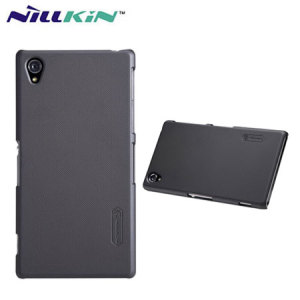

 0.0438sec
 0.45
0.45
 7 queries
 GZIP Disabled