QUOTE(sonerin @ Jan 6 2017, 04:06 PM)
[attachmentid=8368329]
[attachmentid=8368335]
touch up to my man cave

Nice one especially with addition of the posters, just like theaters! [attachmentid=8368335]
touch up to my man cave
Your Home Theater Setup.. v2, Let's share..
|
|
 Jan 10 2017, 08:43 PM Jan 10 2017, 08:43 PM
|
 
Junior Member
266 posts Joined: Mar 2008 
|
QUOTE(sonerin @ Jan 6 2017, 04:06 PM) [attachmentid=8368329] Nice one especially with addition of the posters, just like theaters! [attachmentid=8368335] touch up to my man cave |
|
|
|
|
|
Jan 10 2017, 09:28 PM
|

Senior Member
8,739 posts Joined: Aug 2009
|
QUOTE(stilo10 @ Jan 10 2017, 08:43 PM) Nice one especially with addition of the posters, just like theaters! Thanks. Yeah this is home theatre ✌️ |
|
|
Jan 14 2017, 04:53 PM
|
|
Senior Member
1,689 posts Joined: Jan 2003
|
Hi guys, the oppo 203 come with HDR but presently without Dolby Vision but reading through some review some say can be upgrade with firmware later bcos its aldy have the hardware inside, but without the hardware it cannot be upgrade. Anyone here can verify
|
|
|
Jan 16 2017, 04:02 PM
|

Senior Member
684 posts Joined: Apr 2010 
|
QUOTE(Dickong @ Jan 14 2017, 04:53 PM) Hi guys, the oppo 203 come with HDR but presently without Dolby Vision but reading through some review some say can be upgrade with firmware later bcos its aldy have the hardware inside, but without the hardware it cannot be upgrade. Anyone here can verify Same as what happened for my bro-in-law who have the Marantz 8802. It already has Dolby Atmos hardware board inside but did not support DTSX. He had to "upgrade" the board to support DTSX and the firmware. DTSX board upgrade is free but a "service" charge needed to change this board. Stupid... the Board Upgrade is definitely NOT free.For Auro-3D, another hardware board needs to be replaced to support Auro-3D. Additional payment for the Auro-3D board replacement but my bro-in-law did not want it because Auro-3D is very very very rare at the present time. The later model Marantz 8802A already have hardware support for Atmos and DTSX, but the board for Auro-3D also needs to be upgraded. Back to your question. Refer to this Oppo link below... https://www.oppodigital.com/blu-ray-udp-203...3-Features.aspx Here is a portion from that page... Dolby Vision Upgradeable Leveraging hardware designed to support Dolby Vision, customers can expect a firmware update in early 2017 that brings Dolby Vision support to the player. Yes, UDP-203 hardware confirmed to support Dolby Vision. Just needed a firmware update only. This post has been edited by jamesleetech: Jan 16 2017, 04:13 PM |
|
|
Jan 16 2017, 07:32 PM
|
|
Senior Member
1,689 posts Joined: Jan 2003
|
QUOTE(jamesleetech @ Jan 16 2017, 04:02 PM) Same as what happened for my bro-in-law who have the Marantz 8802. It already has Dolby Atmos hardware board inside but did not support DTSX. He had to "upgrade" the board to support DTSX and the firmware. DTSX board upgrade is free but a "service" charge needed to change this board. Stupid... the Board Upgrade is definitely NOT free. Thanks, another question later when we jailbreak can we still upgrade the firmware.tqFor Auro-3D, another hardware board needs to be replaced to support Auro-3D. Additional payment for the Auro-3D board replacement but my bro-in-law did not want it because Auro-3D is very very very rare at the present time. The later model Marantz 8802A already have hardware support for Atmos and DTSX, but the board for Auro-3D also needs to be upgraded. Back to your question. Refer to this Oppo link below... https://www.oppodigital.com/blu-ray-udp-203...3-Features.aspx Here is a portion from that page... Dolby Vision Upgradeable Leveraging hardware designed to support Dolby Vision, customers can expect a firmware update in early 2017 that brings Dolby Vision support to the player. Yes, UDP-203 hardware confirmed to support Dolby Vision. Just needed a firmware update only. |
|
|
Jan 17 2017, 01:31 AM
|
|
Senior Member
684 posts Joined: Apr 2010
|
QUOTE(Dickong @ Jan 16 2017, 07:32 PM) Thanks, another question later when we jailbreak can we still upgrade the firmware.tq You are welcome.I think the future jailbreak for UDP203 should be using the same method as BDP-103D. The cracked jailbreak firmware in the USB flashdrive is used to "update" the firmware to this jailbreak one. Those smart people don't allow this USB flashdrive to be "shared" with other players so it is locked to the player Ethernet MAC address, just like the Astro smartcard. The USB flashdrive must be inserted when player is switched on. I do know a person who updated online his BDP-103 and found out that he now cannot play his blurays in harddisk (BDMV and ISO)... his player no longer jailbreak one. Luckily he reverted back to the jailbreak one by updating again from the jailbreak firmware in the USB flashdrive. Another guy downloaded the official firmware from Oppo website and then copied it into that USB flashdrive and then used it to update !!! The jailbreak version have been replaced with a Non-jailbreak one in the USB. He had to return the USB for them to recopy the jailbreak one. You cannot use the latest downloaded firmware from Oppo website because its not cracked jailbreak firmware. If you updated the player firmware direct from Oppo official one, the existing jailbreak firmware in the player will be replaced and will no longer work. Whenever Oppo releases any new official or beta firmware, you have to wait for "them" to crack that version and then get it from "them". They are now moving away from jailbreaking BDP-103D/105D so the 105D jailbreak version is an old one released in November 2015 (Version BDP10X-80-1031). Oppo had already released a few newer versions for 105D and the latest is the beta Version BDP10X-83-1226B... BUT.... unfortunately we can't use such uncracked versions. Forget about waiting for newer jailbreak firmwares for 105D. Paid for jailbreak and later only ONE additional jailbreak update. The current jailbreak version still don't support Dolby True-HD in MKV and the later Official firmware already fixed this. When the UDP203 jailbreak version comes... just remember that they RARELY release updated jailbreak versions. After experiencing what happened for BDP-105D, I can expect that they will only come out with just one newer jailbreak version after Oppo have released a few later ones. Mmm... IF first jailbreak version release in June 2017, I will NOT be surprised that the next jailbreak one will come in... mmm.... June 2019 !!! After Oppo already released 3 or 4 newer ones. LOL. Oh... the jailbreak also comes with Multi-Region for blurays (use player setup to change region manually) so if you get it only for BD Region, then its an expensive overpaid jailbreak. The good thing is, no need later jailbreak firmware for Multi-Region. This post has been edited by jamesleetech: Jan 17 2017, 07:44 PM |
|
|
|
|
|
Jan 20 2017, 10:45 PM
|
|
All Stars
10,822 posts Joined: Jan 2010 From: KL/PJ
|
jamesleetech
If unplug the JB USB, can the Oppo player update the latest official firmware? |
|
|
Jan 21 2017, 02:47 AM
|
|
Senior Member
684 posts Joined: Apr 2010
|
QUOTE(saitong09 @ Jan 20 2017, 10:45 PM) jamesleetech Yes, you can unplug the payer to update with the latest "official firmware" BUT the firmware in the player now is NO LONGER jailbreak. DANGER... When you install any Official/Beta Firmware, you overwrite and replaced the existing jailbreak firmware in the player.If unplug the JB USB, can the Oppo player update the latest official firmware? The jailbreak firmware file in the USB is only used once to "update" the player. After the player has been updated, the player now uses jailbreak firmware. The reason why the USB must always be inserted is because the jailbreak firmware in the player need to detect the "special" encrypted key file in the USB. Without this key file, the player jailbreak firmware will behave just like official firmware (enable Cinavia, not allow BD ISO play, etc). This encrypted key file is locked to the player MAC address so the USB can't be used on other players. Once the player is installed with the jailbreak firmware, it already has all the jailbreak functions. When you remove the USB, the player jailbreak functions will fail to work because it did not detect the special key file. After removing the USB, when you install the official firmware, the jailbreak firmware in the player have been replaced so ALL the jailbreak functions have been deleted and will not detect the key file in the USB. CAUTION! Do NOT install any other firmware. Only the jailbreak firmware file in the USB can be used to install or reinstall firmware. When Oppo releases any newer official/beta firmware, NEVER use any of them. You have to wait for those jailbreak people to release newer jailbreak firmware... and then return your USB for them to copy the newer jailbreak firmware file. A friend once did this. He unplugged the USB, connect the player online to update the firmware with the latest official version. He re-inserted the USB thinking that his latest firmware now uses the latest jailbreak.... he got a shock... no more jailbreak ! Luckily I told him to reinstall using the older firmware file in the USB and now the jailbreak worked. Another friend also very clever... he downloaded the latest official firmware file from Oppo website and copied (replaced) the jailbreak firmware file in the USB !! Then he used this "new" file in USB to update his player. Again... no more jailbreak BUT this time he had to return his USB to re-copy the older jailbreak file so that he can re-install. Hehehe. Oppo UDP-203... new jailbreak firmware have now been released. I heard that it will cost RM 300+. I also heard that this player chip do NOT support Cover Art in BDMV folder so no jailbreak for this. I don't know whether embedded cover art in FLAC will be displayed or not because I don't have UDP203 to test. This post has been edited by jamesleetech: Jan 21 2017, 02:58 AM |
|
|
Jan 21 2017, 02:41 PM
|
|
Senior Member
1,689 posts Joined: Jan 2003
|
QUOTE(jamesleetech @ Jan 21 2017, 02:47 AM) Yes, you can unplug the payer to update with the latest "official firmware" BUT the firmware in the player now is NO LONGER jailbreak. DANGER... When you install any Official/Beta Firmware, you overwrite and replaced the existing jailbreak firmware in the player. So any advice about the jailbreak, jailbreak now or later.tqThe jailbreak firmware file in the USB is only used once to "update" the player. After the player has been updated, the player now uses jailbreak firmware. The reason why the USB must always be inserted is because the jailbreak firmware in the player need to detect the "special" encrypted key file in the USB. Without this key file, the player jailbreak firmware will behave just like official firmware (enable Cinavia, not allow BD ISO play, etc). This encrypted key file is locked to the player MAC address so the USB can't be used on other players. Once the player is installed with the jailbreak firmware, it already has all the jailbreak functions. When you remove the USB, the player jailbreak functions will fail to work because it did not detect the special key file. After removing the USB, when you install the official firmware, the jailbreak firmware in the player have been replaced so ALL the jailbreak functions have been deleted and will not detect the key file in the USB. CAUTION! Do NOT install any other firmware. Only the jailbreak firmware file in the USB can be used to install or reinstall firmware. When Oppo releases any newer official/beta firmware, NEVER use any of them. You have to wait for those jailbreak people to release newer jailbreak firmware... and then return your USB for them to copy the newer jailbreak firmware file. A friend once did this. He unplugged the USB, connect the player online to update the firmware with the latest official version. He re-inserted the USB thinking that his latest firmware now uses the latest jailbreak.... he got a shock... no more jailbreak ! Luckily I told him to reinstall using the older firmware file in the USB and now the jailbreak worked. Another friend also very clever... he downloaded the latest official firmware file from Oppo website and copied (replaced) the jailbreak firmware file in the USB !! Then he used this "new" file in USB to update his player. Again... no more jailbreak BUT this time he had to return his USB to re-copy the older jailbreak file so that he can re-install. Hehehe. Oppo UDP-203... new jailbreak firmware have now been released. I heard that it will cost RM 300+. I also heard that this player chip do NOT support Cover Art in BDMV folder so no jailbreak for this. I don't know whether embedded cover art in FLAC will be displayed or not because I don't have UDP203 to test. |
|
|
Jan 21 2017, 04:56 PM
|
|
Senior Member
8,739 posts Joined: Aug 2009
|
No matter when you jail break also will come out some new firmware and than need new jailbreak. Don't see much different in term on when want to jail break
|
|
|
Jan 21 2017, 05:08 PM
|
|
Senior Member
684 posts Joined: Apr 2010
|
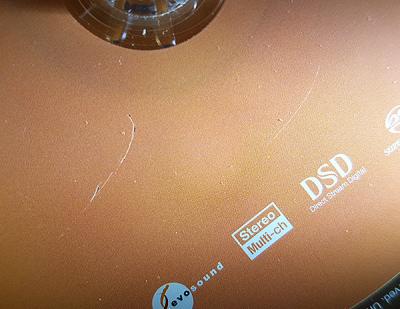
QUOTE(Dickong @ Jan 21 2017, 02:41 PM) So any advice about the jailbreak, jailbreak now or later.tq Now or later is basically up to you to decide. It depends on whether you can wait and not be able to play blurays from your harddisks and also have Cinavia in MKVs, etc, etc.One thing is for sure... if you get the jailbreak now, then you can immediately play without any "restrictions". God knows when any newer jailbreaks will come because previous history with 103D/105D has shown that we should only get a newer jailbreak after... mmm... 30 months? Anyway, after paying for the jailbreak, we can get it FOC for future newer jailbreaks. If you already have 103D/105D (with jailbreak) and decide to keep it just for playing blurays... then the newly bought UDP203 can be used to just play genuine 4K Bluray discs so no need to waste $$ on 203 jailbreak because there is no full 4K BD rips available yet. But if have those *ah-hem* 4K MKVs then 203 jailbreak is necessary. I have 105D and intend to keep it when I buy the future UDP205 or UDP205D. Do remember that we can expect that our f@@king RM will still crash down further... so the price for jailbreak "MAY" be higher after one year. Guessing only. RM 300+ is not cheap just for jailbreak firmware so if you only play direct from genuine discs, then its wasting $$ to get jailbreak. Paying for jailbreak just for Region Free only is also, well, too expensive. Remember... at the present time, AACS 2.0 in 4K Blurays have not yet been "cracked" so no full 4K Bluray rips. I have seen people who *ah-hem* downloaded so-called 4K movies in 30GB to 80 GB MKVs with Atmos/DTSX some more BUT the video quality cannot beat those actual 4K BDs with around 120GB to 200GB sizes AND have HDR too. I really do not know how those people managed to rip 4K BDs to smaller sized MKV files. Maybe they used HDFury (to bypass HDCP), play it and used a "recording/encoding box" to do TV video screen capture to record. The HDFury cannot disable AACS 2.0. I don't really know how they actually did it so I am guessing. Because of the huge size, I think they "reduced" the size and ripped to MKVs. IF they gave us full sized rips, can you imagine with an average 180GB size for a 4K BD, I can only store about TWELVE 4K BDs in a single 2TB harddisk !! » Click to show Spoiler - click again to hide... « I ripped all my genuine blurays as ISOs to play from my harddisks. This reduces wear and tear for my precious bluray collection, and also give me convenience without inserting and removing discs! Of course I can wait without using jailbreak but it means that I need to use my original discs so there is wear and tear which I don't want. Once, when I took my genuine SACD disc out to play as my audition disc at different showrooms selling speakers. After using it at 4 different showrooms, damn, I found out that the disc is now scratched!! I will never take my discs out again and rip my own CDs to duplicate discs for auditioning. » Click to show Spoiler - click again to hide... « For people who don't have DTS/Dolby Bluray Demo discs and Other Samples, here are links to legally download trailers/clips... Dolby 5.1/Dolby True-HS/Dolby Atmos Downloads DTS/DTS HR/DTS-HD MA IMAX Pre-Show Trailers THX Trailers Audio - Video Format Trailers Audio Speaker Sound Check Tools |
|
|
Jan 24 2017, 09:22 PM
|
|
All Stars
10,822 posts Joined: Jan 2010 From: KL/PJ
|
Too bad my Jailbreak cannot apply caused based on the version 29, My Oppo updated few days ago to the latest firmware which is ver 33
 |
|
|
Jan 24 2017, 10:50 PM
|
|
Senior Member
684 posts Joined: Apr 2010
|
QUOTE(saitong09 @ Jan 24 2017, 09:22 PM) Too bad my Jailbreak cannot apply caused based on the version 29, My Oppo updated few days ago to the latest firmware which is ver 33 When you updated your Oppo to the latest official firmware, the jailbreak will not work anymore.What did you do? IF you used your Oppo to go online to update then you can try downgrade back to the jailbreak version 29. Insert back the jailbreak flashdrive and use your Oppo to manually update from USB again. Setup >> Device Setup >> Firmware Upgrade >> Via USB. IF you downloaded the new firmware, copy and replaced the original firmware file in your USB flashdrive, then the jailbreak firmware in the USB is gone. Bring the USB flashdrive back to the seller to copy the jailbreak firmware for you again. By returning back to Version 29, at least you have jailbreak. Of course, no more new version. I hope this work for you. I was told that the downgrade from USB should work but I have not try it myself. I NEVER update my Oppo. I only return my USB to the seller to copy the new jailbreak firmware when released. |
|
|
|
|
|
Jan 24 2017, 11:27 PM
|
|
All Stars
10,822 posts Joined: Jan 2010 From: KL/PJ
|
QUOTE(jamesleetech @ Jan 24 2017, 10:50 PM) When you updated your Oppo to the latest official firmware, the jailbreak will not work anymore. Haven't got the USB, but the seller told me the JB is based on ver 29, so mine is ver 33 now so cannot use the JB.What did you do? IF you used your Oppo to go online to update then you can try downgrade back to the jailbreak version 29. Insert back the jailbreak flashdrive and use your Oppo to manually update from USB again. Setup >> Device Setup >> Firmware Upgrade >> Via USB. IF you downloaded the new firmware, copy and replaced the original firmware file in your USB flashdrive, then the jailbreak firmware in the USB is gone. Bring the USB flashdrive back to the seller to copy the jailbreak firmware for you again. By returning back to Version 29, at least you have jailbreak. Of course, no more new version. I hope this work for you. I was told that the downgrade from USB should work but I have not try it myself. I NEVER update my Oppo. I only return my USB to the seller to copy the new jailbreak firmware when released. |
|
|
Jan 25 2017, 06:37 AM
|
|
Senior Member
8,739 posts Joined: Aug 2009
|
QUOTE(saitong09 @ Jan 24 2017, 11:27 PM) Haven't got the USB, but the seller told me the JB is based on ver 29, so mine is ver 33 now so cannot use the JB. Wait some more |
|
|
Jan 25 2017, 08:21 AM
Show posts by this member only | IPv6 | Post
#2176
|
|
All Stars
10,822 posts Joined: Jan 2010 From: KL/PJ
|
QUOTE(sonerin @ Jan 25 2017, 06:37 AM) Wait some more No idea when can get JB based on ver 33. He late informed his customer, so many of them upgraded to ver 33.This post has been edited by saitong09: Jan 25 2017, 08:22 AM |
|
|
Jan 25 2017, 08:23 AM
|
|
Senior Member
8,739 posts Joined: Aug 2009
|
Well I don't think will be long
|
|
|
Jan 25 2017, 09:34 PM
|
|
Junior Member
190 posts Joined: Sep 2008 From: Kepong,PJ, KL 
|
Hello All,
I am moving into my new house and is planning to have a dedicated AV room. Already have my short throw projector, screen and 5.1 setup (all bookshelves) from my existing av room. My existing room is just a 9 ft x 9 ft room , very happy with the seating distance vs screen ratio. My family is small and at one time the maximum number of people that will be watching movies is 3..so i plan to only get a three seater sofa. Would love to hear your thoughts on which AV room is more suitable for this purpose. ROOM 2 or ROOM 3? If Im gonna do it in Room 3, challenge would be setting up the screen at the wall that measures 9.19ft, how do cover up the window and install my screen over that wall? For room 2, i will definitely place the projector screen on the wall that measures 13.98 ft, however how should I cover the bathroom and room door? Would you recommend to replace it with glass sliding door with very dark tint? Thank you. 
|
|
|
Jan 25 2017, 10:34 PM
|

Senior Member
4,522 posts Joined: Apr 2006
|
QUOTE(Jcvendetta @ Jan 25 2017, 09:34 PM) Hello All, Definitely room 3. Easy to predict where to put the sub(s), room treatments and know where the room modes are. It's a fairly symmetrical layout. I am moving into my new house and is planning to have a dedicated AV room. Already have my short throw projector, screen and 5.1 setup (all bookshelves) from my existing av room. My existing room is just a 9 ft x 9 ft room , very happy with the seating distance vs screen ratio. My family is small and at one time the maximum number of people that will be watching movies is 3..so i plan to only get a three seater sofa. Would love to hear your thoughts on which AV room is more suitable for this purpose. ROOM 2 or ROOM 3? If Im gonna do it in Room 3, challenge would be setting up the screen at the wall that measures 9.19ft, how do cover up the window and install my screen over that wall? For room 2, i will definitely place the projector screen on the wall that measures 13.98 ft, however how should I cover the bathroom and room door? Would you recommend to replace it with glass sliding door with very dark tint? Thank you.
I don't know if you're willing to just seal up the window entirely, but if you do then it's a simple process really. Otherwise just get a pull-down screen (motorized or manual, up to you) instead of a fixed one. Room 2, I foresee there are going to be A LOT of problematic room modes. It's going to be a very time consuming process in sub placements experimenting, how best to employ PEQ, where to put treatments... lots of things. If you're not anal about sound, then I guess... it doesn't matter much whichever room you put your HT setup in. This post has been edited by SSJBen: Jan 25 2017, 10:36 PM |
|
|
Jan 26 2017, 12:15 AM
|
|
All Stars
10,822 posts Joined: Jan 2010 From: KL/PJ
|
QUOTE(sonerin @ Jan 25 2017, 08:23 AM) Well I don't think will be long Hopefully can get beginning of next month  |
| Change to: |  0.0405sec 0.0405sec
 0.46 0.46
 6 queries 6 queries
 GZIP Disabled GZIP Disabled
Time is now: 10th December 2025 - 01:58 AM |
 Quote
Quote