Welcome Guest ( Log In | Register )

Bump Topic Topic Closed RSS Feed
127 Pages  1 2 3 > » Bottom

Outline · [ Standard ] · Linear+

 Sony XPERIA™ Z Ultra | Official Thread V7, Android 4.4 KitKat Now Available!

views
     
TSHertz96
post Nov 16 2013, 01:07 AM, updated 12y ago

• The forbidden zone was once a paradise •
******
Senior Member
1,237 posts

Joined: Apr 2012
From: Pyongyang, DPRK


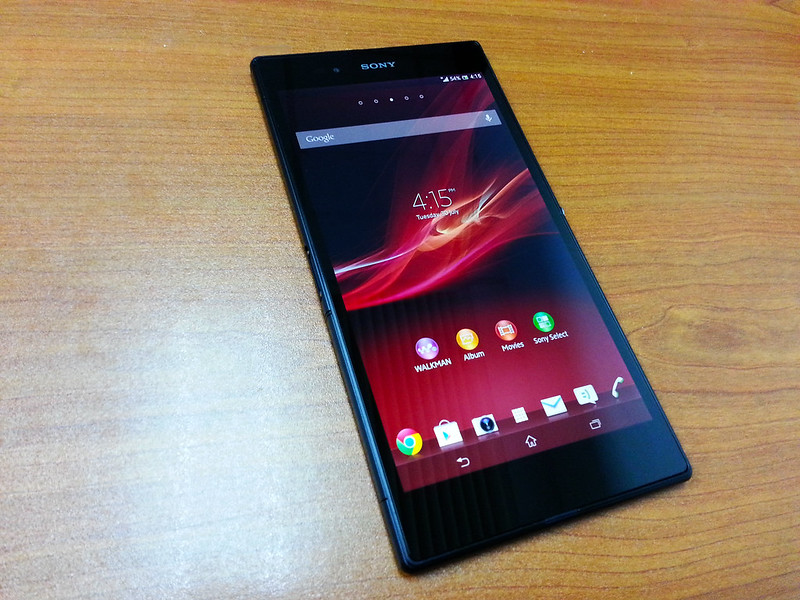
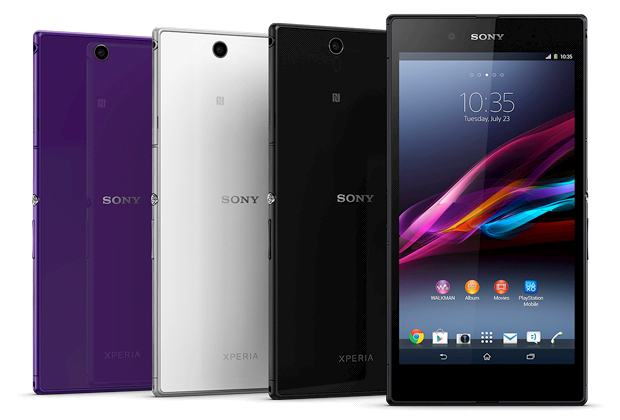
Xperia™ Z Ultra | Big screen. Big entertainment.

Xperia™ Z Ultra – the largest display in the world’s slimmest Full HD smartphone
user posted image


Specification:
  • OS: Android 4.2.2 (upgradable to Android 4.3)
  • Chipset: Qualcomm MSM8974
  • CPU: Qualcomm® Snapdragon™ 800 processor with 2.2 GHz quad-core CPUs
  • GPU: Adreno 330
  • RAM: 2GB
  • Capacity: 16GB Internal + microSD card support up to 64 GB
  • Display: 6.44” ~342ppi Full HD TRILUMINOS™ with OptiContrast™ panel
  • Screen Technology: Display for mobile powered by X-Reality™
  • Real Camera: 8 MP Auto Focus Sony Exmor RS for mobile with image stabiliser, 16x Digital Zoom & HDR photo & video
  • Front Camera: 2 MP, Exmor R, HD Video Recording (1080p)
  • Video: 4K Video Hardware Acceleration Playback
  • Durability: Waterproof (IP58) and Dust-Resistant (IP55), Ultra Slim durable design with Shatter Proof and Scratch-Resistant glass
  • Input: Write and sketch with any pencil and selected stylus or pen
  • Audio: 3D Surround Sound (VPT), ClearAudio+, Clear bass, Clear Phase™, Clear stereo, Dynamic normalizer, xLoud™ Experience
  • Network: LTE support for C6806 & C6833 | HSPA+ for C6802
  • Connectivity: Wi-Fi 802.11 a/b/g/n/ac, dual-band, Wi-Fi Direct, Miracast™, dlna, MHL, Wi-Fi hotspot, Bluetooth 4.0 with A2DP, NFC
  • Radio: Stereo FM radio with RDS
  • Sensors: Accelerometer, gyro, proximity, compass
  • USB: microUSB v2.0 (MHL), USB On-the-go
  • GPS: aGPS and GLONASS
  • Battery: Non-removable Li-Ion 3050 mAh battery
  • Battery Duration: Talk time Up to 16 hours , Standby time Up to 820 hours with Stamina Mode feature
  • Dimensions: 179 x 92 x 6.5 mm
  • Weight: 212g
  • Colors Availability: Black, White, Purple
Previous Version:

VersionTotal PostsTotal ViewsStart DateEnd Date
V 11,50638,93725 Jun 201327 July 2013
V 22,487108,66527 July 201311 August 2013
V 32,54395,91811 August 20134 September 2013
V 41,56038,4144 September 201315 September 2013
V 52,51853,05715 September 201329 September 2013
V 62,50893,31929 September 201316 November 2013


Current Firmware: 14.1.B.2.257

Thanks benny888 for update instruction - https://forum.lowyat.net/index.php?showtopi...post&p=63104572Previous Firmware: 14.1.B.1.527 - Fake Hang & SOD Solution!
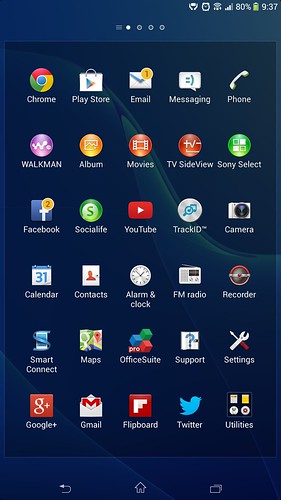
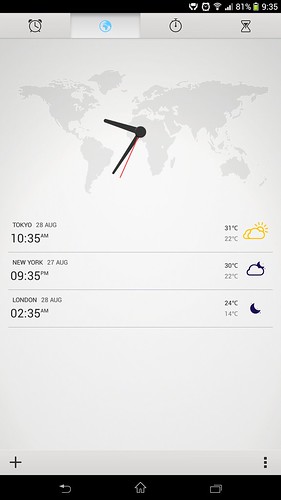
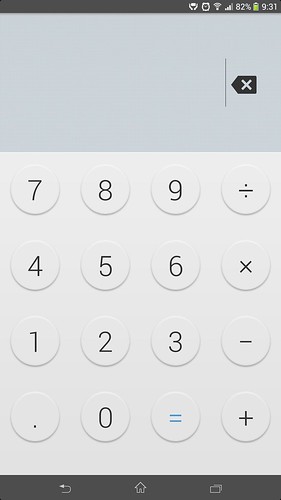
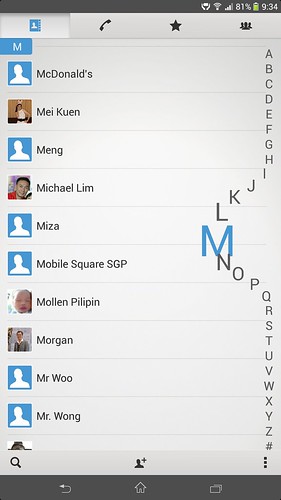
  • New UI Interface - Smooth, better than previous one.
  • White-Grey Setting background.
  • New added animation, new waiting animation design.
  • All UI corner slighly curve.
  • Small Apps can open more than one.
  • International keyboard finally support mini keyboard.
  • Favorite Contact image is big and clear.
  • Contact image is small when receiving/answering call.
  • New Messaging design.
  • New Alarm and Clock, New Calculator, New widget design.
  • X-Reality support, this really work out, as I notice it really sharpen my 720P video playback.
  • Camera Superior Auto mode working fine, but I feel previous .475 seems better slightly.
  • Overall extremely smoother than previous firmware.
Commercial:


Hands-on:

Reviews:

Xperia™ Z Ultra | The World's 1st

“The world’s fastest smartphone processor”
user posted image

“The world’s largest full HD smartphone display”
user posted image

“The world’s slimmest full HD smartphone”
user posted image

*


This post has been edited by Hertz96: Apr 19 2014, 09:12 PM
TSHertz96
post Nov 16 2013, 01:07 AM

• The forbidden zone was once a paradise •
******
Senior Member
1,237 posts

Joined: Apr 2012
From: Pyongyang, DPRK


Xperia™ Z Ultra | Features Overview


Ultra entertainment – anytime, anywhere

user posted image
The world’s largest Full HD smartphone display

The first Android smartphone with a 6.4” Full HD Display – and the first one ever to incorporate a TRILUMINOS™ Display with X-Reality for mobile – Xperia Z Ultra is the smartphone that takes you beyond your wildest dreams. The result? An on-the-go viewing experience that maximises everything.
Ultra slim, lightweight and waterproof

user posted image
The world’s slimmest Full HD smartphone

With its 6.5 mm body, reflective glass surface and at 212 grams, this premium big screen phone is impressively slim, light and slick.
The only waterproof Full HD smart phablet

user posted image
IP55/IP58

Waterproof, dust resistant and with tough tempered glass coated with an anti-shatter film, this Android smart phablet is much tougher than it looks.
Ultra entertainment. Ultra business. An ultra experience

user posted image
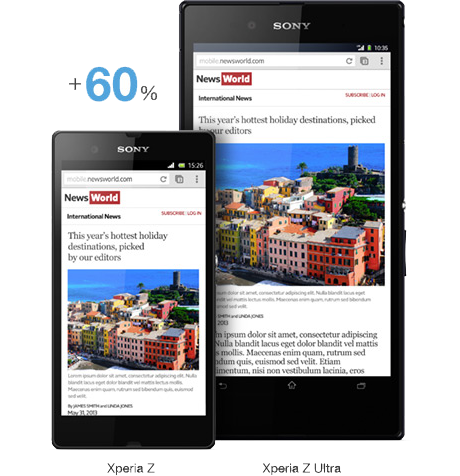
Experience 60% more

From reading e-books to browsing web pages – the Full HD display has been optimized so you can see and experience 60% more than most smartphones.

user posted image
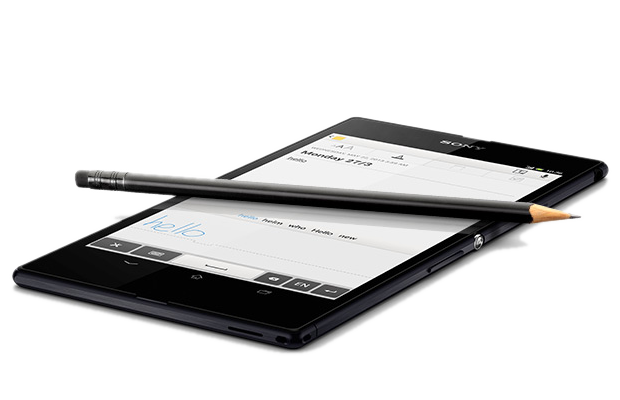
Get precise

Xperia Z Ultra works with a pencil or stylus, and the super responsive screen lets you to write and sketch with precise accuracy.

user posted image
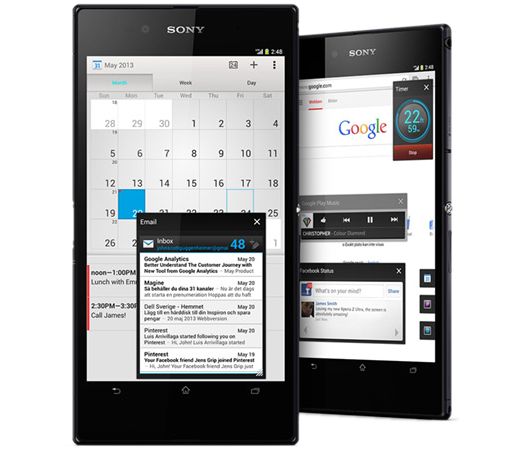
Increase productivity

An easy-toggle keyboard for one-handed input, plus multi-tasking apps that improve productivity help make this big screen Android smartphone the perfect business partner.


When only the best is good enough

user posted image
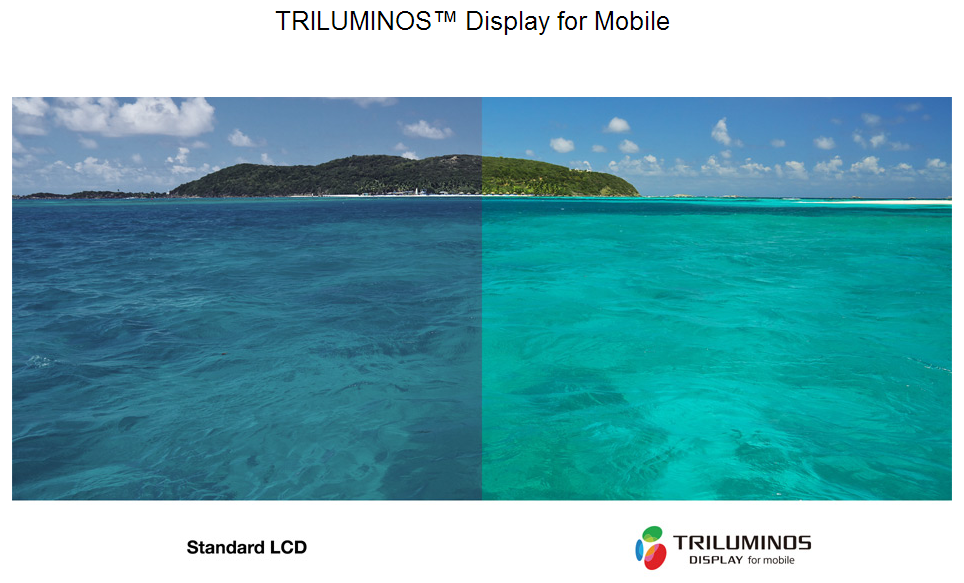
Full HD TRILUMINOS™ Display with X-Reality for mobile

Xperia Z Ultra is the big screen phone that uses the very latest screen technology developed by our BRAVIA® TV engineers. The large, high-resolution 6.4” Full TRILUMINOS™ Display with X-Reality for mobile comes with a 1920 x 1080 progressive scan, for incredibly crisp pictures free of jagged edges. Paired with a pixel density of 342 pixels per inch, you get pictures that are razor sharp and superiorly bright.
X-Reality for mobile

user posted image
For clearer, more vivid pictures

From low-resolution web videos to high-resolution movies − with Sony’s latest picture engine, exclusive X-Reality for mobile – everything you see on Xperia Z Ultra’s big screen is analysed and selectively processed to give clean, clear and lifelike pictures. Three unique noise reduction features work their magic prior to upscaling. While Sony’s intelligent display technology analyses each image to optimise pixels, texture, outline, colour, contrast and noise, creating the best viewing experience possible.
Blazing fast performance

user posted image
The world’s fastest smartphone processor

We’ve matched the latest Sony software with the all new, super powerful Qualcomm® Snapdragon™ 800 processor. This advanced Quad-core processor is 75% faster than S4 Pro and gives you maximum power and speed with outstanding battery time – run multiple apps simultaneously, surf the web with little loading time, and stream videos without a break. The Snapdragon 800 processor is asynchronous, which means each core is powered independently. So you get the precise amount of power when you need it, without wasting power when you don’t.
Breathtaking graphics

user posted image
GPU: Adreno 330

Delivering up to 50% increased graphic performance (compare with Adreno 320), the updated Adreno 330 GPU (graphics processing unit) gives you the most advanced and visually stunning 3D games, and lets you browse the web lightning fast – all while using the lowest power consumption.

*

TSHertz96
post Nov 16 2013, 01:08 AM

• The forbidden zone was once a paradise •
******
Senior Member
1,237 posts

Joined: Apr 2012
From: Pyongyang, DPRK


Owner List | ~ PM me for add-in to owner list

» Click to show Spoiler - click again to hide... «

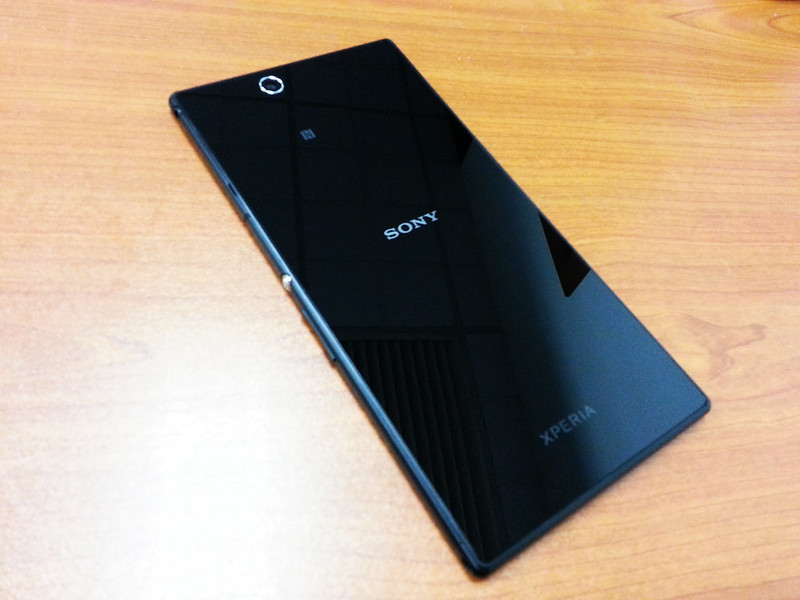
Xperia™ Z Ultra | Actual Look

user posted image

user posted image

Phone Size | Comparison

user posted image

user posted image

user posted image


Flip Case | Free Gift from Sony Centre / Sony Mobile (1/Aug - 11/Aug)

user posted image

user posted image

Additional Accessories
TRY UNDER YOUR
AccessoriesPhoto
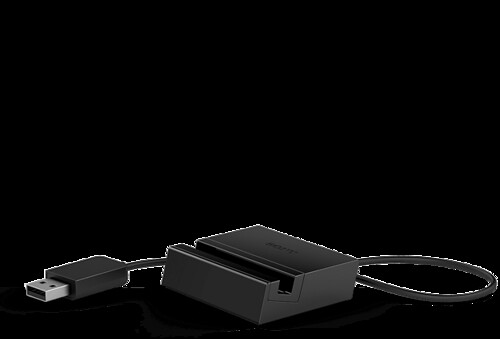
Magnetic Charging Dock DK30user posted image
Smart Bluetooth® Handset SBH52user posted image
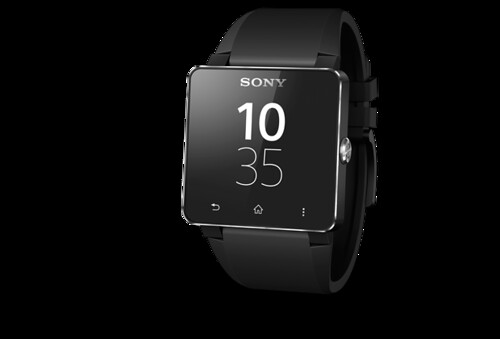
SmartWatch 2 SW2user posted image


Lowyat Accessories Seller | For references

SellerThreadProduct
ping325https://forum.lowyat.net/topic/2733540Case & Screen Protector
sakurazzhttps://forum.lowyat.net/topic/2925568Case & Screen Protector
tskhorhttps://forum.lowyat.net/topic/2928944Case & Screen Protector
-Lycus.trading-https://forum.lowyat.net/topic/2921849Magnetic Charging Dock
CubixShoppehttps://forum.lowyat.net/topic/2910891Case & Screen Protector

*


This post has been edited by Hertz96: Mar 27 2014, 11:42 PM
TSHertz96
post Nov 16 2013, 01:10 AM

• The forbidden zone was once a paradise •
******
Senior Member
1,237 posts

Joined: Apr 2012
From: Pyongyang, DPRK


Development Section | XDA developers


XDA Official Section - http://forum.xda-developers.com/forumdisplay.php?f=2441

Stock ROM - FTF - Generic Unbranded :

Root | Instruction rooting 14.1.B.2.257 firmware

Its actually just using the Unlocked Bootloader as it was meant to be used.

SO ONLY FOR UNLOCKED BOOTLOARDERS!Reboot and done!

You are rooted...

» Click to show Spoiler - click again to hide... «


Flash | Instruction to flash C6833 (LTE) Firmware to C6802 (HSPA+) Model


Flashing Instructions
  • Download C6833 (LTE) .510 version from here.
  • Use flashtool and flash the firmware into your HSPA+ model without any complications.
  • Done! Now you can use the C6833 (LTE) in your C6802 (HSPA+) Model without any bugs or issues.
  • 3G and WiFi connections are not interrupted and your device won't go into soft brick mode so don't worry about that. Good luck.
Some Good News also provided by benny888 after his device was flashed.
  • Fake Hang even with Optimised Backlight unticked has not been experienced by him.
  • Everything works the same as how it used too. Just that now you're riding with the LTE firmware.
  • Rootable via VRoot 1.70
  • LTE availability not confirmed yet. We have some guys on it! Will update later if the miracle happens.


Thanks to our user, ijat91 we have some screenshots after the firmware had been successfully flashed.


Screenshots after flash process


user posted image
user posted image

Backup TA | Do It! before plan unlocked your Bootloader

Backup TA tested & 100% backup & Restore successful. smile.gif

Backup TA Official Site - http://forum.xda-developers.com/showthread.php?t=2292598

Backup TA - FAQ
  • What is TA - TA is the partition where it get completely delete forever if you unlocked the bootloader.
  • Why TA is important - For future gain back the Bravia Engine, DRM when locked back the unlocked bootloader.
  • Why Backup TA - For restoring back the TA after bootloader is unlocked.
  • Backup TA requirement - Root access and make sure your bootloader haven't been unlocked yet.
  • When to Backup TA - Backup it after root access and before your 1st time unlocked the bootloader.
  • Is Backup TA working for already unlocked bootloader - No.

Xposed Framework

Credits to mafioso for the introduction. smile.gif Root required.
» Click to show Spoiler - click again to hide... «

FAQ Section

1. What to do during purchasing.
» Click to show Spoiler - click again to hide... «


2. What is Flashtool
» Click to show Spoiler - click again to hide... «


3. Will Factory Reset delete all your data?
» Click to show Spoiler - click again to hide... «


4. Is the screen over sensitive or inaccuracy touch input?
» Click to show Spoiler - click again to hide... «


5. Why unlocked bootloader?
» Click to show Spoiler - click again to hide... «


6. Any impact unlocked your bootloader?
» Click to show Spoiler - click again to hide... «

*


This post has been edited by Hertz96: Nov 16 2013, 01:34 AM
TSHertz96
post Nov 16 2013, 01:10 AM

• The forbidden zone was once a paradise •
******
Senior Member
1,237 posts

Joined: Apr 2012
From: Pyongyang, DPRK


How Great Xperia™ Z Ultra Screen Is?

Xperia™ ZL v/s Xperia™ Z Ultra
user posted image

user posted image

Differences between tick / un-tick Optimize Backlight

user posted image user posted image
Without Optimize Backlight tick (dark grey) | With Optimize Backlight tick (light grey and color degrade)
* Some user panel is obvious, some is not - all thanks to different panel supplier by Sony. =_=|||

Benchmark | As References Only

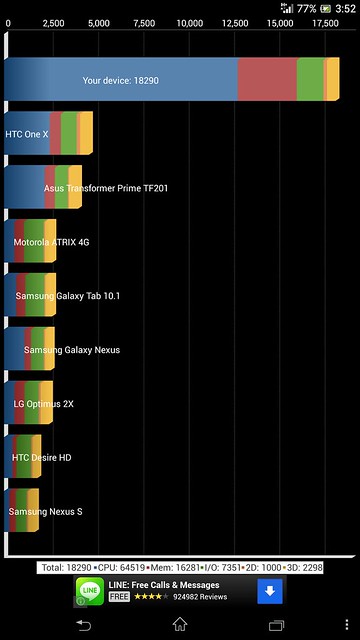
Antutu
user posted image

Quadrant
user posted image

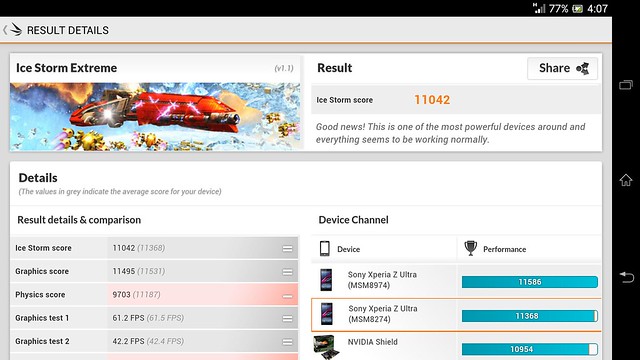
3D Mark
user posted image

user posted image

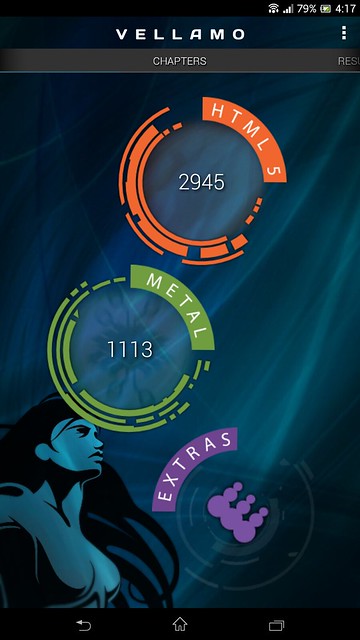
Vellamo
user posted image

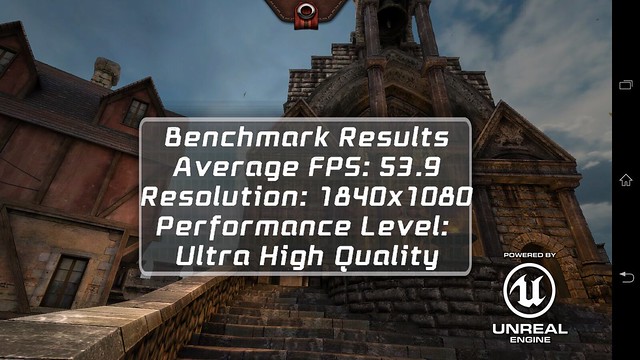
Epic Citadel
user posted image

*


This post has been edited by Hertz96: Nov 16 2013, 01:32 AM
titanyong
post Nov 16 2013, 01:14 AM

New Member
*
Junior Member
18 posts

Joined: Nov 2012
From: Kepong and Ipoh


im in.
TSHertz96
post Nov 16 2013, 01:24 AM

• The forbidden zone was once a paradise •
******
Senior Member
1,237 posts

Joined: Apr 2012
From: Pyongyang, DPRK


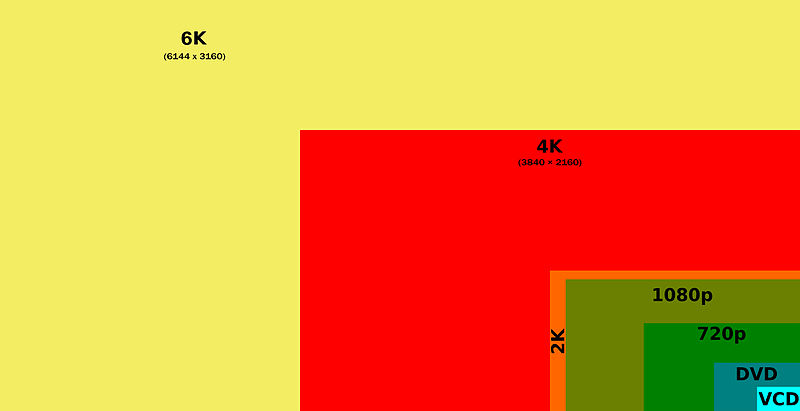
4K Video | Hardware Acceleration Playback.

The Powerful of Snapdragon 800 CPU + Adreno 330 GPU. The 1st 4K Video Hardware Acceleration Playback for mobile.

user posted image

Video Resolution: 3840 x 2160
Video Codec: H.264 / AVC / MPEG-4 AVC / MPEG-4 part 10
Video Bit rate: 50.0 Mbits/sec
Sound Codec: AAC - 48000 Hz
Sound Bit rate: 317.4 kbits/sec
Download: http://d01.megashares.com/dl/qnK5jj4/HD.Cl...-inn-60mbps.mp4
user posted image

Video Resolution: 2560 x 1440
Video Codec: H.264 / AVC / MPEG-4 AVC / MPEG-4 part 10
Video Bit rate: 33.1 Mbits/sec
Sound Codec: AAC - 48000 Hz
Sound Bit rate: 317.4 kbits/sec
Download: http://red.cachefly.net/TimeScapes4K2560p.mp4
** Recommended playback via MX Player with H/W+ support & Color format: RGB 32-bit under Settings - Decoder.
** Stock Video app also can playback both video nicely.
4K Video | How big 4K video are...

user posted image


Current 4K Video Hardware Acceleration Supported Phone:
  • Sony Xperia Z Ultra
  • Samsung Galaxy S4 LTE-A (the only S4 version support 4K video)
  • LG G2
  • Sony Xperia Z1
  • Samsung Galaxy Note 3 (LTE version only) - support 4K Video Record
  • Acer Liquid S2 - support 4K Video Record
  • Xiaomi 3 (WCDMA version only)
  • ZTE Grand Memo
  • HTC One Max - maybe if only HTC decide use Qualcomm Snapdragon 800
Hate Shatter Proof Sheet? | Solution here

Thanks Andrew_1980 for link.


Base on Andrew_1980 experience, the Sony, Xperia & NFC logo at back is not printed at the shatter proof sheet.

As the front, we had no real confirmation whether it is printed at that shatter proof sheet or not.

*

TSHertz96
post Nov 16 2013, 01:27 AM

• The forbidden zone was once a paradise •
******
Senior Member
1,237 posts

Joined: Apr 2012
From: Pyongyang, DPRK


Past And Present Firmware Review


14.1.B.1.532 Firmware Review

New features & enhancement
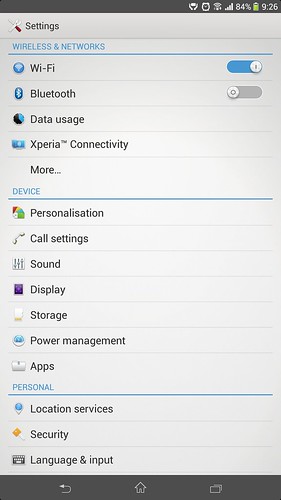
  • New UI Interface - Smooth, better than previous one.
  • White-Grey Setting background.
  • New added animation, new waiting animation design.
  • All UI corner slighly curve.
  • Small Apps can open more than one.
  • International keyboard finally support mini keyboard.
  • Favorite Contact image is big and clear.
  • Contact image is small when receiving/answering call.
  • New Messaging design.
  • New Alarm and Clock, New Calculator, New widget design.
  • X-Reality support, this really work out, as I notice it really sharpen my 720P video playback.
  • Camera Superior Auto mode working fine, but I feel previous .475 seems better slightly.
  • Overall extremely smoother than previous firmware.
14.1.B.1.510 & .526 Fake Hang and SOD issue and prevent solution

I am pretty sure all 14.1.B.1.510 got this issue as few user already try.
It happen in Local Malaysia firmware or Taiwan base.

Below is how to rectified the problem exist and prevent solution.

How to make startup fake hang happen
  • Tick Adapt to lighting conditions at Settings - Display - Brightness.
  • Un-tick Optimised backlight and shutdown the phone.
    user posted image user posted image
  • Switch on the phone - you will facing the fake hang issue.
How to get SOD
  • After above scenario fake hang happen, wait until it load to phone, +/- 1 min.
  • Immediate locked the screen. Tada! Screen of Dead happen!
How to solved the issue
  • Force restart the phone - either take out the SIM card to let the phone auto restart itself or press and hold the red button beside SIM card and wait until 3 vibrate, the phone is switch off.
  • The fake hang still exist when the phone switching on, as usual wait +/-1 min to let the phone load in.
  • Tick back Optimised backlight and immediate shutdown the phone.
  • Now start the phone back, you will notice the fake hang during startup no longer happen.
  • No SOD also when locked and unlocked the screen.
Can we still not using the Optimised backlight?
  • YES - as long as you remember to tick back before plan to shutdown the phone.
Why I not prefer to use Optimised backlight?
  • The screen color more dull a bit and less pure black.
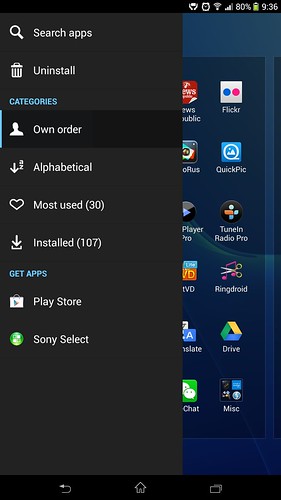
  • It is obvious noticeable when you slide left at App Drawer for more features of App Drawer, the dark grey will became bright grey in Optimised backlight.
Is SOD always happen
  • NO - It only happen when your boot-up facing fake hang issue.
  • Solution - always tick back Optimised Backlight before shutdown your phone until Sony solved it.
14.1.B.1.510 & .526- Others Issue
  • Chinese keyboard - swiping is not working when swipe in English at Small Keyboard layout.
  • Chinese keyboard - input not working proper when type in Chinese in certain website.
  • Flickering / Chopping YouTube video when watching directly under Chrome when the video not open by YouTube itself. This issue is not there when watching the video directly inside YouTube app.
  • Flickering / Chopping video same occur when download the YouTube video via third party app, example JetVD.
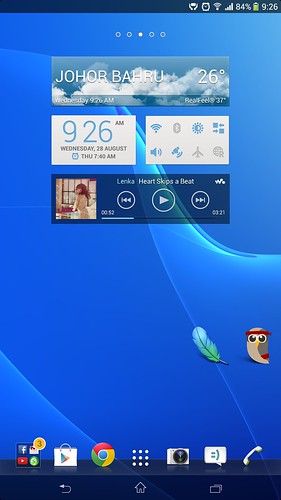
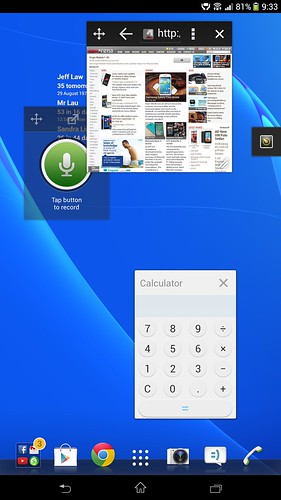
14.1.B.1.532 - Layout Screenshot

user posted image user posted image

user posted image user posted image

user posted image user posted image

user posted image user posted image

Sample 14.1.B.1.510 Firmware Camera Shoot - all using Superior Auto

https://forum.lowyat.net/index.php?showtopi...post&p=62790958
*

TSHertz96
post Nov 16 2013, 01:37 AM

• The forbidden zone was once a paradise •
******
Senior Member
1,237 posts

Joined: Apr 2012
From: Pyongyang, DPRK


Welcome To v7 Of Our Official Xperia Z Ultra LYN Thread!

You May Start Posting! rclxm9.gif
Andrew_1980
post Nov 16 2013, 01:53 AM

Look at all my stars!!
*******
Senior Member
6,196 posts

Joined: Nov 2012


wow new thread ady brows.gif
joytest
post Nov 16 2013, 02:16 AM

Vox populi vox dei? Quot homines,tot sententiae
********
All Stars
13,188 posts

Joined: Dec 2011
From: 127.0.0.1


You have a duplicate thread

https://forum.lowyat.net/topic/3032638
SUSPedr0
post Nov 16 2013, 06:37 AM

Getting Started
**
Junior Member
178 posts

Joined: Jun 2013


Yay!
acbc
post Nov 16 2013, 07:24 AM

Look at all my stars!!
*******
Senior Member
9,041 posts

Joined: Jan 2003
As for Google Experience Launcher, I'm currently using it. So far, it managed to get rid of the Xperia Home better than Nova. Customization quite limited unlike Nova but at least it works!
kehadapan
post Nov 16 2013, 09:17 AM

Casual
***
Junior Member
485 posts

Joined: May 2012
From: At The Front
new XZU reporting in.
kevyeoh
post Nov 16 2013, 09:23 AM

Look at all my stars!!
*******
Senior Member
4,717 posts

Joined: Jan 2003


hi all,

i'm a note 2 user and considering Ultra Z as a possible replacement...the only concern I have is how is the user experience of bringing the big phone around? is it a hassle that you have to carry it in your hand?
Xsence
post Nov 16 2013, 09:34 AM

Enthusiast
*****
Junior Member
734 posts

Joined: Jul 2013
From: Kuala Lumpur


QUOTE(acbc @ Nov 16 2013, 08:24 AM)
As for Google Experience Launcher, I'm currently using it. So far, it managed to get rid of the Xperia Home better than Nova. Customization quite limited unlike Nova but at least it works!
*
How to get Google Experience Launcher?
clarkblitz
post Nov 16 2013, 10:07 AM

On my way
****
Senior Member
630 posts

Joined: Jul 2011
Congratulations on new thread.
Been awhile since I posted.
XZU is a great phone and although it's bigger than note 2, it's not that big of a Phone to carry around
joytest
post Nov 16 2013, 10:23 AM

Vox populi vox dei? Quot homines,tot sententiae
********
All Stars
13,188 posts

Joined: Dec 2011
From: 127.0.0.1


QUOTE(kevyeoh @ Nov 16 2013, 09:23 AM)
hi all,

i'm a note 2 user and considering Ultra Z as a possible replacement...the only concern I have is how is the user experience of bringing the big phone around? is it a hassle that you have to carry it in your hand?
*
It depends on you, but I have been following this thread since I had a keen interest in the XZU simply due to its size. I understand that it is too big for most pockets.
aruja_69
post Nov 16 2013, 11:32 AM

Look at all my stars!!
*******
Senior Member
3,786 posts

Joined: Aug 2005
Have anyone encounter that when u call someone from the phone suddenly the it goes blank but u can hear someone talking another side but u need to press the on off a few times then it appear the caller number
Andrew_1980
post Nov 16 2013, 12:34 PM

Look at all my stars!!
*******
Senior Member
6,196 posts

Joined: Nov 2012


QUOTE(aruja_69 @ Nov 16 2013, 11:32 AM)
Have anyone encounter that when u call someone from the phone suddenly the it goes blank but u can hear someone talking another side but u need to press the on off a few times then it appear the caller number
*
Did you stick screen protector?

127 Pages  1 2 3 > » Top
Topic ClosedOptions
 

Change to:
| Lo-Fi Version
0.0338sec    0.46    6 queries    GZIP Disabled
Time is now: 3rd December 2025 - 06:54 AM