Welcome Guest ( Log In | Register )

Outline · [ Standard ] · Linear+

 [REVIEW] ASUS Maximus VI Gene - Performance Test, Best Z87 Gaming mATX

views
     
TSowikh84
post Oct 17 2013, 06:43 AM, updated 13y ago

i7 Clan
Group Icon
Elite
8,711 posts

Joined: Nov 2007
From: Butterworth, PG / Machang, Kelantan


ASUS Maximus VI Gene - Performance Test

user posted image

Introduction:

The Maximus VI Gene (M6G) is ASUS' mATX overclocking and gaming motherboard (mobo) based on Intel’s latest Z87 chipset. Comes with the Republic of Gamers’ (ROG) features, the M6G arrives fully loaded for action. It offers Extreme Engine Digi+ III precision power delivery, state-of-the-art tweaking utilities, and advanced gaming. These include SupremeFX 115dB SNR crystal-clear audio, the Sonic Radar visualized in-game overlay, Intel Ethernet, and GameFirst II network optimization. Let’s take a look what the board has to offer.

Product Link: http://www.asus.com/Motherboards/MAXIMUS_VI_GENE

Suggested Retail Price: RM799

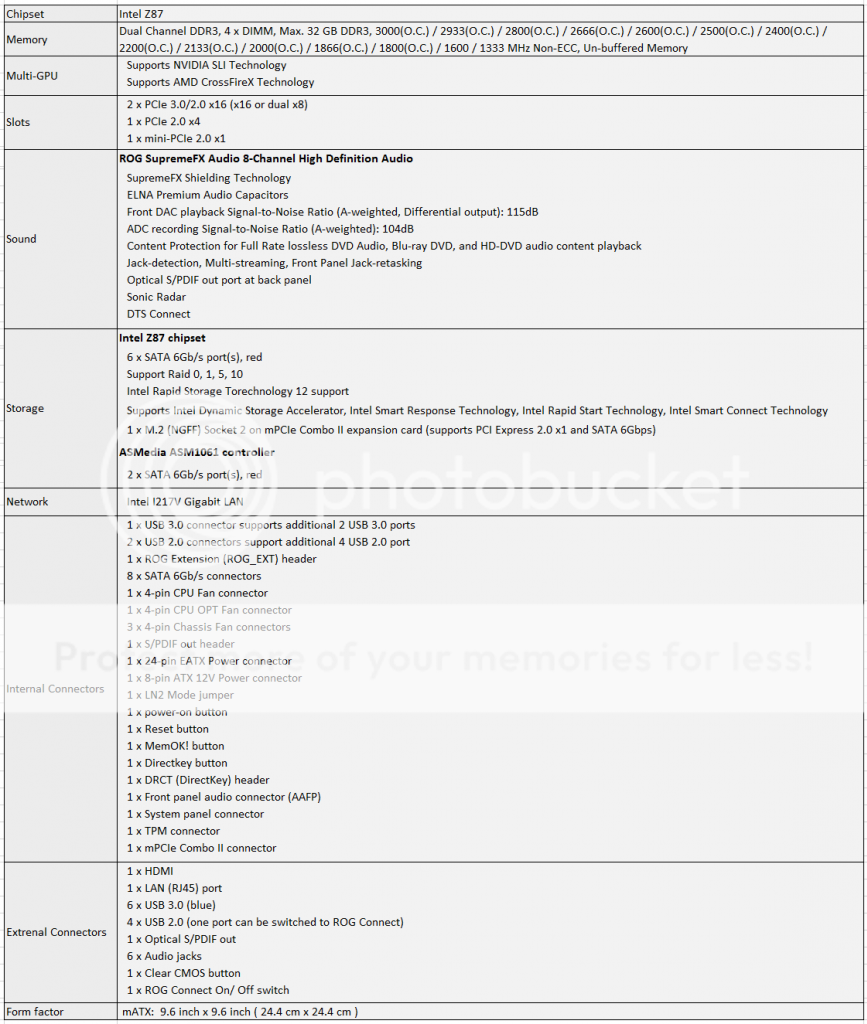
Specifications:
user posted image

Full specifications of M6G can be found HERE

Overview of M6G:

user posted image

Unboxing:

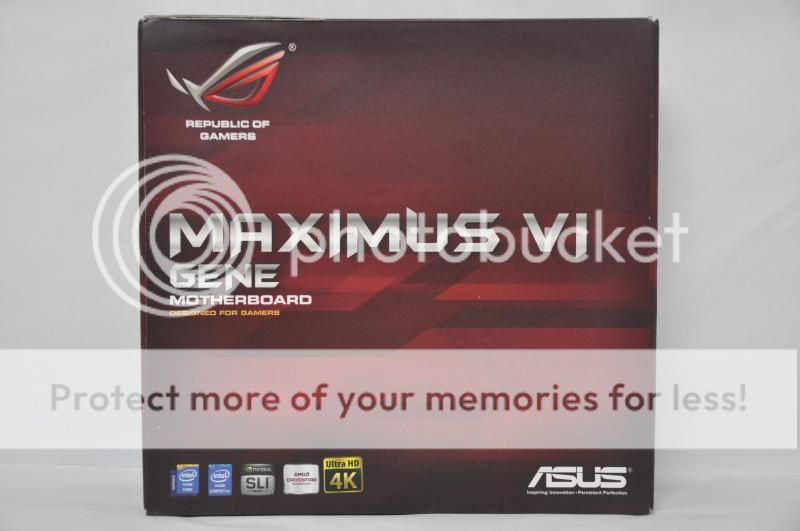
user posted image
The board is shipped in a red box featuring ROG design.
user posted image
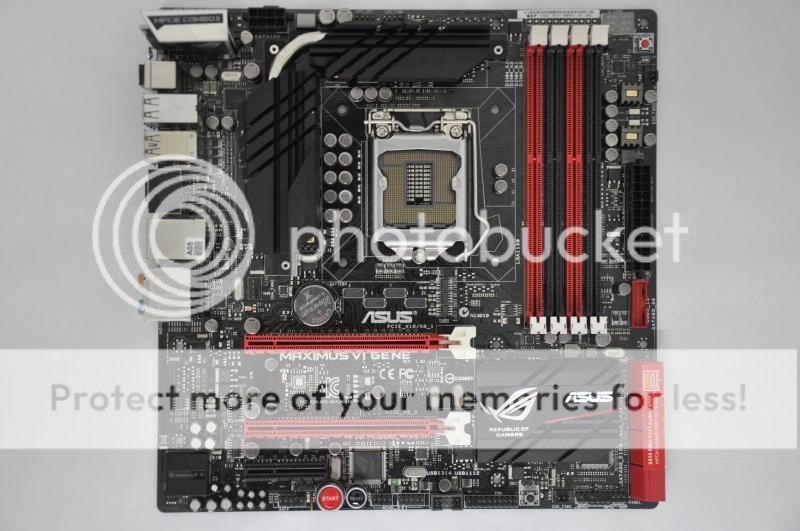
The M6G features black/red colour theme and conforms to micro ATX (mATX) form factor with measurement of 9.6 inch x 9.6 inch (24.4 cm x 24.4 cm).
user posted image
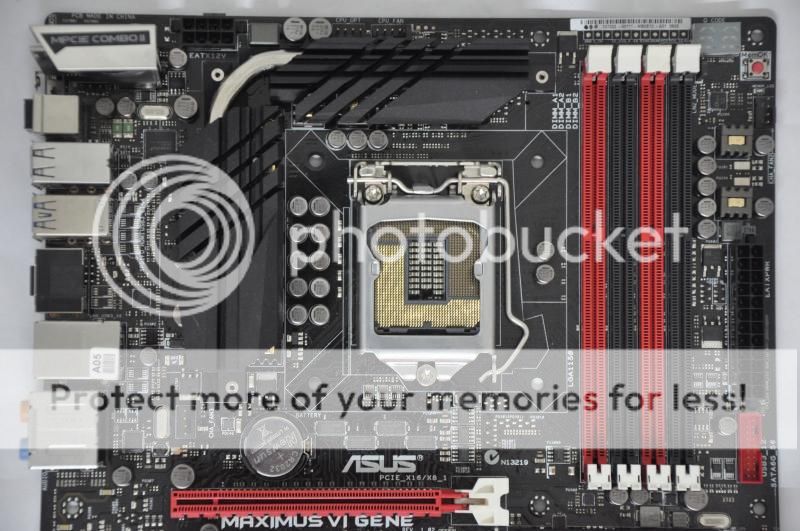
The M6G comes with a digital 8 + 2 phase power design. The CPU gets eight phases and the memory is powered by two individual phases. The Socket LGA1150 supports Intel’s 4th Generation Core i7, i5 & i3/ Pentium/ Celeron processors. Other than that, there are four DIMM slots supporting up to 32GB of DDR3 Dual Channel & 3000+ MHz of RAM by overclocking.
user posted image
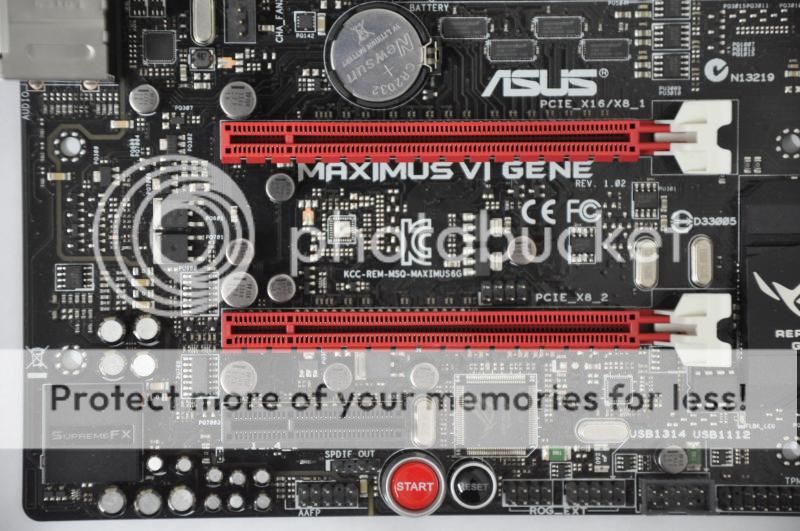
Let’s take a look at the expansion slot area. The board has two PCIe 3.0 x16 slots supporting 2-way SLI/CF @ x8/x8. Besides that, there is a PCIe 2.0 x4 slot as well as an mPCIe 2.0 combo connector at the top left corner of the board.
user posted image
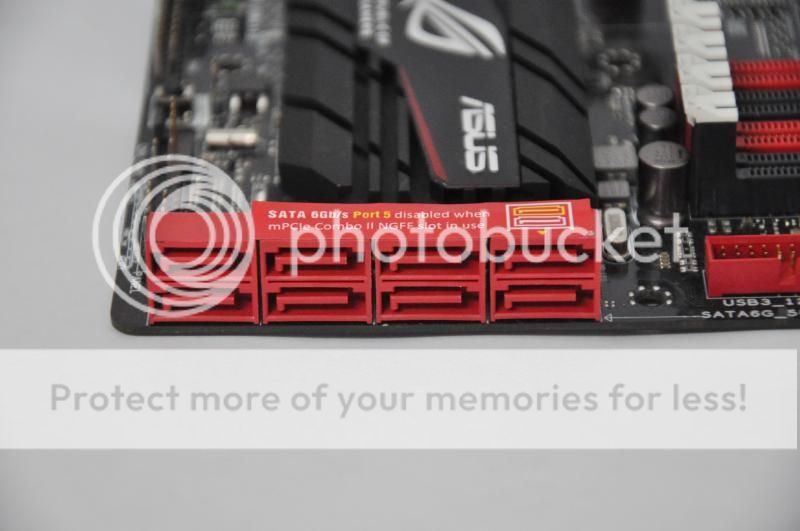
The board comes with eight SATA3 ports - six ports based on chipset Z87 and the other two are powered by ASMedia ASM1061 controller.
user posted image
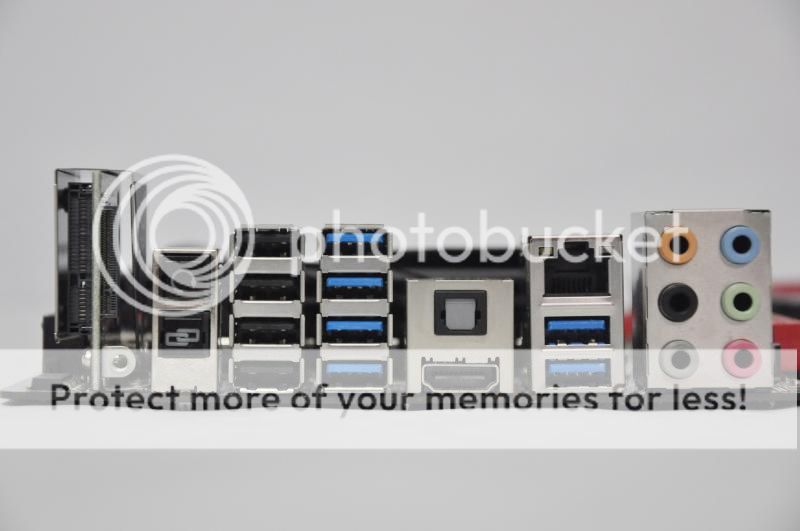
The rear I/O panel includes:

1 x HDMI
1 x LAN (RJ45) port
6 x USB 3.0 (blue)
4 x USB 2.0
1 x Optical S/PDIF out
6 x Audio jacks
1 x Clear CMOS button
1 x ROG Connect On/ Off switch
user posted image
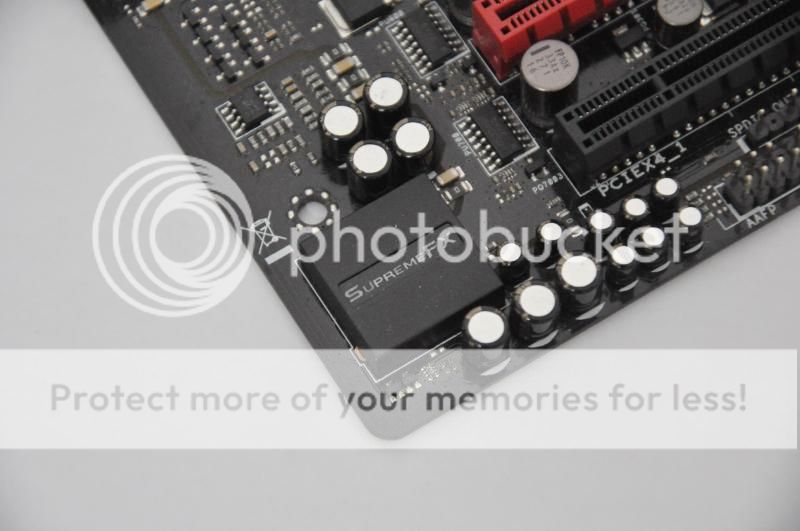
The M6G is equipped with the best onboard audio, the SupremeFX 8-Channel High Definition Audio CODEC which features Sonic Radar technology. Sonic Radar will give a strategic advantage on some very particular or crucial moments in a gaming session.

This post has been edited by owikh84: Oct 17 2013, 07:12 AM
TSowikh84
post Oct 17 2013, 06:45 AM

i7 Clan
Group Icon
Elite
8,711 posts

Joined: Nov 2007
From: Butterworth, PG / Machang, Kelantan


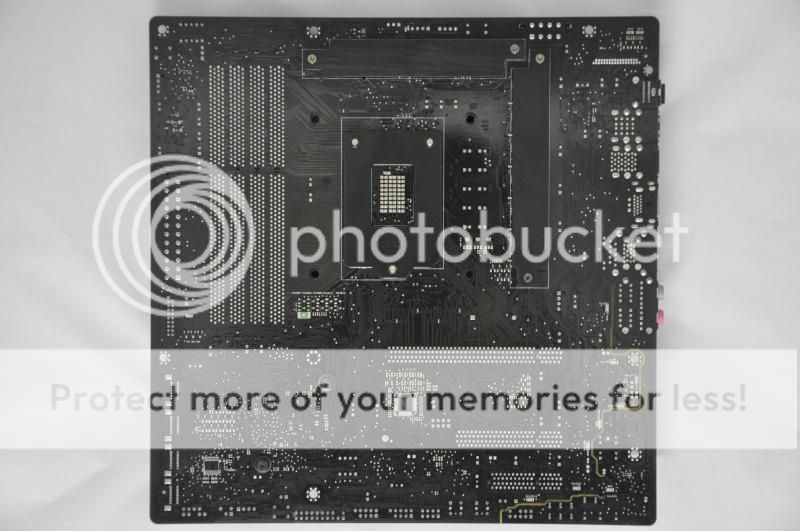
user posted image
The back side of the board has some backplates to provide retention to the CPU bracket and VRM heatsinks on the top of the mobo and at the same time aid some cooling around these areas.

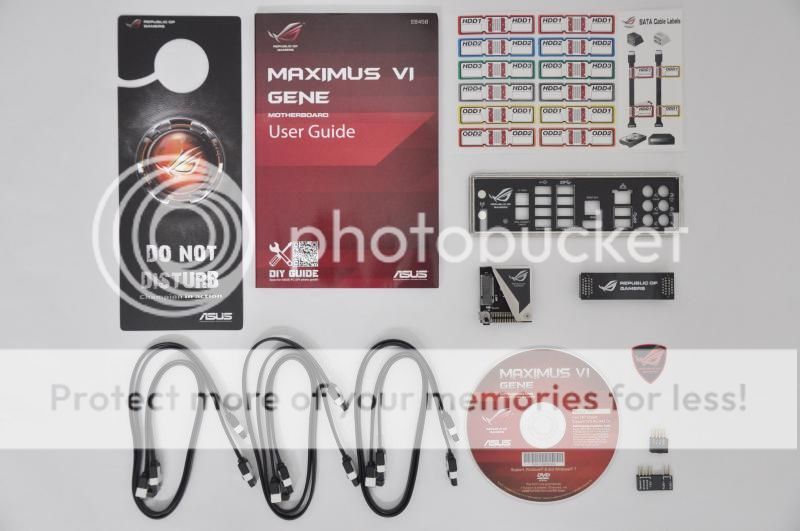
user posted image
Accessories bundled in the package are just adequate.

Test Setup:

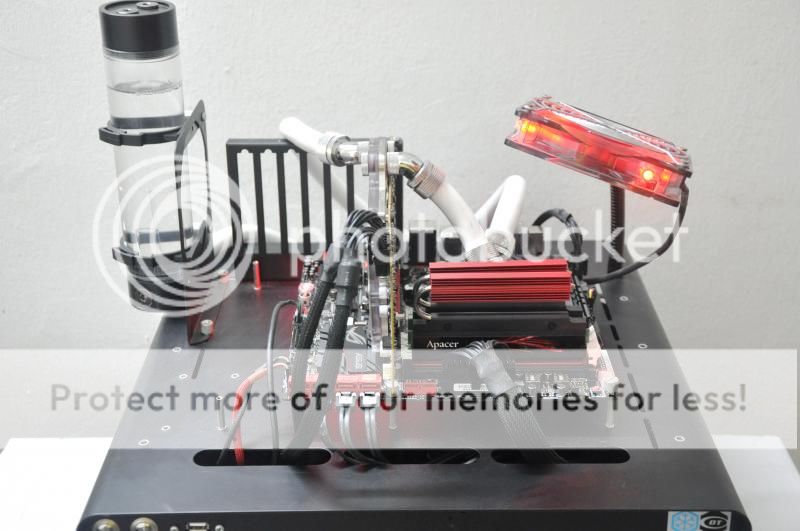
user posted image

CPU: Intel Core i7 4770K
MB: ASUS Maximus VI Gene
DRAM: Apacer ARES 3000MHz C12 2 X 4GB, G.Skill TridentX 2800 C11 2 X 4GB, G.Skill TridentX 2600MHz C10 2 X 4GB, Corsair Dominator GT GTX4 2533MHz C9 2 X 2GB and G.Skill RipjawsX 2133MHz C8 2 X 2GB
GPU: Gigabyte HD7970, MSI's special BIOS, Driver Catalyst 13.11 beta
Storage: Crucial M4 128GB
ODD: LiteON DVD-RW
PSU: Corsair AX1200
Cooling: Custom watercooling - EK Supreme HF plate #6 CPU waterblock, 2x XSPC RX360 radiator, Swiftech MCP655 pump, EK FC7970 GPU waterblock, EK Multioption X2 Advanced reservoir, XSPC 1/2" ID 3/4" OD white tubing, 12x Scythe GT AP-15 1850rpm 120mm fan + Aerocool Shark 120mm fan, Coolaboratory Liquid Pro thermalpaste etc.
Casing: DimasTech Easy Dual V2.5 Bench Table
OS: Windows 7 Ultimate 64-bit SP1
TSowikh84
post Oct 17 2013, 06:45 AM

i7 Clan
Group Icon
Elite
8,711 posts

Joined: Nov 2007
From: Butterworth, PG / Machang, Kelantan


The UEFI BIOS:

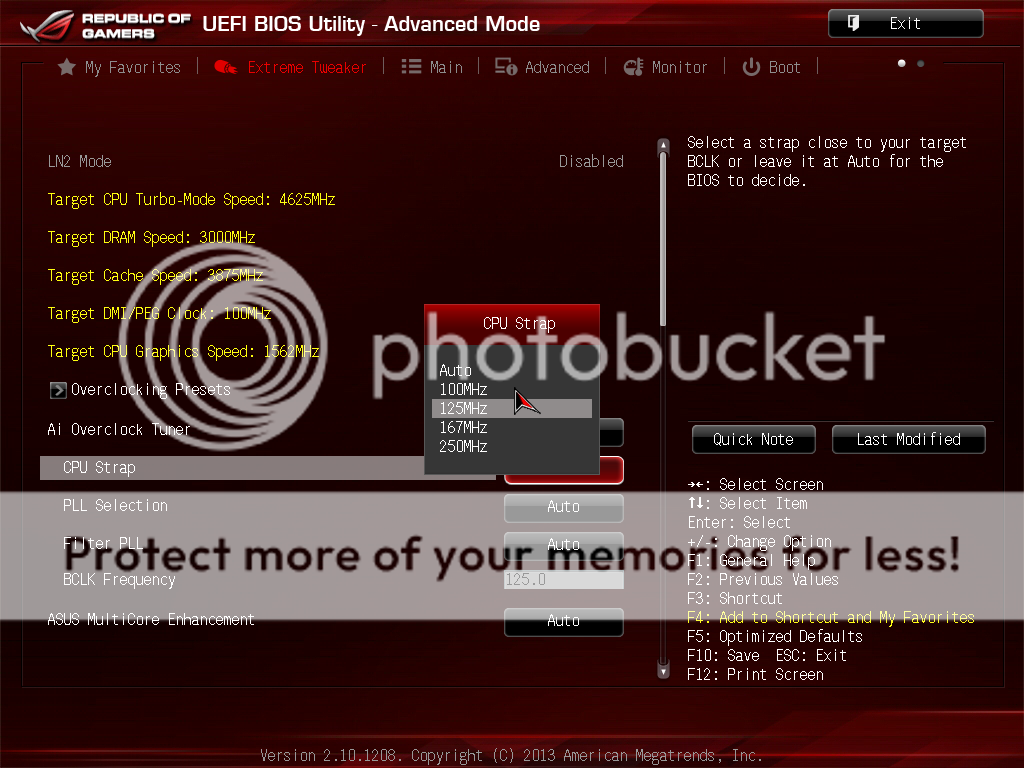
Main Page of Extreme Tweaker: Multiple CPU straps for selection.
user posted image

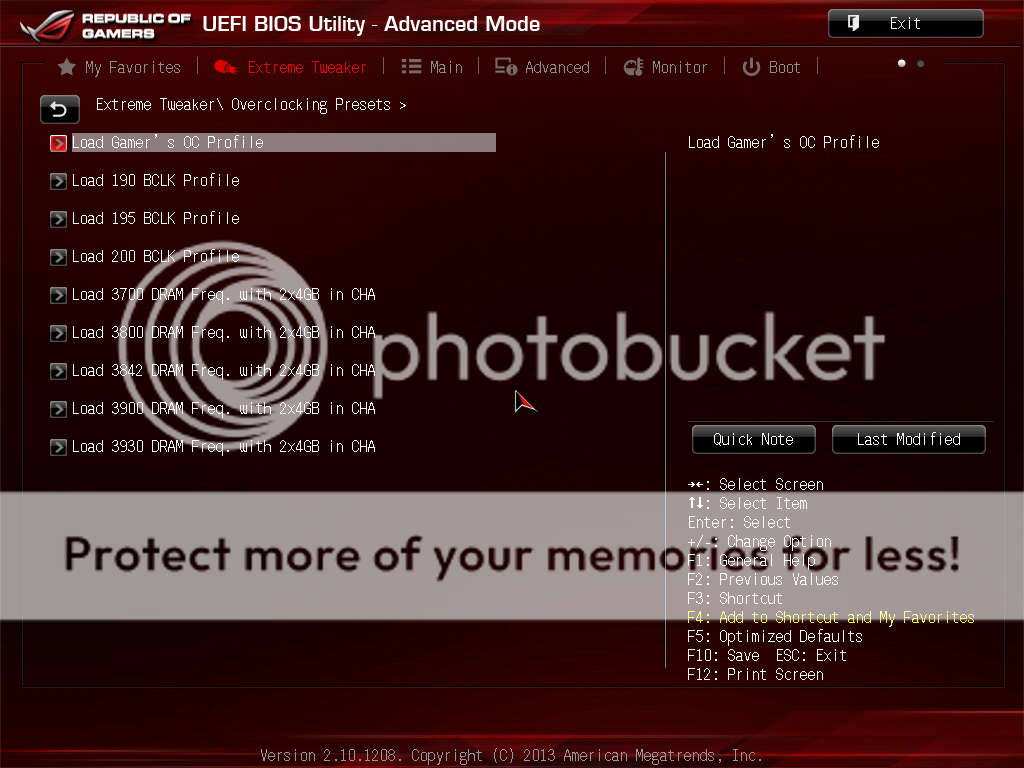
Overclocking Presets:
user posted image

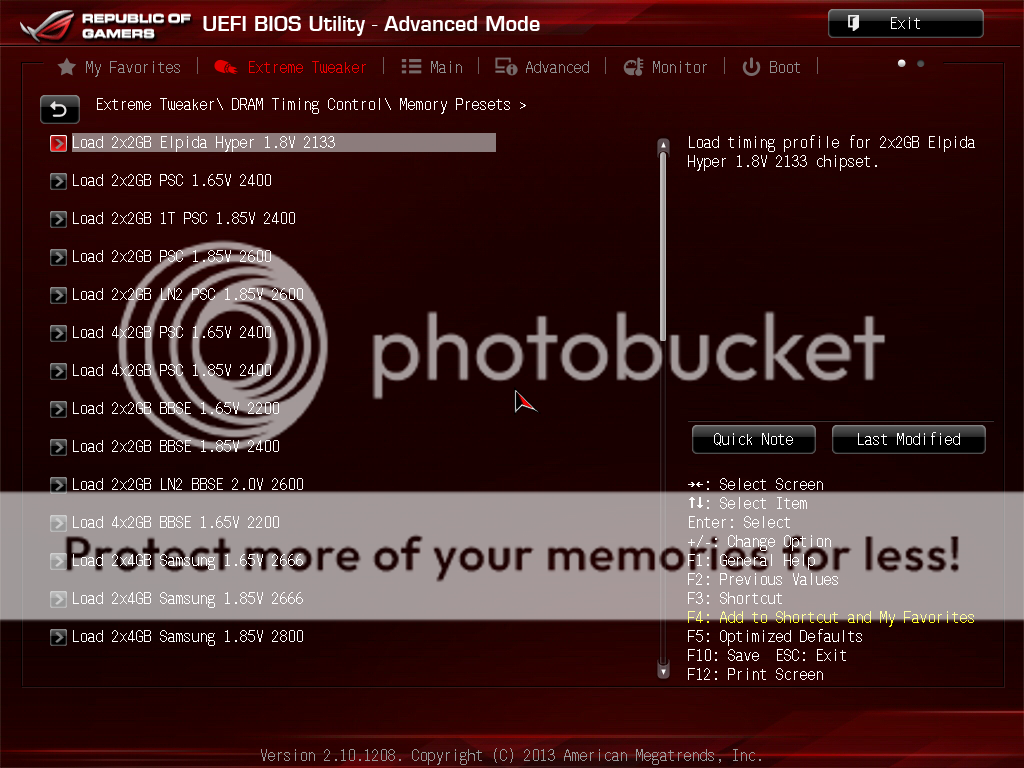
Memory Presets:
user posted image

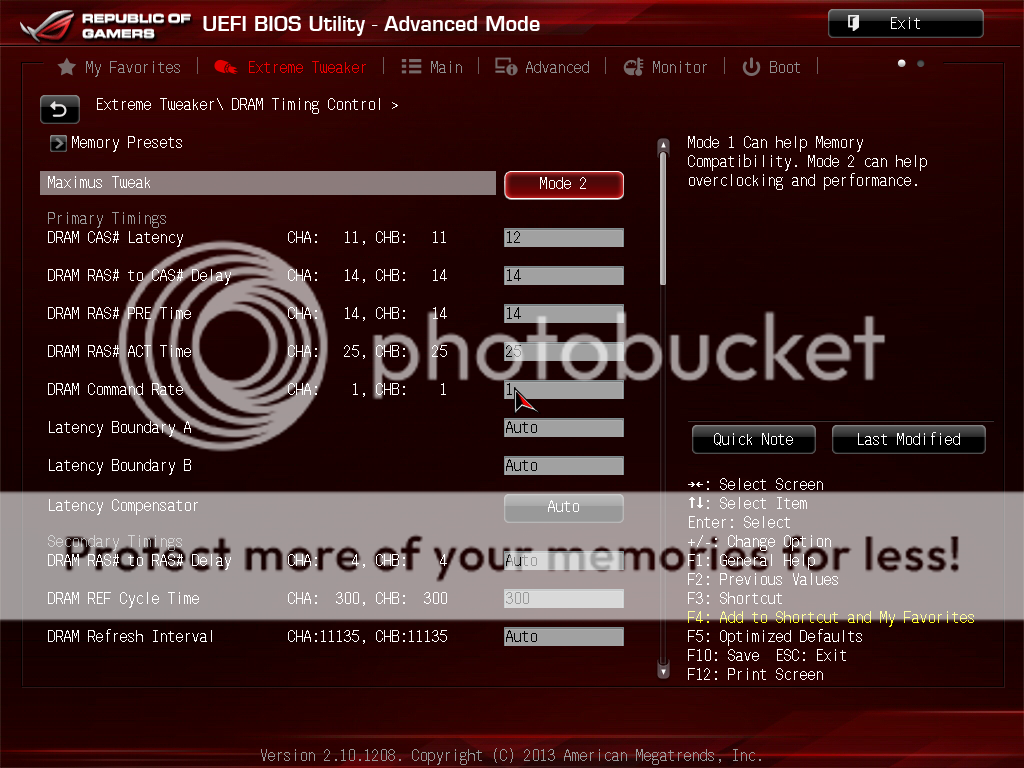
RAM Timing Control:
user posted image

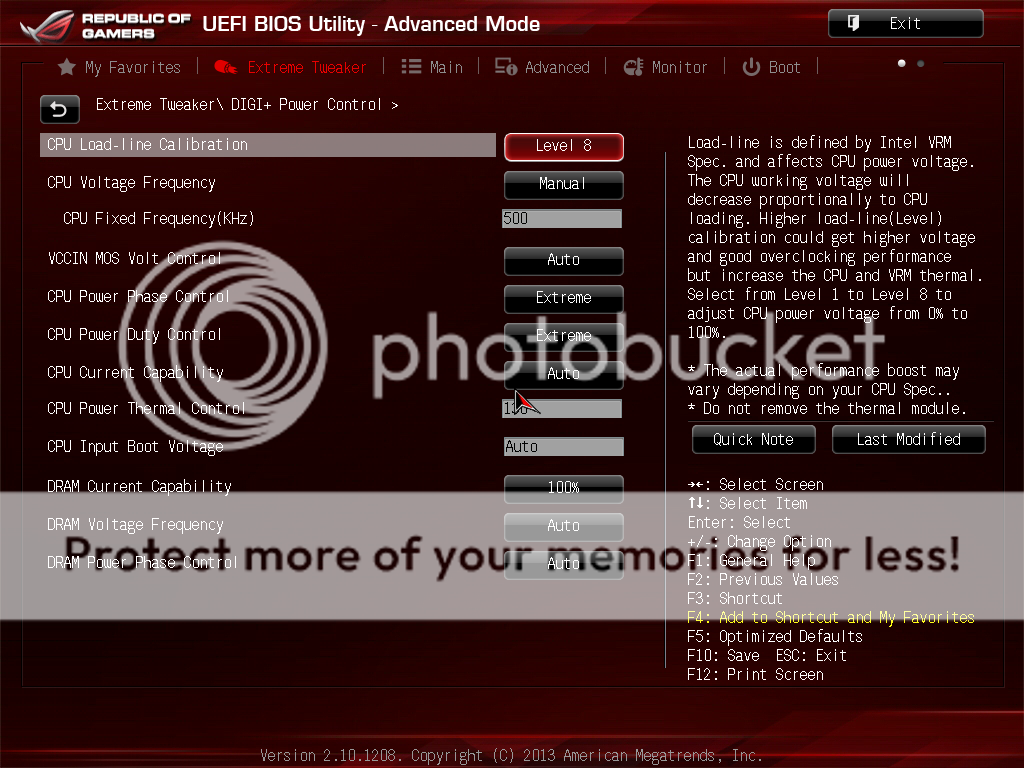
DIGI + Power control:
user posted image

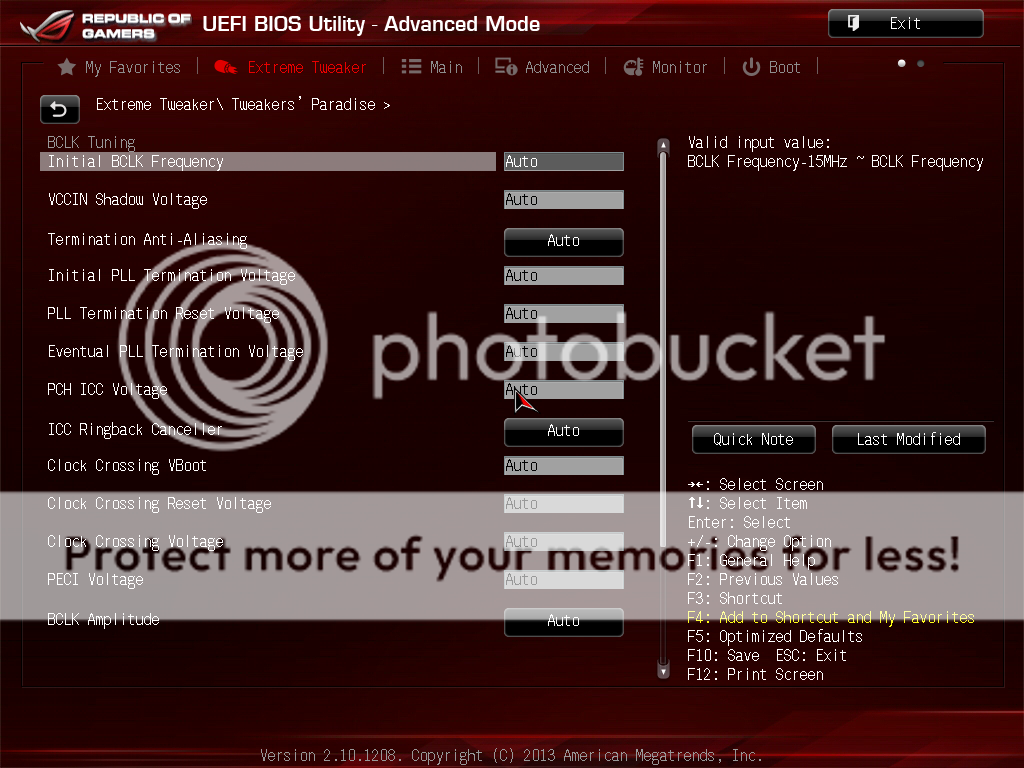
Tweaker’s Paradise:
user posted image

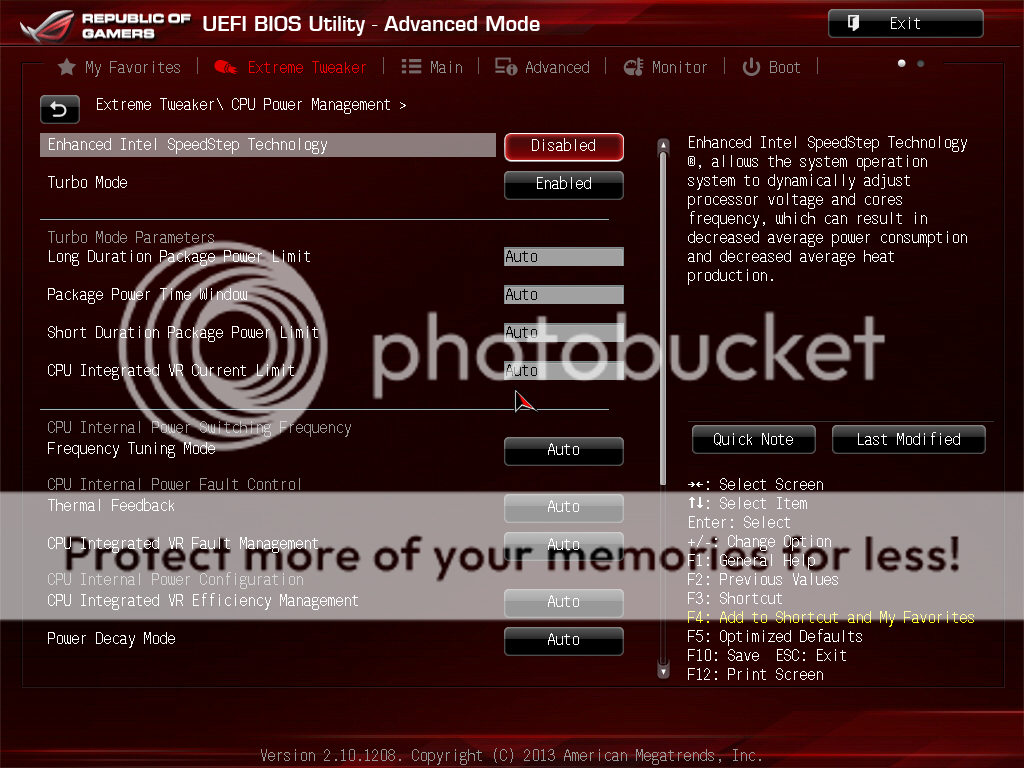
CPU Power Management:
user posted image

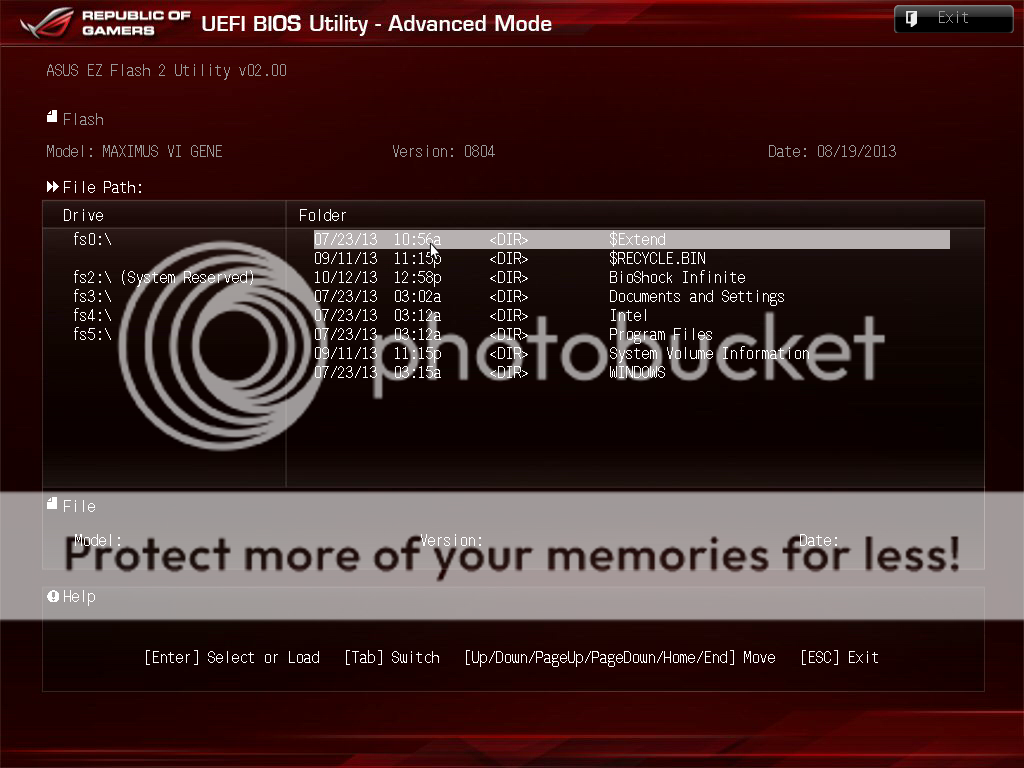
BIOS Flashing via USB drive:
user posted image

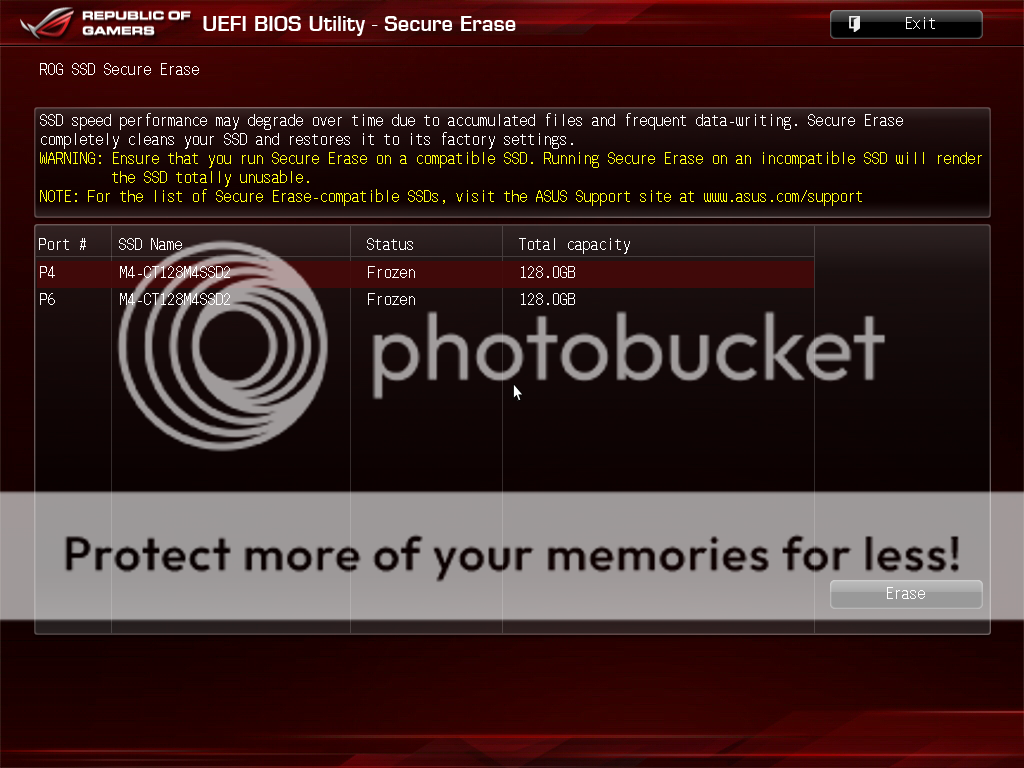
SSD Secure Erase:
user posted image

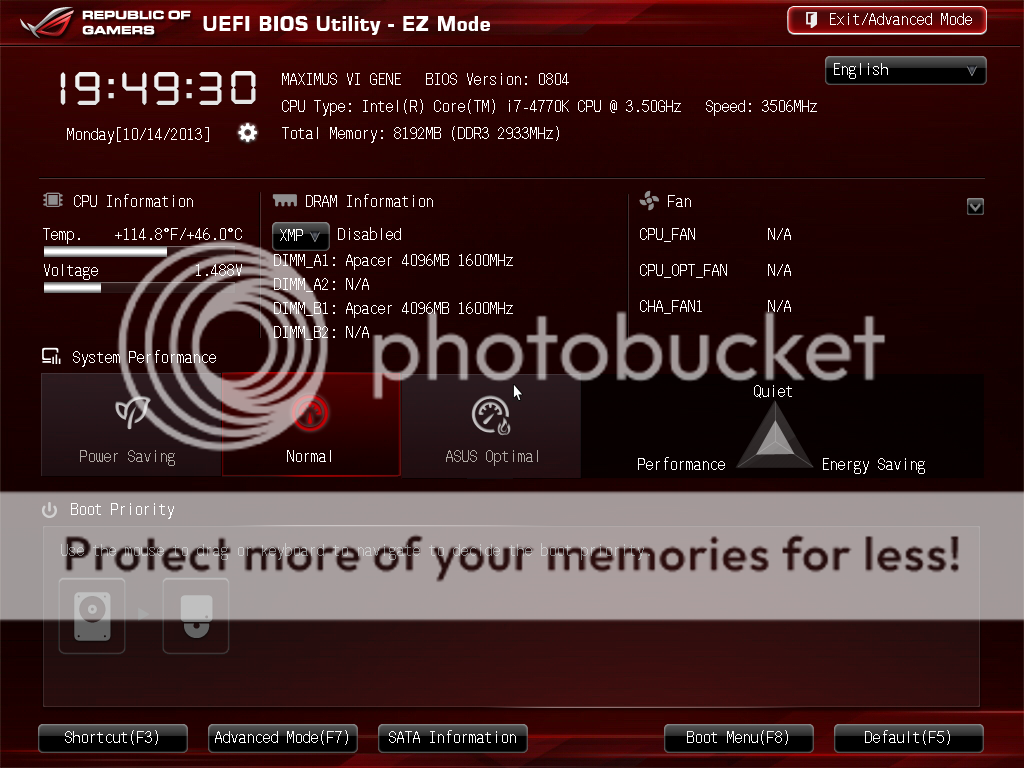
EZ-Mode: a simplied version of UEFI
user posted image
TSowikh84
post Oct 17 2013, 06:49 AM

i7 Clan
Group Icon
Elite
8,711 posts

Joined: Nov 2007
From: Butterworth, PG / Machang, Kelantan


Software & Tools:

user posted image

1) AI Suite III - OC tweaking utility, is a tool for overclocking in windows environment without the needs to restart your PC.
2) TurboVCore: A simplified version of TurboV.
3) MemTweakIT - lets you view the memory settings and also submit a score for competition. Unfortunately, due to Intel’s lockdown it is unable to adjust timings real-time in the OS for now.
4) ROG GAMEFirst - for network traffic prioritization.
5) ROG RAMDisk - to make RAMDisk.

Stability Tests:

LinX 0.6.4 w/ AVX:

user posted image
Due to cooling limitation of my 4770K, I could only stress the chip at 4.5GHz @ 1.28v. This overclock passed LinX without an error for 20 loops within one hour. One of the cores hit 98C during loading but still lower than TJmax of 100C.

Benchmark Tests:

For these benchmarks, the 4770K and the HD7970 were overclocked to 4.7GHz and 1300MHz core/7000MHz memory @ 1.3v/1.7v, respectively.

3DMark 13:
user posted image

3DMark 11:
user posted image

3DMark Vantage:
user posted image

3DMark 06:
user posted image

3DMark 05:
user posted image

3DMark 03:
user posted image

PCMark 7:
user posted image

Super Pi 32M/ wPrime/ MaxxMEM/ AIDA64 Cache and Memory Benchmark:
user posted image
TSowikh84
post Oct 17 2013, 06:49 AM

i7 Clan
Group Icon
Elite
8,711 posts

Joined: Nov 2007
From: Butterworth, PG / Machang, Kelantan


Super Pi 1M:
user posted image

HyperPi 32M & 1M:
user posted image

Cinebench 11.5:
user posted image

wPrime 1.55 & Fritz Chess 4.3:
user posted image

Unigine Heaven 4.0:
user posted image

Memory Overclocking:

Hynix-MFR IC: Apacer ARES 3000C12 2 X 4GB @ 3333MHz 12-16-15-25-1T
user posted image

Hynix-CFR IC: G.Skill TridentX 2800C11 2 X 4GB @ 3000MHz 12-14-14-25-2T
user posted image

Samsung IC: G.Skill TridentX 2600C10 2 X 4GB @ 2800MHz 9-12-12-21-1T
user posted image

PSC IC: Corsair DominatorGT GTX4 2533C9 2 X 2GB @ 2400MHz 7-11-7-25-1T
user posted image

BBSE IC: G.Skill RipjawsX 2133C8 2 X 2GB @ 2400MHz 8-11-7-24-2T
user posted image
TSowikh84
post Oct 17 2013, 06:50 AM

i7 Clan
Group Icon
Elite
8,711 posts

Joined: Nov 2007
From: Butterworth, PG / Machang, Kelantan


Highest Achievement:

3436MHz 12-16-15-25-1T
user posted image

Game Benchmarks:

Bioshock Infinite:
user posted image

Metro Last Light:
user posted image
TSowikh84
post Oct 17 2013, 06:51 AM

i7 Clan
Group Icon
Elite
8,711 posts

Joined: Nov 2007
From: Butterworth, PG / Machang, Kelantan


Thoughts & Verdicts:

The Maximus VI Gene is an excellent mATX board for gaming and overclocking. The UEFI BIOS is a heaven for extreme overclockers. Almost all of the options have description on what it does so it is helpful for beginner overclockers as well. The M6G has almost all of the ROG features such as the innovative Extreme Engine Digi+ III for efficient overclocking, the incredible SupremeFX audio and Sonic Radar, GameFirst II for uninterrupted online gaming and many other features that you would normally see on the ATX boards. This little monster is no doubt a perfect companion for LAN parties.

Lastly, I would like to thank ASUS Malaysia especially Sanko for making this review possible.

Performance: 5/5
Materials: 5/5
Specifications: 5/5
Appearance: 5/5
Performance/Price Value: 4/5

Pros:
+ Excellent performance
+ Mixed memory overclocking, hardly overclocks PSC & Elpida BBSE based RAMs
+ Sexy board
+ Innovative SupremeFX onboard audio chip
+ Intelligent UEFI BIOS
+ Informative user manual

Cons:
- Overpriced in Malaysia sad.gif
- No CrossfireX bridge
- No dual BIOS chips
- No DisplayPort and DVI port
- Lack of LucidLogix Virtu MVP software
- Sonic Radar software is not included
- BIOS settings lack of x-Talk Cancellation
- Can’t adjust memory timings with MemTweakIT in the OS at the time of writing

This post has been edited by owikh84: Oct 17 2013, 12:18 PM
ah_khoo
post Oct 18 2013, 02:20 PM

- No Action Talk Only -
Group Icon
Elite
8,103 posts

Joined: Jan 2003
From: Tanah Lot @ Dungun, Terengganu.


thanks for sharin sir, nicely done & insightful review... notworthy.gif
TSowikh84
post Oct 18 2013, 03:07 PM

i7 Clan
Group Icon
Elite
8,711 posts

Joined: Nov 2007
From: Butterworth, PG / Machang, Kelantan


QUOTE(ah_khoo @ Oct 18 2013, 02:20 PM)
thanks for sharin sir, nicely done & insightful review...  notworthy.gif
*
Thanks for your kind words bro. notworthy.gif
Unseen83
post Oct 19 2013, 03:41 PM

TooFAT4U 2Handle!
*******
Senior Member
2,337 posts

Joined: Dec 2008
From: KING CANNEL JB


ganaz ore kelate ni! review biso biso!


Change to:
| Lo-Fi Version
0.0144sec    0.42    5 queries    GZIP Disabled
Time is now: 22nd December 2025 - 10:52 PM