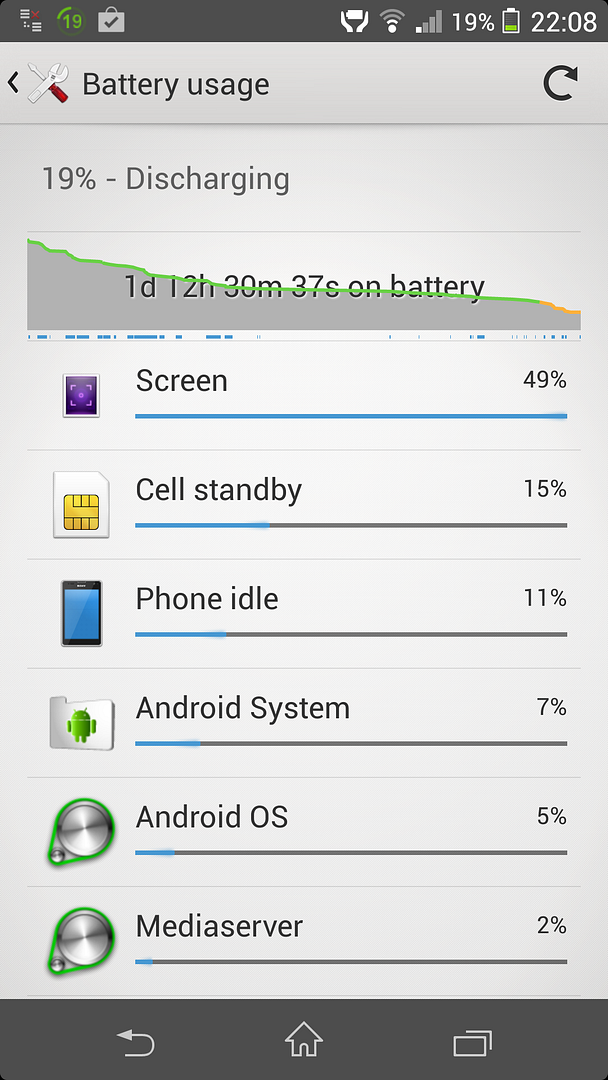
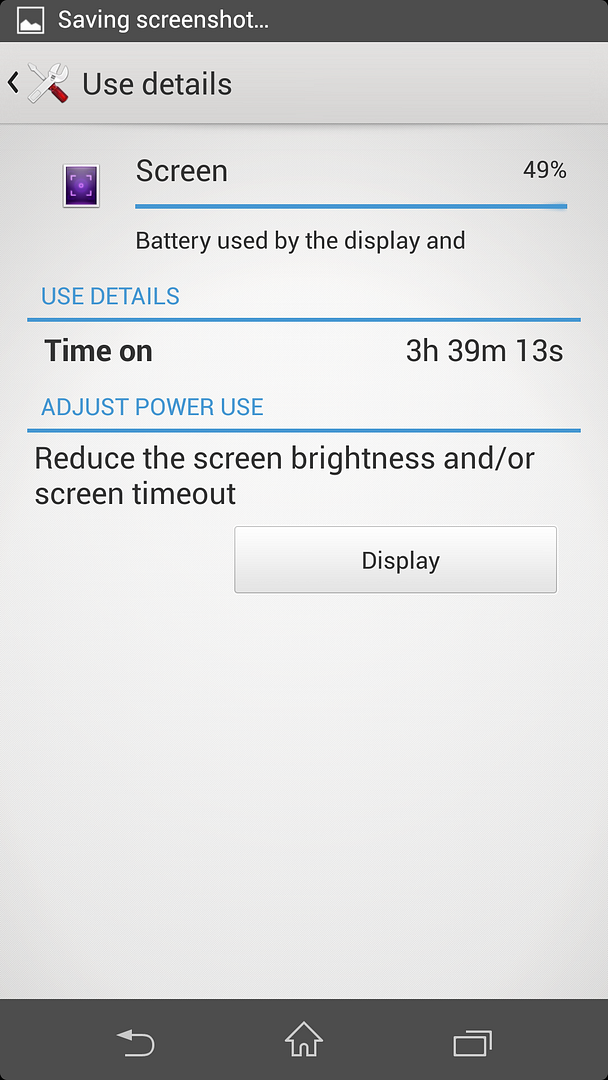
Double post
This post has been edited by evilhomura89: Oct 6 2013, 10:24 AM
Attached thumbnail(s)
Sony XPERIA™ Z1, Official Thread V3, 5"FHD, 20.7MP-GLens (lossless D. Zoom)
|
|
 Oct 6 2013, 10:21 AM Oct 6 2013, 10:21 AM
Return to original view | Post
#1
|
 
Senior Member
5,886 posts Joined: Jan 2003 From: BM  
|
-deleted-
Double post This post has been edited by evilhomura89: Oct 6 2013, 10:24 AM Attached thumbnail(s)
|
|
|
|
|
|
Oct 6 2013, 10:22 AM
Return to original view | Post
#2
|
|
Senior Member
5,886 posts Joined: Jan 2003 From: BM
|
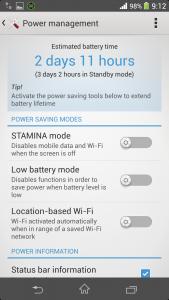
Not sure if u guys are facing this as well:
1. On stamina mode, battery life is estimated to be one day 2. Off stamina mode, battery life became 2 days? |
|
|
Oct 6 2013, 11:38 AM
Return to original view | Post
#3
|
|
Senior Member
5,886 posts Joined: Jan 2003 From: BM
|
QUOTE(rong123 @ Oct 6 2013, 11:22 AM) any z1 owner face the problem that cannot wake up the screen when press power button???? Not really but I find it quite hard to press due to the size It's not as sensitive to iPhone power button if u're used to those Taking screenshot can be a bit tricky too  |
|
|
Oct 6 2013, 04:49 PM
Return to original view | Post
#4
|
|
Senior Member
5,886 posts Joined: Jan 2003 From: BM
|
guys, which consumes more battery power?
wifi or 3g or LTE? under wifi -> advance wifi setting -> keep wifi on during sleep -> which option should i use? - always - only when plugged in -never (increases data usage) |
|
|
Oct 6 2013, 10:43 PM
Return to original view | Post
#5
|
|
Senior Member
5,886 posts Joined: Jan 2003 From: BM
|
QUOTE(WindChaseR @ Oct 6 2013, 05:35 PM) Can somebody show the original detailed software info? There u go Dial *#*#7378423#*#* then tap service info > software info Like this: [attachmentid=3662806]  
|
|
|
Oct 7 2013, 06:03 PM
Return to original view | Post
#6
|
|
Senior Member
5,886 posts Joined: Jan 2003 From: BM
|
QUOTE(jloi @ Oct 7 2013, 04:01 PM) nilkin or benks HSR better?this imos SP is quite premium in pricing, anyone tried before? |
|
|
|
|
|
Oct 7 2013, 06:15 PM
Return to original view | Post
#7
|
|
Senior Member
5,886 posts Joined: Jan 2003 From: BM
|
where can i get the free guidebook?
it looks interesting though..got pdf? |
|
|
Oct 7 2013, 09:08 PM
Return to original view | Post
#8
|
|
Senior Member
5,886 posts Joined: Jan 2003 From: BM
|
Surprisingly my 7 years old SIM card still support LTE but haven't really try the speed yet...now only 1 bar n speedtest shows 7Mbps
|
|
|
Oct 7 2013, 10:11 PM
Return to original view | Post
#9
|
|
Senior Member
5,886 posts Joined: Jan 2003 From: BM
|
Mine looks like this
» Click to show Spoiler - click again to hide... « |
|
|
Oct 7 2013, 10:29 PM
Return to original view | Post
#10
|
|
Senior Member
5,886 posts Joined: Jan 2003 From: BM
|
QUOTE(angel-girl @ Oct 7 2013, 10:19 PM) Impresive! No data on? Only wifi? Yea a bit bit of data mostly wifi  But once I'm done I switch it off |
|
|
Oct 7 2013, 11:55 PM
Return to original view | Post
#11
|
|
Senior Member
5,886 posts Joined: Jan 2003 From: BM
|
QUOTE(upmost systems @ Oct 7 2013, 11:17 PM) my second unit of Z1 Didn't know the price in Penang so competitivemanaged to get good price for the unit and also for trade in price.. no free gift  AP or Ori? |
|
|
Oct 8 2013, 10:18 AM
Return to original view | Post
#12
|
|
Senior Member
5,886 posts Joined: Jan 2003 From: BM
|
guys, how to disable LTE but enable the usual 3G?
the reason is because LTE signal is weak so I don't want the phone to waste unnecessary battery juice just trying to keep connected to LTE i tried the WCDMA/GSM mode but it doesn't work and it won't connect to H/H+ at all..not even EDGE.. |
|
|
Oct 8 2013, 10:43 AM
Return to original view | Post
#13
|
|
Senior Member
5,886 posts Joined: Jan 2003 From: BM
|
QUOTE(FuNks @ Oct 8 2013, 10:22 AM) i tried the WCDMA(preferred)/GSM settings before. it does connect to H/H+. are you on maxis? can share the APN setting screenshot?maybe try waiting for awhile?? mine still doesn't connect to mobile data..i'm trying "WCDMA only" |
|
|
|
|
|
Oct 8 2013, 10:54 AM
Return to original view | Post
#14
|
|
Senior Member
5,886 posts Joined: Jan 2003 From: BM
|
i used this from maxis to request internet setting
https://portal.dmssys.maxis.com.my/tms-selfhelp-web/mwp.form since xperia Z1 is not listed, i requested the settings for Z (C6603) |
|
|
Oct 8 2013, 11:37 AM
Return to original view | Post
#15
|
|
Senior Member
5,886 posts Joined: Jan 2003 From: BM
|
no wonder u guys who are on Digi/Umobile can connect to H/H+ easily cause LTE not available
anyway, i tried WCDMA only mode..mobile internet doesn't work, still have to revert to LTE i rmb someone here was using Maxis also..can try see if mobile internet works if switch to "WCDMA only" |
|
|
Oct 8 2013, 11:49 AM
Return to original view | Post
#16
|
|
Senior Member
5,886 posts Joined: Jan 2003 From: BM
|
QUOTE(mode893 @ Oct 8 2013, 11:45 AM) You can install this. It gives you a lot more network settings choice than the stock Z1 settings, and easily accessible in small apps. You have LTE only, HSDPA+ only (WCDMA only) and a lot more which have been super useful for me for so long now thanks! Using maxis btw and working flawlesly Using maxis btw and working flawleslywill look into the app in a while |
|
|
Oct 8 2013, 01:27 PM
Return to original view | Post
#17
|
|
Senior Member
5,886 posts Joined: Jan 2003 From: BM
|
QUOTE(mode893 @ Oct 8 2013, 11:45 AM) You can install this. It gives you a lot more network settings choice than the stock Z1 settings, and easily accessible in small apps. You have LTE only, HSDPA+ only (WCDMA only) and a lot more which have been super useful for me for so long now still doesn't work Using maxis btw and working flawleslymayb it's my SIM card |
|
|
Oct 8 2013, 04:17 PM
Return to original view | Post
#18
|
|
Senior Member
5,886 posts Joined: Jan 2003 From: BM
|
pixel peeping ruins everything
|
|
|
Oct 8 2013, 04:54 PM
Return to original view | Post
#19
|
|
Senior Member
5,886 posts Joined: Jan 2003 From: BM
|
QUOTE(ZeneticX @ Oct 8 2013, 04:47 PM) im using my maxis micro sim from previous s3, jz insert it into my Z1 when i jz bought it and everything is already set up. no download settings message or anything, automatically connect to LTE. but just to be sure, go settings > wireless and networks > more > internet settings, tap it and it will download the settings can yours connect to H/H+ if you disable LTE?so far didn't face any connection dropping issues. those that face dropping issue might be due to your sim card. if your micro sim is "cut out" type from normal sim, recommend you guys to change to ori micro sim. mine only connects to LTE..if disable LTE, then i won't get mobile internet QUOTE(jloi @ Oct 8 2013, 04:51 PM) RM99 btw, MOQ for the magnetic charging cable has reached i'm thinking to start ordering d |
|
|
Oct 8 2013, 06:37 PM
Return to original view | Post
#20
|
|
Senior Member
5,886 posts Joined: Jan 2003 From: BM
|
QUOTE(ZeneticX @ Oct 8 2013, 06:28 PM) those who don't want to rely on that little power button to wake/ sleep your screen, can try this app i'm still hoping someone will enable wake up via the volume buttonhttp://forum.xda-developers.com/showthread.php?t=2297987 currently i set it to proximity + shake for unlock screen. and proximity only for lock |
|
Topic ClosedOptions
|
| Change to: |  0.0487sec 0.0487sec
 0.48 0.48
 7 queries 7 queries
 GZIP Disabled GZIP Disabled
Time is now: 13th December 2025 - 02:59 AM |
 Quote
Quote