Welcome Guest ( Log In | Register )

Bump Topic Topic Closed RSS Feed
4 Pages < 1 2 3 4 >Bottom

Outline · [ Standard ] · Linear+

 Samsung Galaxy Note 3 - Official v6, 3rd gen of the best phablet ever!!

views
     
881118
post Oct 1 2013, 05:46 PM

Enthusiast
*****
Senior Member
912 posts

Joined: Dec 2005


QUOTE(h11g @ Oct 1 2013, 05:43 PM)
you can only scrap what you see
*
QUOTE(joytest @ Oct 1 2013, 05:46 PM)
It can only be done in some regions' firmware. Some places have laws against silent camera shutters, you know.... whistling.gif

If you root your phone, then of course you can do wonders......
No it will only capture part of the screen. It captures a *scrap* laaaa......then includes the link for you to view later.

The other way of invoking it is to press the s-pen button, then draw an enclosing line around whatever you want captured. Once you close release the button, a few icons pop up at the bottom and you can choose scrapbook, the 1st icon on the left.
*
that sucks lol
I want to scrap the whole page
so that later no need purposely reload the whole page again - easier and save bandwidth

btw, do you guys know how to scrap the whole page?
Which browser got this function?

This post has been edited by 881118: Oct 1 2013, 05:49 PM
881118
post Oct 1 2013, 05:55 PM

Enthusiast
*****
Senior Member
912 posts

Joined: Dec 2005


QUOTE(joytest @ Oct 1 2013, 05:49 PM)
Although I haven't explored other scrapbooking apps, but I believe if you've used something like Zotero before, that only saves the link to a page. So I believe Scrapbook here is a pretty good implementation of its intended function.
*
Fine, I accept it as what it was intended for.
But I still hope they can improve it to allow scrapping whole page on the future.

Didn't use zotero before.
On PC I usually only use Firefox bookmark and Pocket.
Most of the times I don't close my sessions until I read them all. sometimes more than 100 tabs. I save it using Tabmix session manager and TabCloud.

For very important information, I save the whole page OFFLINE using right click.

QUOTE(h11g @ Oct 1 2013, 05:52 PM)
that's why they scrap the source link. so you can view the page again.  thumbup.gif
*
Ya I know about that. But need to reload... my area no LTE coverage... means very slow

This post has been edited by 881118: Oct 1 2013, 05:58 PM
881118
post Oct 1 2013, 06:20 PM

Enthusiast
*****
Senior Member
912 posts

Joined: Dec 2005


QUOTE(blinky @ Oct 1 2013, 06:16 PM)
If you want to "scrap" the whole page, download this app called Pocket.
*
I used Pocket on PC but not in Android.
I have 2 questions

1) Pocket Android works with any app? OR just browser?
2) Pocket Android save the links only? OR save everything OFFLINE?

For Pocket PC version, it save the links only.
881118
post Oct 1 2013, 06:32 PM

Enthusiast
*****
Senior Member
912 posts

Joined: Dec 2005


QUOTE(shockk @ Oct 1 2013, 06:25 PM)
Hey everyone and TS joytest

Wanna share my experience and some info with the original SView cover for the Note III.

I tested my white Note III with a black SView cover and the auto lock/unlock works including the SView feature but ONLY limited to when you are receiving calls. Everything else does NOT work unfortunately - like when u close the cover, the display on the SView window is blank.

Now after changing to a white SView cover instead, every SView function works perfectly.

So if u have a black or white Note III, u should get the same coloured SView the same as your Note III. As the other SView cover colours are not out yet besides black and white, I'm hoping that Samsung fixes this issue in a newer firmware.

Happy shopping for your SView cover ! biggrin.gif
*
LOL, got such things???
Or is it random defect on the cover?

Did you try your BLACK Sview cover with another BLACK GN3 and make sure it works???
881118
post Oct 1 2013, 07:07 PM

Enthusiast
*****
Senior Member
912 posts

Joined: Dec 2005


QUOTE(joytest @ Oct 1 2013, 07:01 PM)
This shouldn't be the case. It should just be a chip that says "I'm an S-View cover" and the Note 3 should just switch on whatever S-View functions there are. Color should have nothing to do with it.

This leads me to think that it's an NFC chip in the S-View cover.... hmm.gif  hmm.gif

In which case, IF anyone gets a 3rd party battery without NFC, their S-View cover may not work.
*
Somehow my guess is the Sview cover got a 5 gold pins that connect to the back of your device (5 gold slots)
Previously I saw someone posted his cover (non wireless charging type) but with 5 gold pins. He thought those are for wireless charging.
Normal backplate don't have any pin at all.

Maybe 3 pins are designed for wireless charging while 2 pins are for sview cover authentication.
But anyway, this is kinda lame.

This post has been edited by 881118: Oct 1 2013, 07:09 PM
881118
post Oct 1 2013, 07:20 PM

Enthusiast
*****
Senior Member
912 posts

Joined: Dec 2005


QUOTE(joytest @ Oct 1 2013, 07:12 PM)
Copper laaa....

Pins and Contacts, not slots tongue.gif

IF it comes with Wireless charging, then 189 is a good price. The receiving coil is already around RM50 from China manufacturers.
*
well I meant gold color pins..

for cover that comes with those pins and a coil (you can see some circular coils), then it has wireless charging

some covers come with those pins BUT no wireless coil, means no wireless charging support (don't understand why it needs those pins anyway)
that is why I suspect those pins are for the authentic SView cover authentication with the device itself

Edit: It was answered above by shockk

This post has been edited by 881118: Oct 1 2013, 07:21 PM
881118
post Oct 1 2013, 07:24 PM

Enthusiast
*****
Senior Member
912 posts

Joined: Dec 2005


user posted image

So far I am not impressed with the battery life
With normal usage, need to charge every 12 hours
With average low usage, need to charge every 24 hours (include sleeping time 10 hours not using the phone)
881118
post Oct 1 2013, 07:28 PM

Enthusiast
*****
Senior Member
912 posts

Joined: Dec 2005


QUOTE(joytest @ Oct 1 2013, 07:25 PM)
I have bought wireless charging coils for my Note 2 and wife's S3. It's a bit thick, about 1.5mm, but the normal back cover can still be snapped shut albeit with a very slight bulge.

With regards to covers with built in coils, I don't think Samsung produced a lot for the Note 2 or S3. There were some reviews about the charging backcovers that was it.

Most other devices that support wireless charging have non-removable covers (Nokia, LG)
*
hmm.. my fren LG Optimus PRO korean version got free FLIP Cover with built-in wireless charging. (got gold pins and coil)
his original blackplate also got gold pins but NO coil. (don't know why it need the pins)

but he says he seldom use the wireless charging anymore, because quite slow.

user posted image
normal backplate, NO coil, got pins


This post has been edited by 881118: Oct 1 2013, 07:32 PM
881118
post Oct 1 2013, 07:34 PM

Enthusiast
*****
Senior Member
912 posts

Joined: Dec 2005


QUOTE(fruitie @ Oct 1 2013, 07:31 PM)
Haven't seen one S-View myself but from pictures on online, I don't think I will be interested. hmm.gif
*
Agree.
I am anti any FLIP cover.
Very stupid need open and close.

Still waiting for you to organize bulk SGP case lar...
Official release date 10 october
881118
post Oct 1 2013, 08:50 PM

Enthusiast
*****
Senior Member
912 posts

Joined: Dec 2005


QUOTE(fruitie @ Oct 1 2013, 07:38 PM)
Yes, I'm not a flip case person. smile.gif
laugh.gif Don't la like this, I'm stressful. Why don't you start one? tongue.gif
Thanks for the update. biggrin.gif
*
I no reputation mah, sure no business.
you admin leh, people sure trust you.
Also the cost saving is only RM30++
Maybe not much people interested as they can buy CubixShoppe
881118
post Oct 1 2013, 09:09 PM

Enthusiast
*****
Senior Member
912 posts

Joined: Dec 2005


QUOTE(neekun @ Oct 1 2013, 09:05 PM)
Got myself a desktop charger with extra battery from http://www.superbuy.my/shop/p-202599-samsu...attery-kit.aspx

It's very convenient to have an extra battery where i can just swap and go whenever battery runs low smile.gif
*
Ya very convenient. Actually, every phone you buy in Korea also comes with extra battery and external charger.
But Malaysia telco all cheap skate, don't want to give extras.

Anyway, RM189 is very expensive lo.
Personally I prefer desktop dock (can charge also). As I am always beside my PC.
881118
post Oct 1 2013, 09:16 PM

Enthusiast
*****
Senior Member
912 posts

Joined: Dec 2005


QUOTE(benny888 @ Oct 1 2013, 09:14 PM)
That is standard price from Samsung for its battery cum charger since S4, Note 2 days
I bought original battery from EBay for about RM 109 vs RM 139 in Samsung retail
There are also plenty alternative generic batteries in ebay , dirt cheap average RM 20-40 only
*
dirt cheap RM20-40 I scare will explode.
IF exploded using cheap battery, Samsung WONT compensate you.

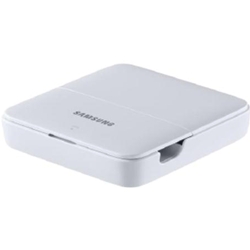
Anyway, any recommendation for GOOD and CHEAP charging dock like this?

user posted image

This post has been edited by 881118: Oct 1 2013, 09:17 PM
881118
post Oct 1 2013, 10:07 PM

Enthusiast
*****
Senior Member
912 posts

Joined: Dec 2005


QUOTE(Xirality @ Oct 1 2013, 10:03 PM)
Nice!
But so expensive...
Got cheaper 1 around RM60?
I still need money to buy 32gb microSD...

QUOTE(-kytz- @ Oct 1 2013, 09:58 PM)
Actually, the only thing I might find a charging dock being useful IF it offers various connections such as multiple USB ports, micro SD slot (maybe), etc
Why are you so insecure about your Note 3's camera performance?
*
Note 2 got 1 multimedia dock got offers various connections as you said, but need 99USD $_$

This post has been edited by 881118: Oct 1 2013, 10:08 PM
881118
post Oct 1 2013, 10:10 PM

Enthusiast
*****
Senior Member
912 posts

Joined: Dec 2005


QUOTE(Xirality @ Oct 1 2013, 10:08 PM)
Don't think there are much more option for Note 3 yet.

Buy card first la  tongue.gif
*
After seeing the RM159 price...
Now I thinking about DIY a simple dock lol
881118
post Oct 1 2013, 10:18 PM

Enthusiast
*****
Senior Member
912 posts

Joined: Dec 2005


QUOTE(Andrewtst @ Oct 1 2013, 10:05 PM)
This is the second fail article I seen at pocketnow....  rclxub.gif
*
QUOTE
The Galaxy Note 3 ships with USB 3.0, unfortunately at least in its current state it doesn't seem to get any benefit from the interface. Although the internal eMMC is capable of being read from at ~100MB/s, sustained transfers from the device over adb averaged around 30MB/s regardless of whether or not I connected the Note 3 to a USB 2.0 or 3.0 host.

Quote from anandtech

my trusted reviewer also says like this...
Is it the USB3.0 really gimmick?
Damn, that was one of the reason I bought GN3
881118
post Oct 1 2013, 10:57 PM

Enthusiast
*****
Senior Member
912 posts

Joined: Dec 2005


QUOTE(joytest @ Oct 1 2013, 10:28 PM)

See Note 2 thread for a DIY dock made from Lego. I'm sure with little to no modification, it could be used as well.

Post 13 under Docks.

I haven't read the article, but I suppose he did enable USB 3 manually right?
*
Thanks for the info, will check it out.
but right now my temporary dock like this
user posted image

user posted image

I also did not finish the article yet, will let you know later.
881118
post Oct 1 2013, 11:34 PM

Enthusiast
*****
Senior Member
912 posts

Joined: Dec 2005


http://arstechnica.com/gadgets/2013/10/rev...rk-shenanigans/

http://www.anandtech.com/show/7376/samsung...y-note-3-review

Reviews from my favourite tech websites.
Ars and Anand usually go more into technical depth and details.
Unlike Theverge and Engadget that only pro-Apple.
881118
post Oct 2 2013, 12:06 AM

Enthusiast
*****
Senior Member
912 posts

Joined: Dec 2005


QUOTE(Xirality @ Oct 1 2013, 10:20 PM)
Wow you buy N3 because of USB3.0? I only consider it as bonus
*
I said ONE of the reasons.
Or else I won't so fast buy, I will wait for Nexus 5 and XiaoMi3, and then compared first.

Anyhow, 5 inches is best for 1 handed usage.
I cannot grip nicely and perform 1 handed usage if the device is larger than 5 inches.
881118
post Oct 2 2013, 12:36 AM

Enthusiast
*****
Senior Member
912 posts

Joined: Dec 2005


http://s.taobao.com/search?q=sgp+note+3&co...803581.d4908513

SGP case in taobao only 99RMB? roughly RM50 only???
real or not
881118
post Oct 2 2013, 12:58 AM

Enthusiast
*****
Senior Member
912 posts

Joined: Dec 2005


QUOTE(fruitie @ Oct 2 2013, 12:52 AM)
Fake one la. I won't be buying so cheap one. smile.gif
*
http://detail.tmall.com/item.htm?spm=a230r...ed55e27b&pm_id=
what about this 1? From Tmall, should be reliable.
The avatar picture says "Today only 110RMB free delivery"


4 Pages < 1 2 3 4 >Top
Topic ClosedOptions
 

Change to:
| Lo-Fi Version
0.0421sec    0.73    7 queries    GZIP Disabled
Time is now: 2nd December 2025 - 04:41 PM