

 Sep 8 2013, 12:05 PM


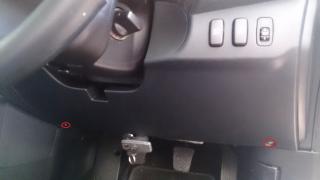
Remove the two screws, Philip head.

Then pull from top, the highlighted red color contain clips. pull outwards towards yourself. (slightly upwards)

The highlighted red color contain clips as well, pull towards yourselft . (slightly upwards)
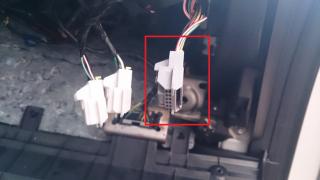
The highlighted socket is the ONLY socket in inspira (ignore the other two , my own DIY sockets). This is the socket you want to connect to.
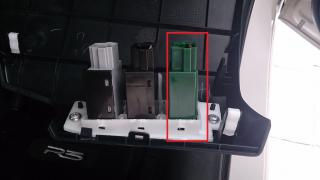
The placement is to the right. use a flat tip @ test pen remove the original cover, then plug the new switch in from behind. Next clip the socket in (dont worry it will only fit in one direction, so u wont fit wrongly).
Put back everything and screw back.
** You dont need to remove the whole thing.
 Quote
Quote


 with the other 2 switches in your pic







 0.0212sec
 0.33
0.33
 6 queries
 GZIP Disabled