Welcome Guest ( Log In | Register )

Outline · [ Standard ] · Linear+

 [REVIEW] ASRock Z87 OC Formula - Performance Test, With the Touch of OC Guru Nick Shih

views
     
TSowikh84
post Aug 10 2013, 03:51 PM, updated 13y ago

i7 Clan
Group Icon
Elite
8,711 posts

Joined: Nov 2007
From: Butterworth, PG / Machang, Kelantan


ASRock Z87 OC Formula - Performance Test

Introduction:

ASRock Z87 OC Formula (OCF) is ultimately built for extreme overclockers and features stronger VRM circuitry that help overclock Haswell processors. Again, this motherboard (mobo) is designed by Nick Shih, who is working constantly to provide the best BIOS that will work compatibly with the latest and greatest memory in the market. Today, I am taking the OCF for a spin on my watercooled test bench.

Specifications:

user posted image

Full specifications of OCF can be obtained HERE.

Unboxing:

user posted image
The OCF is shipped in a very huge grey/yellow box, illutsrated with a yellow Lamborghini sport car picture.

user posted image
Comes with the colour scheme of yellow/gold/black, the OCF packs an LGA1150 socket and supports Intel 4th Generation Core i7, i5 & i3/ Pentium / Celeron processors. The board is an extended ATX (E-ATX) form factor.

user posted image
The board is an 8 layer PCB with 4x 2oz copper, which would help overclocking and prevent from bent.

user posted image
A Close-up at the CPU socket area and power delivery. This mobo is powered by 12 Power Phase Design. The huge heatsink on the OCF offers twin-Power cooling by integrating both air (small fan) and water cooling (barb and water passage) into one solution. The design is pretty similiar to the OCF Z77, which would increase the heat dissipation in the overclocked system. Besides that, there are two 8-pin CPU power connectors which should supply enough power for the extreme overclocking. The OCF has four DIMM slots that support up to 32GB of DDR3 dual channel RAM and speed up to 3000MHz+ via overclocking. To the right side of the RAM slots you can see the 24-pin power connector, VProbe check points, Rapid OC buttons, Menu button, Slow Mode Switch, LN2 Mode switch and the PCIe on/off switches. There is one onboard USB 3.0 port between the 24-pin ATX connector and the DIMM slots, making BIOS flashing or screenshots saving easy without the needs to take look at the rear I/O panel to use the USB port.

user posted image
Also spotted, the all new high resolution Status OLED display shows various information of the system, including debug codes with descriptions and temperatures.
user posted image
Conformal Coating: a superhydrophobic layer across the surface of the PCB designed to repel moisture during extreme overclocking.

user posted image
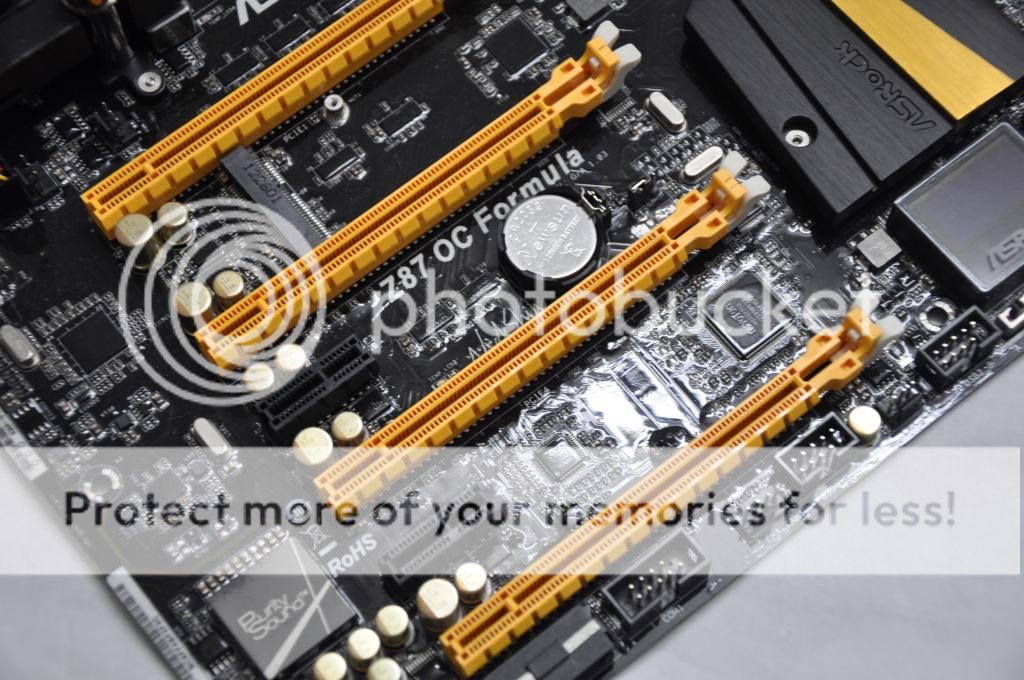
PCIe slots are plentiful:
- 3 x PCI Express 3.0 x16 slots (PCIE1/PCIE2/PCIE4: single at x16 (PCIE1); dual at x8 (PCIE1) / x8 (PCIE2); triple at x8 (PCIE1) / x4 (PCIE2) / x4 (PCIE4))
- 1 x PCI Express 2.0 x16 slot (PCIE6: x4 mode)
- 2 x PCI Express 2.0 x1 slots
- 1 x mini-PCI Express slot (shared with PCIE5 slot)
- Supports AMD Quad CrossFireX, 4-Way CrossFireX, 3-Way CrossFireX and CrossFireX
- Supports NVIDIA Quad SLI and SLI

user posted image
There are six Intel SATA3 and four ASmedia SATA3 ports available on the board to provide multiple storage.

user posted image
The rear I/O panel is consisted of:
- 1 x PS/2 Mouse/Keyboard Port
- 1 x HDMI-Out Port
- 1 x HDMI-In Port
- 1 x Optical SPDIF Out Port
- 2 x USB 2.0 Ports
- 4 x USB 3.0 Ports (Intel Z87)
- 4 x USB 3.0 Ports (Etron EJ188H)
- 1 x RJ-45 LAN Port with LED (ACT/LINK LED and SPEED LED)
- 1 x Clear CMOS Button
- HD Audio Jack: Rear Speaker / Central / Bass / Line in / Front Speaker / Microphone

This post has been edited by owikh84: Oct 9 2013, 04:38 PM
TSowikh84
post Aug 10 2013, 03:52 PM

i7 Clan
Group Icon
Elite
8,711 posts

Joined: Nov 2007
From: Butterworth, PG / Machang, Kelantan


user posted image
Accessories bundled in the box are pretty standard.

Testing Platform:

user posted image
CPU: Intel Core i7 4770K
MB: ASRock Z87 OC Formula, BIOS P1.60
DRAM: G.Skill TridentX 2800 C11 2 X 4GB, G.Skill TridentX 2666MHz C10 2 X 4GB, Corsair DominatorGT GTX4 2533MHz C9 2 X 2GB and G.Skill RipjawsX 2133MHz C8 2 X 2GB
GPU: Gigabyte HD7970, MSI's special BIOS, Driver Catalyst 13.8 beta
Storage: Crucial M4 128GB, FW 040H
ODD: LiteON DVD-RW
PSU: Corsair AX1200
Cooling: Custom watercooling kit - EK Supreme HF plate #6 CPU waterblock, 2x XSPC RX360 radiator, Swiftech MCP655 pump, EK FC7970 GPU waterblock, EK Multioption X2 Advanced reservoir, XSPC 1/2" ID 3/4" OD white tubing, 12x Scythe Gentle Typhoon AP-15 1850rpm 120mm fan + Aerocool Shark 120mm fan, Coolaboratory Liquid Pro thermalpaste etc.
Casing: DimasTech Easy Dual V2.5 Bench Table
OS: Windows 7 Ultimate 64-bit SP1

The UEFI BIOS:

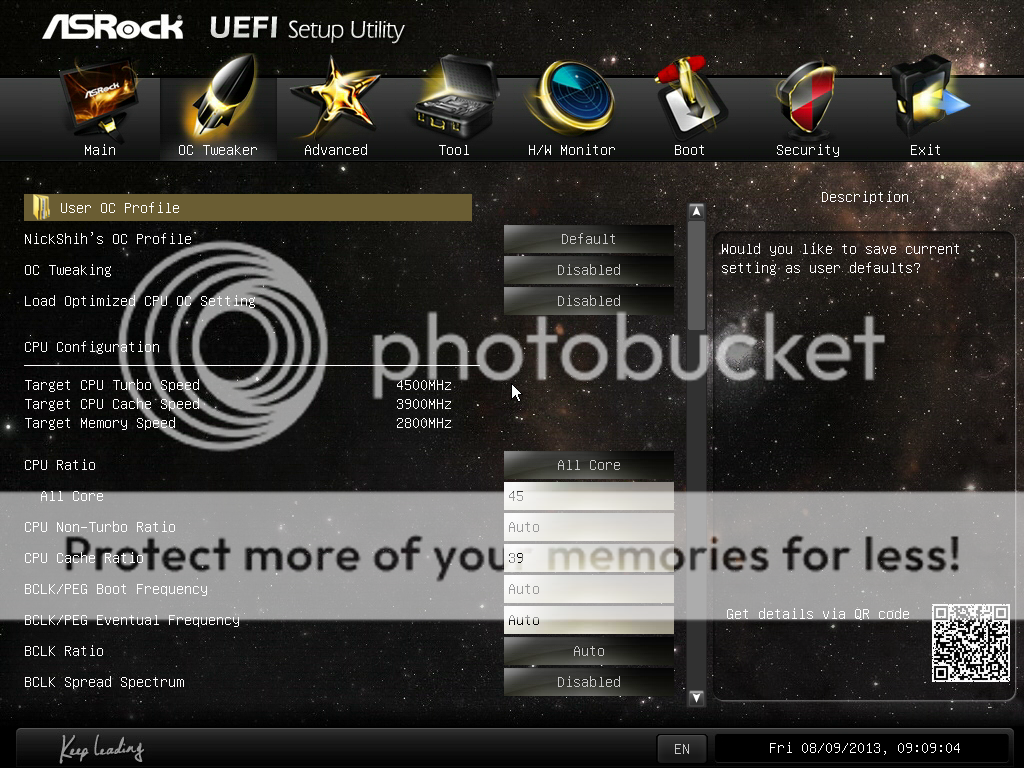
The UEFI BIOS is based on a space theme.

Main page - OC Tweaker:
user posted image

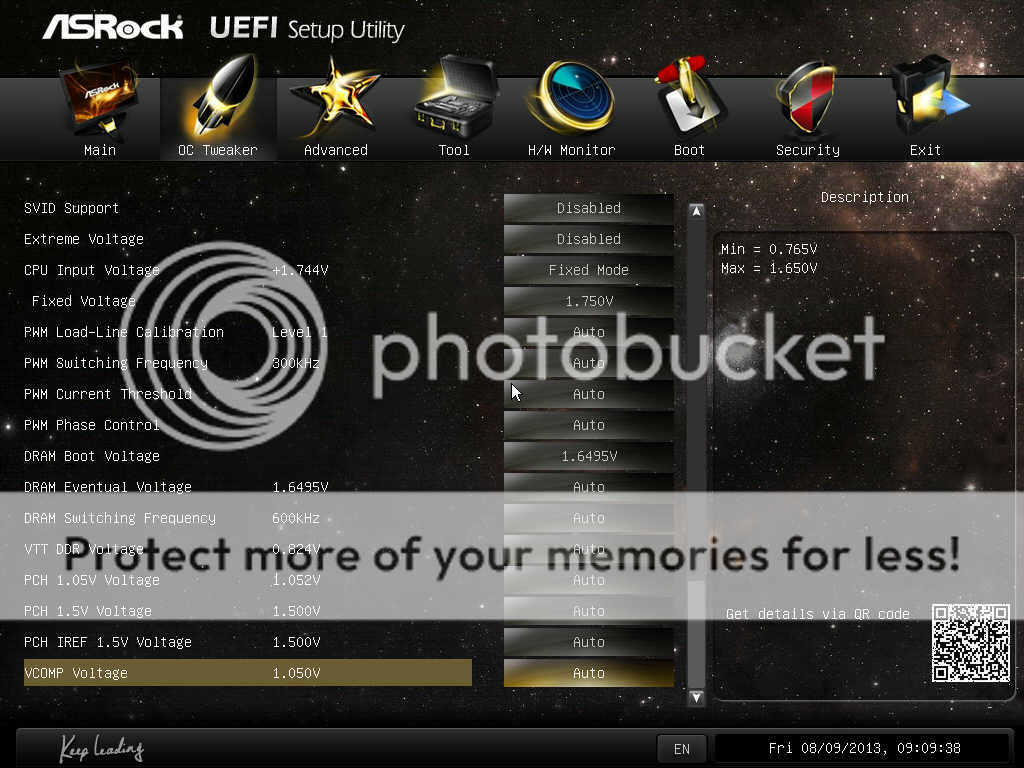
More options in OC Tweaker:
user posted image

“Nick Shih’s OC Profile” - select preset setting profiles suggested by the OC Guru – Nick Shih. There is no "5.0GHz" profile, unfortunately.
user posted image

Load Optimized CPU OC Setting:
user posted image

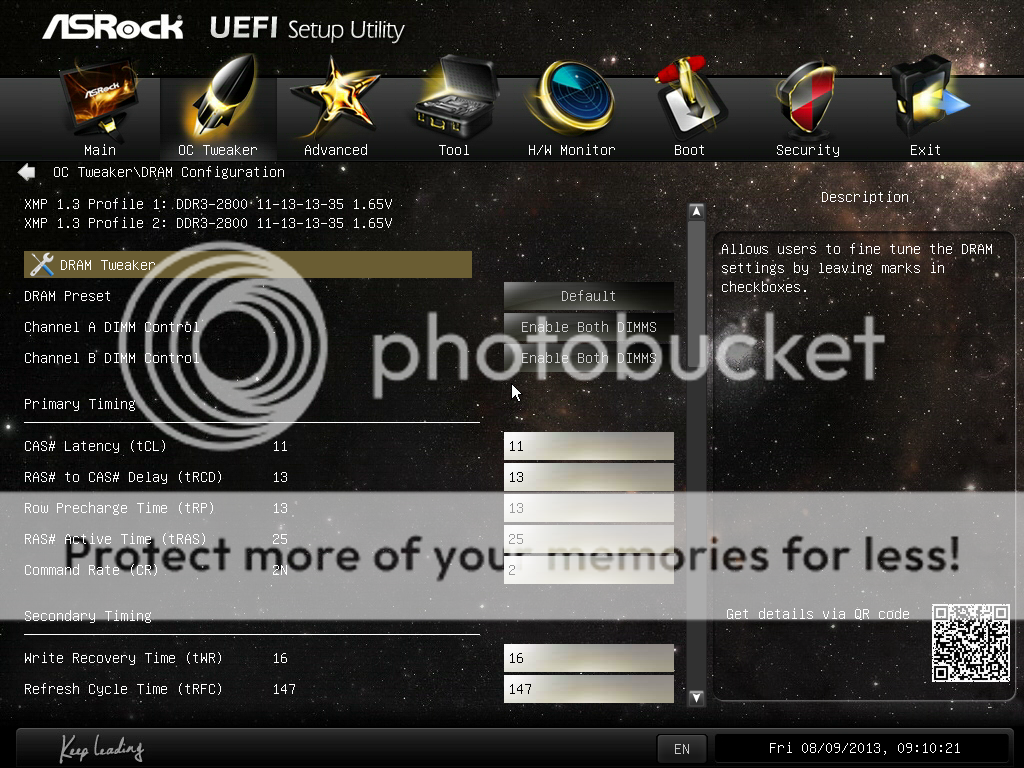
DRAM Configurations:
user posted image

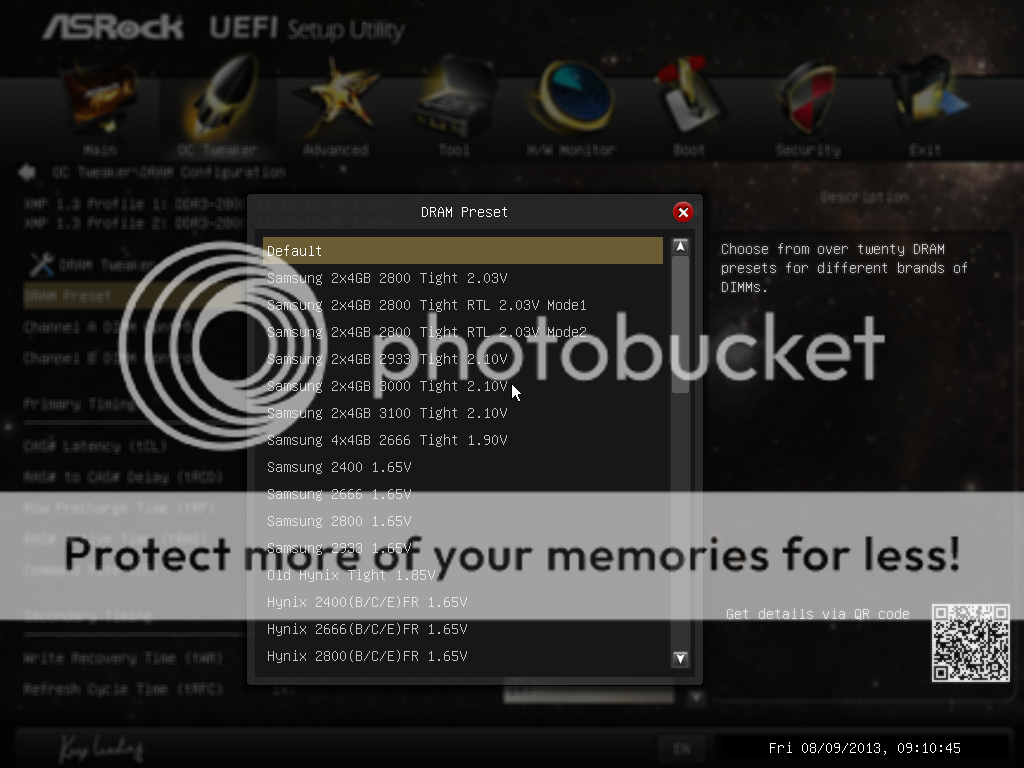
DRAM Presets - various IC to pick, I meant there are so many presets available:
user posted image

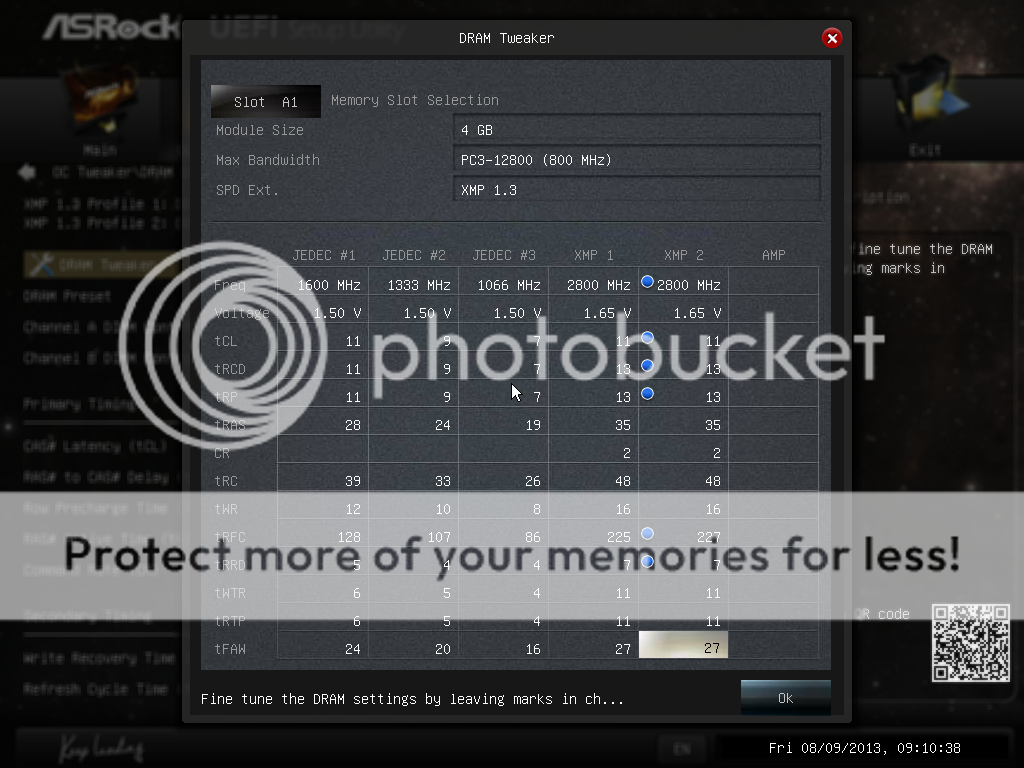
DRAM Tweaker - tweak RAM timing according to JEDEC and XMP specs individually:
user posted image

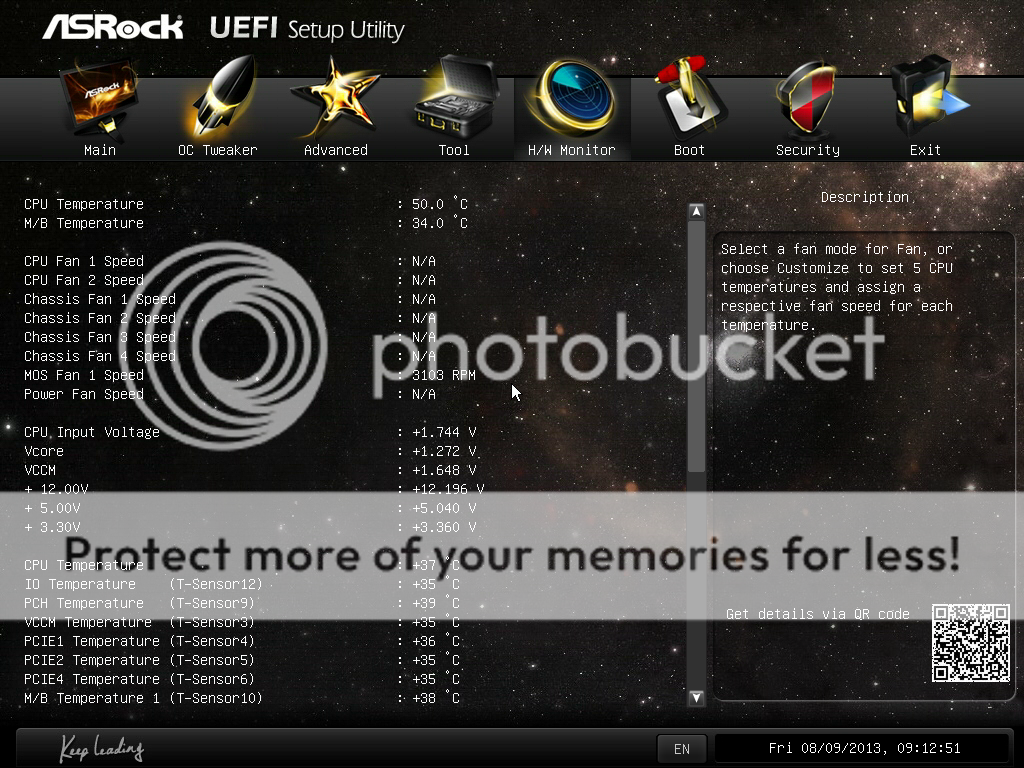
Hardware Monitor – provides information on fan speeds, voltages and temperatures:
user posted image

This post has been edited by owikh84: Aug 10 2013, 03:56 PM
TSowikh84
post Aug 10 2013, 03:54 PM

i7 Clan
Group Icon
Elite
8,711 posts

Joined: Nov 2007
From: Butterworth, PG / Machang, Kelantan


Software & Tools:

user posted image

ASRock Formula Drive - Tweak overclocking in the OS environment.
Timing Configurator - Display the memory timings in the OS. Unfortunately, due to Intel’s lockdown it is unable to adjust timings real-time in the OS for now.
Rapid OC Configuration - Allow users to apply hotkeys for each of the functions, as well as adjust how much each press of the button adjusts each of the BCLK/CPU Multiplier/CPU Voltage.

Stability Tests:

Overclocking on the OCF was quite easy although with so many options provided in the BIOS. I just set the CPU multiplier, vCore, RAM speed and timings, vdimm and leave the rest of the settings to auto. The 4770K was overclocked to 4.5GHz with HyperThreading (HT) enabled @ 1.265v passed LinX without an error in 20 loops. One of the CPU cores hit 98C under load but it is still lower than TJmax of 100C.

LinX 0.6.4 w/ AVX:
user posted image

Benchmark Tests:

The 4770K was overclocked to 4.7GHz (4 cores/8 threads) for benchmarks as well as the HD7970 which was overclocked to 1300MHz core/7000MHz mem @ 1.3v/1.7v.

3DMark13:
user posted image

3DMark11:
user posted image

3DMark Vantage:
user posted image

3DMark06:
user posted image

3DMark05:
user posted image

3DMark03:
user posted image

PCMark7:
user posted image

Super Pi 32M/ MaxxMEM/ AIDA64 Cache and Memory Benchmark:
user posted image
TSowikh84
post Aug 10 2013, 03:55 PM

i7 Clan
Group Icon
Elite
8,711 posts

Joined: Nov 2007
From: Butterworth, PG / Machang, Kelantan


Super Pi 1M:
user posted image

HyperPi 32M:
user posted image

Cinebench 11.5:
user posted image

Unigine Heaven 4.0:
user posted image

WPrime 1.55/ Fritz Chess 4.3:
user posted image

Super Pi 32M Benchmark with Hynix IC RAM:

G.Skill TridentX 2800C11 2 X 4GB @ 2800MHz 10-13-12-25-2T
user posted image
* Unfortunately I was not able to push this RAM any higher due to weak BIOS at the time of writing.

Super Pi 32M Benchmark with Samsung IC RAM:

G.Skill TridentX 2666C10 2 X 4GB @ 2800MHz 9-12-12-21-1T
user posted image

Super Pi 32M Benchmark with PSC IC RAM:

Corsair DominatorGT GTX4 2533C9 2 X 2GB @ 2666MHz 8-12-8-28-1T
user posted image

Super Pi 32M Benchmark with BBSE IC RAM:

G.Skill RipjawsX 2133C8 2 X 2GB @ 2400MHz 8-11-7-22-1T
user posted image
TSowikh84
post Aug 10 2013, 03:58 PM

i7 Clan
Group Icon
Elite
8,711 posts

Joined: Nov 2007
From: Butterworth, PG / Machang, Kelantan


Game Benchmarks:

Metro Last Light:
user posted image

Bioshock Infinite:
user posted image

Thoughts & Verdicts:

The ASRock Z87 OC Formula is a one of the few models that really offer everything desirable for extreme overclockers. Priced at RM1199 locally, the OCF provides a great starting point in your overclocking adventure and is highly recommended for serious overclockers who could not afford the overpriced rivals from ASUS, the Maximus VI Formula and Extreme.

Performance: 5/5
Materials: 4/5
Specifications: 5/5
Appearance: 5/5
Performance/Price Value: 5/5

Pros:
+ Affordable price
+ Stunning overclocking performance
+ Unique yellow, gold and black colour scheme
+ Good motherboard layout and component placement is friendly for extreme overclocking
+ UEFI BIOS has lots of overclocking options

Cons:
- Laggy UEFI BIOS and not so friendly as few keypress needed when entering the values
- Lack of LucidLogix Virtu MVP software for QuickSync
- No 3-way and 4-way SLI support
- Bad SATA cables quality which will stuck and hard to pull out from the motherboard's SATA port
- Can’t adjust memory timings with Timing Configurator in the OS at the time of writing, due to Intel's lockdown

This post has been edited by owikh84: Aug 10 2013, 11:02 PM
raydenex
post Aug 10 2013, 04:41 PM

"Updated my journal."
****
Senior Member
588 posts

Joined: Jan 2003
From: Penang | Puchong | Malacca


Nice review! Good value for money considering the price-point.
ashskywalker
post Aug 10 2013, 05:23 PM

New Member
*
Junior Member
18 posts

Joined: Nov 2011


What a superb review.
TSowikh84
post Aug 11 2013, 09:28 AM

i7 Clan
Group Icon
Elite
8,711 posts

Joined: Nov 2007
From: Butterworth, PG / Machang, Kelantan


QUOTE(raydenex @ Aug 10 2013, 04:41 PM)
Nice review! Good value for money considering the price-point.
*
QUOTE(ashskywalker @ Aug 10 2013, 05:23 PM)
What a superb review.
*
Thanks for your kind words bros! notworthy.gif


Change to:
| Lo-Fi Version
0.0158sec    1.64    5 queries    GZIP Disabled
Time is now: 19th December 2025 - 02:57 AM