


BenQ Monitor Thread!, Mr BenQ at your service
BenQ Monitor Thread!, Mr BenQ at your service
|
|
 Sep 16 2015, 09:34 PM Sep 16 2015, 09:34 PM
Return to original view | Post
#221
|
 
Junior Member
65 posts Joined: Jul 2013 
|
Happy Malaysia Day from BenQ!
|
|
|
|
|
|
Sep 17 2015, 11:34 PM
Return to original view | Post
#222
|
|
Junior Member
65 posts Joined: Jul 2013
|
QUOTE(lucidlts @ Sep 17 2015, 11:25 AM) There's a numbers of reviews on the XR3501 from our local reviewers too, personally I think it's a sweet monitor to own given that you have that financial power   Thank you. We're aware of all those articles (and have posted them many times).......... except for the one from Tech Critter - that one just published today. Thank you. We're aware of all those articles (and have posted them many times).......... except for the one from Tech Critter - that one just published today. *yes, copy paste reply from our FB page. |
|
|
Sep 17 2015, 11:37 PM
Return to original view | Post
#223
|
|
Junior Member
65 posts Joined: Jul 2013
|
 Our monitor is suitable for all sorts of game types. Check out our XL2430T for some competitive gaming edge! |
|
|
Sep 18 2015, 11:20 PM
Return to original view | Post
#224
|
|
Junior Member
65 posts Joined: Jul 2013
|
4K monitor for the designers out there! http://ap.benq.com/product/monitor/bl3201pt
 Our BL monitor provides 100% sRGB coverage wwith IPS Technology where every color is delivered with the finest precision in every detail and at every possible viewing angle for a great viewing experience. With a 10-bit panel that renders more than one billion hues, every image is displayed with the richest, liveliest colors. |
|
|
Sep 19 2015, 10:16 PM
Return to original view | Post
#225
|
|
Junior Member
65 posts Joined: Jul 2013
|
QUOTE(skylinelover @ Sep 19 2015, 09:15 AM) Haha. I wonder can my kepler support 35 inch. Very itchy 2 buy one 4 myself. All depends on what game you play.   It's 35" but it's not 4K resolution, just think of it as a wider Full HD. |
|
|
Sep 19 2015, 10:21 PM
Return to original view | Post
#226
|
|
Junior Member
65 posts Joined: Jul 2013
|
 Sweet Spot for Curved Monitors A 2000R's sweet spot is better suited compared to a 3000R for a typical PC setup environment. For a 35" monitor, it is recommended to have the setup between 1,3m to 2.6m and for the XR3501 the sweet spot is best at 2m. |
|
|
|
|
|
Sep 21 2015, 01:34 AM
Return to original view | Post
#227
|
|
Junior Member
65 posts Joined: Jul 2013
|
QUOTE(kmarc @ Sep 20 2015, 06:51 PM) On direct perpendicular view of the screen, there is a purple tinge at the top part of the screen especially on the left side. So much so that if surf the web, the address bar would look purplish. Can take a picture of it and show us? You can PM us here, attach image or PM us on Facebook - either way will be fine. |
|
|
Sep 21 2015, 01:36 AM
Return to original view | Post
#228
|
|
Junior Member
65 posts Joined: Jul 2013
|
We love the XR3501 and we hope you do too! If money is not an issue, try the tri-monitor setup! |
|
|
Sep 21 2015, 09:13 AM
Return to original view | Post
#229
|
|
Junior Member
65 posts Joined: Jul 2013
|
 With our position indicators, setting up the XL2430T is a breeze and you'll always get it perfect. |
|
|
Sep 23 2015, 12:00 AM
Return to original view | Post
#230
|
|
Junior Member
65 posts Joined: Jul 2013
|
QUOTE(kmarc @ Sep 21 2015, 03:55 PM) After much tweaking, I finally found the reason. It is the contrast setting, anything above 40 will result in the purplish tinge, regardless of red channel setting. As long as I set contrast less than 40, there's no problem. Is that normal? Thanks. Will send feedback to HQ. Other than that, the monitor works great! Glad to hear that you love the monitor! |
|
|
Sep 23 2015, 12:01 AM
Return to original view | Post
#231
|
|
Junior Member
65 posts Joined: Jul 2013
|
Plenty of good reviews for the XR3501 across the globe, this one's from Hexus.
http://hexus.net/tech/reviews/monitors/85469-benq-xr3501/ 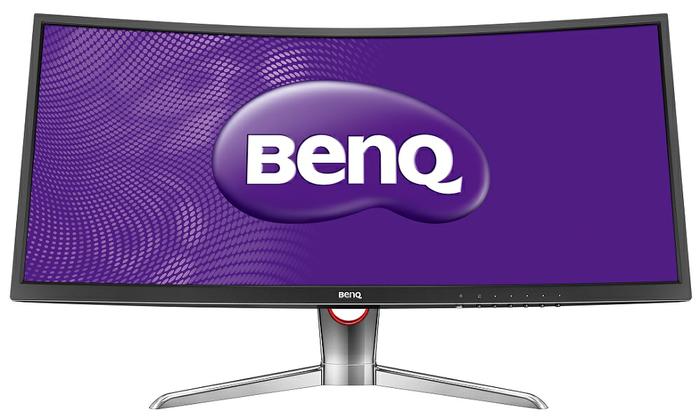 |
|
|
Sep 23 2015, 11:36 PM
Return to original view | Post
#232
|
|
Junior Member
65 posts Joined: Jul 2013
|
That's the beauty of 144Hz!
Let's just says it brings out the best in things, and even the worst in things. |
|
|
Sep 23 2015, 11:43 PM
Return to original view | Post
#233
|
|
Junior Member
65 posts Joined: Jul 2013
|
 The PG2401PT - Enjoy the smoothest shading and color transitions in natural gradations on a 10-bit display panel. A 10-bit panel can create more than one billion colors – 64 times the amount of color available on an 8-bit panel – to guarantee silky smooth gradation. The PG series also includes 14-bit processing capability, generating crisper definition and improved gray-level distinction, allowing you see true-to-print natural shades before they get printed. - With the 14-bit 3D Look Up Table (LUT), monitors can display the most accurate color mixture. 14-bit 3D LUT improves RGB color blending accuracy, resulting in impeccable color and gray tone reproduction. - BenQ PG series monitors feature Delta E≤2 in both Adobe RGB and sRGB color spaces to ensure colors are displayed accurately in every stage of web design, photo retouch and pre-press workflow. Delta E≤2 not only offers viewers the truest appearance of the original image, it also saves time and money by creating reliable colors and providing promising result when matching images the first time, every time. http://www.benq.com/product/monitor/pg2401pt/ |
|
|
|
|
|
Sep 24 2015, 06:35 PM
Return to original view | Post
#234
|
|
Junior Member
65 posts Joined: Jul 2013
|
 This post has been edited by Mr BenQ: Sep 24 2015, 06:35 PM |
|
|
Sep 25 2015, 11:58 PM
Return to original view | Post
#235
|
|
Junior Member
65 posts Joined: Jul 2013
|
BenQ XL2430T Monitor - Black eQualizer Review (Ramona Azween)
|
|
|
Sep 26 2015, 10:43 PM
Return to original view | Post
#236
|
|
Junior Member
65 posts Joined: Jul 2013
|
Check out our BL3201PT monitor for CAD / CAM designers!
» Click to show Spoiler - click again to hide... « http://ap.benq.com/product/monitor/bl3201pt KEY FEATURES - 32”W Large Screen 3840x2160 UHD Resolution - 100% sRGB Color Space - Display Pilot Software - OSD Remote Access - CAD/CAM Mode and Animation Mode for Precision Design |
|
|
Sep 28 2015, 09:50 AM
Return to original view | Post
#237
|
|
Junior Member
65 posts Joined: Jul 2013
|
QUOTE(KahLooN @ Sep 26 2015, 11:15 AM) Hi Mr. BenQ, Hi there, web browsing and gaming both model do well on this task.I'm currently looking into these few monitors. My main usage is web browsing and gaming. My budget is approximately around RM1,000. Which monitor would you recommend? 1. RL2460HT 2. XL2411Z Thanks.  But for RL2460HT where its design more onward to console gaming usage which main extra features is the HDMI output for gaming streaming use, mainly console type. Where else XL2411Z you will never go wrong with the 1ms 144hz gaming monitor, this are special design for high speed and accurately design best for gaming. For browsing definitely not an issue here for both model. You can find out more info about this 2 model benq monitor. http://gaming.benq.com/gaming-monitor/rl2460ht http://gaming.benq.com/gaming-monitor/xl2411z |
|
|
Sep 28 2015, 09:54 AM
Return to original view | Post
#238
|
|
Junior Member
65 posts Joined: Jul 2013
|
QUOTE(Skylinestar @ Sep 27 2015, 07:45 PM) which display has best black level? looking for 17" to 22" range Hi, may i know the main usage for this monitor ?, as BenQ Design/Print monitor and Gaming monitor black level work slightly different. |
|
|
Sep 28 2015, 10:32 AM
Return to original view | Post
#239
|
|
Junior Member
65 posts Joined: Jul 2013
|
QUOTE(Skylinestar @ Sep 28 2015, 10:09 AM) for gaming. Hi, then any gaming monitor series from benq will give you the good black level that you need.But this may be vary as how the black eQuilizer, color vibrance setting both work along side. 1st of all BenQ Black eQuilizer work very special on it on chip where it able to hold the bright spot without over exposing it and at the same time give you the best balance on the black level content control. With this you can eye on the latest competitive model: XL2430T 144hz XL2730Z (Free sync) XL2420G (Hybrid G-Sync) |
|
|
Sep 28 2015, 06:00 PM
Return to original view | Post
#240
|
|
Junior Member
65 posts Joined: Jul 2013
|
QUOTE(Skylinestar @ Sep 28 2015, 12:21 PM) any smaller size from 17 to 20? Hi, all our premium monitor are 24" and above only. Event our smallest size for monitor is 19.5" already and that is the very basic monitor. |
| Change to: |  0.0494sec 0.0494sec
 0.24 0.24
 7 queries 7 queries
 GZIP Disabled GZIP Disabled
Time is now: 5th December 2025 - 06:15 AM |
 Quote
Quote
