Outline ·
[ Standard ] ·
Linear+
Astro B.yond Episode VI (Version 11.0), HD, PVR, IPTV and VOD
|
torreto
|
 Oct 13 2013, 06:39 PM Oct 13 2013, 06:39 PM
|

|
QUOTE(rudit @ Oct 13 2013, 06:16 PM) Hi all, did anyone get this new astro UI? This changed during I force auto update when troubleshooting an error with astro support. The errors gone and got this new UI. But I try to update another decoder (same model), but it didnt changed the UI. caleed astro supoort, they also no idea about this new UI. Anybody has idea? nice UI finally. especially the font. tried to force update my as well (pace PVR). but still v8.02 This post has been edited by torreto: Oct 13 2013, 07:05 PM |
|
|
|
|
|
torreto
|
Oct 14 2013, 12:52 AM
|
|
|
i hope this new updates. god knows when it will be release will solve the freaking phantom recording issues.
|
|
|
|
|
|
torreto
|
Oct 17 2013, 02:24 AM
|
|
|
QUOTE(cyew86 @ Oct 17 2013, 12:50 AM) Hi, I am renovating my new home, and is concealing the ASTRO F-connector satellite cable in the wall. With that done, I was informed that new ASTRO box actually utilizes two cables. I am not sure if this is true, and based on what I check on ASTRO website, the decoder only utilizes one cable. Heck, I am not even sure if ASTRO B.yond IPTV requires the cable or not. Can anyone please advise if two cables (or none) are needed for ASTRO B.yond IPTV? If yes, I will need to ask the contractor to conceal one additional cable in the wall, sigh ... Thanks ... PVR use two cables due to the dual tuner while the normal byond box only need one. correct me if i'm wrong |
|
|
|
|
|
torreto
|
Oct 19 2013, 04:15 PM
|
|
|
QUOTE(KaiHD @ Oct 19 2013, 03:27 PM) Hey everyone, how do I get Astro to replace my remote? It's been giving me problems, and if possible I want them to swap out my old Pace PVR for the new PVR at one go. call em. complaint that ur decoder have problems (even thou it's not ). works for me  |
|
|
|
|
|
torreto
|
Oct 20 2013, 12:10 AM
|
|
|
Vinmeen HD should be rename as Vinmeen Upscale instead. nowhere near HD at all. Not that i watch that channel anyway. but it's really  This post has been edited by torreto: Oct 20 2013, 12:11 AM This post has been edited by torreto: Oct 20 2013, 12:11 AM |
|
|
|
|
|
torreto
|
Oct 21 2013, 11:29 AM
|
|
|
QUOTE(ChiaW3n @ Oct 21 2013, 10:24 AM) but hor, before this we can watch one? thats why i am curious astro giving u teaser only. when u syiok watching HD channel they cut off. eventually u'll subscribe it. hehe. |
|
|
|
|
|
torreto
|
Oct 22 2013, 06:46 PM
|
|
|
QUOTE(Anonymous34 @ Oct 19 2013, 04:40 PM) just tell them you want new decoder thats all la. they won't swap for a new decoder if ur current decoder is still under contract |
|
|
|
|
|
torreto
|
Oct 25 2013, 09:29 PM
|
|
|
no price increase on Superpack right ?
|
|
|
|
|
|
torreto
|
Oct 26 2013, 10:01 PM
|
|
|
QUOTE(Anonymous34 @ Oct 25 2013, 11:24 PM) Of course not!  sorry, i mean superpack 3. still remain RM155. good for me and other superpack 3 subscribers |
|
|
|
|
|
torreto
|
Nov 14 2013, 03:05 PM
|
|
|
QUOTE(Dickong @ Nov 14 2013, 10:56 AM) It not a matter of loyal customer, my concern is why take so long to deliver the pvr n must agree for another 2 years contract. said only 21 days. 27 days and counting still waiting for my Byond DMT5 decoder  |
|
|
|
|
|
torreto
|
Nov 18 2013, 08:48 PM
|
|
|
Is the new software update with the new UI out already ? Was having a dinner just now at a kopitiam noticed the Astro there already on the new UI when the worker browsing on TV guide. Damn the new UI is nice.
This post has been edited by torreto: Nov 18 2013, 08:49 PM
|
|
|
|
|
|
torreto
|
Dec 11 2013, 05:55 PM
|
|
|
QUOTE(enriquelee @ Dec 11 2013, 03:54 PM) Is that mean no matter in which package you are subscribing now. You can watch all channels now till feb 2014? yup |
|
|
|
|
|
torreto
|
Feb 24 2014, 09:45 PM
|
|
|
My cousin which also is my neighbor already got this new user interface. His is Samsung decoder while mine us pace decoder force update twice still the same. Kelantan area btw.
|
|
|
|
|
|
torreto
|
Feb 25 2014, 05:50 PM
|
|
|
Seems like kelantan area are pretty fast, all of my friends who are using the new samsung pvr decoder already got the new epg update, I'm still stuck with the old one since I'm using the pace pvr.  |
|
|
|
|
|
torreto
|
Feb 27 2014, 05:04 PM
|
|
|
QUOTE(zaraki21 @ Feb 27 2014, 04:20 PM) Hi guys, recently i have upgrade my astro decoder (the silver one) with beyond hd (i think they call it zapper  )... 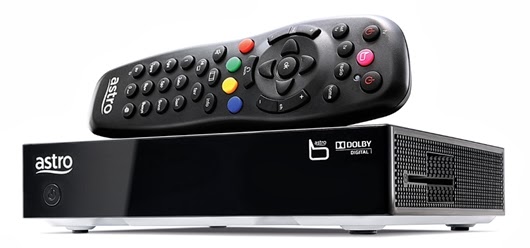.jpg) Then i noticed that this new remote also can control volume n power on my LG tv....(wow  ) But my problem is, im using a home theater. So i put the audio cable from decoder direct to my home theater not to my LG tv (same as the old setup)...and then i noticed that i cant control the volume from the decoder...so i change the cable audio from the decoder to my tv and then use my tv audio out put to my home theater...but still, i cant control the volume since the remote only control volume for tv...not my home theater....can anyone help me...does the new decoder can adjust the volume or it just adjust volume from tv....? or, am i doing it wrong...?  Use the optical cable to connect to your home theater and change the audio setting to digital audio. I can control the volume from the home theater with the astro remote via this setting. |
|
|
|
|
|
torreto
|
Mar 2 2014, 08:22 PM
|
|
|
Found a bug in this new ui. Off the subtitles but subtitles is still being displayed. As you guys know FMP HD subtitles is a pain in the ass, like chips more awhile got awhile missing therefore I always switched it off everytime I on that channel. This is annoying. Can't fully disable the subtitles pulak as I need it on AOD HD This post has been edited by torreto: Mar 2 2014, 08:23 PM |
|
|
|
|
|
torreto
|
Mar 9 2014, 06:51 PM
|
|
|
That's y. Y wanna give face to those who are still using crt. Astro should give us the native 16:9 feed. And let those crt user have the wrong aspect ratio instead. But here it's the other way round.
|
|
|
|
|
|
torreto
|
Mar 9 2014, 10:53 PM
|
|
|
QUOTE(azrin_kiko @ Mar 9 2014, 10:26 PM) Hmm.. if astro letterboxed the 16:9 feed, have you tried using the aspect ratio button on the remote to LD expand it? the only channel which perfectly fit when LD expand it is CNN. the rest.. nah. you still don't really get the 16:9. |
|
|
|
|
|
torreto
|
Mar 10 2014, 01:29 AM
|
|
|
QUOTE(se3333 @ Mar 10 2014, 12:50 AM) by purposely switch to LB Expand mode like u said will actually cause the picture quality even worse than default Astro setting after the picture `expand' but `not' actually fit the screen, the Top and Bottom part of the screen are disappeared (cut out) which is originally suppose to be there,and for others astro original 4:3 channel will cut out even more ! I will show u how Astro SD version Al Jazeera channel with and without LB Expand against Original Satellite 16:9 SD version of Al Jazeera channel then u will see what's the different in Picture Quality,Aspect Ratio and how the original feed fit the 16:9 screen.... so u will understand why people want original video source rather than watching Astro Compress version of bad picture quality & aspect ratio.... tomorrow i will upload the comparison picture that i took just now....tq exactly what i mean. only CNN actually fit the screen after LB expand. but of course the pic quality is |
|
|
|
|



 Quote
Quote


 0.0464sec
 0.60
0.60
 7 queries
 GZIP Disabled