QUOTE(K1d0 @ Jun 17 2013, 01:54 PM)
More picture to poison you two 

» Click to show Spoiler - click again to hide... «


 enjoy your casings! I'll buy once i have more spare cash. spent alot on Otterbox + Spigen SP d
{Official HTC One And The Only One Thread V5}, HTC Zoe/Blink Feed/Boom Sound/Sense 5
|
|
 Jun 17 2013, 07:34 PM Jun 17 2013, 07:34 PM
|
 
Senior Member
961 posts Joined: Nov 2011 From: Penang, Malaysia   
|
QUOTE(K1d0 @ Jun 17 2013, 01:54 PM) More picture to poison you two » Click to show Spoiler - click again to hide... « enjoy your casings! I'll buy once i have more spare cash. spent alot on Otterbox + Spigen SP d |
|
|
|
|
|
Jun 17 2013, 08:20 PM
|

Junior Member
520 posts Joined: Jul 2007 From: Kuching, Sarawak
|
POETIC case nice...
after put in... very very tough to take out... |
|
|
Jun 17 2013, 08:22 PM
|

Junior Member
77 posts Joined: Feb 2010
|
Guys. My stock weather widget still can't detect my real place. When I refresh it then it will pop up "unable to contact location service to update current location."
I have tick the Google location service. Have anyone experience this? |
|
|
Jun 17 2013, 08:28 PM
|

Junior Member
110 posts Joined: Dec 2008
|
QUOTE(qinshun87 @ Jun 17 2013, 09:22 PM) Guys. My stock weather widget still can't detect my real place. When I refresh it then it will pop up "unable to contact location service to update current location." restart your phone.. i always face this problem with my HOXI have tick the Google location service. Have anyone experience this? |
|
|
Jun 17 2013, 08:29 PM
|

Junior Member
108 posts Joined: Apr 2006 From: Skyland.... -o-
|
QUOTE(qinshun87 @ Jun 17 2013, 08:22 PM) Guys. My stock weather widget still can't detect my real place. When I refresh it then it will pop up "unable to contact location service to update current location." I have tick the Google location service. Have anyone experience this? Happened to me once... Lasted about 2 weeks, then suddenly ok. |
|
|
Jun 17 2013, 08:32 PM
|

Senior Member
735 posts Joined: Jan 2003 From: Selayang , Kepong
|
QUOTE(sebastianX11 @ Jun 17 2013, 07:33 PM) Hei guys how the look like ?Anyone interested with the poetic atmosphere casing? Friend ffk and I have 2 extra.... Pm me for price Got grey and white |
|
|
|
|
|
Jun 17 2013, 08:32 PM
|

Senior Member
5,220 posts Joined: Jan 2003
|
QUOTE(nuttyking91 @ Jun 17 2013, 07:34 PM) enjoy your casings! I'll buy once i have more spare cash. spent alot on Otterbox + Spigen SP d |
|
|
Jun 17 2013, 08:36 PM
|

Senior Member
3,989 posts Joined: Nov 2009
|
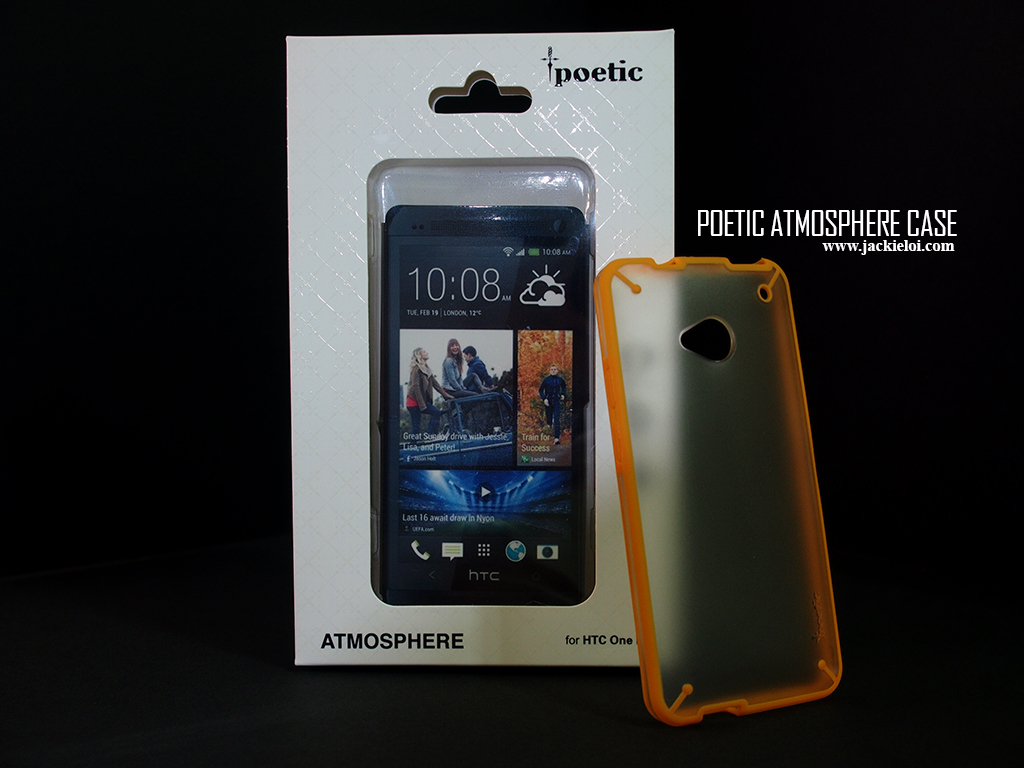
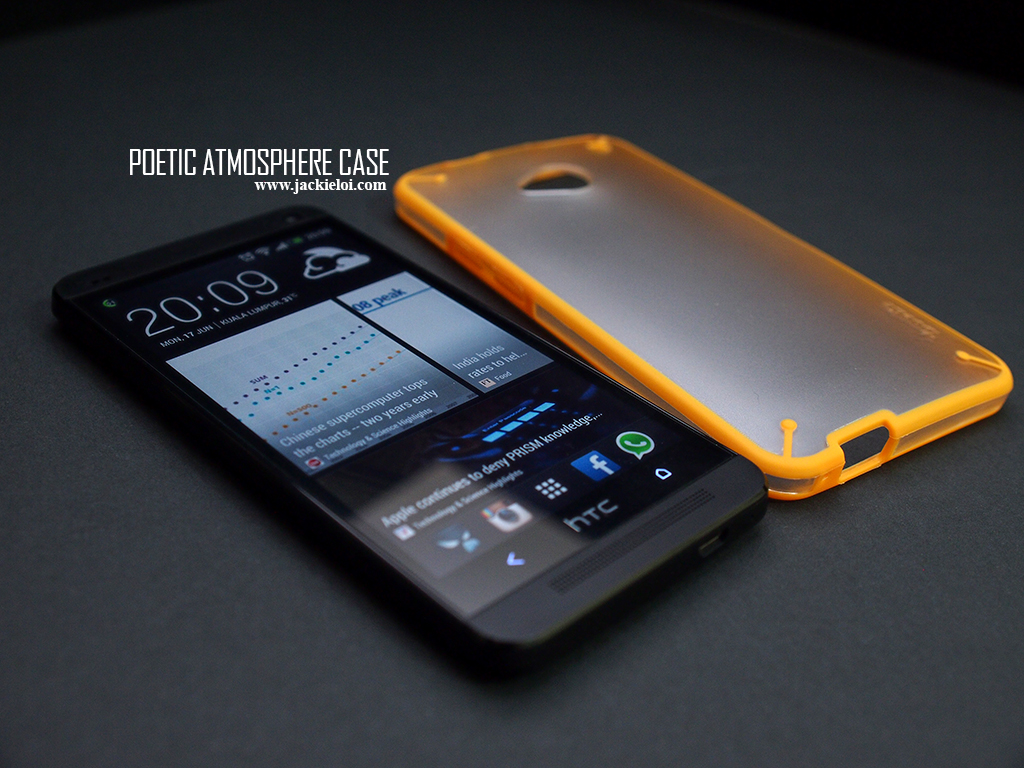
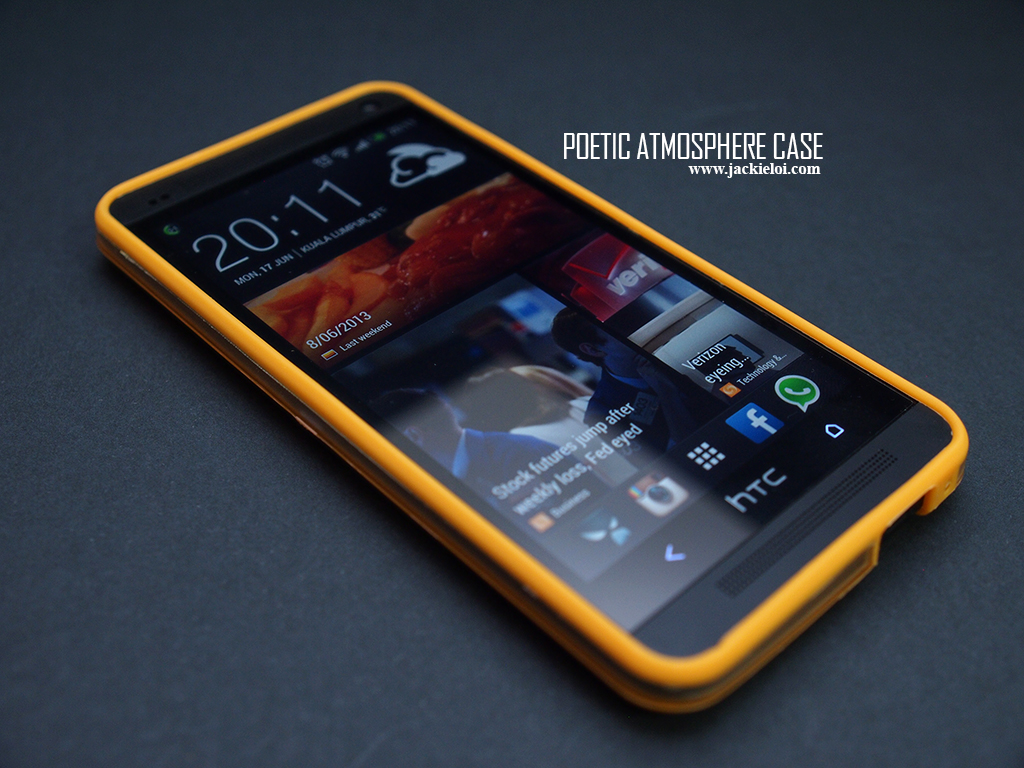
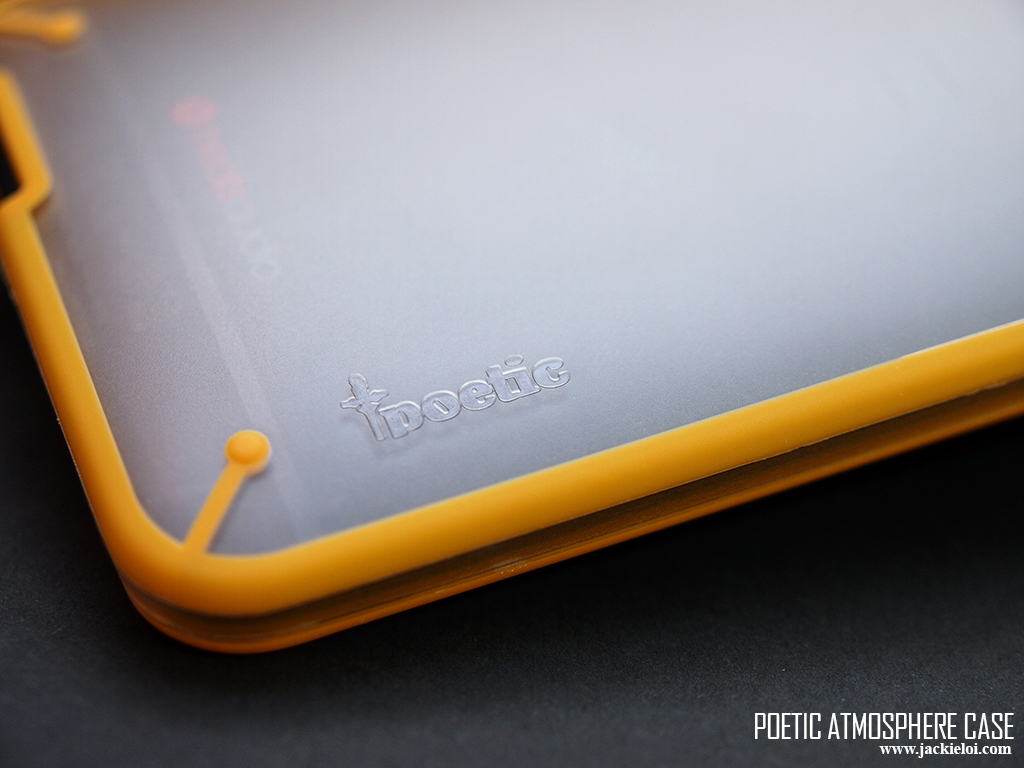
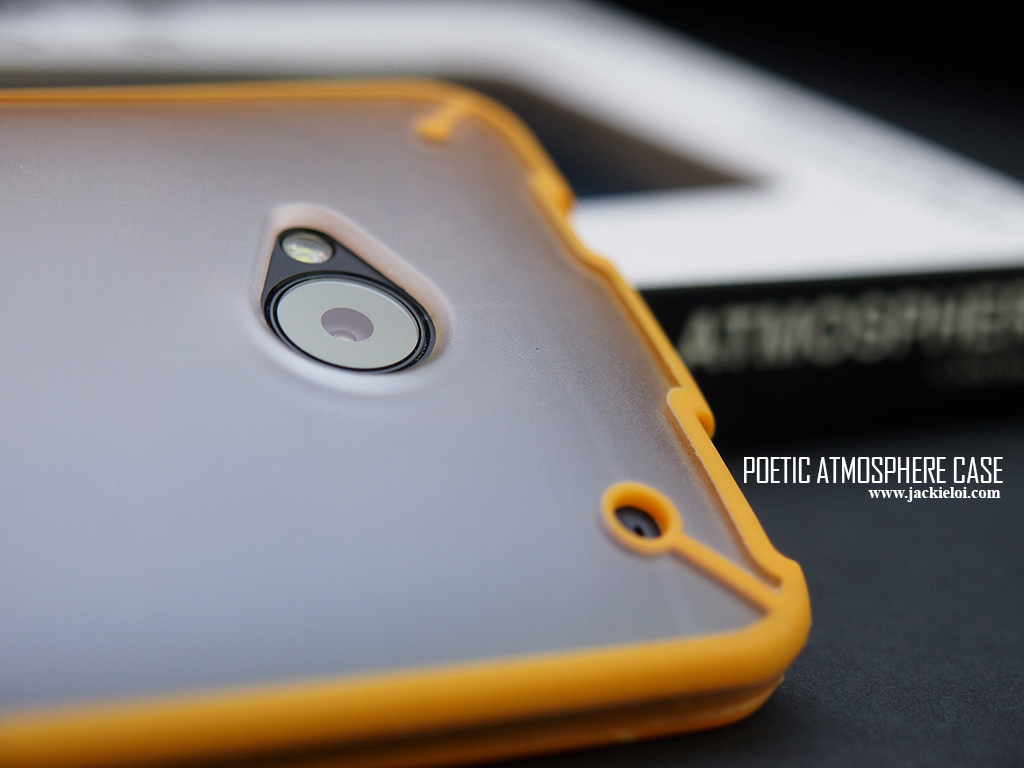
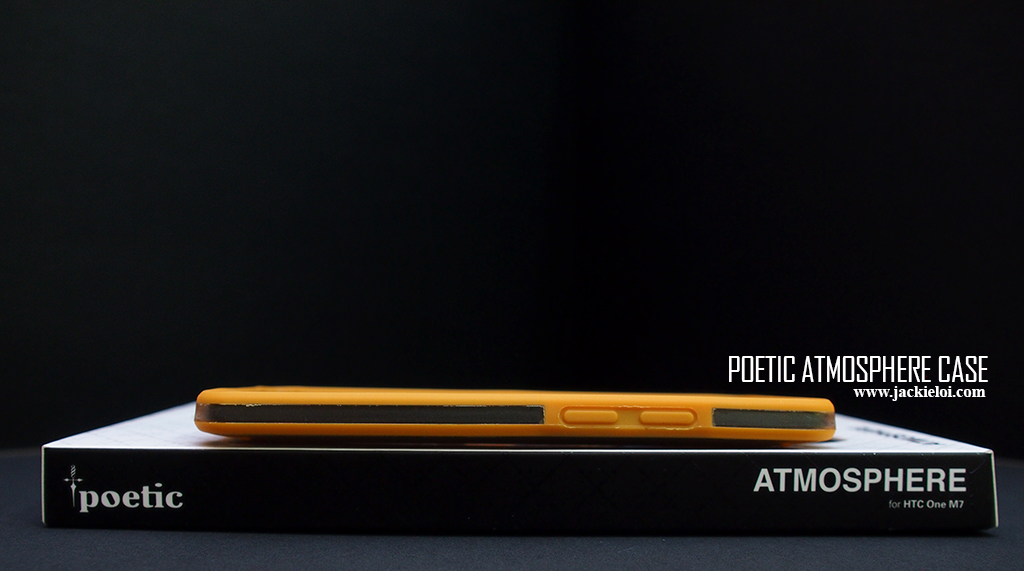
Here the photos of my Orange poetic + black HTC One
 » Click to show Spoiler - click again to hide... « No regret get orange  My quick review on Poetic - Very hard. Not soft like TPU case - Need push the phone abit to fully mount it - Abit hard to press power and volume button - The back side seem like will get scratch anytime soon - Definitely feel durable though I dun feel like drop my phone to test it out  This post has been edited by jloi: Jun 17 2013, 08:41 PM |
|
|
Jun 17 2013, 08:39 PM
|
|
Senior Member
5,220 posts Joined: Jan 2003
|
QUOTE(ss1st @ Jun 17 2013, 06:31 PM) +1 Haha better not say too much good things afterwards dhui increase price. Compared to poetic can buy alomost 8 casing here. Most importantly it looks even better than other much more expensive case and doesn't have the rough finishing like other more expensive cases. I got 4 colours.. white, red, grey and blue. Needed to exchange white and red due to small chip on the case but the other two was good. White and grey looks very close to original naked phone. Red looks more like pink when put on.I'm using the ultra slim case now as well. You've got to love the thin profile. Might sell off the Poetic Atmosphere Case if I can get a 1 to 1 exchange from Shirogawa. Btw when is the expected jellybean 4.2.2 upgrade for Malaysia? This post has been edited by DannyOP: Jun 17 2013, 08:49 PM |
|
|
Jun 17 2013, 08:43 PM
|

Senior Member
1,407 posts Joined: Jul 2009
|
QUOTE(qinshun87 @ Jun 17 2013, 08:22 PM) Guys. My stock weather widget still can't detect my real place. When I refresh it then it will pop up "unable to contact location service to update current location." Few weeks back we all experienced this. There is a Google location bug. I have tick the Google location service. Have anyone experience this? Can you check what is the version of your playstore. I'll try to find back the steps for you. |
|
|
Jun 17 2013, 08:48 PM
|
|
Senior Member
1,407 posts Joined: Jul 2009
|
QUOTE(qinshun87 @ Jun 17 2013, 08:22 PM) Guys. My stock weather widget still can't detect my real place. When I refresh it then it will pop up "unable to contact location service to update current location." http://www.androidpolice.com/2013/05/29/do...-1-10/#downloadI have tick the Google location service. Have anyone experience this? 1 - Update your play store to version 4.1.10. Currently 4.1.6. 2- Check your build version under settings in Play Store App. 3- If you don't want to wait, you can use the link above to download the manual update. 4- Once done, Install and check whether the Play Store version is indeed 4.1.10. 5- Reboot and after that it should be fine. Let me know if that solved your location bug |
|
|
Jun 17 2013, 09:13 PM
|

Junior Member
220 posts Joined: Mar 2013
|
hey guys, how to turn off sound recording in zoe?
|
|
|
Jun 17 2013, 10:04 PM
|

Junior Member
165 posts Joined: Aug 2008
|
QUOTE(ss1st @ Jun 17 2013, 04:42 PM) Received the Poetic Atmosphere Case this morning, but disappointed with the workmanship/finishing. I see...you can keep the case. No need to post it back. I will ask poetic for a replacement. [attachmentid=3492167]  |
|
|
|
|
|
Jun 17 2013, 10:10 PM
|

Junior Member
318 posts Joined: Jan 2011
|
Plan to trade in my S2 for HTC One. But seems One has many known issue like gap, power button, dead pixel. I will think twice then.
|
|
|
Jun 17 2013, 10:22 PM
|

Junior Member
128 posts Joined: Jul 2010
|
QUOTE(jloi @ Jun 17 2013, 08:36 PM) Here the photos of my Orange poetic + black HTC One DAYUMMMM, striking colours like orange looks damn good on black. » Click to show Spoiler - click again to hide... « No regret get orange My quick review on Poetic - Very hard. Not soft like TPU case - Need push the phone abit to fully mount it - Abit hard to press power and volume button - The back side seem like will get scratch anytime soon - Definitely feel durable though I dun feel like drop my phone to test it out Question for celcom user, the current micro sim cant support LTE? need to change again ka? |
|
|
Jun 17 2013, 10:27 PM
|
|
Senior Member
1,407 posts Joined: Jul 2009
|
QUOTE(crazeed @ Jun 17 2013, 10:22 PM) DAYUMMMM, striking colours like orange looks damn good on black. I think you have to change it again. The new sim card that theyQuestion for celcom user, the current micro sim cant support LTE? need to change again ka? gave specifically wrote 4G LTE. I just change my sim card few weeks back only. Today changed to a new one. |
|
|
Jun 17 2013, 10:28 PM
|

Senior Member
1,735 posts Joined: May 2011
|
Here some useful tips!
1) If you scroll with 2 fingers in contacts, gallery, music, and many other apps, it scrolls much faster (using it in the contacts list goes through the alphabet, using it in the text converstaion list goes through dates of conversations) 2) You can pinch zoom text-messages 3) Double tap your Bluetooth button with camera active to remotely take a snap 4) In camera, from the top swipe down and it'll switch from back to front camera and viceversa 5) Tapping on the statusbar while in the app drawer or blinkfeed, music, people, and message app brings you straight up 6) You don't have to pull up the lock or the time on the lock screen - swipe up anywhere to unlock your phone. Same goes for answering a call 7) You can increase the volume on your tv via the volume rocker on your phone instead of the on screen buttons 8) Quickly double tapping the home button brings up the recent apps list 9) Three finger swipe from left to right on the homescreen brings you to share files menu 10) You can adjust the brightness of the torch/flashlight with the volume rocker 11) Hold down the power button and tap the home key to take a screenshot 12) Holding the back button in the browser brings you to history 13) In the photo gallery's edit>effects screen (under the magic wand icon), you can customise every preset by tapping and holding its thumbnail and dragging it to the "customise" bar that appears on the right. You can even start applying custom effects from scratch by doing this with the "no effects" thumbnail. You can then save the created preset 14) If you have the camera app open and turn off the phone, the lockscreen will be inactive, meaning when you press the power button again you go straight back to the camera app, no need to unlock 15) Select "Show Magnifier" in the Accessibility menu and you get a magnifying lens that pops up when you are editing text[url=https://plus.google.com/108553426286922232002/posts/buiXdKBWQdY] https://plus.google.com/1085534262869222320...sts/buiXdKBWQdY[/url] Nephrite Pls add this to the first page... Very useful I think This post has been edited by sebastianX11: Jun 17 2013, 10:31 PM |
|
|
Jun 17 2013, 10:29 PM
|

Senior Member
1,073 posts Joined: Jan 2003 From: Cheras..KL
|
anymore poetic to show off, especially blue, red
|
|
|
Jun 17 2013, 10:30 PM
|
|
Senior Member
1,735 posts Joined: May 2011
|
QUOTE(crazeed @ Jun 17 2013, 10:22 PM) DAYUMMMM, striking colours like orange looks damn good on black. I had orange on my blackk oneQuestion for celcom user, the current micro sim cant support LTE? need to change again ka? My wife said its nice! |
|
|
Jun 17 2013, 10:33 PM
|

Senior Member
1,022 posts Joined: Jan 2003
|
QUOTE(sebastianX11 @ Jun 17 2013, 10:30 PM) I had orange on my blackk one Good strategy getting the wife involved and less hassle in justifyingMy wife said its nice! |
|
Topic ClosedOptions
|
| Change to: |  0.0213sec 0.0213sec
 0.72 0.72
 6 queries 6 queries
 GZIP Disabled GZIP Disabled
Time is now: 10th December 2025 - 01:06 AM |
 Quote
Quote