

Any recommended kernel for vanir rom?
○ Galaxy Nexus V23 ○, The Nexus lineage
○ Galaxy Nexus V23 ○, The Nexus lineage
|
|
 May 28 2013, 12:41 PM May 28 2013, 12:41 PM
Return to original view | Post
#1
|
 
Junior Member
147 posts Joined: May 2010 From: Malaysia  
|
Any recommended kernel for vanir rom?
|
|
|
|
|
|
May 28 2013, 04:58 PM
Return to original view | Post
#2
|
|
Junior Member
147 posts Joined: May 2010 From: Malaysia
|
QUOTE(haziqmck7 @ May 28 2013, 01:46 PM) have u try fancy? Nop.. I just try lean 6.6 +vanir (myscore drop 7769 to 5941).. |
|
|
May 28 2013, 05:00 PM
Return to original view | Post
#3
|
|
Junior Member
147 posts Joined: May 2010 From: Malaysia
|
QUOTE(kuance @ May 28 2013, 02:08 PM) you should try the underrated fancy Thanks for suggestions... goin'download now.. |
|
|
Jun 11 2013, 03:26 PM
Return to original view | Post
#4
|
|
Junior Member
147 posts Joined: May 2010 From: Malaysia
|
Just want to share...
 Update/Flash Stock Image without losing data/app (fastboot) **Already unlocked bootloader(for those who already flashing with any ROM & want back to Home) **Must remove userdata.img from image-xxx.zip (image-xxx.zip contains userdata.img) before "fastboot update image-xxx.zip" http://forum.xda-developers.com/showthread.php?t=1995482 by Freezer2000 |
|
|
Jun 25 2013, 12:23 AM
Return to original view | Post
#5
|
|
Junior Member
147 posts Joined: May 2010 From: Malaysia
|
QUOTE(IwanAGP @ Jun 22 2013, 10:27 AM) Written for a guy in orca project G+  To check for update: http://orcaproject.co/The_Orca_Project_-_A...oms/Maguro.html For updating your ROM, you'll need 1) ROM Zip File [http://goo.im/devs/drewgaren/maguro/Bigfoot/] 2) Gapps Zip File [http://goo.im/devs/paranoidandroid/roms/gapps/pa_gapps-full-4.2-20130610-signed.zip] 3) Custom Recovery for flashing those Zip Files Some explanations: ROM: For stability, RC>Milestone>Nightly [**** Milestone 2 for Maguro is not working, DO NOT download]. Nightlies: Built every day/once every few days, adding new features, not tested to be stable but usually I use them as daily driver Milestones: Released when the ROM is tested to be stable but some bugs still need to be solved RC (release candidate): More stable than Milestone, less bugs waiting to be fixed Gapps: Most commonly used-CM Gapps hosted at [goo.im/gapps] Orca Project is using ParanoidAndroid (PA) Gapps for the time being (link included earlier) Custom Recovery:- TWRP or CWM I recommend TWRP-To install/update, download goomanager from PlayStore - Press menu button (top right)->Install OpenRecoveryScripts CWM is the mother of custom recovery but I prefer TWRP as it's easier to install/update and TWRP supports USB-OTG for Flashing ROM/Backup/Restore To access Custom Recovery, 1) Press and Hold your power button when the phone is ON, choose Reboot->Recovery 2) Press and Hold all three buttons when the phone is OFF, press Volume UP until it shows RECOVERY, press Power Button to boot to Recovery. To flash/update a ROM: Download and store both ROM/Gapps Zip Files in your phone storage. Either Clean Flash or Dirty Flash- Clean Flash is always RECOMMENDED but it takes time to backup and restore so some people decided to do Dirty Flash instead. Clean Flash: 1) Backup all your apps: - Choose to use Titanium Backup or Helium. Drew recommended Helium and included them in the ROM. Backup everything (I use Titanium Backup, backup all user apps and selective system apps like Browser/Call Log/Alarms/Settings Storage etc) and restore them after flashing. *** Helium is recommended if you don't have paid version of Titanium Backup as the Free version needs you to press install when restoring apps, one-by-one. 2) Boot to Custom Recovery 3) Wipe/Factory Reset (Wipes all your apps/apps data but not user data-your images/music/videos) Do not use Advanced Wipe in TWRP until you know what it does  4) Install->Select ROM Zip File->Add more->Select Gapps Zip File. It must be ROM then only Gapps! Wait... Once it ends, select Wipe Dalvik/Cache then Reboot 5) Set it up like a new phone then you can restore your apps by using Titanium Backup or Helium. Dirty Flash: Basically same as clean flash, without Factory Reset (All apps/apps data intact) but will ****create problems (bootloop/force close etc) sometimes. 1) Backup all apps (to be safe) 2) Boot into Custom Recovery 3) Wipe->Advanced Wipe->Check ONLY DALVIK and CACHE 4) Install ROM+Gapps Zips->Wipe Dalvik/Cache again to be safe 5) Reboot, wait for Apps to update (rebuilding Dalvik Cache) then just use it as usual. Almost everything is intact, new settings/features will be included.  |
|
|
Jun 27 2013, 03:02 PM
Return to original view | Post
#6
|
|
Junior Member
147 posts Joined: May 2010 From: Malaysia
|
QUOTE(BenSow @ Jun 26 2013, 02:00 AM) All shown in the screenshot, but basically it's not much, I read I should get about 5 hours screen time before it dies, but with just 1hr 25m screen time mine already 10% :/ Hi, for battery reason give a try to ak kernel (not the latest one) go with 248* skl instead of 256. Reset first with stock kernel if already use custom kernel even frm ak too. BTW I can't flash CWM because the Android ADB driver doesnt detect it in fastboot mode, what can I do to flash the SU binary? :OOO SettingSet this setting with:     **(suggestion frm dev) For better baterry life recommended 248 instead 256. link: http://d-h.st/users/anarkia1976/?fld_id=14620#files |
|
|
|
|
|
Jul 2 2013, 06:15 PM
Return to original view | Post
#7
|
|
Junior Member
147 posts Joined: May 2010 From: Malaysia
|
Here some of my result, tested after clean flashing+restored same user-app/games:
PA3.60//AK248SKL  AK47-6.15//AK248SKL  PA3.60//AK256SKL  **Just dont know how to measure battery stats (b'coz... 24/7 wifi/2G+near charger hehee) all setting same like my share b4 ex-Contenst adaptive Bright OFF, All Min voltage (stock AK830) |
|
|
Jul 2 2013, 10:15 PM
Return to original view | Post
#8
|
|
Junior Member
147 posts Joined: May 2010 From: Malaysia
|
QUOTE(BenSow @ Jul 2 2013, 10:04 PM) In CWM it says /sdcard/clockworkmod/backups es file manager setting > tick show hidden file > exit I checked all clockworkmod folders in my phone but they are all empty :/ 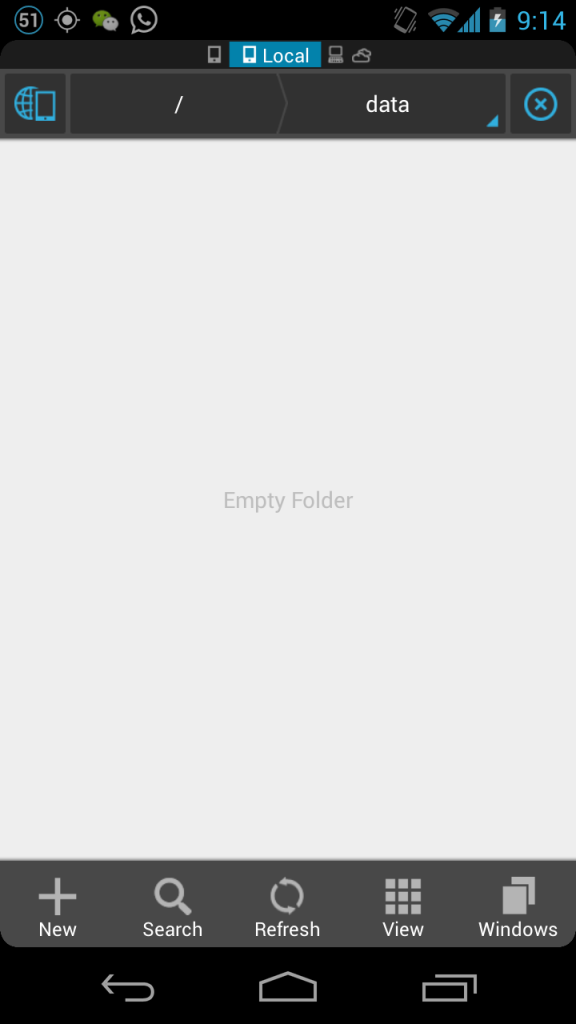 relaunch es file manager, go back to data/media/clockworkmod/... or install rom manager to located cwm backup |
|
|
Jul 3 2013, 12:50 AM
Return to original view | Post
#9
|
|
Junior Member
147 posts Joined: May 2010 From: Malaysia
|
QUOTE(BenSow @ Jul 2 2013, 10:30 PM) Installed ROM manager because show hidden files didn't work, but it says this open manage & restore?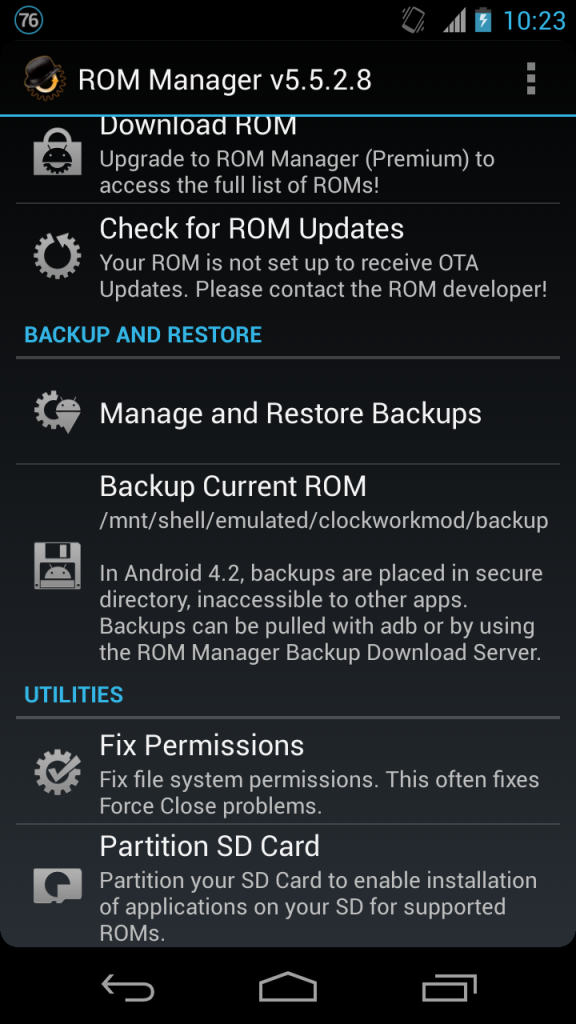 So can I safely assume a facoty reset or data wipe can't delete my backups? |
|
|
Jul 24 2013, 05:56 PM
Return to original view | Post
#10
|
|
Junior Member
147 posts Joined: May 2010 From: Malaysia
|
How to get it in malaysia? anyone here can order or know retail can make order for this?
http://www.youtube.com/watch?v=PO2ZsvwRMuY |
|
|
Jul 25 2013, 12:37 AM
Return to original view | Post
#11
|
|
Junior Member
147 posts Joined: May 2010 From: Malaysia
|
QUOTE(phantomash @ Jul 24 2013, 07:53 PM) It's not out yet, not even announced yet (that will be later tonight). It's only available for pre-order at certain parts of US. live nowOnce it's out someone will organize a group buy probably. This post has been edited by azlan79: Jul 25 2013, 12:39 AM |
|
|
Jul 25 2013, 12:54 AM
Return to original view | Post
#12
|
|
Junior Member
147 posts Joined: May 2010 From: Malaysia
|
deleted
This post has been edited by azlan79: Jul 25 2013, 01:01 AM |
|
|
Jul 25 2013, 01:03 AM
Return to original view | Post
#13
|
|
Junior Member
147 posts Joined: May 2010 From: Malaysia
|
QUOTE(vernon91 @ Jul 25 2013, 01:00 AM) ANdroid 4.3 has announced... OTA available starting today including Gnex  Lets flashing stock ROM Lets flashing stock ROM |
|
|
|
|
|
Jul 25 2013, 01:26 AM
Return to original view | Post
#14
|
|
Junior Member
147 posts Joined: May 2010 From: Malaysia
|
Thank you..
Same to me.... but I wanna flash it bcoz its released on my bday.. |
|
|
Jul 25 2013, 09:35 AM
Return to original view | Post
#15
|
|
Junior Member
147 posts Joined: May 2010 From: Malaysia
|
Already on 4.3 yakju rooted with S4 SuperSU... recovery TWRP
so far fine & really smooth, **cant restore 4.2 app from titanium backup..  (got error) but its really smooth, loading facebook macam kilat... (got error) but its really smooth, loading facebook macam kilat...This post has been edited by azlan79: Jul 25 2013, 09:38 AM |
|
|
Jul 25 2013, 03:48 PM
Return to original view | Post
#16
|
|
Junior Member
147 posts Joined: May 2010 From: Malaysia
|
QUOTE(LiMi @ Jul 25 2013, 09:42 AM) u manual root? yup.. nothing error, just cant restore app backup from titanium, others flawlessly.... with sdcard data untouched:and what error u got? 1. via Fastboot fastboot flash bootloader bootloader.img fastboot reboot-bootloader fastboot flash radio radio.img fastboot reboot-bootloader fastboot flash boot boot.img fastboot flash system system.img fastboot flash recovery recovery.img fastboot erase cache fastboot reboot 2.Flash TWRP 3. and flash SuperSU-JWR66N-S005-130625-1.41.zip via TWRP This post has been edited by azlan79: Jul 25 2013, 03:54 PM |
|
|
Jul 25 2013, 03:56 PM
Return to original view | Post
#17
|
|
Junior Member
147 posts Joined: May 2010 From: Malaysia
|
Here OTA link for 4.3 Yakju, if you want http://forum.xda-developers.com/showthread.php?t=2377390 This post has been edited by azlan79: Jul 25 2013, 03:58 PM |
|
|
Jul 25 2013, 05:41 PM
Return to original view | Post
#18
|
|
Junior Member
147 posts Joined: May 2010 From: Malaysia
|
on custom ROM or custom recovery?
I preferred factory image via fastboot w/ method skipping flashing userdata.img (Without losing sdcard data) unless OTA url originally from your phone... |
|
|
Jul 25 2013, 06:02 PM
Return to original view | Post
#19
|
|
Junior Member
147 posts Joined: May 2010 From: Malaysia
|
QUOTE(Chyan @ Jul 25 2013, 05:44 PM) I think I've found a fix. Change the backup location from 0 to 0/legacy by searching. It'll give you two options which is 0 and legacy Thanks You're awesome!!! just completed restored with zero error |
|
|
Jul 25 2013, 06:14 PM
Return to original view | Post
#20
|
|
Junior Member
147 posts Joined: May 2010 From: Malaysia
|
I think can but you must remove userdata.img from update.zip, better extract one by one la just a minute...
----------------- No, they are still compiling result +++ conflict with 4.3 This post has been edited by azlan79: Jul 25 2013, 06:16 PM |
|
Topic ClosedOptions
|
| Change to: |  0.0242sec 0.0242sec
 0.79 0.79
 7 queries 7 queries
 GZIP Disabled GZIP Disabled
Time is now: 16th December 2025 - 08:03 AM |
 Quote
Quote