

hmmm until now..ktrg still dont have htc one:(
{Official HTC One And The Only One Thread V3}, HTC Zoe/Blink Feed/Boom Sound/Sense 5
{Official HTC One And The Only One Thread V3}, HTC Zoe/Blink Feed/Boom Sound/Sense 5
|
|
 May 12 2013, 07:35 PM May 12 2013, 07:35 PM
|
 
Junior Member
292 posts Joined: Jun 2010 
|
hmmm until now..ktrg still dont have htc one:(
|
|
|
|
|
|
May 12 2013, 07:43 PM
|
|
Senior Member
1,163 posts Joined: Jul 2012
|
anyone here changed to htc one from xperia z
need to know their thoughts on both phone |
|
|
May 12 2013, 07:48 PM
|

Senior Member
5,893 posts Joined: Jun 2006 
|
haha
who so rich lol xperia z to htc one haha but so far is ok my back button.... just sometime not function hope like what they said update firmware will settle u guys got on the battery saver mode all the time ? |
|
|
May 12 2013, 07:49 PM
|

Junior Member
289 posts Joined: Oct 2005 From: Kuantan 
|
some sample photo
Night Mode  HDR     |
|
|
May 12 2013, 07:59 PM
|

Junior Member
168 posts Joined: Nov 2012
|
add me, htc one 32gb silver. what is malaysia htc one current firmware?? mine is 1.29.707.3
|
|
|
May 12 2013, 08:03 PM
|
|
Senior Member
5,893 posts Joined: Jun 2006
|
yup i also tat firmware version
u guys got enable the beats audio? |
|
|
|
|
|
May 12 2013, 08:08 PM
|
|
Junior Member
168 posts Joined: Nov 2012
|
QUOTE(silrave @ May 12 2013, 08:03 PM) yup i also tat firmware version i think with the beats audio enable i can hear the bass sound more, heee, u guys got enable the beats audio?  does anyone done with rooting their phone? |
|
|
May 12 2013, 08:18 PM
|

Senior Member
1,189 posts Joined: Dec 2009
|
any idea when maxis gonna have HTC One packages released?
 |
|
|
May 12 2013, 08:19 PM
|
|
Senior Member
5,893 posts Joined: Jun 2006
|
haha no so fast
cause i dont think i will change yet so far so good but u got enable power saver mode? |
|
|
May 12 2013, 08:22 PM
|

Senior Member
854 posts Joined: Mar 2007
|
Hi, TS please add me as well.
32GB Sliver. Thank you |
|
|
May 12 2013, 08:22 PM
|
|
Junior Member
168 posts Joined: Nov 2012
|
no, because i want to feel the power of snapdragon 600 processor!
 is it normal when my phone is become warm when downloading apps? im not start with gaming though |
|
|
May 12 2013, 08:26 PM
|

Junior Member
436 posts Joined: Apr 2011
|
QUOTE(silrave @ May 12 2013, 08:19 PM) haha no so fast I turned on power saver mode constantly. But I only ticked the option for underclocking the cpu.cause i dont think i will change yet so far so good but u got enable power saver mode? |
|
|
May 12 2013, 08:31 PM
|
|
Senior Member
5,893 posts Joined: Jun 2006
|
haha
for me i not sure yet i always on power saver mode and tick all may be later i fully charge 100 % go try switch on data and put power saver mode on see how is the battery run XD |
|
|
|
|
|
May 12 2013, 08:32 PM
|
|
Junior Member
110 posts Joined: Dec 2008
|
QUOTE(playxboxwii @ May 12 2013, 08:43 PM) anyone here changed to htc one from xperia z my bro hv Xperia Z.. review.. ok la.. but i still in love my HTC Oneneed to know their thoughts on both phone |
|
|
May 12 2013, 08:41 PM
|

Senior Member
1,214 posts Joined: Jul 2005 From: KaY El (KL) 
|
TS add me
 32gb Silver 32gb Silver |
|
|
May 12 2013, 08:44 PM
|
|
Junior Member
110 posts Joined: Dec 2008
|
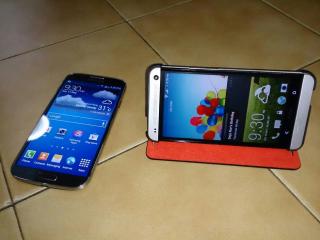
QUOTE(noramin @ May 12 2013, 09:32 PM) my bro hv Xperia Z.. review.. ok la.. but i still in love my HTC One Attached thumbnail(s) 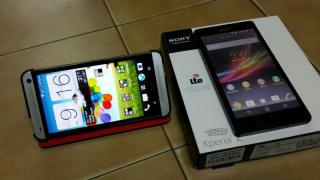
|
|
|
May 12 2013, 08:48 PM
|

Senior Member
1,719 posts Joined: Jan 2011
|
QUOTE(noramin @ May 12 2013, 08:44 PM) i saw what u did with ur wallpaper |
|
|
May 12 2013, 08:48 PM
|

Junior Member
436 posts Joined: Nov 2012
|
Did my pre order today, will get the phone one Wed.
Hopefully it will be awesome as i think. btw TS add me in 32gb silver  This post has been edited by uncle_toufu: May 12 2013, 09:45 PM |
|
|
May 12 2013, 08:51 PM
|
|
Junior Member
110 posts Joined: Dec 2008
|
QUOTE(douglas_tong @ May 12 2013, 09:48 PM) this case from digi? nope.. i buy it at HTC shop.. because i bought my HO by walk in at DIGIi saw what u did with ur wallpaper This post has been edited by noramin: May 12 2013, 08:52 PM |
|
|
May 12 2013, 08:51 PM
|

Senior Member
2,562 posts Joined: Jan 2003
|
The HTC One might just be the best-looking smartphone on the market right now. It’s a real head-turner, the kind of phone that you’d leave your current phone for. At first everything’s perfect, but then you realize that the HTC One has issues. Don’t get us wrong, it’s a really solid smartphone (check out our HTC One review for the full story), but every smartphone has its flaws. In this article, we’ll round up the most commonly reported HTC One problems and try to offer up some solutions for anyone suffering from this beautiful phone’s known issues.
Problem: Background noise or static A number of people have been complaining about a buzzing sound or background static. The problem is most common through the speakers, but can be heard when using headphones as well. Some people report hissing through the headphones when listening to music, especially noticeable during gaps in the audio. Others are reporting popping sounds from the speakers, most noticeably after notifications come in. There is also hissing for some during voice calls. It’s not clear whether this is a hardware or software issue. Some people have returned their handsets for replacements and report the exact same problem occurring on the new one as well. Workarounds: You may not be able to get rid of the problem entirely, but you can reduce it by turning off Beats Audio via the gear icon in the Notifications panel. Some people report that having NFC turned on makes it worse as well, so turn that off, too. Possible solutions: There might be a software update eventually that will address this issue, but HTC hasn’t confirmed the problem, so there’s no guarantee. You can try getting a replacement handset in the hope that it’s a hardware issue and the new one won’t have the same problem. There are plenty of people reporting that they have no audio issues with their HTC One handsets. Contact HTC, your retailer, or carrier to report the issue. Problem: Gaps, rough edges, bulges, or scratches It seems that some HTC One handsets shipped in less than perfect condition. There have been several reports of build quality problems with gaps between the plastic and metal, strange bulges, mysterious scratches on the body, and edges that feel rough to the touch. Solution: This is really straightforward and there’s only one course of action to take. If you’re unhappy with the build quality of your HTC One, you should return it. Contact the retailer where you bought it, explain the problem, and you’ll get a replacement handset. Problem: Proximity sensors not working A few people have reported that their sensors aren’t working correctly. You may notice that the capacitive buttons don’t light up and this could actually be a sign that the sensor isn’t working. Try covering the sensors (top left) with your finger and see if the capacitive buttons light up. You can also test the sensors using a free app called Android Sensor Box. Solution: If they aren’t working then it’s a hardware fault and you’ll have to return the phone and get a replacement. Problem: Unresponsive Home or Back buttons Many owners have highlighted an issue with the capacitive Home and Back buttons either side of the HTC logo beneath the screen. It seems they are unresponsive some of the time. This might be a bigger problem if you are using a screen protector. If this is a software issue, HTC will release an update to fix it at some point, but in the meantime there is something you can try. Workaround: If you tap lock and then unlock, or tap on the touchscreen and then try the buttons again, you might find that they are more responsive. Possible solutions: Go to Settings > Language & keyboard > HTC Sense input > Advanced > Calibration tool and just use a very light touch to calibrate. You should now find that the Home and Back keys are a little more responsive. You could turn on Vibrate feedback in Settings > Sound to make sure that you are touching the button correctly (apparently the capacitive area is small and you have to be precise). Problem: Dead or stuck pixels There have been quite a few complaints about dead pixels (pixels which won’t light up at all) and stuck pixels (pixels which stay permanently on) on new HTC One handsets. Possible solutions: You can try an app like Dead Pixel Detect and Fix and see if it helps. You can return the handset and get a replacement. Problem: Takes a long time to charge The HTC One does have a bigger battery than many smartphones, rated at 2,300mAh, and some owners have been complaining that it takes a long time to charge. You may be used to your smartphone being fully charged within three hours, but the HTC One is likely to take four hours or longer. Apparently HTC has taken precautions to ensure that the battery lasts (since it isn’t removable) and this partly accounts for the longer charging time. If it seems to be taking a lot longer than that then there are a couple of things worth checking. Possible solutions: Are you using the charger that shipped with the phone? If you’re using an older charger or plugging it into your computer via USB to charge, then it will take longer. If you are using the charger that came with your HTC One, then you might try a different charger, just to make sure that the original isn’t faulty. Have you got a lot of apps running on the phone while it is charging? The less that’s active and syncing, the faster the phone will charge. |
|
Topic ClosedOptions
|
| Change to: |  0.0279sec 0.0279sec
 0.28 0.28
 6 queries 6 queries
 GZIP Disabled GZIP Disabled
Time is now: 10th December 2025 - 12:26 AM |
 Quote
Quote