

QUOTE(azha1234 @ May 28 2013, 04:41 PM)
DONE ROOT... are there custom ROM for this cutie phone?

Alcatel One Touch Glory 2S [Official Thread], AKA T'POP
|
|
 May 28 2013, 04:44 PM May 28 2013, 04:44 PM
Return to original view | Post
#1
|
 
Junior Member
122 posts Joined: Feb 2006  
|
which method did u used?
QUOTE(azha1234 @ May 28 2013, 04:41 PM) DONE ROOT... are there custom ROM for this cutie phone? |
|
|
|
|
|
May 28 2013, 05:00 PM
Return to original view | Post
#2
|
|
Junior Member
122 posts Joined: Feb 2006
|
mygun cant detect my phone. Is there any other software to install before start the mygun software?
QUOTE(azha1234 @ May 28 2013, 04:58 PM) i use mygun. is very easy. follow the picture just click and wait. then DONE ROOT. |
|
|
May 28 2013, 05:02 PM
Return to original view | Post
#3
|
|
Junior Member
122 posts Joined: Feb 2006
|
Is this the correct software? sorry, noob in rooting
Attached thumbnail(s) 
|
|
|
May 28 2013, 05:05 PM
Return to original view | Post
#4
|
|
Junior Member
122 posts Joined: Feb 2006
|
need to install onetouchmanager? QUOTE(azha1234 @ May 28 2013, 05:04 PM) yes. u must have ONE TOUCH UPGRADE S.2.7.5-> from my fren info, this to make the pc reconizze the phone. and make sure the window is updated. |
|
|
May 28 2013, 05:10 PM
Return to original view | Post
#5
|
|
Junior Member
122 posts Joined: Feb 2006
|
ok, take noted.
QUOTE(ninask @ May 28 2013, 05:09 PM) Install universal adb driver in ur pc install pdanet+ in ur phone and try again. despite what others say abt pdanet, no harm trying. good luck! |
|
|
May 28 2013, 05:17 PM
Return to original view | Post
#6
|
|
Junior Member
122 posts Joined: Feb 2006
|
Thanks guys, downloading it all now. Thanks again.
QUOTE(ninask @ May 28 2013, 05:13 PM) haha i came from melawati, boss. dkt kl mmg dah takde stock. customer lain pun tekejut tau saya dr melawati. yup, essential. |
|
|
|
|
|
May 28 2013, 08:06 PM
Return to original view | Post
#7
|
|
Junior Member
122 posts Joined: Feb 2006
|
I ve done all steps above but how to know that my phone have been rooted?
|
|
|
May 28 2013, 08:37 PM
Return to original view | Post
#8
|
|
Junior Member
122 posts Joined: Feb 2006
|
I got this page after the steps, is this rooted or not?
Attached thumbnail(s) 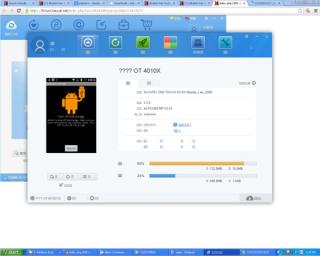
|
|
|
May 29 2013, 03:04 PM
Return to original view | Post
#9
|
|
Junior Member
122 posts Joined: Feb 2006
|
anybody got a bluetooth problem? bluetooth in my phone is not functioning.
|
|
|
Jun 3 2013, 02:07 PM
Return to original view | Post
#10
|
|
Junior Member
122 posts Joined: Feb 2006
|
Just continue and click OK
QUOTE(Mr. Ray_rAy @ Jun 3 2013, 01:58 PM) Hi everyone, I tried to use to do perform sd card partitioning, then i stuck at this step. There is a warning pop out that state" The new created partition cannot be used in Window. Because Window could only recognise the first partition on a removable disk." What is the solution to this??? Plz help me.  |
|
|
Jun 3 2013, 02:11 PM
Return to original view | Post
#11
|
|
Junior Member
122 posts Joined: Feb 2006
|
Yes, just continue
QUOTE(Mr. Ray_rAy @ Jun 3 2013, 02:08 PM) By the way, I learned the way to peform sd partitoning through here http://forum.xda-developers.com/wiki/SD_card_partitioning and stuck at at the second partitioning. |
|
|
Jun 3 2013, 02:12 PM
Return to original view | Post
#12
|
|
Junior Member
122 posts Joined: Feb 2006
|
U using minitool?
QUOTE(Mr. Ray_rAy @ Jun 3 2013, 02:11 PM) Yeah, I did that. But for the file system, I cant select ext2, which is supposed to be selected according to here http://forum.xda-developers.com/wiki/SD_card_partitioning, as for my case, only got NTSF and unformatted available for selection. How then??? |
|
|
Jun 3 2013, 02:16 PM
Return to original view | Post
#13
|
|
Junior Member
122 posts Joined: Feb 2006
|
u cancel all steps that u have done and try to follow my way. Dont delete the sd, resize it instead.
|
|
|
|
|
|
Jun 3 2013, 02:20 PM
Return to original view | Post
#14
|
|
Junior Member
122 posts Joined: Feb 2006
|
right click the sd and resize it. done that?
QUOTE(Mr. Ray_rAy @ Jun 3 2013, 02:18 PM) Ok  , Thanks a lot. , Thanks a lot.  Plz show me the way then. Plz show me the way then.  |
|
|
Jun 3 2013, 02:26 PM
Return to original view | Post
#15
|
|
Junior Member
122 posts Joined: Feb 2006
|
go here:
https://www.youtube.com/watch?v=Cygl0qZnbaM QUOTE(Mr. Ray_rAy @ Jun 3 2013, 02:23 PM) Cannot la.....I ahve done the first one by selecting the file system: FAT. Onli for the second one Select "File System:" ext2 - for App2SD, i cannot do it......Dont quite get it. Sorry, Im quite noob in this.... |
|
|
Jun 3 2013, 02:38 PM
Return to original view | Post
#16
|
|
Junior Member
122 posts Joined: Feb 2006
|
Just follow all steps in the video.
QUOTE(Mr. Ray_rAy @ Jun 3 2013, 02:31 PM) And for the part choose your ext2 partition size, I juz follow the tutorial from the youtube video or wat?? And for the cluster size??? My sd card is only 2 gb..... |
|
|
Jun 3 2013, 02:48 PM
Return to original view | Post
#17
|
|
Junior Member
122 posts Joined: Feb 2006
|
No problem.
 QUOTE(Mr. Ray_rAy @ Jun 3 2013, 02:41 PM) Ok, thank you very much wanfumi. I really appreciate it a lot. Thanks a millions times.  |
|
Topic ClosedOptions
|
| Change to: |  0.0434sec 0.0434sec
 0.31 0.31
 7 queries 7 queries
 GZIP Disabled GZIP Disabled
Time is now: 1st December 2025 - 11:01 PM |
 Quote
Quote