Welcome Guest ( Log In | Register )

Outline · [ Standard ] · Linear+

Technical Xbox 360 and LCD monitors or ur normal tv, Feedback that'll ease ur decision making

views
     
Gurdian
post Dec 11 2006, 01:19 AM


******
Senior Member
1,648 posts

Joined: Jan 2003
From: PJ, Malaysia
how much of a quality difference is there between the original xbox vga cable and the third party ones such as the ones sold by kent82?

is there like a better thirdparty vga cable among all these thirdparty brands?
Gurdian
post Dec 12 2006, 10:56 PM


******
Senior Member
1,648 posts

Joined: Jan 2003
From: PJ, Malaysia
^^

anybody?
Gurdian
post Dec 12 2006, 11:51 PM


******
Senior Member
1,648 posts

Joined: Jan 2003
From: PJ, Malaysia
QUOTE(Gurdian @ Dec 11 2006, 01:19 AM)
how much of a quality difference is there between the original xbox vga cable and the third party ones such as the ones sold by kent82?

is there like a better thirdparty vga cable among all these thirdparty brands?
*
can anybody answer my question?
Gurdian
post Dec 13 2006, 01:04 AM


******
Senior Member
1,648 posts

Joined: Jan 2003
From: PJ, Malaysia
thanks mikelee, appreciate you digging through the thread for me
Gurdian
post Dec 14 2006, 08:47 AM


******
Senior Member
1,648 posts

Joined: Jan 2003
From: PJ, Malaysia
looks like vga on the 2407 is gonna be bright and washed out...goddemmit...

how bad is the 'graininess' using component with 2407? any pics?
Gurdian
post Dec 22 2006, 12:29 PM


******
Senior Member
1,648 posts

Joined: Jan 2003
From: PJ, Malaysia
hey k8118k, there were reports that the x360 on component with 2407 provides grainy artifacts or something like that...could you confirm this? or is it crispy clear in your opinion on component with a 2407?

fast fast get the fall update and show us 1080p vga....really hoping my 2407 can use for x360 without washed out colours
Gurdian
post Dec 22 2006, 12:47 PM


******
Senior Member
1,648 posts

Joined: Jan 2003
From: PJ, Malaysia
i no try myself cuz no x360 tongue.gif

basically i just wanna know what you think about the image quality using component with 2407 cuz they were ppl saying that it has a certain 'graininess' to it.

the vga apparently provides crisp clear images but at the cost of washed out colours...

so basically:

component - perfect colours, but possibility of grainy images
vga - perfect image, but washed out colours

do note that the 2407 is the only model plagued with grainy component images...the 2405 is not...which is why alotta ppl feel shortchanged buying the 2407 as the component input is somewhat 'crippled' and it doesn't do 1:1 scaling for 1080p
Gurdian
post Dec 22 2006, 11:21 PM


******
Senior Member
1,648 posts

Joined: Jan 2003
From: PJ, Malaysia
QUOTE(k8118k @ Dec 22 2006, 10:44 PM)
omg......2407 didnt support 1080p...................
*
you sure bout that dude?

alotta ppl have already got 1080p working with the 2407...

make sure you got the fall update, and using vga cuz component won't do 1080p

u might wanna check this out:
http://forums.us.dell.com/supportforums/bo...essage.id=68504

This post has been edited by Gurdian: Dec 22 2006, 11:27 PM
Gurdian
post Dec 24 2006, 04:04 AM


******
Senior Member
1,648 posts

Joined: Jan 2003
From: PJ, Malaysia
oh man...to think i was gonna buy a 3rd party cable...

if the quality like that i'm gonna stay away from it. Thanks for the heads up deodorant.

Anybody got 2nd hand ori vga cable for sale? PM me pls...tq
Gurdian
post Jan 6 2007, 03:22 PM


******
Senior Member
1,648 posts

Joined: Jan 2003
From: PJ, Malaysia
QUOTE(aegis`- @ Jan 6 2007, 01:55 PM)
ok good for me but the component input really suck
u need the vga cable to perform running at highest reso 1900x1xxx something i forgot tongue.gif
but i get to see some transparent horizontal lines on the dashboard
i duno what is it but im using 3rd party cables
plan to switch them to microsoft
*
if u're using 1080p on 2407 vga, reduce sharpness to 30 otherwise u'll see those lines...

stupid 2407 damn crippled

This post has been edited by Gurdian: Jan 6 2007, 03:22 PM
Gurdian
post Jan 6 2007, 07:35 PM


******
Senior Member
1,648 posts

Joined: Jan 2003
From: PJ, Malaysia
the 2407 is a fantastic monitor with a fantastic price if you're gonna use it for a PC. Quality is fantastic and I'm still happy with my purchase...

Sadly, running it with the xbox 360 results in some irritation due to poor component implementation, no 1:1 scaling for 1080p, and those silly half-visible vertical lines you get unless you reduce sharpness to 30 from 50.

Other than that, running at 720p or 1360x768 still looks fantastic and till today I'm still squinting my eyes to see the minimal difference of 1360x768 and 1080p (of course, if you had a larger screen, say 32" you'd see the difference immediately). Hence, the difference between 720p and 1080p on the 24" 2407 is very minimal.

whew.
Gurdian
post Jan 6 2007, 09:10 PM


******
Senior Member
1,648 posts

Joined: Jan 2003
From: PJ, Malaysia
QUOTE(prazole @ Jan 6 2007, 08:23 PM)
gurdian.. i want to ask..
since u have it... i assume u run 1080p using VGA.. and its 16:10 right
so some game will have distortion.. and some games have black bars right?
what u mean by 1:1 scaling?
*
ALL games and movies run slightly stretched when using 1080p on the 2407.

This problem roots back to when the 2407 was first released, after a certain resolution, (i think 1600x1200 or 1680x1050, i can't remember), the "1:1" and "Aspect" scaling options are greyed out for some goddamn reason and all you're left with is "Full" which basically stretches the image to fill the whole screen irregardless of resolution or aspect ratio.

However, run the x360 on 1360x768 or lower, you'll have those options.
1:1 will display an image according to the amount of pixels that are being used. If you used 640x480, means u'll have a black bars all around, top, bottom, left and right of the image u are displaying.

"Aspect" will stretch the image to fill the screen but will maintain the proper aspect ratio, in our case, 16:9. As a result, you would want to play 720p on aspect as it stretches to fill the screen instead of playing "1:1" and have a small screen in the center.

So coming back to our case...2407 owners will have a choice:

1. Run at 1080p and enjoy a VERY SLIGHTLY stretched image which is almost unnoticable in games (but rather revealing when watching movies).

2. Run at a lower res and have a properly scaled image with very small black bars on the top and bottom.

Personally, I run at 1280x768 on "Aspect" mode as it provides the smallest black bars possible. 1360x768 may be a higher res, but the black bars are thicker. Heck, I change between those two all the time.

As I've mentioned in my previous post, I've stared and stared and stared at 1080p and compared it with 720p and there is only a VERY MINIMAL difference due to the 2407 being only 24".

*gasp* *wheeze*

At the end of the day, sitting in my room playing the 360 with the 2407 is still a fantastic budget HD experience. Plus it is a fantastic PC monitor with a shitload (1920x1200) of viewing space and movies and web browsing is an enjoyable activity.

This post has been edited by Gurdian: Jan 6 2007, 10:23 PM

Gurdian
post Jan 6 2007, 09:29 PM


******
Senior Member
1,648 posts

Joined: Jan 2003
From: PJ, Malaysia
QUOTE(aegis`- @ Jan 6 2007, 08:56 PM)
ah thx change sharpness and got the screen tearing done
whats ur best contrast and brightness and pixel setting anything there i shld set to have the best viewing experience?
*
sorry i didn't reply ur pm about finding the sharpness setting, aegis. Was writing the grandmother story post above ^^. Glad you found it.

Pixel setting, well, read the grandmother story ending.

Contrast and brightness really depends on personal preference.
But this is what I do:

Set reso to 1280x720.
Set 2407 setting to "Aspect"
Load up the "Making Titanic" video.
While Mr. Cameron is talking about how much he rocks, pause the video.
What you should notice by now is two black bars that are BRIGHTER than the outer black bars. These darker black bars are simply the unused pixels of the monitor.

Adjust your BRIGHTNESS until those bright black bars become the same shade of black as the "black" black bars and you should have a decent picture with decent colour. I managed to align the blacks at brightness 24.

As for contrast, push it up to 60 or 65 but no more than 70 because the higher you go, the more washed out the colours become. We only want our whites and blacks to stand out better so don't tweak too much.

Note: When you adjust the brightness, and shift to dvi (where my pc is connected), the brightness for the DVI is affected as well. I got use to brightness 24 for my desktop instead of the default 50 and actually found it more comfortable and pleasing to the eye, as any 2407 owner will tell you, using the monitor on the default brightness levels sometimes requires you to wear sunglasses as the brightness is just staggering.

edit: It is impossible to get a picture and colour quality on the 2407 that is equal to a rm5000 lcd tv such as the samsung r7 or even a conventional CRT tv. Remember for RM2300-2400 (I paid RM2900 btw tongue.gif) it's pretty good edi ler...

This post has been edited by Gurdian: Jan 6 2007, 09:34 PM
Gurdian
post Jan 9 2007, 01:58 PM


******
Senior Member
1,648 posts

Joined: Jan 2003
From: PJ, Malaysia
QUOTE(redbull_y2k @ Jan 9 2007, 01:15 PM)
Rite now i'm considering to sell my Dell 2007WFP to get the Dell 2407WFP instead. Hmmmm....  hmm.gif
*
i don't really recommend that redbull, your 2007 is an excellent monitor for the x360 already...extra 4" is really no biggie...

furthermore, judging from your system specs on ur sig, 1920x1200 pc gaming might not be suitable for fluid frame rates.

If u wanna go bigger, then invest either in a decent 1080p lcd tv, or wait for the new 24" benq revision (with scaling fix) to reach MY. But God only knows how long that's gonna take...
Gurdian
post Jan 10 2007, 11:46 PM


******
Senior Member
1,648 posts

Joined: Jan 2003
From: PJ, Malaysia
QUOTE(brabus55 @ Jan 10 2007, 11:43 PM)
today..went to lowyat..went to see benq 24 inch 1080p monitor..price is 3099...but the quality is SUPERB!! ran 1080p demo..really nice..limited units..only 3 units so far at that shop..
*
looks like the fp241w are finally popping up...

hopefully it's the the fp241wZ with the updated firmware for 1:1 scaling fix...
Gurdian
post Jan 10 2007, 11:53 PM


******
Senior Member
1,648 posts

Joined: Jan 2003
From: PJ, Malaysia
QUOTE(brabus55 @ Jan 10 2007, 11:50 PM)
the one i saw is not wZ..fp241w..cannot sleep la tonite..that thing,it looks good..
*
err, then stay away from it then. Might as well save yourself RM500 and buy a 2407 with the same damn 1:1 defect.

Unless you think the HDMI input is worth RM500...

This post has been edited by Gurdian: Jan 10 2007, 11:54 PM
Gurdian
post Jan 14 2007, 12:59 PM


******
Senior Member
1,648 posts

Joined: Jan 2003
From: PJ, Malaysia
well, if local benq support provides the firmware upgrade...i'll be selling my 2407 pretty darn soon
Gurdian
post Jan 14 2007, 04:29 PM


******
Senior Member
1,648 posts

Joined: Jan 2003
From: PJ, Malaysia
QUOTE(prazole @ Jan 14 2007, 02:24 PM)
whats wrong with ur 2407? izzit no HDMI that is bothering u ?
*
no hdmi is a small matter. I can simply just buy a HDMI->DVI converter.

It's the lack of 1:1 scaling for 1080p that annoys me...
Gurdian
post Jan 15 2007, 02:32 AM


******
Senior Member
1,648 posts

Joined: Jan 2003
From: PJ, Malaysia
i know it supports 1080p....

but does it stretch the 1920x1080 pixels to the 1920x1200 screen?
the 'old' stock of benq's stretch it

the new firmware fixes this, thus, giving us the tiny black bars on the top and bottom...

so brabus, any chance of you checking the shops, ask them to set the desktop reso to 1920x1080 (u'll prolly need some custom software to get that reso, unless u;re using nvidia GC, u can ask the monitor to function as 1080p HDTV)
Gurdian
post Jan 16 2007, 09:31 AM


******
Senior Member
1,648 posts

Joined: Jan 2003
From: PJ, Malaysia
was reading In.Tech just now...realized the dell 27" 2707WFP has reached Malaysian shores...

Pretty impressive how it's available here so fast. I'd expect it to go the usual rounds in Japan, UK and US before we finally get a piece...

cost a whopping RM5999...lol

even the 30" is cheaper @ RM4999 with cash rebates.

But then again, you'd need some 8800 sli going on to run games @ 2560 x 1600.
The 27" has a native reso of 1920x1200.

I wonder how it handles 1:1 scaling for 1920x1080...

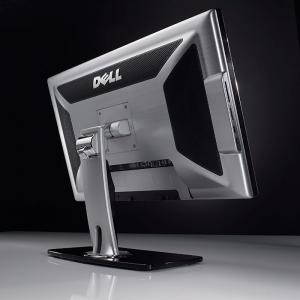
edit: Some pics I found...

This post has been edited by Gurdian: Jan 16 2007, 09:50 AM


Attached thumbnail(s)
Attached Image Attached Image

2 Pages  1 2 >Top
 

Change to:
| Lo-Fi Version
0.0314sec    0.27    7 queries    GZIP Disabled
Time is now: 3rd December 2025 - 01:12 AM