QUOTE(xxboxx @ Dec 13 2006, 08:41 PM)
heard that using vga connection, the colour will look washed out a bit. like the orange will become red, and black is not really black.
Yeah. I have the official Xbxo360 VGA cable and the pictures are very bright and colours washed out. Blacks not rich and turned out gray.
QUOTE(UnUsUaL @ Dec 13 2006, 10:14 PM)
Xbox360 / Original Component HD AV Cable / Dell 2405FPW
Looks pretty ok for me, sorry i dont have VGA cable.
QUOTE(welwitchia @ Dec 14 2006, 12:13 AM)
For those using VGA on the Dell 2405, I'm sure u'll noticed that the colors are all washed out compared to the components. However, there is a way to "fix" it.
Below is what i got from Hardforums.
------------
[i]It requires going into the service menu while the vga is connected. Under the special factory settings hidden screen there are some settings for adjusting vga signals.
offset1: R G B
offset2: R G B
Gain : R G B.
I tried connecting the Dell using the component cable that came with my unit. The colours look great and rich! Blacks are darker and almost matching the black in the pop-up settings menu. But I think the cable I have is not right for my monitor.
The cable that I have
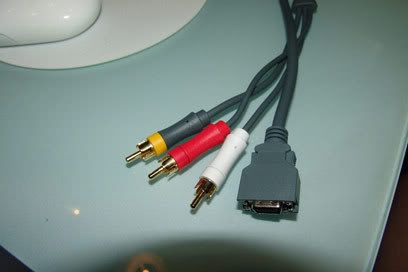
Is this the cable that I need?
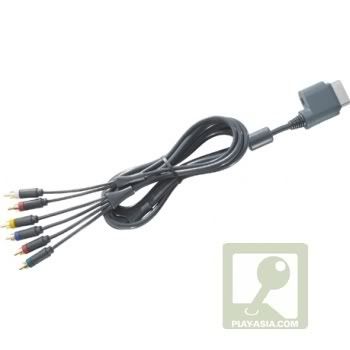
Because with my current component cable that came with my machine, I can only achive 420p. It says HDTV output disabled. "Your Xbox360 component HD AV cable is currently set to TV" But when I switch to HD, the screen goes blank.
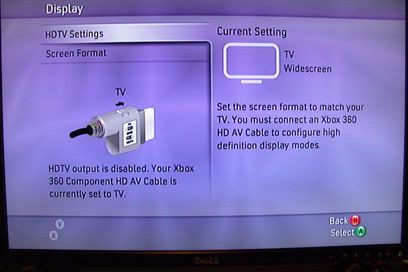
Any help will be appreciated. Thank you.
This post has been edited by ps360: Dec 15 2006, 11:39 AM 

 Dec 14 2006, 12:18 AM


 Quote
Quote



 (for 1080p materials). but for a normal computer use.. that 2407 rocks.
  and its only 2.5k (online price)


 get the entry E207WFP, rm~1k only... response is 5ms.


 0.0230sec
 0.31
0.31
 6 queries
 GZIP Disabled