

 Apr 2 2013, 10:58 AM


QUOTE(girl83 @ Apr 2 2013, 10:49 AM)
I also have. what is this actually?

These are audiout wakelocks. You need to identify each app that uses audio and uninstall it . Than reinstall back each one by one. At each reinstall , allow phone to idle for 30 mins and than see whether you see such wakelocks appearing. Continue to do so until you find the culprit appSome said it is also due to user selected sounds in settings - try disable such sounds except for calls, SMS,MMS, mails, whatsapp etc
It is strange such apps will only affect certain roms/or even phone models only
i have this serious wakelock audiout problem only in my Butterfly and i traced it to Vol+ app; removing it eliminate these audiout wakelock. It was irritating than , for every hour phone is idle, this wakelock shows 1 hour active
This post has been edited by benny888: Apr 2 2013, 10:58 AM
 Quote
Quote


 1gadget is online shop? Is it trustworthy? Samsung ori set?
 so does that mean i need to check everyday?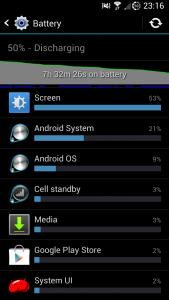


 0.0267sec
 0.52
0.52
 7 queries
 GZIP Disabled