Welcome to V18 of official LYN thread for the Galaxy Note II
LYN Forum Rules: https://forum.lowyat.net/index.php?act=boardrules "The official language of Lowyat.NET is the English language. All threads and posts must be in English, with the exception of specific, designated threads in the Kopitiam, and limited use to convey a specific expression or interjection."
With the kind permission of XeactorZ, the TS of S3 thread, I reproduce some content which is relevant for us as well since both the Note 2 and S3 share a lot of similarities.
1. Strictly no discussions on warez/cracks or pirated apps. Please keep the thread CLEAN from such illegal stuff 2. Do NOT ask for links to such apps or links to get free apps which need to be paid for 3. Do NOT post links or references to such sites that promote downloads of pirated, cracked, warez apps 4. Any requests or demands for apps specified under points 1 to 3 will be outright ignored and will attract warning and suspensions from the mods. The community will help in the policing. 5. Please be civil and polite in your posts. Saying "Please" goes a long way. 6. Posts / assistance given in this thread are on a voluntary basis by the members and please respect that. 7. Readers are advised to try out any suggestions at their own risk. 8. Learn to use "Search Topic" at bottom left of each page before asking. Do not blame others if you don't know how to form a search term. 9. Read the first page if you have a question. Then read for 10 pages, AND the last 10 pages of a thread BEFORE YOU ASK ANYTHING.
10. READ UP THE BASICS BEFORE YOU START ASKING HERE!! BASIC QUESTIONS WILL NOT BE ENTERTAINED
Mini Directory Post 01 - General overview, key features, telco plans (this post) Post 02 - Owners' lists (SME/AP/LTE), Review/Testimonies by Owners, Confessions, Previous Threads, Scam Alerts Post 03 - Additional information related to Note 2 basic operation and common issues Post 04 - Introduction to Rooting and some intermediate level operations - Part 1 Post 05 - Introduction to Rooting and some intermediate level operations - Part 2 Post 06 - Resources for Advanced topics (ROMS, Mods, TriangleAway etc) Post 07 - Useful Applications Post 08 - Resident Experts Post 09 - Peripheral stuff (Accessories, Cases, Homescreens, Themes etc) Post 10 - Miscellaneous Tips and Tricks
This is a VERY QUICK GUIDE if you need to ask for help. PLEASE FOLLOW THESE GUIDELINES:
If you need to see a doctor, you will describe your symptoms to aid diagnosis. Likewise please provide us with information to help you.
Please provide the following minimum information: 1. Rooted or non-rooted (optionally odexed or deodexed) 2. Stock or custom ROM + version 3. Stock or custom kernel + version 4. Stock or custom recovery + version 5. Baseband (or Radio) version (if required) 6. Any mods or frameworks added
Where can you get these values? Go to Settings > Scroll ALL THE WAY DOWN and click "About device". You will get a screen like below.
» Click to show Spoiler - click again to hide... «
Android Version shows the major Android version. Current latest version for Note 2 is 4.1.2 (Feb 2013) Baseband version is your "Radio" version. It controls settings related to mobile network connection. (item 5 above) Kernel version is for the kernel (item 3 above) Build number is your ROM version (item 2 above)
Launched in Malaysia 11th October, 2012. In stores from 19th October,2012
Malaysia has the N7100 model by Samsung Malaysia. The N7105 LTE model may be obtained from other importers but LTE coverage is very limited as of now (Q1 2013)
Latest firmware for Malaysia: N7100XXDMB4 Android 4.1.2, Week 3, Feb 2013.
You may also get an "unable to access server" message like in the pic link below. This just means that the Samsung update server is full. Try again at another time. Patience is virtue. https://forum.lowyat.net/index.php?act=Atta...post&id=3305103
DO NOT ASK WHAT HAS CHANGED COMPARED TO THE LAST VERSION(s). Samsung does not provide any meaningful changelogs.
For those who already know how to flash: Download official firmware from http://www.sammobile.com/firmware/ - login first. You will download a zip file. Unzip it for the tar file to be used for flashing
Specifications
» Click to show Spoiler - click again to hide... «
Memory 16/32/64GB User memory + 2GB (RAM) microSD slot (supports exFAT - the standard supports up to 2TB)
S Pen Optimized Features S Pen Experience - S Note, S Planner, Email with hand-writing integration - S Pen Keeper - Quick Command, Easy Clip, Photo Note, Paper Artist - Shape Match, Formula Match
1 Step tasking / Multitasking features Air View Popup Note, Popup Play Page Buddy / Tag Buddy / Word Buddy
Connectivity / Sharing Features Bluetooth® v 4.0 (Apt-X Codec support) LE USB 2.0 Host WiFi 802.11 a/b/g/n (2.4 & 5 GHz), Wi-Fi HT40 Wi-Fi Direct NFC S Beam Samsung AllShare Play & Control Samsung AllShare Cast (WiFi Display) - Mirroring & Extension Samsung AllShare Framework
Other Samsung TouchWiz / Samsung L!ve Panel Samsung Kies / Samsung Kies Air Samsung ChatOn mobile communication service Smart Stay, Direct claa, Screen Recorder, Quick Glance Samsung ChatOn mobile communication service Samsung S Suggest
Camera Main (Rear) : 8 Megapixel Auto Focus Camera with LED Flash, BSI Sub (Front) : 1.9 Megapixel VT Camera, BSI Best Photo, Best Group Pose, Low light shot
Audio Codec: MP3, OGG, WMA, AAC, ACC+, eAAC+, AMR(NB,WB), MIDI, WAV, AC-3, Flac Music Player with SoundAlive 3.5mm Ear Jack
Content / Services Samsung Apps Samsung Hub - Game Hub - Media Hub (US only) - Learning Hub / Music Hub / Video Hub ※ The availability of each Samsung Hub may differ by country
Sensors Accelerometer, RGB Light, Digital Compass, Proximity, Gyro, Barometer
GPS A-GPS Glonass
Enterprise Solutions On Device Encryption (H/W) Microsoft Exchange ActiveSync VPN(F5, Cisco, Juniper) MDM(Sybase Afaria, MobileIron, SOTI, Good) CCX Mware MVP
[attachmentid=3304088]
General Info,Reviews
» Click to show Spoiler - click again to hide... «
» Click to show Spoiler - click again to hide... «
What's in the sales package (applies only to SME sets) ● A sealed box with the blue Samsung sticker and an e-Warranty sticker. ● The serial number and IMEI stickers are at the side. ● In the box you will find the phone, battery, a WHITE 3-pin charger rated at 2A, a WHITE micro-usb cable, a pair of WHITE headphones and a short manual which also describes e-warranty. NOTE: If you are getting an AP set, the charger will have the pin configuration of the region it came from (eg 2 round pins for Europe sets) NOTE: If you get a set with a BLACK charger and BLACK cable, you may not be getting a Note II and it is likely a knockoff.
How to check your phone ● Check your IMEI by dialing *#06# and compare it with the one on the sticker on the box. It has to be the same. There could be an extra "/01" which you can ignore. ● Check all your phone's features by dialing *#0*#. You will get a full screen of clickable boxes. Click each one to ensure that those respective features are tested and working fine. Hit the back button to exit the test you are in. ● Remove the battery and confirm that there is a SIRIM sticker (applicable only to SME sets). Then compare the serial number, ensure it matches with the one on the box sticker. ● Go to Settings>Storage and ensure that it is showing 10.36Gb total space (if you have a 16Gb device) This is the correct amount of free storage after the default software is loaded.
Difference between LTE and Non-LTE versions of the Note 2 Due to some technical differences between N7100 and N7105, PLEASE READ CAREFULLY BEFORE YOU FLASH ROMS !!! Most roms/kernels on XDA are meant for the N7100. Please ensure that your rom/kernel can be used on the N7105 before you flash.
Video Reviews of ALL Features of the Note 2 (this includes hardware and software)
» Click to show Spoiler - click again to hide... «
Hello everyone!!! Here is probably -- pretentiously the most in-depth review on the Note II that you will ever see... LOL Enjoy, relax, stay a while, and pick a topic. OR watch the whole thing!!!
1. Intro (00:14) 2. Form Factor (1:15) 3. 4 device pile up (2:39) 4. Build Quality (3:30) 5. Durability - my dad dropped it!!! (5:26) 6. Out Door / Direct Sunlight Readability (7:09) 7. Pocket test (7:46) 8. Operating System *Start* (9:25) 9. Sensors and Motion (10:47) 10. Voice Recognition - S Voice and Google Now (15:35) 11. How to get Flash on Jelly Bean!!! (19:31) 12. S Pen Features *Start* (20:11) 13. Pen commands *menu, back, quick command, ETC (20:24) 14. USING S NOTE is a BLAST (23:08) 15. Pen and Photo Editing Wizardry (25:06) 16. Don't forget these Pen Tools! (27:16) 17. Pop Up BROWSER (28:12) 18. Multi-window (28:51) 19. Galaxy Note II Processors and Power *vs Note and SIII* (29:21) 20. CPU Browser speed test Note II vs SIII (30:58) 21. GPU and Game Play Power!!!! (32:21) 22. RAM Power 2GB buttery smoothness (34:29) 23. THE DISPLAY *START* (35:32) 24. Up close of Note Original and Note II Pixels (36:39) 25. Burn in??? (38:27) 26. Gorgeous MEDIA EXPERIENCE & NO black clipping!!!! (38:59) 27. NO Black Clipping demonstration (41:06) 28. Display IMPERFECTIONS (42:45) 29. Battery Life (45:58) 30. Antennas and Phone Versions (47:47) 31. The Cameras and Demonstrations (48:41) 32. Outside Video Tests and Photos (52:08) 33. THE END! Thank You for watching!!! (54:12)
ColdFustion - 18:43
» Click to show Spoiler - click again to hide... «
jimmyispromo Best Tips and Tricks of Samsung Galaxy Note 2 (1 of 2) - 11:51
» Click to show Spoiler - click again to hide... «
Best Tips and Tricks of Samsung Galaxy Note 2 (2 of 2) - 11:54
» Click to show Spoiler - click again to hide... «
Samsung Galaxy Note 2 (II) Settings Guide by TheAndroidizen - 10:55
» Click to show Spoiler - click again to hide... «
A FULL TEARDOWN of all components with good descriptions
» Click to show Spoiler - click again to hide... «
My 2 cents about battery use: Firstly, ALL USERS here on this forum report usages >12hours ie 1 whole day out, with at least 3hours AND MORE of "Screen On Time" or what we term "SOT". Typical battery life tends to be 4+hours SOT with 18+hours total use. This is a SMARTPHONE and should be enjoyed for all its wonderful features of large screen for movies/browsing/reading, powerful CPU for gaming, data connectivity for surfing etc. If you can get 1 whole day's use out of a full charge, I don't see why there is a need to complain. Charge when you are sleeping. Read the link about batteries, and you won't kill your battery from overnight charging.
IF you are getting less than 3hours SOT, and/or less than 12 hours of total use, then the most likely cause is some badly behaved app or apps that won't go to sleep and keeps your CPU running high. See Advanced Topics for Wakelocks and what to do about them.
The site below is a well recognised site for Camera reviews. Now they have a subsection for Mobile Phone Cameras. It contains reviews for all the phones they have access to, and not just Note/Note 2 specific. RSS Feed for DPReview Mobile Camera reviews
The CPU (Exynos 4 Quad 4412)
» Click to show Spoiler - click again to hide... «
How much will it cost to replace a cracked screen - PrinceCaspien The Note 2 screen has a Wacom digitizer, and this is bonded to the glass during assembly. When you replace the screen at the service center, both will get replaced as a single assembly.
If you are adventurous, you can try to do it yourself. See Advanced section.
The MicroSD card slot
» Click to show Spoiler - click again to hide... «
The Note 2 has a microSD card slot. It supports the exFAT storage standard from Microsoft. Nominally the standard supports up to 2Tb (terabytes) of storage.
Wi-Fi CERTIFIED Wi-Fi Direct™ is a certification mark for devices supporting a game-changing new technology enabling Wi-Fi devices to connect directly, making it simple and convenient to do things like print, share, synch and display. Products bearing the Wi-Fi Direct certification mark can connect to one another without joining a traditional home, office or hotspot network.
Mobile phones, cameras, printers, PCs, and gaming devices can now connect to each other directly to transfer content and share applications quickly and easily. Devices can make a one-to-one connection, or a group of several devices can connect simultaneously. Connecting Wi-Fi Direct-certified devices is easy and simple, in many cases only requiring the push of a button. Moreover, all Wi-Fi Direct connections are protected by WPA2™, the latest Wi-Fi security technology. With Wi-Fi Direct, you do not need an access point or internet connection – your personal Wi-Fi network goes with you wherever you go.
Wi-Fi Direct device connections can happen anywhere, anytime - even when you don't have access to a Wi-Fi network. Your Wi-Fi Direct device will signal to other devices in the area that it can make a connection. You can view available devices and ask them to connect, or you might receive an invitation to connect to another Wi-Fi Direct device. When two or more Wi-Fi Direct-certified devices connect directly, they have formed a Wi-Fi Direct Group, using Wi-Fi Protected Setup™ and the latest Wi-Fi security. Now you can get started doing all the exciting things that Wi-Fi Direct enables!
Maxis 4G Smartphone Plan available Maxis is bundling Nokia and HTC models right now (2013/02/09) for the 2600MHz band. Users with N7105 should be able to use 4G now, but locations will be limited.
please PM me if there are changes to telco plans
More information will be added as it is announced or please feel free to highlight to me via PM what I may have missed.
None of us is as smart as all of us
Have fun everyone
This post has been edited by joytest: Mar 1 2013, 04:58 PM
PM me to be added Please specify storage capacity (16/32Gb), colour (grey/white/pink), SME/AP and whether LTE or other version. If you do not specify, I will put your name by default under SME. Note that all SME sets are currently only 16Gb.
I will not reply after adding, please check here. I should add you on the same day. If you don't see your name in the list after the 2nd day, please PM me again, may have been busy.
» Click to show Spoiler - click again to hide... «
AP (most are 16GB, some have taken the 32GB) 1. nicregi white 16GB x 2 2. zahirr 3. waveweaver white 16GB 4. tmnta white 16GB 5. shahiryusoff white 16GB 6. gouken white 16GB 7. ccgenius grey 16GB 8. crazyissac 9. bulibulizaimon white 16GB 10. ShinichixZ grey 16GB 11. ladygagafanz white 16GB 12. blurboy84 grey 16GB 13. aaronlim18 white 16GB 14. Ozone9 grey 16GB 15. tarm white 32GB 16. safiqyunus 16GB 17. Cyclone1 grey 16GB 18. freak grey 16GB 19. H3LLKEEPER white 16GB 20. arslow white 16GB 21. zenpower41 grey 16GB 22. linkinstreet grey 16GB 23. eddydo grey 16GB 24. naz_way white 16GB 25. fik92 grey 26. benny888 grey 16GB 27. fierdrop white 16GB 28. mysai grey 16GB 29. tlaw8155 30. prominen white 16GB 31. alcali 32. one81 grey 16GB 33. SSD4EVER grey 16GB 34. XeactorZ grey 16GB 35. MRSamurai grey 16GB 36. teq hrey 16GB 37. gbsaint grey 16GB 38. myhemay grey 16GB 39. SwarmTroll grey 16GB 40. arrie grey 16GB 41. nyunyu grey 16GB 42. onester grey 16GB 43. harmonie white 16GB 44. serewen grey 16GB 45. ronaldlee007 grey 16GB 46. usheruff93 grey 16GB 47. iXora.ix grey 16GB 48. skylinelover white 16GB 49. arslow white 16GB 50. gin&tonic grey 16gb
Used to be a diehard iPhone fan since 07. Switched to android in 11 and I love it. The difference between android and iOS: iOS is like living in a nice hotel. You don't have a lot of choice but it looks nice and easy to use. Android is like buyingg your own home. Buy an really nice home (android device) and you will probably love it. You can change and customize it however you want. It's yours! You can also buy cheap.
XDA site for Galaxy Note II (N7100 and N7105) Samsung Galaxy Note II - N7100 and N7105 XDA has 2 threads for Development (ie ROMs, kernels etc) discussions. The one called Android Development deals with ROMs/kernels/tweaks etc that are "cooked" ie modified from STOCK. The one called Android Original Development deals with ROMS/kernels/tweaks etc that are built from scratch (AOSP/AOKP) or are entirely original in their approach.
XDA sites for other variants of the Galaxy Note II (not N7100 or N7105) - applicable for sets from US Telcos AT&T Sprint T-Mobile Verizon
This is the best way of detecting incoming charge current for your Galaxy Note 2 (also works on the S3). It does not seem to work on other devices. It reads a file here /sys/class/power_supply/battery/current_avg This provides an objective method to compare charging variances, and will help to narrow down slow charging issues. Very often it is the cable, or a combination of a lousy charger with the cable. The Note needs a charger that outputs at least 1.5A (with GCC readings of 1400 and above) for good charging speeds.
After extensive testing by forumers, and most notably brotan, good chargers output 1500 and above. brotan has a supply of DUAL USB, DUAL 2A output chargers that have been tested working by several forumers. He also has original cables that can carry 2A current properly.
Common problems with sdcards placeholder - contributors requested The Note 2 uses microSD cards. MicroSD (or sometimes abbreviated "usd/uSD" card since "u" looks like the Greek letter "micro") is the physical format of the card. The logical format (ie how the computer/phone sees it) can be FAT16, FAT32 or exFAT. FAT32 officially supports up to 32Gb. Cards greater than 32Gb will default to 64Gb and be in exFAT format. The most common 64Gb uSD card is currently the Sandisk Ultra Class 10.
A very very brief description of phone architecture: portions of writeup credits to antt00 for clarification
The table shows components of the architecture from bottom to top. At the lowest level you have the physical hardware, then upwards you have the firmware and the rest. The userland is where the User (you) interact with the hardware using the programs/apps you installed.
I'm writing this because you are holding a portable COMPUTER that has phone capabilities. So you should treat your device like a COMPUTER first, and a phone and/or camera second.
A "ROM" typically contains a kernel, a radio (some have several you can choose from) and the userland. Some ROMs do not contain a kernel or you can elect not to install its default kernel and use the one you currently have.
The Baseband or Radio contains settings to connect to the transmission towers, while the CSC contains settings specific to your mobile operator in the APN list (eg Maxis 3G, Maxis Streaming, Celcom 3G/2G etc)
Component
Changeable?
Description
Rest of ROM (userland)
Y
eg monx, Alliance, Phoenix (usually "ROMS" include the kernel and radio as well)
Kernel
Y
eg Abyss, Perseus, Redpill
CSC (Carrier/Country Specific Code
Y
CSC settings include the APN (Access Point Names) list for your region's telco settings. Some ROMs contain multiple CSCs for more region support
Baseband (also known as Radio)
Y
eg DLK5, DLK7.
Recovery
Y
eg CWM, Philztouch, TWRP
Firmware begins:Bootloader
Y
This starts the phone booting process when you press the power button. It is also the location of flash counter. Triangle Away changes values here. The bootloader is UNLOCKED. However, there are no custom bootloaders yet for the Note 2.
Hardware (components)
N
Screen, Battery, the stuff you can touch
Of course someone like AdamOutler (on XDA) can mod the HARDWARE. That guy is a real guru.
You CAN mix and match components marked "Y" from different countries, kernel, ROMs etc. It's fine, although some Radio versions may give you reduced signal performance.
Now you can begin.
Rooting for Beginners - some general explanations and understanding
The simple, non-sexy, non-flashy, techie answer: root gives you administrator (ie God) access to your device. Root DOES NOT change your phone in any other way. No speed-ups, no slowdowns, no other changes or magic. But it OPENS THE DOOR to magic
Other answers using different metaphors:
Easiest Explanation EVER To Explain Root Vs Jailbreak Think of it like the Matrix: Jailbreaking is comparable to what Morpheus could do. He could bend the rules of the system to overcome certain restrictions, but was still bound to its rules. Rooting is what Neo could do. Not only could he bend the rules, he could completely break them
Difference between ios Jailbreaking and Android Rooting an excerpt: Now while IOS users might consider jailbreaking their iPhone the same thing as Android users rooting their Android phones, there is a HUGE difference. In fact, you can't even compare jailbreaking to rooting, and here's why. Android out of the box allows users to install 3rd party apps (also known as sideloading), already allows you to install themes, and even allows you to install applications directly from your SD card or internal memory of your device. Everything that IOS users hope to accomplish with jailbreaking their device is already included as basic functionality within Android.
Does Rooting Void warranty? For Samsung phones, its a yes and no answer. From terms and conditions, rooting/flashing will void your warranty, but Samsung is not strict about this. So far there have not been cases of samsung rejecting rooted phones, but please be prudent and perform a Triangle Away counter reset and flash stock firmware before turning in your phone for warranty.
If you live in the USA, rooting (of phones only) is legal as proclaimed by the Librarian of Congress, so you shouldn't have any issues with warranty. The US legal system has not clearly defined what a "tablet" is, so you can't root tablets. We don't know the case for "phablets"
Can rooting damage your phone? It is a one in a million chance. If you are afraid of this slim chance, don't root. This usually happens due to PEBKAC issues. Therefore, if you are prone to PEBKAC, do not proceed. Please google PEBKAC for your OWN UNDERSTANDING AND PROTECTION. If you do not suffer from PEBKAC, then please ensure 1 very important thing: your download is NOT corrupt. For Windows, use this tool: http://www.implbits.com/HashTab/HashTabWindows.aspx Make sure that your file MD5 matches the one from the host site. If the MD5 matches, your download is clean, and you may proceed.
There may be cases where you will not have the MD5 from the host site. If that is the case, use this tool: http://www.7-zip.org/ Install it. Select default options, and then run "Test archive" from the right click menu. Passing the test will give you a good indication your download is not corrupt.
What is the Flash Counter and Triangle Away? There is a counter in the phone that checks for flashing of custom roms. If yoy have flashed a custom kernel or rom, the counter will increase. When you get into Download mode, it will show that the counter has increased. This tells Samsung that you have modified with your phone. You can reset this counter by using Triangle Away.
See Part 2.
This post has been edited by joytest: Feb 28 2013, 06:23 PM
I know this questions must be asked for the hundredth time, but may I know which is the best rom to use in terms of flexibility in changing the UI + battery performance + smooth + stock apps (snote, svoice) ...
ANSWER
QUOTE(benny888 @ Feb 25 2013, 07:24 PM)
There is NO best rom n will never be any. If there is the whole developer community will shutdown Read the respective xda thread and see what appeals to you n read too user comments There is no quick answer Test yourself Choose which rom you want to test n ask for opinions here is better
Some advice on flashing ROMs from different frameworks This section contains posts from forumers providing advice and solutions on flashing. Due to the nature of threaded conversations and link posting, I provide links in reverse chronological order (newest first). 2013-03-01 11:10 2013-03-01 11:06 2013-03-01 11:01 2013-03-01 10:48
This post has been edited by joytest: Mar 1 2013, 12:10 PM
» Click to show Spoiler - click again to hide... «
If you are an advanced user and familiar with flashing etc from any other Android phone, the link here will point you to all such topics related to the Note 2. Samsung Galaxy Note II - N7100, N7105 - for other variants (eg AT&T etc), please search for those models on XDA as they are in a different forum.
If you are a noob/newbie to all this stuff, please read the link to the NOOB Guide FIRST before asking how to flash ROMS and so forth.
Having said that, if you do not wish to take the first plunge to root and flash your phone, that is perfectly fine as well. All users here have report immense satisfaction with the stock rom and across the web the general consensus is also that Samsung has done very well with the stock rom of the Note 2, barring any Touchwiz haters.
» Click to show Spoiler - click again to hide... «
Courtesy S3 thread / Waveweaver
Kies is well known for its un-reliable.(sic) Titanium backup - for your apps and data. Nandroid backup - for complete whole things (app + data + phone system..etc..). You do Nandroid before flashing custom roms. If anything bad happen during flashing you can restore back to your previous set up by using your Nandroid.
Wakelocks and How to Deal with Them
» Click to show Spoiler - click again to hide... «
XDA - [GUIDE] The Total Newb's Guide to Wakelocks If you're trying to maximize your battery life, you know this already. Some wakelocks are happy, friendly things, but many are silent leeches, sucking away your battery life while you remain blissfully unaware of what's happening. The goal of this guide is to list some of the more common wakelocks you'll encounter and how to wipe them off of your system.
One piece of advice. PLEASE CHECK APP PERMISSIONS BEFORE INSTALLING. An app should not have permissions beyond what its stated functionality should be. For example, a Wallpaper app should have NO PERMISSIONS. A Launcher will naturally have access to permissions for Calling and SMS and Phone Hardware (vibrate settings etc).
If you install MyHotSexyGirlLiveWallpaper with access to Calls, Network Status and SMS, then ....
The apps below can usually be found on Google Play store. Some have separate versions on XDA or other places where the dev either provides a free version or free with ads version. These are listed with clickable links.
Big Sista fruitie - our highly involved and very active LYN staffer and Trade Enforcer
Esteemed Gadget Freak and Guru benny888 - Guru and Uncle No. 1 for all of us
Photography aspire2oo6 - tripods for hands, amazing shots
ROMs, Rooting, Flashing antt00 - can advise most aspects of Android usage, including OS, apps, features tot31 - general rooting, flashing and battery life tweaks
This post has been edited by joytest: Feb 26 2013, 08:16 PM
Miscellaneous Tips and Tricks This section is for anything that doesn't really fit into the categorisation of the first 9 posts. It can include stuff for LYN, favourite mamak place etc
LYN Forum to flag someone's attention ("tagging")
CODE
[@username]
This tag will cause your post to show up on the tagged person's "Replies to Me (BETA)" at the top right corner of the forum.
LYN Forum setting to increase posts viewable per page to 40. The default is 20. Go My Controls > Board Settings (on lower left frame) > the Number of Posts to show for each topic page set to 40.
LYN Forum maximum file size upload - 2 megabytes (2,048kb)
dun bother, most likely these are moulding marks. All the production units will be the same. Besides, it is just a minor imperfection, doubt they will entertain any return or refund. Just check the white unit, same marks visible.
Find it too macho for my wife. Got 1 black and 1 white now - dun know which to keep. both are so nice.
i was tempted to buy the white before, but all my friends were telling me to get the black since the white case on black(titanium grey) phone isn't as nice as the black case..
are you using titanium grey? Mind posting pics of the white case on the grey phone? =D
i was tempted to buy the white before, but all my friends were telling me to get the black since the white case on black(titanium grey) phone isn't as nice as the black case..
are you using titanium grey? Mind posting pics of the white case on the grey phone? =D
UAG Casing is really not bad. Light as advertised, fits very well. All the holes are perfectly fit. Buttons are easily and smoothly pressed. The material gives a good grip on the phone. And of cos it looks very cool.
Only thing is with these thick casing, just have to make sure to push the spen all the way in when putting it back in.
i was tempted to buy the white before, but all my friends were telling me to get the black since the white case on black(titanium grey) phone isn't as nice as the black case..
are you using titanium grey? Mind posting pics of the white case on the grey phone? =D
as requested. Sorry, fruitie, i think i will just keep both. White for casual and more funky looks, Black for office and more serious/formal occasions. Actually from direct front, no difference for white or black as both casings' front is covered by the black rubber frame. Then from the back, cannot see the phone's colour. So the only angle that can see the grey Note II and the white casing is this angle.
» Click to show Spoiler - click again to hide... «
Double no lar. The phone with casing still fit my hand nicely.
In pocket then I think susah liau Anyway don't get me wrong. The casing definitely looks sturdy and gives a hard core look to it. How much was it in RM that you guys bought it for?
In pocket then I think susah liau Anyway don't get me wrong. The casing definitely looks sturdy and gives a hard core look to it. How much was it in RM that you guys bought it for?
I doubt it will affect pocketing. Its just a few mm each side. Will test it tommorow. I bought for usd 29.90.
Not really my jeans is at its max already. Nowadays i buy size 31. Shipping is free so its blordy cheap.
Ohh.. Directly from the official website? I guess it's no stock now right? I shall consider to get it since I'm the only one with GNote 2 without any "investment" on any kind of accessories
Ohh.. Directly from the official website? I guess it's no stock now right? I shall consider to get it since I'm the only one with GNote 2 without any "investment" on any kind of accessories
» Click to show Spoiler - click again to hide... «
Much thicker too. The white Note II is in Nillkin leather case.
» Click to show Spoiler - click again to hide... «
No problem slipping in and out of my Bermuda. I seldom wear jeans nowadays, pass that age already. But the UAG sure make my Note II more pocket-friendly than my current Nillkin Hard case + Neoprene case combo as the casing is smoother than the neoprene materials.
» Click to show Spoiler - click again to hide... «
Much thicker too. The white Note II is in Nillkin leather case.
» Click to show Spoiler - click again to hide... «
No problem slipping in and out of my Bermuda. I seldom wear jeans nowadays, pass that age already. But the UAG sure make my Note II more pocket-friendly than my current Nillkin Hard case + Neoprene case combo as the casing is smoother than the neoprene materials.
sigh..cant wait to get mine..all the extra thickness serves better protection I hope..
dont update first... wait @tot31 discover any changes first hahaha... especially the battery life
if good then go for the update... i guess next month or probably next week will have another update again lol...
The more frequent the update is, it only means it's not stable with the current firmware version. I doubt samsung would spend additional effort to provide updates if it's found to be stable.
QUOTE(andrewtho @ Feb 20 2013, 10:51 PM)
Took me about 1 hour with unifi thou
That's cos free hotfile download can go max 150kbps only
The more frequent the update is, it only means it's not stable with the current firmware version. I doubt samsung would spend additional effort to provide updates if it's found to be stable. That's cos free hotfile download can go max 150kbps only
Thats what i said earlier lor... dunno is it good or bad to have so many updates
QUOTE(Superman7 @ Feb 20 2013, 11:00 PM)
Very few host has unlimited download speed. Torrent is still the best. So who's willing to make a torrent file and share
got many.... putlocker, sendspace, mediafire, etc... but ... all file size limit, so have to split lolx...
anyway i agreed to use torrent. Can pause and continue
This post has been edited by kevintth: Feb 20 2013, 11:11 PM
or are you trying to attach a big picture file? There is a limitation to the size of the picture to be uploaded.
just tested and found out that only less than 2 mega-pixel per picture can be upload to the thread. any picture larger than 2.0 mp will be rejected. hope joytest will inform all in the 1st page.
just tested and found out that only less than 2 mega-pixel per picture can be upload to the thread. any picture larger than 2.0 mp will be rejected. hope joytest will inform all in the 1st page.
I think this should already be in the rules and regulations post
just tested and found out that only less than 2 mega-pixel per picture can be upload to the thread. any picture larger than 2.0 mp will be rejected. hope joytest will inform all in the 1st page.
just tested and found out that only less than 2 mega-pixel per picture can be upload to the thread. any picture larger than 2.0 mp will be rejected. hope joytest will inform all in the 1st page.
Just check and confirm that the min package 5mbps unifi has both upload/download of 5mbps. That means to torrent the file shouldn't be too much of a problem tot31 what are you waiting for
500kB/s is almost equivalent to 5mbps. Don't think the upload speed is the same as the download speed for unifi
yup is 500kbps, but depends website yet, just now saying make a torrent for stock ROM since the stock ROM already store inside your hard disk, off course upload speed is maximum since the file already in your hard disk, no need download anymore hope you get what I mean
but i tested 1 by 1, any pic less than 2MP will be successfully upload but if pic more than 2MP will not be uploaded... just tested 10 min ago. at XDA site i don't encounter this problem... i can upload pic more than 2MP without any hassle.
yup is 500kbps, but depends website yet, just now saying make a torrent for stock ROM since the stock ROM already store inside your hard disk, off course upload speed is maximum since the file already in your hard disk, no need download anymore hope you get what I mean
True, should be able to churn out the max possible of your unifi package.
sorry for the typo. it should be MP.. but i tested 1 by 1, any pic less than 2MP will be successfully upload but if pic more than 2MP will not be uploaded... just tested 10 min ago. at XDA site i don't encounter this problem... i can upload pic more than 2MP without any hassle.
Errr....sorry for asking again.
You mean LYN detects the number of pixels on the pic?
So if you have a jpg file that is 4megaPIXELs it won't load even if the file size is 1megaBYTE ? If you have a 2megaPIXEL jpg that is 1megBYTE it loads?
You mean LYN detects the number of pixels on the pic?
So if you have a jpg file that is 4megaPIXELs it won't load even if the file size is 1megaBYTE ? If you have a 2megaPIXEL jpg that is 1megBYTE it loads?
fruitie can you clarify?
sorry joytest.. i must be sleepy already...
is should be Megabyte..... not megapixel must be dizzy after so many troubleshoots....
You mean LYN detects the number of pixels on the pic?
So if you have a jpg file that is 4megaPIXELs it won't load even if the file size is 1megaBYTE ? If you have a 2megaPIXEL jpg that is 1megBYTE it loads?
fruitie can you clarify?
No, the system is not so intelligent to detect mega-pixel. It's more of the file size
Ok while I update page 1, please go to page 1 of v17 thread and find the link for the app called GCC. Install and run it, then see which port gives you the highest rating.
Ok while I update page 1, please go to page 1 of v17 thread and find the link for the app called GCC. Install and run it, then see which port gives you the highest rating.
guys wanna check with you all.. .i've been notice this bug quite sometime
my battery level stuck at 32% for very long time, then straight fell to 30%... i never see it drop to 31%... is it a percentage bug? 31% is missing? LOL
guys wanna check with you all.. .i've been notice this bug quite sometime
my battery level stuck at 32% for very long time, then straight fell to 30%... i never see it drop to 31%... is it a percentage bug? 31% is missing? LOL
may be it's a bug...normally after 2 days my battery will remain at 50% and I will charge it. Ok I will try to monitor on the new DMB4.
joytest what about this app for the wifi direct part in the first post? I have so far not managed to transfer files using the built in wifi direct(even with another note 2 lol) but this worked flawlessly. Highly recommended.
and btw, to those of you who want an even faster charging time than with the stock charger, get the ipad 4 charger. 70% in 90 minutes lol. less than 2.5 hours to full charge from flat
joytest what about this app for the wifi direct part in the first post? I have so far not managed to transfer files using the built in wifi direct(even with another note 2 lol) but this worked flawlessly. Highly recommended.
This is the XDA thread for the app
http://forum.xda-developers.com/showthread.php?t=1941635 and btw, to those of you who want an even faster charging time than with the stock charger, get the ipad 4 charger. 70% in 90 minutes lol. less than 2.5 hours to full charge from flat
Thanks for reminding me of this app. Xeactorz tested it in the last thread, but he wanted it for phone to pc transfers. Posted with additional details.
fruitie done registering. So how the method ? Can stream using 3G also right ?
OK good. Yes, can.
How to watch TVB's latest dramas using Android PPS影音? (No rooting is required)
Before you start following this instruction, please register a PPS account from http://i.pps.tv/kh_register.php as you will need to login with this account later.
1) Download this apk file (this is v1.0.2 - an old version known for the ability to watch latest TVB dramas): http://bitshare.com/files/y4zrl9w8/pps_pad.apk.html or http://freakshare.com/files/1g4qgfl7/pps_pad.apk.html 2) Uninstall all PPS apps from your phone 3) Restart your phone 4) Install the apk file I attached in step 1 5) Launch the newly installed PPS app 6) You must tap on 跳过 a.k.a. skip on the pop-up window 7) Tap on 个人中心 - 会员 (can be found on top right) 8) Login with your PPS username and password, then tap on 会员登录 9) Make sure the bottom two boxes are ticked (记住密码,自动登录) 10) Exit PPS 11) Go to Settings > Application Manager > PPS影音 > clear cache (if any) > clear data > force stop 12) Launch PPS, repeat step 7 to 10 13) Restart phone 14) Launch PPS and enjoy!
Very important note: Do not update your PPS because it will actually delete all these settings and you will not be able to watch again with the latest version.
Note 2: You may not succeed in your first attempt, so restart everything from step 2-14, you should be able to get it worked after that. Patience is a virtue.
Note 3: You will not be able to search for all TVB dramas, this method is only for you to watch the latest TVB dramas, which means those currently airing or just finished airing.
Note 4: If you are just too lazy to follow the steps, then just download Kascend Video Player from Google Play and you will be able to watch TVB dramas from this app as well.
This post has been edited by fruitie: Jun 18 2013, 11:27 PM
1) Download this APK file: http://depositfiles.com/files/o3racrnjo or http://freakshare.com/files/kocsxcaz/pps_pad.apk.html 2) Uninstall all PPS apps from your phone 3) Restart your phone 4) Install the APK I attached in step 1 5) Launch the newly installed PPS app 6) You must tap on 跳过 a.k.a. skip on the pop-up window 7) Tap on 个人中心 - 会员 (can be found on top right) 8) Login with your PPS username and password 9) Make sure the bottom two boxes are ticked (记住密码,自动登录) 10) Exit PPS 11) Go to Settings > Application Manager > PPS影音 > clear cache (if any) > clear data > force stop 12) Launch PPS, repeat step 7 to 10 13) Restart phone 14) Launch PPS and enjoy!
I hope you will be able to enjoy it because I can watch. Very important note: Do not update your PPS because it will actually delete all these settings and you will not be able to watch again with the latest version.
Shall I post this under Miscellaneous tips section? What should it be titled?
This post has been edited by joytest: Feb 21 2013, 02:45 AM
Shall I post this under Miscellaneous tips section?
I have just added a line... Maybe you can use my latest amended post. Anyway, let's wait till Reventon comes back and confirms that it works for him, then only post out. So far I have tried myself and it works.
joytest You may now update the tutorial on first page. I have further amended it on this post: https://forum.lowyat.net/index.php?showtopi...post&p=58397678 You may copy from "How to watch TVB's latest dramas using Android PPS影音? (No rooting is required)" onwards.
Reventon just confirmed that it works for him as well.
I believe it's just called swift key still just updated to get the features mentioned
features...? meaning the swipe?
QUOTE(antt00 @ Feb 20 2013, 10:03 PM)
UAG Casing is really not bad. Light as advertised, fits very well. All the holes are perfectly fit. Buttons are easily and smoothly pressed. The material gives a good grip on the phone. And of cos it looks very cool.
Only thing is with these thick casing, just have to make sure to push the spen all the way in when putting it back in.
hmmm... hope to meet up with UAG case owner and compare with the CaseMate... both looks about the same. price also almost the same...
QUOTE(cocooh @ Feb 20 2013, 10:30 PM)
Geez, how many update Samsung wanna feed us? I've just only updated to DMB2 a few days ago
Congratz on the new thread
better than not having any. my AP set (South Africa) still got very old firmware... ya, i know can flash with official firmware. but i just prefer OTA for now since current firmware is working fine for me -- except for maybe that Exynos security flaw.
QUOTE(WanMya @ Feb 20 2013, 10:34 PM)
Guy . your samsung sticker what color. Black or blue? The small round one
again?!? i thought this was just asked at the end of the last version?
Salam Bos.1mbps je bos..unifi xsampai lagi tempat koi..selowpoke TM. File corrupted because notebook sudden shut-down a.k.a notebook on going repair shop..huhu,nak duit lettew..
How to watch TVB's latest dramas using Android PPS影音? (No rooting is required)
Before you start following this instruction, please register a PPS account from http://i.pps.tv/kh_register.php as you will need to login with this account later.
wife uses pps... but i probably will just intro her to the other player... coz dun want something not from market to be on the phone... never know what else was 'added'.
Yes its swiftkey flow making it officially. Thats all.
a bit lazy to download... since i tried it earlier on and didn't like their flow. the word suggestion/prediction thingy wasn't really working well enough and back then... some of their symbols like ? (i think it was the question mark anyway) needed to do two clicks...
then tested the swipe function on the Samsung keyboard. Kinda impressed and now sticking to it. But i still like the Swype that came with S2 and Note 1. was really accurate and good. I'm still having some slight issues with the swipe on the Samsung keyboard but its the best that i have used to date (when compared with Swiftkey beta and also the Swype Beta).
Salam Bos.1mbps je bos..unifi xsampai lagi tempat koi..selowpoke TM. File corrupted because notebook sudden shut-down a.k.a notebook on going repair shop..huhu,nak duit lettew..
on my 11200 yoobao, the A is labelled on the USB ports... one is 1A and the is labelled 2A. tablets and note...
actually, 1A and 2A... either one can use. just that faster charging causes battery to get warmer... and heat is not good for battery. but still, most tablets and also Note 2 comes with 2A charger.
a bit lazy to download... since i tried it earlier on and didn't like their flow. the word suggestion/prediction thingy wasn't really working well enough and back then... some of their symbols like ? (i think it was the question mark anyway) needed to do two clicks...
then tested the swipe function on the Samsung keyboard. Kinda impressed and now sticking to it. But i still like the Swype that came with S2 and Note 1. was really accurate and good. I'm still having some slight issues with the swipe on the Samsung keyboard but its the best that i have used to date (when compared with Swiftkey beta and also the Swype Beta).
Only thing i dun like about samsung keyboard n swype is that their typing which I do half of the times (sometimes finger a bit damp to swipe ) is not as accurate as swiftkey. For swiping, the latest Swype beta is the best. I got all 3 keyboard install and just change as i want.
Also for swiftkey, symbols like ? dun actually need 2 click. You can swipe from the symbol button to where the ? is suppose to be. So it can be inserted in 1 swipe.
This post has been edited by antt00: Feb 21 2013, 08:30 AM
you guys have any problems connecting the phone to PC?
on my earlier Note and S2, no such problems.
but with the note 2... 80% of the time, the phone does not get detected. meaning it does not appear on MY COMPUTER (ya, windows 7). but on the phone, i can see the USB option. usually, i will then just select (connect as) CAMERA. then switch back to MTP. i'd say that this method works most of the time. but if not, then just unplug and plug back in...
but i find this troublesome. never had such issue before. last time, just plug in and it will work.
in fact, sometimes, i can see its trying to detect and install drivers. but the drivers are already there... windows problem? phone problem? but ya... i guess i could try to get hold of a machine with Win XP and see if i still have this problem...
Only thing i dun like about samsung keyboard n swype is that their typing which I do half of the times (sometimes finger a bit damp to swipe ) is not as accurate as swiftkey. For swiping, the latest Swype beta is the best. I got all 3 keyboard install and just change as i want.
Also for swiftkey, symbols like ? dun actually need 2 click. You can swipe from the symbol button to where the ? is suppose to be. So it can be inserted in 1 swipe.
oh, that's the other thing. the lack of some sort of guide even back with Beta. no tutorials, etc... i had to search in the forum but even then, not much help.
anyway, i might just install SwiftKey later since already bought it many moons ago... back then, i think it was the 10cent sale...
you guys have any problems connecting the phone to PC?
on my earlier Note and S2, no such problems.
but with the note 2... 80% of the time, the phone does not get detected. meaning it does not appear on MY COMPUTER (ya, windows 7). but on the phone, i can see the USB option. usually, i will then just select (connect as) CAMERA. then switch back to MTP. i'd say that this method works most of the time. but if not, then just unplug and plug back in...
but i find this troublesome. never had such issue before. last time, just plug in and it will work.
in fact, sometimes, i can see its trying to detect and install drivers. but the drivers are already there... windows problem? phone problem? but ya... i guess i could try to get hold of a machine with Win XP and see if i still have this problem...
I am using Mac OS and Android File Transfer to connect my phone to pc and I got no problem on the connectivity. Why don't you just uninstall the driver and install it back again. Or do you install KIES for PC too ?
oh, that's the other thing. the lack of some sort of guide even back with Beta. no tutorials, etc... i had to search in the forum but even then, not much help.
anyway, i might just install SwiftKey later since already bought it many moons ago... back then, i think it was the 10cent sale...
last time Smart Keyboard Pro was my favorite keyboard until Sasung keyboard incorporate swyoe into it's keyboard then came Swiftket Flow Beta and I tried it and really love it and now the full version even better.
I am using Mac OS and Android File Transfer to connect my phone to pc and I got no problem on the connectivity. Why don't you just uninstall the driver and install it back again. Or do you install KIES for PC too ?
ya, had kies installed coz before that... could not find the drivers and windows would just not detect the phone.
ya, had kies installed coz before that... could not find the drivers and windows would just not detect the phone.
kies is causing this?
yeah, KIES was giving the same problem on my Mac OS too. After I uninstall it, my Mac can detect the phone back again. Try to uninstall KIES and install just the usb driver.
wife uses pps... but i probably will just intro her to the other player... coz dun want something not from market to be on the phone... never know what else was 'added'.
thanks for the tips though...
It's the old PPS la... v1.0.2 can watch latest TVB dramas but already since updated to don't know which version. Having said so, you could use Kascend video player from Google Play, that also can watch.
off course there will be no diffence between DLL7, DMA6, DMB2 and now the DMB4, they just love to recompile....otherwise boss will get angry coz 'makan gaji buta...'
i just realized Malaysia is the first one to receive DMB4 Maybe malaysia firmware not stable
i just realized Malaysia is the first one to receive DMB4 Maybe malaysia firmware not stable
Aiyah, when we dun get firmware first people say "Malaysia is always slow and cursing Samsung". When we get firmware first people suspect our Firmware got issue.
may be it's a bug...normally after 2 days my battery will remain at 50% and I will charge it. Ok I will try to monitor on the new DMB4.
Er... actually since the older firmwares already like that except when on 4.1.1.
QUOTE(fruitie @ Feb 21 2013, 02:26 AM)
OK good. Yes, can.
How to watch TVB's latest dramas using Android PPS影音? (No rooting is required)
Before you start following this instruction, please register a PPS account from http://i.pps.tv/kh_register.php as you will need to login with this account later.
1) Download this apk file (this is v1.0.2 - an old version known for the ability to watch latest TVB dramas): http://depositfiles.com/files/o3racrnjo or http://freakshare.com/files/kocsxcaz/pps_pad.apk.html 2) Uninstall all PPS apps from your phone 3) Restart your phone 4) Install the apk file I attached in step 1 5) Launch the newly installed PPS app 6) You must tap on 跳过 a.k.a. skip on the pop-up window 7) Tap on 个人中心 - 会员 (can be found on top right) 8) Login with your PPS username and password, then tap on 会员登录 9) Make sure the bottom two boxes are ticked (记住密码,自动登录) 10) Exit PPS 11) Go to Settings > Application Manager > PPS影音 > clear cache (if any) > clear data > force stop 12) Launch PPS, repeat step 7 to 10 13) Restart phone 14) Launch PPS and enjoy!
Very important note: Do not update your PPS because it will actually delete all these settings and you will not be able to watch again with the latest version.
Note 2: You may not succeed in your first attempt, so restart everything from step 2-14, you should be able to get it worked after that. Patience is a virtue.
Note 3: You will not be able to search for all TVB dramas, this method is only for you to watch the latest TVB dramas, which means those currently airing or just finished airing.
Note 4: If you are just too lazy to follow the steps, then just download Kascend Video Player from Google Play and you will be able to watch TVB dramas from this app as well.
Nice tips bookmarked.
QUOTE(XeactorZ @ Feb 21 2013, 09:07 AM)
wonder what your package for your snailmyx LOL me using unifi 5mpbs also getting 1xx kbps =_=
Weird, i use office unifi 5mbps can constantly get 200kbps woh...
Aiyah, when we dun get firmware first people say "Malaysia is always slow and cursing Samsung". When we get firmware first people suspect our Firmware got issue.
yeah, KIES was giving the same problem on my Mac OS too. After I uninstall it, my Mac can detect the phone back again. Try to uninstall KIES and install just the usb driver.
errr... samsung website dun just provide the driver, right? they bundle it... correct? but ya, i think i saw that driver folder inside the whole thing. OK, maybe i'll uninstall just Kies and hope drivers still stay.
errr... samsung website dun just provide the driver, right? they bundle it... correct? but ya, i think i saw that driver folder inside the whole thing. OK, maybe i'll uninstall just Kies and hope drivers still stay.
LOL that guy have the same covers as me. Blue flip and UAG Navigator. But i think putting the blue flip into the UAG is a bit too much and does not look nice.
LOL that guy have the same covers as me. Blue flip and UAG Navigator. But i think putting the blue flip into the UAG is a bit too much and does not look nice.
I somehow like it. I have the pink one.
So basically put the whole flip case into UAG?
Noobi3 got extra white?
This post has been edited by fruitie: Feb 21 2013, 11:11 AM
Does the orange/black paper on the UAG moves around when you put the phone in?
of course no. There is 2 small dots holding the cardboard in place. I use the small round tape that come with the packaging to hold it in place in addition to the small dots.
of course no. There is 2 small dots holding the cardboard in place. I use the small round tape that come with the packaging to hold it in place in addition to the small dots.
after looking at the video review, I'm getting attracted now
Deep Sleep Battery Saver really make a diff. recommended to every one...
» Click to show Spoiler - click again to hide... «
but still....i think i wasted the juice and my 3gb quote data plan...
need suggestions for sound profile app. which can be customize and got widget. now some time in meeting also need to cepat² lower down the subway surfer volume...
fit comfortably in my office pants and casual Bermuda. Due to the smooth finishing of the case, no problem slide it in or out of the pocket despite its bulk. In fact, much easier than my slimmer neoprene case.
fit comfortably in my office pants and casual Bermuda. Due to the smooth finishing of the case, no problem slide it in or out of the pocket despite its bulk. In fact, much easier than my slimmer neoprene case.
sure feel tight in jeans but i still dun see any problem sliding it in and out of pockets. I rarely wear jeans nowadays in Malaysia. Only have a pair or two thick ones for overseas trips during cold seasons.
all sifus here, I'm new in GSN-II, with some questions , I recently found out many ways of rooting by dr.ketan, youtuber's cursve4eva.
each different, either comes with recovery 1st, or comes with root with odin 1st, and also comes both together root+recovery with odin. and their recovery .. might seem old version, PhilZ Touch recovery (CWM based) version 4.35..?
1) which method i should use with, can I download latest cwm 6.0.27 and flash with odin? 2) after i got recovery, i flash this CF Auto Root package with odin , or find only root file, flash with cwm?? .. 3) for the counter, are you all still at 1+ after flashing roms, only use triangle away when going to claim warranty? or straight away use it after it raise to 1? 4) I'm going to flash omega, kernel from "STOCK ROM". go to cwm -Factory reset. -Wipe dalvik -Format /system -Install omega v12. -Boot -Go back to cwm / twrp -Install perseus -Wipe cache / dalvik -Fix permissions -Boot, is that right?
(my sd card is on partition ext4)
it's kinda confusing for me dont know which to choose 1st, and im afraid of softbrick, becuz my internet speed slow like...512kbs, take hours to download stock firmware from sammobile. help me~
This post has been edited by GAERY: Feb 21 2013, 11:44 AM
I bought my 2 units at that price. But heard someone got a promo code to get USD10 less.
Hehe that's me! I wished I bought 2 now Really curious to try out the white with grey set..
Extra info for those who have SGP Hard book case. The UAG is around the same size. Maybe a lil slightly bit bigger. But putting in and taking out from jeans is a lot easier for UAG since its not a flip and not a crappy faux material.
Hehe that's me! I wished I bought 2 now Really curious to try out the white with grey set..
Extra info for those who have SGP Hard book case. The UAG is around the same size. Maybe a lil slightly bit bigger. But putting in and taking out from jeans is a lot easier for UAG since its not a flip and not a crappy faux material.
yes, i saw both colour so nice at UAG web site. Undecided which to get, so i just grab both.
btw, you din see the photos i took for you? To show the grey set in white Scout.
all sifus here, I'm new in GSN-II, with some questions , I recently found out many ways of rooting by dr.ketan, youtuber's cursve4eva.
each different, either comes with recovery 1st, or comes with root with odin 1st, and also comes both together root+recovery with odin. and their recovery .. might seem old version, PhilZ Touch recovery (CWM based) version 4.35..?
1) which method i should use with, can I download latest cwm 6.0.27 and flash with odin? 2) after i got recovery, i flash this CF Auto Root package with odin , or find only root file, flash with cwm?? ..
it's kinda confusing for me dont know which to choose 1st, and im afraid of softbrick, becuz my internet speed slow like...512kbs, take hours to download stock firmware from sammobile. help me~
Ok ask yourself first why do you want to root ? Do you want to root and have a custom recovery ? or you just only want to root to run any apps that needs root ( this is my case. as I only root and don't have any custom recovery). If you want to root and to try out any of thge custom roms then a custom recovery is a must.
If you look at dr. ketan's guide and you are still on 4.1.1, then you should choose the most easiest method i.e using the ExynosAbuse apk but if you are already on 4.1.2 then you can use CF Auto Root. My recomendation is to get Mobile Odin Pro where you can flash custom recovery or even official roms without the intervention of a pc.
Don't worry as rooting will not brick your phone and the first thing you should do after rooting is to backup your EFS, this is extremely important.
This post has been edited by tot31: Feb 21 2013, 11:52 AM
all sifus here, I'm new in GSN-II, with some questions , I recently found out many ways of rooting by dr.ketan, youtuber's cursve4eva.
each different, either comes with recovery 1st, or comes with root with odin 1st, and also comes both together root+recovery with odin. and their recovery .. might seem old version, PhilZ Touch recovery (CWM based) version 4.35..?
1) which method i should use with, can I download latest cwm 6.0.27 and flash with odin? 2) after i got recovery, i flash this CF Auto Root package with odin , or find only root file, flash with cwm?? .. 3) for the counter, are you all still at 1+ after flashing roms, only use triangle away when going to claim warranty? or straight away use it after it raise to 1? 4) I'm going to flash omega, kernel from "STOCK ROM". go to cwm -Factory reset. -Wipe dalvik -Format /system -Install omega v12. -Boot -Go back to cwm / twrp -Install perseus -Wipe cache / dalvik -Fix permissions -Boot, is that right?
(my sd card is on partition ext4)
it's kinda confusing for me dont know which to choose 1st, and im afraid of softbrick, becuz my internet speed slow like...512kbs, take hours to download stock firmware from sammobile. help me~
1) Easy way for me was root using chenglu method which comes with custom recovery USING odin 2) Since chenglu recovery is outdated, so flash new philz recovery or TWRP USING recovery 3) Then you can flash omega - format system, wipe data, flash rom, reboot (VERY IMPORTANT TO MAKE SURE THE ROM ZIP FILE IS ALREADY IN YOUR INTERNAL/EXTERNAL SD BEFORE FORMAT SYSTEM)
No need to meddle with TA unless you wanna go warranty claim
Someone just PM me, im not sure how to help him, tkyrgun
QUOTE
Bro..Asking ur favor of help here.. Do u know how to move games, movie from phone to MicroSD? 1) games is it moveable to MicroSD & how? 2) movies - im currently using qvod to download watch movie but it is going to explore my phone space cos some of the movie i would like to keep it for a while & at the meantime i wanna to download new movie etc. i have try to move the file to MicroSD but the movie just couldnt open.. Pls help me to solve the above problems...
Didn't see the picture leh.. Can re-send? I'm thinking of white Scout on my grey Note II. Who knows where to get the promo codes?
QUOTE
Actually from direct front, no difference for white or black as both casings' front is covered by the black rubber frame. Then from the back, cannot see the phone's colour. So the only angle that can see the grey Note II and the white casing is this angle.
» Click to show Spoiler - click again to hide... «
ALL COUNTRIES, ALL CITIES. If you get the MapsWithMe Pro, the entire world is in your pocket. Even maps of the smallest islands!
gonna try Lite version see got or not haha
I have read the descriptions. only mentioned KL not Malaysia.... I am sticking to Sygic...
QUOTE
All cities of the world: London , Paris, Bangkok, Singapore, Istanbul, Hong Kong, Madrid, Dubai, Frankfurt, Kuala Lumpur, Seoul, Rome, New York, Shanghai, Barcelona, Milan, Amsterdam, Vienna, Beijing, Taipei, Rio de Janeiro, Tokyo, Quito, Abu Dhabi, Tunis, Dubai, Taipei, Istanbul, Beijing, Bogota, Lima, Riyadh, Nairobi, Singapore, Seoul, Cairo, Shanghai, Toronto, Washington, D.C., Caracas, Moscow, St. Petersburg, San Francisco, Johannesburg, Florence, Los Angeles, Honolulu, Bahrain, Shanghai, Toronto, Berlin, Budapest, Dublin, Mecca, Prague, Cancun, Macau, Venice, Warsaw, Mexico, Guangzhou, Benidorm, Orlando, Miami, Munich, Shenzen, Sydney, Lisbon, Las Vegas, Hangzhou, Marrakesh, Tokyo, Mumbai, Sao Paulo Keywords: offline, maps, off, navigation, gps, travel, world, OSM, Openstreetmap, Maps With Me
This post has been edited by tot31: Feb 21 2013, 01:07 PM
Ok ask yourself first why do you want to root ? Do you want to root and have a custom recovery ? or you just only want to root to run any apps that needs root ( this is my case. as I only root and don't have any custom recovery). If you want to root and to try out any of thge custom roms then a custom recovery is a must.
If you look at dr. ketan's guide and you are still on 4.1.1, then you should choose the most easiest method i.e using the ExynosAbuse apk but if you are already on 4.1.2 then you can use CF Auto Root. My recomendation is to get Mobile Odin Pro where you can flash custom recovery or even official roms without the intervention of a pc.
Don't worry as rooting will not brick your phone and the first thing you should do after rooting is to backup your EFS, this is extremely important.
Thanks, I'm on 4.1.2, so I use CF Auto Root right? The reason why I want to root is change kernel, and roms for performance and massive battery saving ( I saw on posts.)
1) Easy way for me was root using chenglu method which comes with custom recovery USING odin 2) Since chenglu recovery is outdated, so flash new philz recovery or TWRP USING recovery 3) Then you can flash omega - format system, wipe data, flash rom, reboot (VERY IMPORTANT TO MAKE SURE THE ROM ZIP FILE IS ALREADY IN YOUR INTERNAL/EXTERNAL SD BEFORE FORMAT SYSTEM)
No need to meddle with TA unless you wanna go warranty claim
Thanks! after format system, wipe data, flash rom, reboot , i back cwm and flash kernel can ?
are you using custom kernel too? it's really that butter smooth and battery saving good?
Thanks, I'm on 4.1.2, so I use CF Auto Root right? The reason why I want to root is change kernel, and roms for performance and massive battery saving ( I saw on posts.)
so in that case CF Auto Root is your best choice. Frankly speaking I have tried various custom kernels and custom roms and they all perform the same as stock. The only advantage that I can see on custom roms are customizing on theme, kind of like eye candies but if that is your goal then go for it.
even with stock roms and kernel with root and some tweaks, you can save a lot of battery juice. all of this really depends on your usage.
This post has been edited by tot31: Feb 21 2013, 01:24 PM
Will I get both orange grey backplate (I don't know what's that)...
I will buy during weekends so that I can get discounts using my AmEx. My PayPal is linked to my AmEx, hopefully it will not finish that fast.
yes, come in both orange and grey cardboard, each colour 1 piece, not reversible type. The grey is very dark grey. We can actually get whatever colour card that we like and cut it into size then put it in. Might do some red or lime green colour cardboard over the weekend if free.
yes, come in both orange and grey cardboard, each colour 1 piece, not reversible type. The grey is very dark grey. We can actually get whatever colour card that we like and cut it into size then put it in. Might do some red or lime green colour cardboard over the weekend if free.
Oh cool. I like the orange one. Do some for us as well.
QUOTE(tot31 @ Feb 21 2013, 02:02 PM)
KAKAK BESAR almost reach 20k post count...see how friendly she is....
This shows how much of my life has wasted on LYN.
Anyway, just trying to engage with discussions and post around as some of the topics interest me. Most of the time instead of helping others, I ask the most questions.
I have read the descriptions. only mentioned KL not Malaysia.... I am sticking to Sygic...
aiks... the apps.... got malaysia maps.. .very details, POI all got... with up-to-date map... the problem is... "At the moment MapsWithMe app has no navigation or route planner feature" LOL
Congrats on your first post after 4 yrs has been registered....
all tis long only appear in sales thread ma.. so, bro..i stil couldnt use the mx player to read the rmvb file le.. eventho i go setting there to tick rmvb..but wat sud i do next..? it just nothing happen.
aiks... the apps.... got malaysia maps.. .very details, POI all got... with up-to-date map... the problem is... "At the moment MapsWithMe app has no navigation or route planner feature" LOL
all tis long only appear in sales thread ma.. so, bro..i stil couldnt use the mx player to read the rmvb file le.. eventho i go setting there to tick rmvb..but wat sud i do next..? it just nothing happen.
You just need to open your MX Player and open the file? As simple as that.
aiks... the apps.... got malaysia maps.. .very details, POI all got... with up-to-date map... the problem is... "At the moment MapsWithMe app has no navigation or route planner feature" LOL
since everyone sharing photos of UAG, i also kiasu a bit and sharing my CaseMate casing photos...
though i like being the odd one out (by having a CaseMate casing instead), so its OK if everyone else goes for UAG. hahaha...
Anyway, i figured I'd edit a bit my earlier review... So, here it is again:
Case-Mate Samsung Galaxy Note 2 Pop Case w Stand
» Click to show Spoiler - click again to hide... «
The Case-Mate case comes in a very nice box.
That aluminium bit is actually aluminium!
Taking the case out of the box... The case isn't that heavy. But 'heavy' is kinda relative. Anyway, first thing I can see is the inside of the casing. Sadly. the inside dun look as nice as I expected it to be (after all, supposedly 'premium' brand -- approx USD35 plus shipping). The inside seemed 'rough' in terms of manufacturing quality. But still its ok.
OK, how does it look with the Note 2?
That's the Case-Mate with the stand. Power button and also the volume button is covered/ protected. The sides are mainly rubber, except for the back and also the top part.
The back...
This is where I think this Case-Mate fails. As you can see from the photo above, the rubbery part actually 'comes out'. So when lying flat on the back, depending on where you press the phone, it might 'rock' a bit.
As for how much bulk the casing adds to the Note 2, the stack of 20sen coins (7 coins) will give you an indication.
As for the other holes (microUSB port, stylus, speaker, camera), the cut is impressive. It does not look rough like the inside.
The back being 'glossy', as you can see, there's already a bit of scratches on the casing, for just about 2 weeks usage... Still, better the scratches on the Case-Mate than on my battery cover.
If you're wondering how come my battery cover looks a bit 'carbon fibre' (from the photo of the casing with the opening for camera), I've also got the iDefense carbon fiber skin on the battery cover. That one is just to differentiate the phone when its naked.
What else?
When using the stand, home button is on the LEFT. I'm used to holding the phone (landscape) with the button on my right. So, another slight minus point for this Case-Mate casing.
At this price, sadly I'll have to say this is probably my only Case-Mate purchase for Note 2. Not to say it's not good, but it just don't have the wow factor and any seriously impressive reason for me to get another one. If I do decide to get another casing, it'll very likely be some other brand.
This post has been edited by mydragoon: Feb 21 2013, 02:30 PM
since everyone sharing photos of UAG, i also kiasu a bit and sharing my CaseMate casing photos...
though i like being the odd one out (by having a CaseMate casing instead), so its OK if everyone else goes for UAG. hahaha...
Anyway, i figured I'd edit a bit my earlier review... So, here it is again:
Case-Mate Samsung Galaxy Note 2 Pop Case w Stand
» Click to show Spoiler - click again to hide... «
The Case-Mate case comes in a very nice box.
That aluminium bit is actually aluminium!
Taking the case out of the box... The case isn't that heavy. But 'heavy' is kinda relative. Anyway, first thing I can see is the inside of the casing. Sadly. the inside dun look as nice as I expected it to be (after all, supposedly 'premium' brand -- approx USD35 plus shipping). The inside seemed 'rough' in terms of manufacturing quality. But still its ok.
OK, how does it look with the Note 2?
That's the Case-Mate with the stand. Power button and also the volume button is covered/ protected. The sides are mainly rubber, except for the back and also the top part.
The back...
This is where I think this Case-Mate fails. As you can see from the photo above, the rubbery part actually 'comes out'. So when lying flat on the back, depending on where you press the phone, it might 'rock' a bit.
As for how much bulk the casing adds to the Note 2, the stack of 20sen coins (7 coins) will give you an indication.
As for the other holes (microUSB port, stylus, speaker, camera), the cut is impressive. It does not look rough like the inside.
The back being 'glossy', as you can see, there's already a bit of scratches on the casing, for just about 2 weeks usage... Still, better the scratches on the Case-Mate than on my battery cover.
If you're wondering how come my battery cover looks a bit 'carbon fibre' (from the photo of the casing with the opening for camera), I've also got the iDefense carbon fiber skin on the battery cover. That one is just to differentiate the phone when its naked.
What else?
When using the stand, home button is on the LEFT. I'm used to holding the phone (landscape) with the button on my right. So, another slight minus point for this Case-Mate casing.
At this price, sadly I'll have to say this is probably my only Case-Mate purchase for Note 2. Not to say it's not good, but it just don't have the wow factor and any seriously impressive reason for me to get another one. If I do decide to get another casing, it'll very likely be some other brand.
Sad...But on the bright side,the HTC One does not have expandable micro SD card storage and has a small battery capacity...
the no microSD slot is enough to turn me off.
i thought i could live with that when i got the Asus PadFone 2 that came with 32GB. but i could not... it was one of the reasons why i sold it. these days... 32GB just dun cut it... so ya, you guys with 16GB... heh heh... even worse. but at least still can expand with a microSD card. so not that bad...
though it said something like impact resistant on the box.... sorry la... i;ll tell you guys when i do accidentally drop it. i ain't gonna purposely drop it for the sake of testing it... hahaha...
speaking of casing... i was kinda disappointed to see my friend's otterbox defender become like this:
if you look at the green outer layer (otterbox got 2 part casing), it's become loose -- the bottom part and top left (if you hold the phone up). the gap is not supposed to be there.
according to my friend, it happened after one day when the phone got quite 'hot'. he was charging and playing online game at the same time. but i told him the phone can't be that hot to the point that it 'melted' the plastic.
since there's supposed to be a 1 year warranty, i told him to try and claim warranty for the case.
This post has been edited by mydragoon: Feb 21 2013, 02:42 PM
i thought i could live with that when i got the Asus PadFone 2 that came with 32GB. but i could not... it was one of the reasons why i sold it. these days... 32GB just dun cut it... so ya, you guys with 16GB... heh heh... even worse. but at least still can expand with a microSD card. so not that bad...
Currently 16GB + 64GB and 100GB of Dropbox. I don't think I have so much to store these days...
though it said something like impact resistant on the box.... sorry la... i;ll tell you guys when i do accidentally drop it. i ain't gonna purposely drop it for the sake of testing it... hahaha...
speaking of casing... i was kinda disappointed to see my friend's otterbox defender become like this:
if you look at the green outer layer (otterbox got 2 part casing), it's become loose -- the bottom part and top left (if you hold the phone up). the gap is not supposed to be there.
according to my friend, it happened after one day when the phone got quite 'hot'. he was charging and playing online game at the same time. but i told him the phone can't be that hot to the point that it 'melted' the plastic.
since there's supposed to be a 1 year warranty, i told him to try and claim warranty for the case.
was planning on getting this for upcoming note 2 thanks for the info.. any1 here using kraken AMS case for their note 2?
Currently 16GB + 64GB and 100GB of Dropbox. I don't think I have so much to store these days...
you get 100gb Dropbox in 1 account? I thought those Samsung promo only limited to 1 free storage of 48GB? Even if you add another new device, the storage remain max at 50GB (48GB + 2GB free)? Or you bought the extra storage?
I use 2 separate account for my free storage from Note I and Note II. But it is still ok coz i use one for office stuff (in Note II) and one for personal use (in Nexus 7).
you get 100gb Dropbox in 1 account? I thought those Samsung promo only limited to 1 free storage of 48GB? Even if you add another new device, the storage remain max at 50GB (48GB + 2GB free)? Or you bought the extra storage?
I use 2 separate account for my free storage from Note I and Note II. But it is still ok coz i use one for office stuff (in Note II) and one for personal use (in Nexus 7).
i think per device... the cap is extra 50GB. so if you have two devices but use the same dropbox account, you should be able to get 100GB.
recall HTC owners who went on to get Samsung got 50GB on top of what they got when they had the HTC.
if you cover the vents, there what's the point of having the vents?
Its just a piece of cardboard and its optional for the user. If your device gets hot easily or you live in hot climate you can just opt not to have it. If you are in a cold climate or sit in aircon all day then its up to u to have the board. For me its just for looks and depends on user. If you want to put a metal piece also can even better heat conductor.
i think per device... the cap is extra 50GB. so if you have two devices but use the same dropbox account, you should be able to get 100GB.
recall HTC owners who went on to get Samsung got 50GB on top of what they got when they had the HTC.
if you get the 50GB promo from 2 separate manufacturers, then most likely can get 2 times the promo. But i think all S3 users who get the free 50GB (actually only 48GB, the balance 2GB is free) from their S3 do not get additional 48GB from Note II after they registered their Dropbox account in Note II. That's why i register my Note II Dropbox promo to another account.
Its just a piece of cardboard and its optional for the user. If your device gets hot easily or you live in hot climate you can just opt not to have it. If you are in a cold climate or sit in aircon all day then its up to u to have the board. For me its just for looks and depends on user. If you want to put a metal piece also can even better heat conductor.
I was thinking if it could have been a design error at the beginning
After all, note 2 is a good smartphone. Just that i'm bit paranoid with wakelocks...i guess i had already resolved the major wakelocks and seem pretty justified. However, my sme set is not as power saving compared with my previous ap set...why ler?
ap battery better than sme??? Too bad, i sold my ap set, else i can do comparison and show you guys the difference...But for sure, when i was having the ap set, it did serve me very well...i remembered battery dropped only 3% throughout my whole sleeping hours...that was those days....sigh.
After all, note 2 is a good smartphone. Just that i'm bit paranoid with wakelocks...i guess i had already resolved the major wakelocks and seem pretty justified. However, my sme set is not as power saving compared with my previous ap set...why ler?
ap battery better than sme??? Too bad, i sold my ap set, else i can do comparison and show you guys the difference...But for sure, when i was having the ap set, it did serve me very well...i remembered battery dropped only 3% throughout my whole sleeping hours...that was those days....sigh.
you get 100gb Dropbox in 1 account? I thought those Samsung promo only limited to 1 free storage of 48GB? Even if you add another new device, the storage remain max at 50GB (48GB + 2GB free)? Or you bought the extra storage?
I use 2 separate account for my free storage from Note I and Note II. But it is still ok coz i use one for office stuff (in Note II) and one for personal use (in Nexus 7).
Ya, 1 account. Don't ask me how because I'm puzzled either, all this while 50GB then there was once I changed my ROM and I relogged in my Dropbox account after TiBu, straight got 100GB...
My sister has her own Dropbox account so nothing to do with this.
Ya, 1 account. Don't ask me how because I'm puzzled either, all this while 50GB then there was once I changed my ROM and I relogged in my Dropbox account after TiBu, straight got 100GB...
My sister has her own Dropbox account so nothing to do with this.
oic, yes, i do remember you mention before after changing rom you get another 50GB.
After all, note 2 is a good smartphone. Just that i'm bit paranoid with wakelocks...i guess i had already resolved the major wakelocks and seem pretty justified. However, my sme set is not as power saving compared with my previous ap set...why ler?
ap battery better than sme??? Too bad, i sold my ap set, else i can do comparison and show you guys the difference...But for sure, when i was having the ap set, it did serve me very well...i remembered battery dropped only 3% throughout my whole sleeping hours...that was those days....sigh.
reformat still have wakelocks?
i did reformat it... no more wakelocks although my batt can last longer but i did found the stupid audioout_2... <--- reformat still got such thing appear and all keyboard sound, system sound, lock sound, hap-tic feedback off ....talk back disabled, samsung tts disabled too.. still got such problem appear… but it doesn’t seems to drain battery so I ignore it lolx...
Aim for the sky, as if you fall, you will reach the clouds!
Senior Member
1,557 posts
Joined: Feb 2011
I bought the next launcher from google play and I noticed that the launcher drains battery like 8 percent.. anyone experienced this before.. Other than that I really love this launcher..
i have some google apps set to auto update. so dun really know when the apps gets updated.
recently, kinda surprised to see the google play apps starting to display extra stuffs like books and movies... hmmm... we can purchase movies and books now...?!? nice...
update 1: checked a friend's google play. he dun have the same thing. but he's using s3.
my note 2.... not rooted. din install any proxy... suddenly i can see:
i can also browse movies... like this case:
just that the currency seems to be in USD.
and long ago, i registered a N7 under my name and claimed the Transformers movie. When I clicked movie, o got prompted to install Google Play Movie/ TV. Installed & checked...
what the?!? i can even play the movie via 3G! tested and works... well, just the first 10 seconds anyway -- coz nearing my monthly quota.
wow...
This post has been edited by mydragoon: Feb 21 2013, 07:16 PM
Did not realize I became a flash addict and got caught one time where efs folder disappeared with no backup nandroid. So in the end the mainboard could not take the repeated flashing and decided to play dead. Somehow Samsung said it was rooted so cannot claim warranty. sigh.............
Did not realize I became a flash addict and got caught one time where efs folder disappeared with no backup nandroid. So in the end the mainboard could not take the repeated flashing and decided to play dead. Somehow Samsung said it was rooted so cannot claim warranty. sigh.............
1 rule of flashing if EFS backup option is available is to back up your EFS .
Did not realize I became a flash addict and got caught one time where efs folder disappeared with no backup nandroid. So in the end the mainboard could not take the repeated flashing and decided to play dead. Somehow Samsung said it was rooted so cannot claim warranty. sigh.............
that is why when ever I flash any custom roms or kernels or custom recovery, the first thing I will do is to reset the counter...so now Samsung already strict on their policy....
Did not realize I became a flash addict and got caught one time where efs folder disappeared with no backup nandroid. So in the end the mainboard could not take the repeated flashing and decided to play dead. Somehow Samsung said it was rooted so cannot claim warranty. sigh.............
1. do we need to turn on Auto Update? 2. Why my wifi sometimes hard to connect? (home wifi) even when i put my note2 next to the modem, it also failed to connect. what should i do for this?
1. do we need to turn on Auto Update? 2. Why my wifi sometimes hard to connect? (home wifi) even when i put my note2 next to the modem, it also failed to connect. what should i do for this?
thanks all sifus!!
1 is up to you to keep it on or not. It's for updating the firmware. If you got unlimited data plan or always on wifi i dun see why not. 2 i never had issues with wifi dunno why some people does. Try checking/reseting your modem/router. Not always its the phone.
Did not realize I became a flash addict and got caught one time where efs folder disappeared with no backup nandroid. So in the end the mainboard could not take the repeated flashing and decided to play dead. Somehow Samsung said it was rooted so cannot claim warranty. sigh.............
Bought a third party charger after my charger went conked for the second time. I left the spoilt with my sister and she can help to claim when she's free.
I put this third party charger in the office and it does its job pretty well. Since the cable is long, I reckon it's a good choice to buy another one to use in my PJ house. So I bought another one today.
Based on this result, is this considered OK for a 2A charger? After all, it only costs me RM 25, I really have no complaint.
I don't know if I'm doing the right thing here... Please guide. I used different charger and it still shows the same reading.
This post has been edited by fruitie: Feb 21 2013, 11:52 PM
Bought a third party charger after my charger went conked for the second time. I left the spoilt with my sister and she can help to claim when she's free.
I put this third party charger in the office and it does its job pretty well. Since the cable is long, I reckon it's a good choice to buy another one to use in my PJ house. So I bought another one today.
Based on this result, is this considered OK for a 2A charger? After all, it only costs me RM 25, I really have no complaint.
I don't know if I'm doing the right thing here... Please guide. I used different charger and it still shows the same reading.
Wah. Care to share where u got it? You got good reading there.
Wah. Care to share where u got it? You got good reading there.
I can share with you guys later but really want to know if I'm doing the correct thing... Why do I have this suspicion? Reasons: 1) The reading stays static, doesn't change at all. All the time, same reading. 2) Even I changed to another 2A adapter I bought from China and it still shows the exact same reading.
This post has been edited by fruitie: Feb 21 2013, 11:58 PM
I can share with you guys later but really want to know if I'm doing the correct thing... Why do I have this suspicion? Reasons: 1) The reading stays static, doesn't change at all. All the time, same reading. 2) Even I changed to another 2A adapter I bought from China and it still shows the exact same reading.
1800mAh if im not mistaken is the optimum input current we get. I think previous post by tot31 and brotan also show same reading. Which means you got a steady input current. No fluctuations at all. Mine fluctuates between 1100 to 1400. and im using ori charger.
1800mAh if im not mistaken is the optimum input current we get. I think previous post by tot31 and brotan also show same reading. Which means you got a steady input current. No fluctuations at all. Mine fluctuates between 1100 to 1400. and im using ori charger.
Oh now I got it. I thought my app was having some bugs or anything.
This is the one I bought: 6. Samsung Travel adapter with 2.0 output Use for Home & Office charging *CURRENT SELLING PRICE: ONLY RM25 each Features: Input:110-300VDC Output: 5.0VDC 2.0A
This is the one I bought: 6. Samsung Travel adapter with 2.0 output Use for Home & Office charging *CURRENT SELLING PRICE: ONLY RM25 each Features: Input:110-300VDC Output: 5.0VDC 2.0A
I prefer the one without attaching my USB cable.
Thx. I agree with having one without usb cable. Lol.
I quit flashing since S3 already. Once have Note2..flashing doesn't exist anymore for me as i find the phone is very good already. Just root it for easy backup and remove bloatwarez only
I quit flashing since S3 already. Once have Note2..flashing doesn't exist anymore for me as i find the phone is very good already. Just root it for easy backup and remove bloatwarez only
I flash because I want nice colour for my GUI.
This post has been edited by fruitie: Feb 22 2013, 12:50 AM
Once you flash tons of times like when i have done on S2..there's nothing more you want to have except a smooth and stable phone. On S2 we flash like crazy because the phone was damn lags like no tomorrow. Wrong or unsuitable custom roms or kernel flashing will make the phone haywire..lolz
Aim for the sky, as if you fall, you will reach the clouds!
Senior Member
1,557 posts
Joined: Feb 2011
QUOTE(cheemm @ Feb 21 2013, 08:36 PM)
hi all sifus of note2 here~~
1. do we need to turn on Auto Update? 2. Why my wifi sometimes hard to connect? (home wifi) even when i put my note2 next to the modem, it also failed to connect. what should i do for this?
thanks all sifus!!
How about you try this.. This solution works if ur internet connection always drops.. Dial *#0011#. Then click on the right hand side menu button and click on wifi option. Then turn off power saving for wifi.. Hope this helps..
This post has been edited by Positron: Feb 22 2013, 12:57 AM
Aim for the sky, as if you fall, you will reach the clouds!
Senior Member
1,557 posts
Joined: Feb 2011
Okay this is it I charged my note 2 till 100% and I drained it till 5%.. mostly I played games and internet almost non stop.. These are the screenshots of my heavy and continuous usage..
sorry to disturb...Is there any one who is doing a bulk order for uag case? For whatever reason the website wont allow me to use my creditcard to complete the purchase...
How about you try this.. This solution works if ur internet connection always drops.. Dial *#0011#. Then click on the right hand side menu button and click on wifi option. Then turn off power saving for wifi.. Hope this helps..
That length seems pretty decent based on the length. You wouldnt want a charger that is too long kan
Ya I just need a decent length that I can lie on bed playing my phone while it charges. The original one (USB cable) is too short and I had to adjust my posture just to accommodate to the length...
Ya I just need a decent length that I can lie on bed playing my phone while it charges. The original one (USB cable) is too short and I had to adjust my posture just to accommodate to the length...
Haha. This I agree. Can cause neck pain you know...
Haha. This I agree. Can cause neck pain you know...
I saw that you have posted in the thread, hope my recommendation suits your needs. I'm buying third unit, this time is for my sister since her adapter has started to hiss quite badly. She hasn't got the time to go and replace both of our adapter.
Joined: Jan 2007
From: Azeroth, Stormwind City | K.Lumpur
hehe.. true.. sometime my daughter also lying down on the naked floor near charger, just to concentrate on her games.. (because the usb cable is to short to drag around.. hehe)
This post has been edited by Blackthorn: Feb 22 2013, 01:38 AM
Finish flash new firmware via mobile odin pro.. credit to Sifu tot31
After updating contact..all picasa album at contact store my gallery. search at on9 how to delete and found this method :
Try the following steps it will work
1) Go to settings click on Accounts and Sync. 2) Uncheck Sync Picasa Web Albums. 3) Come back and click on Applications in the settings page. 4) Now click on Manage Applications. 5) In the manage application page click the Menu option ALL. 6)Scroll down you will find an option called gallery. 7) Click on the Gallery and clear data. Note: Don't worry your local data won't be deleted. 9) Thats it check your gallery now there wont be any Picasa web albums in your Gallery.
helpppp.... I TRY TO FLASH PHILZ RECOVERY V.435, 1ST IT RESTART TO ANDROID SCREEN, STOCK RECOVERY STILL, THEN I UNTICK AUTO REBOOT, AND FLASH AGAIN WHEN IT SAID RESET IN ODIN, I KEEP PRESSING ON TURN OFF BUTTON AND IT GOES TO POWER CHARGING, THEN PRESS AGAIN, GO TO HOME SCREEN AGAIN. . WAT A NICE DAY OF FAILS.
helpppp.... I TRY TO FLASH PHILZ RECOVERY V.435, 1ST IT RESTART TO ANDROID SCREEN, STOCK RECOVERY STILL, THEN I UNTICK AUTO REBOOT, AND FLASH AGAIN WHEN IT SAID RESET IN ODIN, I KEEP PRESSING ON TURN OFF BUTTON AND IT GOES TO POWER CHARGING, THEN PRESS AGAIN, GO TO HOME SCREEN AGAIN. . WAT A NICE DAY OF FAILS.
Dude, STOP IT WITH THE CAPS. THAT'S SHOUTING. If you continue this you will be ignored.
Try to get into recovery mode and clear cache and perform a factory reset. Otherwise just reflash stock rom from PC Odin while in Download mode.
BTW, good night all.
This post has been edited by joytest: Feb 22 2013, 02:26 AM
helpppp.... I TRY TO FLASH PHILZ RECOVERY V.435, 1ST IT RESTART TO ANDROID SCREEN, STOCK RECOVERY STILL, THEN I UNTICK AUTO REBOOT, AND FLASH AGAIN WHEN IT SAID RESET IN ODIN, I KEEP PRESSING ON TURN OFF BUTTON AND IT GOES TO POWER CHARGING, THEN PRESS AGAIN, GO TO HOME SCREEN AGAIN. . WAT A NICE DAY OF FAILS.
Another method for u . Once flashing is done via pc odin , remove your cable and battery . Leave it for like 5-10 sec , put back your battery and reboot into recovery via the 3 button . From there , choose reboot system now and remember to disable flash recovery or u will get back stock .
This is the one I bought: 6. Samsung Travel adapter with 2.0 output Use for Home & Office charging *CURRENT SELLING PRICE: ONLY RM25 each Features: Input:110-300VDC Output: 5.0VDC 2.0A
I prefer the one without attaching my USB cable.
My current avg never get 1800. Ranges from 1400 - 1600. This charger can get 1800 & with long cable. Very nice
Finish flash new firmware via mobile odin pro.. credit to Sifu tot31
After updating contact..all picasa album at contact store my gallery. search at on9 how to delete and found this method :
Try the following steps it will work
1) Go to settings click on Accounts and Sync. 2) Uncheck Sync Picasa Web Albums. 3) Come back and click on Applications in the settings page. 4) Now click on Manage Applications. 5) In the manage application page click the Menu option ALL. 6)Scroll down you will find an option called gallery. 7) Click on the Gallery and clear data. Note: Don't worry your local data won't be deleted. 9) Thats it check your gallery now there wont be any Picasa web albums in your Gallery.
And it's work .My gallery clean back
WTF
Ur step 1 is wrong. No Accounts and Sync. Only Accounts.
helpppp.... I TRY TO FLASH PHILZ RECOVERY V.435, 1ST IT RESTART TO ANDROID SCREEN, STOCK RECOVERY STILL, THEN I UNTICK AUTO REBOOT, AND FLASH AGAIN WHEN IT SAID RESET IN ODIN, I KEEP PRESSING ON TURN OFF BUTTON AND IT GOES TO POWER CHARGING, THEN PRESS AGAIN, GO TO HOME SCREEN AGAIN. . WAT A NICE DAY OF FAILS.
Try again lor or try TWRP. Or flash chenglu recovery first then only flash philz from cwm. etc etc etc....
Thanks for your guide removed the annoying thing di
My gmail contact all have picture.When sync..BOOM.. And yes..this guide very2 helpful me
QUOTE(Zelda85 @ Feb 22 2013, 09:11 AM)
If anyone of you is ordering this. PLease let me know the price
QUOTE(Cynox @ Feb 22 2013, 09:22 AM)
Eyeing on that too. But still can't find it at SGP official site.
Yeah..inb4 using this at Note 1 & awesome sp (my 2 cent) And now at N2 but search official dun have.My email spigen not reply yet.Need wait & confirm first..mahal tu bos
A few weeks ago, someone posted on SGP's Facebook page about Glas. T and they said that they are not making one for the Note 2. Unless they've changed their mind.
My gmail contact all have picture.When sync..BOOM.. And yes..this guide very2 helpful me Yeah..inb4 using this at Note 1 & awesome sp (my 2 cent) And now at N2 but search official dun have.My email spigen not reply yet.Need wait & confirm first..mahal tu bos
i got it on my Note I too. Best SP i ever have. Expensive but worth every single sen. Just not sure whether it will be a full coverage SP since Note II has a curved screen like SIII. The SGP SIII's curved crystal full screen protection is what i want.
My current avg never get 1800. Ranges from 1400 - 1600. This charger can get 1800 & with long cable. Very nice
Ya, amazing cheap stuff. Now my battery is fully charged so will check the unit in the office whether it has the same current avg or not when I charge in office.
This post has been edited by fruitie: Feb 22 2013, 09:47 AM
be more responsible when posting. it is for u to test out whether it works or is helpful.
I want attach but my s-pen problem right now. phone freeze after taking screen shot.maybe me freeze software/application LCD test at TB.Now,i trying to solve..sorry my bad
1 is up to you to keep it on or not. It's for updating the firmware. If you got unlimited data plan or always on wifi i dun see why not. 2 i never had issues with wifi dunno why some people does. Try checking/reseting your modem/router. Not always its the phone.
hi antt00,
thanks for your reply.
other smart phones no problem with wifi connection at home at same time. only this note2, keep on detecting, then drop.
not expect to be spoon fed but really stuck. i cannot find what is mentioned.
don't you think it is irresponsible to just simply post something from somewhere else without verifying it yourself?
if we can only post something here for info that we read somewhere after we verify ourself, i think there will be only handful of posts for this thread every day.
All this info is really "FYI" only, test it at your own risk. If you not willing to take the risk, just walk away. Even if we tested it works in our devices, it does not guarantee it works on yours!! So later you blame us for not testing it in YOUR device?
Wasted too much of my time reasoning with someone without common sense or simply just trolling us.....
not expect to be spoon fed but really stuck. i cannot find what is mentioned.
don't you think it is irresponsible to just simply post something from somewhere else without verifying it yourself?
are you even having any problems? or you're just trying to find fault with the steps?
sometimes, steps are listed based on memory. sometimes we forget the exact name in the menu... but anyone with even half a brain should normally be able to figure out the things la...
are you even having any problems? or you're just trying to find fault with the steps?
sometimes, steps are listed based on memory. sometimes we forget the exact name in the menu... but anyone with even half a brain should normally be able to figure out the things la...
no, really i tried to follow every step but stuck at step1. anyway, the person who posted had admitted he/she just copied from somewhere and did not verify.
but luckily superman came in and saved the situation.
Anyone faced this email corrupted problem? I m in overseas outstation and my email is corrupted. The sender and the msg content and attachment doesnt tally. Its the 3rd time I faced this problem but I dun hv problem when I m in msia. I have tried reformat my note2 last time before upgrading to the latest firmware but problem still the same. So when I go back msia, I upgraded to latest feb firmware and everything is ok. Today in overseas it corrupted again.
has anyone here REALLY renew their whatapps service before? Coz android whatapps is free for the first year and then year after is RM3.00 (USD $0.99) per year
Last time few ppl here claim their whatapps was auto renew to lifetime, and some say whatsapp will auto FREE renew for u when close to expired date..
And for me, by right my expire date was 5/1/2013... somehow, they just extend 2 more months to 5/3/2013, and today i got another notification saying my whatsapp will be expired at 2014 May lol...
I wonder what's the point of saying $0.99 per year since they will auto free renew for us haha LOL… In short, android also enjoying free lifetime service gua...
has anyone here REALLY renew their whatapps service before? Coz android whatapps is free for the first year and then year after is RM3.00 (USD $0.99) per year
Last time few ppl here claim their whatapps was auto renew to lifetime, and some say whatsapp will auto FREE renew for u when close to expired date..
And for me, by right my expire date was 5/1/2013... somehow, they just extend 2 more months to 5/3/2013, and today i got another notification saying my whatsapp will be expired at 2014 May lol...
I wonder what's the point of saying $0.99 per year since they will auto free renew for us haha LOL… In short, android also enjoying free lifetime service gua...
the moment whatsapp start charging, thats the day it will die.
I want attach but my s-pen problem right now. phone freeze after taking screen shot.maybe me freeze software/application LCD test at TB.Now,i trying to solve..sorry my bad
QUOTE(Superman7 @ Feb 22 2013, 10:09 AM)
Settings -> Accounts (Google), click on your gmail id -> Uncheck Sync Picasa Web Albums -> Application Manager -> All -> Gallery -> Clear data
honamd77, nice contribution, in post #10. Superman7's as an addendum
honamd77, ignore the guy. Fruitie has warned him. We can't wait for him to take a holiday.
the moment whatsapp start charging, thats the day it will die.
well it wont die because just 0.99 cents a year... just lesser ppl use and switch to other free messengers. If they were scare of ppl running off, they shouldn't saying want to charge since the beginning.
has anyone here REALLY renew their whatapps service before? Coz android whatapps is free for the first year and then year after is RM3.00 (USD $0.99) per year
Last time few ppl here claim their whatapps was auto renew to lifetime, and some say whatsapp will auto FREE renew for u when close to expired date..
And for me, by right my expire date was 5/1/2013... somehow, they just extend 2 more months to 5/3/2013, and today i got another notification saying my whatsapp will be expired at 2014 May lol...
I wonder what's the point of saying $0.99 per year since they will auto free renew for us haha LOL… In short, android also enjoying free lifetime service gua...
In all the cases I was told, you don't have to renew/pay for whatsapp. Each time it reaches the expiry date, it'll auto renew by itself free of charge.
well it wont die because just 0.99 cents a year... just lesser ppl use and switch to other free messengers. If they were scare of ppl running off, they shouldn't saying want to charge since the beginning.
Well, for the service they provide, 2 roti telur a year is really good. You're getting charged RM 0.05 to RM 0.20 for SMS on our local telcos already.
well it wont die because just 0.99 cents a year... just lesser ppl use and switch to other free messengers. If they were scare of ppl running off, they shouldn't saying want to charge since the beginning.
on the contrary, many ppl who use android is bcos of easy piracy i.e. appz, mp3, etc. even forumers here had admitted openly that.
so the moment whatsapp start to charge, ppl will drop it like a hot stone. too many other alternatives arnd.
dun over-react. really i tried and cannot follow the instructions given. wld appreciate step-by-step picture guide.
Goodness, the steps are so clear and yet you need people to screenshot for you.
QUOTE(kevintth @ Feb 22 2013, 10:25 AM)
has anyone here REALLY renew their whatapps service before? Coz android whatapps is free for the first year and then year after is RM3.00 (USD $0.99) per year
Last time few ppl here claim their whatapps was auto renew to lifetime, and some say whatsapp will auto FREE renew for u when close to expired date..
And for me, by right my expire date was 5/1/2013... somehow, they just extend 2 more months to 5/3/2013, and today i got another notification saying my whatsapp will be expired at 2014 May lol...
I wonder what's the point of saying $0.99 per year since they will auto free renew for us haha LOL… In short, android also enjoying free lifetime service gua...
I have free for lifetime, amazing. USD 0.99 is so cheap yet people still complain.
This post has been edited by fruitie: Feb 22 2013, 10:50 AM
has anyone here REALLY renew their whatapps service before? Coz android whatapps is free for the first year and then year after is RM3.00 (USD $0.99) per year
Last time few ppl here claim their whatapps was auto renew to lifetime, and some say whatsapp will auto FREE renew for u when close to expired date..
And for me, by right my expire date was 5/1/2013... somehow, they just extend 2 more months to 5/3/2013, and today i got another notification saying my whatsapp will be expired at 2014 May lol...
I wonder what's the point of saying $0.99 per year since they will auto free renew for us haha LOL… In short, android also enjoying free lifetime service gua...
i won't be surprised if they give it to us FOC since i was told from my iOS friends that whatsapp is also now free for them. previously, it used to be usd0.99 ONE OFF purchase (unlike for other platform which is usd 0.99 per year).
still, i'm happy that mine has just (this morning) been extended for amother year.
Well, for the service they provide, 2 roti telur a year is really good. You're getting charged RM 0.05 to RM 0.20 for SMS on our local telcos already.
QUOTE(fruitie @ Feb 22 2013, 10:49 AM)
USD 0.99 is so cheap yet people still complain.
i won't go on to say its complain...
i'm also one of those that prefer to use something else other than whatsapp... mainly because i know that whatsapp have the right to one day start charging me.
as i have pointed out before on other threads... usd0.99 is yes, cheap and very affordable. but what i am not too particularly happy about is the discrimination -- ios guys get it for only usd0.99 for 'lifetime'. the other platforms is usd0.99 per year.
and yes... we save a lot from having to pay telco. again my point is...
whatsapp isn't really that great to begin with. emoticons are sooooOOOOooo outdated. it can't do calls.
take a look at LINE. it's free. emoticons are super cool (to me anyway since i like IN YOUR FACE AND SUPER BIG stickers). you can make calls. heck, can even install on PC and send/ receive messages on PC. like whatsapp, its also cross platform.
so, given that i have better alternatives, i just can't see myself bowing down to whatsapp and paying usd0.99 for it.
i'm also one of those that prefer to use something else other than whatsapp... mainly because i know that whatsapp have the right to one day start charging me.
as i have pointed out before on other threads... usd0.99 is yes, cheap and very affordable. but what i am not too particularly happy about is the discrimination -- ios guys get it for only usd0.99 for 'lifetime'. the other platforms is usd0.99 per year.
and yes... we save a lot from having to pay telco. again my point is...
whatsapp isn't really that great to begin with. emoticons are sooooOOOOooo outdated. it can't do calls.
take a look at LINE. it's free. emoticons are super cool (to me anyway since i like IN YOUR FACE AND SUPER BIG stickers). you can make calls. heck, can even install on PC and send/ receive messages on PC. like whatsapp, its also cross platform.
so, given that i have better alternatives, i just can't see myself bowing down to whatsapp and paying usd0.99 for it.
Good point. Tried Line on my Note 1 last year, seemed to be a battery hog. Uninstalled it. Using Viber now, good enough. Might give Line a shot again.
Good point. Tried Line on my Note 1 last year, seemed to be a battery hog. Uninstalled it. Using Viber now, good enough. Might give Line a shot again.
LINE is my main IM... where possible. i dun find it a battery hog. yes, do try it... they actually also have a few games you can play and share scores. but if you're worried about "invite spams" , dun worry... they even allow you to block such invites without having to block your contacts.
whatsapp is the first to come up with this solution. therefore over the year the userbase has grown by leaps and bound. people still stick to whatsapp since because of the large userbase and most of your friends from cross platform are already using it.
then comes line, wechat, kakaotalk, imessage. asking all your friends to migrate to a new service is a hassle, and you are stuck with multiple apps. that's why i think whatsapp will never really die off that soon, even if it is charging for the service. of course, in the face of such intense competition, they will definitely come up with something to compete. like i said, they had a head start, with so much user across multiple platforms.
A properly done guide shld be easy to follow. With pictures is the best. A guide,done in a cincai manner shld accept suggestions to improve.
No one owes anyone anything in a forum. If you read an instructional post and choose to try it, the onus is on you. Do not expect the ones who post to spoon-feed the likes of you who just do not bother to diligently digest what is written. There are others who have read, understood and even successfully performed the task. So, if you could not do it, the problem lies with you.
Moreover, the manner in which you 'ask' for further inputs leaves much to be desired. I am actually surprised that some have even responded to you.
whatsapp is the first to come up with this solution. therefore over the year the userbase has grown by leaps and bound. people still stick to whatsapp since because of the large userbase and most of your friends from cross platform are already using it.
then comes line, wechat, kakaotalk, imessage. asking all your friends to migrate to a new service is a hassle, and you are stuck with multiple apps. that's why i think whatsapp will never really die off that soon, even if it is charging for the service. of course, in the face of such intense competition, they will definitely come up with something to compete. like i said, they had a head start, with so much user across multiple platforms.
yes agreed. thats why i only have whatapp and fb messenger.
sometime too many messengers keep the phone sync, cause battery drain...
wechat... haha for picking girls surrounded only la <----
whatsapp is the first to come up with this solution. therefore over the year the userbase has grown by leaps and bound. people still stick to whatsapp since because of the large userbase and most of your friends from cross platform are already using it.
then comes line, wechat, kakaotalk, imessage. asking all your friends to migrate to a new service is a hassle, and you are stuck with multiple apps. that's why i think whatsapp will never really die off that soon, even if it is charging for the service. of course, in the face of such intense competition, they will definitely come up with something to compete. like i said, they had a head start, with so much user across multiple platforms.
the only reason why whatsapp remains popular... as you have rightly put... the user base. and a strong one too. they basically 'locked' the iphone users in with the one time purchase of usd0.99. iphone users have paid and will wanna max their 'investment'. so they stick to whatsapp. and fact is... there's still a lot of iphones in the wild. so ya... they have really big userbase.
update1: as for having multiple apps... well, one reason i got a smartphone is to keep in touch with my friends. so, if they prefer a particular apps, i try to accomodate. basically, if we talk about famous apps that is also cross platform, there are only a few good ones -- whatsapp, viber, Line, Tango.... i guess can also include wechat. not really sure about kakao.
i have: whatsapp mainly to please most of my contacts viber coz they started off with having really good voice calls. they now also have BIG stickers. LINE is my personal favourite. can make calls. got BIG stickers. can multichat. Tango... solely for video call.
i do try to psycho my friends to install Line. try to sell them... it's a slow process... but i think eventually, they'd get it.
QUOTE(Superman7 @ Feb 22 2013, 11:14 AM)
what about wechat?
i was very tempted to install this. but when i look at the permissions... and the company -- its a company from China... i get a bit skeptical. dunno if they'd mine my contact info, etc...
so, decided to just hold back.
This post has been edited by mydragoon: Feb 22 2013, 11:36 AM
i was very tempted to install this. but when i look at the permissions... and the company -- its a company from China... i get a bit skeptical. dunno if they'd mine my contact info, etc...
so, decided to just hold back.
Wechat ran into some publicity a few months ago in relation to user data.
kevintth well, how do you know that it's a pickup chat service ? Maybe lots of lonely ladies in China looking for foreign men ....
i was very tempted to install this. but when i look at the permissions... and the company -- its a company from China... i get a bit skeptical. dunno if they'd mine my contact info, etc...
so, decided to just hold back.
haha.. very true, still can't trust a China company for now. I install it some time back, just to try out. But uninstalled it after few hours.
the only reason why whatsapp remains popular... as you have rightly put... the user base. and a strong one too. they basically 'locked' the iphone users in with the one time purchase of usd0.99. iphone users have paid and will wanna max their 'investment'. so they stick to whatsapp. and fact is... there's still a lot of iphones in the wild. so ya... they have really big userbase. i was very tempted to install this. but when i look at the permissions... and the company -- its a company from China... i get a bit skeptical. dunno if they'd mine my contact info, etc...
I quit flashing since S3 already. Once have Note2..flashing doesn't exist anymore for me as i find the phone is very good already. Just root it for easy backup and remove bloatwarez only
I flash ROM because most of the tweaks and mod sure got deodex version, odex version some have, some don't else need wait a few days then got odex version haha
Hi all, I have a stock Note2 which my Note2 app - Contact seems to have the names dissappearing altogether. After a hard reset, I get it all working again.
Very strange indeed. Anyone have any fix to that? I am wondering if there is a task app that can help fix that issue?
This thread has slow down very much compared to earlier version. Ever since uncle b sold his note2. Hardly see him around nowadays....sigh
20 pages (460 posts) in 36 hours. That's pretty decent. This topic had the fastest velocity the week just before launch, 1 whole thread in 4 days. We're still doing well despite 5 months (20 weeks) after launch and it's averaging out 1 version every 1.11 weeks.
There is natural attrition as new models arrive, but considering the topics with the largest number of threads are all Samsung, I would think we are doing very well compared to the other models.
Bye all for now.
This post has been edited by joytest: Feb 22 2013, 12:17 PM
Try again lor or try TWRP. Or flash chenglu recovery first then only flash philz from cwm. etc etc etc....
I EVEN TRIED CHENG LU cwm, I MARK AUTO REBOOT, FRESET IN ODIN, THEN STARTED, AND SAME BOOT INTO ANDROID, AND IT SAID PASS. when press vol up+ home + power, stock recovery, some 1 here help me?
FIXED: SUCCESS ON 8 ATTEMPTS. KEEP FORCE IT TO RUN
This post has been edited by GAERY: Feb 22 2013, 12:44 PM
20 pages (460 posts) in 36 hours. That's pretty decent. This topic had the fastest velocity the week just before launch, 1 whole thread in 4 days. We're still doing well despite 5 months (20 weeks) after launch and it's averaging out 1 version every 1.11 weeks.
There is natural attrition as new models arrive, but considering the topics with the largest number of threads are all Samsung, I would think we are doing very well compared to the other models.
Bye all for now.
yes, agree. This slowness is not related to uncle benny lah. Many of us not posting as often as before, me included. Nothing much to talk about Note II now. Only 1 word left - awesome.
Flashing is only fresh to those new Android users. Most the the old birds here had been doing that for quite some time liao. Like others, i will flashed a few roms to experience at the beginning. Ultimately, just find a stable rom with decent battery life and stick with it. No point flashing frequently and wasting time setup the device all over again. There is better use of our time, especially those "young" uncles with family like me. Spending time with my kids is more satisfying.
Aim for the sky, as if you fall, you will reach the clouds!
Senior Member
1,557 posts
Joined: Feb 2011
Okay this might help some note 2 users here.. If you are facing a problem of screen rotation sometimes not working, then you have to reboot your phone, which of course is a doing which would cause detrimental effects by minimizing the life span of the phone. I did some researching about this problem, and I found out that the best way to solve this problem, which in my case until now, a few days into it after performing this task still seems to work for me. Here is it:
First you have to switch off your phone, remove battery cover, remove battery, remove sim card, and remove memory card. Basically remove everything, except the screws..
Then repeat the above steps, but in reverse. Switch it on and there you go, screen rotation would work like magic. It seems that most note 2 users agreed that this is the method that works best for most people, and I am one of those users.
Hope this would help those users who faced this problem..
This post has been edited by Positron: Feb 22 2013, 12:55 PM
My gmail contact all have picture.When sync..BOOM.. And yes..this guide very2 helpful me Yeah..inb4 using this at Note 1 & awesome sp (my 2 cent) And now at N2 but search official dun have.My email spigen not reply yet.Need wait & confirm first..mahal tu bos
only part useful to me is go applications > gallery > clear data hahaha
Okay this might help some note 2 users here.. If you are facing a problem of screen rotation sometimes not working, then you have to reboot your phone, which of course is a doing which would cause detrimental effects by minimizing the life span of the phone. I did some researching about this problem, and I found out that the best way to solve this problem, which in my case until now, a few days into it after performing this task still seems to work for me. Here is it:
First you have to switch off your phone, remove battery cover, remove battery, remove sim card, and remove memory card. Basically remove everything, except the screws..
Then repeat the above steps, but in reverse. Switch it on and there you go, screen rotation would work like magic. It seems that most note 2 users agreed that this is the method that works best for most people, and I am one of those users.
Hope this would help those users who faced this problem..
why dont just shake the phone? What does rotating got to do with remove sim card and memory card?
Rotation denied due to detection of sim card and memory card?
Aim for the sky, as if you fall, you will reach the clouds!
Senior Member
1,557 posts
Joined: Feb 2011
QUOTE(aspire2oo6 @ Feb 22 2013, 12:59 PM)
why dont just shake the phone? What does rotating got to do with remove sim card and memory card?
Rotation denied due to detection of sim card and memory card?
Surprisingly enough, it may seem very counter intuitive, but the fact is that it worked for most people, rather than just switching the phone off and turned it back on, which would still result in a recurrence of the problem. It's not a 100% success story, since I am just into it for a day or two, but it seems to work well for me. Maybe for those people who are facing this problem would try it out, and maybe posts some feedback here, if the rebooting of the phone did not eliminate the problem of screen rotation. For now, only time would dictates its success.
This post has been edited by Positron: Feb 22 2013, 01:07 PM
I EVEN TRIED CHENG LU cwm, I MARK AUTO REBOOT, FRESET IN ODIN, THEN STARTED, AND SAME BOOT INTO ANDROID, AND IT SAID PASS. when press vol up+ home + power, stock recovery, some 1 here help me?
FIXED: SUCCESS ON 8 ATTEMPTS. KEEP FORCE IT TO RUN
Okay this might help some note 2 users here.. If you are facing a problem of screen rotation sometimes not working, then you have to reboot your phone, which of course is a doing which would cause detrimental effects by minimizing the life span of the phone. I did some researching about this problem, and I found out that the best way to solve this problem, which in my case until now, a few days into it after performing this task still seems to work for me. Here is it:
First you have to switch off your phone, remove battery cover, remove battery, remove sim card, and remove memory card. Basically remove everything, except the screws..
Then repeat the above steps, but in reverse. Switch it on and there you go, screen rotation would work like magic. It seems that most note 2 users agreed that this is the method that works best for most people, and I am one of those users.
Hope this would help those users who faced this problem..
i think your problem is your gyroscope has been tempered. just do gyroscoe calibration and your auto rotate will work properly again.
I EVEN TRIED CHENG LU cwm, I MARK AUTO REBOOT, FRESET IN ODIN, THEN STARTED, AND SAME BOOT INTO ANDROID, AND IT SAID PASS. when press vol up+ home + power, stock recovery, some 1 here help me?
FIXED: SUCCESS ON 8 ATTEMPTS. KEEP FORCE IT TO RUN
1 stop writing in caps or i will be reporting your post 2 list down all the exact steps u take including link to the file you download n flash. 3 show me a screeshot of ur stock recovery.
Please give more info. No one can help as none of us is sitting beside u.
Problem taking screencapture with s-pen so far no idea how to solve except re-flash.lucky sifu tot31 suggest use palm swipe & yes solve screencapture.
Inb4 sorry early the issue,seriously don't mean "HOT".But hey..before post i already using and successfully.Nevermind,case closed..just my bad.
Sharing is caring
No need to apologize as you were not the one stirring it up. The guide you found is just not up to date for jb as some settings have been renamed. But still it is still very very easy to follow and execute. It's a human attitude problem not the guide and certainly not you.
Regarding screen shot maybe you can try with other spen to see if it could be spen problem. Also pressing home+power can take screen shot for me as well.
i'm also one of those that prefer to use something else other than whatsapp... mainly because i know that whatsapp have the right to one day start charging me.
as i have pointed out before on other threads... usd0.99 is yes, cheap and very affordable. but what i am not too particularly happy about is the discrimination -- ios guys get it for only usd0.99 for 'lifetime'. the other platforms is usd0.99 per year.
and yes... we save a lot from having to pay telco. again my point is...
whatsapp isn't really that great to begin with. emoticons are sooooOOOOooo outdated. it can't do calls.
take a look at LINE. it's free. emoticons are super cool (to me anyway since i like IN YOUR FACE AND SUPER BIG stickers). you can make calls. heck, can even install on PC and send/ receive messages on PC. like whatsapp, its also cross platform.
so, given that i have better alternatives, i just can't see myself bowing down to whatsapp and paying usd0.99 for it.
Oh well, let's put it this way I didn't know for Android it is just for one year even though the paid version. Yes, I transferred from iOS devices hence for lifetime.
Oh well, let's put it this way I didn't know for Android it is just for one year even though the paid version. Yes, I transferred from iOS devices hence for lifetime.
yeah.. got mine from iOS as well, therefore lifetime. In future if they were to charge for Android, I would believe it's the same as iOS which is one time payment for lifetime usage.
Regarding screen shot maybe you can try with other spen to see if it could be spen problem. Also pressing home+power can take screen shot for me as well.
Okay..already try with my friend s-pen and same result,cannot take screen capture. Okay..other function like draw,writing,see preview so far so good.By the way it's normal when speed writing can see the 'gap' in between s-pen and screen ?.Arghh..my spoken
Okay..already try with my friend s-pen and same result,cannot take screen capture. Okay..other function like draw,writing,see preview so far so good.By the way it's normal when speed writing can see the 'gap' in between s-pen and screen ?.Arghh..my spoken
What you mean by gap?
This post has been edited by antt00: Feb 22 2013, 03:36 PM
receive OTA update XXDMB2 (Germany) just now after finished download (31mb) my phone reboot and update automatically.. but it stop at 20%++ and reboot again... got message ask me to update via KIES... try it using KIESux and now successful update to latest version...
i didn't know that i can update official rom on my rooted phone...


 Feb 20 2013, 09:17 PM, updated 13y ago


 I will correct your grammar and semantics
  Want To Be Taken Seriously? Become a Better Writer - 2013-02-21 - David Kerpen, LinkedIn contributing author


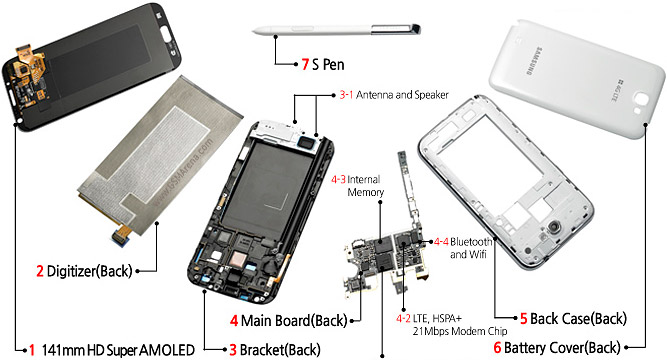
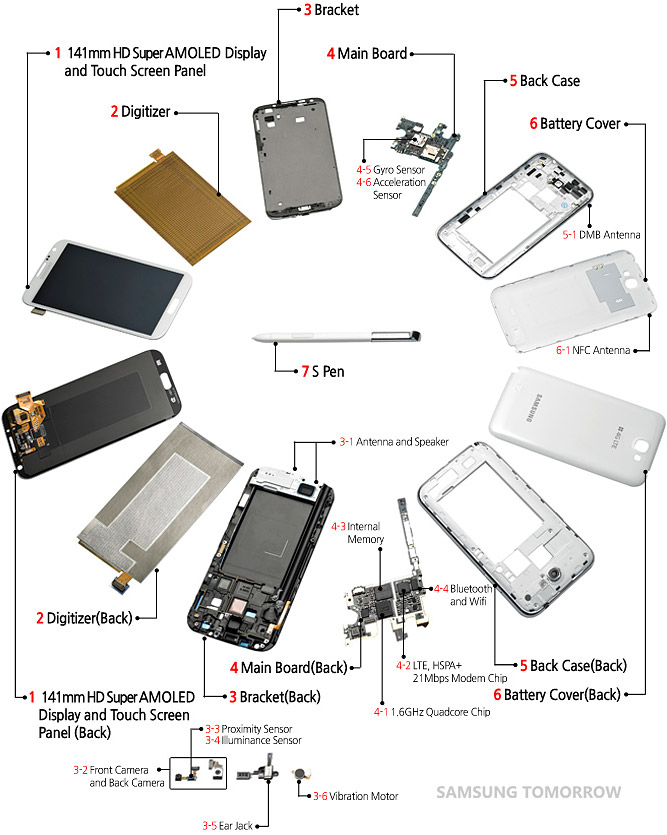



 Quote
Quote



 to get the features mentioned


 both are so nice.









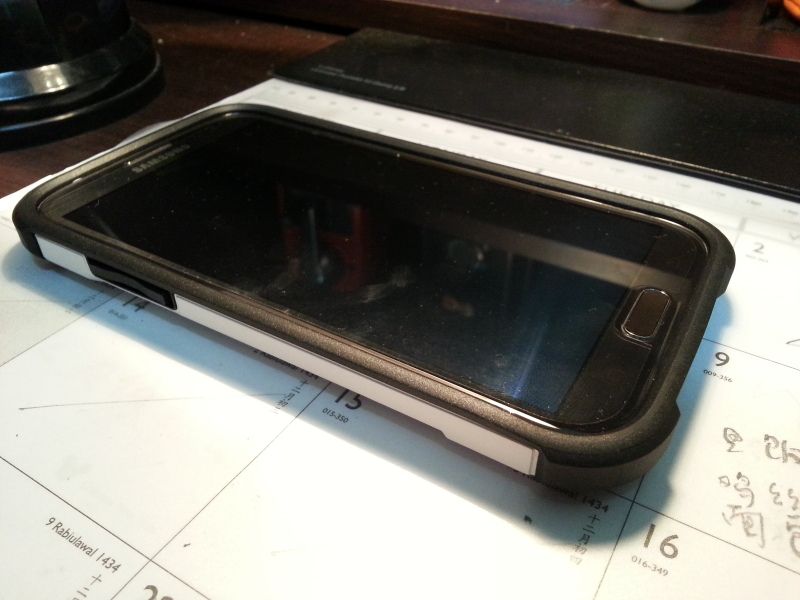


 Geez, how many update Samsung wanna feed us? I've just only updated to DMB2 a few days ago
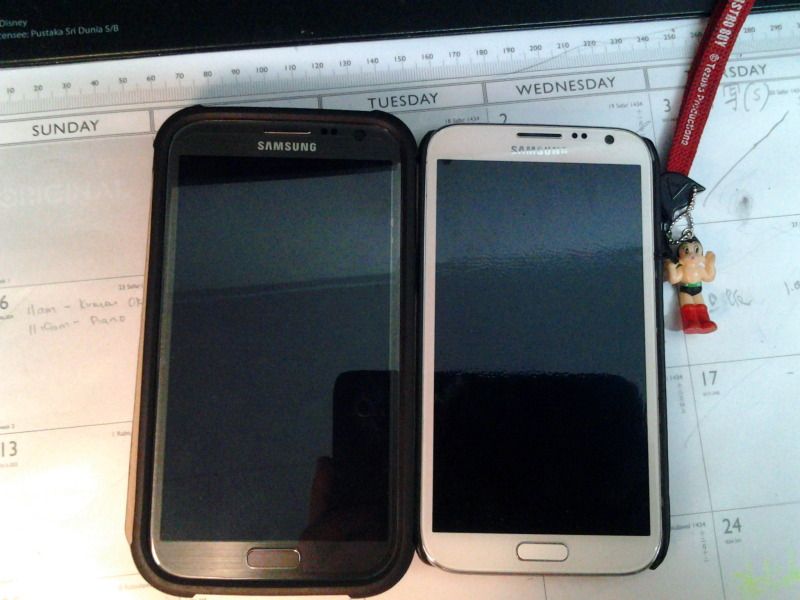
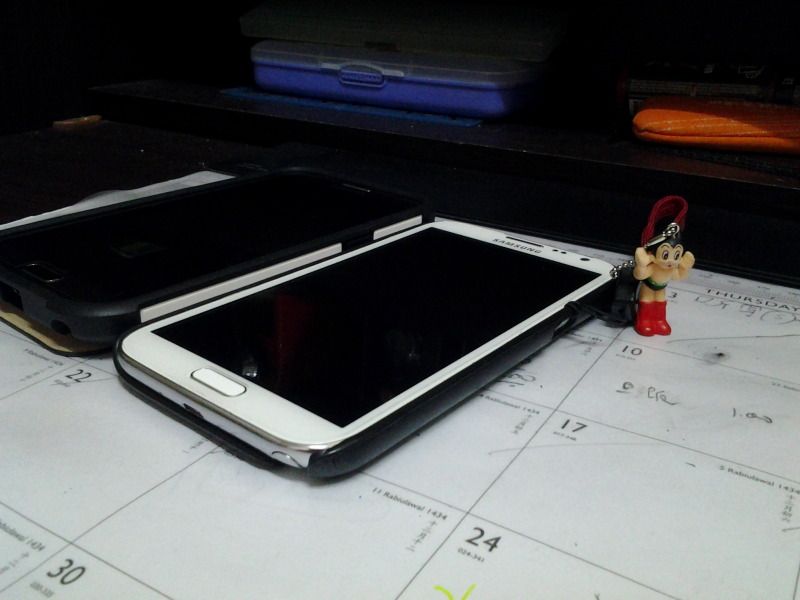
 But the UAG sure make my Note II more pocket-friendly than my current Nillkin Hard case + Neoprene case combo as the casing is smoother than the neoprene materials.








 But heard someone got a promo code to get USD10 less.





 after format system, wipe data, flash rom, reboot , i back cwm and flash kernel can ?


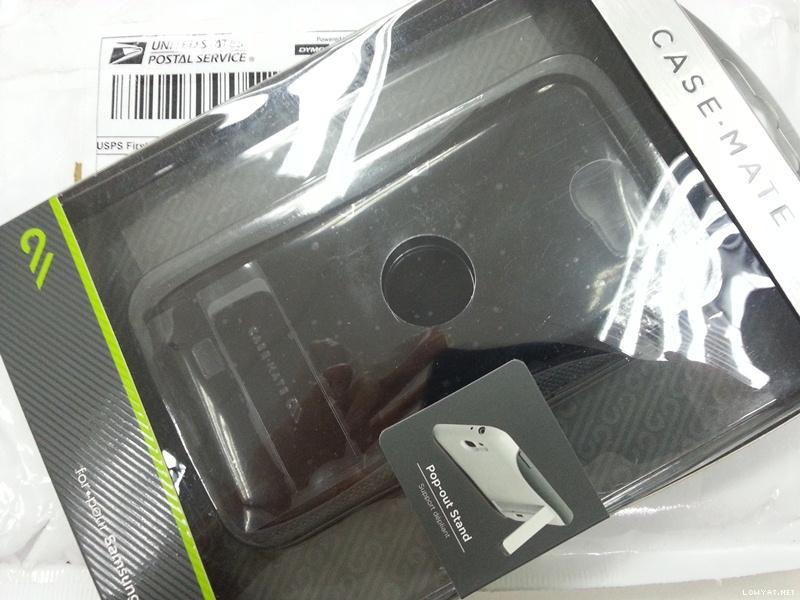
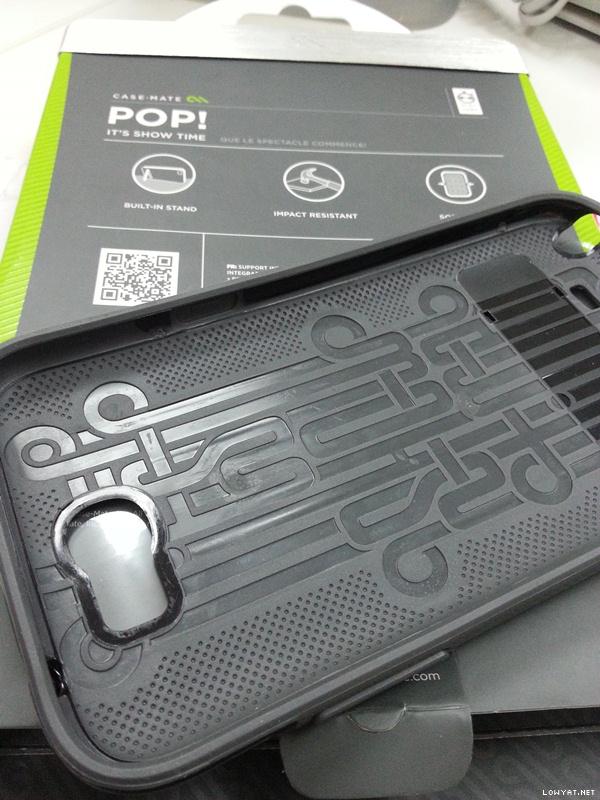
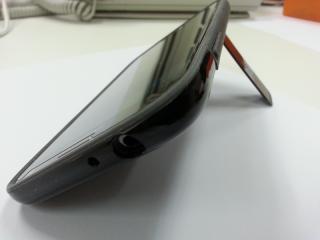

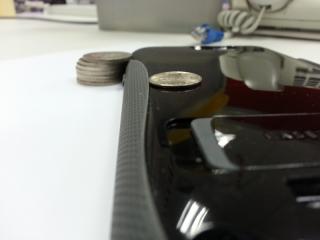





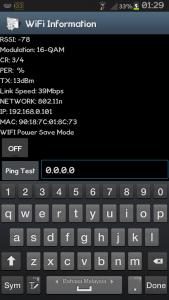


 0.1967sec
 0.33
0.33
 6 queries
 GZIP Disabled