2) Build Meat Effigy * note that only wilson can make this, because the need of beard
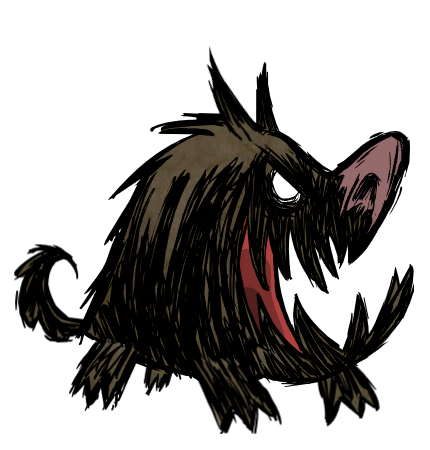
HOUNDS They will attack you in an some interval. Every time they attack +1 hound +attack speed Have chance to spawn red hounds too. Can cause fire. No way to run away from them. BEWARE!
not so useful TIPS
Got Gold Nugget? Use it on science machine right away because you going to die tomorrow.
All grave items give 80 science point. Or give it to pig king for GOLD NUGGET Mandrake give 100 Science
After you researched gold tools, don't use gold for science, keep it to make tools
Dig the soil, the item you get from digging land will give you 20 Science point
Use your flint wisely, If you're stuck in a world with little flint, your dead >_<
If you're out of flint, find the pig king and ask him for gold nugget by offering meat. Make golden tools
This post has been edited by memphiz_zero88: Dec 17 2014, 07:12 AM
Clicking on the ground once will move the player to that location. Holding click on the ground and moving the mouse around will costantly update the destination of the player. If an item has more than 1 interaction, a dialog with the letters "RMB" will appear stating that the extra action can be done by clicking the right mouse button. Scrolling the mouse wheel will slightly zoom in and out the view-port of the game. While the map is open, scrolling the mouse wheel will zoom it in and out. Right clicking on a tool/torch in the inventory while there is another tool/torch equipped, will swap them. Some actions won't appear unless you are holding an object in the air with your mouse, like setting a tree on fire with a torch, where equipping it in your "hand" slot won't let you set it ablaze. Critter79 Right clicking an equipped Backpack/Krampi Sack will open/close it. Aoredon
KEYBOARD
QUOTE
You can walk using [WASD]. Toaster Fu Pressing [Q] (or left [←]) and [E] (or right [→]) will turn the view 90º (useful for picking up things that are behind larger things). Pressing up [↑] and down [↓] will zoom the view in and out respectively. Toaster Fu Holding [SHIFT] while clicking an item on the ground or in the inventory will force the "EXAMINE" option, showing you its description. Holding [CTRL] while unarmed will force the "ATTACK" option when clicking, if it's possible. Marvin Holding [CTRL] while clicking an item on your inventory will split the stack in 2 (useful for storing on chests or dropping on the ground just a set amount of items). While holding items in the air, holding [CTRL] and clicking (either on the inventory or the ground) will release 1 item. Pressing/Holding [SPACEBAR] will perform an action in the direction faced (pick-up, attack, etc) but won't attack non-hostiles by default, [CTRL]+[SPACEBAR] will, though. Kevin + Moonphos Pressing [1], [2], [3], [...], [8], [9], [0] will use the first 10 items of the inventory, from left to right. The 11th and 12th hotkeys are [+] and [-], which may or may not be besides [0], depending on your keyboard layout. Pressing [TAB] will show the map. Pressing [ESC] will show the menu. Pressing [BACKSPACE] will toggle the game's debug rendering.
INTERFACE
QUOTE
Hovering over the (heart) and (stomach) icons tells you, in numbers, how much health/hunger you have left. Pressing the pause icon (||) will... well, do exactly that, pause the game.
Screenshot
Lord GABEN will provide you with GOLD!!!
» Click to show Spoiler - click again to hide... «
Day 19
This post has been edited by Riolis: Feb 9 2013, 01:41 PM


 Jan 12 2013, 01:40 PM, updated 13y ago


 Mandrake give 100 Science
 Quote
Quote






 0.0280sec
 0.68
0.68
 6 queries
 GZIP Disabled