Welcome Guest ( Log In | Register )

Outline · [ Standard ] · Linear+

 Cyberpunk 2077, Welcome to Night City, samurai

views
     
digitalifelesss
post Dec 11 2020, 08:20 AM

Getting Started
**
Junior Member
238 posts

Joined: May 2017
Nothing seems to be out of the ordinary so far,
is quite playable still 1440p medium @ i5 2500k + RX580 potato but obviously not super high framerate.
Also game is on HDD, asset streaming isn't severe, just a few objects/npc pop in from time to time.
Still at the early intro part so things may got worst, who knows.

if there any downside I see so far, definitely character customization is severely lacking.
I seriously suggest game dev to go play some 18+ games and see what they can do with customizations, laugh.gif
especially when they making a mature themed game like this one...

currently trying to find where on earth can I set custom resolution... hmm.gif

This post has been edited by digitalifelesss: Dec 11 2020, 08:26 AM
digitalifelesss
post Dec 11 2020, 10:16 AM

Getting Started
**
Junior Member
238 posts

Joined: May 2017
QUOTE(H4XF4XTOR @ Dec 11 2020, 09:03 AM)
custom reso need to add from nvidia control panel itself. you add from there.
after you add there then it will appear in any game you played.
did this last time to play FO4 in widescreen
*
AMD lol... if this is still 2017 driver I can do custom resolution just fine.
But for whatever reason the new drivers no longer suppose them properly, they always stretch to fullscreen.
I actually always prefer to play ultrawide setup on my TV.


This post has been edited by digitalifelesss: Dec 11 2020, 11:27 AM
digitalifelesss
post Dec 14 2020, 06:26 PM

Getting Started
**
Junior Member
238 posts

Joined: May 2017
I still kinda had a hard time getting around the city, obviously it's very chaotic and all,
but ONE shit thing is... the minimap don't even have a NORTH pointer! ranting.gif
the design of the full map also isn't exactly super helpful since it get rid some of the vital visual clues like big signs.

Really don't want to rely too much on the map & waypoint, it makes for a... bad experience.
Still trying to learn my way around.


This post has been edited by digitalifelesss: Dec 15 2020, 01:52 AM
digitalifelesss
post Dec 14 2020, 08:40 PM

Getting Started
**
Junior Member
238 posts

Joined: May 2017
QUOTE(1024kbps @ Dec 14 2020, 08:38 PM)
There is a north pointer, but it's badly designed and it's located on the top right of the HUD, it's too small too see lol
*
LOL you're right , I see it now....... thx mega_shok.gif
digitalifelesss
post Dec 15 2020, 11:06 AM

Getting Started
**
Junior Member
238 posts

Joined: May 2017
QUOTE(Rei7 @ Dec 15 2020, 09:54 AM)
That's very wrong, it wasn't riddled with bugs from the start, maybe you just never played it at launch and just assuming it. There is bugs but nowhere as much as Cyberpunk. The reason why soo many are complaining about it is because it wasn't as polished at launch compared to Witcher 3. The only issue the Witcher 3 had for the most part of launch is the loading times, which was shorten in like after 2 updates or so.

If it was as polished like the Witcher 3, no one would even be complaining right now. There are a lot of CDPR fans out there, and a lot are just plain outright defending the company as if they are the only good devs out there, and there is the other faction which lost faith with them because how trashy the console version was released.
*
I don't want to delve into the white knight vs dark knight comedy; but yeah, Witcher 3 wasn't buggy at all as far as I concern. I played it launch on my i5 2500k & R9 280X and it was amaz-fxxking-ly.
In fact when I read through the bug list on wiki, I can't remember any of those happened to me.

C2077 is a whole different story... Just in the intro I already see dozen of bugs, visual only of course, but funny or immersion breaking bugs nevertheless.
digitalifelesss
post Dec 15 2020, 11:20 AM

Getting Started
**
Junior Member
238 posts

Joined: May 2017
QUOTE
games on launch-day tend to have bugs and it takes a while to fix them.


as many other will argue - accepting such crap as "reality" has become a really bad trend.

QUOTE(SkyHermit @ Dec 15 2020, 10:36 AM)
I haven't bought the game on PC yet but is planning to buy soon.

I am wondering if anyone here uses GTX 1660 Super? How's the performance like?

I am wondering if I can get stable 60fps on Medium setting with this GPU at 1080p resolution.
I have i5-3550 @3.30ghz (ivy bridge) and 12GB ram with SSD bought in mid 2012
*
Stable, I dunno, but generally mooth gameplay, yes. Unless the game hates nVidia for whatever reason laugh.gif
I playing medium 1080p on i5 2500k stock & RX580 stock which is way slower than yours.
Frankly, from what I see, the differences between medium and ultra (non RTX) really isn't that big, I took screenshots to compare and the only noticeable differences is amount/accuracy of shadow.

I turned down all the cascade shadow setting, ssao low, but crank up the screenspace reflection quality to reduce the graininess of it (didn't affect performance much).
Obviously turn off those annoying post process like lens flare, chromatic aberration & film grain - they are seriously overpowering.
Also use this to turn of TAA if don't like it : https://www.nexusmods.com/cyberpunk2077/mods/81 I forced MSAA in driver but not sure if it even works, nevertheless I'm not too bothered by the aliasing problem.
digitalifelesss
post Dec 15 2020, 02:28 PM

Getting Started
**
Junior Member
238 posts

Joined: May 2017
QUOTE(SkyHermit @ Dec 15 2020, 01:41 PM)
That's good to know that you can have smooth gameplay. Thanks for the tips on lowering those extra graphic settings.

I thought I was the only one who upgraded my GPU and SSD only but all my other hardwares (mobo,CPU,RAM) are 8-year-old which might cause some bottleneck.  biggrin.gif
*
I still have the game on generic HDD, load time is rather quick so that's not an issue at all, so no need to move it to my SSD.
As long as you're not dying all the time, then after the initial short loading, there will be no more loading screen.
At worst I just see some asset pop in when I running fast, due to slow data streaming, but not severe to be annoying. (there is a "slow HDD mode" but I didn't enable it, not exactly sure what it does)

I got no $$$ to make big hardware overhaul anyway... cry.gif Even that RX580 I grab really REALLY cheap from friend... would be a disaster today if I still using the R9 280X 3GB.

This post has been edited by digitalifelesss: Dec 15 2020, 02:47 PM
digitalifelesss
post Dec 15 2020, 04:22 PM

Getting Started
**
Junior Member
238 posts

Joined: May 2017
QUOTE(H4XF4XTOR @ Dec 15 2020, 08:51 AM)
don't bother much la. you can't even see your character 99% of the time unless you try taking screenshot or you stand in front of mirror.
plus in my case with clothing like mask and hat. cant even see face either. Body type,height can't change.
My character looks like Artyom from metro,with that russian hat and gas mask lul XD
*
there has been a tip of getting HIGH armor on cybernetic body implant very early in the game so you can wear whatever that looks nice.
200 armor for $14000 @ Kabuki, specifically a doctor beside the unique circular China building, the muscle fit fit one.
digitalifelesss
post Dec 15 2020, 10:28 PM

Getting Started
**
Junior Member
238 posts

Joined: May 2017
^ not sure about the configs; despite the low numbers, the game is already using all the memory available on my machine. (8gb system ram & 8gb vram)
adjusting it don't appear to give me any sort of performance differences/ boost 🤔
digitalifelesss
post Dec 16 2020, 12:07 AM

Getting Started
**
Junior Member
238 posts

Joined: May 2017
QUOTE(sai86 @ Dec 15 2020, 10:35 PM)
one graphic settings that is FPS killer is the "SCREEN SPACE REFLECTION QUALITY". turning this OFF easily net 10fps gain compare on low. put it on PSYCO, instant 40fps drop  sweat.gif
*
it adds a lot to the visual though, would not be nice to turn it off hmm.gif
I ramp it to ultra instead, since any lower the effect gets a lot more grainier. Doesn't appear to affect performance much.
but yea setting it to psyco will see noticeable fps lost.
digitalifelesss
post Dec 16 2020, 07:45 PM

Getting Started
**
Junior Member
238 posts

Joined: May 2017
Ignorance is bliss. Don't watch too much of those rants/reviews if you intend to enjoy the game. laugh.gif
I don't watch those clowns for a long time already, I'd watch some mature & reasonable youtubers instead.

Yes the game have bugs but mostly visual related, it's not going to impact the gameplay much.
The only severe type of bug I seen so far is just "everything gone black" and had to restart.
Just don't expect somekind of revolutionary gemeplay mechanism... whistling.gif

Yea in term of gameplay I'd definitely hoped for more; CDPR should seriously embrace the idea of modding and release RedKit and let modders expand the game.
There is only so much you can do with limited manpower within the company.
digitalifelesss
post Dec 16 2020, 10:27 PM

Getting Started
**
Junior Member
238 posts

Joined: May 2017
QUOTE(botfragger @ Dec 16 2020, 09:57 PM)
Does the game look less grainy on higher settings? cause on my medium settings even with things like chromatic abberation or film grain turned off, the graphics still look kinda grainy
*
the grain is not because of those aspects you mentioned. Instead it is due to screenspace reflection - and this game have TONS of reflective materials, almost everything have realistic reflective values from rough surfaces to polish surfaces.
crank SSR up to Ultra will reduce it somewhat but won't eliminate it completely (turning off SSR is an option but... it takes a way the charm of the graphic)
you can try psyco, but it will likely cause massive framedrop - instead, alternately you can increase your render resolution (enable nVidia DSR / SMD VSR to allow higher resolution output), that will helps a bit too.

This post has been edited by digitalifelesss: Dec 16 2020, 10:29 PM
digitalifelesss
post Dec 17 2020, 06:56 AM

Getting Started
**
Junior Member
238 posts

Joined: May 2017
user posted image

below is medium preset & low all shadow, still looks stunning. The only major differences between medium & higher settings is just shadow quality & draw distance.
user posted image

apparently there is a hypercar hidden in the cave tunnel (you know that area if you done that quest), and you get to keep it forever. It's FREE. After done the quest go back search the cave.
during that quest - make sure to explore around the "downed bird" to pickup that amazing sniper rifle. Just a green regular item but dunno why it is so much better than anything else currently I had.
user posted image

This post has been edited by digitalifelesss: Dec 17 2020, 07:03 AM
digitalifelesss
post Dec 17 2020, 05:37 PM

Getting Started
**
Junior Member
238 posts

Joined: May 2017
QUOTE(Savor_Savvy @ Dec 17 2020, 10:05 AM)
Wait, how did you get all these nice screenshots?
*
don't need widescreen monitor, crank up FoV is not the way to go of making panorama, high FoV only result in unnatural distorted image.
just take multiple shots (in first person perspective) and switch them with Microsoft ICE. Ever play with your phone's camera panorama function? It's the same thing.
the last one is just direct camera mode screenshot with [effect no.8], I just found a spot with a lot of mist/smoke and figured I can do something with it.

//--

Yeah I'm done. It is kinda disappointing how underutilized the game world is though.
Yea sure there are a lot of side jobs, but meh I never play game to grind for 100% completion.
But then again there is just no way you can 'see everything' in this game with such city density, not without 1000h+ of gameplay.

Willg o back to clear some side-quests and shits, learning to navigate the city without relying on waypoint/map is also part of the fun.
The in-game map is a complete train wreak sweat.gif sweat.gif I drew my own... Making own drawing / write it down makes it easier to remember.

This post has been edited by digitalifelesss: Dec 18 2020, 06:24 AM
digitalifelesss
post Dec 18 2020, 06:03 PM

Getting Started
**
Junior Member
238 posts

Joined: May 2017
🔥🔥🔥 A MUCH BETTER CAMERA TOOL 🔥🔥🔥
https://github.com/FransBouma/InjectableGen...eases/tag/CP101
note: power up / connect your gamepad before firing this application up, otherwise your pad won't work right.

user posted image


This post has been edited by digitalifelesss: Dec 20 2020, 07:06 AM
digitalifelesss
post Dec 20 2020, 04:02 AM

Getting Started
**
Junior Member
238 posts

Joined: May 2017
user posted imageuser posted image
Original size @ https://www.flickr.com/photos/147399796@N06/


This post has been edited by digitalifelesss: Dec 20 2020, 08:00 AM
digitalifelesss
post Dec 21 2020, 04:10 PM

Getting Started
**
Junior Member
238 posts

Joined: May 2017
QUOTE(sos_tiram @ Dec 21 2020, 10:00 AM)

Or is it just me enjoying this game, despite all the bashing, physics comparison etc etc..yeah, just me...  doh.gif
but it is good, cdpr will improve this someday (hopefully)

(understood the console gamers, it is really unforgiven that cdpr didn't test on base console)
*
Too much salt is bad for health, literally & not literally 😝
Gotten tired of all the same complaints over and over again. Reddit and other media just filled with useless thread barely any useful tips. What I interested to know af this stage is what secret you can discover, what tricks to do with the crafting system, etc.

Frankly, i dont care if cdpr fix it or not. Cus after i finish the game i will just move on. Currently just finishing some extra side quests and im done. Had enough backlogs in my bowl, at the end of the day whats the point of caring all the drama?

Unless of course, if they finally release redkit and serious modding become a thing.

This post has been edited by digitalifelesss: Dec 21 2020, 04:26 PM
digitalifelesss
post Dec 21 2020, 06:31 PM

Getting Started
**
Junior Member
238 posts

Joined: May 2017
QUOTE(sos_tiram @ Dec 21 2020, 06:05 PM)
*
for revolver / sniper, the DPS stat is useless, just read the 'damage' stat below it cuz that's the important one.
Overture is pretty much the go-to revolver, there are other one which have much higher single shot damage but for whatever reason it cannot equip silencer & scope.

for longer range obviously go sniper, since revolver seems cannot equip the big scopes, there is a green sniper found in one of Panam's quest arch, the single shot damage is 600-ish. But don't waste material upgrade it.
Reason is simple, you will find something MUCH better later... Some people say the much better one also pass through object / wall but I haven't test it myself.
I upgraded the green one to 1000 damage per shot, only to find the 'better one' shortly after... duh, wasted material.

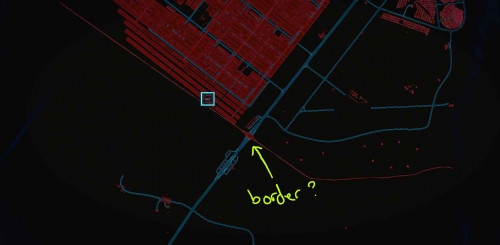
I dunno if some NPC are made to be unkill-able or what, for example the border guards at the greenhouse-farm area.
Only lv27 so far, street cred already maxed. I deal almost no damage against them... even with the 1000dmg sniper...

This post has been edited by digitalifelesss: Dec 21 2020, 07:45 PM
digitalifelesss
post Dec 21 2020, 09:37 PM

Getting Started
**
Junior Member
238 posts

Joined: May 2017
QUOTE(sos_tiram @ Dec 21 2020, 07:50 PM)
This revolver i found is unstoppable at the moment, but must be in stealth to one shot the enemy
*
the perks under Reflex > Handgun & Cool > Stealth definitely helps a lot as well.

Yep the other sniper-rifle (Overwatch) which is an upgrade to that GRAD, did indeed shot through objects/walls.
Can almost just sit outside, ping & tag them and shoot from outside. They never knew what hit them 🤣 How to get it? Just follow the character arch side quest, although I not sure if relation with said NPC will affect the result or not.

Generally I think the police in this game is just bullshit. Not only because the spawn issue, but they are also significantly more OP than anything else.
The game is just kinda designed in a way to not allow player to be a bad guy. Dunno, maybe you need to be a really beefy min-maxed character to take them on or something.

user posted image

This post has been edited by digitalifelesss: Dec 21 2020, 09:42 PM
digitalifelesss
post Dec 22 2020, 08:28 PM

Getting Started
**
Junior Member
238 posts

Joined: May 2017
Wanna boost your p???? s??? framerate by 400%? ONE EASY WEIRD TRICK! Just... apply -qualityLevel=SafeMode whistling.gif Good luck playing with the graphic though. laugh.gif
user posted image

//--

Ok seriously now [LINK]:
- reference framerate : 27fps (don't ask whistling.gif )
- forcing 'Cinematic' will increase the LOD draw distance a teeny bit, good for taking screenshot but framerate is drastically reduced. Rated at 16fps. All the post process are forced On except chromatic-aberration.
- forcing "CinematicRTX" on non-RTX card obviously do nothing, just the same as 'Cinematic'
- forcing 'Console' see framerate improvement to 32fps. But chromatic-aberration appear to be forced ON. Render resolution is probably teeny bit lower. If on a tiny screen you probably won't even see much of a different except the forced CA.
probably no point doing this anyway, just enable Dynamic Fidelity-CAS to gain a bit of framerate without the forced CA.

- adjusting the Cascade Shadow [LINK] to modded parameter appear to not affect framerate, so it is recommended to do it anyway to get weebit of extra shadow accuracy.
- turning off Async Compute [LINK] for GPU older than RX590, didn't appear to affect anything, at least on my RX580.
although you probably just wanna grab that mod for QOL purpose like disable the intro, and disable forced vignette when in stealth.

//--
some quick compare with cinematic (LOD is maxed in the regular)

user posted image user posted image user posted image

//--
it appear the setting in Cyberpunk 2077\engine\config\platform\pc\user.ini override the setup of qualityLevel,
so it is possible to disable all the annoying post process while using Cinematic preset. Don't really gain any performance but at least no 'distractions' when taking screenshots

Nvm the benefit of Cinematic seems to stay intact even if you change graphic settings in the option... maybe just don't touch the LOD, didn't test it extensively.
But yeah after launch first time in Cinematic mode > set your graphic setting to the usual you uses (don't touch the LOD) & it will (PROBABLY) remain in next launch (kinda wonky, maybe).

This post has been edited by digitalifelesss: Dec 23 2020, 01:30 AM

2 Pages  1 2 >Top
 

Change to:
| Lo-Fi Version
0.0345sec    0.19    7 queries    GZIP Disabled
Time is now: 1st December 2025 - 08:01 AM