just got my asus ac1300uhp and is damn awesome ton better than the shit tplink ac1200 by tm lol.
Tplink that bad worst then dlink?
Anyway im considering ax11000 to ac5300 what you guys recomend! My default dlink dir842 unfi 100mbps that tm provided died less then 6 month!!! I will never use a dlink again! Pls help me i is asus router good? Cause I have bad experience with other asus product!
One last question guys cause after this cant post since this under probation hopefully some mod can help with that
I need you guys help is the ax11000 compatible with unfi 100mbps i have huawei ont can connect with ax11000 to the internet how to setup? Pls help me! I very new to this and my dlink dir 842 that tm provided dies less than 6month use!! Now I no internet help!!
Just plug and play. No VLAN tagging for TIME Fiber.
Hi sifu!!
My dir842 provided by unifi died within 3month of use not sure why and like you say better get my own wifi router.
Since im super noob at this hope you can help as im desparate no internet connection now!
My question is the asus ax11000 compatible with my unfi setup I have the white Huawei EchoLife HG8240H. I downloaded the ax11000 manual and see no entry for vlan tagging. Since vlan tagging is required for unifi is the ax11000 compatible with unfi. A lot of people say yes but no vlan tagging on the ax11000 so im really confuse. Please help me understand sifu!!
quote=SilentVampire,Sep 25 2019, 08:56 AM] It is compatible. Asus firmware is global and they generally support VLAN tagging. Check in the manual for IPTV settings. I am sure there is support. However, I would recommend getting the RT-AC86U. AX is indeed the newest standard, but you need devices that can support the standard.
[/quote]
Tq for info. I have ax device already. Might consider ac86u but heard got overheating issue and 2ghz band will high chance rosak in this model. I consider ax11000 cause might upgrade to 1gbps when it arrived. Also I do 24hour p2p heavy multiple device. Maybe thats why my dlink dir842 blew up lol too much p2p from multiple device.
QUOTE(pl95077 @ Sep 25 2019, 10:44 AM)
Super noob, Please refer to this video, you should able to setup.
Yes I super need help and learn from sifu here where is the video ahhh???
I am planning to use 2 x asus RT-AX88U (1 for ground floor, the other on 1st floor).
TM Unifi ONU —> Asus RT-AX88U (ISP profile set to Unifi-Home) —> LAN port 4 (for IPTV STB Port) is plug to the other Asus RT-AX88U via 15m cat6 cable across the 2 levels —> the other Asus RT-AX88U is set as AP.
Questions.
1. Does the 2nd Asus RT-AX88U ports at the back carry vlan tagging and
2. Can the LANPort 4 from the first router be used to link to the 2nd router and used for AP and IPTV
3. Or I have to run 2 x cat6 cables across the floor (use LANPort 3 for AP and LANPort 4 for IPTV)? - cos the tv box is supposed to be placed upstairs
It is easy to set it up. Very straightforward. How much did you buy it for?
the seller wanted sell me super expensive rm2230 but I only manage to get sikit discount so around RM2150 since I can't wait anymore i malas want to bargain further.
anyway like you said setup was as easy and also thanks to sifu Jayce Ooi for this helpful video good for noob like me lol
anyway got everything up. hopefully its stable!
this is connected to one of my wifi6 AX enable laptop. 1.2gbps wifi!!... not bad lahhhh too bad my unifi only 100mbps lmaooo will probably upgrade when 800mbps or 1gbps arrived.
coming from dir 842 going straight to high end ax11000 wooowww I must admit at first I thought not much big deal difference but boy was I wrong about why is this thing so expensive but man multiple p2p 4k 5k 6k 8k youtube multiple device all ok!!! wowwwwww the stupid dlink dir842 cannot handle this many traffic all at the same time one. this is my first time using high end wifi router so really feel the power.
hopefully the ax11000 will keep working like a champ! also what still make me blur is why the asus ax11000 no have vlan tagging option but still work with unifi, means the ax11000 must have configured vlan tagging using the ISP profile but no option provided for further vlan customization in setup menu.
overkill 100mbps because you need take 800mbps unifi i also using 100mbps i waiting 800mbps i using RT-AC68U too old was already i think i bought 2014 i think too old its was use streamyx 4mbps so overkill i hard wait my area arrive fiber project complete was may 2019 so my house installed 30may2019 unifi 100mbps hard to wait
i will buy high end router later because i waiting 800mbps once launch 800mbps then i will upgrade 800mbps then i will buy new router high end powerful ax11000 or ax88u
Yes overkoll for 100mbps lol
I was looking at buying ac86u but doing research online got people complain overheating and 2.4g radio going kong so decided to look at tplink but got got complain say cannot handle multiple user last last malas man just get the ax11000 so far so good hopefuuly its reliable! No way in hell im going to touch dlink again!!! Lol
Since ur planing to get high end router can aim for next gen rt-ax89x even more power!!! But its unrelease yet so have to wait.
Welcome to the club, you wouldn’t regret. People won’t understand why we invest into router until you test it yourself.
Actually ASUS do have VLAN tagging, is just that ASUS masked it as ISP profile to let those not IT savvy people to understand. If you want to do it manually you can go to LAN —> IPTV from there you can change.
Thanks bro for the info.yeah hopefully the ax11000 is reliable. So far it has exceeded my expectation lol.
I personally use the RT-AX92U twin pack for a month now, it has been really reliable. Never had any crash or speed drops.
My WiFi speed is at least 400Mbps in every corner of my 1500sqft apartment.
Oh yeah I forgot about the new ax92u came with 2x unit right? R they the same exact unit? Damn expensive too rm2k?. Good to hear ai mesh is working well.
This post has been edited by nasilemaksedap: Oct 2 2019, 06:54 PM
I used ASUSWrt-Merlin firmware and found the AIMesh network tend to be unstable for the node. Reverted back to original FW. Current setup as per picture follows.
I might invest in Wifi 6 later. is AX88u good enough?
Better just go for the new ax92u. The problem is I think in malaysia sell only the x2kit try and get the single 1 should be around rm1k
hi, my asus rt-ac86u suddenly died with burn smell coming...i turned it off then switched on after 1/2 hour and only port no 4 is blinking..i think it is gone...bought it on 22 sept 2018 from viewnet...from the box it says 3 yrs warranty...should be covered rite? should i bring it to viewnet lowyat back or where? anyone can help?
U can try claim warranty
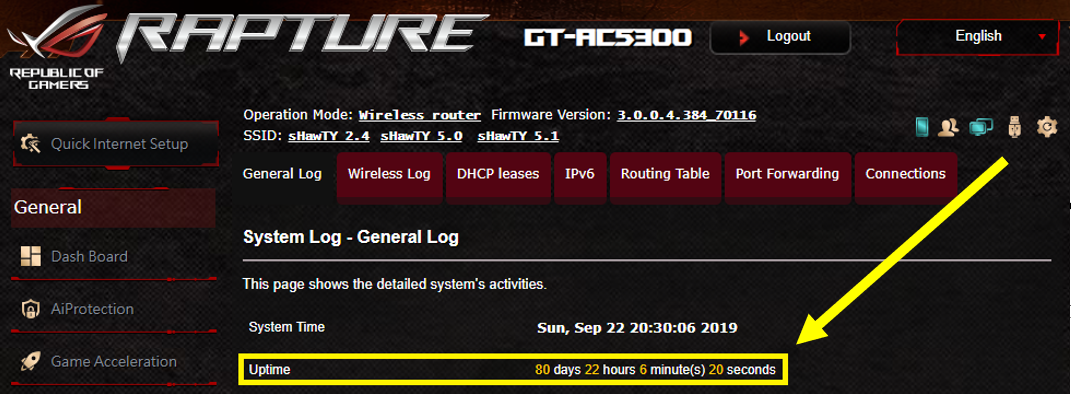
But bro and all the asus router user here make sure u use ups u know lah malaysia punya power always surge not stable so I highly recomend ups for the longevity of the router.


 Sep 24 2019, 08:56 AM


 Quote
Quote

 I consider ax11000 cause might upgrade to 1gbps when it arrived. Also I do 24hour p2p heavy multiple device. Maybe thats why my dlink dir842 blew up lol too much p2p from multiple device.


 will probably upgrade when 800mbps or 1gbps arrived.

 , now only got fan for it
 0.8351sec
 0.56
0.56
 7 queries
 GZIP Disabled