

 Apr 15 2019, 09:59 PM


QUOTE(arza04 @ Apr 15 2019, 09:30 PM)
Sorry to bump old thread but appreciate if someone here knows how to fix my issue
My stock archer c5v is dead so plug in my asus router (rt-n12hp & rt-n14uhp) but no luck to get it connected
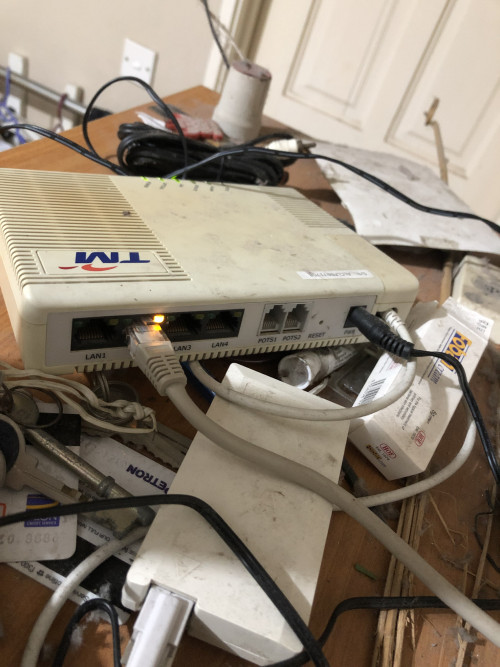
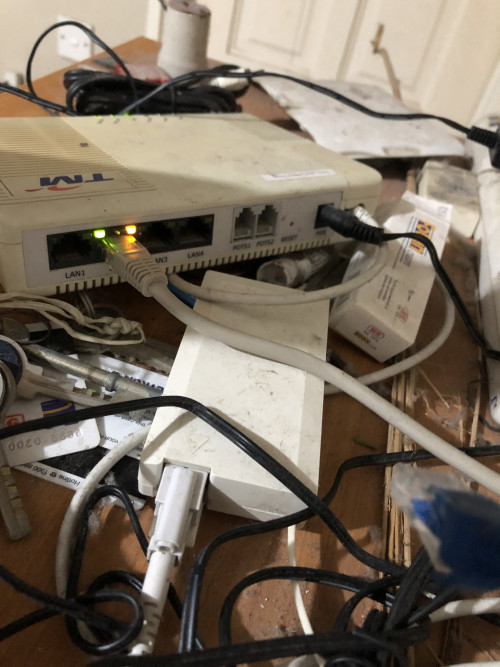
Follow all the steps online but no luck. Then i noticed the yellow LED at the TM BTU modem does not lit up ( only orange led lit up). When i plug in my old maxis stock router the both led lit up like in picture below
When connect to asus router
When connect to old maxis router
Hope someone here can help. Im using maxis fibre 30mbps plan

UPDATE EDIT: Actually no problem, asus router cannot connect due to Maxis Fibre downtime for the past 3 days. Now all is fine My stock archer c5v is dead so plug in my asus router (rt-n12hp & rt-n14uhp) but no luck to get it connected
Follow all the steps online but no luck. Then i noticed the yellow LED at the TM BTU modem does not lit up ( only orange led lit up). When i plug in my old maxis stock router the both led lit up like in picture below
When connect to asus router
When connect to old maxis router
Hope someone here can help. Im using maxis fibre 30mbps plan

Hi everyone

Anyone here knows how to fix my issue? I have both asus rt-n12hp and rt-nt14uhp but no luck to get it connected online. Old maxis stock router and tp-link is working fine
This post has been edited by arza04: Apr 16 2019, 08:03 PM
 Quote
Quote
 0.0326sec
 0.78
0.78
 7 queries
 GZIP Disabled