

 Dec 23 2019, 02:04 PM


QUOTE(aldentan91 @ Dec 23 2019, 12:10 PM)
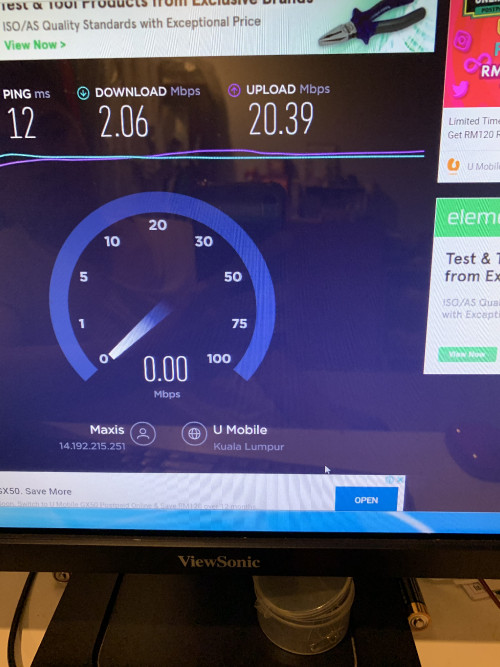
I’m using desktop with wireless, there few days my connection was unstable and with all connected devices after I use Rt-Ac88u .(Urgent) pls🙏🙏

2.4GHz will bring a lot of interference problem especially when you want to make access points for more than 2 routers. Since I cannot guarantee the channel 1, 6 & 11 do not interference each other because my home got this issue on one of my router RT-AC55UHP. I was upgraded my living room to RT-AC86U, the old RT-AC55UHP was brought down to basement floor of my house.
The two RT-AC86U was switched to aimesh, so there got no issue on 2.4GHz. So now my problem is the one RT-AC55UHP only give me 10mbps download speed and 65mbps upload speed. My home unifi has 500mbps, usually I should get 400mbps download and 100mbps upload speed on wifi.
After I check through the router to find out what is the problem, I was noticed that, this issue is mainly caused by the 2.4GHz channel interference. Eventhough I was make sure that the aimesh and my access point has different channels. The aimesh has channel 11, and my AP has channel 1. The problem is still there, my wifi speed on that AP is really slow, only 10mbps.
So later I was found out the reason then immediately disable the 2.4GHz. My RT-AC55UHP was now left wireless 5GHz and I can get 490mbps on wifi speedtest. However, just to make sure don't go too far away from the router because 5GHz wifi range is short. Anyway, RT-AC55UHP is a high power long range 9dbi wireless router. When I take my phone then go into the toilet of my next room, I still able to load video in 1080p even my wireless signal was dropped down to half.
This post has been edited by junclj: Dec 23 2019, 02:12 PM
 Quote
Quote


 0.0287sec
 0.52
0.52
 6 queries
 GZIP Disabled