


» Click to show Spoiler - click again to hide... «
Maxis Maxis 3G/HS 4G Thread V8 (Not WBB), It's time for LTE now :p
|
|
 Dec 19 2012, 08:20 PM Dec 19 2012, 08:20 PM
Return to original view | Post
#1
|
 
Senior Member
6,214 posts Joined: Sep 2010 From: Busan, Kr | Kuching, Swk   
|
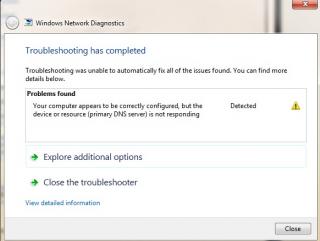
i just purchase mxs brdband 8gb package for rm68/month last monday... everytime i try dl file>50mb. it will be auto dc.. and lost of something like ths happen.
» Click to show Spoiler - click again to hide... « |
|
|
|
|
|
Dec 19 2012, 11:43 PM
Return to original view | Post
#2
|
|
Senior Member
6,214 posts Joined: Sep 2010 From: Busan, Kr | Kuching, Swk
|
QUOTE(blacktubi @ Dec 19 2012, 08:33 PM) Something related to your modem May I know what modem you use?   QUOTE(digilife @ Dec 19 2012, 08:33 PM) You need serious help. Broadband type : Wireless Internet Modem (Model E53331s-2)List out your situation 1) location 2) modem used 3) did you set the parameters correctly. Location : Desa Ilmu (UNIMAS),Samarahan, Sarawak btw, parameter? i dont get what u mean  i try play RGC (gaming client) ping around 100+ms. but in game, 200+ms. then it will DC.. line change from WCDMA to GPRS instantly.. is this normal? jz because newly bought.  |
|
|
Dec 20 2012, 12:23 AM
Return to original view | Post
#3
|
|
Senior Member
6,214 posts Joined: Sep 2010 From: Busan, Kr | Kuching, Swk
|
QUOTE(blacktubi @ Dec 19 2012, 11:54 PM) I see a very serious problem for you now but sometimes i think my OS mess up also.. time to reformat gua.. this student area should have good reception.. or might be the building build type that make the signal weak.. thats only my opinion.. during raining.. i gt good line.. no rain.. no consistent I can confirm one thing that your signal is very bad Second thing in this kind of location you shouldn't use that kind of modem Solution is to use an antenna A complete solution is buy an antenna + a good modem for signal reception + a router to share the connection. If you having low budget, go for the antenna route first now just -put it near my window.. got good line..  |
|
|
Dec 20 2012, 12:35 AM
Return to original view | Post
#4
|
|
Senior Member
6,214 posts Joined: Sep 2010 From: Busan, Kr | Kuching, Swk
|
QUOTE(blacktubi @ Dec 20 2012, 12:26 AM) Unless your OS having viruses, else it is unrelated to your computer u mean signal quality? quite strong.. receiver nearly 9.5k If connection drop to GPRS then 99% is caused by bad signal What is your signal in RSSI Kindly check at Setting > Status > Diagnostics |
|
|
Dec 20 2012, 12:53 AM
Return to original view | Post
#5
|
|
Senior Member
6,214 posts Joined: Sep 2010 From: Busan, Kr | Kuching, Swk
|
QUOTE(digilife @ Dec 20 2012, 12:45 AM) what kind of modem is that? i use this Huawei ? or just a MiFi, care to show ? I guess you should at least buy a E1762 or E220 to do diagnostic or if you have the budget, get a E372 then we can help you to achieve good speed trust Thread Starter, he have wat it takes to make your connection smooth and fast  
|
|
|
Dec 20 2012, 01:03 AM
Return to original view | Post
#6
|
|
Senior Member
6,214 posts Joined: Sep 2010 From: Busan, Kr | Kuching, Swk
|
QUOTE(blacktubi @ Dec 20 2012, 01:02 AM) He is using Huawei E5331 which is one of the modem successfully went into my blacklist well, it given by maxis No antenna port  Bad speed Unstable  damn.. how eh.. any other alternatives? i not dat like this modem oso.. seems like not dat stable damn.. how eh.. any other alternatives? i not dat like this modem oso.. seems like not dat stable |
|
|
|
|
|
Dec 20 2012, 01:15 AM
Return to original view | Post
#7
|
|
Senior Member
6,214 posts Joined: Sep 2010 From: Busan, Kr | Kuching, Swk
|
erm, what should i do with this noob modem? maxis said, if gt prob with the modem, send it back, i get my rm150 deposit back... but i wan use other modem.. not this one.. yet use battery... so mafan me  |
|
|
Dec 20 2012, 01:19 AM
Return to original view | Post
#8
|
|
Senior Member
6,214 posts Joined: Sep 2010 From: Busan, Kr | Kuching, Swk
|
QUOTE(blacktubi @ Dec 20 2012, 01:18 AM) Sell the modem. Use the money and buy a Huawei E372 and a panel antenna Any suggestion how much i need to sell it I will bring in some portable router soon  still new also still new also |
|
|
Dec 20 2012, 01:49 AM
Return to original view | Post
#9
|
|
Senior Member
6,214 posts Joined: Sep 2010 From: Busan, Kr | Kuching, Swk
|
QUOTE(digilife @ Dec 20 2012, 01:27 AM) bring it back to Maxis and exchange for a Maxis Branded E372, then buy a Panel Antenna from TS, then your speed will be stable. If you have cash to splash, buy a Vigorfly200 for rm300, they you can fly nice idea... Panel antenna? how it look like? can exchange ha? then, i will go change it tomorrow.btw, the maxis branded E372 is this one under mine isnt it : http://www.maxis.com.my/home/broadband/tss/modems.asp QUOTE(chuahcs79 @ Dec 20 2012, 01:31 AM) if u need it for most of the time on "mobile" easy to move around, guess not much choice left either huawei E355 / ZTE MF70 + power bank or any usb modem like Huawei E372/Huawei E367 + Hame A1/A100 or any usb modem + TP Link MR3040 cz wanna sell dat Maxis E5331 |
|
|
Dec 20 2012, 09:07 AM
Return to original view | Post
#10
|
|
Senior Member
6,214 posts Joined: Sep 2010 From: Busan, Kr | Kuching, Swk
|
QUOTE(alucard89 @ Dec 20 2012, 08:45 AM) Oh wow, is it really that bad? they said get Huawei E372 Any other MiFi you can recommend? can supercharge to TX33.. ur berukband will be so fast almost speed of light jz joking... E372 is ok... use other router to connect through it.. |
|
|
Dec 20 2012, 09:16 AM
Return to original view | Post
#11
|
|
Senior Member
6,214 posts Joined: Sep 2010 From: Busan, Kr | Kuching, Swk
|
QUOTE(fitzhex @ Dec 20 2012, 03:30 AM) Signal is not everything, but direction does play roles. large img, lazy resize  » Click to show Spoiler - click again to hide... «   wow... better than my strmyx last time |
|
|
Dec 20 2012, 05:54 PM
Return to original view | Post
#12
|
|
Senior Member
6,214 posts Joined: Sep 2010 From: Busan, Kr | Kuching, Swk
|
QUOTE(digilife @ Dec 20 2012, 09:48 AM) Good thing abt E372 is that you can use MDMA ( V11~latest) to chk your area's signal (RSSI) and also your Cell ID. o.. like dat... thanks ya.. i learn a lot.. since mxs give me dat modem.. i gt bad feeling.. modem use battery... With this info on hand, you can knoe exactly where to place the modem to get better signal , by using an extension usb (USB3.0 better) cable. A TP Link MR3420 would be much better as the Router will sufficiently power the Cable and Modem with 1A of electrical power ( if via usb port of the pc/lappie ~ 0.5A only) Your current MiFi is power by battery, the lower the battery the signal will degrade , hence the speed sucks. In areas where signal is not that good, esp East Malaysia, MiFi is not suitable because the signal is not as strong like some Metro areas of West Malaysia , namely Muntri st Area ( Penang ) PJ area ( Selangor) Dengkil/Nilai ( Near Putrajaya) and ofcourse Putrajaya itself. What more a MiFi's battery will slowly degrade as usage gets longer hence the signal also degrade and speed plunge. E372 have antenna port to accept External Antenna to boost up the signal, you can use a Panel Antenna to get better signal/speed. Its easier to use compared to a Yagi where you have to point directly to the Tower location. I know a case where the user use an Antenna Signal booster to s"suck" signal 20KM from the tower, He spent a few thousands to acquired the relevant equipment because if not he would have to drive 25KM from his home to have internet access and you knoe those roads in East Malaysia kampong is not that good too........ but cant take dat 42mbps.. i oso 4gt to ask., wther can have that modem or x, instead using E5331QUOTE(0168257061 @ Dec 20 2012, 10:06 AM) That booster is really g*y hahaha  |
|
Topic ClosedOptions
|
| Change to: |  0.0180sec 0.0180sec
 0.69 0.69
 7 queries 7 queries
 GZIP Disabled GZIP Disabled
Time is now: 10th December 2025 - 05:32 PM |

 Quote
Quote

