Hardware Your Mac Desktop / Apple Hardware
Hardware Your Mac Desktop / Apple Hardware
|
|
 Aug 9 2007, 07:14 AM Aug 9 2007, 07:14 AM
Return to original view | Post
#1
|
 
Junior Member
137 posts Joined: Jan 2006 From: The Other Side 
|
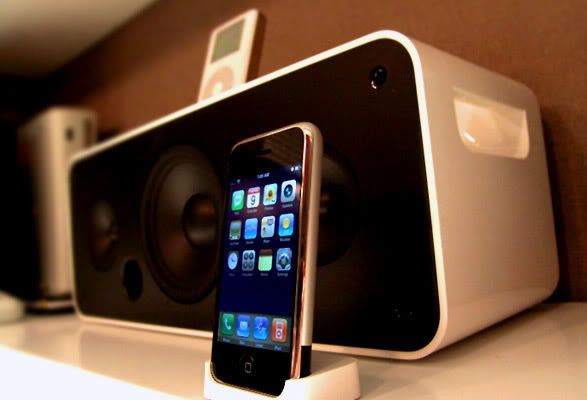
iPod 4th Gen / iPod Hi-Fi / iPhone 8Gb
|
|
|
|
|
|
May 17 2008, 09:07 PM
Return to original view | Post
#2
|
|
Junior Member
137 posts Joined: Jan 2006 From: The Other Side
|
Here's a 20" (2.4 Ghz) and my new 24" iMac (2.8Ghz) side by side on my very congested desk. By next week, things will be better once I send the 20" unit off to its new owner.
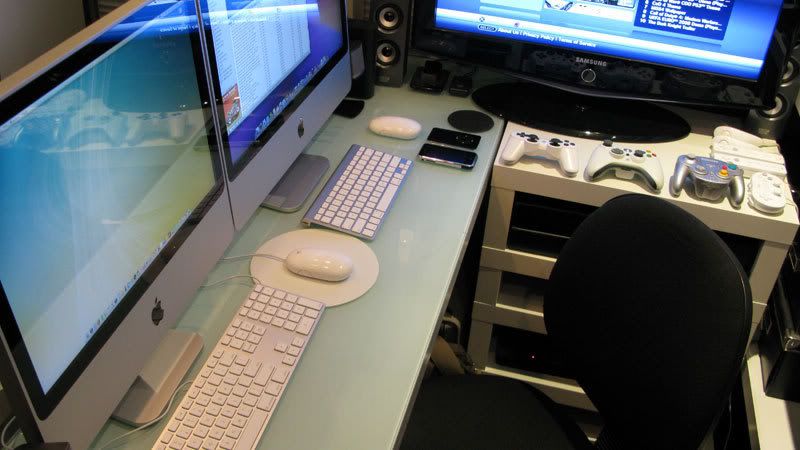 The screen on the 24" is way superior compared to the 20". As you can see, I have very limited desk space, that's the reason why I got the 20" instead of the 24" in the first place. Size wise, the 20" is perfect for me - but I needed 1920 x 1200 screen resolution for my work. Hence, the upgrade. 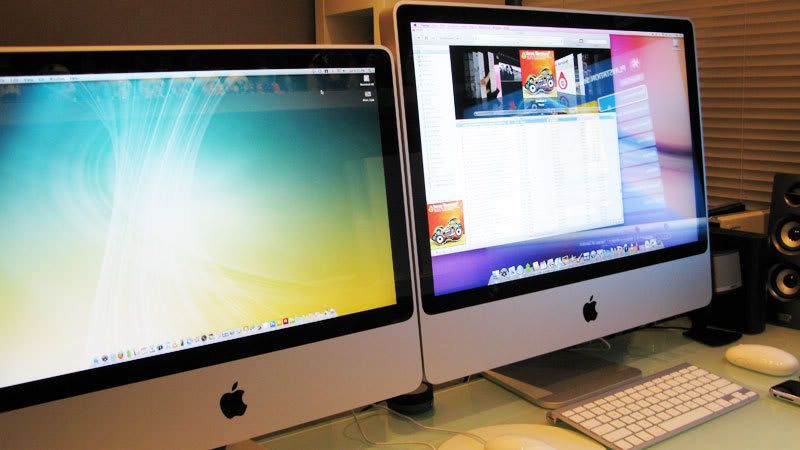 I find the wireless keyboard a little too small for comfort. When I type, it wobbles from left to right. Told the shop I bought it from about it and they asked me to bring it back for an exchange. Anyone of you with this keyboard faced similar problems? 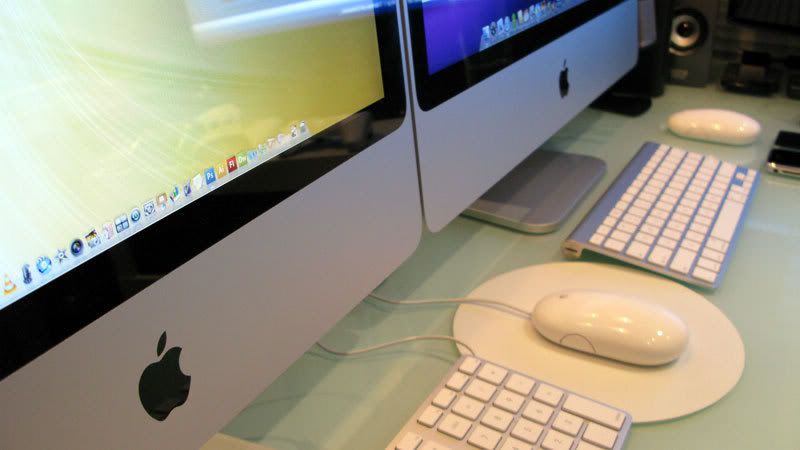 |
|
|
May 20 2008, 10:22 AM
Return to original view | Post
#3
|
|
Junior Member
137 posts Joined: Jan 2006 From: The Other Side
|
Thanks guys for your comments. Yeah, I do wish I have more space on my desk, but I can only wish.
 NOTE: Guys, maybe you can edit your message to exclude the links to those images so that it will not display them repeatedly. Thanks. Added on May 20, 2008, 10:50 am@ dinodog_Jr As what u have read, it has been reported that the 20" monitor could not display million of colors compared to the 24". I've got both and I can only say the 20" displaying colors differently. (Even after calibration) For example, I was working on a project with a yellow color scheme, on my PC and printed material, the yellow looks like a Maybank yellow. But on the 20", it looks like a DiGi yellow. Other than that, the 20" screen has a yellowish tone on white. While on the 24", white is white. Maybe its my imagination, but the text and icons on the 24" looks sharper too. On your question about portability, the 20" is great. Upgrade to a wireless keyboard and mouse and you will have a super clean desk. This post has been edited by ps360: May 20 2008, 10:50 AM |
|
|
May 21 2008, 07:43 AM
Return to original view | Post
#4
|
|
Junior Member
137 posts Joined: Jan 2006 From: The Other Side
|
20" iMac delivered to the new owner. Desk now has more space for the tiny MacBook Air.
End up, the desk still sempit. Back to square one.  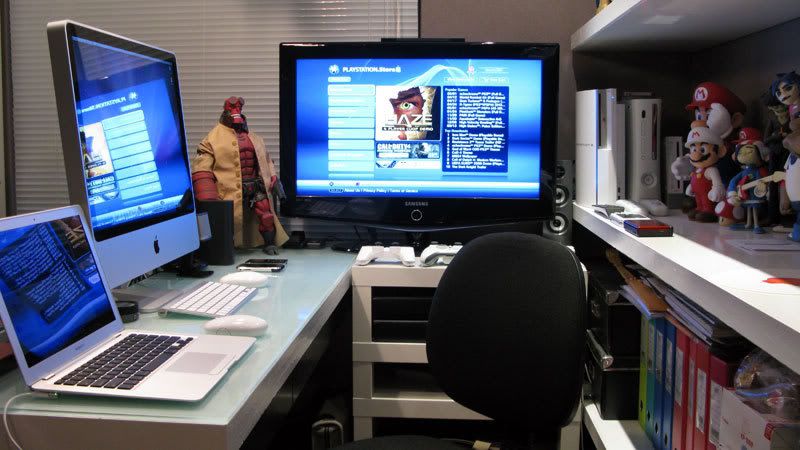 This post has been edited by ps360: May 21 2008, 07:48 AM |
|
|
May 21 2008, 06:31 PM
Return to original view | Post
#5
|
|
Junior Member
137 posts Joined: Jan 2006 From: The Other Side
|
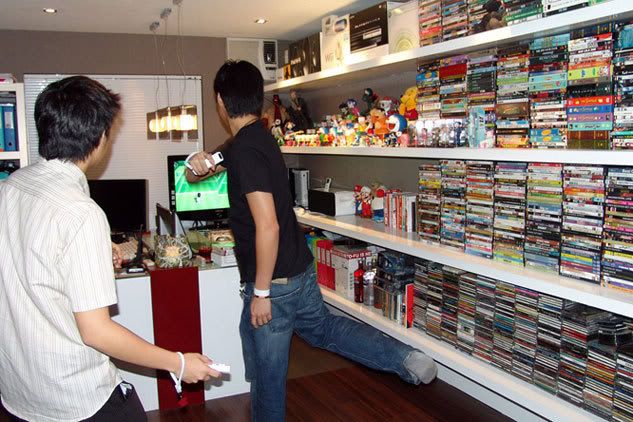
When it comes to playing the Nintendo Wii, especially Tennis - can't sit on my desk. Gotta move my massage chair and clear the area for some Doubles. (Picture taken last year when I was still using my Sony Vaio). Getting off topic. Hehehehe. Sorry Mod. Back to Apple Hardware - am loving the MacBook Air. A fine piece of hardware indeed. But definitely can't be used as a primary computer - the screen is way too "sempit" for my liking. But the size, what can I say? Fantastic. » Click to show Spoiler - click again to hide... «
|
|
|
May 21 2008, 07:16 PM
Return to original view | Post
#6
|
|
Junior Member
137 posts Joined: Jan 2006 From: The Other Side
|
@ ff8ong - Hahahaha, very sharp eyes u have.
Bro, can please edit message removing links to image? So page will not be too heavy. Thanks.  |
|
Topic ClosedOptions
|
| Change to: |  0.0379sec 0.0379sec
 0.38 0.38
 7 queries 7 queries
 GZIP Disabled GZIP Disabled
Time is now: 3rd December 2025 - 04:08 PM |
 Quote
Quote