Welcome Guest ( Log In | Register )

Bump Topic Topic Closed RSS Feed
124 Pages « < 52 53 54 55 56 > » Bottom

Outline · [ Standard ] · Linear+

Hardware Your Mac Desktop / Apple Hardware

views
     
TechnoDude94
post May 3 2008, 11:48 AM

Happiness Advocate
*******
Senior Member
6,738 posts

Joined: Dec 2006
From: Kuala Lumpur, Malaysia | Eau Claire, Wisconsin


QUOTE(yongkailoon @ Apr 22 2008, 11:58 PM)
The keyboard so yellow. blink.gif
*
I'm sure I'll have one of the cleanest keyboards on a MacBook here because, the keyboard has been covered by the silicon keyboard protector which has been on the keyboard since day one I bought the computer which was November 2006.

wei
post May 3 2008, 01:06 PM

Get your Macs done right!
*******
Senior Member
6,496 posts

Joined: Jan 2003
From: Kota Damansara


Don't be too sure. Dust will still get in from the gap. But yeah, at lease it wont turn yellow. Do you have problem when you close the MB, the silicon protector left stain/marking on your LCD?
tinkerbel
post May 3 2008, 03:53 PM

Fanaddict!
Group Icon
VIP
13,495 posts

Joined: Dec 2006
From: KL, Malaysia


@wei,
Yes that is a problem! At least I get it on my monitor.
OKLY
post May 3 2008, 03:54 PM

The Penguin Vader
Group Icon
Staff
12,089 posts

Joined: Dec 2004
From: Malaysia


May I ask what kind of mark/stain that gets on to the monitor ? hmm.gif
kwekeugene
post May 3 2008, 06:27 PM

 
******
Senior Member
1,479 posts

Joined: Nov 2005
The stains are caused by the dirt/oil on accumulated on the silicon protector. When the lid closes, the silicon touches the screen, hence, leaving an unsightly mark.
OKLY
post May 3 2008, 06:30 PM

The Penguin Vader
Group Icon
Staff
12,089 posts

Joined: Dec 2004
From: Malaysia


QUOTE(kwekeugene @ May 3 2008, 06:27 PM)
The stains are caused by the dirt/oil on accumulated on the silicon protector. When the lid closes, the silicon touches the screen, hence, leaving an unsightly mark.
*
In that case the stain/mark still can be easily removed right ? hmm.gif
civic98
post May 3 2008, 07:08 PM

Regular
******
Senior Member
1,255 posts

Joined: Aug 2006
From: Langkawi


QUOTE(TechnoDude94 @ May 3 2008, 11:48 AM)
I'm sure I'll have one of the cleanest keyboards on a MacBook here because, the keyboard has been covered by the silicon keyboard protector which has been on the keyboard since day one I bought the computer which was November 2006.
*
Yea I know what you mean, mine too. But you will have problems on the edges of the keyboard where it turns yellow due to the fans sucking air in from there when the silicon keyboard protector is covering the whole keyboard. It gets difficult to clean after some time.

QUOTE(tinkerbel @ May 3 2008, 03:53 PM)
@wei,
Yes that is a problem!  At least I get it on my monitor.
*
It's not as bad on the Macbook compared to the MBP cause MB's keyboard is a little deeper than MBP's, so it won't be pressing against the LCD as much.
tinkerbel
post May 4 2008, 12:48 AM

Fanaddict!
Group Icon
VIP
13,495 posts

Joined: Dec 2006
From: KL, Malaysia


@yongkailoon,
Yeah the stains aren't difficult to get rid off - just put some LCD monitor cleaning agent and it works smile.gif

@civic98,
I'd given up hope and am living with the 'keyboard' marks on my monitor. Cleaned it once - and it's due for cleaning soon except i'd been .. ah well.. too lazy ! *gulps*

@76radius,
U sure thought wrong about us ladies *grins* Then again, it's the many stack of papers and mails that clutters the desk *sigh*
bratzz
post May 4 2008, 10:12 AM

New Member
*
Junior Member
32 posts

Joined: Dec 2007
Hi...I'm a relatively new apple user (nov07)....here are some of my home setup.

Looking forward to new laptop designs frm Apple this year~!

user posted image
dota machines at home (mba->xps1330->inspirons)
user posted image
1TB TmeCapsule & AppleTV (40GB)
user posted image
Imac 2.8Ghz, 4Gb Ram, 500GB HDD (with CPL polarizer on lens)


wei
post May 4 2008, 12:29 PM

Get your Macs done right!
*******
Senior Member
6,496 posts

Joined: Jan 2003
From: Kota Damansara


nice shots!
kazasho
post May 4 2008, 08:42 PM

カザショ!
******
Senior Member
1,964 posts

Joined: Jun 2006
From: San Andreas


QUOTE(bratzz @ May 4 2008, 10:12 AM)
Hi...I'm a relatively new apple user (nov07)....here are some of my home setup.

Looking forward to new laptop designs frm Apple this year~!

user posted image
dota machines at home (mba->xps1330->inspirons)
user posted image
1TB TmeCapsule & AppleTV (40GB)
user posted image
Imac 2.8Ghz, 4Gb Ram, 500GB HDD (with CPL polarizer on lens)
*
1st shot ok with aperture.
2nd photo y too focus on the side?up more f number and u will get more details on the mac mini/apple logo.
3rd thumbup.gif

giler off topic whistling.gif
3ric
post May 5 2008, 04:45 PM

Casual
***
Junior Member
349 posts

Joined: Jan 2003
From: Petaling Jaya/ Melbourne


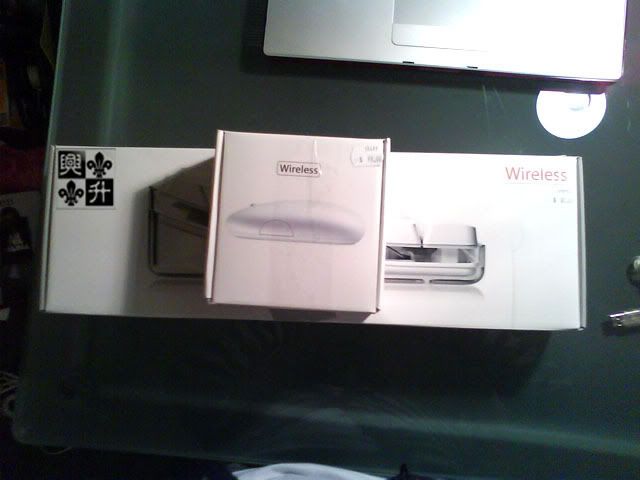
I went JB hifi today to bought wireless keyboard + mighty mouse for a price of AUD 98. The promotion ended yesterday but the shop promoter gave me the deal.
Total of AUD 189 down to just 89 bucks! rclxms.gif

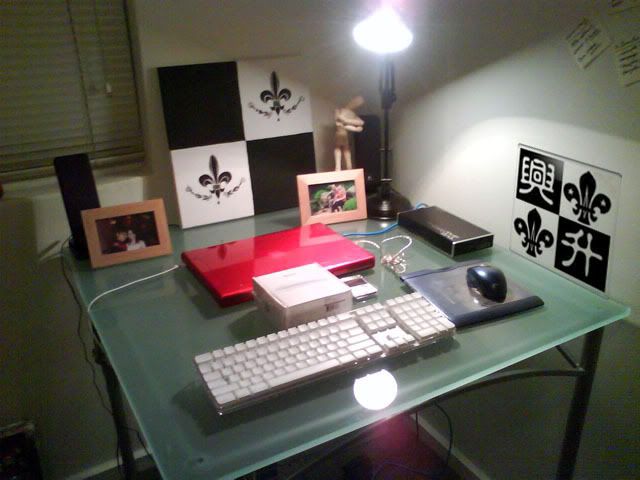
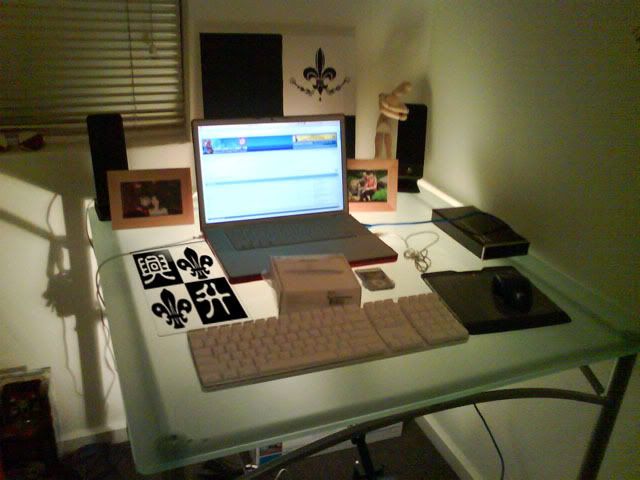
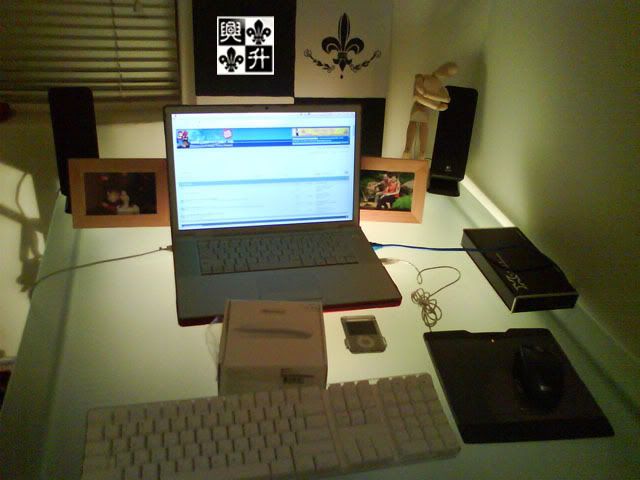
Here is the pics of my current set up now... rclxm9.gif

15' MBP 2.4 ghz with 4 gb ram withy Red speck cover
Ipod Nano 4gb (student rebate)
Wireless keyboard + mighty mouse (Fresh!)
Wacom tablet CTE-430 Sapphire (not using mighty mouse yet)
and a Cooler Master casing with external 500gb hard disk

Sorry for low quality pics taken from my camera phone.

» Click to show Spoiler - click again to hide... «


This post has been edited by 3ric: May 5 2008, 04:46 PM
Savor_Savvy
post May 5 2008, 04:45 PM

Look at all my stars!!
*******
Senior Member
2,776 posts

Joined: Jul 2006


Macbook pro, my dad's one.
user posted image
gnome
post May 5 2008, 04:47 PM

- We game, do you? -
*******
Senior Member
4,925 posts

Joined: Jan 2003
QUOTE(3ric @ May 5 2008, 04:45 PM)
I went JB hifi today to  bought wireless keyboard + mighty mouse for a price of AUD 98. The promotion ended yesterday but the shop promoter gave me the deal.
Total of AUD 189 down to just 89 bucks!  rclxms.gif 

Here is the pics of my current set up now...  rclxm9.gif

15' MBP 2.4 ghz with 4 gb ram withy Red speck cover
Ipod Nano 4gb (student rebate)
Wireless keyboard + mighty mouse (Fresh!)
Wacom tablet CTE-430 Sapphire (not using mighty mouse yet)
and a Cooler Master casing with external 500gb hard disk

Sorry for low quality pics taken from my camera phone.

» Click to show Spoiler - click again to hide... «

*
Wah nice, Im looking for that keyboard though sad.gif
|Keantan|
post May 5 2008, 05:17 PM

Casual
***
Junior Member
407 posts

Joined: Dec 2005
QUOTE(gnome @ May 5 2008, 04:47 PM)
Wah nice, Im looking for that keyboard though sad.gif
*
they have some in mac city amcorp mall, maybe the cineleisure has also both new and old one ... i think. but make sure u ask for discount! biggrin.gif mention my name .. Kean
johntxy
post May 5 2008, 08:16 PM

Casual
***
Junior Member
310 posts

Joined: Jan 2006


gosh. thats beautiful bratzz.

Anyone got any idea if the 20" display is good? Large enough?

This post has been edited by johntxy: May 5 2008, 08:17 PM
OKLY
post May 5 2008, 09:21 PM

The Penguin Vader
Group Icon
Staff
12,089 posts

Joined: Dec 2004
From: Malaysia


QUOTE(johntxy @ May 5 2008, 08:16 PM)
gosh. thats beautiful bratzz.

Anyone got any idea if the 20" display is good? Large enough?
*
The 20" display supports 1680 by 1050 pixels which in my opinion is enough, however for design enthusiasts of course you can never ask "big enough ?" because they are always craving for bigger and better displays. It is all up to your preference and whether it is able to cater for your needs.
TechnoDude94
post May 6 2008, 06:18 PM

Happiness Advocate
*******
Senior Member
6,738 posts

Joined: Dec 2006
From: Kuala Lumpur, Malaysia | Eau Claire, Wisconsin


QUOTE(wei @ May 3 2008, 01:06 PM)
Don't be too sure. Dust will still get in from the gap. But yeah, at lease it wont turn yellow. Do you have problem when you close the MB, the silicon protector left stain/marking on your LCD?
*
Yes, all my schoolmates have that problem.

QUOTE(tinkerbel @ May 3 2008, 03:53 PM)
@wei,
Yes that is a problem!  At least I get it on my monitor.
*
When I turn on the MacBook it's always on full brightness so that I don't get the annoying reflection.

QUOTE(yongkailoon @ May 3 2008, 03:54 PM)
May I ask what kind of mark/stain that gets on to the monitor ? hmm.gif
*
There can be many types of stains, if you know what I mean? brows.gif. Urm, it's a marking left on the monitor by the keyboard silicon protector, sometimes I can even see the alphabets.

bratzz
post May 6 2008, 08:16 PM

New Member
*
Junior Member
32 posts

Joined: Dec 2007
QUOTE(johntxy @ May 5 2008, 08:16 PM)
gosh. thats beautiful bratzz.

Anyone got any idea if the 20" display is good? Large enough?
*
If you're willing to fork just an additonal rm1k for that extra screen real estate (24"), which you will enjoy for many years to come..then go for the 24".
You'll also get a faster cpu (2.8 vs 2.66) in the process. Not a bad deal imho...even for casual usage (browsing, movies,games, occasional photoshop...) smile.gif

Thanks to the nifty screen zoom feature in OSX, I stimes end up waking up like this...(yeah the extra 4" matters!)


This post has been edited by bratzz: May 6 2008, 08:16 PM


Attached thumbnail(s)
Attached Image
lailaikatong
post May 7 2008, 01:29 AM

On my way
****
Senior Member
601 posts

Joined: Oct 2005
From: [Shah Alam]/Melbourne


i LOLed lookin at that pic, and decided to post a response:

Attached Image

currently in bed, enjoying 24" of screen real estate as well...


124 Pages « < 52 53 54 55 56 > » Top
Topic ClosedOptions
 

Change to:
| Lo-Fi Version
0.0267sec    0.47    6 queries    GZIP Disabled
Time is now: 2nd December 2025 - 03:05 PM