Welcome Guest ( Log In | Register )

Outline · [ Standard ] · Linear+

 MoonShell skins here!, Update - Metroid Prime Hunters Skin!

views
     
TSprazole
post Mar 3 2006, 03:12 AM, updated 20y ago

Sleepyhead..
******
Senior Member
1,513 posts

Joined: Nov 2004
From: Kuching - Klang


for those who have monshell v1.0 can try this skin that i made! biggrin.gif
2 version.. one skins only.. but u have to manually copy those files..
the other version compiled together with moonshell latest v1.0..

Skin only
http://www.uploadengine.com/getfile.php?fi...297585ECBA2.zip
to use = copy all files to //shell directory
then load your moonshell up..

MoonShell 1.0 + skin (SC-SD)
http://rapidshare.de/files/14526942/Moonshell.zip.html
to use = juz copy to ur SD/CF card and load the file. simple as that

user posted image

Metroid Prime Hunters skin..
2nd skin i made.. enjoy

user posted image

link = http://www3.uploadengine.com/getfile.php?f...841280B9496.zip

This post has been edited by prazole: Mar 9 2006, 02:12 AM
carsonoel
post Mar 3 2006, 07:56 AM

Sol.
*****
Senior Member
703 posts

Joined: Mar 2005


woo, cool.

DLing now. Just wondering if you can insert ya own bg. biggrin.gif

Edit : prazole, can you like post a short tutorial on how to edit the moonshell bootfile? Like how you replace the bmp, I cant seem to associate it with any editing tools. notworthy.gif

This post has been edited by carsonoel: Mar 3 2006, 08:16 AM
TSprazole
post Mar 3 2006, 09:38 AM

Sleepyhead..
******
Senior Member
1,513 posts

Joined: Nov 2004
From: Kuching - Klang


this my first time making skin. i used a skin called bluemoon and modify from there. u can get these skins coz it came with moonshell 1.0 itself

so if u check the files inside they have different files for the top screen then touch screen also.. all bmp format.
the trick is it only support 8 bit bmp format.

i did this skin in photoshop only..
coz im more familiar with it..

as long ur bmp is 8 bit color.. i dun think will have any problem

carsonoel
post Mar 3 2006, 09:55 PM

Sol.
*****
Senior Member
703 posts

Joined: Mar 2005


I meant how do I actually put/replace the *.bmp file in the monshell.nds?

or simply put, how to edit the *.nds file to replace the bg?
TSprazole
post Mar 4 2006, 01:04 AM

Sleepyhead..
******
Senior Member
1,513 posts

Joined: Nov 2004
From: Kuching - Klang


u have to put the bmp to /shell folder in ur SD card..
then moonshell will automatically runs it

those over 1mb moonshell files is compiled already
u cant do anything about the skins..
only those UNCOMPILED version with moonshell around 500 KB and it has seperates /Shell folder
carsonoel
post Mar 4 2006, 09:33 AM

Sol.
*****
Senior Member
703 posts

Joined: Mar 2005


anyway to compile it?

Man, sorry for bothering you ...
I tried booting up the uncompiled one, but the screen just went blank. sweat.gif
nbee
post Mar 4 2006, 10:45 AM

Getting Started
**
Junior Member
178 posts

Joined: Jan 2006
From: Land Below the Wind


moonshell 1.0, soo sweat!
TSprazole
post Mar 4 2006, 11:43 AM

Sleepyhead..
******
Senior Member
1,513 posts

Joined: Nov 2004
From: Kuching - Klang


QUOTE(carsonoel @ Mar 4 2006, 09:33 AM)
anyway to compile it?

Man, sorry for bothering you ...
I tried booting up the uncompiled one, but the screen just went blank.  sweat.gif
*
uncompiled version should run fine only wut
if ur uncompiled version doesnt run i dont think it will run even if u compiled it

anyway when u download the file
u have to run setup.exe then will prompt u to choose EXFS. C:, D:
basically if u choose exfs that means u want it compiled..
but if u want to play with skins around i suggest uncompiled version
plus it boots a lot faster..
so choose C: or D: depends which drive u want it to be
then it will create a <500kb .nds file and also shell folder
copy it to ur SD card..
carsonoel
post Mar 4 2006, 04:43 PM

Sol.
*****
Senior Member
703 posts

Joined: Mar 2005


QUOTE(prazole @ Mar 4 2006, 11:43 AM)
uncompiled version should run fine only wut
if ur uncompiled version doesnt run i dont think it will run even if u compiled it

anyway when u download the file
u have to run setup.exe then will prompt u to choose EXFS. C:, D:
basically if u choose exfs that means u want it compiled..
but if u want to play with skins around i suggest uncompiled version
plus it boots a lot faster..
so choose C: or D: depends which drive u want it to be
then it will create a <500kb .nds file and also shell folder
copy it to ur SD card..
*
After a much needed patience and trail & error, I got it.

thx again pra! thumbup.gif
stanny
post Mar 4 2006, 08:12 PM

Getting Started
**
Junior Member
206 posts

Joined: Nov 2005


What is Moonshell for?
carsonoel
post Mar 4 2006, 10:57 PM

Sol.
*****
Senior Member
703 posts

Joined: Mar 2005


QUOTE(stanny @ Mar 4 2006, 08:12 PM)
What is Moonshell for?
*
Moonshell for Supercard for playing mp3/videos/*ahems*

thumbup.gif

pra, still prefer the original compiled vers you shared. nicer.
I like how the back light auto-toggle off when it's idle, plus the extra play info they made. awesome. Can't wait for better MS. wub.gif
TSprazole
post Mar 4 2006, 11:56 PM

Sleepyhead..
******
Senior Member
1,513 posts

Joined: Nov 2004
From: Kuching - Klang


eh carsoneal
wut u mean
im blur

so which skin ur using now.. izzit mine?
both file i posted has same skin only wut
TSprazole
post Mar 9 2006, 02:10 AM

Sleepyhead..
******
Senior Member
1,513 posts

Joined: Nov 2004
From: Kuching - Klang


- look at first post -

This post has been edited by prazole: Mar 9 2006, 02:12 AM
nbee
post Mar 9 2006, 03:01 AM

Getting Started
**
Junior Member
178 posts

Joined: Jan 2006
From: Land Below the Wind


moonshell is the best homebrew multi media player at the mean time!!!
(for NDS)
wow prazole, great skins u got there! wat subject u take wen u r in kolej?
TSprazole
post Mar 9 2006, 06:30 PM

Sleepyhead..
******
Senior Member
1,513 posts

Joined: Nov 2004
From: Kuching - Klang


QUOTE(nbee @ Mar 9 2006, 03:01 AM)
moonshell is the best homebrew multi media player at the mean time!!!
(for NDS)
wow prazole, great skins u got there! wat subject u take wen u r in kolej?
*
hi
i took science biggrin.gif

carsonoel
post Mar 9 2006, 06:56 PM

Sol.
*****
Senior Member
703 posts

Joined: Mar 2005


which makes art not limited to the commerce/art stream.

thumbs!
nbee
post Mar 9 2006, 07:12 PM

Getting Started
**
Junior Member
178 posts

Joined: Jan 2006
From: Land Below the Wind


then i might as well draw a thing myself

o o
L
---

dang, it's ugly cry.gif , i'll leave the drawing bak 2 prazole...

This post has been edited by nbee: Mar 9 2006, 07:12 PM
TSprazole
post Mar 9 2006, 10:51 PM

Sleepyhead..
******
Senior Member
1,513 posts

Joined: Nov 2004
From: Kuching - Klang


so i was wondering if i want to make my next skin
what game u guys suggest i should do ar???
any suggestion?
Zerol
post Mar 9 2006, 10:56 PM

Casual
***
Junior Member
379 posts

Joined: Feb 2006


QUOTE(prazole @ Mar 9 2006, 10:51 PM)
so i was wondering if i want to make my next skin
what game u guys suggest i should do ar???
any suggestion?
*
Sonic Rush, or Resident Evil DS? you could put "Tyrant" with those long deadly fingernails of his. smile.gif
carsonoel
post Mar 10 2006, 12:28 AM

Sol.
*****
Senior Member
703 posts

Joined: Mar 2005


pra I suggest u compile a moonshell.nds with ur skins in it.

that way it'd be easier for us. tongue.gif

thaisxs
post Mar 10 2006, 12:31 AM

gay master
****
Senior Member
686 posts

Joined: Nov 2005


QUOTE(carsonoel @ Mar 10 2006, 12:28 AM)
pra I suggest u compile a moonshell.nds with ur skins in it.

that way it'd be easier for us. tongue.gif
*
good work to pra ..
carson dun watch too much porn by using moonshell ya tongue.gif
carsonoel
post Mar 10 2006, 12:37 AM

Sol.
*****
Senior Member
703 posts

Joined: Mar 2005


QUOTE(thaisxs @ Mar 10 2006, 12:31 AM)
good work to pra ..
carson dun watch too much porn by using moonshell ya  tongue.gif
*
oh, no worries.
now no time to convert also biggrin.gif biggrin.gif biggrin.gif

jkjk. I'm watching movies on my Moonshell now.
Watched Hellboy, Constantine, Goldmember & FF7 already... waiting for new movies to fit it there then go sit on my bed watch til sleep. thumbup.gif

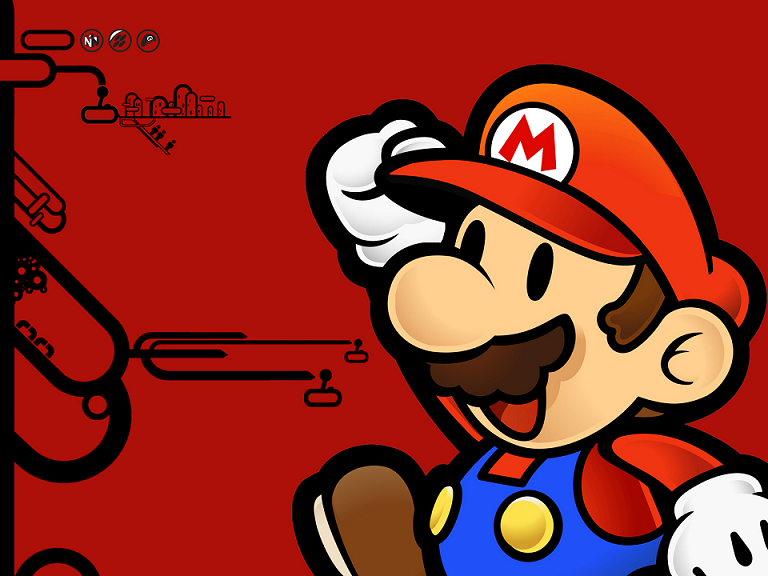
EDIT : pra, I suggest you use this wallpaper for your next skin!
Nintendo themed Mario himself! drool.gif

user posted image

This post has been edited by carsonoel: Mar 10 2006, 12:38 AM
TSprazole
post Mar 10 2006, 02:31 AM

Sleepyhead..
******
Senior Member
1,513 posts

Joined: Nov 2004
From: Kuching - Klang


nice picture
u give me large version la

too small this.. sweat.gif
carsonoel
post Mar 10 2006, 04:24 AM

Sol.
*****
Senior Member
703 posts

Joined: Mar 2005


QUOTE(prazole @ Mar 10 2006, 02:31 AM)
nice picture
u give me large version la

too small this..  sweat.gif
*
done. thumbup.gif

user posted image
crimsonhead
post Mar 10 2006, 07:14 AM

One Of A Kind
*******
Senior Member
2,261 posts

Joined: Jun 2005
From: -H3AV3N-


do i need to flash my nds so that i can install this 3rd party programme?
TSprazole
post Mar 10 2006, 07:44 AM

Sleepyhead..
******
Senior Member
1,513 posts

Joined: Nov 2004
From: Kuching - Klang


QUOTE(crimsonhead @ Mar 10 2006, 07:14 AM)
do i need to flash my nds so that i can install this 3rd party programme?
*
nope
i guess passme should work
nbee
post Mar 10 2006, 01:37 PM

Getting Started
**
Junior Member
178 posts

Joined: Jan 2006
From: Land Below the Wind


passme will work, just like mine
thaisxs
post Mar 23 2006, 04:46 PM

gay master
****
Senior Member
686 posts

Joined: Nov 2005


now is ms 1.1 ?

scripted
post Mar 29 2006, 10:16 PM

Newbie
****
Senior Member
608 posts

Joined: Jan 2003


Snipped! tongue.gif

This post has been edited by scripted: Apr 16 2006, 08:58 AM
Saigo
post Apr 26 2006, 02:24 AM

Traveller
****
Senior Member
635 posts

Joined: Dec 2005
From: Subang Jaya


I'm trying to do my own skin as well - what's prgbara.bmp, prgbard.bmp, sb_bg.bmp, sb_body.bmp, sb_part.bmp, titlea.bmp, and titled.bmp for? I can't figure that out. <_<

Edit: I think I know what prgbara and prgbard is for.. but I've no idea what sb_bg, etc means. =P Anyway, I've finished up my own Kingdom Hearts 2-themed skin, and will be posting it soon if anyone's interested. ;)

Double Edit: Prazole, how did you screenshot your.. DS screens? o_o

Triple edit: A French tutorial guide, translated.


This post has been edited by Saigo: Apr 26 2006, 02:28 PM
Saigo
post Apr 28 2006, 01:55 AM

Traveller
****
Senior Member
635 posts

Joined: Dec 2005
From: Subang Jaya


Any ideas how to screenshot your NDS like prazole did? o_o I've done my skin and I really wanna post it up, together with the screenies.
scripted
post Apr 28 2006, 07:51 AM

Newbie
****
Senior Member
608 posts

Joined: Jan 2003


That you can do in paint... ? just copy paste from multiple files ?
will post one up later...
Suet
post Apr 28 2006, 10:04 AM

Spank Whore :D
******
Senior Member
1,188 posts

Joined: Jan 2003
From: Nexie's Fireplace!


Slightly off-topic, er where can I get Moonshell, and how? happy.gif Not really gonna play ahem games but I'd like to listen to some MP3s. smile.gif
thaisxs
post Apr 28 2006, 10:17 AM

gay master
****
Senior Member
686 posts

Joined: Nov 2005


QUOTE(Suet @ Apr 28 2006, 10:04 AM)
Slightly off-topic, er where can I get Moonshell, and how? happy.gif Not really gonna play ahem games but I'd like to listen to some MP3s. smile.gif
*
juz type moonshell in google and u will find it or refer to 1st page i think para got upload .how ?
u nid sc-sd,m3,ez4. +_W)#_@)#_) etc flash cart to store ur moonshell =D .
scripted
post Apr 28 2006, 12:06 PM

Newbie
****
Senior Member
608 posts

Joined: Jan 2003


Open > crop > Paste > Save tongue.gif
something like this will come out which means i've failed sad.gif
ok sorry i thought i know how to do it D:
user posted image

turns out like this

user posted image


Oh wait.... maybe he used an emulator to test it out ? and then just took a screenshot ? =x

This post has been edited by scripted: Apr 28 2006, 12:07 PM
Saigo
post Apr 28 2006, 12:14 PM

Traveller
****
Senior Member
635 posts

Joined: Dec 2005
From: Subang Jaya


Emulator.. never thought of that. o_o I'll give it a try and let you know the results. ;p
Saigo
post Apr 28 2006, 12:29 PM

Traveller
****
Senior Member
635 posts

Joined: Dec 2005
From: Subang Jaya


It wouldn't work. I loaded up Moonshell on three different emulators and they all crashed. >_<

Edit: I found the solution!

QUOTE
Lastly, for the completion, to create small a preview.bmp by copying the two files scrcap.bmp and scrcap.nds (these two files are in the file "Skin image preview making tool" of the file Skin de MoonShell) with the root of your CF/SD/EXFS. It is then enough to launch scrcap.nds starting from MoonShell. Surprised! scrcap.bmp is now a capture of screen of your Skin!!


;p

This post has been edited by Saigo: Apr 28 2006, 12:43 PM
Saigo
post Apr 28 2006, 01:01 PM

Traveller
****
Senior Member
635 posts

Joined: Dec 2005
From: Subang Jaya


Here it is - Twilight!

user posted image

Download link available from here.

Check it out, would appreciate comments, criticism, etc. XD
TSprazole
post Apr 28 2006, 02:19 PM

Sleepyhead..
******
Senior Member
1,513 posts

Joined: Nov 2004
From: Kuching - Klang


waa.. nice

to take screenshot
if u browse in the folder of ur downloaded moonshell..
there is a folder with a file where u should run it in ur SD card in order to take screenshot..
its a seperate file.. i not sure the name liao..
scripted
post Apr 28 2006, 03:41 PM

Newbie
****
Senior Member
608 posts

Joined: Jan 2003


Nice skin! i'm gonna load it onto my SD card now ^^
Saigo
post Apr 28 2006, 10:13 PM

Traveller
****
Senior Member
635 posts

Joined: Dec 2005
From: Subang Jaya


Thanks prazole! I figured it out liao. :P

scripted/xivan: tell me what you think bout it. ;P There are a few things I wanna brush up a bit too.
scripted
post Apr 29 2006, 01:04 AM

Newbie
****
Senior Member
608 posts

Joined: Jan 2003


I like the starting music but can it be clearer or is it meant to be like that ?

Oh yea maybe you can fade out the guy on the text screen =x

This post has been edited by scripted: Apr 29 2006, 01:04 AM
Saigo
post Apr 29 2006, 01:39 AM

Traveller
****
Senior Member
635 posts

Joined: Dec 2005
From: Subang Jaya


If it goes any louder it won't sound good on the DS's speakers. >.> I don't know what you meant by whether it's "meant to be like that", but that's how it sounds like. :P

Yeah, I'm having problem with the background I chose for the text screen. Everytime I tried to fade it, the colours turned out ugly on an 8-bit bitmap. ~___~

Dya think a black background + white text would do the trick? =/

This post has been edited by Saigo: Apr 29 2006, 01:40 AM
scripted
post Apr 29 2006, 01:57 AM

Newbie
****
Senior Member
608 posts

Joined: Jan 2003


Okay i just got to really concentrate on the starting music and realize that the background noise is the sound of beach waves tongue.gif
hmm the starting is perfect i think you just need to fade the mp3 out
Saigo
post Apr 29 2006, 02:10 AM

Traveller
****
Senior Member
635 posts

Joined: Dec 2005
From: Subang Jaya


Yeah, they're sounds of the waves. ;P I amplified the music a bit, and made it fade out. Also changed the background of the text screen to black, and the text to white. Should be much readable now.

Just redownload the skin at the same link. :P

This post has been edited by Saigo: Apr 29 2006, 02:11 AM
scripted
post Apr 29 2006, 02:17 AM

Newbie
****
Senior Member
608 posts

Joined: Jan 2003


hmm try this for the text instead ?
its more readable and the picture is still there

Gaussian blured them on 2 pixel
user posted image
or
user posted image
carsonoel
post Apr 29 2006, 07:12 AM

Sol.
*****
Senior Member
703 posts

Joined: Mar 2005


nothing like scanlines.

if you get me. tongue.gif
thaisxs
post Apr 29 2006, 12:13 PM

gay master
****
Senior Member
686 posts

Joined: Nov 2005


QUOTE(Saigo @ Apr 28 2006, 01:01 PM)
Here it is - Twilight!

user posted image

Download link available from here.

Check it out, would appreciate comments, criticism, etc. XD
*
woah nice !
Saigo
post Apr 30 2006, 12:53 AM

Traveller
****
Senior Member
635 posts

Joined: Dec 2005
From: Subang Jaya


QUOTE(scripted @ Apr 29 2006, 02:17 AM)
hmm try this for the text instead ?
its more readable and the picture is still there

Gaussian blured them on 2 pixel
user posted image
or
user posted image
*
Awesome! Don't know why I didn't try that earlier, I'll save it to my own DS soon and check it out. :P

carsonoel: What dya mean? =P

thaisxs: Thanks a lot!
thaisxs
post Apr 30 2006, 01:03 PM

gay master
****
Senior Member
686 posts

Joined: Nov 2005


http://mdxonline.dyndns.org/archives/nds/

new moonshell 1.2 beta 7 is out
Saigo
post Apr 30 2006, 03:28 PM

Traveller
****
Senior Member
635 posts

Joined: Dec 2005
From: Subang Jaya


I sometimes don't understand half of what the website is describing lol. How do I upgrade from 1.1? >.>
hafez13
post Nov 3 2006, 01:37 AM

excited nintendo switch fanboi
******
Senior Member
1,274 posts

Joined: Feb 2006
From: Shah Alam


lol can some1 make FF3 1??

if some wan to make... sweat.gif

This post has been edited by hafez13: Nov 3 2006, 01:38 AM
myliew
post Dec 19 2006, 09:07 PM

Getting Started
**
Junior Member
259 posts

Joined: May 2006
"MPEG-4 AAC plugin for MoonShell" any one know what is this all about? moonshell v1.51 is out.
andy_lhc
post Dec 19 2006, 09:36 PM

On my way
****
Senior Member
542 posts

Joined: Mar 2006


QUOTE(myliew @ Dec 19 2006, 09:07 PM)
"MPEG-4 AAC plugin for MoonShell" any one know what is this all about? moonshell v1.51 is out.
*
i think its to play mpeg4 movie format...but i heard it was still beta version..alittle laggy
myliew
post Dec 19 2006, 10:18 PM

Getting Started
**
Junior Member
259 posts

Joined: May 2006
QUOTE(andy_lhc @ Dec 19 2006, 09:36 PM)
i think its to play mpeg4 movie format...but i heard it was still beta version..alittle laggy
*
hm.....ic. so how do i use it? dont have any readme file. i have download the zip file. but dont know how to use.
scph50004
post Dec 19 2006, 10:26 PM

Für die lulz
****
Senior Member
692 posts

Joined: Dec 2004
From: Soviet Sarawak


nice skins... keep it up!!! love the metriod prime and kH one...
myliew
post Dec 20 2006, 11:33 PM

Getting Started
**
Junior Member
259 posts

Joined: May 2006
QUOTE(scripted @ Apr 28 2006, 12:06 PM)
Open > crop > Paste > Save tongue.gif
something like this will come out which means i've failed sad.gif
ok sorry i thought i know how to do it D:
user posted image

turns out like this

user posted image
Oh wait.... maybe he used an emulator to test it out ? and then just took a screenshot ? =x
*
wow....now i only notice there is this wallpaper. nice.....any link to download?
misbah
post Dec 21 2006, 12:24 PM

New Member
*
Junior Member
28 posts

Joined: Nov 2006
From: B+P = Johore


QUOTE(myliew @ Dec 21 2006, 12:33 AM)
wow....now i only notice there is this wallpaper. nice.....any link to download?
*
read previous post..
hafez13
post May 16 2008, 08:37 PM

excited nintendo switch fanboi
******
Senior Member
1,274 posts

Joined: Feb 2006
From: Shah Alam


i wonder,this thread is still on ??
Kellicros
post May 16 2008, 10:20 PM

Regular
******
Senior Member
1,028 posts

Joined: Jan 2003
From: KL
QUOTE(hafez13 @ May 16 2008, 08:37 PM)
i wonder,this thread is still on ??
*
after you revived it.
hafez13
post May 16 2008, 10:52 PM

excited nintendo switch fanboi
******
Senior Member
1,274 posts

Joined: Feb 2006
From: Shah Alam


hell yeah.. i REVIVE things laugh.gif


Change to:
| Lo-Fi Version
0.0313sec    0.73    5 queries    GZIP Disabled
Time is now: 20th December 2025 - 09:40 PM