


 Oct 16 2012, 07:35 PM, updated 13y ago


http://www.nirsoft.net/utils/winprefetchview.zip
http://www.nirsoft.net/utils/win_prefetch_view.html
QUOTE
Each time that you run an application in your system, a Prefetch file which contains information about the files loaded by the application is created by Windows operating system. The information in the Prefetch file is used for optimizing the loading time of the application in the next time that you run it.
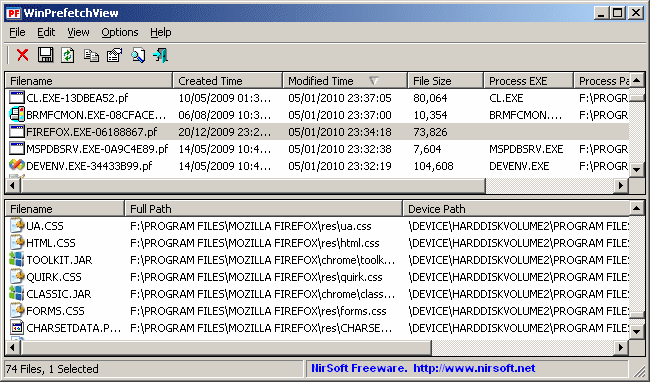
WinPrefetchView is a small utility that reads the Prefetch files stored in your system and display the information stored in them. By looking in these files, you can learn which files every application is using, and which files are loaded on Windows boot.
WinPrefetchView is a small utility that reads the Prefetch files stored in your system and display the information stored in them. By looking in these files, you can learn which files every application is using, and which files are loaded on Windows boot.
 Quote
Quote


 0.0137sec
 0.55
0.55
 5 queries
 GZIP Disabled