

 Persatuan tikus mari mari mari, setiap hari jam 10 malam!
  Sep 22 2012, 01:42 PM


III. Anchors
Anchors allow shaman to tie several spawned objects. The only way to create one of these anchors is to push C, V, B, N or J keys after selecting an item and before summoning it. If you push these keys several times, you’ll also be able to choose the anchor’s position on the item !
There are 4 different types of anchors and each of them has its own specific use :
C – Yellow Anchor – This anchor needs to be attached to another item and make this item unable to rotate. It’s mainly used to build bridges and several buildings.
B – Red Anchor – This anchor can be directly attached to the map or to any other item, but it can only be selected with a plank. Items are limited to a single red anchor and can’t be attached to any item that has a red anchor. Its main function is to rotate, and that’s not all! Red anchors have an other nice function: they can be placed on a dynamic item in order to prevent them to move!
V – Blue Anchor – This anchor needs to be attached to another item. It hinges the item.
N and J – Blue Motorized Anchors – These anchors are to be attached to another item. They share the same properties with the blue anchor but the difference resides in the fact they can rotate automatically thanks to their motor.
IV. Ghost items
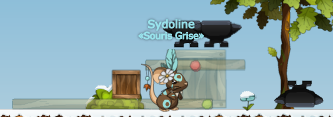
A ghost item is easily recognizable thanks to its transparency and its blue shade. These items work like the cloud ground: mice can go through them but items can’t. Each item can become a ghost item (except spirit, portals and conjuration). To ghost an item, press the spacebar after selecting it from the menu.
 Quote
Quote


 0.0168sec
 0.81
0.81
 6 queries
 GZIP Disabled