Welcome Guest ( Log In | Register )

Bump Topic Topic Closed RSS Feed
7 Pages  1 2 3 > » Bottom

Outline · [ Standard ] · Linear+

Maxis Maxis 3G/HS 3G Thread V6 (Not WBB), Don't Envy at Our Super Fast Speed! :D

views
     
TSfruitie
post Sep 15 2012, 03:00 PM, updated 14y ago

Rise and Shine
Group Icon
Staff
72,807 posts

Joined: Sep 2005
From: KUL

Hi, welcome to this thread! wave.gif Before you start posting on this thread, please spare a minute to read the below message. Thanks. biggrin.gif

You can:
  • Discuss about phone/modem/settings for Maxis 3G/HS 3G.
  • Comment about Maxis 3G/HS 3G.
  • Ask for opinions on Maxis 3G/HS 3G.
You can't:
  • Discuss about piracy or illegal contents.
  • Request forummers to rent out their SIM cards here, this is not a trading platform.
  • Offer to rent out your SIM cards to forummers here, this is not a trading platform.
REMINDER:
  • This package is already a discontinued plan, hence you will not be able to sign up as new subscribers.
  • Still, it's the best for you to check with Maxis if this plan is still allowable for now. We are not liable for any misinformation as we are not working for Maxis.
  • This is NOT Maxis Wireless Broadband thread! There is a separate Maxis WBB thread on this section. Check it out.
  • Until today nobody knows if the so-called corporate plan is really unlimited. So, in the mean time the Biz 68 subscribers can post here.
  • Whatever SKMM or anything besides this plan, please bring your discussion to the dedicated threads.

TSfruitie
post Sep 15 2012, 03:59 PM

Rise and Shine
Group Icon
Staff
72,807 posts

Joined: Sep 2005
From: KUL

I know most of you here are asking, "Why is my speed slower compared to others?", "Is my area covered with DC-HSPA+?" and etc.

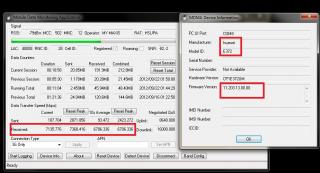
First and foremost if you are using a Huawei modem (not MiFi and Huawei E355), please download Mobile Data Monitoring Application (MDMA) to know how's the performance of your modem and connection. If you are using ZTE, there are extra steps which you will need to do before MDMA works on your side. That will be shared in next post.

Download MDMA 1.0.0.31 Beta 10 from here. - Credits to the original creator: ginggs

Potential errors that may occur:

Error 1: Unable to open COM port, mobile data device possibly in use by another application.
Before running MDMA make sure you have no other applications or dashboards (Maxis/Mobile Partner/Other software dashboards) open that might be using your data device's communications port.

Error 2: Error 623: The system could not find the phone book entry for this connection.
You will need to create a RAS (dial up) connection your MDMA so that it will connect when you click "Connect". Steps to get it done:
1) Open Network and Sharing Centre
2) Set up a new connection or network
3) Connect to the Internet
‎4) Choose Dial Up
5) Set the *99# as dial number
6) Rename connection name to MDMA
7) Click "Connect"
8) Click "Skip"
9) Click "Done"
10) Run MDMA
11) Click "Connect"

Band Configuration:
After you have connected to MDMA, you can select the band config that suits your connection the best (provided your modem is at least a dual band modem). However, UMTS 900 is said to have better performance in indoor whereas UMTS 2100 is said to have better performance in outdoor. These days UMTS 2100 is the more preferred band as it is faster compared to UMTS 900.

To perform your band config:
user posted image

WARNING: DO NOT TRY THIS AT ALL! We will not be responsible if this bricks your modem.
user posted image

Friendly Reminder for USB Modem Removal:
You can click on "Reset Device" when you need to unplug your modem and replug into USB port.

USSD Commands:
For those who need to perform USSD commands, for e.g. to check account balance via *100# (for Maxis), type your command at the "USSD Commands" box and click "Send USSD".

Firmware/COM Port and Other Details of Your Modem:
Click on "Device Info" to check them out

How Good is Your Connection?
1) Green bar is longer = Good signal
2) RSSI (Received Signal Strength Indication) number is lower = Good signal
3) SNR (Sound and Noise ratio) number is lower = Good strong signal
-You can keep moving your modem around and search for better signal spot, while doing this can click "Detect Device" to find better signal spot.

-Credits to chuahcs79 for the info posted above. This post is edited and improvised by fruitie.

This post has been edited by fruitie: Sep 15 2012, 07:41 PM
TSfruitie
post Sep 15 2012, 04:29 PM

Rise and Shine
Group Icon
Staff
72,807 posts

Joined: Sep 2005
From: KUL

As promised in the previous post, all ZTE users, please follow these steps to get MDMA work with your modem. However, a piece of reminder that MDMA is still best worked with Huawei modems. smile.gif

You will need to put in a command on your modem for your computer to recognize it as a dial-up connection (RAS). Steps to get it done (Windows 7):
1) Click on "Start" menu
2) Right click "Computer"
3) Click on "Properties"
4) Click on "Device Manager"
5) Click on "Modem" tab
6) Right click on "ZTE Proprietary USB Modem"
7) Click on "Properties"
8) Click on "Advance" tab
9) On the "Extra Initialization Commands" enter:
For Maxis postpaid: at+cgdcont=1,"IP","unet"
For Maxis SKMM or prepaid: at+cgdcont=1,"IP","bbnet"
For Maxis BB: at+cgdcont=1,"IP","maxisbb"
10) Click "OK"

No, you are not done yet. To create a dial-up (RAS) connection, make sure you disconnect your broadband and close the dashboard first. Follow the below instructions (Windows 7):
1) Open Network and Sharing Centre
2) Set up a new connection or network
3) Connect to the Internet
‎4) Choose Dial Up and click "Next"
5) Set the *99# as dial number
User name: leave it blank
Password: leave it blank
Connection name: MDMA
6) Click "Connect"
7) After the connection is connected, disconnect it.
8) Click on your bottom right screen computer alike icon
9) Then right click "MDMA dial-up connection" and click "Properties"
10) Click on "Options" tab. In "Dialing Options", UNTICK everything EXCEPT "Display progress while connecting".
11) In the "Redialing options" insert the following options:
Redial attempts: 99
Time between redial attempts: 1 second
Idle time before hanging up: never
Then TICK Redial if line is dropped
12) Click on "Security" tab
13) On the "Allow these protocols" UNTICK all EXCEPT "Unencrypted password (PAP)"
14) Click on "Networking" tab and a pop up window will show up and just click "Yes"
15) Click "OK" to exit the settings
16) Run MDMA
17) Click "Connect"

Now you are done and happy using MDMA with your ZTE modem!

Band Configuration:
After you have connected to MDMA, you can select the band config that suits your connection the best (provided your modem is at least a dual band modem). However, UMTS 900 is said to have better performance in indoor whereas UMTS 2100 is said to have better performance in outdoor. These days UMTS 2100 is the more preferred band as it is faster compared to UMTS 900.

To perform your band config:
user posted image

-Credits to chuahcs79 for the info posted above. This post is edited and improvised by fruitie.

This post has been edited by fruitie: Sep 15 2012, 07:41 PM

TSfruitie
post Sep 15 2012, 05:01 PM

Rise and Shine
Group Icon
Staff
72,807 posts

Joined: Sep 2005
From: KUL

We know that Maxis has introduced its DC-HSPA+ (Dual Carrier Evolved HSPA) connection and ever since then, it has expanded quite aggressively. To know if your area is covered, please refer to this coverage map but make sure DC-HSPA+ is ticked.

However, Maxis reserves all the rights to enable or disable the DC-HSPA+ tower in your area. Even if you have seen your area is covered on the map, that doesn't mean you are automatically connected to DC-HSPA+ tower.

The best you could do is run the MDMA (instructions in previous 2 posts) and check out what is the "Negotiated QoS". If it shows Uplink 8640 and Downlink 42000, you are in luck! However, in order for this info to show on your MDMA, it requires at least a 21Mbps modem to connect to your PC.

Now you have 42000 downlink in your area, what should you do next? Of course invest in modems that work with 42Mbps! brows.gif For instance, the popular modems which are used by the hardcore users here are Huawei E372 and ZTE MF680. I have both and I must say their performance is superb and totally worth for the money. If you ask me which is better, Huawei E372 performs better in my area (near to SS2, Petaling Jaya).

Though it says 42000 downlink, that doesn't mean you should be expecting 42Mbps connection speed. That's not happening, yet. At this moment, the maximum speed Maxis DC-HSPA+ users can get is around 22-23Mbps.

-Credits to fruitie for the info posted above.

------

As mentioned in previous posts that UMTS 2100 is preferred because of the higher speed. With just simple configuration on MDMA, to change the band config to concentrate only on UMTS 2100, these were the signals captured on both Huawei E372 and ZTE MF680 paired with TP-Link MR3420.

On Huawei E372 with only UMTS 2100:
user posted image

Reference speed captured in DC-HSPA+ area:
user posted image

On ZTE MF680 with only UMTS 2100:
user posted image

Reference speed captured in DC-HSPA+ area:
user posted image

-Credits to chuahcs79 for the info posted above. This post is edited and improvised by fruitie.

This post has been edited by fruitie: Sep 16 2012, 01:41 AM
TSfruitie
post Sep 15 2012, 05:32 PM

Rise and Shine
Group Icon
Staff
72,807 posts

Joined: Sep 2005
From: KUL

We love to see and experience fast speed, who doesn't? But you are always be reminded that, higher end modems tend to produce more heat. Heat slows down speed. How to counter this issue?

This is a headache for most of us here as our broadband is connected basically 24/7. Certain level of cooling and ventilation are required to keep your modems cool at all time to achieve better speed.

1) For cost effective yet produces effective results, you could try USB 2.0 mini fan:
user posted image

Choose the correct USB adapter which is compatible for iPad and iPod. (12V-1A~2A)
Example:
user posted image

Avoid this type of USB adapter as the allowed voltage goes through is just 5V and the performance will drop later.
user posted image

2) You could put your modem and/or router on laptop cooling pad as well. I'm (fruitie) using that. Of course the result is not as good as by putting a direct fan to fan your devices. laugh.gif

3) You could use desktop and server fan like Delta or San Ace branded. Do your own modification using your skills. We are not responsible for any electric shocks or etc.
Example (Pardon the dust):
user posted image
Delta server fan 120mm x 120mm 3A power

user posted image
San Ace server fan 80mm x 80mm 1A power

After modification:
user posted image

Conclusion: More power = Better performance = More heat generated = Need better cooling

-Credits to chuahcs79 for the info posted above. This post is edited and improvised by fruitie.

This post has been edited by fruitie: Sep 15 2012, 07:39 PM
TSfruitie
post Sep 15 2012, 05:57 PM

Rise and Shine
Group Icon
Staff
72,807 posts

Joined: Sep 2005
From: KUL

With the advancement of technology, I personally recommend all the Maxis 3G Internet Unlimited users to have a 3G router. You can easily share this high speed connection with your family members or simply for your iPad or mobile phones. biggrin.gif

3G routers are proven to have better connectivity and stability compared to direct plug-in USB modems. Of course, one can easily buy a MiFi device and connection can be shared via WiFi with few simple steps. However, if you are not a mobile person, 3G routers are always a better and cheaper choice than a MiFi. With a router, you can choose to connect using LAN (more stable than WiFi) or simply with just WiFi. If you have a ready USB modem then you can plug it to your router without disposing it, this is something MiFi can't have. Not forgetting MiFi is an expensive solution.

Two choices of our all-time favourite 3G routers:

1) TP-Link - TL MR3420 (Most recommended router of all-time - I love this router)
http://www.tp-link.com/en/products/details/?model=TL-MR3420
-More flexible than Aztech HW550-3G as it is compatible with most types of USB modems
-But you might face with data packet loss via its WiFi channels, so just play around switching between Channel 1/6/11 and set the WiFi to only B/G type.
Discussion thread: https://forum.lowyat.net/index.php?showtopic=2068482

2) Aztech - HW550-3G (I also have this and quite contented with its performance)
http://www.aztech.com/prod_3g_hw550.html
-Not an easy to be tamed router as it isn't compatible with most of the modems, you may need to update your router with the latest firmware if your modem is not compatible with it.
Discussion thread: https://forum.lowyat.net/index.php?showtopic=1966992

-----

However, computing technology makes life easier. Windows 7 is capable enough to turn your modem into a "virtual router" and you can share out the 3G connection with just some simple tweaks. Nevertheless, I believe the experience will not be as good as having a dedicated router.

Read this tutorial for better understanding. The illustrations will actually help a lot!
Credits to the original author, Damien from MakeTechEasier.

Comments: I have tried this method, all is well except that it is not working with my iPad.

-Credits to fruitie for the info posted above.

This post has been edited by fruitie: Sep 16 2012, 01:46 AM
TSfruitie
post Sep 15 2012, 05:59 PM

Rise and Shine
Group Icon
Staff
72,807 posts

Joined: Sep 2005
From: KUL

How to configure Maxis APN in Mobile Partner? This YouTube video tutorial eases your life!


-Credits to blacktubi for the info posted above.
TSfruitie
post Sep 15 2012, 06:01 PM

Rise and Shine
Group Icon
Staff
72,807 posts

Joined: Sep 2005
From: KUL

Before you rant about your slow speed to Maxis Customer Care, please be reminded that speed is affected by few factors:

1) Your device:
-You can't expect it to have 20Mbps when your modem's capability is just running max up to 7.2Mbps.
-You might be having a faulty modem, try switching your SIM card with other modems

2) Your signal coverage:
-If you are not within DC-HSPA+ coverage, then don't expect to have 20Mbps of speed. Be contented with just probably 5Mbps speed, that's probably what your tower is capable of. I know someone who was already running in joy though he only gets 2Mbps on his Maxis. Yes, he is in Mukah, Sarawak.

3) Congested with other users:
-If you are unlucky and you live in an area where there are a lot of similar users like you, be prepared with network congestion. Everyone is fighting with you. Though you might be living in a non-urbanized area, that doesn't mean your area will have good speed. All telco providers will do survey first before doing bandwidth allocation, if you area has low density of users, they will not allocate more speed to that tower. So can't do much thing about this.

4) Timing:
-Avoid performing download activities during golden hours (7-11 p.m.), this is the period where those working folks are back to home and start jamming the line. Be considerate with others. You could queue your downloads to start only after midnight when they go to bed. smile.gif

5) QoS:
-Check your QoS first, it could be your area is only capped to 2480/2480. sweat.gif

OK, after checking through the above steps and you are still very sure that something is wrong with your connection and tower. Login to your Twitter account and start tweeting the Maxis CS. Follow them @MaxisListens and they could respond to you quite swiftly. Lastly, be patient and they will fix your issue soon!


Before I forget, I think it is worth mentioning here that Maxis blocks P2P port in order to provide better speed to other users. Let's not forget there are other needy users out there depending on this connection to do their work and etc. So, don't hog the connection with your P2P activities. The port will only be opened at 1.00 a.m. - 7.00 a.m. or 3.00 a.m. - 7.00 a.m., depending on your area. So, plan your download activities wisely.

Of course this can be bypassed with VPN or SeedBox but I'll not further drill into this part. Check out yourself and don't ask me or us how to bypass it.

-Credits to fruitie for the info posted above.

This post has been edited by fruitie: Sep 18 2012, 12:14 AM
TSfruitie
post Sep 15 2012, 06:02 PM

Rise and Shine
Group Icon
Staff
72,807 posts

Joined: Sep 2005
From: KUL

Reserved for future usage.
TSfruitie
post Sep 15 2012, 06:06 PM

Rise and Shine
Group Icon
Staff
72,807 posts

Joined: Sep 2005
From: KUL

Welcome to version 6 and sorry for taking up this long to open this section. I spent the whole afternoon to improvise the posts before posting them up. I hope they are beneficial to some of you and those newbies in this thread.

Please have a good read. smile.gif And lastly, please behave yourself on this thread. biggrin.gif
simpleguy
post Sep 15 2012, 06:25 PM

Getting Started
**
Junior Member
167 posts

Joined: May 2005
From: tHe 11Th PlAnEt�


Not a trading platform?Then how come i see you discussing abt starting sale of x items...hmmn
TSfruitie
post Sep 15 2012, 06:26 PM

Rise and Shine
Group Icon
Staff
72,807 posts

Joined: Sep 2005
From: KUL

QUOTE(simpleguy @ Sep 15 2012, 06:25 PM)
Not a trading platform?Then how come i see you discussing abt starting sale of x items...hmmn
*
I didn't openly sell here. Did I?
Also I said SIM card.
digilife
post Sep 15 2012, 06:52 PM

The MNP guy, its me yeah.
*******
Senior Member
8,025 posts

Joined: Feb 2005
From: Planet Boleland


Lipoting in

rclxm9.gif rclxm9.gif rclxm9.gif
realone
post Sep 15 2012, 07:16 PM

Enthusiast
*****
Senior Member
865 posts

Joined: Jan 2003


Awesome thread. Thanks for fruitie for compiling all the tricks in previous thread. smile.gif
ibnuasad
post Sep 15 2012, 07:38 PM

A screw is not a screw until you screw it!
****
Senior Member
558 posts

Joined: Jun 2006
From: Lowyat.Net


v6 thumbup.gif

Tracking.... icon_rolleyes.gif
TSfruitie
post Sep 15 2012, 07:51 PM

Rise and Shine
Group Icon
Staff
72,807 posts

Joined: Sep 2005
From: KUL

OMG, the connection is like hell here. In PD. It is connected but not receiving data anymore. doh.gif
ddr3
post Sep 15 2012, 08:03 PM

HEDGIE :3
******
Senior Member
1,459 posts

Joined: Oct 2009
From: BOLEHLAND


i baca sampai habis, great job fruitie rclxms.gif
joeboto
post Sep 15 2012, 08:17 PM

insert title
*****
Senior Member
913 posts

Joined: Jun 2006


lipoting in also
chuahcs79
post Sep 15 2012, 08:25 PM

Look at all my stars!!
Group Icon
Elite
6,931 posts

Joined: Apr 2011
From: Bolehland for sure ^_^


QUOTE(fruitie @ Sep 15 2012, 07:51 PM)
OMG, the connection is like hell here. In PD. It is connected but not receiving data anymore. doh.gif
*
no data traffic at all ? hmm.gif
blacktubi
post Sep 15 2012, 08:30 PM

-
Group Icon
Elite
8,409 posts

Joined: Jul 2008

Very detailed for the ZTE section rclxms.gif
TSfruitie
post Sep 15 2012, 09:29 PM

Rise and Shine
Group Icon
Staff
72,807 posts

Joined: Sep 2005
From: KUL

I think E353 performs better in PD. laugh.gif

Good also, can use it when in PD. tongue.gif After all 16000 doesn't require E372. tongue.gif
chuahcs79
post Sep 15 2012, 09:39 PM

Look at all my stars!!
Group Icon
Elite
6,931 posts

Joined: Apr 2011
From: Bolehland for sure ^_^


yea,

since u frequent travel back to PD, can well use the Huawei E353 too..

well certain place HSPA/HSPA+ mode still performs well
LcBoy135z
post Sep 15 2012, 10:16 PM

Getting Started
**
Junior Member
224 posts

Joined: Mar 2009


wow so fast...new thread

thumbup.gif

fireballs
post Sep 15 2012, 10:43 PM

10101
*******
Senior Member
5,648 posts

Joined: Mar 2012
how come my tplink cannot display signal strength on 680?

can i have the modem ident file?
linkeong
post Sep 15 2012, 11:43 PM

Enthusiast
*****
Senior Member
813 posts

Joined: Apr 2005


Your TPLink is latest firmware? Did you disable autorun on ZTE modem?
chuahcs79
post Sep 15 2012, 11:44 PM

Look at all my stars!!
Group Icon
Elite
6,931 posts

Joined: Apr 2011
From: Bolehland for sure ^_^


QUOTE(fireballs @ Sep 15 2012, 10:43 PM)
how come my tplink cannot display signal strength on 680?

can i have the modem ident file?
*
which tp link 3G router model are u using ?

have u upgrade the firmware to latest one ?

it should be working because as my TL-MR3420 model does show signal % hmm.gif


Added on September 15, 2012, 11:45 pm
QUOTE(linkeong @ Sep 15 2012, 11:43 PM)
Your TPLink is latest firmware? Did you disable autorun on ZTE modem?
*
for ZTE MF680 alone, dont need to disable Auto Run,.

direct plug in and it should be able to recognize notworthy.gif

This post has been edited by chuahcs79: Sep 15 2012, 11:45 PM
fireballs
post Sep 16 2012, 12:07 AM

10101
*******
Senior Member
5,648 posts

Joined: Mar 2012
last time running on 3420. now on 3020
both dont have. tried flashing mf680 file from
http://www.tp-link.com/resources/compatible/ZTE_MF680.zip

my 3420 flashed to openwrt d.
chuahcs79
post Sep 16 2012, 12:43 AM

Look at all my stars!!
Group Icon
Elite
6,931 posts

Joined: Apr 2011
From: Bolehland for sure ^_^


QUOTE(fireballs @ Sep 16 2012, 12:07 AM)
last time running on 3420. now on 3020
both dont have. tried flashing mf680 file from
http://www.tp-link.com/resources/compatible/ZTE_MF680.zip

my 3420 flashed to openwrt d.
*
for the 3020 i am not so sure, as i never try before though


chuchow
post Sep 16 2012, 01:31 AM

Getting Started
**
Junior Member
71 posts

Joined: Jan 2003
hi chuahcs79,

can ZTE MF80 MiFI use MDMA??

TSfruitie
post Sep 16 2012, 01:37 AM

Rise and Shine
Group Icon
Staff
72,807 posts

Joined: Sep 2005
From: KUL

QUOTE(chuchow @ Sep 16 2012, 01:31 AM)
hi chuahcs79,

can ZTE MF80 MiFI use MDMA??
*
MiFi cannot be used with MDMA.
chuchow
post Sep 16 2012, 01:40 AM

Getting Started
**
Junior Member
71 posts

Joined: Jan 2003
QUOTE(fruitie @ Sep 16 2012, 01:37 AM)
MiFi cannot be used with MDMA.
*
i see then how can i inspect QoS speed of my area with MiFi ? notworthy.gif
chuahcs79
post Sep 16 2012, 01:42 AM

Look at all my stars!!
Group Icon
Elite
6,931 posts

Joined: Apr 2011
From: Bolehland for sure ^_^


QUOTE(chuchow @ Sep 16 2012, 01:40 AM)
i see then how can i inspect QoS speed of my area with MiFi ?  notworthy.gif
*
currently the only way to check QoS is by using Huawei usb modem,

best is HSPA+ 21Mbps or above speed u will able to know your FULL QoS is either

- 8640/8640

- 16000/8640

-42000/8640 notworthy.gif
C.Hong
post Sep 16 2012, 02:08 AM

New Member
*
Newbie
1 posts

Joined: Aug 2012
QUOTE(chuahcs79 @ Sep 16 2012, 01:42 AM)
currently the only way to check QoS is by using Huawei usb modem,

best is HSPA+ 21Mbps or above speed u will able to know your FULL QoS is either

- 8640/8640

- 16000/8640

-42000/8640  notworthy.gif
*
Beside that any method we can check the QoS?


Added on September 16, 2012, 2:09 amThank you Fruitie for the great essence post!

This post has been edited by C.Hong: Sep 16 2012, 02:09 AM
chuahcs79
post Sep 16 2012, 02:14 AM

Look at all my stars!!
Group Icon
Elite
6,931 posts

Joined: Apr 2011
From: Bolehland for sure ^_^


QUOTE(C.Hong @ Sep 16 2012, 02:08 AM)
Beside that any method we can check the QoS?


Added on September 16, 2012, 2:09 amThank you Fruitie for the great essence post!
*
as far as I can tell , no at the moments,

correct me if I am wrong notworthy.gif
chuchow
post Sep 16 2012, 02:47 AM

Getting Started
**
Junior Member
71 posts

Joined: Jan 2003
thanks Chuahcs !! smile.gif

did you ever see penang has 42000 QoS tower?

if QoS has 42000 does that means i will get atleast 30mbps ++ speed with my DC-HSPA+ Modem?

This post has been edited by chuchow: Sep 16 2012, 02:49 AM
TSfruitie
post Sep 16 2012, 02:49 AM

Rise and Shine
Group Icon
Staff
72,807 posts

Joined: Sep 2005
From: KUL

QUOTE(chuchow @ Sep 16 2012, 02:47 AM)
thanks Chuahcs !! smile.gif

did you ever see penang has 42000 QoS tower?
*
He is now connected to 42M tower. laugh.gif
chuchow
post Sep 16 2012, 02:49 AM

Getting Started
**
Junior Member
71 posts

Joined: Jan 2003
wah... fruitie so fast u answer... haha
that means he will receive 42mbps speed?
TSfruitie
post Sep 16 2012, 02:50 AM

Rise and Shine
Group Icon
Staff
72,807 posts

Joined: Sep 2005
From: KUL

QUOTE(chuchow @ Sep 16 2012, 02:49 AM)
wah... fruitie so fast u answer... haha
that means he will receive 42mbps speed?
*
No la, I explained in the front page. Clearly you didn't read it. tongue.gif
Nope, though it is 42M enabled but we are still not getting the speed. Only around 22-23Mbps maximum. smile.gif
chuahcs79
post Sep 16 2012, 02:56 AM

Look at all my stars!!
Group Icon
Elite
6,931 posts

Joined: Apr 2011
From: Bolehland for sure ^_^


QUOTE(chuchow @ Sep 16 2012, 02:47 AM)
thanks Chuahcs !! smile.gif

did you ever see penang has 42000 QoS tower?

if QoS has 42000 does that means i will get atleast 30mbps ++ speed with my DC-HSPA+ Modem?
*
please read the front pages first,

everything u need to know it is clearly stated there notworthy.gif
TSfruitie
post Sep 16 2012, 02:58 AM

Rise and Shine
Group Icon
Staff
72,807 posts

Joined: Sep 2005
From: KUL

QUOTE(chuahcs79 @ Sep 16 2012, 02:56 AM)
please read the front pages first,

everything u need to know it is clearly stated there  notworthy.gif
*
Haha. We are friendly people. tongue.gif tongue.gif Chill la. laugh.gif

OK, now it seems in order to enjoy a slightly better speed in PD, you need to stay awake at this hour:
user posted image

Imagine, I only got 1Mbps few hours earlier. doh.gif
chuchow
post Sep 16 2012, 02:58 AM

Getting Started
**
Junior Member
71 posts

Joined: Jan 2003
oops paiseh tongue.gif i will go read it.
seems like Huawei have the advantage of getting QoS...
hmmm thinking to get one also tongue.gif

thanks fruitie!
chuahcs79
post Sep 16 2012, 02:59 AM

Look at all my stars!!
Group Icon
Elite
6,931 posts

Joined: Apr 2011
From: Bolehland for sure ^_^


QUOTE(fruitie @ Sep 16 2012, 02:58 AM)
Haha. We are friendly people. tongue.gif tongue.gif Chill la. laugh.gif

OK, now it seems in order to enjoy a slightly better speed in PD, you need to stay awake at this hour:
user posted image

Imagine, I only got 1Mbps few hours earlier. doh.gif
*
wow 1Mbps ?

that mean must be super congested sweat.gif


Added on September 16, 2012, 3:01 am
QUOTE(chuchow @ Sep 16 2012, 02:58 AM)
oops paiseh tongue.gif i will go read it.
seems like Huawei have the advantage of getting QoS...
hmmm thinking to get one also tongue.gif

thanks fruitie!
*
nothing much u can do to increase the QoS,. it is sim card & base on area base station notworthy.gif

This post has been edited by chuahcs79: Sep 16 2012, 03:01 AM
TSfruitie
post Sep 16 2012, 03:04 AM

Rise and Shine
Group Icon
Staff
72,807 posts

Joined: Sep 2005
From: KUL

Yeah, super congested. doh.gif As usual it is long holiday again and those folks swarm down to PD. laugh.gif

Luckily I'm not permanently stay here, else I would have cursed like hell. Again if I were to stay here permanently, I'm better off with 4Mbps Streamyx than this pathetic 1Mbps during peak hours. sweat.gif
chuahcs79
post Sep 16 2012, 03:05 AM

Look at all my stars!!
Group Icon
Elite
6,931 posts

Joined: Apr 2011
From: Bolehland for sure ^_^


QUOTE(fruitie @ Sep 16 2012, 03:04 AM)
Yeah, super congested. doh.gif As usual it is long holiday again and those folks swarm down to PD. laugh.gif

Luckily I'm not permanently stay here, else I would have cursed like hell. Again if I were to stay here permanently, I'm better off with 4Mbps Streamyx than this pathetic 1Mbps during peak hours. sweat.gif
*
yea agree, streamyx still quite the best out of so many wired broadband notworthy.gif

1Mbps is really too low though doh.gif
TSfruitie
post Sep 16 2012, 03:10 AM

Rise and Shine
Group Icon
Staff
72,807 posts

Joined: Sep 2005
From: KUL

QUOTE(chuahcs79 @ Sep 16 2012, 03:05 AM)
yea agree, streamyx still quite the best out of so many wired broadband  notworthy.gif

1Mbps is really too low though  doh.gif
*
Yes, once it touched 7.00 p.m. straight to 12.00 a.m., it was still crawling like snail. doh.gif
My sister is using 4Mbps in her new house because UniFi hasn't covered her area yet, very stable. I like it. My niece watches PPS using her iPad, my bro-in-law browses net using his iPad, my sister surfs online shopping site with her iPhone or laptop and I watch their IPTV on the TV (which requires Internet connection) yet there is no lag in any of our devices.

Of course I surf net using my own Maxis connection. tongue.gif

Nothing really beats wired connection.
chuahcs79
post Sep 16 2012, 03:47 AM

Look at all my stars!!
Group Icon
Elite
6,931 posts

Joined: Apr 2011
From: Bolehland for sure ^_^


QUOTE(fruitie @ Sep 16 2012, 03:10 AM)
Yes, once it touched 7.00 p.m. straight to 12.00 a.m., it was still crawling like snail. doh.gif
My sister is using 4Mbps in her new house because UniFi hasn't covered her area yet, very stable. I like it. My niece watches PPS using her iPad, my bro-in-law browses net using his iPad, my sister surfs online shopping site with her iPhone or laptop and I watch their IPTV on the TV (which requires Internet connection) yet there is no lag in any of our devices.

Of course I surf net using my own Maxis connection. tongue.gif

Nothing really beats wired connection.
*
agree,

too bad my new area only have 1Mbps streamyx,.. laugh.gif

1Mbps ? what can do with it ? doh.gif
digilife
post Sep 16 2012, 04:01 AM

The MNP guy, its me yeah.
*******
Senior Member
8,025 posts

Joined: Feb 2005
From: Planet Boleland


E372+mr3420

user posted image

Mf680, used too long, let her rest. tongue.gif
chuahcs79
post Sep 16 2012, 04:09 AM

Look at all my stars!!
Group Icon
Elite
6,931 posts

Joined: Apr 2011
From: Bolehland for sure ^_^


my ZTE MF680 + mr3420

user posted image


After tame down the BEAST, speed stable @ 1.9~2.3MB/s

[attachmentid=3051260]


base on the new setup, finally tame the beast laugh.gif

[attachmentid=3051262]

This post has been edited by chuahcs79: Sep 16 2012, 04:27 AM
hairuLeZ
post Sep 16 2012, 09:07 AM

Getting Started
**
Junior Member
67 posts

Joined: May 2007


my tplink over wireless, is it normal loading a admin page like a snail one..but wired, very fast one. is it my router faulty? Have set 1/6/11 channell and b/g/n. still slow...
steventan85
post Sep 16 2012, 09:11 AM

Look at all my stars!!
*******
Senior Member
6,447 posts

Joined: Jan 2006
e367 + MR 3420 ... using LAN cable . download using IDM.. sometime need to stop the download and resume again to get full speed. download speed will stop and drop after like 10mins, sometime....

Zzzzz...its only happen when connect e367 to MR3420 ... wont have any problem when directly plug into pc...
ddr3
post Sep 16 2012, 09:14 AM

HEDGIE :3
******
Senior Member
1,459 posts

Joined: Oct 2009
From: BOLEHLAND


QUOTE(hairuLeZ @ Sep 16 2012, 09:07 AM)
my tplink over wireless, is it normal loading a admin page like a snail one..but wired, very fast one. is it my router faulty? Have set 1/6/11 channell and b/g/n. still slow...
*
try only G then channel 11, mine if set to b/g/n then it will always idle to connection tongue.gif


Added on September 16, 2012, 9:16 am
QUOTE(steventan85 @ Sep 16 2012, 09:11 AM)
e367 + MR 3420 ... using LAN cable . download using IDM.. sometime need to stop the download and resume again to get full speed. download speed will stop and drop after like 10mins, sometime....

Zzzzz...its only happen when connect e367 to MR3420 ... wont have any problem when directly plug into pc...
*
bro, overheating of the modem lah, coz the power goes through the router is RAW power mah, USB power not as much as the RAW power laugh.gif need to cool it down, use fan lah or anything liek sifu chuah did rclxms.gif

This post has been edited by ddr3: Sep 16 2012, 09:16 AM
steventan85
post Sep 16 2012, 09:25 AM

Look at all my stars!!
*******
Senior Member
6,447 posts

Joined: Jan 2006
QUOTE(ddr3 @ Sep 16 2012, 09:14 AM)
try only G then channel 11, mine if set to b/g/n then it will always idle to connection  tongue.gif


Added on September 16, 2012, 9:16 am

bro, overheating of the modem lah, coz the power goes through the router is RAW power mah, USB power not as much as the RAW power  laugh.gif need to cool it down, use fan lah or anything liek sifu chuah did  rclxms.gif
*
doh.gif doh.gif .... looks like i need to visit pj digital mall later...

btw , can we buy modem straight frm huawei shop ? any in klang valley ? brows.gif brows.gif
hairuLeZ
post Sep 16 2012, 09:40 AM

Getting Started
**
Junior Member
67 posts

Joined: May 2007


QUOTE(ddr3 @ Sep 16 2012, 09:14 AM)
try only G then channel 11, mine if set to b/g/n then it will always idle to connection  tongue.gif
it works like wonder. Thanks bro..i tried yesterday wont work. today morning, its work. My speed for this so called hotlink 42mbps can go at his max 8mbps thumbup.gif Why they advertise 42mbps when the QOS on the sim itself max 8640only doh.gif
ddr3
post Sep 16 2012, 10:04 AM

HEDGIE :3
******
Senior Member
1,459 posts

Joined: Oct 2009
From: BOLEHLAND


QUOTE(steventan85 @ Sep 16 2012, 09:25 AM)
doh.gif  doh.gif .... looks like i need to visit pj digital mall later...

btw , can we buy modem straight frm huawei shop ? any in klang valley ?  brows.gif  brows.gif
*
i dont think huawei got a shop by its own lah, modem also if any shop selling also the low low speed 1, cheap RM100 7.2mbps modem biggrin.gif

QUOTE(hairuLeZ @ Sep 16 2012, 09:40 AM)
it works like wonder. Thanks bro..i tried yesterday wont work. today morning, its work. My speed for this so called hotlink 42mbps can go at his max 8mbps thumbup.gif  Why they advertise 42mbps when the QOS on the sim itself max 8640only doh.gif
*
hehe, im facing the same problem, thats my solution, need to thanks sifu chuah also biggrin.gif errrr....for the 42mbps sim ah? gimmick for selling it brows.gif nvm, just wait for ur activation later on icon_rolleyes.gif
hsunl
post Sep 16 2012, 11:48 AM

Getting Started
**
Junior Member
146 posts

Joined: Aug 2010
From: Seremban
QUOTE(fruitie @ Sep 15 2012, 03:59 PM)
I know most of you here are asking, "Why is my speed slower compared to others?", "Is my area covered with DC-HSPA+?" and etc.

First and foremost if you are using a Huawei modem (not MiFi and Huawei E355), please download Mobile Data Monitoring Application (MDMA) to know how's the performance of your modem and connection. If you are using ZTE, there are extra steps which you will need to do before MDMA works on your side. That will be shared in next post.

Download MDMA 1.0.0.31 Beta 10 from here. - Credits to the original creator: ginggs

Potential errors that may occur:

Error 1: Unable to open COM port, mobile data device possibly in use by another application.
Before running MDMA make sure you have no other applications or dashboards (Maxis/Mobile Partner/Other software dashboards) open that might be using your data device's communications port.

Error 2: Error 623: The system could not find the phone book entry for this connection.
You will need to create a RAS (dial up) connection your MDMA so that it will connect when you click "Connect". Steps to get it done:
1) Open Network and Sharing Centre
2) Set up a new connection or network
3) Connect to the Internet
‎4) Choose Dial Up
5) Set the *99# as dial number
6) Rename connection name to MDMA
7) Click "Connect"
8) Click "Skip"
9) Click "Done"
10) Run MDMA
11) Click "Connect"

Band Configuration:
After you have connected to MDMA, you can select the band config that suits your connection the best (provided your modem is at least a dual band modem). However, UMTS 900 is said to have better performance in indoor whereas UMTS 2100 is said to have better performance in outdoor. These days UMTS 2100 is the more preferred band as it is faster compared to UMTS 900.

To perform your band config:
user posted image

WARNING: DO NOT TRY THIS AT ALL! We will not be responsible if this bricks your modem.
user posted image

Friendly Reminder for USB Modem Removal:
You can click on "Reset Device" when you need to unplug your modem and replug into USB port.

USSD Commands:
For those who need to perform USSD commands, for e.g. to check account balance via *100# (for Maxis), type your command at the "USSD Commands" box and click "Send USSD".

Firmware/COM Port and Other Details of Your Modem:
Click on "Device Info" to check them out

How Good is Your Connection?
1) Green bar is longer = Good signal
2) RSSI (Received Signal Strength Indication) number is lower = Good signal
3) SNR (Sound and Noise ratio) number is lower = Good strong signal
-You can keep moving your modem around and search for better signal spot, while doing this can click "Detect Device" to find better signal spot.

-Credits to chuahcs79 for the info posted above. This post is edited and improvised by fruitie.
*
Hi, Thanks for all the sharings. Mind to clear my doubts again here sad.gif
Whatever setting is been done in MDMA will be saved into the USB modem itself permanently and will not alter or change until we change it again in MDMA program? Eg.

Run PC's MDMA program to set E372 BandConfig to merely UMTS2100 single band, unplug the E372 from PC and then insert it into TP-MR3420 router; What would be the E372 Band setting value after inserted MR3420 router? Still UMTS2100 or remain the original default setting values from manufacturer?

Thanks for clearing up my doubts.

linkeong
post Sep 16 2012, 12:05 PM

Enthusiast
*****
Senior Member
813 posts

Joined: Apr 2005


It will remain because its the same as sending AT commands to your modem
blacktubi
post Sep 16 2012, 12:16 PM

-
Group Icon
Elite
8,409 posts

Joined: Jul 2008

Found out there's a way to check QoS on MiFi devices

Need help from those 42000QoS people to verify whether it support checking QoS higher than modem capability
» Click to show Spoiler - click again to hide... «


» Click to show Spoiler - click again to hide... «


Added on September 16, 2012, 12:27 pmAnyway, just got myself a ZTE MF820D biggrin.gif
Speed? Almost 2X my E367 to 8mbps
But same issue as all ZTE, COOLING COOLING COOLING cry.gif

This post has been edited by blacktubi: Sep 16 2012, 12:27 PM
steventan85
post Sep 16 2012, 12:58 PM

Look at all my stars!!
*******
Senior Member
6,447 posts

Joined: Jan 2006
QUOTE(blacktubi @ Sep 16 2012, 12:16 PM)
Found out there's a way to check QoS on MiFi devices

Need help from those 42000QoS people to verify whether it support checking QoS higher than modem capability
» Click to show Spoiler - click again to hide... «


» Click to show Spoiler - click again to hide... «


Added on September 16, 2012, 12:27 pmAnyway, just got myself a ZTE MF820D biggrin.gif
Speed? Almost 2X my E367 to 8mbps
But same issue as all ZTE, COOLING COOLING COOLING cry.gif
*
pm me for the price ? brows.gif

my e367 getting average 12-15mbps .... SS 2 area tongue.gif tongue.gif
hsunl
post Sep 16 2012, 01:37 PM

Getting Started
**
Junior Member
146 posts

Joined: Aug 2010
From: Seremban
QUOTE(linkeong @ Sep 16 2012, 12:05 PM)
It will remain because its the same as sending AT commands to your modem
*
Thanks for the fast reply. Sorry i still dun get it sad.gif.
Does it mean remain the latest setting value of UMT2100 which set by MDMA or remain as the original USB modem default factory setting when we plug in router TP MR3420?

Sorry again for asking this question again n again.
linkeong
post Sep 16 2012, 01:54 PM

Enthusiast
*****
Senior Member
813 posts

Joined: Apr 2005


All settings by MDMA is permanent even when you unplug the modem
digilife
post Sep 16 2012, 01:55 PM

The MNP guy, its me yeah.
*******
Senior Member
8,025 posts

Joined: Feb 2005
From: Planet Boleland


QUOTE(hsunl @ Sep 16 2012, 01:37 PM)
Thanks for the fast reply. Sorry i still dun get it sad.gif.
Does it mean remain the latest setting value of UMT2100 which set by MDMA or remain as the original USB modem default factory setting when we plug in router TP MR3420?

Sorry again for asking this question again n again.
*
Joinly read the bolded part.

[cool.gif
hsunl
post Sep 16 2012, 02:07 PM

Getting Started
**
Junior Member
146 posts

Joined: Aug 2010
From: Seremban
QUOTE(linkeong @ Sep 16 2012, 01:54 PM)
All settings by MDMA is permanent even when you unplug the modem
*
QUOTE(digilife @ Sep 16 2012, 01:55 PM)
Joinly read the bolded part.

[cool.gif
*
biggrin.gif rclxms.gif smile.gif notworthy.gif Thank you very much to your guys thumbup.gif

This post has been edited by hsunl: Sep 16 2012, 02:15 PM
bjohnxbjohn
post Sep 16 2012, 02:30 PM

Getting Started
**
Junior Member
294 posts

Joined: Sep 2010
Hi Fruitie, thanks for informative thread. It's useful.

I don't know whether this had been discussed before or not, anyone try to connect corporate VPN with your 3G?

I googled that Maxis did not block any VPN. However, my IT department mentioned Maxis bb can't (and no way) access to corporate VPN.

Thanks in advance
blacktubi
post Sep 16 2012, 02:45 PM

-
Group Icon
Elite
8,409 posts

Joined: Jul 2008

QUOTE(bjohnxbjohn @ Sep 16 2012, 02:30 PM)
Hi Fruitie, thanks for informative thread. It's useful.

I don't know whether this had been discussed before or not, anyone try to connect corporate VPN with your 3G?

I googled that Maxis did not block any VPN. However, my IT department mentioned Maxis bb can't (and no way) access to corporate VPN.

Thanks in advance
*
OpenVPN works very well.

Depends how your corporate VPN works since Maxis do actually filtered some port and I know some VPN don't works with private IP
chuahcs79
post Sep 16 2012, 03:10 PM

Look at all my stars!!
Group Icon
Elite
6,931 posts

Joined: Apr 2011
From: Bolehland for sure ^_^


QUOTE(hsunl @ Sep 16 2012, 11:48 AM)
Hi, Thanks for all the sharings. Mind to clear my doubts again here sad.gif
Whatever setting is been done in MDMA will be saved into the USB modem itself permanently and will not alter or change until we change it again in MDMA program? Eg.

Run PC's MDMA program to set E372 BandConfig to merely UMTS2100 single band, unplug the E372 from PC and then insert it into TP-MR3420 router; What would be the E372 Band setting value after inserted MR3420 router? Still UMTS2100 or remain the original default setting values from manufacturer?

Thanks for clearing up my doubts.
*
after alter with MDMA your modem will be permanently UMTS2100 single band focus until u edit it again with MDMA notworthy.gif


Added on September 16, 2012, 3:11 pm
QUOTE(blacktubi @ Sep 16 2012, 12:16 PM)
Found out there's a way to check QoS on MiFi devices

Need help from those 42000QoS people to verify whether it support checking QoS higher than modem capability
» Click to show Spoiler - click again to hide... «


» Click to show Spoiler - click again to hide... «


Added on September 16, 2012, 12:27 pmAnyway, just got myself a ZTE MF820D biggrin.gif
Speed? Almost 2X my E367 to 8mbps
But same issue as all ZTE, COOLING COOLING COOLING cry.gif
*
standard, high power modem = higher cooling lo laugh.gif


Added on September 16, 2012, 3:14 pm
QUOTE(steventan85 @ Sep 16 2012, 12:58 PM)
pm me for the price ? brows.gif

my e367 getting average 12-15mbps .... SS 2 area  tongue.gif  tongue.gif
*
your area E367 already performs so well, result would be better if u upgrade modem, if only your area is not congested hmm.gif

This post has been edited by chuahcs79: Sep 16 2012, 03:14 PM
TSfruitie
post Sep 16 2012, 03:16 PM

Rise and Shine
Group Icon
Staff
72,807 posts

Joined: Sep 2005
From: KUL

QUOTE(bjohnxbjohn @ Sep 16 2012, 02:30 PM)
Hi Fruitie, thanks for informative thread. It's useful.

I don't know whether this had been discussed before or not, anyone try to connect corporate VPN with your 3G?

I googled that Maxis did not block any VPN. However, my IT department mentioned Maxis bb can't (and no way) access to corporate VPN.

Thanks in advance
*
Corporate VPN as in?
I can connect to my company's VPN when I'm working from home. smile.gif
digilife
post Sep 16 2012, 03:21 PM

The MNP guy, its me yeah.
*******
Senior Member
8,025 posts

Joined: Feb 2005
From: Planet Boleland


E372+HW550

via cable on lappie

user posted image

via wifi on Motorola Xoom

user posted image


chuahcs79
post Sep 16 2012, 03:30 PM

Look at all my stars!!
Group Icon
Elite
6,931 posts

Joined: Apr 2011
From: Bolehland for sure ^_^


QUOTE(digilife @ Sep 16 2012, 03:21 PM)
E372+HW550

via cable on lappie

» Click to show Spoiler - click again to hide... «

*
this combination speed is not that high in your area compare with TL-MR3420 hmm.gif


steventan85
post Sep 16 2012, 03:42 PM

Look at all my stars!!
*******
Senior Member
6,447 posts

Joined: Jan 2006
i off my modem and router every 2hours to avoid overheating and on it back 30mins later..... its not really hot as my room is pretty cold around 25-28c ....
chuahcs79
post Sep 16 2012, 03:44 PM

Look at all my stars!!
Group Icon
Elite
6,931 posts

Joined: Apr 2011
From: Bolehland for sure ^_^


QUOTE(steventan85 @ Sep 16 2012, 03:42 PM)
i off my modem and router every 2hours to avoid overheating and on it back 30mins later..... its not really hot as my room is pretty cold around 25-28c ....
*
no need to off at all if u have a fan blowing since your room is not hot at all

router is on from day 1 and zte mf680 is on since day 1 till now too icon_idea.gif
digilife
post Sep 16 2012, 03:48 PM

The MNP guy, its me yeah.
*******
Senior Member
8,025 posts

Joined: Feb 2005
From: Planet Boleland


QUOTE(chuahcs79 @ Sep 16 2012, 03:30 PM)
this combination speed is not that high in your area compare with TL-MR3420  hmm.gif
*
Today speed is not as good as "normal days" as more pipu came back for the PH. My place is congested with users now, similar with Coco's place icon_idea.gif
steventan85
post Sep 16 2012, 03:50 PM

Look at all my stars!!
*******
Senior Member
6,447 posts

Joined: Jan 2006
QUOTE(chuahcs79 @ Sep 16 2012, 03:44 PM)
no need to off at all if u have a fan blowing since your room is not hot at all

router is on from day 1 and zte mf680 is on since day 1 till now too  icon_idea.gif
*
yeah...still looking for a small and powerful fan ... too bad my modem got no warranty .. if not i will abuse it 24hours..LOL


chuahcs79
post Sep 16 2012, 03:50 PM

Look at all my stars!!
Group Icon
Elite
6,931 posts

Joined: Apr 2011
From: Bolehland for sure ^_^


QUOTE(digilife @ Sep 16 2012, 03:48 PM)
Today speed is not as good as "normal days" as more pipu came back for the PH. My place is congested with users now, similar with Coco's place  icon_idea.gif
*
super congested huh ? sweat.gif

your place must be golden now laugh.gif


Added on September 16, 2012, 3:52 pm
QUOTE(steventan85 @ Sep 16 2012, 03:50 PM)
yeah...still looking for a small and powerful fan ... too bad my modem got no warranty .. if not i will abuse it 24hours..LOL
*
abusing it now kaw kaw and if mine spoil later on, it is also time to upgrade to LTE modem, brows.gif

This post has been edited by chuahcs79: Sep 16 2012, 03:52 PM
TSfruitie
post Sep 16 2012, 04:53 PM

Rise and Shine
Group Icon
Staff
72,807 posts

Joined: Sep 2005
From: KUL

QUOTE(steventan85 @ Sep 16 2012, 03:50 PM)
yeah...still looking for a small and powerful fan ... too bad my modem got no warranty .. if not i will abuse it 24hours..LOL
*
The modem will not be so easily spoiled la. smile.gif
I use mine 24/7. smile.gif
chuahcs79
post Sep 16 2012, 04:55 PM

Look at all my stars!!
Group Icon
Elite
6,931 posts

Joined: Apr 2011
From: Bolehland for sure ^_^


QUOTE(fruitie @ Sep 16 2012, 04:53 PM)
The modem will not be so easily spoiled la. smile.gif
I use mine 24/7. smile.gif
*
see fruitie also say using it 24/7 with proper cooling system is not consider abusing,..before they launch the modem, manufacture confirm tested it in all method/way,.


TSfruitie
post Sep 16 2012, 05:03 PM

Rise and Shine
Group Icon
Staff
72,807 posts

Joined: Sep 2005
From: KUL

QUOTE(chuahcs79 @ Sep 16 2012, 04:55 PM)
see fruitie also say using it 24/7 with proper cooling system is not consider abusing,..before they launch the modem, manufacture confirm tested it in all method/way,.
*
I don't even have a proper cooling. tongue.gif Just normal laptop cooler pad. laugh.gif
Yes, the manufacturer always has QC before rolling out their modems. I doubt they even consider the cool environment at all.
digilife
post Sep 16 2012, 05:06 PM

The MNP guy, its me yeah.
*******
Senior Member
8,025 posts

Joined: Feb 2005
From: Planet Boleland


QUOTE(steventan85 @ Sep 16 2012, 03:50 PM)
yeah...still looking for a small and powerful fan ... too bad my modem got no warranty .. if not i will abuse it 24hours..LOL
*
super naise

Attached Image


Added on September 16, 2012, 5:11 pm
QUOTE(chuahcs79 @ Sep 16 2012, 03:50 PM)
super congested huh ?  sweat.gif

your place must be golden now  laugh.gif


Added on September 16, 2012, 3:52 pm

abusing it now kaw kaw and if mine spoil later on, it is also time to upgrade to LTE modem,  brows.gif
*
one last test b4 i go for a evening nap, tongue.gif

user posted image

This post has been edited by digilife: Sep 16 2012, 05:11 PM
chuahcs79
post Sep 16 2012, 05:15 PM

Look at all my stars!!
Group Icon
Elite
6,931 posts

Joined: Apr 2011
From: Bolehland for sure ^_^


bro digilife, that fan only 0.12/0.16A power, but silent type la,. wind ventilation still strong after 24 hour ?
steventan85
post Sep 16 2012, 05:16 PM

Look at all my stars!!
*******
Senior Member
6,447 posts

Joined: Jan 2006
QUOTE(fruitie @ Sep 16 2012, 05:03 PM)
I don't even have a proper cooling. tongue.gif Just normal laptop cooler pad. laugh.gif
Yes, the manufacturer always has QC before rolling out their modems. I doubt they even consider the cool environment at all.
*
LOL.... visit digital mall later 7pm tongue.gif to get fan

This post has been edited by steventan85: Sep 16 2012, 06:29 PM
chuahcs79
post Sep 16 2012, 05:18 PM

Look at all my stars!!
Group Icon
Elite
6,931 posts

Joined: Apr 2011
From: Bolehland for sure ^_^


when best is streaming ,.. DL only applicable to me when I can't streaming online laugh.gif

This post has been edited by chuahcs79: Sep 16 2012, 06:53 PM
steventan85
post Sep 16 2012, 05:33 PM

Look at all my stars!!
*******
Senior Member
6,447 posts

Joined: Jan 2006
what apps u use to stream ?
chuahcs79
post Sep 16 2012, 06:17 PM

Look at all my stars!!
Group Icon
Elite
6,931 posts

Joined: Apr 2011
From: Bolehland for sure ^_^


QUOTE(steventan85 @ Sep 16 2012, 05:33 PM)
what apps u use to stream ?
*
no app, streaming @ certain websites
steventan85
post Sep 16 2012, 06:30 PM

Look at all my stars!!
*******
Senior Member
6,447 posts

Joined: Jan 2006
QUOTE(chuahcs79 @ Sep 16 2012, 06:17 PM)
no app, streaming @ certain websites
*
can u pls edit ur post on 5.18pm ? delete my post also...thanks


Added on September 16, 2012, 6:31 pm
QUOTE(chuahcs79 @ Sep 16 2012, 06:17 PM)
no app, streaming @ certain websites
*
any recommended websites ? brows.gif

This post has been edited by steventan85: Sep 16 2012, 06:31 PM
digilife
post Sep 16 2012, 06:41 PM

The MNP guy, its me yeah.
*******
Senior Member
8,025 posts

Joined: Feb 2005
From: Planet Boleland


QUOTE(chuahcs79 @ Sep 16 2012, 05:15 PM)
bro digilife, that fan only 0.12/0.16A power, but silent type la,. wind ventilation still strong after 24 hour ?
*
as long its AC240, who cares, cause its strong, even your fingers get cut-off if u try to restrain the blades , if its usb powered, then its different icon_idea.gif

user posted image
bjohnxbjohn
post Sep 16 2012, 06:46 PM

Getting Started
**
Junior Member
294 posts

Joined: Sep 2010
QUOTE(blacktubi @ Sep 16 2012, 03:45 PM)
OpenVPN works very well.

Depends how your corporate VPN works since Maxis do actually filtered some port and I know some VPN don't works with private IP
*
Thanks blacktubi.

If my IP is 10.XX.XXX,XXX means i am in private IP, right?

If i am not mistaken, my company's VPN using L2TP.


chuahcs79
post Sep 16 2012, 06:54 PM

Look at all my stars!!
Group Icon
Elite
6,931 posts

Joined: Apr 2011
From: Bolehland for sure ^_^


QUOTE(digilife @ Sep 16 2012, 06:41 PM)
as long its AC240, who cares, cause its strong, even your fingers get cut-off if u try to restrain the blades , if its usb powered, then its different  icon_idea.gif

user posted image
*
I finally able to tame the beast, speed is amazingly stable I have to say

need power plug voltages to supply the server fans laugh.gif
bjohnxbjohn
post Sep 16 2012, 06:55 PM

Getting Started
**
Junior Member
294 posts

Joined: Sep 2010
QUOTE(fruitie @ Sep 16 2012, 04:16 PM)
Corporate VPN as in?
I can connect to my company's VPN when I'm working from home. smile.gif
*
Yes, i wish to connect to company's VPN to work from home.

Do you remember you contact Maxis to do some setting or configuration to connect company's VPN?

Thanks.
digilife
post Sep 16 2012, 06:56 PM

The MNP guy, its me yeah.
*******
Senior Member
8,025 posts

Joined: Feb 2005
From: Planet Boleland


QUOTE(steventan85 @ Sep 16 2012, 06:30 PM)
can u pls edit ur post on 5.18pm ? delete my post also...thanks


Added on September 16, 2012, 6:31 pm
any recommended websites ? brows.gif
*
hulu.com

Attached Image


digilife
post Sep 16 2012, 06:57 PM

The MNP guy, its me yeah.
*******
Senior Member
8,025 posts

Joined: Feb 2005
From: Planet Boleland


QUOTE(bjohnxbjohn @ Sep 16 2012, 06:55 PM)
Yes, i wish to connect to company's VPN to work from home.

Do you remember you contact Maxis to do some setting or configuration to connect company's VPN?

Thanks.
*
she is using the Legacy Plan, ie the "taiko plan"

thumbup.gif
steventan85
post Sep 16 2012, 07:00 PM

Look at all my stars!!
*******
Senior Member
6,447 posts

Joined: Jan 2006
QUOTE(digilife @ Sep 16 2012, 06:56 PM)
hulu.com

Attached Image
*
which recommended VPN u using ? hehe...
chuahcs79
post Sep 16 2012, 07:00 PM

Look at all my stars!!
Group Icon
Elite
6,931 posts

Joined: Apr 2011
From: Bolehland for sure ^_^


QUOTE(digilife @ Sep 16 2012, 06:57 PM)
she is using the Legacy Plan, ie the "taiko plan"

thumbup.gif
*
thumbup.gif thumbup.gif

yea turbo plan sweat.gif


speed for now

user posted image


This post has been edited by chuahcs79: Sep 16 2012, 07:04 PM
bjohnxbjohn
post Sep 16 2012, 07:05 PM

Getting Started
**
Junior Member
294 posts

Joined: Sep 2010
QUOTE(digilife @ Sep 16 2012, 07:57 PM)
she is using the Legacy Plan, ie the "taiko plan"

thumbup.gif
*
So, her plan is able to do whatever she like?

Hehe
chuahcs79
post Sep 16 2012, 07:10 PM

Look at all my stars!!
Group Icon
Elite
6,931 posts

Joined: Apr 2011
From: Bolehland for sure ^_^


QUOTE(bjohnxbjohn @ Sep 16 2012, 07:05 PM)
So, her plan is able to do whatever she like?

Hehe
*
whatever plan u using, also need to depends on what area you are in,.

if u are in congested area like student area , then no matter what plan u still get doh.gif speed
digilife
post Sep 16 2012, 07:19 PM

The MNP guy, its me yeah.
*******
Senior Member
8,025 posts

Joined: Feb 2005
From: Planet Boleland


QUOTE(steventan85 @ Sep 16 2012, 07:00 PM)
which recommended VPN u using ? hehe...
*
no neec VPN, just tinker with your DNS brows.gif brows.gif


QUOTE(bjohnxbjohn @ Sep 16 2012, 07:05 PM)
So, her plan is able to do whatever she like?

Hehe
*
that, you have to ask her as she is the user, not us icon_idea.gif

if not, next, you might be asking us, is she wearing shorts or skirt tongue.gif

This post has been edited by digilife: Sep 16 2012, 07:19 PM
steventan85
post Sep 16 2012, 07:24 PM

Look at all my stars!!
*******
Senior Member
6,447 posts

Joined: Jan 2006
QUOTE(digilife @ Sep 16 2012, 07:19 PM)
no neec VPN, just tinker with your DNS  brows.gif  brows.gif
that, you have to ask her as she is the user, not us  icon_idea.gif

if not, next, you might be asking us, is she wearing shorts or skirt  tongue.gif
*
LOL...change to google DNS.. trying now tongue.gif thanks a lot

~registered and tried .. it said not available for outside USA..how ?


This post has been edited by steventan85: Sep 16 2012, 07:25 PM
chuahcs79
post Sep 16 2012, 07:28 PM

Look at all my stars!!
Group Icon
Elite
6,931 posts

Joined: Apr 2011
From: Bolehland for sure ^_^


QUOTE(steventan85 @ Sep 16 2012, 07:24 PM)
LOL...change to google DNS.. trying now tongue.gif thanks a lot

~registered and tried .. it said not available for outside USA..how ?
*
I believe you can google for it,.

babybaby1988
post Sep 16 2012, 07:36 PM

Getting Started
**
Junior Member
262 posts

Joined: Feb 2011
From: bolehLAND! <3


How can i plug in a cooler master 120mm fan directly to a power socket?
The fan needa 12v and 0.37A....can i mod my charger which produce only 5v and 1A?
steventan85
post Sep 16 2012, 07:53 PM

Look at all my stars!!
*******
Senior Member
6,447 posts

Joined: Jan 2006
QUOTE(chuahcs79 @ Sep 16 2012, 07:28 PM)
I believe you can google for it,.
*
done...can watch d.. i guess its time to change to 42mbps modem...hope blacktubi still got..LOL

This post has been edited by steventan85: Sep 16 2012, 07:59 PM
digilife
post Sep 16 2012, 07:54 PM

The MNP guy, its me yeah.
*******
Senior Member
8,025 posts

Joined: Feb 2005
From: Planet Boleland


QUOTE(babybaby1988 @ Sep 16 2012, 07:36 PM)
How can i plug in a cooler master 120mm fan directly to a power socket?
The fan needa 12v and 0.37A....can i mod my charger which produce only 5v and 1A?
*
just buy another AC powered fan as the DC fan is not strong enough, it wont cut your fingers if u try to restrain it, so dun waste time as the air blown wont not be strong enough to cool the modem/router icon_idea.gif


@secret@
post Sep 16 2012, 07:58 PM

Casual
***
Junior Member
343 posts

Joined: Jun 2008
very detailed. nice works u have there smile.gif
babybaby1988
post Sep 16 2012, 08:26 PM

Getting Started
**
Junior Member
262 posts

Joined: Feb 2011
From: bolehLAND! <3


QUOTE(digilife @ Sep 16 2012, 07:54 PM)
just buy another AC powered fan as the DC fan is not strong enough, it wont cut your fingers if u try to restrain it, so dun waste time as the air blown wont not be strong enough to cool the modem/router  icon_idea.gif
*
I see. Cus i got many 120 mm fan around,

If i connect the fan into a higher ampere power adapter,what will happen? Voltage is same .
TSfruitie
post Sep 16 2012, 08:29 PM

Rise and Shine
Group Icon
Staff
72,807 posts

Joined: Sep 2005
From: KUL

QUOTE(bjohnxbjohn @ Sep 16 2012, 06:55 PM)
Yes, i wish to connect to company's VPN to work from home.

Do you remember you contact Maxis to do some setting or configuration to connect company's VPN?

Thanks.
*
Nope, nothing is done. smile.gif
I just connect to our Singapore server though we have a list of server that can choose from. smile.gif
digilife
post Sep 16 2012, 08:33 PM

The MNP guy, its me yeah.
*******
Senior Member
8,025 posts

Joined: Feb 2005
From: Planet Boleland


QUOTE(babybaby1988 @ Sep 16 2012, 08:26 PM)
I see. Cus i got many 120 mm fan around,

If i connect  the fan into a higher ampere power adapter,what will happen? Voltage is same .
*
the fan will "smoke out" faster laugh.gif laugh.gif

try it if u dun believe, icon_idea.gif

its like running your 80cc kap zai on the highway on 120km/hr laugh.gif
joeboto
post Sep 16 2012, 08:44 PM

insert title
*****
Senior Member
913 posts

Joined: Jun 2006


Sifu2 that uses SKMM, seems like I cannot bypass anymore. what about you guys?

cannot bypass after my first topup and quota used.

This post has been edited by joeboto: Sep 16 2012, 09:34 PM
bjohnxbjohn
post Sep 16 2012, 09:32 PM

Getting Started
**
Junior Member
294 posts

Joined: Sep 2010
QUOTE(chuahcs79 @ Sep 16 2012, 08:10 PM)
whatever plan u using, also need to depends on what area you are in,.

if u are in congested area like student area , then no matter what plan u still get doh.gif speed
*
Yea, my area should be not bad, kampung in deep Ampang. but i got the normal modem which always deliver less than 500kbps but if i put in my motorola defy, it could go up to 2mbps.

Btw, i am using BIZ68.

But now problem is VPN........ haiz........ dunno how to deal with it. I think tomorrow have to call Maxis for more detail.


QUOTE(digilife @ Sep 16 2012, 08:19 PM)
that, you have to ask her as she is the user, not us  icon_idea.gif

if not, next, you might be asking us, is she wearing shorts or skirt  tongue.gif
*
Haha, i know she is wearing shorts, as seen in her avatar.....


QUOTE(fruitie @ Sep 16 2012, 09:29 PM)
Nope, nothing is done. smile.gif
I just connect to our Singapore server though we have a list of server that can choose from. smile.gif
*
Ok, thanks. My laptop can connect previously under streamyx but not now.

Tomorrow call Maxis and see how.

This post has been edited by bjohnxbjohn: Sep 16 2012, 09:33 PM
krayz_underground
post Sep 16 2012, 09:35 PM

Casual
***
Junior Member
373 posts

Joined: Apr 2010
From: Nilai, N9


I'm wondering if below fans good enough :

USB Mini Fan - Ultra Strong & Quiet Wind Iron Fan (Lileng-819)
steventan85
post Sep 16 2012, 09:35 PM

Look at all my stars!!
*******
Senior Member
6,447 posts

Joined: Jan 2006
QUOTE(joeboto @ Sep 16 2012, 08:44 PM)
Sifu2 that uses SKMM, seems like I cannot bypass anymore. what about you guys?

cannot bypass after my first topup and quota used.
*
we never bypass anything , it is unlimited internet plan....the bypass-bypass thing only for those skmm broadband . do not bring it over here smile.gif


Added on September 16, 2012, 9:52 pm
QUOTE(krayz_underground @ Sep 16 2012, 09:35 PM)
I'm wondering if below fans good enough :

USB Mini Fan - Ultra Strong & Quiet Wind Iron Fan (Lileng-819)
*
i m still hunting ... saw those in lelong... not really powerful enuf ... u gonna go test it out the fan before u buy smile.gif

This post has been edited by steventan85: Sep 16 2012, 09:52 PM
chuahcs79
post Sep 16 2012, 10:04 PM

Look at all my stars!!
Group Icon
Elite
6,931 posts

Joined: Apr 2011
From: Bolehland for sure ^_^


QUOTE(joeboto @ Sep 16 2012, 08:44 PM)
Sifu2 that uses SKMM, seems like I cannot bypass anymore. what about you guys?

cannot bypass after my first topup and quota used.
*
i think for maxis skmm u need to refer there -> http://forum.lowyat.net/topic/2272962


Added on September 16, 2012, 10:06 pm
QUOTE(krayz_underground @ Sep 16 2012, 09:35 PM)
I'm wondering if below fans good enough :

USB Mini Fan - Ultra Strong & Quiet Wind Iron Fan (Lileng-819)
*
yea that one can performs,

but make sure u buy usb power plug which support Ipod,Ipad 1~2A power thumbup.gif

dont buy usb power adapter which suppoer output 5V shakehead.gif

This post has been edited by chuahcs79: Sep 16 2012, 10:06 PM
steventan85
post Sep 16 2012, 10:10 PM

Look at all my stars!!
*******
Senior Member
6,447 posts

Joined: Jan 2006
QUOTE(chuahcs79 @ Sep 16 2012, 10:04 PM)
i think for maxis skmm u need to refer there -> http://forum.lowyat.net/topic/2272962


Added on September 16, 2012, 10:06 pm

yea that one can performs,

but make sure u buy usb power plug which support Ipod,Ipad 1~2A power  thumbup.gif

dont buy usb power adapter which suppoer output 5V  shakehead.gif
*
usb power plug can affect so much ? wow... maybe i can use my ipad adapter on it
chuahcs79
post Sep 16 2012, 10:16 PM

Look at all my stars!!
Group Icon
Elite
6,931 posts

Joined: Apr 2011
From: Bolehland for sure ^_^


QUOTE(steventan85 @ Sep 16 2012, 10:10 PM)
usb power plug can affect so much ? wow... maybe i can use my ipad adapter on it
*
try it yourself,

if power not enough, after overnight the next morning usb mini fan become like no wind sweat.gif

i try it before with my blue color usb fans,. the usb adapter power plug best use ipad/ipod type
blacktubi
post Sep 16 2012, 10:17 PM

-
Group Icon
Elite
8,409 posts

Joined: Jul 2008

QUOTE(steventan85 @ Sep 16 2012, 10:10 PM)
usb power plug can affect so much ? wow... maybe i can use my ipad adapter on it
*
iPad adapter is high powered one compared to standard iPhone or those smartphone
Don't kill your fan with that ya tongue.gif
chuahcs79
post Sep 16 2012, 10:19 PM

Look at all my stars!!
Group Icon
Elite
6,931 posts

Joined: Apr 2011
From: Bolehland for sure ^_^


QUOTE(blacktubi @ Sep 16 2012, 10:17 PM)
iPad adapter is high powered one compared to standard iPhone or those smartphone
Don't kill your fan with that ya  tongue.gif
*
if u able to tame the Beast combination you have, then everything is worth it when u see or become highspeed wannabe thumbup.gif
blacktubi
post Sep 16 2012, 10:21 PM

-
Group Icon
Elite
8,409 posts

Joined: Jul 2008

QUOTE(chuahcs79 @ Sep 16 2012, 10:19 PM)
if u able to tame the Beast combination you have, then everything is worth it when u see or become highspeed wannabe  thumbup.gif
*
I don't mind how fast the fan is just what step me back is the noise sad.gif

Guys, if you want a nice ratio between fan performance and noise, get Noctua
You won't regret. Especially when you need your modem inside your bedroom
chuahcs79
post Sep 16 2012, 10:22 PM

Look at all my stars!!
Group Icon
Elite
6,931 posts

Joined: Apr 2011
From: Bolehland for sure ^_^


QUOTE(blacktubi @ Sep 16 2012, 10:21 PM)
I don't mind how fast the fan is just what step me back is the noise  sad.gif

Guys, if you want a nice ratio between fan performance and noise, get Noctua
You won't regret. Especially when you need your modem inside your bedroom
*
that usb mini fan is actually very quiet and super silent,.. of course server fan confirm sound like engine room,. laugh.gif
digilife
post Sep 17 2012, 12:30 AM

The MNP guy, its me yeah.
*******
Senior Member
8,025 posts

Joined: Feb 2005
From: Planet Boleland


QUOTE(chuahcs79 @ Sep 16 2012, 10:22 PM)
that usb  mini fan is actually very quiet and super silent,.. of course server fan confirm sound like engine room,.  laugh.gif
*
quiet fan sure not powerful

noisy fan sure powerful

this is sure win, temperature sure cool , no joke

Attached Image
chuahcs79
post Sep 17 2012, 12:42 AM

Look at all my stars!!
Group Icon
Elite
6,931 posts

Joined: Apr 2011
From: Bolehland for sure ^_^


that one of course ma, RM1K ++ and monthly electric bill is @_@

ha ha, lucky my area is higher altitude on hill than lower town side. power fan is more than enough biggrin.gif

This post has been edited by chuahcs79: Sep 17 2012, 12:42 AM
digilife
post Sep 17 2012, 12:50 AM

The MNP guy, its me yeah.
*******
Senior Member
8,025 posts

Joined: Feb 2005
From: Planet Boleland


QUOTE(chuahcs79 @ Sep 17 2012, 12:42 AM)
that one of course ma, RM1K ++ and monthly electric bill is @_@

ha ha, lucky my area is higher altitude on hill than lower town side. power fan is more than enough biggrin.gif
*
Not that expensive actually, you dun use 24/7, just a few hrs a day.

But the speed is very much different, i used under the aircond blower, my speed can touch 5Mbps but if i move to another location, the speed drops to only abt 1.5Mbps doh.gif

The temperature of the modem and router play a very important part in determining the performance.
chuahcs79
post Sep 17 2012, 12:56 AM

Look at all my stars!!
Group Icon
Elite
6,931 posts

Joined: Apr 2011
From: Bolehland for sure ^_^


QUOTE(digilife @ Sep 17 2012, 12:50 AM)
Not that expensive actually, you dun use 24/7, just a few hrs a day.

But the speed is very much different, i used under the aircond blower, my speed can touch 5Mbps but if i move to another location, the speed drops to only abt 1.5Mbps  doh.gif

The temperature of the modem and router play a very important part in determining the performance.
*
i have to say add on the server fan blowing,

result in my area is getting much more stable compare to before,

more power = more performances = more heat = more cooling
blacktubi
post Sep 17 2012, 01:42 AM

-
Group Icon
Elite
8,409 posts

Joined: Jul 2008

Last time I tried air cond cool my PC.
Water vapour condensed and almost break my PC.

Not recommended
chuahcs79
post Sep 17 2012, 01:46 AM

Look at all my stars!!
Group Icon
Elite
6,931 posts

Joined: Apr 2011
From: Bolehland for sure ^_^


QUOTE(blacktubi @ Sep 17 2012, 01:42 AM)
Last time I tried air cond cool my PC.
Water vapour condensed and almost break my PC.

Not recommended
*
yea, forget about air con

server fan still best solution with nature wind thumbup.gif
digilife
post Sep 17 2012, 03:13 AM

The MNP guy, its me yeah.
*******
Senior Member
8,025 posts

Joined: Feb 2005
From: Planet Boleland


QUOTE(blacktubi @ Sep 17 2012, 01:42 AM)
Last time I tried air cond cool my PC.
Water vapour condensed and almost break my PC.

Not recommended
*
bro, air cond blow dry air, mana ada water vapour?

moreover you only put the modem+ router for the duration of the download, not 24/7

anyway, its up to personal preference, thumbup.gif
chuahcs79
post Sep 17 2012, 03:17 AM

Look at all my stars!!
Group Icon
Elite
6,931 posts

Joined: Apr 2011
From: Bolehland for sure ^_^


Yea it is up to personal preferences,

i much more prefer the noisy server fan, at least i know the fan is turbo enough to provide air flow @ Max 24/7 all time,

we all just try to get the temperature control @ best method we prefer
chuahcs79
post Sep 17 2012, 04:03 AM

Look at all my stars!!
Group Icon
Elite
6,931 posts

Joined: Apr 2011
From: Bolehland for sure ^_^


After Adding the Cookie Tin behind the server fan icon_idea.gif

[attachmentid=3052751]


Speed is become much higher and stable around 2MB/s +/- ,.. thumbup.gif


» Click to show Spoiler - click again to hide... «


This post has been edited by chuahcs79: Sep 17 2012, 04:30 AM
zellleonhart
post Sep 17 2012, 04:08 AM

Stars stars stars
*******
Senior Member
5,075 posts

Joined: Oct 2008


4am speed in skudai, JB.

user posted image

highest torrent speed achieved was
» Click to show Spoiler - click again to hide... «


This post has been edited by zellleonhart: Sep 17 2012, 04:09 AM
Dozz
post Sep 17 2012, 11:33 AM

Look at all my stars!!
*******
Senior Member
2,149 posts

Joined: Aug 2005
From: Malaysia


QUOTE(chuahcs79 @ Sep 17 2012, 04:03 AM)
After Adding the Cookie Tin behind the server fan icon_idea.gif

[attachmentid=3052751]
Speed is become much higher and stable around 2MB/s +/- ,..  thumbup.gif

*
What download manager are you using?
blacktubi
post Sep 17 2012, 11:39 AM

-
Group Icon
Elite
8,409 posts

Joined: Jul 2008

QUOTE(Dozz @ Sep 17 2012, 11:33 AM)
What download manager are you using?
*
Internet Download Manager
chuahcs79
post Sep 17 2012, 01:14 PM

Look at all my stars!!
Group Icon
Elite
6,931 posts

Joined: Apr 2011
From: Bolehland for sure ^_^


now day time speed also amazing ( after adding the TIN ) laugh.gif
so i guess this method work stable

user posted image
rulez1
post Sep 17 2012, 02:18 PM

Getting Started
**
Junior Member
55 posts

Joined: Mar 2012


hi guys wanna ask.

can DLINK dap 1350 works well with zte mf680 or huawei e367/e372?

thanks
lwk523
post Sep 17 2012, 02:18 PM

Premium Q Trader
******
Senior Member
1,040 posts

Joined: Mar 2006


QUOTE(zellleonhart @ Sep 17 2012, 04:08 AM)
4am speed in skudai, JB.

user posted image

highest torrent speed achieved was
» Click to show Spoiler - click again to hide... «

*
What modem u using now ? smile.gif
chuahcs79
post Sep 17 2012, 02:26 PM

Look at all my stars!!
Group Icon
Elite
6,931 posts

Joined: Apr 2011
From: Bolehland for sure ^_^


QUOTE(rulez1 @ Sep 17 2012, 02:18 PM)
hi guys wanna ask.

can DLINK dap 1350 works well with zte mf680 or huawei e367/e372?

thanks
*
from the google search,-> http://www.dlink.com.my/products/?idproduct=434

it stated:

Support D-Link 3G USB Adapters ONLY DWM-152 (H/W: A1 and A3) and DWM-156 (H/W: A1 and A3)

This post has been edited by chuahcs79: Sep 17 2012, 02:29 PM
rulez1
post Sep 17 2012, 05:24 PM

Getting Started
**
Junior Member
55 posts

Joined: Mar 2012


QUOTE(chuahcs79 @ Sep 17 2012, 02:26 PM)
from the google search,->  http://www.dlink.com.my/products/?idproduct=434

it stated:

Support D-Link 3G USB Adapters ONLY DWM-152 (H/W: A1 and A3) and DWM-156 (H/W: A1 and A3)
*
thanks for helps..
there it goes sad.gif cry.gif
zellleonhart
post Sep 17 2012, 05:28 PM

Stars stars stars
*******
Senior Member
5,075 posts

Joined: Oct 2008


QUOTE(lwk523 @ Sep 17 2012, 02:18 PM)
What modem u using now ?  smile.gif
*
ZTE MF680
chuahcs79
post Sep 17 2012, 05:30 PM

Look at all my stars!!
Group Icon
Elite
6,931 posts

Joined: Apr 2011
From: Bolehland for sure ^_^


QUOTE(rulez1 @ Sep 17 2012, 05:24 PM)
thanks for helps..
there it goes  sad.gif  cry.gif
*
Dlink USB modem signal & speed both very lame and temperature is one of the highest too, as i use before,.. strongly not suggested notworthy.gif
rulez1
post Sep 17 2012, 05:36 PM

Getting Started
**
Junior Member
55 posts

Joined: Mar 2012


QUOTE(chuahcs79 @ Sep 17 2012, 05:30 PM)
Dlink USB modem signal & speed both very lame and temperature is one of the highest too, as i use before,.. strongly not suggested  notworthy.gif
*
oh i see.

im not using it with dlink usb modem. im might getting zte mf680 instead buying from friend.

anyway... so, confirm this 3 in 1 tiny router cannot use any zte or huawei 3g usb modem right unless dlink brand?
chuahcs79
post Sep 17 2012, 05:39 PM

Look at all my stars!!
Group Icon
Elite
6,931 posts

Joined: Apr 2011
From: Bolehland for sure ^_^


QUOTE(rulez1 @ Sep 17 2012, 05:36 PM)
oh i see.

im not using it with dlink usb modem. im might getting zte mf680 instead buying from friend.

anyway... so, confirm this 3 in 1 tiny router cannot use any zte or huawei 3g usb modem right unless dlink brand?
*
for that thing, according to Dlink websites , that's the answer

personally i didnt use that before so i have no ideas,..

i know a tplink 3G router confirm can support
rulez1
post Sep 17 2012, 06:04 PM

Getting Started
**
Junior Member
55 posts

Joined: Mar 2012


QUOTE(chuahcs79 @ Sep 17 2012, 05:39 PM)
for that thing, according to Dlink websites , that's the answer

personally i didnt use that before so i have no ideas,..

i know a tplink 3G router confirm can support
*
thanks sifu.

anyway, QOS is important or not for zte modem?

coz the huawei brand is too much pricey for 42mbps
blacktubi
post Sep 17 2012, 06:56 PM

-
Group Icon
Elite
8,409 posts

Joined: Jul 2008

QUOTE(rulez1 @ Sep 17 2012, 06:04 PM)
thanks sifu.

anyway, QOS is important or not for zte modem?

coz the huawei brand is too much pricey for 42mbps
*
QoS is the most important factor for your speed
The higher the QoS you can get, the highere the speed you can get

Not important at all unless you want to test the QoS everywhere you visited
TSfruitie
post Sep 17 2012, 11:29 PM

Rise and Shine
Group Icon
Staff
72,807 posts

Joined: Sep 2005
From: KUL

Back in PJ. Oh, back to F1 speed. rclxm9.gif
steventan85
post Sep 17 2012, 11:38 PM

Look at all my stars!!
*******
Senior Member
6,447 posts

Joined: Jan 2006
LOL..tonight getting 15Mbps constantly...
chuahcs79
post Sep 17 2012, 11:48 PM

Look at all my stars!!
Group Icon
Elite
6,931 posts

Joined: Apr 2011
From: Bolehland for sure ^_^


QUOTE(fruitie @ Sep 17 2012, 11:29 PM)
Back in PJ. Oh, back to F1 speed. rclxm9.gif
*
after so crawling snial speed in PD, believe is amazing back to F1 now,.. laugh.gif
chuchow
post Sep 18 2012, 12:38 AM

Getting Started
**
Junior Member
71 posts

Joined: Jan 2003
Hi chuahcs79

Can your zte mf680 read cell QoS?
I am planning to get a usb modem, any suggestion?
chuahcs79
post Sep 18 2012, 12:57 AM

Look at all my stars!!
Group Icon
Elite
6,931 posts

Joined: Apr 2011
From: Bolehland for sure ^_^


QUOTE(chuchow @ Sep 18 2012, 12:38 AM)
Hi chuahcs79

Can your zte mf680 read cell QoS?
I am planning to get a usb modem, any suggestion?
*
only huawei usb modem can check QoS,..

i heard that blacktubi posted some Huawei Mifi modem can check QoS too,
( not yet confirm by any huawei mifi user yet )


- depends on your budget, personal preferences notworthy.gif

u can check first page for more detail notworthy.gif


Added on September 18, 2012, 2:38 amspeed tonight quite consistent icon_rolleyes.gif

user posted image


This post has been edited by chuahcs79: Sep 18 2012, 02:41 AM
digilife
post Sep 18 2012, 07:05 AM

The MNP guy, its me yeah.
*******
Senior Member
8,025 posts

Joined: Feb 2005
From: Planet Boleland


can anyone brain this ?

using e372+mr3420

Attached Image
krayz_underground
post Sep 18 2012, 08:08 AM

Casual
***
Junior Member
373 posts

Joined: Apr 2010
From: Nilai, N9


QUOTE(digilife @ Sep 17 2012, 12:30 AM)
quiet fan sure not powerful

noisy fan sure powerful

this is sure win, temperature sure cool , no joke

Attached Image
*
Thinking to that as well..

Unfortunately do not have the space to place the router and modem under the Air-conditioner.

cry.gif
steventan85
post Sep 18 2012, 09:40 AM

Look at all my stars!!
*******
Senior Member
6,447 posts

Joined: Jan 2006
before i process to buy 42Mbps modem , anyone tested SS2 area 3g ? LOL...im getting 13-15Mbps speed..unless i can get 20-25Mbps ...hahahahha
TSfruitie
post Sep 18 2012, 11:36 AM

Rise and Shine
Group Icon
Staff
72,807 posts

Joined: Sep 2005
From: KUL

QUOTE(steventan85 @ Sep 18 2012, 09:40 AM)
before i process to buy 42Mbps modem , anyone tested SS2 area 3g ? LOL...im getting 13-15Mbps speed..unless i can get 20-25Mbps ...hahahahha
*
I think some people are over-expecting.
I have 42M enabled in my area, so? It doesn't mean I'm getting 42M now. Plus, to get 20-25Mbps is not something you can get everyday, all the time. Be reasonable in your request.
Sometimes I'll get over 20Mbps, that's early in the morning of something.
You are talking about PJ, of course it is congested. smile.gif
If I'm lucky, I can get 14Mbps, else lower.
20Mbps? Super early in the morning or once in a blue moon it will happen during other time. smile.gif
steventan85
post Sep 18 2012, 11:48 AM

Look at all my stars!!
*******
Senior Member
6,447 posts

Joined: Jan 2006
QUOTE(fruitie @ Sep 18 2012, 11:36 AM)
I think some people are over-expecting.
I have 42M enabled in my area, so? It doesn't mean I'm getting 42M now. Plus, to get 20-25Mbps is not something you can get everyday, all the time. Be reasonable in your request.
Sometimes I'll get over 20Mbps, that's early in the morning of something.
You are talking about PJ, of course it is congested. smile.gif
If I'm lucky, I can get 14Mbps, else lower.
20Mbps? Super early in the morning or once in a blue moon it will happen during other time. smile.gif
*
ohh...not to say over-expecting...i juz want to get feedback and see if there is any reason for me to get a 42mbps modem from u ...

if there is not much diff. in speed for e367 and mf680, then i better stick to e367...it wont hot for overnight usage ...futhermore , the speed im getting is around at least 13-15mbps all the time.. smile.gif

biggrin.gif
krayz_underground
post Sep 18 2012, 12:15 PM

Casual
***
Junior Member
373 posts

Joined: Apr 2010
From: Nilai, N9


QUOTE(steventan85 @ Sep 18 2012, 11:48 AM)
ohh...not to say over-expecting...i juz want to get feedback and see if there is any reason for me to get a 42mbps modem from u ...

if there is not much diff. in speed for e367 and mf680, then i better stick to e367...it wont hot for overnight usage ...futhermore , the speed im getting is around at least 13-15mbps all the time.. smile.gif

biggrin.gif
*
13 - 15 mbps is about the same speed i'm getting on zte mf680 which is a 42 mbps modem.

although sometime it do burst up to 28/38 mbps in my case..

usually download using IDM getting 1.5 mb/sec and sometime becomes 2.7 mb/sec..

notworthy.gif
steventan85
post Sep 18 2012, 12:21 PM

Look at all my stars!!
*******
Senior Member
6,447 posts

Joined: Jan 2006
QUOTE(krayz_underground @ Sep 18 2012, 12:15 PM)
13 - 15 mbps is about the same speed i'm getting on zte mf680 which is a 42 mbps modem.

although sometime it do burst up to 28/38 mbps in my case..

usually download using IDM getting 1.5 mb/sec and sometime becomes 2.7 mb/sec..

notworthy.gif
*
then i rather save the extra RM140 for MF680 for another 1 more unit of e367 , juz in case i need 1 more unit smile.gif

icon_idea.gif icon_idea.gif
TSfruitie
post Sep 18 2012, 12:22 PM

Rise and Shine
Group Icon
Staff
72,807 posts

Joined: Sep 2005
From: KUL

QUOTE(steventan85 @ Sep 18 2012, 11:48 AM)
ohh...not to say over-expecting...i juz want to get feedback and see if there is any reason for me to get a 42mbps modem from u ...

if there is not much diff. in speed for e367 and mf680, then i better stick to e367...it wont hot for overnight usage ...futhermore , the speed im getting is around at least 13-15mbps all the time.. smile.gif

biggrin.gif
*
smile.gif I'm not that type of seller who hardcore sells my stuffs. smile.gif
I'll advise you based on your need.
Even I'm only getting 14Mbps, most of the time.
So E372/ZTE MF680 is not helping a lot in our area. smile.gif
Unless, you do your activities only at night, then 42Mbps modem is well-justified.
C.Hong
post Sep 18 2012, 12:27 PM

New Member
*
Newbie
1 posts

Joined: Aug 2012
If we change new modem, is that necessary to create a new profile in the modem? what info should we insert?
digilife
post Sep 18 2012, 12:56 PM

The MNP guy, its me yeah.
*******
Senior Member
8,025 posts

Joined: Feb 2005
From: Planet Boleland


QUOTE(fruitie @ Sep 18 2012, 11:36 AM)
I think some people are over-expecting.
I have 42M enabled in my area, so? It doesn't mean I'm getting 42M now. Plus, to get 20-25Mbps is not something you can get everyday, all the time. Be reasonable in your request.
Sometimes I'll get over 20Mbps, that's early in the morning of something.
You are talking about PJ, of course it is congested. smile.gif
If I'm lucky, I can get 14Mbps, else lower.
20Mbps? Super early in the morning or once in a blue moon it will happen during other time. smile.gif
*
this is SiFu talk

so, pls take note

btw, MF680+HW550 in a congested area, wats more Maxis center is just a slow walk from here.....

user posted image
digilife
post Sep 18 2012, 12:59 PM

The MNP guy, its me yeah.
*******
Senior Member
8,025 posts

Joined: Feb 2005
From: Planet Boleland


QUOTE(C.Hong @ Sep 18 2012, 12:27 PM)
If we change new modem, is that necessary to create a new profile in the modem? what info should we insert?
*
wat is it so difficult to create another profile ?

just do it
linkeong
post Sep 18 2012, 01:00 PM

Enthusiast
*****
Senior Member
813 posts

Joined: Apr 2005


Best ping so far but very sad speed:

user posted image


Added on September 18, 2012, 1:01 pmGood speed bad ping lol
user posted image

This post has been edited by linkeong: Sep 18 2012, 01:01 PM
C.Hong
post Sep 18 2012, 01:17 PM

New Member
*
Newbie
1 posts

Joined: Aug 2012
QUOTE(digilife @ Sep 18 2012, 12:59 PM)
wat is it so difficult to create another profile ?

just do it
*
I borrowed friends' huawei e355 and sierra 754s, e355 perform better but fact 754s support up to 42mbps which e355 only 21mbps

754s perform least hot than e355 too.

if 754s can perform better i will consider to buy it from my friend as least hot an attractive part for me


Added on September 18, 2012, 1:17 pme355 perform better = higher dl and up speed

This post has been edited by C.Hong: Sep 18 2012, 01:17 PM
steventan85
post Sep 18 2012, 01:35 PM

Look at all my stars!!
*******
Senior Member
6,447 posts

Joined: Jan 2006
QUOTE(C.Hong @ Sep 18 2012, 01:17 PM)
I borrowed friends' huawei e355 and sierra 754s, e355 perform better but fact 754s support up to 42mbps which e355 only 21mbps

754s perform least hot than e355 too.

if 754s can perform better i will consider to buy it from my friend as least hot an attractive part for me


Added on September 18, 2012, 1:17 pme355 perform better = higher dl and up speed
*
why not get E367 +MR3420 ?

im still consider whether to sell out my MR3420 and get a portable router .... doh.gif doh.gif
TSfruitie
post Sep 18 2012, 01:40 PM

Rise and Shine
Group Icon
Staff
72,807 posts

Joined: Sep 2005
From: KUL

QUOTE(steventan85 @ Sep 18 2012, 01:35 PM)
why not get E367 +MR3420 ?

im still consider whether to sell out my MR3420 and get a portable router .... doh.gif  doh.gif
*
Don't sell. smile.gif
TP Link MR 3420 is such a beast. I don't think my modem can perform as good as it is now if without the boost from the router. smile.gif
My direct plug-in's speed is not impressive at all. shakehead.gif
steventan85
post Sep 18 2012, 01:45 PM

Look at all my stars!!
*******
Senior Member
6,447 posts

Joined: Jan 2006
QUOTE(fruitie @ Sep 18 2012, 01:40 PM)
Don't sell. smile.gif
TP Link MR 3420 is such a beast. I don't think my modem can perform as good as it is now if without the boost from the router. smile.gif
My direct plug-in's speed is not impressive at all. shakehead.gif
*
erm..sometime i do need to carry the 3g modem + router around for hotspot purpose.. tongue.gif

MR 3420 is very big to carry around ...

the only thing i like about MR3420 is on the LAN and compatibility of huawei modem..

if i get portable router , not sure if the wifi signal is stable and no LAN port only rclxub.gif rclxub.gif
C.Hong
post Sep 18 2012, 01:46 PM

New Member
*
Newbie
1 posts

Joined: Aug 2012
haven't buy yet just try my friends' unit.
754s perform least hot than e355, i love that as i used to travel to work, and i can't bring the fan everywhere.

aiks

p/s: regarding the setting, what should i key in for the following items when i create new profile?
a.) Name
b.) APN
c.) Auth Type :
- none
- PAP
- CHAP

This post has been edited by C.Hong: Sep 18 2012, 01:46 PM
ddr3
post Sep 18 2012, 01:55 PM

HEDGIE :3
******
Senior Member
1,459 posts

Joined: Oct 2009
From: BOLEHLAND


QUOTE(C.Hong @ Sep 18 2012, 01:46 PM)
haven't buy yet just try my friends' unit.
754s perform least hot than e355, i love that as i used to travel to work, and i can't bring the fan everywhere.

aiks

p/s: regarding the setting, what should i key in for the following items when i create new profile?
a.) Name
b.) APN
c.) Auth Type :
    - none
    - PAP
    - CHAP
*
are u sure that sierra 754S support up to 42mbps? i doubt that, check the spec here

http://www.sierrawireless.com/en/productsa...irCard754S.aspx

it has no DualCarrier, only HSPA+

correct me if im wrong biggrin.gif
digilife
post Sep 18 2012, 01:56 PM

The MNP guy, its me yeah.
*******
Senior Member
8,025 posts

Joined: Feb 2005
From: Planet Boleland


QUOTE(steventan85 @ Sep 18 2012, 01:45 PM)
erm..sometime i do need to carry the 3g modem + router around for hotspot purpose.. tongue.gif

MR 3420 is very big to carry around ...

the only thing i like about MR3420 is on the LAN and compatibility of huawei modem..

if i get portable router , not sure if the wifi signal is stable and no LAN port only  rclxub.gif  rclxub.gif
*
buy Iphone 5, its 42Mbps enabled, use the Hotspot feature to share your connection or get Ipad3 to share out the connection ( if u know how to do it )


TSfruitie
post Sep 18 2012, 01:58 PM

Rise and Shine
Group Icon
Staff
72,807 posts

Joined: Sep 2005
From: KUL

QUOTE(steventan85 @ Sep 18 2012, 01:45 PM)
erm..sometime i do need to carry the 3g modem + router around for hotspot purpose.. tongue.gif

MR 3420 is very big to carry around ...

the only thing i like about MR3420 is on the LAN and compatibility of huawei modem..

if i get portable router , not sure if the wifi signal is stable and no LAN port only  rclxub.gif  rclxub.gif
*
WiFi definitely doesn't shine that bright compared to LAN.
I always frequent PD, so I put another router in PD and carry only modem back to hometown every week. tongue.gif

QUOTE(C.Hong @ Sep 18 2012, 01:46 PM)
haven't buy yet just try my friends' unit.
754s perform least hot than e355, i love that as i used to travel to work, and i can't bring the fan everywhere.

aiks

p/s: regarding the setting, what should i key in for the following items when i create new profile?
a.) Name
b.) APN
c.) Auth Type :
    - none
    - PAP
    - CHAP
*
Name, whatever name you want to put.
APN is unet or maxisbb
Auth Type, I think I leave it blank
C.Hong
post Sep 18 2012, 01:58 PM

New Member
*
Newbie
1 posts

Joined: Aug 2012
QUOTE(ddr3 @ Sep 18 2012, 01:55 PM)
are u sure that sierra 754S support up to 42mbps? i doubt that, check the spec here

http://www.sierrawireless.com/en/productsa...irCard754S.aspx

it has no DualCarrier, only HSPA+

correct me if im wrong biggrin.gif
*
Network Technology LTE
HSPA+
HSPA
UMTS
EDGE
GPRS

hmm not sure too haha but I just saw this in the website you provided
TSfruitie
post Sep 18 2012, 02:00 PM

Rise and Shine
Group Icon
Staff
72,807 posts

Joined: Sep 2005
From: KUL

steventan85, please refer to post #7. The last part which I mentioned how to share out connection using Windows 7. smile.gif
ddr3
post Sep 18 2012, 02:01 PM

HEDGIE :3
******
Senior Member
1,459 posts

Joined: Oct 2009
From: BOLEHLAND


QUOTE(C.Hong @ Sep 18 2012, 01:58 PM)
Network Technology LTE
HSPA+
HSPA
UMTS
EDGE
GPRS

hmm not sure too haha but I just saw this in the website you provided
*
and i dont think HSPA+can goes up t 42mbps biggrin.gif
C.Hong
post Sep 18 2012, 02:03 PM

New Member
*
Newbie
1 posts

Joined: Aug 2012
QUOTE(fruitie @ Sep 18 2012, 01:58 PM)
WiFi definitely doesn't shine that bright compared to LAN.
I always frequent PD, so I put another router in PD and carry only modem back to hometown every week. tongue.gif
Name, whatever name you want to put.
APN is unet or maxisbb
Auth Type, I think I leave it blank
*
ok thank you!


Added on September 18, 2012, 2:04 pm
QUOTE(ddr3 @ Sep 18 2012, 02:01 PM)
and i dont think HSPA+can goes up t 42mbps  biggrin.gif
*
oh really?! rclxub.gif

This post has been edited by C.Hong: Sep 18 2012, 02:04 PM
blacktubi
post Sep 18 2012, 02:21 PM

-
Group Icon
Elite
8,409 posts

Joined: Jul 2008

QUOTE(C.Hong @ Sep 18 2012, 02:03 PM)
ok thank you!


Added on September 18, 2012, 2:04 pm
oh really?!  rclxub.gif
*
HSPA = 14.4
HSPA+ = 21.6 (E353)
HSPA MIMO = 28.8 (E367)
DC-HSPA+ = 42 (E372, MF680)
LTE = 100 (E398, MF820)

This post has been edited by blacktubi: Sep 18 2012, 02:23 PM
digilife
post Sep 18 2012, 02:29 PM

The MNP guy, its me yeah.
*******
Senior Member
8,025 posts

Joined: Feb 2005
From: Planet Boleland


QUOTE(blacktubi @ Sep 18 2012, 02:21 PM)
HSPA = 14.4
HSPA+ = 21.6 (E353)
HSPA MIMO = 28.8 (E367)
DC-HSPA+ = 42 (E372, MF680)
LTE = 100 (E398, MF820)
*
thumbup.gif

notworthy.gif
C.Hong
post Sep 18 2012, 03:04 PM

New Member
*
Newbie
1 posts

Joined: Aug 2012
QUOTE(blacktubi @ Sep 18 2012, 02:21 PM)
HSPA = 14.4
HSPA+ = 21.6 (E353)
HSPA MIMO = 28.8 (E367)
DC-HSPA+ = 42 (E372, MF680)
LTE = 100 (E398, MF820)
*
oh...i misunderstanding the real term tongue.gif

seem mf820 got a good reputation in forum right biggrin.gif
chuahcs79
post Sep 18 2012, 03:05 PM

Look at all my stars!!
Group Icon
Elite
6,931 posts

Joined: Apr 2011
From: Bolehland for sure ^_^


QUOTE(blacktubi @ Sep 18 2012, 02:21 PM)
HSPA = 14.4
HSPA+ = 21.6 (E353)
HSPA MIMO = 28.8 (E367)
DC-HSPA+ = 42 (E372, MF680)
LTE = 100 (E398, MF820)
*
spot on thumbup.gif
thinktankz
post Sep 18 2012, 08:05 PM

Getting Started
**
Junior Member
78 posts

Joined: Apr 2007
From: Shah Alam


where can i get huawei e372 maxis set?
ddr3
post Sep 18 2012, 08:07 PM

HEDGIE :3
******
Senior Member
1,459 posts

Joined: Oct 2009
From: BOLEHLAND


QUOTE(thinktankz @ Sep 18 2012, 08:05 PM)
where can i get huawei e372 maxis set?
*
go to MAXIS CENTER and try ur luck, dont go MEP biggrin.gif

RM5 prepaid plus RM280 E372 biggrin.gif
thinktankz
post Sep 18 2012, 08:17 PM

Getting Started
**
Junior Member
78 posts

Joined: Apr 2007
From: Shah Alam


QUOTE(ddr3 @ Sep 18 2012, 08:07 PM)
go to MAXIS CENTER and try ur luck, dont go MEP  biggrin.gif

RM5 prepaid plus RM280 E372  biggrin.gif
*
which area at selangor? smile.gif

chuahcs79
post Sep 18 2012, 08:39 PM

Look at all my stars!!
Group Icon
Elite
6,931 posts

Joined: Apr 2011
From: Bolehland for sure ^_^


QUOTE(thinktankz @ Sep 18 2012, 08:17 PM)
which area at selangor?  smile.gif
*
plenty of them in KL, u can refer to maxis websites,.. notworthy.gif
mynewuser
post Sep 18 2012, 08:47 PM

Look at all my stars!!
*******
Senior Member
2,549 posts

Joined: Dec 2004
From: Sungai Petani, Kedah


Hi, for rm 68 corporate package. How to check the total data usage?
digilife
post Sep 18 2012, 08:49 PM

The MNP guy, its me yeah.
*******
Senior Member
8,025 posts

Joined: Feb 2005
From: Planet Boleland


QUOTE(thinktankz @ Sep 18 2012, 08:05 PM)
where can i get huawei e372 maxis set?
*
-------off topic-------

I am thinking of letting go my E372, Original Huawei Malaysia set, bought from Gmobile, warranty from TenTen Malaysia, offer me if you guys are interested on this Beauty( she is not a beast ). Seldom use her now. sad.gif

I believe warranty from TenTen Malaysia still have abt 6mths, with receipt to prove. ( have to search my house).

Thanks TS , pls dun add any more warn meter to me. icon_rolleyes.gif icon_rolleyes.gif
chuahcs79
post Sep 18 2012, 08:53 PM

Look at all my stars!!
Group Icon
Elite
6,931 posts

Joined: Apr 2011
From: Bolehland for sure ^_^


Digilife,

he he, now u also realize that ZTE MF680 much more Beast ^^ ?

he he,.. u can tame the beast easily and speed performs in your area much better compare with your E372,..


digilife
post Sep 18 2012, 09:09 PM

The MNP guy, its me yeah.
*******
Senior Member
8,025 posts

Joined: Feb 2005
From: Planet Boleland


QUOTE(chuahcs79 @ Sep 18 2012, 08:53 PM)
Digilife,

he he, now u also realize that ZTE MF680 much more Beast ^^ ?

he he,.. u can tame the beast easily and speed performs in your area much better compare with your E372,..
*
You guys mentioned that its a Beast, so i just follow suit lo........... biggrin.gif

Sincerely E372 looks more leng lui than the AhNehNeh look of the Beast
chuahcs79
post Sep 18 2012, 09:11 PM

Look at all my stars!!
Group Icon
Elite
6,931 posts

Joined: Apr 2011
From: Bolehland for sure ^_^


LOL,...

well i would prefer more Beast , ha ha, much better performances

of course it came along with more heat as well, but we all can easily tame it,..


blacktubi
post Sep 18 2012, 09:29 PM

-
Group Icon
Elite
8,409 posts

Joined: Jul 2008

QUOTE(mynewuser @ Sep 18 2012, 08:47 PM)
Hi, for rm 68 corporate package. How to check the total data usage?
*
Go to *136*9#

Check used quote BUT it will display "You are using an unlimited package"
mynewuser
post Sep 18 2012, 09:40 PM

Look at all my stars!!
*******
Senior Member
2,549 posts

Joined: Dec 2004
From: Sungai Petani, Kedah


Thank for the info on unlimited package.

I request for public ip and I notice the QOS show received 2048 and send 384. How to make it higher speed?

maxis limit the public IP speed? Can we request for higher speed?
blacktubi
post Sep 18 2012, 09:53 PM

-
Group Icon
Elite
8,409 posts

Joined: Jul 2008

QUOTE(mynewuser @ Sep 18 2012, 09:40 PM)
Thank for the info on unlimited package.

I request for public ip and I notice the QOS show received 2048 and send 384. How to make it higher speed?

maxis limit the public IP speed? Can we request for higher speed?
*
I remember someone tried to request higher speed for public IP but end ip no news anymore.

I dont think its possible due to this is some kind of so-called limitation by Maxis
chuahcs79
post Sep 18 2012, 10:10 PM

Look at all my stars!!
Group Icon
Elite
6,931 posts

Joined: Apr 2011
From: Bolehland for sure ^_^


QUOTE(mynewuser @ Sep 18 2012, 09:40 PM)
Thank for the info on unlimited package.

I request for public ip and I notice the QOS show received 2048 and send 384. How to make it higher speed?

maxis limit the public IP speed? Can we request for higher speed?
*
if u prefer higher speed, u might want to switch it back,..

for public IP, that is the speed notworthy.gif
digilife
post Sep 19 2012, 12:53 AM

The MNP guy, its me yeah.
*******
Senior Member
8,025 posts

Joined: Feb 2005
From: Planet Boleland


why pipu wan Public IP?

why is Public IP speed so lauyah?

thanks

notworthy.gif

TSfruitie
post Sep 19 2012, 01:10 AM

Rise and Shine
Group Icon
Staff
72,807 posts

Joined: Sep 2005
From: KUL

Contented to have this speed. smile.gif
user posted image


chuahcs79
post Sep 19 2012, 02:34 AM

Look at all my stars!!
Group Icon
Elite
6,931 posts

Joined: Apr 2011
From: Bolehland for sure ^_^


Yea Me too, am very contented tongue.gif

user posted image


Added on September 19, 2012, 2:37 am
QUOTE(digilife @ Sep 19 2012, 12:53 AM)
why pipu wan Public IP?

why is Public IP speed so lauyah?

thanks

notworthy.gif
*
maxis strong capped on public IP,. guess user can't have it all,. biggrin.gif

This post has been edited by chuahcs79: Sep 19 2012, 02:37 AM
SUSaaaeye
post Sep 19 2012, 06:04 AM

Getting Started
**
Junior Member
183 posts

Joined: Aug 2009
QUOTE(blacktubi @ Sep 18 2012, 09:29 PM)
Go to *136*9#

Check used quote BUT it will display "You are using an unlimited package"
*
but why mine it said u does not subscribe to any Mobile internet pass?? But can online.. rclxub.gif
blacktubi
post Sep 19 2012, 06:40 AM

-
Group Icon
Elite
8,409 posts

Joined: Jul 2008

QUOTE(aaaeye @ Sep 19 2012, 06:04 AM)
but why mine it said u does not subscribe to any Mobile internet pass?? But can online..  rclxub.gif
*
Maxis messed up their corporate unlimited plans
You are on the 68 OR 99
mynewuser
post Sep 19 2012, 06:51 AM

Look at all my stars!!
*******
Senior Member
2,549 posts

Joined: Dec 2004
From: Sungai Petani, Kedah


QUOTE(aaaeye @ Sep 19 2012, 06:04 AM)
but why mine it said u does not subscribe to any Mobile internet pass?? But can online..  rclxub.gif
*
new subscriber? if yes then perhaps theybstill no activate your data plan. then need to pay rm 250 monthly.
SUSaaaeye
post Sep 19 2012, 07:47 AM

Getting Started
**
Junior Member
183 posts

Joined: Aug 2009
Isolatd case done,, whistling.gif

This post has been edited by aaaeye: Sep 19 2012, 10:14 AM
maxcheam
post Sep 19 2012, 07:52 AM

Casual
***
Junior Member
384 posts

Joined: Jan 2006
From: Penang


QUOTE(digilife @ Sep 19 2012, 12:53 AM)
why pipu wan Public IP?

why is Public IP speed so lauyah?

thanks

notworthy.gif
*
unetp works best for me in my area, connection is stable with QoS 16000/8640 (either on E367 or E372). Speed is average around 2Mbps (E367) and 4Mbps (E372)

Anyway, i don't download a lot but i do need the public IPs for hosting my IPCam and RDP/VNC to my PC when I travel.

ddr3
post Sep 19 2012, 08:20 AM

HEDGIE :3
******
Senior Member
1,459 posts

Joined: Oct 2009
From: BOLEHLAND


QUOTE(aaaeye @ Sep 19 2012, 06:04 AM)
but why mine it said u does not subscribe to any Mobile internet pass?? But can online..  rclxub.gif
*
QUOTE(aaaeye @ Sep 19 2012, 07:47 AM)
im on 68..btw after checking the config at *100#, already subscribe to unimited..  sweat.gif
*
should drop the topic or at least edit the post about the unlimited stuff as 68pan is (not going to elaborate more brows.gif )

again, refer to the picture below for more information

» Click to show Spoiler - click again to hide... «

steventan85
post Sep 19 2012, 09:44 AM

Look at all my stars!!
*******
Senior Member
6,447 posts

Joined: Jan 2006
pls pm anyone of the user here to check on maxis setting ... tongue.gif
digilife
post Sep 19 2012, 09:49 AM

The MNP guy, its me yeah.
*******
Senior Member
8,025 posts

Joined: Feb 2005
From: Planet Boleland


QUOTE(maxcheam @ Sep 19 2012, 07:52 AM)
unetp works best for me in my area, connection is stable with QoS 16000/8640 (either on E367 or E372). Speed is average around 2Mbps (E367) and 4Mbps (E372)

Anyway, i don't download a lot but i do need the public IPs for hosting my IPCam and RDP/VNC to my PC when I travel.
*
so that is the main purpose of public IP is to be able to do the bolded part above

thanks

notworthy.gif notworthy.gif
steventan85
post Sep 19 2012, 09:52 AM

Look at all my stars!!
*******
Senior Member
6,447 posts

Joined: Jan 2006
QUOTE(digilife @ Sep 19 2012, 09:49 AM)
so that is the main purpose of public IP is to be able to do the bolded part above

thanks

notworthy.gif  notworthy.gif
*
the IP is the one we see in the speedtest , or inside router there ?

i saw 2 IP there ...Zzzz
ddr3
post Sep 19 2012, 09:53 AM

HEDGIE :3
******
Senior Member
1,459 posts

Joined: Oct 2009
From: BOLEHLAND


QUOTE(steventan85 @ Sep 19 2012, 09:52 AM)
the IP is the one we see in the speedtest , or inside router there ?

i saw 2 IP there ...Zzzz
*
its in the router page

http://192.168.1.1/

below the signal strength rclxms.gif
steventan85
post Sep 19 2012, 09:57 AM

Look at all my stars!!
*******
Senior Member
6,447 posts

Joined: Jan 2006
QUOTE(ddr3 @ Sep 19 2012, 09:53 AM)
its in the router page

http://192.168.1.1/

below the signal strength  rclxms.gif
*
ic..thanks for it... anyway , i juz concern on the speed itself..public or private ip is ok , so long the speed is high...

juz bought 1 cheapo fan frm ALL IT PJ Digital Mall...RM9.90..able to cold off my modem and router..LOL...
chuahcs79
post Sep 19 2012, 10:45 AM

Look at all my stars!!
Group Icon
Elite
6,931 posts

Joined: Apr 2011
From: Bolehland for sure ^_^


QUOTE(steventan85 @ Sep 19 2012, 09:57 AM)
ic..thanks for it... anyway , i juz concern on the speed itself..public or private ip is ok , so long the speed is high...

juz bought 1 cheapo fan frm ALL IT PJ Digital Mall...RM9.90..able to cold off my modem and router..LOL...
*
just make sure the power A is there, then no matter how cheapo price it will still works notworthy.gif
linkeong
post Sep 19 2012, 01:29 PM

Enthusiast
*****
Senior Member
813 posts

Joined: Apr 2005


Best result with blue blinking MF680 + biscuit tin

user posted image
chuahcs79
post Sep 19 2012, 01:31 PM

Look at all my stars!!
Group Icon
Elite
6,931 posts

Joined: Apr 2011
From: Bolehland for sure ^_^


QUOTE(linkeong @ Sep 19 2012, 01:29 PM)
Best result with blue blinking MF680 + biscuit tin

user posted image
*
ur area can't get purple Led ?

looks like u got major improve on UPload speed and the PING thumbup.gif
coolstore
post Sep 19 2012, 01:42 PM

Regular
******
Senior Member
1,524 posts

Joined: Apr 2008
QUOTE(maxcheam @ Sep 19 2012, 07:52 AM)
unetp works best for me in my area, connection is stable with QoS 16000/8640 (either on E367 or E372). Speed is average around 2Mbps (E367) and 4Mbps (E372)

Anyway, i don't download a lot but i do need the public IPs for hosting my IPCam and RDP/VNC to my PC when I travel.
*
2mbps out of 16000, means able to use around 13%, really too congested. luckily u got dc-hspa modem to compensate a bit.

my area 4mbps out of 8640, 50%. with dc-hspa+ modem dual channel, 8mbps.
linkeong
post Sep 19 2012, 02:07 PM

Enthusiast
*****
Senior Member
813 posts

Joined: Apr 2005


For whatever reason I only got purple LED once, and then never again, I called maxis but after they gave me the report number they never called back to check.
maxcheam
post Sep 19 2012, 02:08 PM

Casual
***
Junior Member
384 posts

Joined: Jan 2006
From: Penang


QUOTE(coolstore @ Sep 19 2012, 01:42 PM)
2mbps out of 16000, means able to use around 13%, really too congested. luckily u got dc-hspa modem to compensate a bit.

my area 4mbps out of 8640, 50%. with dc-hspa+ modem dual channel, 8mbps.
*
Yes, the signal strength at my place is also very weak - 1 bar out of 5 bars. With antenna, i can get 2 out of 5 most of the time, sometimes 3 out of 5 if i'm lucky. So, I'm glad with what I'm getting now looking at my scenario. I definitely envy all of you that can easily get more than 10Mbps. drool.gif
steventan85
post Sep 19 2012, 03:07 PM

Look at all my stars!!
*******
Senior Member
6,447 posts

Joined: Jan 2006
i need to place my modem at certain area in my room to get >10mbps... nevertheless , as long as ur area is a normal area (not much ppl using 3g) , u should be able to get min. 5-10mbps....

but surf net using this 3g can be quite slow sometime , eventhru i can get >10mbps speed and low ping on speedtest...
chuahcs79
post Sep 19 2012, 03:13 PM

Look at all my stars!!
Group Icon
Elite
6,931 posts

Joined: Apr 2011
From: Bolehland for sure ^_^


Depends on what browser u are using,..

some browser u need to tweak for faster webpages loading like firefox and chrome,..

browsing is fine for me
steventan85
post Sep 19 2012, 03:20 PM

Look at all my stars!!
*******
Senior Member
6,447 posts

Joined: Jan 2006
QUOTE(chuahcs79 @ Sep 19 2012, 03:13 PM)
Depends on what browser u are using,..

some browser u need to tweak for faster webpages loading like firefox and chrome,..

browsing is fine for me
*
mind share with us wat tweak is needed for firefox and opera? icon_idea.gif icon_idea.gif rclxm9.gif
digilife
post Sep 19 2012, 03:30 PM

The MNP guy, its me yeah.
*******
Senior Member
8,025 posts

Joined: Feb 2005
From: Planet Boleland


This morning speed was erratic, the connection keeps disconnected and reconnected........ sweat.gif

Now also ding dong

Best effort now, its a HSPA+ tower, i knoe there is a DC tower abt 3~4km from my place, how can i connect to that particular tower?

user posted image


chuahcs79
post Sep 19 2012, 03:41 PM

Look at all my stars!!
Group Icon
Elite
6,931 posts

Joined: Apr 2011
From: Bolehland for sure ^_^


QUOTE(steventan85 @ Sep 19 2012, 03:20 PM)
mind share with us wat tweak is needed for firefox and opera?  icon_idea.gif  icon_idea.gif  rclxm9.gif
*
Off Topic

For Firefox , please refer -> Here

For Chrome, u need to disable Cache then follow all -> here


sorry i am not opera user so have no ideas notworthy.gif

IF u know how to read madarin, u can use this browser, better, lighter and faster than chrome, using less CPU and RAM too

-> World IE


Added on September 19, 2012, 3:56 pm
QUOTE(digilife @ Sep 19 2012, 03:30 PM)
This morning speed was erratic, the connection keeps disconnected and reconnected........ sweat.gif

Now also ding dong

Best effort now, its a HSPA+ tower, i knoe there is a DC tower abt 3~4km from my place, how can i connect to that particular tower?

user posted image
*
this morning 3:40am here already start pouring down rain, super heavy type,.. and then network is totally off, rclxub.gif

after i wake up around 10:30am, the network is back and much more higher speed than normal laugh.gif

This post has been edited by chuahcs79: Sep 19 2012, 03:56 PM
linkeong
post Sep 19 2012, 03:58 PM

Enthusiast
*****
Senior Member
813 posts

Joined: Apr 2005


If your web pages are loading slow or incomplete, most of the time its MTU problem, I have tested, MTU set wrongly, facebook loads halfway and the it keeps loading forever. But when I set the MTU correctly, it loads instantly. Same as MSN and YM if wrong MTU connection drops in and out.

Also if you got plenty of ram (8gb for me) you can set Firefox to cache to memory, way faster than caching to harddisk
chuahcs79
post Sep 19 2012, 04:01 PM

Look at all my stars!!
Group Icon
Elite
6,931 posts

Joined: Apr 2011
From: Bolehland for sure ^_^


QUOTE(linkeong @ Sep 19 2012, 03:58 PM)
If your web pages are loading slow or incomplete, most of the time its MTU problem, I have tested, MTU set wrongly, facebook loads halfway and the it keeps loading forever. But when I set the MTU correctly, it loads instantly. Same as MSN and YM if wrong MTU connection drops in and out.

Also if you got plenty of ram (8gb for me) you can set Firefox to cache to memory, way faster than caching to harddisk
*
i am using that chinese mandarin browser, no more issue,.. dont have to tweak anything compare to firefox or chrome

this browser auto compress the ram and cpu usages for you, love this option for sure thumbup.gif

even better for beginner user like me thumbup.gif

This post has been edited by chuahcs79: Sep 19 2012, 04:02 PM
ywkwy
post Sep 19 2012, 04:06 PM

Enthusiast
*****
Senior Member
868 posts

Joined: Dec 2005
QUOTE(linkeong @ Sep 19 2012, 03:58 PM)
If your web pages are loading slow or incomplete, most of the time its MTU problem, I have tested, MTU set wrongly, facebook loads halfway and the it keeps loading forever. But when I set the MTU correctly, it loads instantly. Same as MSN and YM if wrong MTU connection drops in and out.

Also if you got plenty of ram (8gb for me) you can set Firefox to cache to memory, way faster than caching to harddisk
*
what is the correct MTU?
chuahcs79
post Sep 19 2012, 04:20 PM

Look at all my stars!!
Group Icon
Elite
6,931 posts

Joined: Apr 2011
From: Bolehland for sure ^_^


QUOTE(ywkwy @ Sep 19 2012, 04:06 PM)
what is the correct MTU?
*
u have to calculate base on certain formula, as i know everyone MTU is different,..

but i just leave my MTU @ 1500 thumbup.gif
ywkwy
post Sep 19 2012, 04:30 PM

Enthusiast
*****
Senior Member
868 posts

Joined: Dec 2005
QUOTE(chuahcs79 @ Sep 19 2012, 04:20 PM)
u have to calculate base on certain formula, as i know everyone MTU is different,..

but i just leave my MTU @ 1500  thumbup.gif
*
Maybe this helps..
http://www.tp-link.com/en/article/?id=190
steventan85
post Sep 19 2012, 04:34 PM

Look at all my stars!!
*******
Senior Member
6,447 posts

Joined: Jan 2006
QUOTE(ywkwy @ Sep 19 2012, 04:30 PM)
aiyo..so troublesome....i juz use the default MTU and tweak firefox better..LOL...
chuahcs79
post Sep 19 2012, 04:45 PM

Look at all my stars!!
Group Icon
Elite
6,931 posts

Joined: Apr 2011
From: Bolehland for sure ^_^


QUOTE(ywkwy @ Sep 19 2012, 04:30 PM)
LOL after go through that , found out that ping test number is 1452 Max, + 28 = 1480 laugh.gif

LOL this 1480 which is already set on TP link router default thumbup.gif
linkeong
post Sep 19 2012, 06:29 PM

Enthusiast
*****
Senior Member
813 posts

Joined: Apr 2005


Depends on your modem also, last time I use huawei e367 max is 1450 means 1478.


Added on September 19, 2012, 6:31 pmBest speed for now:

user posted image

This post has been edited by linkeong: Sep 19 2012, 06:31 PM
chuahcs79
post Sep 19 2012, 06:37 PM

Look at all my stars!!
Group Icon
Elite
6,931 posts

Joined: Apr 2011
From: Bolehland for sure ^_^


QUOTE(linkeong @ Sep 19 2012, 06:29 PM)
Depends on your modem also, last time I use huawei e367 max is 1450 means 1478.


Added on September 19, 2012, 6:31 pmBest speed for now:

user posted image
*
as long as that PING and and that kind of upload speed,..

loading websites should be as fast as it can no matter our browser tweak or non tweak...
C.Hong
post Sep 19 2012, 06:54 PM

New Member
*
Newbie
1 posts

Joined: Aug 2012
guys, difference name of APN in modem affected the speed we have?
chuahcs79
post Sep 19 2012, 07:00 PM

Look at all my stars!!
Group Icon
Elite
6,931 posts

Joined: Apr 2011
From: Bolehland for sure ^_^


QUOTE(C.Hong @ Sep 19 2012, 06:54 PM)
guys,  difference name of APN in modem affected the speed we have?
*
yes, it is different in speed and also base on every area notworthy.gif


digilife
post Sep 19 2012, 07:36 PM

The MNP guy, its me yeah.
*******
Senior Member
8,025 posts

Joined: Feb 2005
From: Planet Boleland


QUOTE(C.Hong @ Sep 19 2012, 06:54 PM)
guys,  difference name of APN in modem affected the speed we have?
*
not actually, you can use my3g(umobile's APN) and it still flies


SSY22
post Sep 19 2012, 07:45 PM

Getting Started
**
Junior Member
111 posts

Joined: Mar 2011
Can someone teach me how to connect to internet using DWM156? Thanks , using maxis broadband
digilife
post Sep 19 2012, 07:56 PM

The MNP guy, its me yeah.
*******
Senior Member
8,025 posts

Joined: Feb 2005
From: Planet Boleland


QUOTE(SSY22 @ Sep 19 2012, 07:45 PM)
Can someone teach me how to connect to internet using DWM156? Thanks , using maxis broadband
*
Simple, put the simcard into the DWM156, plug in the modem into the PC, let it self install the dashboard, setup a connection using the normal parameters, click connect

Wats so difficult?

biggrin.gif
chuahcs79
post Sep 19 2012, 07:58 PM

Look at all my stars!!
Group Icon
Elite
6,931 posts

Joined: Apr 2011
From: Bolehland for sure ^_^


QUOTE(SSY22 @ Sep 19 2012, 07:45 PM)
Can someone teach me how to connect to internet using DWM156? Thanks , using maxis broadband
*
just remember set APN = maxisbb and Dial number = *99# biggrin.gif
digilife
post Sep 19 2012, 08:19 PM

The MNP guy, its me yeah.
*******
Senior Member
8,025 posts

Joined: Feb 2005
From: Planet Boleland


QUOTE(chuahcs79 @ Sep 19 2012, 07:58 PM)
just remember set APN = maxisbb and Dial number = *99#  biggrin.gif
*
APN can use celcom3g or 3gdiginet also

laugh.gif
chuahcs79
post Sep 19 2012, 08:24 PM

Look at all my stars!!
Group Icon
Elite
6,931 posts

Joined: Apr 2011
From: Bolehland for sure ^_^


QUOTE(digilife @ Sep 19 2012, 08:19 PM)
APN can use celcom3g or 3gdiginet also

laugh.gif
*
in my area, different apn does make different speed and lantency,.. i know all apn can connect but they are just different in speed & lantency both though hmm.gif
Dozz
post Sep 19 2012, 09:08 PM

Look at all my stars!!
*******
Senior Member
2,149 posts

Joined: Aug 2005
From: Malaysia


QUOTE(chuahcs79 @ Sep 19 2012, 08:24 PM)
in my area, different apn does make different speed and lantency,.. i know all apn can connect but they are just different in speed & lantency both though  hmm.gif
*
which APN do you recommend for higher speed?

chuahcs79
post Sep 19 2012, 09:13 PM

Look at all my stars!!
Group Icon
Elite
6,931 posts

Joined: Apr 2011
From: Bolehland for sure ^_^


QUOTE(Dozz @ Sep 19 2012, 09:08 PM)
which APN do you recommend for higher speed?
*
every area different,

u need to test and see which one fit you in your area,...

my area

speed of maxisbb APN much more stable but speed a bit lower than unet APN

lantency Unet APN is much more lower than maxisbb APN


C.Hong
post Sep 19 2012, 09:14 PM

New Member
*
Newbie
1 posts

Joined: Aug 2012
Oh...so which APN name able to perform in Maxis bb?

I wish to try for the best
chuahcs79
post Sep 19 2012, 09:21 PM

Look at all my stars!!
Group Icon
Elite
6,931 posts

Joined: Apr 2011
From: Bolehland for sure ^_^


QUOTE(C.Hong @ Sep 19 2012, 09:14 PM)
Oh...so which APN name able to perform in Maxis bb?

I wish to try for the best
*
i cannot tell u which one fit you in your area,

u have to test them all out yourself,.. notworthy.gif

maxis have 3 APN:

unet,maxisbb,bbnet


C.Hong
post Sep 19 2012, 09:29 PM

New Member
*
Newbie
1 posts

Joined: Aug 2012
QUOTE(chuahcs79 @ Sep 19 2012, 09:21 PM)
i cannot tell u which one fit you in your area,

u have to test them all out yourself,..  notworthy.gif

maxis have 3 APN:

unet,maxisbb,bbnet
*
Yaya of course hehe!
Thank you will try later!
chuahcs79
post Sep 19 2012, 09:36 PM

Look at all my stars!!
Group Icon
Elite
6,931 posts

Joined: Apr 2011
From: Bolehland for sure ^_^


QUOTE(C.Hong @ Sep 19 2012, 09:29 PM)
Yaya of course hehe!
Thank you will try later!
*
some is stable, some is low ping and some is higher speed notworthy.gif
Dozz
post Sep 19 2012, 09:39 PM

Look at all my stars!!
*******
Senior Member
2,149 posts

Joined: Aug 2005
From: Malaysia


ok i will test it one by one...

thanks Chuahcs ^^
chuahcs79
post Sep 19 2012, 09:50 PM

Look at all my stars!!
Group Icon
Elite
6,931 posts

Joined: Apr 2011
From: Bolehland for sure ^_^


This Peak hour speed biggrin.gif

[attachmentid=3058102]
coolstore
post Sep 19 2012, 10:43 PM

Regular
******
Senior Member
1,524 posts

Joined: Apr 2008
QUOTE(digilife @ Sep 19 2012, 08:19 PM)
APN can use celcom3g or 3gdiginet also

laugh.gif
*
differences?
blacktubi
post Sep 19 2012, 11:02 PM

-
Group Icon
Elite
8,409 posts

Joined: Jul 2008

QUOTE(digilife @ Sep 19 2012, 08:19 PM)
APN can use celcom3g or 3gdiginet also

laugh.gif
*
I can even use lowyat as APN
Or connect without APN laugh.gif

To get higher speed, AIM for IP range guys, some IP range perform faster as less user are using the IP block.
danieltan
post Sep 20 2012, 12:56 AM

Abuthen
*****
Senior Member
750 posts

Joined: Jun 2006
From: Johor Bahru, Johor

Just brought ZTE MF680.
My area cant check QOS due of not compatible with MDMA.

Here my first testing:
1. Din set any tweak
user posted image

Second testing:
1. I have tweak like the 1st post such as MDMA set band config and set Network Connection PAP bla bla as Chuach posted before
user posted image

when youtube or something, really slow.
perhaps need stick to huawei e220.
or oni huawei modem perform more well than zte mf680
chuahcs79
post Sep 20 2012, 01:00 AM

Look at all my stars!!
Group Icon
Elite
6,931 posts

Joined: Apr 2011
From: Bolehland for sure ^_^


All u need to make sure is yur ZTE MF680 is ON purple LED,.. purple LED = DC-HSPA+ channel network

if the manual NETWORK band config in MDMA dont really work after u have try everything,

u can always revert it back to Automatic in Band config notworthy.gif

just curious how u place your usb modem,.direct plug in usb port ? or ?

what is the RSSI ?

is like the first post mention, is your ZTE MF680 very hot or very warm ?

and already stated QoS by MDMA only on HUawei usb modem ( except HUawei E355 ),..

if u prefer to see QoS in first places, u should go for E372,.. notworthy.gif

This post has been edited by chuahcs79: Sep 20 2012, 01:09 AM
DoH
post Sep 20 2012, 03:11 AM

Getting Started
**
Junior Member
81 posts

Joined: Jan 2003
From: Penang Island


E372
user posted image
user posted image

This post has been edited by DoH: Sep 20 2012, 03:23 AM
kelvinzone
post Sep 20 2012, 05:04 AM

New Member
*
Newbie
1 posts

Joined: Aug 2012
From: JOHOR


QUOTE(fruitie @ Sep 15 2012, 06:02 PM)
Reserved for future usage.
*
HI BRO CAN U TELL ME HOW TO CHK QOS?
digilife
post Sep 20 2012, 05:20 AM

The MNP guy, its me yeah.
*******
Senior Member
8,025 posts

Joined: Feb 2005
From: Planet Boleland


QUOTE(kelvinzone @ Sep 20 2012, 05:04 AM)
HI BRO CAN U TELL ME HOW TO CHK QOS?
*
she is a girl, calling her Bro will make her turn Green biggrin.gif

after CL matches, i cant sleep and do some ST to post

e372+mr3420

user posted image

user posted image


This post has been edited by digilife: Sep 20 2012, 05:22 AM
kelvinzone
post Sep 20 2012, 05:47 AM

New Member
*
Newbie
1 posts

Joined: Aug 2012
From: JOHOR


QUOTE(fruitie @ Sep 15 2012, 06:02 PM)
Reserved for future usage.
*
im using this kind broadband
user posted image

can i do this setting?
i use maxis Biz 68
ddr3
post Sep 20 2012, 08:41 AM

HEDGIE :3
******
Senior Member
1,459 posts

Joined: Oct 2009
From: BOLEHLAND


QUOTE(kelvinzone @ Sep 20 2012, 05:47 AM)
im using this kind broadband
user posted image

can i do this setting?
i use maxis Biz 68
*
1st put the sim inside the modem

go to SETTING

CREATE NEW PROFILE

Telco Name - MAXIS

APN - unet/maxisbb

USERNAME - maxis

PASSWORD - wap

click "APPLY"

click "OK"

go to the CONNECTION MANAGER

click "CONNECT"

user posted image
blacktubi
post Sep 20 2012, 09:24 AM

-
Group Icon
Elite
8,409 posts

Joined: Jul 2008

user posted image
E367 -67dBm

user posted image
MF820D -85dBm

MF820D uses the casing as antenna, I removed the casing for cooling.
If with casing intact, the speed is further improved but drop down within minutes doh.gif

This post has been edited by blacktubi: Sep 20 2012, 09:38 AM
rulez1
post Sep 20 2012, 09:27 AM

Getting Started
**
Junior Member
55 posts

Joined: Mar 2012


anyone here know in melaka/johor where can get the rm5 + 42 mbps modem? sure available at mxs center?
BladeRider88
post Sep 20 2012, 10:38 AM

On my way
****
Junior Member
554 posts

Joined: Nov 2006


***REMOVED***

This post has been edited by BladeRider88: Sep 20 2012, 12:44 PM
noobandroid
post Sep 20 2012, 10:57 AM

Audiophile
********
All Stars
11,836 posts

Joined: Mar 2011
From: Kota Kinabalu, Sabah


morning guys, wanna ask, currently on the maxis usb modem e1762, and only getting near 300 kB/s DL speed on a download manager, will a dc-hspa+ modem improve the connection, and also better reception? my area supports dc-hspa+

This post has been edited by noobandroid: Sep 20 2012, 10:57 AM
ic-klass
post Sep 20 2012, 11:03 AM

Enthusiast
*****
Senior Member
959 posts

Joined: Apr 2007
I have e372 with maxis sim. How do i connect it to tl-mr3420 to share the connection with others.
Do i still need to run the mdma in the pc or do i need to tweaks/setup thru mr3420?

Thanks.
chuahcs79
post Sep 20 2012, 11:32 AM

Look at all my stars!!
Group Icon
Elite
6,931 posts

Joined: Apr 2011
From: Bolehland for sure ^_^


QUOTE(blacktubi @ Sep 20 2012, 09:24 AM)
user posted image
E367 -67dBm

user posted image
MF820D -85dBm

MF820D uses the casing as antenna, I removed the casing for cooling.
If with casing intact, the speed is further improved but drop down within minutes  doh.gif
*
i guess u have to upgrade your modem, since the 10 Mbps is there brows.gif


Added on September 20, 2012, 11:33 am
QUOTE(BladeRider88 @ Sep 20 2012, 10:38 AM)
» Click to show Spoiler - click again to hide... «


Huawei E372 + ASUS RT-N13U B1 without any tweaking
*
Please Erase the IP address in the photo,... notworthy.gif


Added on September 20, 2012, 11:34 am
QUOTE(noobandroid @ Sep 20 2012, 10:57 AM)
morning guys, wanna ask, currently on the maxis usb modem e1762, and only getting near 300 kB/s DL speed on a download manager, will a dc-hspa+ modem improve the connection, and also better reception? my area supports dc-hspa+
*
borrow one from anyone u know and try it out,

for sure it will improve , since many try out already notworthy.gif

This post has been edited by chuahcs79: Sep 20 2012, 11:34 AM
noobandroid
post Sep 20 2012, 11:35 AM

Audiophile
********
All Stars
11,836 posts

Joined: Mar 2011
From: Kota Kinabalu, Sabah


QUOTE(chuahcs79 @ Sep 20 2012, 11:32 AM)
i guess u have to upgrade your modem, since the 10 Mbps is there  brows.gif


Added on September 20, 2012, 11:33 am

Please Erase the IP address in the photo,...  notworthy.gif


Added on September 20, 2012, 11:34 am

borrow one from anyone u know and try it out,

for sure it will improve , since many try out already  notworthy.gif
*
too late, we all got the ip address already, he is doomed to have some "present" from some bad guy, not me of course cause i no computech guy, i dont even know html..

thanks mate for the advice, i think i find a 2nd hand one to try out first, then maybe an antenna if situation is not much, or should i do the other way round, antenna first then modem?

This post has been edited by noobandroid: Sep 20 2012, 11:36 AM
chuahcs79
post Sep 20 2012, 11:36 AM

Look at all my stars!!
Group Icon
Elite
6,931 posts

Joined: Apr 2011
From: Bolehland for sure ^_^


QUOTE(ic-klass @ Sep 20 2012, 11:03 AM)
I have e372 with maxis sim. How do i connect it to tl-mr3420 to share the connection with others.
Do i still need to run the mdma in the pc or do i need to tweaks/setup thru mr3420?

Thanks.
*
MDMA

- for direct plug in usb

- for tweaking usb modem into single UMTS2100MHz band

for using router, just tweak router will do


blacktubi
post Sep 20 2012, 11:38 AM

-
Group Icon
Elite
8,409 posts

Joined: Jul 2008

QUOTE(chuahcs79 @ Sep 20 2012, 11:32 AM)
i guess u have to upgrade your modem, since the 10 Mbps is there  brows.gif


Added on September 20, 2012, 11:33 am

Please Erase the IP address in the photo,...  notworthy.gif


Added on September 20, 2012, 11:34 am

borrow one from anyone u know and try it out,

for sure it will improve , since many try out already  notworthy.gif
*
Waiting Maxis to fix those tower removed issue at my location first biggrin.gif
MF820 is extremely hot, without heatsink, the heat can hurt doh.gif
Maybe I need to get some server fan thumbup.gif


Added on September 20, 2012, 11:39 amOn a sidenote,

MF820 don't support mdma, tried every possible method including the method for MF680.
LTE signal not found at my location :haha:
And it don't have an antenna port.

This post has been edited by blacktubi: Sep 20 2012, 11:39 AM
chuahcs79
post Sep 20 2012, 11:40 AM

Look at all my stars!!
Group Icon
Elite
6,931 posts

Joined: Apr 2011
From: Bolehland for sure ^_^


QUOTE(blacktubi @ Sep 20 2012, 11:38 AM)
Waiting Maxis to fix those tower removed issue at my location first   biggrin.gif
MF820 is extremely hot, without heatsink, the heat can hurt  doh.gif
Maybe I need to get some server fan  thumbup.gif
*
well standard issue

i believe the higher performances = more heat ^^

but at least it able to get you 10Mbps,. better than your E367 and other modem thumbup.gif


Added on September 20, 2012, 12:09 pmSpeed this hour ( super cloudy weather )

» Click to show Spoiler - click again to hide... «


This post has been edited by chuahcs79: Sep 20 2012, 12:12 PM
ywkwy
post Sep 20 2012, 01:09 PM

Enthusiast
*****
Senior Member
868 posts

Joined: Dec 2005
QUOTE(noobandroid @ Sep 20 2012, 11:35 AM)
too late, we all got the ip address already, he is doomed to have some "present" from some bad guy, not me of course cause i no computech guy, i dont even know html..

thanks mate for the advice, i think i find a 2nd hand one to try out first, then maybe an antenna if situation is not much, or should i do the other way round, antenna first then modem?
*
no worry la.. Maxis using private ip setup, unless he request public ip and use it..
chuahcs79
post Sep 20 2012, 01:13 PM

Look at all my stars!!
Group Icon
Elite
6,931 posts

Joined: Apr 2011
From: Bolehland for sure ^_^


QUOTE(blacktubi @ Sep 20 2012, 11:38 AM)
Waiting Maxis to fix those tower removed issue at my location first  biggrin.gif
MF820 is extremely hot, without heatsink, the heat can hurt  doh.gif
Maybe I need to get some server fan  thumbup.gif


Added on September 20, 2012, 11:39 amOn a sidenote,

MF820 don't support mdma, tried every possible method including the method for MF680.
LTE signal not found at my location :haha:
And it don't have an antenna port.
*
LOL i think a lot of place not yet start transmit LTE , laugh.gif

with or without antenna port doesn't matter as can use a effectiv reflecting signal method with proper cooling thumbup.gif
noobandroid
post Sep 20 2012, 01:16 PM

Audiophile
********
All Stars
11,836 posts

Joined: Mar 2011
From: Kota Kinabalu, Sabah


so the question is the mf680 worth taking? i dont quite use the mdma anyways cause i can track my daily usage on my vpn dialer also, just wanna maximize my bandwidth in/out rate
chuahcs79
post Sep 20 2012, 01:18 PM

Look at all my stars!!
Group Icon
Elite
6,931 posts

Joined: Apr 2011
From: Bolehland for sure ^_^


QUOTE(noobandroid @ Sep 20 2012, 01:16 PM)
so the question is the mf680 worth taking? i dont quite use the mdma anyways cause i can track my daily usage on my vpn dialer also, just wanna maximize my bandwidth in/out rate
*
it is come down to your budget and personal preferences at this point notworthy.gif
aliendarknez
post Sep 20 2012, 01:25 PM

Bus Driver :P
******
Senior Member
1,645 posts

Joined: Apr 2005
From: Puchong

Hi guys, some of my cust asking, which router supporting Huawei E372.

All i know there's 1 is from Dlink where it does not need any firmware update.

Is there any other wireless router that supports it either with or without firmware updating
chuahcs79
post Sep 20 2012, 01:27 PM

Look at all my stars!!
Group Icon
Elite
6,931 posts

Joined: Apr 2011
From: Bolehland for sure ^_^


there is 2 model which confirm support

TP LINK 3G router - TL_MR3420

Aztech 3G router - HW550 3G
ywkwy
post Sep 20 2012, 01:28 PM

Enthusiast
*****
Senior Member
868 posts

Joined: Dec 2005
QUOTE(aliendarknez @ Sep 20 2012, 01:25 PM)
Hi guys, some of my cust asking, which router supporting Huawei E372.

All i know there's 1 is from Dlink where it does not need any firmware update.

Is there any other wireless router that supports it either with or without firmware updating
*
please read the first post
noobandroid
post Sep 20 2012, 01:28 PM

Audiophile
********
All Stars
11,836 posts

Joined: Mar 2011
From: Kota Kinabalu, Sabah


QUOTE(chuahcs79 @ Sep 20 2012, 01:18 PM)
it is come down to your budget and personal preferences at this point  notworthy.gif
*
well, sabah is always late in the network structure game, recently only have dc-hspa+ so any nice modem to intro, around 300+- will be good
chuahcs79
post Sep 20 2012, 01:34 PM

Look at all my stars!!
Group Icon
Elite
6,931 posts

Joined: Apr 2011
From: Bolehland for sure ^_^


QUOTE(noobandroid @ Sep 20 2012, 01:28 PM)
well, sabah is always late in the network structure game, recently only have dc-hspa+ so any nice modem to intro, around 300+- will be good
*
u can try HUawei E372 or ZTE MF680,.. both is available around 300 +/-
noobandroid
post Sep 20 2012, 02:07 PM

Audiophile
********
All Stars
11,836 posts

Joined: Mar 2011
From: Kota Kinabalu, Sabah


QUOTE(chuahcs79 @ Sep 20 2012, 01:34 PM)
u can try HUawei E372 or ZTE MF680,.. both is available around 300 +/-
*
afaik mf680 no external antenna and cant mdma right? what else differs them?
chuahcs79
post Sep 20 2012, 02:10 PM

Look at all my stars!!
Group Icon
Elite
6,931 posts

Joined: Apr 2011
From: Bolehland for sure ^_^


QUOTE(noobandroid @ Sep 20 2012, 02:07 PM)
afaik mf680 no external antenna and cant mdma right? what else differs them?
*
ZTE MF680 external antenna hole using = TS-9 convertor

Huawei E372 external Antenna hole using = CRC9 convertor

price is different as ZTE MF680 much cheaper than E372 notworthy.gif

last is personal preferences choices notworthy.gif
blacktubi
post Sep 20 2012, 02:20 PM

-
Group Icon
Elite
8,409 posts

Joined: Jul 2008

Huawei E372 is much more stable than MF680 thanks to the low heat

If you plan to modify, go for MF680

If you just prefer the stability and you don't mind the extra speed, go for E372.
Ryo83
post Sep 20 2012, 02:26 PM

Getting Started
**
Junior Member
137 posts

Joined: May 2009


Hi guys, which router supporting Huawei mf680 modem?
noobandroid
post Sep 20 2012, 02:28 PM

Audiophile
********
All Stars
11,836 posts

Joined: Mar 2011
From: Kota Kinabalu, Sabah


QUOTE(blacktubi @ Sep 20 2012, 02:20 PM)
Huawei E372 is much more stable than MF680 thanks to the low heat

If you plan to modify, go for MF680

If you just prefer the stability and you don't mind the extra speed, go for E372.
*
care to explain the bolded?
chuahcs79
post Sep 20 2012, 02:30 PM

Look at all my stars!!
Group Icon
Elite
6,931 posts

Joined: Apr 2011
From: Bolehland for sure ^_^


QUOTE(Ryo83 @ Sep 20 2012, 02:26 PM)
Hi guys, which router supporting Huawei mf680 modem?
*
is either huawei E372 or ZTE MF680
currently dont have Huawei mf680 modem though sweat.gif
refer to first pages, biggrin.gif


Added on September 20, 2012, 2:31 pm
QUOTE(blacktubi @ Sep 20 2012, 02:20 PM)
Huawei E372 is much more stable than MF680 thanks to the low heat

If you plan to modify, go for MF680

If you just prefer the stability and you don't mind the extra speed, go for E372.
*
well ZTE MF680 is pretty stable and works like a charm for me too,..

as for heat wise yes E372 is a bit lower compare to ZTE MF680

but i believe higher performances = higher heat laugh.gif

This post has been edited by chuahcs79: Sep 20 2012, 02:39 PM
blacktubi
post Sep 20 2012, 02:48 PM

-
Group Icon
Elite
8,409 posts

Joined: Jul 2008

QUOTE(noobandroid @ Sep 20 2012, 02:28 PM)
care to explain the bolded?
*
MF680 perform faster.
BUT, if not cooled properly, it will slow down.


chuahcs79
post Sep 20 2012, 03:22 PM

Look at all my stars!!
Group Icon
Elite
6,931 posts

Joined: Apr 2011
From: Bolehland for sure ^_^


QUOTE(blacktubi @ Sep 20 2012, 02:48 PM)
MF680 perform faster.
BUT, if not cooled properly, it will slow down.
*
well i guess i am Highspeed wannabe catergory laugh.gif

love the bold part brows.gif
steventan85
post Sep 20 2012, 03:46 PM

Look at all my stars!!
*******
Senior Member
6,447 posts

Joined: Jan 2006
tonight will test maxis speed in iPoh...

not sure got QoS 42000 or not
chuahcs79
post Sep 20 2012, 03:57 PM

Look at all my stars!!
Group Icon
Elite
6,931 posts

Joined: Apr 2011
From: Bolehland for sure ^_^


QUOTE(steventan85 @ Sep 20 2012, 03:46 PM)
tonight will test maxis speed in iPoh...

not sure got QoS 42000 or not
*
certain area in ipoh have,..

i know near by Tune hotels area very high speed notworthy.gif
lwk523
post Sep 20 2012, 06:48 PM

Premium Q Trader
******
Senior Member
1,040 posts

Joined: Mar 2006


user posted image

Does anyone face this problem before ? What is the better solution to get 42000 in QOS ? I have complained to maxis but still no answer from them rclxub.gif

This post has been edited by lwk523: Sep 20 2012, 06:49 PM
chuahcs79
post Sep 20 2012, 07:05 PM

Look at all my stars!!
Group Icon
Elite
6,931 posts

Joined: Apr 2011
From: Bolehland for sure ^_^


QUOTE(lwk523 @ Sep 20 2012, 06:48 PM)
user posted image

Does anyone face this problem before ? What is the better solution to get 42000 in QOS ? I have complained to maxis but still no answer from them rclxub.gif
*
are u on public IP ?

try to walk in maxis to change to newer batch of sim ( try your luck )

or

wait for your area base station to upgrade

or

call maxis up ask them to lock your signal permanently to another tower which might have higher speed,..


i get that for almost nearly 1 years, and speed constent 2~3Mbps
ic-klass
post Sep 20 2012, 07:06 PM

Enthusiast
*****
Senior Member
959 posts

Joined: Apr 2007
Hi I hav a silly Q here.
Do I need to run the Maxis dialer forst before using mdma? Or vice versa?
LcBoy135z
post Sep 20 2012, 07:06 PM

Getting Started
**
Junior Member
224 posts

Joined: Mar 2009


» Click to show Spoiler - click again to hide... «


it true 100% chuah thumbup.gif

i tested myself between my college and home.

at home i use cooling fan to cool down my E372, but at college no cooling system i use

and the result is,the performance drop very quickly although u get Good signal there and not stable too..the modem also very hot vmad.gif doh.gif sweat.gif

at home i got pretty nice speed using with cooling fan here.

so, the fact are more performance/more speed = more heat like chuah had said before

better using cooling fan to maintaince the performance/speed

tq notworthy.gif
chuahcs79
post Sep 20 2012, 07:12 PM

Look at all my stars!!
Group Icon
Elite
6,931 posts

Joined: Apr 2011
From: Bolehland for sure ^_^


QUOTE(ic-klass @ Sep 20 2012, 07:06 PM)
Hi I hav a silly Q here.
Do I need to run the Maxis dialer forst before using mdma? Or vice versa?
*
maxis dialer & MDMA both = dashboard dialer,

u only can run 1 dialer at single time notworthy.gif
linkeong
post Sep 20 2012, 07:15 PM

Enthusiast
*****
Senior Member
813 posts

Joined: Apr 2005


The biscuit tin mod is the best mod so far, doubled my speed and increased my signal
chuahcs79
post Sep 20 2012, 07:17 PM

Look at all my stars!!
Group Icon
Elite
6,931 posts

Joined: Apr 2011
From: Bolehland for sure ^_^


QUOTE(LcBoy135z @ Sep 20 2012, 07:06 PM)
» Click to show Spoiler - click again to hide... «


it true 100% chuah  thumbup.gif

i tested myself between my college and home.

at home i use cooling fan to cool down my E372, but at college no cooling system i use

and the result is,the performance drop very quickly although u get Good signal there and not stable too..the modem also very hot  vmad.gif  doh.gif  sweat.gif

at home i got pretty nice speed using with cooling fan here.

so, the fact are more performance/more speed  = more heat like chuah had said before

better using cooling fan to maintaince the performance/speed

tq  notworthy.gif
*
glad u decide to tested it out on everything,

some user did PM and blame me say i bla bla bla on first pages when they only read one small section and didnt bother to take their time go through the whole first pages of this thread,

after all because of my E372 sucide and jump from very tall shelf on wall on top on woofer and save my TL-MR3420 absorb all the impact break death, that's why i decide to try ZTE MF680,.

HUawei E372 is actually quite hot as well , not as cool as people think,. most user didnt add cooler system because 3.6Mbps or 7.2Mbps modem is much lower performances = come with lower heat,.

Thanks again for your feed back, great to know it did work for u after all notworthy.gif


Added on September 20, 2012, 7:19 pm
QUOTE(linkeong @ Sep 20 2012, 07:15 PM)
The biscuit tin mod is the best mod so far, doubled my speed and increased my signal
*
yea that is confirm double up / will max out your connection speed,

becareful of these type of reflecting signal method as it reflecting the heat too notworthy.gif

This post has been edited by chuahcs79: Sep 20 2012, 07:19 PM
blacktubi
post Sep 20 2012, 07:35 PM

-
Group Icon
Elite
8,409 posts

Joined: Jul 2008

user posted image
MF680 purple light Turbo 3G+

Slight disappointment, test later as this time considered as "congested"
chuahcs79
post Sep 20 2012, 07:38 PM

Look at all my stars!!
Group Icon
Elite
6,931 posts

Joined: Apr 2011
From: Bolehland for sure ^_^


QUOTE(blacktubi @ Sep 20 2012, 07:35 PM)
user posted image
MF680 purple light Turbo 3G+

Slight disappointment, test later as this time considered as "congested"
*
just now whole afternoon my ZTE MF680 blue LED blinking only, no purple LED at all,

and just now it auto back to purple LED,.. whewww sweat.gif

may be penang rain too heavy this whole morning effect the towers doh.gif
ic-klass
post Sep 20 2012, 07:42 PM

Enthusiast
*****
Senior Member
959 posts

Joined: Apr 2007
QUOTE(chuahcs79 @ Sep 20 2012, 07:12 PM)
maxis dialer & MDMA both = dashboard dialer,

u only can run 1 dialer at single time  notworthy.gif
*
So, can I uninstall the Maxis dialer?
chuahcs79
post Sep 20 2012, 07:43 PM

Look at all my stars!!
Group Icon
Elite
6,931 posts

Joined: Apr 2011
From: Bolehland for sure ^_^


QUOTE(ic-klass @ Sep 20 2012, 07:42 PM)
So, can I uninstall the Maxis dialer?
*
u can't remove maxis dialer as it come together with your modem driver,

your computer need the drivers to recognize the modem then u can use MDMA, just close it when it pop up,.


Added on September 20, 2012, 7:44 pmafter finally getting purple LED back,

user posted image

This post has been edited by chuahcs79: Sep 20 2012, 07:44 PM
ic-klass
post Sep 20 2012, 07:47 PM

Enthusiast
*****
Senior Member
959 posts

Joined: Apr 2007
QUOTE(chuahcs79 @ Sep 20 2012, 07:43 PM)
u can't remove maxis dialer as it come together with your modem driver,

your computer need the drivers to recognize the modem then u can use MDMA, just close it when it pop up,.


Added on September 20, 2012, 7:44 pmafter finally getting purple LED back,

user posted image
*
Thanks...
It just annoyed me coz it (maxis dialer) opens at startup. Guess I hav to disable it in the Startup list..
SUSvuetnam
post Sep 20 2012, 07:51 PM

Regular
******
Senior Member
1,259 posts

Joined: May 2012
From: Kaoshiung, Taiwan and Kuala Lumpur


Maxis good at coverage.. sometimes FB and Twitter SMS Update problem.. just asked for waiver( my postpaid bill) at Maxis Centre The Gardens just now for my 17 August-17 September bill and they did it thumbup.gif


my bill RM 96.80..

after they waive it: I only pay RM 90.00

thumbup.gif

This post has been edited by vuetnam: Sep 20 2012, 07:52 PM
tararan
post Sep 20 2012, 07:53 PM

Casual
***
Junior Member
328 posts

Joined: Nov 2007
From: Penang
QUOTE(ic-klass @ Sep 20 2012, 07:47 PM)
Thanks...
It just annoyed me coz it (maxis dialer) opens at startup. Guess I hav to disable it in the Startup list..
*
Can disable? The maxis dialer always start running right after I connect my E372 to USB port.

But it won't run if my modem wasn't on USB port when my Windows start up wo...
rulez1
post Sep 20 2012, 08:32 PM

Getting Started
**
Junior Member
55 posts

Joined: Mar 2012


QUOTE(linkeong @ Sep 20 2012, 07:15 PM)
The biscuit tin mod is the best mod so far, doubled my speed and increased my signal
*
Can u post picture reference of the mod
Thanks
chuahcs79
post Sep 20 2012, 10:35 PM

Look at all my stars!!
Group Icon
Elite
6,931 posts

Joined: Apr 2011
From: Bolehland for sure ^_^


QUOTE(ic-klass @ Sep 20 2012, 07:47 PM)
Thanks...
It just annoyed me coz it (maxis dialer) opens at startup. Guess I hav to disable it in the Startup list..
*
u can either disable the start up

or

remove the maxis dialer and direct install your modem driver alone without the dashboard

for more huawei modem driver can refer -> here


chuahcs79
post Sep 20 2012, 10:37 PM

Look at all my stars!!
Group Icon
Elite
6,931 posts

Joined: Apr 2011
From: Bolehland for sure ^_^


QUOTE(rulez1 @ Sep 20 2012, 08:32 PM)
Can u post picture reference of the mod
Thanks
*
using TIN to reflecting signal is something like this

[attachmentid=3059811]


blacktubi
post Sep 20 2012, 10:49 PM

-
Group Icon
Elite
8,409 posts

Joined: Jul 2008

Anyone got the latest firmware for MF680?

Thanks in advance notworthy.gif
TSfruitie
post Sep 20 2012, 11:00 PM

Rise and Shine
Group Icon
Staff
72,807 posts

Joined: Sep 2005
From: KUL

I received a PM from one of the forummers here, his friend really... sweat.gif

"my frend just used a normal version of modem...a UMG1381 but he claimed that he got 4G...he took a screen shot and it written there 4G...
so, in tat case, we dont have to but the LTE modem la to get the 4G signal???"

Can someone tell me what's going on here? laugh.gif
chuahcs79
post Sep 20 2012, 11:09 PM

Look at all my stars!!
Group Icon
Elite
6,931 posts

Joined: Apr 2011
From: Bolehland for sure ^_^


QUOTE(blacktubi @ Sep 20 2012, 10:49 PM)
Anyone got the latest firmware for MF680?

Thanks in advance notworthy.gif
*
what is your current version firmware Blacktubi ? hmm.gif
ywkwy
post Sep 20 2012, 11:10 PM

Enthusiast
*****
Senior Member
868 posts

Joined: Dec 2005
QUOTE(fruitie @ Sep 20 2012, 11:00 PM)
I received a PM from one of the forummers here, his friend really... sweat.gif

"my frend just used a normal version of modem...a UMG1381 but he claimed that he got 4G...he took a screen shot and it written there 4G...
so, in tat case, we dont have to but the LTE modem la to get the 4G signal???"

Can someone tell me what's going on here? laugh.gif
*
just let that fellow to syok sendiri enjoy the so called 4g la.. no need to do anything
chuahcs79
post Sep 20 2012, 11:11 PM

Look at all my stars!!
Group Icon
Elite
6,931 posts

Joined: Apr 2011
From: Bolehland for sure ^_^


Let them enjoy so called 4G LTE kaw kaw la laugh.gif
TSfruitie
post Sep 20 2012, 11:12 PM

Rise and Shine
Group Icon
Staff
72,807 posts

Joined: Sep 2005
From: KUL

No, I'm just wondering what the hell is the 4G here? LTE not 4G right?
chuahcs79
post Sep 20 2012, 11:15 PM

Look at all my stars!!
Group Icon
Elite
6,931 posts

Joined: Apr 2011
From: Bolehland for sure ^_^


QUOTE(fruitie @ Sep 20 2012, 11:12 PM)
No, I'm just wondering what the hell is the 4G here? LTE not 4G right?
*
4G suppose is LTE ( FDD & TDD 2 type ),.

correct me if i am wrong notworthy.gif
TSfruitie
post Sep 20 2012, 11:19 PM

Rise and Shine
Group Icon
Staff
72,807 posts

Joined: Sep 2005
From: KUL

QUOTE(chuahcs79 @ Sep 20 2012, 11:15 PM)
4G suppose is LTE ( FDD & TDD 2 type ),.

correct me if i am wrong  notworthy.gif
*
Oh ya, you are right. tongue.gif
I'm so used to LTE and totally ignored 4G. tongue.gif
chuahcs79
post Sep 20 2012, 11:23 PM

Look at all my stars!!
Group Icon
Elite
6,931 posts

Joined: Apr 2011
From: Bolehland for sure ^_^


QUOTE(fruitie @ Sep 20 2012, 11:19 PM)
Oh ya, you are right. tongue.gif
I'm so used to LTE and totally ignored 4G. tongue.gif
*
4G is what people consider LTE,..

well u already able to enjoying the LTE until u forget everything liao, ha ha laugh.gif
ic-klass
post Sep 20 2012, 11:28 PM

Enthusiast
*****
Senior Member
959 posts

Joined: Apr 2007
QUOTE(chuahcs79 @ Sep 20 2012, 10:35 PM)
u can either disable the start up

or

remove the maxis dialer and direct install your modem driver alone without the dashboard

for more huawei modem driver can refer ->  here
*
Thanks again.
If i am to install the new firmware and get rid of the maxis dialer, whatare the setting for the MDMA - username, pw, apn, etc..
Where can i find these setting?
chuahcs79
post Sep 20 2012, 11:30 PM

Look at all my stars!!
Group Icon
Elite
6,931 posts

Joined: Apr 2011
From: Bolehland for sure ^_^


QUOTE(ic-klass @ Sep 20 2012, 11:28 PM)
Thanks again.
If i am to install the new firmware and get rid of the maxis dialer, whatare the setting for the MDMA - username, pw, apn, etc..
Where can i find these setting?
*
what is your modem model ? hmm.gif
ic-klass
post Sep 20 2012, 11:35 PM

Enthusiast
*****
Senior Member
959 posts

Joined: Apr 2007
QUOTE(chuahcs79 @ Sep 20 2012, 11:30 PM)
what is your modem model ?  hmm.gif
*
E372 with maxis sim.
blacktubi
post Sep 20 2012, 11:37 PM

-
Group Icon
Elite
8,409 posts

Joined: Jul 2008

QUOTE(fruitie @ Sep 20 2012, 11:12 PM)
No, I'm just wondering what the hell is the 4G here? LTE not 4G right?
*
MF820 software display LTE as 4G drool.gif
Equipment ready, waiting Maxis rclxms.gif
chuahcs79
post Sep 20 2012, 11:46 PM

Look at all my stars!!
Group Icon
Elite
6,931 posts

Joined: Apr 2011
From: Bolehland for sure ^_^


QUOTE(ic-klass @ Sep 20 2012, 11:35 PM)
E372 with maxis sim.
*
ok, here is what u can do

- go here download -> Download Huawei E372 Driver
- remove / uninstall your maxis dialer
- restart your computer
- right click @ Huawei E372 Driver file u download just now
- select run as admin
- select yes after
- plug in your E372 directly into your usb port after 30 sec/1 min
- wait for the auto driver pop up to installing your huawei E372 driver alone ( around 6~8 drivers will pop up )
- go to open network and sharing centre
- set new connection or network
- connect to internet
- choose dial up
- set the *99# dial number
- connection name -> MDMA
- click connect
- click skip
- run MDMA
- APN: u can set unet/maxisbb/bbnet
- connection type: set 3G only
- click connect


Enjoy , this way u just run MDMA and connect without the maxis dialer totally in your computer notworthy.gif


Added on September 20, 2012, 11:46 pm
QUOTE(blacktubi @ Sep 20 2012, 11:37 PM)
MF820 software display LTE as 4G  drool.gif
Equipment ready, waiting Maxis  rclxms.gif
*
but the sim card not yet ready sweat.gif

This post has been edited by chuahcs79: Sep 20 2012, 11:49 PM
blacktubi
post Sep 20 2012, 11:54 PM

-
Group Icon
Elite
8,409 posts

Joined: Jul 2008

QUOTE(chuahcs79 @ Sep 20 2012, 11:46 PM)
» Click to show Spoiler - click again to hide... «


Added on September 20, 2012, 11:46 pm

but the sim card not yet ready  sweat.gif
*
Opps, missed this one doh.gif
Found out something interesting
routerboard.com/5VUSB
fireballs
post Sep 20 2012, 11:55 PM

10101
*******
Senior Member
5,648 posts

Joined: Mar 2012
why do u need the 5v injector?
ic-klass
post Sep 20 2012, 11:56 PM

Enthusiast
*****
Senior Member
959 posts

Joined: Apr 2007
QUOTE(chuahcs79 @ Sep 20 2012, 11:46 PM)
ok, here is what u can do

- go here download -> Download Huawei E372 Driver
- remove / uninstall your maxis dialer
- restart your computer
- right click @ Huawei E372 Driver file u download just now
- select run as admin
- select yes after
- plug in your E372 directly into your usb port after 30 sec/1 min
- wait for the auto driver pop up to installing your huawei E372 driver alone ( around 6~8 drivers will pop up )
- go to open network and sharing centre
- set new connection or network
- connect to internet
- choose dial up
- set the *99# dial number
- connection name -> MDMA
- click connect
- click skip
- run MDMA
- APN: u can set unet/maxisbb/bbnet
- connection type: set 3G only
- click connect
Enjoy , this way u just run MDMA and connect without the maxis dialer totally in your computer  notworthy.gif


Added on September 20, 2012, 11:46 pm

but the sim card not yet ready  sweat.gif
*
Thank you..thank you...
So i can totally get rid of maxis dialer..at last.
Btw, what is "APN: unet/maxisbb/bbnet"?
Any diff in perfomance issue or is it tailored to ur subscribed package?

Sorry, I am such a noob..
TSfruitie
post Sep 20 2012, 11:57 PM

Rise and Shine
Group Icon
Staff
72,807 posts

Joined: Sep 2005
From: KUL

QUOTE(ic-klass @ Sep 20 2012, 11:56 PM)
Thank you..thank you...
So i can totally get rid of maxis dialer..at last.
Btw, what is "APN: unet/maxisbb/bbnet"?
Any diff in perfomance issue or is it tailored to ur subscribed package?

Sorry, I am such a noob..
*
To me unet works the best, nothing else comes close for me. smile.gif
Anyway, this plan is meant to use with unet. smile.gif
chuahcs79
post Sep 21 2012, 12:00 AM

Look at all my stars!!
Group Icon
Elite
6,931 posts

Joined: Apr 2011
From: Bolehland for sure ^_^


QUOTE(blacktubi @ Sep 20 2012, 11:54 PM)
Opps, missed this one doh.gif
Found out something interesting
routerboard.com/5VUSB
*
LOL, sim card also holding factor on QoS speed

what's that 5V USB cable for ? hmm.gif
blacktubi
post Sep 21 2012, 12:00 AM

-
Group Icon
Elite
8,409 posts

Joined: Jul 2008

QUOTE(fireballs @ Sep 20 2012, 11:55 PM)
why do u need the 5v injector?
*
Provide a stale power to ensure optimum speed
ic-klass
post Sep 21 2012, 12:01 AM

Enthusiast
*****
Senior Member
959 posts

Joined: Apr 2007
QUOTE(fruitie @ Sep 20 2012, 11:57 PM)
To me unet works the best, nothing else comes close for me. smile.gif
Anyway, this plan is meant to use with unet. smile.gif
*
By "plan" u means the UNKIMITED DATA PLAN is it?

chuahcs79
post Sep 21 2012, 12:02 AM

Look at all my stars!!
Group Icon
Elite
6,931 posts

Joined: Apr 2011
From: Bolehland for sure ^_^


QUOTE(blacktubi @ Sep 21 2012, 12:00 AM)
Provide a stale power to ensure optimum speed
*
i understand now,

the external one more is power power plug to plug in to supply extra power than 5V usb alone,..

brilliant item notworthy.gif notworthy.gif

confirm amazing and work well for those DIRECT PLUG USB user thumbup.gif
TSfruitie
post Sep 21 2012, 12:03 AM

Rise and Shine
Group Icon
Staff
72,807 posts

Joined: Sep 2005
From: KUL

QUOTE(ic-klass @ Sep 21 2012, 12:01 AM)
By "plan" u means the UNKIMITED DATA PLAN is it?
*
Yes.
fireballs
post Sep 21 2012, 12:03 AM

10101
*******
Senior Member
5,648 posts

Joined: Mar 2012
u can always use a Y usb cable (those for hard disk ones)
thin side plug to a usb charger
thick side go to your router
blacktubi
post Sep 21 2012, 12:03 AM

-
Group Icon
Elite
8,409 posts

Joined: Jul 2008

QUOTE(chuahcs79 @ Sep 21 2012, 12:00 AM)
LOL, sim card also holding factor on QoS speed

what's that 5V USB cable for ?  hmm.gif
*
There's another hole for a 5V transformer to provide optimum power to ensure connection quality.
chuahcs79
post Sep 21 2012, 12:04 AM

Look at all my stars!!
Group Icon
Elite
6,931 posts

Joined: Apr 2011
From: Bolehland for sure ^_^


QUOTE(ic-klass @ Sep 21 2012, 12:01 AM)
By "plan" u means the UNKIMITED DATA PLAN is it?
*
meaning that

unet = originally for maxis 3G mobile internet

maxisbb = originally for maxis broadband postpaid plan

bbnet = originally for maxis prepaid broadband

but now is kind of flexible that u can choose which one fit you well
ic-klass
post Sep 21 2012, 12:50 AM

Enthusiast
*****
Senior Member
959 posts

Joined: Apr 2007
Any diff between maxis 3g mobile internet and maxis broadband postpaid?
chuahcs79
post Sep 21 2012, 01:08 AM

Look at all my stars!!
Group Icon
Elite
6,931 posts

Joined: Apr 2011
From: Bolehland for sure ^_^


QUOTE(ic-klass @ Sep 21 2012, 12:50 AM)
Any diff between maxis 3g mobile internet and maxis broadband postpaid?
*
they are on different platform.

and now is quite flexible to set any APN,... u can even set lowyat as APN too laugh.gif
digilife
post Sep 21 2012, 03:09 AM

The MNP guy, its me yeah.
*******
Senior Member
8,025 posts

Joined: Feb 2005
From: Planet Boleland


QUOTE(blacktubi @ Sep 20 2012, 11:37 PM)
MF820 software display LTE as 4G  drool.gif
Equipment ready, waiting Maxis  rclxms.gif
*
If you backtrack my postings, My MF691 and UMG1831 while using the T-Mobile dialer shows 4G as HSPA+ and while on MF680, this "3" Dailer shows Turbo 3G+ as HSPA+ , So if you guys see 4G on a non Maxis dialer, it literally means that u are connected to a HSPA+ network and not the real LTE/4G.

If you see 4G/LTE on a Maxis Dashboard, then it really is LTE, meanwhile true Legacy users, LTE is just a stone throw away.......... icon_idea.gif


chuahcs79
post Sep 21 2012, 03:31 AM

Look at all my stars!!
Group Icon
Elite
6,931 posts

Joined: Apr 2011
From: Bolehland for sure ^_^


Torrent speed this hour ,


digilife
post Sep 21 2012, 03:40 AM

The MNP guy, its me yeah.
*******
Senior Member
8,025 posts

Joined: Feb 2005
From: Planet Boleland


updating iOs6 at this hour still slow, Apple Server still congested kawkaw as i upgrade from iOs4 > iOs6 one shot

Attached Image


chuahcs79
post Sep 21 2012, 03:42 AM

Look at all my stars!!
Group Icon
Elite
6,931 posts

Joined: Apr 2011
From: Bolehland for sure ^_^


QUOTE(digilife @ Sep 21 2012, 03:40 AM)
updating iOs6 at this hour still slow, Apple Server still congested kawkaw as i upgrade from iOs4 > iOs6 one shot

Attached Image
*
almost everyone rushing upgrade for it,.. confirm congested kaw kaw,.. that is consider super slow @ this hour shocking.gif shakehead.gif
digilife
post Sep 21 2012, 03:47 AM

The MNP guy, its me yeah.
*******
Senior Member
8,025 posts

Joined: Feb 2005
From: Planet Boleland


QUOTE(chuahcs79 @ Sep 21 2012, 03:42 AM)
almost everyone rushing upgrade for it,.. confirm congested kaw kaw,.. that is consider super slow @ this hour  shocking.gif  shakehead.gif
*
no la, i skipped the iOs5, thats why the system need to DL the whole of 6.0.0 , other users who upgrade from 5.1.1 need only a few mins to upgrade "over the air" . while i have to do it via iTunes

btw, iOs6 have a few very exiciting new features, esp frequent flyers, the iPhone can be used as a boarding pass now!!!!!!!! thumbup.gif thumbup.gif
digilife
post Sep 21 2012, 03:51 AM

The MNP guy, its me yeah.
*******
Senior Member
8,025 posts

Joined: Feb 2005
From: Planet Boleland


superb


chuahcs79
post Sep 21 2012, 04:01 AM

Look at all my stars!!
Group Icon
Elite
6,931 posts

Joined: Apr 2011
From: Bolehland for sure ^_^


QUOTE(digilife @ Sep 21 2012, 03:47 AM)
no la, i skipped the iOs5, thats why the system need to DL the whole of 6.0.0 , other users who upgrade from 5.1.1 need only a few mins to upgrade "over the air" . while i have to do it via iTunes

btw, iOs6 have a few very exiciting new features, esp frequent flyers, the iPhone can be used as a boarding pass now!!!!!!!! thumbup.gif  thumbup.gif
*
i love the new siri and the 3D map,.. new siri come with many languages thumbup.gif

the itune update via Maxis that slow ? sweat.gif


Added on September 21, 2012, 4:42 amhere is my IDM speed this hour:


This post has been edited by chuahcs79: Sep 21 2012, 04:42 AM
kelvinzone
post Sep 21 2012, 06:29 AM

New Member
*
Newbie
1 posts

Joined: Aug 2012
From: JOHOR


QUOTE(ddr3 @ Sep 20 2012, 08:41 AM)
1st put the sim inside the modem

go to SETTING

CREATE NEW PROFILE

Telco Name - MAXIS

APN - unet/maxisbb

USERNAME - maxis

PASSWORD - wap

click "APPLY"

click "OK"

go to the CONNECTION MANAGER

click "CONNECT"

user posted image
*
thnks
how to chk.qos and connect hspa+dc
TSfruitie
post Sep 21 2012, 09:58 AM

Rise and Shine
Group Icon
Staff
72,807 posts

Joined: Sep 2005
From: KUL

QUOTE(digilife @ Sep 21 2012, 03:47 AM)
no la, i skipped the iOs5, thats why the system need to DL the whole of 6.0.0 , other users who upgrade from 5.1.1 need only a few mins to upgrade "over the air" . while i have to do it via iTunes

btw, iOs6 have a few very exiciting new features, esp frequent flyers, the iPhone can be used as a boarding pass now!!!!!!!! thumbup.gif  thumbup.gif
*
Er, BlackBerry and Android already can use as boarding pass using the barcode scanner...

This post has been edited by fruitie: Sep 21 2012, 12:20 PM
lwk523
post Sep 21 2012, 10:30 AM

Premium Q Trader
******
Senior Member
1,040 posts

Joined: Mar 2006


QUOTE(kelvinzone @ Sep 21 2012, 06:29 AM)
thnks
how to chk.qos and connect hspa+dc
*
you can download MDMA for you check the QOS and check this thread https://forum.lowyat.net/index.php?showtopic=2517342 for Hspa+dc

smile.gif
ddr3
post Sep 21 2012, 11:38 AM

HEDGIE :3
******
Senior Member
1,459 posts

Joined: Oct 2009
From: BOLEHLAND


wondering is there any way that we can make the Huawei Logo E372 into Maxis set with all the firmware and connction manager by Maixs? hurmmmm
lwk523
post Sep 21 2012, 12:18 PM

Premium Q Trader
******
Senior Member
1,040 posts

Joined: Mar 2006


QUOTE(ddr3 @ Sep 21 2012, 11:38 AM)
wondering is there any way that we can make the Huawei Logo E372 into Maxis set with all the firmware and connction manager by Maixs? hurmmmm
*
Any benefit if we use maxis connection manager ?

This post has been edited by lwk523: Sep 21 2012, 12:19 PM
TSfruitie
post Sep 21 2012, 12:23 PM

Rise and Shine
Group Icon
Staff
72,807 posts

Joined: Sep 2005
From: KUL

Actually the front page of checking DC-HSPA+ is sufficient for newbies. biggrin.gif
ddr3
post Sep 21 2012, 12:30 PM

HEDGIE :3
******
Senior Member
1,459 posts

Joined: Oct 2009
From: BOLEHLAND


QUOTE(lwk523 @ Sep 21 2012, 12:18 PM)
Any benefit if we use maxis connection manager ?
*
Nt sure, some claimed maxis locked set perform better hmm.gif


Added on September 21, 2012, 12:31 pm
QUOTE(fruitie @ Sep 21 2012, 12:23 PM)
Actually the front page of checking DC-HSPA+ is sufficient for newbies. biggrin.gif
*
Yeap, agree and some didnt even bother to read...... hmm.gif

This post has been edited by ddr3: Sep 21 2012, 12:31 PM
tashfinsheikh
post Sep 21 2012, 12:31 PM

Maxis Dealer
****
Senior Member
646 posts

Joined: Nov 2008
From: Malaysia


QUOTE(lwk523 @ Sep 21 2012, 12:18 PM)
Any benefit if we use maxis connection manager ?
*
I tried both modems and both dashboards , both works the same and gives the same average speed
linkeong
post Sep 21 2012, 02:26 PM

Enthusiast
*****
Senior Member
813 posts

Joined: Apr 2005


Latest firmware for MF680 is here:

http://www.tre.se/Privat/Kundservice/Kom-i...band/ZTE-MF680/
ddr3
post Sep 21 2012, 02:33 PM

HEDGIE :3
******
Senior Member
1,459 posts

Joined: Oct 2009
From: BOLEHLAND


QUOTE(linkeong @ Sep 21 2012, 02:26 PM)
wah, so fast,tried ald? biggrin.gif
chuahcs79
post Sep 21 2012, 02:58 PM

Look at all my stars!!
Group Icon
Elite
6,931 posts

Joined: Apr 2011
From: Bolehland for sure ^_^


QUOTE(linkeong @ Sep 21 2012, 02:26 PM)
u try flash upgrade already ? hmm.gif


Added on September 21, 2012, 2:59 pm
QUOTE(fruitie @ Sep 21 2012, 12:23 PM)
Actually the front page of checking DC-HSPA+ is sufficient for newbies. biggrin.gif
*
that front pages is super easy for newbie to understand, and most of them dont bother to read doh.gif


Added on September 21, 2012, 3:20 pmThis hour speed, ( IP still the same one for pass 36 hour )

user posted image

This post has been edited by chuahcs79: Sep 21 2012, 03:20 PM
noobandroid
post Sep 21 2012, 04:48 PM

Audiophile
********
All Stars
11,836 posts

Joined: Mar 2011
From: Kota Kinabalu, Sabah


just bought the hotlink broadband 42 mbps broadband card out of curiosity, since rm5, and turns out they are the maxis broadband cards inside, and not hotlink card
blacktubi
post Sep 21 2012, 04:54 PM

-
Group Icon
Elite
8,409 posts

Joined: Jul 2008

QUOTE(chuahcs79 @ Sep 21 2012, 04:01 AM)
i love the new siri and the 3D map,.. new siri come with many languages  thumbup.gif

the itune update via Maxis that slow ?  sweat.gif


Added on September 21, 2012, 4:42 amhere is my IDM speed this hour:


*
itunes downloading is always slow.

Download directly the firmware files from Apple server manually and restore it


Added on September 21, 2012, 4:55 pm
QUOTE(noobandroid @ Sep 21 2012, 04:48 PM)
just bought the hotlink broadband 42 mbps broadband card out of curiosity, since rm5, and turns out they are the maxis broadband cards inside, and not hotlink card
*
That one having 8640 speed limit one. Not actually 42mbps CURRENTLY

This post has been edited by blacktubi: Sep 21 2012, 04:55 PM
noobandroid
post Sep 21 2012, 04:56 PM

Audiophile
********
All Stars
11,836 posts

Joined: Mar 2011
From: Kota Kinabalu, Sabah


QUOTE(blacktubi @ Sep 21 2012, 04:54 PM)
itunes downloading is always slow.

Download directly the firmware files from Apple server manually and restore it


Added on September 21, 2012, 4:55 pm
That one having 8640 speed limit one. Not actually 42mbps CURRENTLY
*
heh, and the cover writes 42mbps, LOL, thats why i curious and experiment with rm5, but not activated it yet, zz, the phone shop say after 5 only can do first activation
blacktubi
post Sep 21 2012, 04:58 PM

-
Group Icon
Elite
8,409 posts

Joined: Jul 2008

QUOTE(noobandroid @ Sep 21 2012, 04:56 PM)
heh, and the cover writes 42mbps, LOL, thats why i curious and experiment with rm5, but not activated it yet, zz, the phone shop say after 5 only can do first activation
*
Maxis either done a big mistake there or just a marketing mistake. doh.gif
Probably the tauke not there to do the AMR activation tongue.gif
noobandroid
post Sep 21 2012, 05:00 PM

Audiophile
********
All Stars
11,836 posts

Joined: Mar 2011
From: Kota Kinabalu, Sabah


this one i get:
http://www.soyacincau.com/2012/08/24/new-h...d-up-to-42mbps/
tonight i check with mdma the qos then know d
blacktubi
post Sep 21 2012, 05:00 PM

-
Group Icon
Elite
8,409 posts

Joined: Jul 2008

@Chuah
user posted image

My current MF680 firmware, which is the old one, checked using MF820 software
ddr3
post Sep 21 2012, 05:05 PM

HEDGIE :3
******
Senior Member
1,459 posts

Joined: Oct 2009
From: BOLEHLAND


QUOTE(blacktubi @ Sep 21 2012, 05:00 PM)
@Chuah
user posted image

My current MF680 firmware, which is the old one, checked using MF820 software
*
clicked UPDATE then running ald? do tell whats the update about? is it the connection manger only? hmm.gif

million thanks in advanced notworthy.gif

This post has been edited by ddr3: Sep 21 2012, 05:08 PM
blacktubi
post Sep 21 2012, 05:08 PM

-
Group Icon
Elite
8,409 posts

Joined: Jul 2008

QUOTE(ddr3 @ Sep 21 2012, 05:05 PM)
clicked UPDATE then running ald? do tell whats the update about? is it the connection manger only?  hmm.gif
*
This is MF820D firmware bro, I just use it to check the firmware version of MF680

Anyway, as base on my experience on MF820D, update can change the baseband of the modem which would or would not increase performance. And the dashboard is also updater.
You can also update to a firmware from different carrier. smile.gif
chuahcs79
post Sep 21 2012, 05:08 PM

Look at all my stars!!
Group Icon
Elite
6,931 posts

Joined: Apr 2011
From: Bolehland for sure ^_^


QUOTE(blacktubi @ Sep 21 2012, 05:00 PM)
@Chuah
» Click to show Spoiler - click again to hide... «


My current MF680 firmware, which is the old one, checked using MF820 software
*
so u flash it through ?

i mean your zte mf680 ?
blacktubi
post Sep 21 2012, 05:11 PM

-
Group Icon
Elite
8,409 posts

Joined: Jul 2008

QUOTE(chuahcs79 @ Sep 21 2012, 05:08 PM)
so u flash it through ?

i mean your zte mf680 ?
*
Still hunting for newer firmware

My MF680 is currently at B01 which is the oldest firmware. My MF820D already at B33 from B14
chuahcs79
post Sep 21 2012, 05:15 PM

Look at all my stars!!
Group Icon
Elite
6,931 posts

Joined: Apr 2011
From: Bolehland for sure ^_^


QUOTE(blacktubi @ Sep 21 2012, 05:11 PM)
Still hunting for newer firmware

My MF680 is currently at B01 which is the oldest firmware. My MF820D already at B33 from B14
*
any major changes after u flash your MF820D ? hmm.gif
blacktubi
post Sep 21 2012, 05:18 PM

-
Group Icon
Elite
8,409 posts

Joined: Jul 2008

QUOTE(chuahcs79 @ Sep 21 2012, 05:15 PM)
any major changes after u flash your MF820D ?  hmm.gif
*
More stable on locking to 3G+ and lower ping
jns6888
post Sep 21 2012, 05:20 PM

Getting Started
**
Junior Member
51 posts

Joined: Jul 2011
someone know that abt huawei E587 mifi mobile modem ?
sometime it was hard to connect to internet.
using maxis unlimited and this e587 model.

??

tashfinsheikh
post Sep 21 2012, 05:23 PM

Maxis Dealer
****
Senior Member
646 posts

Joined: Nov 2008
From: Malaysia


QUOTE(blacktubi @ Sep 21 2012, 05:11 PM)
Still hunting for newer firmware

My MF680 is currently at B01 which is the oldest firmware. My MF820D already at B33 from B14
*
After updating I got B05

seems like it is a bit old, thanks for the info

any link to download B33 ?
blacktubi
post Sep 21 2012, 05:25 PM

-
Group Icon
Elite
8,409 posts

Joined: Jul 2008

QUOTE(tashfinsheikh @ Sep 21 2012, 05:23 PM)
After updating I got B05

seems like it is a bit old, thanks for the info

any link to download B33 ?
*
Apparently its not available for this device I think

May I know where you got B05

Thanks
tashfinsheikh
post Sep 21 2012, 05:27 PM

Maxis Dealer
****
Senior Member
646 posts

Joined: Nov 2008
From: Malaysia


QUOTE(blacktubi @ Sep 21 2012, 05:25 PM)
Apparently its not available for this device I think

May I know where you got B05

Thanks
*
From updating from this link


QUOTE(linkeong @ Sep 21 2012, 02:26 PM)
biggrin.gif
blacktubi
post Sep 21 2012, 05:28 PM

-
Group Icon
Elite
8,409 posts

Joined: Jul 2008

QUOTE(tashfinsheikh @ Sep 21 2012, 05:27 PM)
From updating from this link
biggrin.gif
*
I updated from there and get B04 bro rclxub.gif
noobandroid
post Sep 21 2012, 05:30 PM

Audiophile
********
All Stars
11,836 posts

Joined: Mar 2011
From: Kota Kinabalu, Sabah


guys repeating the same freaking question again.. sorry for the repetitive questions, seems annoying, so.. a yagi antenna or a new modem better?
tashfinsheikh
post Sep 21 2012, 05:30 PM

Maxis Dealer
****
Senior Member
646 posts

Joined: Nov 2008
From: Malaysia


QUOTE(blacktubi @ Sep 21 2012, 05:28 PM)
I updated from there and get B04 bro  rclxub.gif
*
I downloaded the mac updater if that helps

Here is a screenshot :-

Attached Image


Added on September 21, 2012, 5:33 pm
QUOTE(noobandroid @ Sep 21 2012, 05:30 PM)
guys repeating the same freaking question again.. sorry for the repetitive questions, seems annoying, so.. a yagi antenna or a new modem better?
*
New modem is better imo if your area signal strength is not that bad, if it is terrible then get yagi antenna to improve the signal quality/strength

This post has been edited by tashfinsheikh: Sep 21 2012, 05:33 PM
chuahcs79
post Sep 21 2012, 05:36 PM

Look at all my stars!!
Group Icon
Elite
6,931 posts

Joined: Apr 2011
From: Bolehland for sure ^_^


QUOTE(blacktubi @ Sep 21 2012, 05:28 PM)
I updated from there and get B04 bro  rclxub.gif
*
so what is your ZTE MF680 version now ? hmm.gif
lenyek_penyek
post Sep 21 2012, 05:37 PM

Getting Started
**
Junior Member
75 posts

Joined: Mar 2011


maybe its because he is using MAC??

Im also using windows and only goes to 0B04

When you go to the website, they have 2 installer, 1 for windows and 1 for MAC

look at the picture and you'll realise his installer's name is different.
cracksys
post Sep 21 2012, 05:38 PM

I'm a Vault Dweller!!
*******
Senior Member
3,668 posts

Joined: Jun 2006
From: Bikini Abyss


QUOTE(digilife @ Sep 21 2012, 03:51 AM)
superb


*
sorry, I thought I was in Maxis thread. goodluck with that map. ktxbai
noobandroid
post Sep 21 2012, 05:42 PM

Audiophile
********
All Stars
11,836 posts

Joined: Mar 2011
From: Kota Kinabalu, Sabah


QUOTE(tashfinsheikh @ Sep 21 2012, 05:30 PM)
I downloaded the mac updater if that helps

Here is a screenshot :-

Attached Image


Added on September 21, 2012, 5:33 pm
New modem is better imo if your area signal strength is not that bad, if it is terrible then get yagi antenna to improve the signal quality/strength
*
snr -70 dbm -67 okay right the signal
blacktubi
post Sep 21 2012, 05:52 PM

-
Group Icon
Elite
8,409 posts

Joined: Jul 2008

QUOTE(noobandroid @ Sep 21 2012, 05:42 PM)
snr -70 dbm -67 okay right the signal
*
-67 considered as mid high signal

Get a new modem instead and get a proper internet package for the lightning speed
noobandroid
post Sep 21 2012, 05:54 PM

Audiophile
********
All Stars
11,836 posts

Joined: Mar 2011
From: Kota Kinabalu, Sabah


QUOTE(blacktubi @ Sep 21 2012, 05:52 PM)
-67 considered as mid high signal

Get a new modem instead and get a proper internet package for the lightning speed
*
i only have rm200, gotta think which to get
tashfinsheikh
post Sep 21 2012, 05:54 PM

Maxis Dealer
****
Senior Member
646 posts

Joined: Nov 2008
From: Malaysia


QUOTE(noobandroid @ Sep 21 2012, 05:42 PM)
snr -70 dbm -67 okay right the signal
*
Then I suggest getting a better modem, as your area signal is not that bad
blacktubi
post Sep 21 2012, 05:54 PM

-
Group Icon
Elite
8,409 posts

Joined: Jul 2008

QUOTE(tashfinsheikh @ Sep 21 2012, 05:30 PM)
I downloaded the mac updater if that helps

Here is a screenshot :-

Attached Image


Added on September 21, 2012, 5:33 pm
New modem is better imo if your area signal strength is not that bad, if it is terrible then get yagi antenna to improve the signal quality/strength
*
QUOTE(chuahcs79 @ Sep 21 2012, 05:36 PM)
so what is your ZTE MF680 version now ? hmm.gif
*
doh.gif the Windows version is still on B04. My modem currently in B04.

Haven't test yet as using my MF820D downloading stuff
noobandroid
post Sep 21 2012, 05:57 PM

Audiophile
********
All Stars
11,836 posts

Joined: Mar 2011
From: Kota Kinabalu, Sabah


QUOTE(tashfinsheikh @ Sep 21 2012, 05:54 PM)
Then I suggest getting a better modem, as your area signal is not that bad
*
signal not bad but the speed sweat.gif only 2xx kbyte/s
blacktubi
post Sep 21 2012, 05:57 PM

-
Group Icon
Elite
8,409 posts

Joined: Jul 2008

QUOTE(noobandroid @ Sep 21 2012, 05:54 PM)
i only have rm200, gotta think which to get
*
ZTE MF680. Best performance now


Added on September 21, 2012, 5:58 pm
QUOTE(noobandroid @ Sep 21 2012, 05:57 PM)
signal not bad but the speed  sweat.gif  only 2xx kbyte/s
*
Dont forget the 8640QoS by the sim card after congestion issue bro smile.gif
What modem are you using right now

This post has been edited by blacktubi: Sep 21 2012, 05:58 PM
noobandroid
post Sep 21 2012, 05:58 PM

Audiophile
********
All Stars
11,836 posts

Joined: Mar 2011
From: Kota Kinabalu, Sabah


QUOTE(blacktubi @ Sep 21 2012, 05:57 PM)
ZTE MF680. Best performance now
*
hmm.. any seller to recommend? a lot selling also still expensive

on e1762 now

must hit the 8640 target first before going further tongue.gif

This post has been edited by noobandroid: Sep 21 2012, 06:00 PM
digilife
post Sep 21 2012, 06:00 PM

The MNP guy, its me yeah.
*******
Senior Member
8,025 posts

Joined: Feb 2005
From: Planet Boleland


QUOTE(fruitie @ Sep 21 2012, 09:58 AM)
Er, BlackBerry and Android already can use as boarding pass using the barcode scanner...
*
"yes, before that we need to print out the barcode bring to airport check in machine to scan, now no more printing"

i duno how this iOs is being implemented on Airline Boarding, the above was told to me by a frequent flyer
blacktubi
post Sep 21 2012, 06:02 PM

-
Group Icon
Elite
8,409 posts

Joined: Jul 2008

QUOTE(noobandroid @ Sep 21 2012, 05:58 PM)
hmm.. any seller to recommend? a lot selling also still expensive

on e1762 now
*
PM fruitie hope she still have stock tongue.gif

Haha, E1762 legendary good modem rclxms.gif
noobandroid
post Sep 21 2012, 06:02 PM

Audiophile
********
All Stars
11,836 posts

Joined: Mar 2011
From: Kota Kinabalu, Sabah


QUOTE(blacktubi @ Sep 21 2012, 06:02 PM)
PM fruitie hope she still have stock tongue.gif

Haha, E1762 legendary good modem  rclxms.gif
*
haha, she has some, i asked before just now
blacktubi
post Sep 21 2012, 06:03 PM

-
Group Icon
Elite
8,409 posts

Joined: Jul 2008

QUOTE(digilife @ Sep 21 2012, 06:00 PM)
"yes, before that we need to print out the barcode bring to airport check in machine to scan, now no more printing"

i duno how this iOs is being implemented on Airline Boarding, the above was told to me by a frequent flyer
*
I don't expect Malaysia to use that anytime soon doh.gif
You know, this is boleh land doh.gif

Just hoping the Starbucks one works biggrin.gif
chuahcs79
post Sep 21 2012, 06:11 PM

Look at all my stars!!
Group Icon
Elite
6,931 posts

Joined: Apr 2011
From: Bolehland for sure ^_^


QUOTE(blacktubi @ Sep 21 2012, 06:03 PM)
I don't expect Malaysia to use that anytime soon doh.gif
You know, this is boleh land doh.gif

Just hoping the Starbucks one works biggrin.gif
*
just flash update my zte mf680 from old version to new version just now

and now testing to see whether any differences, MDMA can show turbo 3G+ on RAT now, not bad

[attachmentid=3061403]
noobandroid
post Sep 21 2012, 06:16 PM

Audiophile
********
All Stars
11,836 posts

Joined: Mar 2011
From: Kota Kinabalu, Sabah


QUOTE(chuahcs79 @ Sep 21 2012, 06:11 PM)
just flash update my zte mf680 from old version to new version just now

and now testing to see whether any differences, MDMA can show turbo 3G+ on RAT now, not bad

[attachmentid=3061403]
*
you guys making me want to buymf680 this instance , lol, MDMA work with mf680 now? thought got people mention cant work
digilife
post Sep 21 2012, 06:17 PM

The MNP guy, its me yeah.
*******
Senior Member
8,025 posts

Joined: Feb 2005
From: Planet Boleland


on the Mf680, so 05 is the better version after all, as its 05 compared to 04 brows.gif
noobandroid
post Sep 21 2012, 06:19 PM

Audiophile
********
All Stars
11,836 posts

Joined: Mar 2011
From: Kota Kinabalu, Sabah


guys if i find a e372 @ RM245 2nd hand, is it a good option?
chuahcs79
post Sep 21 2012, 06:19 PM

Look at all my stars!!
Group Icon
Elite
6,931 posts

Joined: Apr 2011
From: Bolehland for sure ^_^


QUOTE(noobandroid @ Sep 21 2012, 06:16 PM)
you guys making me want to buymf680 this instance , lol, MDMA work with mf680 now? thought got people mention cant work
*
if u want best support on MDMA, get yourself huawei..

ZTE modem not fully support MDMA,.

only can show CELL ID tower, RAT, RSSI and Band config notworthy.gif


Added on September 21, 2012, 6:20 pm
QUOTE(digilife @ Sep 21 2012, 06:17 PM)
on the Mf680, so 05 is the better version after all, as its 05 compared to 04 brows.gif
*
but after that update is only 04 for window, 05 is for mac notworthy.gif

This post has been edited by chuahcs79: Sep 21 2012, 06:20 PM
digilife
post Sep 21 2012, 06:21 PM

The MNP guy, its me yeah.
*******
Senior Member
8,025 posts

Joined: Feb 2005
From: Planet Boleland


QUOTE(noobandroid @ Sep 21 2012, 06:19 PM)
guys if i find a e372 @ RM245 2nd hand, is it a good option?
*
you dun buy, i buy, PM me the link

thanks
chuahcs79
post Sep 21 2012, 06:22 PM

Look at all my stars!!
Group Icon
Elite
6,931 posts

Joined: Apr 2011
From: Bolehland for sure ^_^


QUOTE(noobandroid @ Sep 21 2012, 06:19 PM)
guys if i find a e372 @ RM245 2nd hand, is it a good option?
*
New Maxis set only RM280,...

so RM245 used unit is too expensive

i rather take ZTE MF680, much lower price than RM245 notworthy.gif
noobandroid
post Sep 21 2012, 06:22 PM

Audiophile
********
All Stars
11,836 posts

Joined: Mar 2011
From: Kota Kinabalu, Sabah


QUOTE(digilife @ Sep 21 2012, 06:21 PM)
you dun buy, i buy, PM me the link

thanks
*
haha okay here you go:

http://www.inyourdreams.com/nyeknyek

This post has been edited by noobandroid: Sep 21 2012, 06:23 PM
chuahcs79
post Sep 21 2012, 06:25 PM

Look at all my stars!!
Group Icon
Elite
6,931 posts

Joined: Apr 2011
From: Bolehland for sure ^_^


QUOTE(noobandroid @ Sep 21 2012, 06:22 PM)
new ZTE MF680 is much cheaper than E372 used unit thumbup.gif
noobandroid
post Sep 21 2012, 06:25 PM

Audiophile
********
All Stars
11,836 posts

Joined: Mar 2011
From: Kota Kinabalu, Sabah


QUOTE(chuahcs79 @ Sep 21 2012, 06:22 PM)
New Maxis set only RM280,...

so RM245 used unit is too expensive

i rather take ZTE MF680, much lower price than RM245  notworthy.gif
*
but i see a lot seller selling 300-400 range


Added on September 21, 2012, 6:25 pm
QUOTE(chuahcs79 @ Sep 21 2012, 06:25 PM)
new ZTE MF680 is much cheaper than E372 used unit  thumbup.gif
*
e372 mdma full compatible, and i depend on it

This post has been edited by noobandroid: Sep 21 2012, 06:25 PM
chuahcs79
post Sep 21 2012, 06:26 PM

Look at all my stars!!
Group Icon
Elite
6,931 posts

Joined: Apr 2011
From: Bolehland for sure ^_^


QUOTE(noobandroid @ Sep 21 2012, 06:25 PM)
but i see a lot seller selling 300-400 range


Added on September 21, 2012, 6:25 pm
e372 mdma full compatible, and i depend on it
*
as you already mention Seller

all seller aim for profit..

u better try ur luck with maxis centre,. cheaper and warranty by maxis 1 years thumbup.gif
noobandroid
post Sep 21 2012, 06:27 PM

Audiophile
********
All Stars
11,836 posts

Joined: Mar 2011
From: Kota Kinabalu, Sabah


QUOTE(chuahcs79 @ Sep 21 2012, 06:26 PM)
as you already mention Seller

all seller aim for profit..

u better try ur luck with maxis centre,. cheaper and warranty by maxis 1 years  thumbup.gif
*
ha here maxis dont even know e1762 when it is in front of them, kinda low dumb
digilife
post Sep 21 2012, 06:30 PM

The MNP guy, its me yeah.
*******
Senior Member
8,025 posts

Joined: Feb 2005
From: Planet Boleland


QUOTE(chuahcs79 @ Sep 21 2012, 06:26 PM)
as you already mention Seller

all seller aim for profit..

u better try ur luck with maxis centre,. cheaper and warranty by maxis 1 years  thumbup.gif
*
Maxis center dun sell the E372 standalone now

Dun believe ? Make a trip to your fav Maxis Center to find out then

icon_idea.gif


chuahcs79
post Sep 21 2012, 06:31 PM

Look at all my stars!!
Group Icon
Elite
6,931 posts

Joined: Apr 2011
From: Bolehland for sure ^_^


QUOTE(noobandroid @ Sep 21 2012, 06:27 PM)
ha here maxis dont even know e1762 when it is in front of them, kinda low dumb
*
well i dont use MDMA as i plug my ZTE MF680 into TP LINK 3G router,.. so any modem is fine as long as support by router thumbup.gif
digilife
post Sep 21 2012, 06:32 PM

The MNP guy, its me yeah.
*******
Senior Member
8,025 posts

Joined: Feb 2005
From: Planet Boleland


QUOTE(digilife @ Sep 21 2012, 06:30 PM)
Maxis center dun sell the E372 standalone now

Dun believe ? Make a trip to your fav Maxis Center to find out then

icon_idea.gif
*
btw, any time i opt for E372 over MF680
noobandroid
post Sep 21 2012, 06:38 PM

Audiophile
********
All Stars
11,836 posts

Joined: Mar 2011
From: Kota Kinabalu, Sabah


well consider me stingy or anything, im getting the cheapest 42mbps modem out there ,2nd hand e372 more expensive than new mf680, so fak it i go mf680 from fruitie
digilife
post Sep 21 2012, 06:38 PM

The MNP guy, its me yeah.
*******
Senior Member
8,025 posts

Joined: Feb 2005
From: Planet Boleland


--------OT---------

Attached Image


http://www.malaysianwireless.com/2012/09/m...im-for-iphone5/

This post has been edited by digilife: Sep 21 2012, 06:41 PM
chuahcs79
post Sep 21 2012, 06:40 PM

Look at all my stars!!
Group Icon
Elite
6,931 posts

Joined: Apr 2011
From: Bolehland for sure ^_^


QUOTE(digilife @ Sep 21 2012, 06:32 PM)
btw, any time i opt for E372 over MF680
*
i opt for ZTE MF680 anytime thna E372,. at least is cheaper and yet faster speed in max out your connection thumbup.gif
blacktubi
post Sep 21 2012, 06:40 PM

-
Group Icon
Elite
8,409 posts

Joined: Jul 2008

user posted image
Apparently, it display as B04 in Windows and B05 in Mac.

Funny rclxub.gif
chuahcs79
post Sep 21 2012, 06:42 PM

Look at all my stars!!
Group Icon
Elite
6,931 posts

Joined: Apr 2011
From: Bolehland for sure ^_^


QUOTE(blacktubi @ Sep 21 2012, 06:40 PM)
user posted image
Apparently, it display as B04 in Windows and B05 in Mac.

Funny rclxub.gif
*
that one we upgrade is dashboard alone, firmware is not update at all , i have check well but at least signal in TL-MR3420 is much higher now and stable too thumbup.gif
lwk523
post Sep 21 2012, 08:51 PM

Premium Q Trader
******
Senior Member
1,040 posts

Joined: Mar 2006


QUOTE(chuahcs79 @ Sep 21 2012, 06:22 PM)
New Maxis set only RM280,...

so RM245 used unit is too expensive

i rather take ZTE MF680, much lower price than RM245  notworthy.gif
*
Sad, I tot E372 is hot in the market now. Anyway, I will try bring MF680 sooner smile.gif.


QUOTE(digilife @ Sep 21 2012, 06:30 PM)
Maxis center dun sell the E372 standalone now

Dun believe ? Make a trip to your fav Maxis Center to find out then

icon_idea.gif
*
Thanks for info. I think E372 at RM230 below will be a reasonable price.
maxwell91
post Sep 21 2012, 09:15 PM

Getting Started
**
Junior Member
278 posts

Joined: Oct 2011
Hello evryone, i've been a silent reader ever since i read this thread.hehe. This is my first post. I juz ordered E367 online and 2morow expected to arrive at my door step. Previosly owned an E173 and hopefully gonna see big changes:-) maxis user here.
linkeong
post Sep 21 2012, 09:33 PM

Enthusiast
*****
Senior Member
813 posts

Joined: Apr 2005


It not only updates the dashboard, it updates the firmware as well, if you installed your 3 dashboard you can click diagnostics. The original firmware is B01, after you update with Windows you will get B02 but if mac i am not sure


Added on September 21, 2012, 9:33 pmAnd MDMA has been able to show Turbo 3G+ since B01 stock firmware

This post has been edited by linkeong: Sep 21 2012, 09:33 PM
blacktubi
post Sep 21 2012, 09:36 PM

-
Group Icon
Elite
8,409 posts

Joined: Jul 2008

QUOTE(linkeong @ Sep 21 2012, 09:33 PM)
It not only updates the dashboard, it updates the firmware as well, if you installed your 3 dashboard you can click diagnostics. The original firmware is B01, after you update with Windows you will get B02 but if mac i am not sure


Added on September 21, 2012, 9:33 pmAnd MDMA has been able to show Turbo 3G+ since B01 stock firmware
*
Windows show B04 and Mac shows B05
My MF680 never perform well doh.gif
chuahcs79
post Sep 21 2012, 09:41 PM

Look at all my stars!!
Group Icon
Elite
6,931 posts

Joined: Apr 2011
From: Bolehland for sure ^_^


just finally figure out how to flash U mobile latest firmware & dashboard to my ZTE MF680 3 SET

and it improve a lot more than the firmware just now i flash with ( DL_MF680_H3G_SE_EUV1.00.05.exe )

after flash with u mobile firmware and dashboard

MDMA signal is totall FULL in RSSI : >-51dBm on both UMTS900 or UMTS2100 tower


diret plug in pc usb, only with HSPA+ signal on blue LED blinking

[attachmentid=3061693]

DIrect plug in speed super stable between 1~ 1.2MB/s on HSPA+ with new U mobile dashboard

[attachmentid=3061694]


with router, signal improve from normal 70 to now 87% stable and IDM speed around 1.7~1.95MB/s this house on purple LED

[attachmentid=3061695]

This post has been edited by chuahcs79: Sep 21 2012, 09:43 PM
blacktubi
post Sep 21 2012, 09:43 PM

-
Group Icon
Elite
8,409 posts

Joined: Jul 2008

Thanks for the tips Chuah notworthy.gif notworthy.gif notworthy.gif
Downloading it right now

http://www.u.com.my/broadband/firmware-upgrade

This post has been edited by blacktubi: Sep 21 2012, 09:44 PM
chuahcs79
post Sep 21 2012, 09:45 PM

Look at all my stars!!
Group Icon
Elite
6,931 posts

Joined: Apr 2011
From: Bolehland for sure ^_^


QUOTE(blacktubi @ Sep 21 2012, 09:43 PM)
Thanks for the tips Chuah  notworthy.gif  notworthy.gif  notworthy.gif
Downloading it right now

http://www.u.com.my/broadband/firmware-upgrade
*
u cannot directly try to flash normal way,

it will say your dongle is not allow to update due to compatibility issue

let me do some screenshot to show you how to flash it over to U mobile firmware and dashboard notworthy.gif

let me do video screenshot and upload it here notworthy.gif

This post has been edited by chuahcs79: Sep 21 2012, 09:55 PM
blacktubi
post Sep 21 2012, 10:06 PM

-
Group Icon
Elite
8,409 posts

Joined: Jul 2008

QUOTE(chuahcs79 @ Sep 21 2012, 09:45 PM)
u cannot directly try to flash normal way,

it will say your dongle is not allow to update due to compatibility issue

let me do some screenshot to show you how to flash it over to U mobile firmware and dashboard  notworthy.gif

let me do video screenshot and upload it here  notworthy.gif
*
Ya, its not working doh.gif
Thanks in advanced notworthy.gif
ddr3
post Sep 21 2012, 10:08 PM

HEDGIE :3
******
Senior Member
1,459 posts

Joined: Oct 2009
From: BOLEHLAND


after flashing the new firmware my LED purple hilang dunno where ald =.= but speed same, 1.plusMB/sec =.=, now waiting for the Umobil version, hehhehhe
blacktubi
post Sep 21 2012, 10:10 PM

-
Group Icon
Elite
8,409 posts

Joined: Jul 2008

QUOTE(ddr3 @ Sep 21 2012, 10:08 PM)
after flashing the new firmware my LED purple hilang dunno where ald =.= but speed same, 1.plusMB/sec =.=, now waiting for the Umobil version, hehhehhe
*
You really lucky man. 16000 QoS with nice speed
My area congested for months doh.gif
ddr3
post Sep 21 2012, 10:11 PM

HEDGIE :3
******
Senior Member
1,459 posts

Joined: Oct 2009
From: BOLEHLAND


QUOTE(blacktubi @ Sep 21 2012, 10:10 PM)
You really lucky man. 16000 QoS with nice speed
My area congested for months doh.gif
*
LOL, i still wanna the purple light, complained but no actions taken? hmm.gif

sifu chuah, million thanks in advanced, wanna grab back my PURPLE light drool.gif

This post has been edited by ddr3: Sep 21 2012, 10:15 PM
blacktubi
post Sep 21 2012, 10:16 PM

-
Group Icon
Elite
8,409 posts

Joined: Jul 2008

QUOTE(ddr3 @ Sep 21 2012, 10:11 PM)
LOL, i still wanna the purple light, complained but no actions taken? hmm.gif
*
Action = NO
Excuses = YES
» Click to show Spoiler - click again to hide... «

They keep telling me the site is down. But I am getting the same CELL ID as last time and same signal
Wait until I am free I will write in to CfM and SKMM
ddr3
post Sep 21 2012, 10:18 PM

HEDGIE :3
******
Senior Member
1,459 posts

Joined: Oct 2009
From: BOLEHLAND


QUOTE(blacktubi @ Sep 21 2012, 10:16 PM)
Action = NO
Excuses = YES
» Click to show Spoiler - click again to hide... «

They keep telling me the site is down. But I am getting the same CELL ID as last time and same signal
Wait until I am free I will write in to CfM and SKMM
*
same cell ID supposed to be the same speed, obviously its congested. =.=

my cell ID changed drastically if 3G down biggrin.gif and when i told them about the cell ID, dey ask me "HOW DID YOU KNOW?" yawn.gif laugh.gif
blacktubi
post Sep 21 2012, 10:21 PM

-
Group Icon
Elite
8,409 posts

Joined: Jul 2008

QUOTE(ddr3 @ Sep 21 2012, 10:18 PM)
same cell ID supposed to be the same speed, obviously its congested. =.=

my cell ID changed drastically if 3G down  biggrin.gif and when i told them about the cell ID, dey ask me "HOW DID YOU KNOW?" yawn.gif  laugh.gif
*
Maxis is just running away from the problem. They can't solve their own congestion issue doh.gif
ddr3
post Sep 21 2012, 10:24 PM

HEDGIE :3
******
Senior Member
1,459 posts

Joined: Oct 2009
From: BOLEHLAND


QUOTE(blacktubi @ Sep 21 2012, 10:21 PM)
Maxis is just running away from the problem. They can't solve their own congestion issue doh.gif
*
need to add more tower, my place i think 1 tower supported 3.4 taman around it shocking.gif
LcBoy135z
post Sep 21 2012, 10:27 PM

Getting Started
**
Junior Member
224 posts

Joined: Mar 2009


what the bad day today...

yesterday i went to pc shop,mostly will go there to check the latest product...and yesterday..i saw the mr3420..but i forgot la to told them to keep it for me coz i not enough money la on that time..

and today...went i go there...mr3420 was gone doh.gif sweat.gif so unlucky laa...somebody was bought it laaa...haiyaaa..that mine lorr..hahahaa...

only 1 unit there..so need to wait next order laa...

but i decide to buy online with my feveret seller..huhuu..

unlucky..cannot test mr3420 tonight..harrr...hancusss plann akuuu.. laugh.gif tongue.gif
ddr3
post Sep 21 2012, 10:28 PM

HEDGIE :3
******
Senior Member
1,459 posts

Joined: Oct 2009
From: BOLEHLAND


QUOTE(LcBoy135z @ Sep 21 2012, 10:27 PM)
what the bad day today...

yesterday i went to pc shop,mostly will go there to check the latest product...and yesterday..i saw the mr3420..but i forgot la to told them to keep it for me coz i not enough money la on that time..

and today...went i go there...mr3420 was gone  doh.gif  sweat.gif  so unlucky laa...somebody was bought it laaa...haiyaaa..that mine lorr..hahahaa...

only 1 unit there..so need to wait next order laa...

but i decide to buy online with my feveret seller..huhuu..

unlucky..cannot test mr3420 tonight..harrr...hancusss plann akuuu.. laugh.gif  tongue.gif
*
ahahaha, u should tag ur name at the unit, laugh.gif how muhc it cost and its V1 i guess? biggrin.gif
blacktubi
post Sep 21 2012, 10:30 PM

-
Group Icon
Elite
8,409 posts

Joined: Jul 2008

QUOTE(ddr3 @ Sep 21 2012, 10:24 PM)
need to add more tower, my place i think 1 tower supported 3.4 taman around it  shocking.gif
*
My place 1 tower serving 3 business zone. 2 housing taman. doh.gif
ddr3
post Sep 21 2012, 10:31 PM

HEDGIE :3
******
Senior Member
1,459 posts

Joined: Oct 2009
From: BOLEHLAND


QUOTE(blacktubi @ Sep 21 2012, 10:30 PM)
My place 1 tower serving 3 business zone. 2 housing taman.  doh.gif
*
ho....thats other story ald biggrin.gif lucky my place all terrace house rclxms.gif no high rise building
Ruzumaki
post Sep 21 2012, 10:32 PM

Casual
***
Junior Member
328 posts

Joined: Nov 2006
QUOTE(chuahcs79 @ Sep 21 2012, 09:45 PM)
u cannot directly try to flash normal way,

it will say your dongle is not allow to update due to compatibility issue

let me do some screenshot to show you how to flash it over to U mobile firmware and dashboard  notworthy.gif

let me do video screenshot and upload it here  notworthy.gif
*
waiting sifu chuahcs79 for the tutorial rclxms.gif
My area got 4~5 tower but... all congested = ="
Duno why... Mayb due to people live in high rise building in my area haha sweat.gif

This post has been edited by Ruzumaki: Sep 21 2012, 10:33 PM
LcBoy135z
post Sep 21 2012, 10:33 PM

Getting Started
**
Junior Member
224 posts

Joined: Mar 2009


QUOTE(ddr3 @ Sep 21 2012, 10:28 PM)
ahahaha, u should tag ur name at the unit,  laugh.gif how muhc it cost and its V1 i guess?  biggrin.gif
*
no pen at the moment to tag and not online that time ...hahaha tongue.gif

yes..v1..no v2 yet..and no news when it coming... sweat.gif hmm.gif

anybody know when it coming?
ddr3
post Sep 21 2012, 10:34 PM

HEDGIE :3
******
Senior Member
1,459 posts

Joined: Oct 2009
From: BOLEHLAND


QUOTE(Ruzumaki @ Sep 21 2012, 10:32 PM)
waiting sifu chuahcs79 for the tutorial  rclxms.gif
My area got 4~5 tower but... all congested = ="
Duno why...
*
yea, me 2 rclxms.gif bro, u not enjoying high speed there ald meh after the liport? biggrin.gif
QUOTE(LcBoy135z @ Sep 21 2012, 10:33 PM)
no pen at the moment to tag and not online that time ...hahaha  tongue.gif

yes..v1..no v2 yet..and no news when it coming... sweat.gif  hmm.gif

anybody know when it coming?
*
dunno wor, even the superbuy needed to wait till end of Sept or Oct hmm.gif
Ruzumaki
post Sep 21 2012, 10:36 PM

Casual
***
Junior Member
328 posts

Joined: Nov 2006
QUOTE(ddr3 @ Sep 21 2012, 10:34 PM)
yea, me 2  rclxms.gif bro, u not enjoying high speed there ald meh after the liport?  biggrin.gif
The speed only maintain for few day = ="
After that... cry.gif
ddr3
post Sep 21 2012, 10:36 PM

HEDGIE :3
******
Senior Member
1,459 posts

Joined: Oct 2009
From: BOLEHLAND


QUOTE(Ruzumaki @ Sep 21 2012, 10:36 PM)
The speed only maintain for few day = ="
After that...  cry.gif
*
liport again rclxms.gif
LcBoy135z
post Sep 21 2012, 10:38 PM

Getting Started
**
Junior Member
224 posts

Joined: Mar 2009


QUOTE(Ruzumaki @ Sep 21 2012, 10:32 PM)
waiting sifu chuahcs79 for the tutorial  rclxms.gif
My area got 4~5 tower but... all congested = ="
Duno why... Mayb due to people live in high rise building in my area haha  sweat.gif
*
same as me...but after diagnos,i got the answer...

1.coverage area : not good mean bad signal RSSI.. >89

2.power of modem. : using modem mr3420 more reliable

3.heat : heating was the bad thing when u want get full speed

that all so far... tongue.gif

chuahcs79
post Sep 21 2012, 10:54 PM

Look at all my stars!!
Group Icon
Elite
6,931 posts

Joined: Apr 2011
From: Bolehland for sure ^_^


First of all

download these 2 file (DL_MF680_H3G_SE_EUV1.00.05.exe & DL_MF680_UMOB_MY_EUV1.00.02.exe )


- now take out your sim card from zte mf680
- plug it into your computer USB & wait for your computer to recognize it
- close any dashboard/modem software which pop up if any
- run this DL_MF680_UMOB_MY_EUV1.00.02.exe
- when the update button appear, dont click first leave it
- now go to my computer -> Drive C -> Programs file -> WIndow Service -> MF662 folder -> Copy everything out and place them in the temporary places ( * u going to need them later on )
- after copy everything in that MF662 folder under that folder, close the DL_MF680_UMOB_MY_EUV1.00.02.exe which is on
- now run this file DL_MF680_H3G_SE_EUV1.00.05.exe
- when the update button apppear, dont click update yet, leave it there
- now go to my computer -> Drive C -> Programs file -> WIndow Service -> MF662 folder -> delete everything inside
- go to the temporary place u copy * file just now, copy all them again
- go to my computer -> Drive C -> Programs file -> WIndow Service -> MF662 folder -> Paste * file u copy here
- now click the update button on DL_MF680_UMOB_MY_EUV1.00.02.exe
- wait for the whole update process to finish, ( take about 6~7 MIN )
- once update finish, remove your ZTE MF680 modem
- uninstall your old dashboard modem software first
- plug in your zte mf680 with your sim card
- install new u mobile dashboard

enjoy..
will try to do some video screenshot later,.. was dinner just now..
sorry for delay,.. hope it helps notworthy.gif notworthy.gif notworthy.gif

This post has been edited by chuahcs79: Sep 21 2012, 10:56 PM
Ruzumaki
post Sep 21 2012, 11:00 PM

Casual
***
Junior Member
328 posts

Joined: Nov 2006
QUOTE(ddr3 @ Sep 21 2012, 10:36 PM)
liport again  rclxms.gif
*
Already liport... get the similar message as blacktubi
Kena ignore by maxis sweat.gif
QUOTE
Please accord us with your patience as our technical team is in progress of investigating your case. Please be informed that we will update you once it is done.
Thank you.


QUOTE(LcBoy135z @ Sep 21 2012, 10:38 PM)
same as me...but after diagnos,i got the answer...

1.coverage area : not good mean bad signal RSSI.. >89

2.power of modem. : using modem mr3420 more reliable

3.heat : heating was the bad thing when u want get full speed

that all so far... tongue.gif
*
Coverage area okie, using mr3420, got fan cooling rolleyes.gif
Speed sux due to congested tower...
I have observed my connection for few weeks, only certain timeslot I will get frequent dc, ping timeout and get speed lower then 2mbps cry.gif
Liport also no use...
I posted a lot of speedtest result, mdma printscreen screen and ping printscreen
The technician can't even differentiate timezone stated in my speedtest result and ask me to post speedtest result that taken in non peak time...
My speedtest was taken 3pm GMT, so it should be 1am GMT+8
Common sense but they still duno shakehead.gif

This post has been edited by Ruzumaki: Sep 21 2012, 11:01 PM
bjohnxbjohn
post Sep 21 2012, 11:35 PM

Getting Started
**
Junior Member
294 posts

Joined: Sep 2010
Haha, i am able to connect to my company's VPN already.

Need to contact Maxis, provide your SIM card 20 Alpha/Numeric to them.

Then they will enable your SIM card for public IP. Change the APN to UNETP, done.
TSfruitie
post Sep 21 2012, 11:39 PM

Rise and Shine
Group Icon
Staff
72,807 posts

Joined: Sep 2005
From: KUL

QUOTE(digilife @ Sep 21 2012, 06:00 PM)
"yes, before that we need to print out the barcode bring to airport check in machine to scan, now no more printing"

i duno how this iOs is being implemented on Airline Boarding, the above was told to me by a frequent flyer
*
I go to watch movie also scan my phone only but I think I did print out when I check-in at airport. sweat.gif
OK, enough of OT.

This post has been edited by fruitie: Sep 21 2012, 11:53 PM
chuahcs79
post Sep 21 2012, 11:39 PM

Look at all my stars!!
Group Icon
Elite
6,931 posts

Joined: Apr 2011
From: Bolehland for sure ^_^


QUOTE(bjohnxbjohn @ Sep 21 2012, 11:35 PM)
Haha, i am able to connect to my company's VPN already.

Need to contact Maxis, provide your SIM card 20 Alpha/Numeric to them.

Then they will enable your SIM card for public IP. Change the APN to UNETP, done.
*
yea, it is easy

but unetp QoS is much lower than unet for sure,

u might want to take note notworthy.gif
Ruzumaki
post Sep 22 2012, 12:03 AM

Casual
***
Junior Member
328 posts

Joined: Nov 2006
» Click to show Spoiler - click again to hide... «


rclxms.gif Nice guide, after upgrade, signal significantly increase, more stable 45% -> 73%
But no more purple light sweat.gif
Now blue blink or blue steady only
In MDMA, instead of showing Turbo 3G+ , now it show DC-HSPA+
Speed same, cant notice any different

This post has been edited by Ruzumaki: Sep 22 2012, 12:05 AM
TSfruitie
post Sep 22 2012, 12:18 AM

Rise and Shine
Group Icon
Staff
72,807 posts

Joined: Sep 2005
From: KUL

Sold out my last unit of ZTE MF680, makes me itchy hand to buy again for my personal usage. tongue.gif
chuahcs79
post Sep 22 2012, 12:23 AM

Look at all my stars!!
Group Icon
Elite
6,931 posts

Joined: Apr 2011
From: Bolehland for sure ^_^


QUOTE(fruitie @ Sep 22 2012, 12:18 AM)
Sold out my last unit of ZTE MF680, makes me itchy hand to buy again for my personal usage. tongue.gif
*
u should get one and try brows.gif


Added on September 22, 2012, 12:24 am
QUOTE(Ruzumaki @ Sep 22 2012, 12:03 AM)
» Click to show Spoiler - click again to hide... «


rclxms.gif  Nice guide, after upgrade, signal significantly increase, more stable  45% -> 73%
But no more purple light  sweat.gif 
Now blue blink or blue steady only
In MDMA, instead of showing Turbo 3G+ , now it show DC-HSPA+
Speed same, cant notice any different
*
i will add one more thing,

after flash to u mobile, firmware and dashboard,

the PIng is much more lower than before thumbup.gif

signal have huge increase and amazing consistency thumbup.gif

This post has been edited by chuahcs79: Sep 22 2012, 12:24 AM
chuahcs79
post Sep 22 2012, 01:21 AM

Look at all my stars!!
Group Icon
Elite
6,931 posts

Joined: Apr 2011
From: Bolehland for sure ^_^


Midnight speed and signal with u mobile firmware on ZTE MF680
signal super stable @ 90% never changes at all thumbup.gif

[attachmentid=3062145]
TSfruitie
post Sep 22 2012, 02:18 AM

Rise and Shine
Group Icon
Staff
72,807 posts

Joined: Sep 2005
From: KUL

If I'm not mistaken Chuah did share on tweaks to make Firefox load faster. I have already done so and it works as it is meant to be.

It is more significant when I'm back to PD, as most of you know, these days the speed in PD sucks like there is no tomorrow. So, this tweak works well for me when I'm stuck here.

I can even watch YouTube videos with no lag and buffering. Thanks for sharing! biggrin.gif
chuahcs79
post Sep 22 2012, 02:21 AM

Look at all my stars!!
Group Icon
Elite
6,931 posts

Joined: Apr 2011
From: Bolehland for sure ^_^


i am always love to share , even though sometimes it is about browser a bit off topic, but i think is useful for everyone,

we all use browser in computer everyday,..

there is way to tweak on buffer youtube video at all speed even
TSfruitie
post Sep 22 2012, 02:24 AM

Rise and Shine
Group Icon
Staff
72,807 posts

Joined: Sep 2005
From: KUL

QUOTE(chuahcs79 @ Sep 22 2012, 02:21 AM)
i am always love to share , even though sometimes it is about browser a bit off topic, but i think is useful for everyone,

we all use browser in computer everyday,..

there is way to tweak on buffer youtube video at all speed even
*
Care to share how to make YouTube doesn't buffer that often?
chuahcs79
post Sep 22 2012, 02:46 AM

Look at all my stars!!
Group Icon
Elite
6,931 posts

Joined: Apr 2011
From: Bolehland for sure ^_^


QUOTE(fruitie @ Sep 22 2012, 02:24 AM)
Care to share how to make YouTube doesn't buffer that often?
*
u use firefox right ?

can try this:


chuchow
post Sep 22 2012, 03:04 AM

Getting Started
**
Junior Member
71 posts

Joined: Jan 2003
wub.gif
after upgrade my Huawei E372 firmware to 11.203.13.00.00, i got much higher down stream which i never have before... previously always got 5mbps++ now i can get 7mbps +

Attached Image
chuahcs79
post Sep 22 2012, 03:21 AM

Look at all my stars!!
Group Icon
Elite
6,931 posts

Joined: Apr 2011
From: Bolehland for sure ^_^


QUOTE(fruitie @ Sep 22 2012, 02:24 AM)
Care to share how to make YouTube doesn't buffer that often?
*
here is the tricks for youtube video load faster on chrom


Added on September 22, 2012, 3:22 am
QUOTE(chuchow @ Sep 22 2012, 03:04 AM)
wub.gif
after upgrade my Huawei E372 firmware to 11.203.13.00.00, i got much higher down stream which i never have before... previously always got 5mbps++  now i can get 7mbps +

» Click to show Spoiler - click again to hide... «

*
what is your previous firmware ? hmm.gif

This post has been edited by chuahcs79: Sep 22 2012, 03:22 AM
kelvinzone
post Sep 22 2012, 03:26 AM

New Member
*
Newbie
1 posts

Joined: Aug 2012
From: JOHOR


QUOTE(lwk523 @ Sep 21 2012, 10:30 AM)
you can download MDMA for you check the QOS and check this thread https://forum.lowyat.net/index.php?showtopic=2517342 for Hspa+dc

smile.gif
*
thanks
can i asku something
E372 is wifi modem?

chuchow
post Sep 22 2012, 03:28 AM

Getting Started
**
Junior Member
71 posts

Joined: Jan 2003
QUOTE(chuahcs79 @ Sep 22 2012, 03:21 AM)
here is the tricks for youtube video load faster on chrom


Added on September 22, 2012, 3:22 am
what is your previous firmware ?  hmm.gif
*
i remember is older than 11.203.05.00 and i skip 11.203.05.00 straight upgrade to 11.203.13.00
chuahcs79
post Sep 22 2012, 03:32 AM

Look at all my stars!!
Group Icon
Elite
6,931 posts

Joined: Apr 2011
From: Bolehland for sure ^_^


QUOTE(kelvinzone @ Sep 22 2012, 03:26 AM)
thanks
can i asku something
E372 is wifi modem?
*
wifi usb modem = Huawei E355 HSPA+ 21Mbps

wifi mifi modem = many model with battery

E372 = DC-HSPA+ usb modem


Added on September 22, 2012, 3:34 amSpeed with ZTE MF680 on u mobile firmware

user posted image

This post has been edited by chuahcs79: Sep 22 2012, 03:34 AM
kelvinzone
post Sep 22 2012, 05:14 AM

New Member
*
Newbie
1 posts

Joined: Aug 2012
From: JOHOR


QUOTE(chuahcs79 @ Sep 22 2012, 03:32 AM)
wifi usb modem = Huawei E355 HSPA+ 21Mbps

wifi mifi modem = many model with battery

E372 = DC-HSPA+ usb modem


Added on September 22, 2012, 3:34 amSpeed with ZTE MF680 on u mobile firmware

user posted image
*
what kind of router u use?
http://www.lelong.com.my/kx/tp+link+tl+mr3...ss+n+router.htm
chuahcs79
post Sep 22 2012, 05:22 AM

Look at all my stars!!
Group Icon
Elite
6,931 posts

Joined: Apr 2011
From: Bolehland for sure ^_^


i am using this kind

https://forum.lowyat.net/index.php?showtopic=2068482

user posted image
aliex87
post Sep 22 2012, 07:36 AM

Casual
***
Junior Member
376 posts

Joined: Nov 2005


QUOTE(chuahcs79 @ Sep 22 2012, 05:22 AM)
so mf680 does work with tp-link tl-wr3420 right? because i looked in tp-link's website, and mf680 is not in the compatibility list, im getting a e367 but the seller running out of stock and offer me mf680 without extra charge, will mf680 work with the new mr3420?
ddr3
post Sep 22 2012, 08:46 AM

HEDGIE :3
******
Senior Member
1,459 posts

Joined: Oct 2009
From: BOLEHLAND


QUOTE(aliex87 @ Sep 22 2012, 07:36 AM)
so mf680 does work with tp-link tl-wr3420 right? because i looked in tp-link's website, and mf680 is not in the compatibility list, im getting a e367 but the seller running out of stock and offer me mf680 without extra charge, will mf680 work with the new mr3420?
*
wat u mean by new MR3420? u got the new alien MR3420 ald? hmm.gif
aliex87
post Sep 22 2012, 08:52 AM

Casual
***
Junior Member
376 posts

Joined: Nov 2005


QUOTE(ddr3 @ Sep 22 2012, 08:46 AM)
wat u mean by new MR3420? u got the new alien MR3420 ald? hmm.gif
*
i ordered thru superbuy.com already, i dont know which model will they send me, wheter the new mr3420 or the old one.....anyway, will mf680 work on the new or old mr3420?
ddr3
post Sep 22 2012, 08:57 AM

HEDGIE :3
******
Senior Member
1,459 posts

Joined: Oct 2009
From: BOLEHLAND


QUOTE(aliex87 @ Sep 22 2012, 08:52 AM)
i ordered thru superbuy.com already, i dont know which model will they send me, wheter the new mr3420 or the old one.....anyway, will mf680 work on the new or old mr3420?
*
yes i think for both biggrin.gif

sifu chuah, ur PURPLE monster still ada? biggrin.gif mine run from me ald cry.gif but speed same hmm.gif

This post has been edited by ddr3: Sep 22 2012, 08:59 AM
Dozz
post Sep 22 2012, 10:43 AM

Look at all my stars!!
*******
Senior Member
2,149 posts

Joined: Aug 2005
From: Malaysia


QUOTE(chuchow @ Sep 22 2012, 03:04 AM)
wub.gif
after upgrade my Huawei E372 firmware to 11.203.13.00.00, i got much higher down stream which i never have before... previously always got 5mbps++  now i can get 7mbps +

Attached Image
*
May i know where you get the new firmware from? mind to share the link?
ic-klass
post Sep 22 2012, 10:52 AM

Enthusiast
*****
Senior Member
959 posts

Joined: Apr 2007
may I know what is "RAT" in MDMA. Sometimes I got "3G", most of the times I got "HSUPA".
ddr3
post Sep 22 2012, 10:54 AM

HEDGIE :3
******
Senior Member
1,459 posts

Joined: Oct 2009
From: BOLEHLAND


QUOTE(ic-klass @ Sep 22 2012, 10:52 AM)
may I know what is "RAT" in MDMA. Sometimes I got "3G", most of the times I got "HSUPA".
*
RAT is the signal or connection u riding on, 3G, HSDPA, HSUPA, DC-HSPA+ biggrin.gif


Added on September 22, 2012, 10:56 am
QUOTE(Dozz @ Sep 22 2012, 10:43 AM)
May i know where you get the new firmware from? mind to share the link?
*
if not mistaken, its here

http://www.tre.se/Privat/Kundservice/Kom-i...nd/Huawei-E372/

This post has been edited by ddr3: Sep 22 2012, 10:56 AM
Ruzumaki
post Sep 22 2012, 10:59 AM

Casual
***
Junior Member
328 posts

Joined: Nov 2006
QUOTE(ddr3 @ Sep 22 2012, 08:57 AM)
yes i think for both  biggrin.gif

sifu chuah, ur PURPLE monster still ada?  biggrin.gif mine run from me ald  cry.gif but speed same  hmm.gif
*
Same case, no more purple cry.gif
ic-klass
post Sep 22 2012, 11:00 AM

Enthusiast
*****
Senior Member
959 posts

Joined: Apr 2007
QUOTE(ddr3 @ Sep 22 2012, 10:54 AM)
RAT is the signal or connection u riding on, 3G, HSDPA, HSUPA, DC-HSPA+ biggrin.gif


Added on September 22, 2012, 10:56 am

if not mistaken, its here

http://www.tre.se/Privat/Kundservice/Kom-i...nd/Huawei-E372/
*
Many thanks..
So meaning that I NEVER got dc-hspa+ connection?
but the QoS is 42,000 DL and 8,640 UL??
ddr3
post Sep 22 2012, 11:00 AM

HEDGIE :3
******
Senior Member
1,459 posts

Joined: Oct 2009
From: BOLEHLAND


QUOTE(Ruzumaki @ Sep 22 2012, 10:59 AM)
Same case, no more purple  cry.gif
*
PURPLE decided to run away from me biggrin.gif


Added on September 22, 2012, 11:02 am
QUOTE(ic-klass @ Sep 22 2012, 11:00 AM)
Many thanks..
So meaning that I NEVER got dc-hspa+ connection?
but the QoS is 42,000 DL and 8,640 UL??
*
maybe the DC is not shown only biggrin.gif if QOS is 42,000/8640 then it should be DC rclxms.gif try check the connection at ur connection manager then brows.gif

This post has been edited by ddr3: Sep 22 2012, 11:02 AM
ic-klass
post Sep 22 2012, 11:06 AM

Enthusiast
*****
Senior Member
959 posts

Joined: Apr 2007
if we upgrade the firmware for e372 (maxis), will it "kacau" the maxis setting inside it?
ddr3
post Sep 22 2012, 11:09 AM

HEDGIE :3
******
Senior Member
1,459 posts

Joined: Oct 2009
From: BOLEHLAND


QUOTE(ic-klass @ Sep 22 2012, 11:06 AM)
if we upgrade the firmware for e372 (maxis), will it "kacau" the maxis setting inside it?
*
tak tau lor, u may ask those who have been upgraded whether its a maxis set o nt, but i think better dont rclxms.gif i might changes the connection manager as well biggrin.gif
lwk523
post Sep 22 2012, 11:22 AM

Premium Q Trader
******
Senior Member
1,040 posts

Joined: Mar 2006


QUOTE(chuahcs79 @ Sep 21 2012, 09:41 PM)
just finally figure out how to flash U mobile latest firmware & dashboard to my ZTE MF680 3 SET

and it improve a lot more than the firmware just now i flash with ( DL_MF680_H3G_SE_EUV1.00.05.exe )

after flash with u mobile firmware and dashboard

MDMA signal is totall FULL in RSSI : >-51dBm on both UMTS900 or UMTS2100 tower
diret plug in pc usb, only with HSPA+ signal on blue LED blinking

[attachmentid=3061693]

DIrect plug in speed super stable between 1~ 1.2MB/s on HSPA+ with new U mobile dashboard

[attachmentid=3061694]
with router, signal improve from normal 70 to now 87% stable and IDM speed around 1.7~1.95MB/s this house on purple LED

[attachmentid=3061695]
*
Hi chuahcs79, Is your QOS is 16000 and speed can up to 1.7MB/sec ? ohmy.gif
Ruzumaki
post Sep 22 2012, 11:31 AM

Casual
***
Junior Member
328 posts

Joined: Nov 2006
using DL_MF680_H3G_SE_EUV1.00.05 firmware now, sometime can reach 18mbps (yesterday midnight) XD
Signal dropped but can reach 12~18mbps
Current speed
user posted image

When using DL_MF680_UMOB_MY_EUV1.00.02.exe (umobile firmware), although signal increase significantly, but speed stucked at 8~10mbps most of the time.

This post has been edited by Ruzumaki: Sep 22 2012, 11:32 AM
blacktubi
post Sep 22 2012, 11:31 AM

-
Group Icon
Elite
8,409 posts

Joined: Jul 2008

QUOTE(lwk523 @ Sep 22 2012, 11:22 AM)
Hi chuahcs79,  Is your QOS is 16000 and speed can up to 1.7MB/sec ?  ohmy.gif
*
Chuah QoS is 42000 biggrin.gif


Added on September 22, 2012, 11:33 am
QUOTE(ddr3 @ Sep 22 2012, 10:54 AM)
RAT is the signal or connection u riding on, 3G, HSDPA, HSUPA, DC-HSPA+ biggrin.gif


Added on September 22, 2012, 10:56 am

if not mistaken, its here

http://www.tre.se/Privat/Kundservice/Kom-i...nd/Huawei-E372/
*
Not this one bro. Flashing this will only make the modem worst because that firmware is carrier customized. notworthy.gif

Try this

huaweifirmware.blogspot.com/2011/09/huawei-e372.html

This post has been edited by blacktubi: Sep 22 2012, 11:33 AM
ddr3
post Sep 22 2012, 11:52 AM

HEDGIE :3
******
Senior Member
1,459 posts

Joined: Oct 2009
From: BOLEHLAND


QUOTE(blacktubi @ Sep 22 2012, 11:31 AM)
Not this one bro. Flashing this will only make the modem worst because that firmware is carrier customized. notworthy.gif

Try this

huaweifirmware.blogspot.com/2011/09/huawei-e372.html
*
E372Update_11.203.05.00.00.B726 - from the above link, he wants the latest lagi mia tongue.gif

he wants this (E372Update_11.203.13.00.00.B757.exe)

This post has been edited by ddr3: Sep 22 2012, 11:52 AM
linkeong
post Sep 22 2012, 12:03 PM

Enthusiast
*****
Senior Member
813 posts

Joined: Apr 2005


Umobile firmware for MF680 seems to have better Signal but I am not sure whether the signal is better because it was dropped off to HSDPA signal or if HSPA+ itself became stronger. Its because after I flashed UMobile FW, I can get 77% signal but my speed can hardly break the 7mbps barrier.

Will monitor for a few days before going back to 3
coolstore
post Sep 22 2012, 12:05 PM

Regular
******
Senior Member
1,524 posts

Joined: Apr 2008
QUOTE(chuahcs79 @ Sep 22 2012, 05:22 AM)
good fan biggrin.gif
zellleonhart
post Sep 22 2012, 12:17 PM

Stars stars stars
*******
Senior Member
5,075 posts

Joined: Oct 2008


These 2 days cannot get purple light on my MF680, not even once... usually when I place at a sweet spot it will 100% become purple.

Sigh...
digilife
post Sep 22 2012, 01:43 PM

The MNP guy, its me yeah.
*******
Senior Member
8,025 posts

Joined: Feb 2005
From: Planet Boleland


QUOTE(Ruzumaki @ Sep 22 2012, 11:31 AM)
using DL_MF680_H3G_SE_EUV1.00.05 firmware now, sometime can reach 18mbps (yesterday midnight) XD
Signal dropped but can reach 12~18mbps
Current speed
user posted image

When using DL_MF680_UMOB_MY_EUV1.00.02.exe (umobile firmware), although signal increase significantly, but speed stucked at 8~10mbps most of the time.
*
you are using iOs?

btw, wat was your stock FW before the flashing?

mine is EUV1.00.03 now, din flash yet smile.gif
Ruzumaki
post Sep 22 2012, 01:49 PM

Casual
***
Junior Member
328 posts

Joined: Nov 2006
QUOTE(digilife @ Sep 22 2012, 01:43 PM)
you are using iOs?

btw, wat was your stock FW before the flashing?

mine is EUV1.00.03 now, din flash yet  smile.gif
*
Im using windows 7
Stock FW is BD_HI3GMF680V1.0.0B01
digilife
post Sep 22 2012, 01:56 PM

The MNP guy, its me yeah.
*******
Senior Member
8,025 posts

Joined: Feb 2005
From: Planet Boleland


QUOTE(Ruzumaki @ Sep 22 2012, 01:49 PM)
Im using windows 7
Stock FW is BD_HI3GMF680V1.0.0B01
*
funny leh, mine is "3" set , yours same?

where u got the MF680_H3G_SE_EUV1.00.05, I tot its meant for OSX only?

did the purple disappear after you flashed the above FW?
ddr3
post Sep 22 2012, 01:59 PM

HEDGIE :3
******
Senior Member
1,459 posts

Joined: Oct 2009
From: BOLEHLAND


QUOTE(digilife @ Sep 22 2012, 01:56 PM)
funny leh, mine is "3" set , yours same?

where u got the MF680_H3G_SE_EUV1.00.05, I tot its meant for OSX only?

did the purple disappear after you flashed the above FW?
*
yeap, now im thinking wanna revert back to the stock 1, but tak tau mana mau carik the firmware ald, LOL biggrin.gif
blacktubi
post Sep 22 2012, 02:00 PM

-
Group Icon
Elite
8,409 posts

Joined: Jul 2008

QUOTE(digilife @ Sep 22 2012, 01:56 PM)
funny leh, mine is "3" set , yours same?

where u got the MF680_H3G_SE_EUV1.00.05, I tot its meant for OSX only?

did the purple disappear after you flashed the above FW?
*
I got both Windows and Mac
MF680_H3G_SE_EUV1.00.05 is the file name bro. No mather Windows or Mac the file name is this

This updated the firmware and dashboard
Mac dashboard is updated to B05 and Windows dashboard is updated to B04


Added on September 22, 2012, 2:01 pm
QUOTE(ddr3 @ Sep 22 2012, 01:59 PM)
yeap, now im thinking wanna revert back to the stock 1, but tak tau mana mau carik the  firmware ald, LOL biggrin.gif
*
As long as the dashboard display DC-HSPA+ or Turbo 3G then no need worry rclxms.gif

Manufacturer datasheet didn't mention purple LED at all

This post has been edited by blacktubi: Sep 22 2012, 02:01 PM
ddr3
post Sep 22 2012, 02:01 PM

HEDGIE :3
******
Senior Member
1,459 posts

Joined: Oct 2009
From: BOLEHLAND


QUOTE(blacktubi @ Sep 22 2012, 02:00 PM)
I got both Windows and Mac
MF680_H3G_SE_EUV1.00.05 is the file name bro. No mather Windows or Mac the file name is this

This updated the firmware and dashboard
Mac dashboard is updated to B05 and Windows dashboard is updated to B04
*
any idea can revert back to the stock? hurm hmm.gif

whats the stock firmware i also forgot ald laugh.gif
blacktubi
post Sep 22 2012, 02:04 PM

-
Group Icon
Elite
8,409 posts

Joined: Jul 2008

QUOTE(ddr3 @ Sep 22 2012, 02:01 PM)
any idea can revert back to the stock? hurm  hmm.gif

whats the stock firmware i also forgot ald  laugh.gif
*
Original firmware tongue.gif
» Click to show Spoiler - click again to hide... «


@fruitie
First thread this if necessary smile.gif
user posted image

This post has been edited by blacktubi: Sep 22 2012, 02:19 PM
TSfruitie
post Sep 22 2012, 02:28 PM

Rise and Shine
Group Icon
Staff
72,807 posts

Joined: Sep 2005
From: KUL

QUOTE(blacktubi @ Sep 22 2012, 02:04 PM)
@fruitie
First thread this if necessary smile.gif
user posted image
*
For which modem?

This post has been edited by fruitie: Sep 22 2012, 02:28 PM
blacktubi
post Sep 22 2012, 02:31 PM

-
Group Icon
Elite
8,409 posts

Joined: Jul 2008

QUOTE(fruitie @ Sep 22 2012, 02:28 PM)
For which modem?
*
MF680
TSfruitie
post Sep 22 2012, 02:36 PM

Rise and Shine
Group Icon
Staff
72,807 posts

Joined: Sep 2005
From: KUL

Not sure which post can slit in as my intention is not overpromoting for a certain model. smile.gif
chuahcs79
post Sep 22 2012, 02:43 PM

Look at all my stars!!
Group Icon
Elite
6,931 posts

Joined: Apr 2011
From: Bolehland for sure ^_^


QUOTE(blacktubi @ Sep 22 2012, 02:04 PM)
Original firmware tongue.gif
» Click to show Spoiler - click again to hide... «


@fruitie
First thread this if necessary smile.gif
user posted image
*
blacktubi, u flashing zte nmf820 firmware to mf680 ?

can? brows.gif


Added on September 22, 2012, 2:44 pm
QUOTE(coolstore @ Sep 22 2012, 12:05 PM)
good fan  biggrin.gif
*
yea it is cheap, and can turn many angle, u will be amaze when u use ipad/ipod 1~2E power plug for it laugh.gif

This post has been edited by chuahcs79: Sep 22 2012, 02:44 PM
ddr3
post Sep 22 2012, 02:48 PM

HEDGIE :3
******
Senior Member
1,459 posts

Joined: Oct 2009
From: BOLEHLAND


@sifu chuah

can flash the 820 to 680 biggrin.gif LOL? i miss the purple monster tongue.gif
blacktubi
post Sep 22 2012, 02:50 PM

-
Group Icon
Elite
8,409 posts

Joined: Jul 2008

QUOTE(chuahcs79 @ Sep 22 2012, 02:43 PM)
blacktubi, u flashing zte nmf820 firmware to mf680 ?

can?  brows.gif
*
Cannot / don't dare to try tongue.gif
Using that to check the firmware version only notworthy.gif
chuahcs79
post Sep 22 2012, 02:54 PM

Look at all my stars!!
Group Icon
Elite
6,931 posts

Joined: Apr 2011
From: Bolehland for sure ^_^


QUOTE(ddr3 @ Sep 22 2012, 02:48 PM)
@sifu chuah

can flash the 820 to 680 biggrin.gif LOL? i miss the purple monster tongue.gif
*
i think cannot due to different chipset,..

need to look for ZTE MF680, ZTE MF681 or ZTE MF683 this three model firmware is compatible,.

i suspect the UM and that websites both giving us a MF662 model firmware,..

that's why become strong HSPA+ instead if DC-HSPA+ hmm.gif

let me find the MF680 firmware . will update here when i found it along with step to reflash it laugh.gif
ddr3
post Sep 22 2012, 03:02 PM

HEDGIE :3
******
Senior Member
1,459 posts

Joined: Oct 2009
From: BOLEHLAND


QUOTE(chuahcs79 @ Sep 22 2012, 02:54 PM)
i think cannot due to different chipset,..

need to look for ZTE MF680, ZTE MF681 or ZTE MF683 this three model firmware is compatible,.

i suspect the UM and that websites both giving us a MF662 model firmware,..

that's why become strong HSPA+ instead if DC-HSPA+  hmm.gif

let me find the MF680 firmware . will update here when i found it along with step to reflash it  laugh.gif
*
hurm, i think the firmware for ZTE MF681 should be the same but i couldnt find the firmware anywhere on th web biggrin.gif
chuahcs79
post Sep 22 2012, 03:03 PM

Look at all my stars!!
Group Icon
Elite
6,931 posts

Joined: Apr 2011
From: Bolehland for sure ^_^


QUOTE(ddr3 @ Sep 22 2012, 03:02 PM)
hurm, i think the firmware for ZTE MF681 should be the same but i couldnt find the firmware anywhere on th web  biggrin.gif
*
try to find

zte mf680, zte mf681 or zte mf683 all should be working notworthy.gif
kelvinzone
post Sep 22 2012, 03:06 PM

New Member
*
Newbie
1 posts

Joined: Aug 2012
From: JOHOR


QUOTE(blacktubi @ Sep 18 2012, 09:53 PM)
I remember someone tried to request higher speed for public IP but end ip no news anymore.

I dont think its possible due to this is some kind of so-called limitation by Maxis
*
mifi can check QOS?
ddr3
post Sep 22 2012, 03:10 PM

HEDGIE :3
******
Senior Member
1,459 posts

Joined: Oct 2009
From: BOLEHLAND


QUOTE(chuahcs79 @ Sep 22 2012, 03:03 PM)
try to find

zte mf680, zte mf681 or zte mf683  all should be working  notworthy.gif
*
if found sifu do tell ya, thanks biggrin.gif no luck for me on the net cry.gif
Ruzumaki
post Sep 22 2012, 03:32 PM

Casual
***
Junior Member
328 posts

Joined: Nov 2006
QUOTE(chuahcs79 @ Sep 22 2012, 02:54 PM)
i think cannot due to different chipset,..

need to look for ZTE MF680, ZTE MF681 or ZTE MF683 this three model firmware is compatible,.

i suspect the UM and that websites both giving us a MF662 model firmware,..

that's why become strong HSPA+ instead if DC-HSPA+  hmm.gif

let me find the MF680 firmware . will update here when i found it along with step to reflash it  laugh.gif
*
Thanks for the tips, hunting the firmware as well, miss purple colour drool.gif
If I found will post it here
chuchow
post Sep 22 2012, 03:35 PM

Getting Started
**
Junior Member
71 posts

Joined: Jan 2003
E372 upload speed so fast?? rclxub.gif
user posted image
digilife
post Sep 22 2012, 03:45 PM

The MNP guy, its me yeah.
*******
Senior Member
8,025 posts

Joined: Feb 2005
From: Planet Boleland


QUOTE(chuchow @ Sep 22 2012, 03:35 PM)
E372 upload speed so fast?? rclxub.gif
user posted image
*
DATS why i always say E372 anytime all the time

thumbup.gif thumbup.gif

notworthy.gif notworthy.gif
chuchow
post Sep 22 2012, 03:52 PM

Getting Started
**
Junior Member
71 posts

Joined: Jan 2003
QUOTE(digilife @ Sep 22 2012, 03:45 PM)
DATS why i always say E372 anytime all the time

thumbup.gif  thumbup.gif

notworthy.gif  notworthy.gif
*
and the heat produce from huawei is just warm, where ZTE is like half boil egg temperature hmm.gif

Ruzumaki
post Sep 22 2012, 04:20 PM

Casual
***
Junior Member
328 posts

Joined: Nov 2006
I have send an email to ZTE support and they reply the email within a minute @_@. So freaking fast.

» Click to show Spoiler - click again to hide... «


This post has been edited by Ruzumaki: Sep 22 2012, 04:21 PM
ddr3
post Sep 22 2012, 04:22 PM

HEDGIE :3
******
Senior Member
1,459 posts

Joined: Oct 2009
From: BOLEHLAND


QUOTE(Ruzumaki @ Sep 22 2012, 04:20 PM)
I have send an email to ZTE support and they reply the email within a minute @_@. So freaking fast.

» Click to show Spoiler - click again to hide... «

*
great job bro, hopefully can flash back to newer or the old firmware, wanna the purple monster back flex.gif thanks again fr the effort rclxms.gif
TSfruitie
post Sep 22 2012, 04:25 PM

Rise and Shine
Group Icon
Staff
72,807 posts

Joined: Sep 2005
From: KUL

QUOTE(Ruzumaki @ Sep 22 2012, 04:20 PM)
I have send an email to ZTE support and they reply the email within a minute @_@. So freaking fast.

» Click to show Spoiler - click again to hide... «

*
That's an automated reply email la. doh.gif sweat.gif
So many typo errors. laugh.gif

This post has been edited by fruitie: Sep 22 2012, 04:26 PM
blacktubi
post Sep 22 2012, 04:28 PM

-
Group Icon
Elite
8,409 posts

Joined: Jul 2008

QUOTE(fruitie @ Sep 22 2012, 04:25 PM)
That's an automated reply email la. doh.gif sweat.gif
So many typo errors. laugh.gif
*
China style? laugh.gif
Ruzumaki
post Sep 22 2012, 04:29 PM

Casual
***
Junior Member
328 posts

Joined: Nov 2006
user posted image

Original email reply from ZTE, haha
Agree with you fruitie, many typo
digilife
post Sep 22 2012, 04:31 PM

The MNP guy, its me yeah.
*******
Senior Member
8,025 posts

Joined: Feb 2005
From: Planet Boleland


QUOTE(Ruzumaki @ Sep 22 2012, 04:29 PM)
user posted image

Original email reply from ZTE, haha
Agree with you fruitie, many typo
*
Logit work there now?


TSfruitie
post Sep 22 2012, 04:32 PM

Rise and Shine
Group Icon
Staff
72,807 posts

Joined: Sep 2005
From: KUL

Ruzumaki, you also not losing to ZTE... Your typo is also sweat.gif
Ruzumaki
post Sep 22 2012, 04:33 PM

Casual
***
Junior Member
328 posts

Joined: Nov 2006
QUOTE(fruitie @ Sep 22 2012, 04:32 PM)
Ruzumaki, you also not losing to ZTE... Your typo is also sweat.gif
*
>///< haha, will try to avoid in future blush.gif
My Ingeris no gud sweat.gif

This post has been edited by Ruzumaki: Sep 22 2012, 04:33 PM
linkeong
post Sep 22 2012, 04:33 PM

Enthusiast
*****
Senior Member
813 posts

Joined: Apr 2005


MF683 firmware if anyone dare to try:

http://www.cosmote.gr/cosmoportal/page/T37...ivers/loc/en_US
ddr3
post Sep 22 2012, 04:44 PM

HEDGIE :3
******
Senior Member
1,459 posts

Joined: Oct 2009
From: BOLEHLAND


QUOTE(linkeong @ Sep 22 2012, 04:33 PM)
tangan gatai ald brows.gif

but still the same MF662 wor icon_question.gif

Attached Image

This post has been edited by ddr3: Sep 22 2012, 04:48 PM
chuahcs79
post Sep 22 2012, 05:09 PM

Look at all my stars!!
Group Icon
Elite
6,931 posts

Joined: Apr 2011
From: Bolehland for sure ^_^


QUOTE(linkeong @ Sep 22 2012, 04:33 PM)
i try already just now,..


but the dashboard after finish flash not support i guess dashboard is lock,

i use MDMA, only able show HSUPA and blue LED is ON,.

connection is much more poorer then any firmware before doh.gif

best flash it back to Umobile firmware and wait for better one appear laugh.gif
digilife
post Sep 22 2012, 05:21 PM

The MNP guy, its me yeah.
*******
Senior Member
8,025 posts

Joined: Feb 2005
From: Planet Boleland


QUOTE(chuahcs79 @ Sep 22 2012, 05:09 PM)
i try already just now,..
but the dashboard after finish flash not support i guess dashboard is lock,

i use MDMA, only able show HSUPA and blue LED is ON,.

connection is much more poorer then any firmware before  doh.gif

best flash it back to Umobile firmware and wait for better one appear  laugh.gif
*
Chuah, is your Purple still ON?

Can you flash it back to 03 FW now?

Mine is still 03, din flash before.
ddr3
post Sep 22 2012, 05:26 PM

HEDGIE :3
******
Senior Member
1,459 posts

Joined: Oct 2009
From: BOLEHLAND


QUOTE(chuahcs79 @ Sep 22 2012, 05:09 PM)
i try already just now,..
but the dashboard after finish flash not support i guess dashboard is lock,

i use MDMA, only able show HSUPA and blue LED is ON,.

connection is much more poorer then any firmware before  doh.gif

best flash it back to Umobile firmware and wait for better one appear  laugh.gif
*
tried, signal horrible and terrible but managed to get 1.XXMB/sec comapred to other 2 (umbile and the 3). LED is kinda GREEN. laugh.gif


Added on September 22, 2012, 5:26 pm
QUOTE(digilife @ Sep 22 2012, 05:21 PM)
Chuah, is your Purple still ON?

Can you flash it back to 03 FW now?

Mine is still 03, din flash before.
*
purple taklak ald, the 03 FW taklak on the net cry.gif

This post has been edited by ddr3: Sep 22 2012, 05:26 PM
chuahcs79
post Sep 22 2012, 05:31 PM

Look at all my stars!!
Group Icon
Elite
6,931 posts

Joined: Apr 2011
From: Bolehland for sure ^_^


i tried but end up like this, LOL

[attachmentid=3063005]

so far i have to say u mobile firmware get best in signal and in consistency,..

nope, just now green LED, i guess different firmware control color of LED hmm.gif
digilife
post Sep 22 2012, 05:31 PM

The MNP guy, its me yeah.
*******
Senior Member
8,025 posts

Joined: Feb 2005
From: Planet Boleland


QUOTE(ddr3 @ Sep 22 2012, 05:26 PM)
tried, signal horrible and terrible but managed to get 1.XXMB/sec comapred to other 2 (umbile and the 3). LED is kinda GREEN.  laugh.gif


Added on September 22, 2012, 5:26 pm

purple taklak ald, the 03 FW taklak on the net  cry.gif
*
mine is stock FW, 03, how can i extract it to let u flash into?
chuahcs79
post Sep 22 2012, 05:32 PM

Look at all my stars!!
Group Icon
Elite
6,931 posts

Joined: Apr 2011
From: Bolehland for sure ^_^


QUOTE(digilife @ Sep 22 2012, 05:31 PM)
mine is stock FW, 03, how can i extract it to let u flash into?
*
i dont think u can extract it,..

need to find a complete update flash file hmm.gif
linkeong
post Sep 22 2012, 05:41 PM

Enthusiast
*****
Senior Member
813 posts

Joined: Apr 2005


Can extract using DC Unlocker for free but need at least 1 credit(EURO 1) to work
chuahcs79
post Sep 22 2012, 05:41 PM

Look at all my stars!!
Group Icon
Elite
6,931 posts

Joined: Apr 2011
From: Bolehland for sure ^_^


QUOTE(ddr3 @ Sep 22 2012, 05:26 PM)
tried, signal horrible and terrible but managed to get 1.XXMB/sec comapred to other 2 (umbile and the 3). LED is kinda GREEN.  laugh.gif


Added on September 22, 2012, 5:26 pm

purple taklak ald, the 03 FW taklak on the net  cry.gif
*
need to find the 03 firmware doh.gif


Added on September 22, 2012, 5:46 pm
QUOTE(linkeong @ Sep 22 2012, 05:41 PM)
Can extract using DC Unlocker for free but need at least 1 credit(EURO 1) to work
*
mind to elaborate how to use DC unlocker to extract ?

then we all can get the stock FW from digilife notworthy.gif

This post has been edited by chuahcs79: Sep 22 2012, 05:46 PM
digilife
post Sep 22 2012, 05:48 PM

The MNP guy, its me yeah.
*******
Senior Member
8,025 posts

Joined: Feb 2005
From: Planet Boleland


QUOTE(chuahcs79 @ Sep 22 2012, 05:41 PM)
need to find the 03 firmware  doh.gif


Added on September 22, 2012, 5:46 pm

mind to elaborate how to use DC unlocker to extract ?

then we all can get the stock FW from digilife  notworthy.gif
*
Funny leh, you guys stock FW is 01, whereas mine is 03

Mine comes with the "3" Brand, yours also "3" ?

Cannot flash into the 04/05 now?
Ruzumaki
post Sep 22 2012, 05:51 PM

Casual
***
Junior Member
328 posts

Joined: Nov 2006
QUOTE(digilife @ Sep 22 2012, 05:48 PM)
Funny leh, you guys stock FW is 01, whereas mine is 03

Mine comes with the "3" Brand, yours also "3" ?

Cannot flash into the 04/05 now?
*
Mine also come with "3" Brand... stock FW is 01 laugh.gif
In my opinion, better don't flash 04/05 now sweat.gif
Stick to your stock FW is you are okie with it

This post has been edited by Ruzumaki: Sep 22 2012, 05:52 PM
chuahcs79
post Sep 22 2012, 05:52 PM

Look at all my stars!!
Group Icon
Elite
6,931 posts

Joined: Apr 2011
From: Bolehland for sure ^_^


QUOTE(digilife @ Sep 22 2012, 05:48 PM)
Funny leh, you guys stock FW is 01, whereas mine is 03

Mine comes with the "3" Brand, yours also "3" ?

Cannot flash into the 04/05 now?
*
the stock firmware i have is 03, and mine is 3 set

and after flash upgrade stock firmware 04 , performances and LED is all different,..


ddr3
post Sep 22 2012, 05:52 PM

HEDGIE :3
******
Senior Member
1,459 posts

Joined: Oct 2009
From: BOLEHLAND


QUOTE(digilife @ Sep 22 2012, 05:48 PM)
Funny leh, you guys stock FW is 01, whereas mine is 03

Mine comes with the "3" Brand, yours also "3" ?

Cannot flash into the 04/05 now?
*
hahah, same its "3" unit, dont care, i want the Purple back, bro digilife gt purple color aite? rclxms.gif LOL, dont flash the firmware for those who havent done it rclxms.gif


Added on September 22, 2012, 5:53 pm
QUOTE(chuahcs79 @ Sep 22 2012, 05:41 PM)

Added on September 22, 2012, 5:46 pm

mind to elaborate how to use DC unlocker to extract ?

then we all can get the stock FW from digilife  notworthy.gif
*
EURO1? hw much? hmm.gif


Added on September 22, 2012, 5:58 pm
QUOTE(linkeong @ Sep 22 2012, 05:41 PM)
Can extract using DC Unlocker for free but need at least 1 credit(EURO 1) to work
*
please enlighten us, TQ rclxms.gif

This post has been edited by ddr3: Sep 22 2012, 05:58 PM
linkeong
post Sep 22 2012, 05:59 PM

Enthusiast
*****
Senior Member
813 posts

Joined: Apr 2005


Its here:

http://www.dc-unlocker.com/


chuahcs79
post Sep 22 2012, 06:04 PM

Look at all my stars!!
Group Icon
Elite
6,931 posts

Joined: Apr 2011
From: Bolehland for sure ^_^


QUOTE(linkeong @ Sep 22 2012, 05:59 PM)
didnt explain how to extract firmware,.

mostly all asking about unlocking sweat.gif

sweat looking for stock FW 03 sweat.gif

This post has been edited by chuahcs79: Sep 22 2012, 06:18 PM
linkeong
post Sep 22 2012, 06:20 PM

Enthusiast
*****
Senior Member
813 posts

Joined: Apr 2005


There is a function to extract after you download the software, but to extract you must have a valid unlocking account which I also don't have.
Ruzumaki
post Sep 22 2012, 06:21 PM

Casual
***
Junior Member
328 posts

Joined: Nov 2006
http://wwwen.zte.com.cn/endata/mobile/India/

Type in different country to find out those who use MF680, mayb got firmware available...
I found one country(canada) got MF680, but no firmware support for that country, now finding other country page

This post has been edited by Ruzumaki: Sep 22 2012, 06:21 PM

7 Pages  1 2 3 > » Top
Topic ClosedOptions
 

Change to:
| Lo-Fi Version
0.1576sec    0.26    6 queries    GZIP Disabled
Time is now: 7th December 2025 - 01:07 PM