QUOTE(leeborwei @ Oct 14 2012, 06:08 PM)
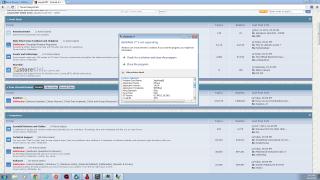
I got this problem
and you're from BF3 Malaysia group on facebook

This was posted on your thread there.

Try this:
1. Make sure that you're running the latest version of the game. If you already are, verify file integrity.
2. Make sure that you are running the latest version (stable, NOT beta) of the driver for your GPU. If NVIDIA, download direct from their site. If AMD, download direct form their site too.
3. Check if the drivers for your PC is updated. If there is a newer version of driver for your chipset, audio or any other, download and update. This includes the BIOS for your motherboard.
4. If the problem persists, check GPU stability. Run Unigene or Furmark to stress test your card, use GPU-Z to check for GPU temperatures at idle and on full load.
5. Use LinX to stress the CPU. Use memtest86 to test your RAM.
Side note: Remove any optional devices while testing such as USB headsets and such. As for Windows, disable any antivirus or antispyware installed, temporarily. Make sure that having ONLY origin, and the game is running. NVIDIA or AMD Control Panel running on start-up is fine though.
This post has been edited by Gregyong: Oct 14 2012, 11:42 PM 

 Sep 15 2012, 04:18 AM, updated 14y ago


 Quote
Quote







 I wanna try MOHW multiplayer before buying. Like how I tried BF3 then I bought one.
 0.0186sec
 0.57
0.57
 6 queries
 GZIP Disabled