is it true that only g-shock original will show what it says in the link when you press 3 buttons together?
https://www.quora.com/How-do-I-verify-an-or...l-g-shock-watchThe above figure is an general config of all G-Shock watches. The general button config should be the same for all.
Step 1: Press button A,C and D TOGETHER AT ONCE.
Step 2: You will notice that at all the places where numbers are supposed to be seen, you will get 8’s in that places, while in the places where texts are supposed to be seen, you will see big black blocks of pixels. (sorry if my terminology is wrong) and other output blocks will be filled. Press D 1, 2 or 3 times depending on your model.
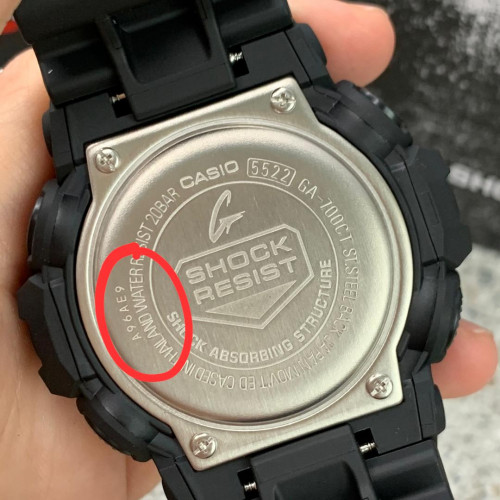
You should get a code, which is same or similar to the one that is written at the back of your G-Shock watch, in the metal cover, near the words CASIO (note: it may depend on the model), if you do it correctly. Try again if it doesnt. If you are returned back to the time keeping mode just after you press D then you can be sure that your watch is a FAKE. If you get a code, chillax. You have bought an original G-Shock.


 Jan 11 2021, 03:11 AM


 Quote
Quote





 0.0300sec
 1.04
1.04
 6 queries
 GZIP Disabled