Welcome Guest ( Log In | Register )

Bump Topic Topic Closed RSS Feed
5 Pages < 1 2 3 4 > » Bottom

Outline · [ Standard ] · Linear+

 The SSD Thread V3, The Speed You Need

views
     
1024kbps
post Nov 29 2012, 09:52 PM

李素裳
*******
Senior Member
6,012 posts

Joined: Feb 2007


QUOTE(KHOdin @ Nov 29 2012, 06:24 PM)
if i upgrade to a SSD do i need to re install the whole OS and everything into the new SSD or is there anyway to clone all my current HDD stuff to my SSD ?
*
Disk cloning software < well it will be easier if buy upgrade kit, they will bundle a software.
i duno other brands, but i have used Arcronis True Image cloning software, which bundled with Kingston SSD,
Very easy to used yet very advanced, can clone even if the destination disk is smaller than source disk(provided if the partition can still fit into the small destination disk).
1024kbps
post Nov 30 2012, 11:57 AM

李素裳
*******
Senior Member
6,012 posts

Joined: Feb 2007


QUOTE(Morning_Star @ Nov 30 2012, 11:36 AM)
480MBit/s (60MB/s) ..is there a formula for conversion of figures?
*
8bit = 1 bytes,
hardware and software use different standard, i duno how to explain lol rclxub.gif

eg you got a SATA 6Gbps SSD and connected to a SATA 6Gbps port, max transfer rate you can get on windows is ~600Mbytes/s.
http://en.wikipedia.org/wiki/Serial_ATA#Revisions
1024kbps
post Dec 2 2012, 07:58 PM

李素裳
*******
Senior Member
6,012 posts

Joined: Feb 2007


QUOTE(infernape772 @ Dec 2 2012, 06:34 PM)
SS use for boot drive or cache drive better and if use as cache drive can it run out of space?
*
SSD cache drive is managed by the caching software, if im correct, it will run out of space eventually, and the caching software will delete the rarely used data on the cache drive.

Solid State Cache usually has smaller capacity, its cheaper and meant for speed up the system which still using HDD.
If your SSD has larger capacity, eg 64GB, will be suitable to use as boot drive.
1024kbps
post Dec 8 2012, 12:11 AM

李素裳
*******
Senior Member
6,012 posts

Joined: Feb 2007


QUOTE(sulfuriq @ Dec 7 2012, 11:53 PM)
SSD can be partitioned like normal HHD
Cloning both must have the same capacity of GB. Acronis have the cloning functions.
*
What do you mean by "cloning both"?
acronis can clone even if both SSD and HDD size are different.

tried copy 96GB <> 120GB <> 500GB HDD and Kingston SSD before, worked flawlessly.
1024kbps
post Dec 8 2012, 12:53 AM

李素裳
*******
Senior Member
6,012 posts

Joined: Feb 2007


QUOTE(sulfuriq @ Dec 8 2012, 12:19 AM)
500 GB HDD cannot be clone to 128 GB SSD,.
*
This one i know, i mean the partition inside the 500GB harddisk, if the partition is smaller than 120GB then Acronis should be able to clone it
1024kbps
post Dec 8 2012, 08:07 PM

李素裳
*******
Senior Member
6,012 posts

Joined: Feb 2007


QUOTE(Coconut @ Dec 8 2012, 10:54 AM)
I m currently using win xp, i read that in order to use SSD, i need to enable AHCI in my bios, but win xp does not comes with ahci right?

How can i pre-install win 7 in my ssd then? If i buy ssd and plug into my current win xp it wont boot right?
*
Windwows XP does not come with AHCI driver, W7 come with the microsoft one but performance isnt good compare to the native AMD/Intel AHCI.

Preinstall? plug your SSD into the SATA port, go to BIOS to set your SATA mode to AHCI, then install the Windows7 like usual, you can install the native AHCI driver later the w7 installation finished.


Added on December 8, 2012, 8:10 pm
QUOTE(DeepMemory @ Dec 8 2012, 07:48 PM)
SSD works in IDE mode too but achi mode enables trim support for ssds which increases the performance compared to IDE. I believe there is a achi driver for windows xp too.  hmm.gif
*
There is always a AHCI driver for windows xp too, can be downloaded from your mobo website or AMD/Intel website,
it's not like everyone in the world already abandoned Windows XP tongue.gif

This post has been edited by 1024kbps: Dec 8 2012, 08:10 PM
1024kbps
post Dec 9 2012, 12:58 AM

李素裳
*******
Senior Member
6,012 posts

Joined: Feb 2007


QUOTE(-oc-gassa @ Dec 9 2012, 12:23 AM)
Dell? hurm... Intel is it? if Intel 520 is not by far best.. among the best  but got other which is in term of performance is better dun forget this 520 come with 5 years warranty. Try read review for Samsung 840 and Vertex 4..
*
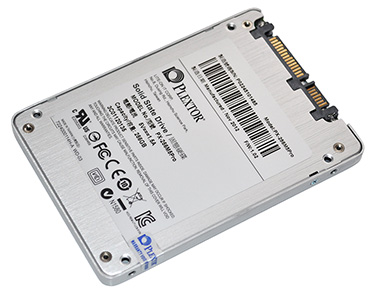
Plextor SSD comes with 5 years of warranty too. slightly cheaper than Vertex 4 and other brands iirc.
i got one inside my rig but benchmark result looked pretty weird because of lousy AMD chipset/driver sweat.gif

Buy SSD no need the best one lah, the "best bang for buck" is very important too, intel 335 selling 238 SGD currently, pretty cheap too, SanDisk 240GB also priced very reasonable but not good compare to intel one.
1024kbps
post Dec 11 2012, 06:30 PM

李素裳
*******
Senior Member
6,012 posts

Joined: Feb 2007


QUOTE(keropi88 @ Dec 11 2012, 05:41 PM)
do i need to use Caching (Intel) if i got only 1 SSD n 1 HDD ?

i plan to install windows 7 on SSD and HDD as storage ~
*
If the SSD you bought is advertised as Solid State Cache, the it can only be used as cache drive, and to be used only with special cache managing software, iirc. http://www.techspot.com/review/515-crucial...-ssd/page2.html
While normal SSD sold on most shop do not bundle with any software except backup and cloning utility.
1024kbps
post Dec 19 2012, 11:46 AM

李素裳
*******
Senior Member
6,012 posts

Joined: Feb 2007


QUOTE(Neux Gabux @ Dec 19 2012, 11:21 AM)
- Crystaldiskmark = benchmark using uncompressed data

- ATTO Disk Benchmark = benchmark using compressed data


sandforce based SSD best perform on compressed data

so nothing wrong with your SSD speed  smile.gif

» Click to show Spoiler - click again to hide... «


source: Intel SSD 330 120GB/ 180GB review
*
Nitpicking a little bit tongue.gif
May be a little bit wrong bout those SSD benchmark info, ATTO by default use "compressible" data, but you can change the data test pattern by choosing "I/O comparison" > "test pattern > Random"
CrystalDiskMark by default use incompressible data, aka "Random" also can be changed by selecting from the > menu > file > test data > Random/0 fill/1 fill rclxms.gif
1024kbps
post Dec 20 2012, 06:42 PM

李素裳
*******
Senior Member
6,012 posts

Joined: Feb 2007


QUOTE(Kerry1136 @ Dec 20 2012, 01:56 PM)
How to change to AHCI?

Change in BIOS mode? Then reinstall Windows?
*
yeap, in BIOS, re-install windows should be the last resort, if you read this first http://forums.vr-zone.com/troubleshooting-...ci-windows.html

Windows 7/8 comes with AHCI driver that works with both AMD and intel chipset, if you are adventurous enough, change the SATA mode to AHCI in BIOS without doing anything, windows will repair the startup problem for you, if you are lucky, after a few time of reboots, your SSD will be change to AHCI mode automatically, but this method is not recommended tongue.gif
1024kbps
post Dec 20 2012, 07:32 PM

李素裳
*******
Senior Member
6,012 posts

Joined: Feb 2007


QUOTE(Kerry1136 @ Dec 20 2012, 07:28 PM)
Its okay I reinstalled already but now I ran AS SSD and the scores are pretty low, am wondering whether is it fine?

Write
SEQ 75MB
4k    30MB
4k -64thrd  71MB
Score  394
*
your pc spec? under optimal condition, SATA 6gb/s SSD could achive ~500mb/s sequential read, and 4k 64 thread should be over 150mb/s if im correct. your result does not look right it seems.
1024kbps
post Dec 21 2012, 05:58 PM

李素裳
*******
Senior Member
6,012 posts

Joined: Feb 2007


QUOTE(guanchung @ Dec 21 2012, 05:26 PM)
Crucial m4 128gb x2 raid0 connected SATA 2 intel controller but boot very slow why windows 7 ultimate x64 bit

here my spec
i7 920
ASUS Rampage III Formula X58

please help i already to do fresh windows 7 orignal disc i already activated

but i shuts down very slow long and turn on boot windows 7 also slow

what do i need install help me
*
Because without TRIM, SSD raid 0 performance will degrade over time.
http://www.xbitlabs.com/articles/storage/d...sd-raid0_2.html

SSD raid0 with TRIM support require z77 mobo(or possibly 7 series chipset)
which older x58 chipset doesnt support trim on SSD raid0.
1024kbps
post Dec 24 2012, 01:35 PM

李素裳
*******
Senior Member
6,012 posts

Joined: Feb 2007


QUOTE(Ffenixz @ Dec 24 2012, 10:52 AM)
Yeah.. nope. That totally jinxed it. My PC just froze on me.
*
Are you sure its not other hardware problem?
Like loose SATA power/data cable ect.
or if you connect too much HDD/SSDs by only using one cable(daisy-chain or modded cable) from psu, some of your drive may randomly drop-out too.
Did you tried to check the SMART status or event viewer? you may find some clues on it.

My pc isn't stable either, well sometime some of my USB devices may randomly disconnected itself, and i have to reconnect it manually, well USB ports on my mobo is almost fully occupied doh.gif

Why dont just RMA it, or just buy new one to save the trouble/headache sweat.gif
1024kbps
post Dec 27 2012, 12:56 AM

李素裳
*******
Senior Member
6,012 posts

Joined: Feb 2007


QUOTE(Neux Gabux @ Dec 26 2012, 05:32 PM)
OCZ Vector already sold in Malaysia? in term of performance OCZ Vector better than Kingston Hyper X smile.gif
*
HyperX SSD isnt that good, which also using Sandforce 2281 controller, really, im using one, now the performance looks like crap after several months of usage.
Too lazy to wipe the drive to restore its performance lol...

Top performer SSD = Samsung, OCZ, and Intel, thats all i could remember lol sweat.gif
1024kbps
post Dec 27 2012, 11:55 AM

李素裳
*******
Senior Member
6,012 posts

Joined: Feb 2007


QUOTE(HoNeYdEwBoY @ Dec 27 2012, 11:21 AM)
[attachmentid=3228188]

this is not what i expected from raid... haiz sad.gif
*
Random or zero fill? Sandisk SSD use sf2281, which only look great if the benchmark tools use compressible data,
Random/incompressible = bleh tongue.gif


Added on December 27, 2012, 12:02 pm
QUOTE(Neux Gabux @ Dec 27 2012, 11:11 AM)
SSD suddenly died, performance decreased after the data filled more than 50% of SSD capacity, etc

or you can google it "Sandforce Controller Issues/ Problem" smile.gif

*
Samsung 840 isnt any safer too sweat.gif
http://www.anandtech.com/show/6483/update-...40-pro-failures
And Crucial m4, read a few page and you will know we got a forumer with an unstable crucial SSD.

This post has been edited by 1024kbps: Dec 27 2012, 12:02 PM
1024kbps
post Dec 28 2012, 12:09 AM

李素裳
*******
Senior Member
6,012 posts

Joined: Feb 2007


QUOTE(storm88 @ Dec 27 2012, 05:45 PM)
You may now start adding one more model into your advise list:
user posted image
*
Im using one right now, its pretty cheap compare to other 256GB SSD model iirc.
Flashing this SSD also pretty easy, compare to other brands. rclxms.gif


Added on December 28, 2012, 12:12 am
QUOTE(storm88 @ Dec 27 2012, 05:23 PM)
to be exact,
3Gb = 375MegaBytes
6Gb = 750MegaBytes
*
yeap, thats the theoretical speed what SATA 6gb/s could achive , but you wont get that kind of speed because of the encoding, 600mb/s is correct after all, just check out the wikipedia and you will know.

This post has been edited by 1024kbps: Dec 28 2012, 12:12 AM
1024kbps
post Jan 3 2013, 01:38 AM

李素裳
*******
Senior Member
6,012 posts

Joined: Feb 2007


QUOTE(kabusribut @ Jan 2 2013, 10:22 PM)
Hello.

I have Crucial M4 SSD. I formatted and re-installed a new version of Windows just yesterday. Everything is working fine. But the Windows boot time is longer than before. Before this it will boot up just before the Windows logo animation completed. Now I it boot up after the Windows logo completed and I had to wait a few secs after it completed. It's still fast but didn't seem fast enough like before i formatted the drive.

Anyone can share their thoughts?

This is the thread I open regarding this.
*
1. Run some SSD benchmark utility first, and compare it with some review sites to verify that your SSD is stil perform normally.

2. Make sure you dont have a lot of start-up programe enabled, a lot of them could increase the boot time significantly.

3. Make sure you have latest mobo chipset driver installed, or just latest AHCI driver from Intel and AMD.
Microsoft AHCI driver is fine but your SSD may not perform optimally.

4. Make sure your Windows is up to date, latest update/bug/hotfix from Microsoft usually will improve OS performance.

5. Make sure your CPU is not throttled, eg, running on power saving mode, or your CPU is overheating sweat.gif

6. Make sure your other storage devices is not dying, a dying HDD may cause boot up become slower.

1024kbps
post Jan 4 2013, 01:44 AM

李素裳
*******
Senior Member
6,012 posts

Joined: Feb 2007


QUOTE(kabusribut @ Jan 3 2013, 06:28 PM)
Thanks for the reply.

1. Refer my attachment for benchmarking result.

2. It's fresh installation of Windows. There's nothing to load at the start-up except Windows itself.

3. Yes. I checked and it's the latest.

4. Yes. It's up to date.

5. No. It's not throttled in any ways.

6. I don't how to confirm this. But I guess everything is in good condition.

Lastly, I also did follow the guide to SSD Optimization procedure but no luck. It's the same.

[attachmentid=3241587][attachmentid=3241588]
*
Results appears to be normal, well, if your OS loads a few second slower, i guess its not really a big deal, compare to the problem im facing sweat.gif

And one more thing, well ppl might not agree with me: do not attempt to run SSD benchmark too often, it could kill the SSD performance.
Just tried ran HDTune a few times and saw the SSD performance dip from 500mb/s to 400mb/s in very short time doh.gif
1024kbps
post Jan 6 2013, 08:32 PM

李素裳
*******
Senior Member
6,012 posts

Joined: Feb 2007


QUOTE(jojoe @ Jan 6 2013, 04:57 PM)
IRST allow "flexible recovery" only on different spec of ssd/hdd.
Now my lappy happy have fully work backup if my ssd failed.
Strange thing now is sandisk tool kit not able to recognize my sandisk extreme 120gb after set to flexible recovery - raid 1
*
Those SSD firmware toolkit need AHCI mode to work, it does not work if your SATA mode is set to RAID/IDE.
So far i've tried Kingston and Plextor SSD firmware update program. non of them worked on RAID mode.
1024kbps
post Jan 10 2013, 10:06 PM

李素裳
*******
Senior Member
6,012 posts

Joined: Feb 2007


QUOTE(tskhang @ Jan 10 2013, 07:15 PM)
IMO forking out on a RAID card, not knowing whether it will perform up to your expectations or not does not justify it, unless if your motherboard currently does not support RAID.
*
Just to add something"
RAID 0 two SSD on non-intel z77 chipset will suffer poor write performance overtime, because only intel z77 support Trim on Raid0 at the moment, if im correct.

LSI card are expensive, its just not worth the money imho, or just wait AMD release new chipset RAID driver with Trim support loh(not sure if just a wet dream) rclxms.gif

5 Pages < 1 2 3 4 > » Top
Topic ClosedOptions
 

Change to:
| Lo-Fi Version
0.0542sec    0.31    7 queries    GZIP Disabled
Time is now: 2nd December 2025 - 02:40 PM