
Welcome Guest ( Log In | Register )

Outline · [ Standard ] · Linear+

 Graphic Cooling discussion thread!, come discuss here. nowhere else

views
     
E-J@1
post Feb 25 2007, 04:16 PM

Capital E™
*******
Senior Member
2,603 posts

Joined: Sep 2006
QUOTE(sHawTY @ Feb 25 2007, 01:17 PM)
.....
But something stupid about this new heatsink is, it's newly launched, but Arctic Cooling don't even bother to make it applicable to Nvidia 8800 GFX Series. doh.gif

What the hell is those swiss engineers were thinkin'? shakehead.gif
*
8800 & 1950XTX, which one is hotter??? a lot of different in temp between this two vga??? cause they did test the S1 on 1950XTX, but didn't show the temp result for it doh.gif passive lak tu brows.gif [Link]
CrossFire somemore, which doubles the heat trap in chassis laugh.gif wonder S1 can cool 1950XTX hmm.gif

user posted image

klu 1950XTX leh pkai passive, apa lg GeForce 6 & 7 Series @ Radeon 18XX & 19XX Sereis laugh.gif


QUOTE(irangan @ Feb 25 2007, 02:02 PM)
....
Any idea whether can a 120 mm fan fit on that? I cant seem to find the answer anywhere
*
me also didn't find any answer for it sweat.gif

but after thinking bout it again & again, how stupid am i for not noticing it, it surely fits 120mm fan, cause:

user posted image

1st: see the dimension for S2 (the 2 Heatpipe), 140(L) x 188(W) x 32(H) mm, from the dimension only u already can know it will fit 120mm

2nd: okay, let say it cannot fit 120mm fan on it, instead 90mm can, then there will be some area of the heatpipe not gonna cool off, cause the 90mm fan won't able to cover the area of the extended heatpipe laugh.gif if 2x90mm fan can cover the whole length of the cooler, but not the it's width... can u imagine using 90mm fan on Ultra-120 or Noctua NH-U12 laugh.gif

then this will be the 1st VGA Cooler that can mount 120mm fan on it nod.gif i'm also impress with it's weight, only 202g brows.gif now just left to know is the minimum case size for it hmm.gif

user posted image
seeing the pic also make me scared of the clearance issue rclxub.gif macam nak terkeluar je cooler tu rclxub.gif u even can't see the other X1950XTX cause being block by the top cooler, damn, so big rclxub.gif


see the S1, if cannot mount 120mm fan, i dunno what to say la, what bout the other 2 heatpipe at each end, how it gonna cool off sweat.gif
user posted image

This post has been edited by E-J@1: Feb 25 2007, 04:20 PM
E-J@1
post Feb 28 2007, 10:42 PM

Capital E™
*******
Senior Member
2,603 posts

Joined: Sep 2006
QUOTE(zahri @ Feb 28 2007, 10:26 PM)
I need help on what HSF could i fit on this 6600.
CHAINTECH 6600
Thanks.
here is the pic of the GC.

Thanks.
user posted image
*
Zalman VF700-Cu is enough for the job laugh.gif

don't bother getting those high-end cooler, trust me ppl will recommend u a high-end vga cooler cause it's easy for u if u upgrade to a new vag card la & yada, yada, yada....

by the time u upgrade ur vga card, ur "high-end" cooler will be outdated already icon_rolleyes.gif
E-J@1
post Mar 1 2007, 10:13 AM

Capital E™
*******
Senior Member
2,603 posts

Joined: Sep 2006
QUOTE(akachester @ Feb 28 2007, 11:48 PM)
Well, that really depends.I had not tried on any Zalman VGA Cooler before so i cant give any oppinion on that.However, previously, i had heard complaints about Zalman cooler being too big and cause problem especially during SLi/Xfire.Therefore, if your LAN card is right below the GC, there might be some problem in fitting it in.Maybe Zalman user can explain more...

If you could find it here, i really thinks the ZEROtherm GX710 could do the job for you at an affordable price.Should be roughly around RM100+.And it had been stated in ZEROtherm site that its built for Xfire/SLI, so i suppose it wont be blocking any PCI slot..
*
let's all together do some logical thinking ya rclxub.gif

ur cooler will not be blocking another vga for SLI/XFire cause if u doing SLI/XFire, there will be a gap (size of two pci slots), go & find a SLI/XFire mobo that places their both PCIE slots side by side, i'm pretty sure that u won't find any nod.gif there will be two pci slots under the first PCIE, then another PCIE slot under the pci slot

& yes, any cooler design for SLI/XFire means the cooler won't blockin the 2nd vga card, but doe the 2nd vga card stand really under the 1st vga card, nope, there will be 2 pci slots under it nod.gif

but if u have a card really under the vga, most third party cooler will block it laugh.gif so ur understandings of "i suppose it wont be blocking any PCI slot.." is wrong tongue.gif

This post has been edited by E-J@1: Mar 1 2007, 10:17 AM
E-J@1
post Mar 15 2007, 10:20 AM

Capital E™
*******
Senior Member
2,603 posts

Joined: Sep 2006
QUOTE(akachester @ Mar 15 2007, 12:11 AM)
Guys, i have a problem here.My 7300GT and my cousin's 7600GS both comes with a 2pin connector on a GC.The stock cooler on the GC uses a 2pin connector but when we change to a 3rd party cooler, they normally come with a 3pin connector?Is there any solution in changing the 3pin connector into a 2 pin one or we are left with the only solution we are using now as in using this 3pin connector built on the mobo?
*
u can find a 2pin to 3pin converter (don't ask me where to find it, i dunno)

better use the 3pin converter, lessen the burder of the vga to provide power to the cooler & don't connect the 3pin to the mobo as well, same thing, burden the mobo to provide power, just connect directly to 4pin molex la (which is directly from the psu power source), i said this bcoz of my experience

i got two mobo...
mobo one: all the 3pin on that mobo connects to a fan
mobo two: all fan connects directly to 4pin molex, including the cpu fan, luckily my psu got rpm reader, so i plug that into the cpu fan pin, thus avoiding the mobo to shut down (the mobo will shut down if no fan connects to the cpu --> unless u amend the BIOS to ignore it)...

mobo one: always end up for RMA --> every 6 month (ASUS A8N-SLI Deluxe) doh.gif
mobo two: still standing after 3 years, no RMA laugh.gif
E-J@1
post Mar 15 2007, 01:28 PM

Capital E™
*******
Senior Member
2,603 posts

Joined: Sep 2006
QUOTE(akachester @ Mar 15 2007, 10:58 AM)
IC, so the best way is use directly from the PSU la.But that will prevent me from controlling the speed of the fan right?
*
connecting all the fans through fan controller is okay, no burden to any component as u have to connect a 4pin molex to the fan controller too, so same direct source power from the psu icon_rolleyes.gif

no burden on mobo or vga, but the cons of using fan controller is that usually these controller limited to 4 connection only sad.gif so i think u are limited to 1 cpu fan, 1 vga fan & 2 case fan, but i'm pretty sure u don't have to control those case fan, mostly ppl only control cpu & vga fan icon_rolleyes.gif as case fan are already silent, unless u using those high performance DC type of fan laugh.gif

QUOTE(point blanc @ Mar 15 2007, 10:51 AM)
E-J@1,
but normally mobo comes with those connectors,
what i'm trying to say is that the manufacturer should have cater enough energy consumption for the MOBO to supply to the fans,
do you re-wire your GC fan to the Molex for power?

regards,
point blanc
*
ya i know, mainly ASUS board, the most fan connector available in board (as far as i know)

i didn't connect any VGA Cooler Fan to the mobo, only CPU Fan & Case Fan, that also have to send to RMA many times, can't imagine if i add another VGA Fan on that mobo sweat.gif

cause of so many RMA & one of the RMA took around 2 month, so i decided to buy a new one, then keep the RMA board for backup purposes, till now haven't got the chance to use it, dunno if still working or not sad.gif (if i could find another 939 Proc, then i have 2 rig drool.gif )

*2 month = that time A8N-SLI Deluxe become obsolete coz the 32X SLI Version just got out

This post has been edited by E-J@1: Mar 15 2007, 01:36 PM
E-J@1
post Jun 2 2007, 01:54 AM

Capital E™
*******
Senior Member
2,603 posts

Joined: Sep 2006
Thermalright V2 VGA Cooler [Product Link]
user posted image
  • 4 heatpipe design in all copper structure
  • Works with any 92mm of 15mm or 25mm width fan (not included)
  • No-tool easy installation without hassle
  • Compact in size and light in weight
  • Vast compatibility supporting multiple types of video cards
  • SLI/Crossfire compatible for serious gaming enthusiasts
  • Supports SLI/Cross Fire and perfect for HTPC form factor taking up only one slot
  • Supports 8500GT / 8600GT / 8600GTS

E-J@1
post Dec 22 2007, 03:35 AM

Capital E™
*******
Senior Member
2,603 posts

Joined: Sep 2006
dunno if this already been posted or not blush.gif

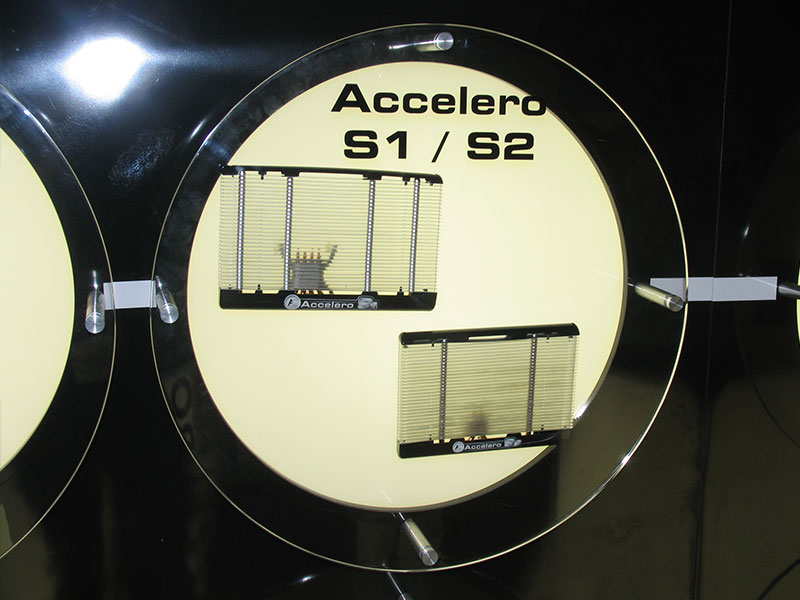
Accelero S1 Rev. 2 [Link]

user posted image

user posted image

Compatible with:
  1. ATI Radeon:
    • 3870
    • 3850
    • 2600
    • 2400
    • X1950
    • X1900
    • X1800
    • X1650
    • X1600
    • X1550
    • X1300
  2. nVIDIA GeForce:
    • 8800GTS (G92)
    • 8800GT
    • 8600
    • 8500
    • 8400
    • 7950GT
    • 7900
    • 7800
    • 7600
    • 7300
    • 6800
    • 6600

wonder how much it would cost?

hope this is the best price/performance cooler wub.gif

nothing changed, just some additional mounting screws i guess
E-J@1
post Dec 22 2007, 09:00 AM

Capital E™
*******
Senior Member
2,603 posts

Joined: Sep 2006
QUOTE(Doom @ Dec 22 2007, 05:01 AM)
what's the different between version 2 compared to previous one .. ? ?
*
nothing much on the heatsink itself

just the new Accelero S1 Rev. 2 now comes with a new flexible mounting mechanism

multiple screw hole sets

and modifications to the heatpipes enabling it to fit a wider range of leading graphic cards

VR Zone: Accelero S1 Rev. 2 Fits More Graphics Cards


Change to:
| Lo-Fi Version
0.0293sec    0.32    7 queries    GZIP Disabled
Time is now: 2nd December 2025 - 09:57 PM