Outline ·
[ Standard ] ·
Linear+
Samsung Galaxy S III I9300 Official Thread V14, Discuss, Learn and Thrive
|
Tookia
|
 Jul 17 2012, 07:47 PM Jul 17 2012, 07:47 PM
|
Getting Started


|
QUOTE(azlan2812842002 @ Jul 17 2012, 05:57 PM) guys.. i wanna buy this superb s3...but i'm newbie to this android.... is it ok if i buy it at samsung center? how much and what will i get? I bought mine from a shop in Subang Parade - next to an IT shop. Costs me RM2090.00. Free screen protector.
Added on July 17, 2012, 7:51 pmQUOTE(YouDontKnowMyName @ Jul 17 2012, 04:51 PM)  8hrs idle, only drop 1% (no battery saving apps)  My friend's Galaxy W every 3 hours idle will drop 1% even though he uses Juice Defender app. Loving this phone's battery life  Mine on standby 5-6 days for calls and sms. A record for me. Used Task Manager to stop all apps and clear RAM before shutting to standby. I used WiFi for short periods as well as checking gmail. This post has been edited by Tookia: Jul 17 2012, 07:51 PM |
|
|
|
|
|
Tookia
|
Jul 18 2012, 12:47 PM
|
Getting Started
|
QUOTE(MeruChan @ Jul 18 2012, 12:43 PM) hi i am new s3 owner. i very noob. i dunno how to use  What don't you know? Just play around the menus and read this forum and you will figure it out. |
|
|
|
|
|
Tookia
|
Jul 20 2012, 10:30 AM
|
Getting Started
|
QUOTE(wkyoong @ Jul 20 2012, 08:49 AM) Jealousness why is everyone getting great battery life (almost ) Purchased mine just about a week ago. On regular usage mine gets me just about 13hours use. Noticed the high cell standby percentage as well. Decided to root mine last nite and installed the cell standby calculation fix (via cwm zip file) and it sort of rectified the reported cell standby issue. BUT..... my battery seems to drain 5% every hour on standby...  Went to bed with 60+% and woke up with 30%  Anyone with a suggestion? You may not realise it but there are many applications still running in the background and consuming your battery power if you don't shut them off. Close all applications before you put phone on standby by doing this: Press home button for about 3 secs and under "Remove all" press and remove all opened applications. Then under "Task Manager" clear the RAM by selecting "RAM" and pressing "Clear Memory". Install Juice Defender and set to aggressive mode. Open wifi connections only when you need it. Put phone on GSM mode only, use WCDMA only when you have plenty of cash credit to burn. Check status bar by holding top display and dragging down. You will see the notifications of what is currently active. Close GPS if you don't need it. Press power button once lightly to put phone on standby and shut off screen. I use mine that way and usually have 5-6 days battery power still left. This post has been edited by Tookia: Jul 20 2012, 10:53 AM |
|
|
|
|
|
Tookia
|
Jul 20 2012, 11:10 AM
|
Getting Started
|
QUOTE(Eiraku @ Jul 20 2012, 10:43 AM) I just realised that we have a freaking barometer inside the phone.  Seriously Samsung? Read that it is built into the phone for better location of where you are. Galaxy Nexus also has one. |
|
|
|
|
|
Tookia
|
Jul 20 2012, 03:39 PM
|
Getting Started
|
QUOTE(wkyoong @ Jul 20 2012, 03:16 PM) 6 days???!!! Pls do share your usage routine. Yea I've shut all apps and cleared the RAM occasionally. The drain is still quite persistent. Its starting to get on my nerves a little. I've tried rolling back the stock framework-res.apk file and the battery drain is persistent as usual. Sigh. I'm tempted to try out a custom ROM. How is Omega's so far anyone? Easy on juice? I usually make calls and SMS during the day. When I go back home I use my wifi and read Flipboard articles and check gmail. Then I shut off my wifi and use Task Manager to close all apps. GPS function is always off. I shut off screen and put phone on standby after that. Most of the functions, like vibration, notifications, I leave on. Your problem happened with my Galaxy S before. Battery appears to drain too fast. What I did was to let the battery drain till empty and then recharge from zero. I read on another forum that you sometimes need to recalibrate your battery by doing a recharge from zero. Hope that works. This post has been edited by Tookia: Jul 20 2012, 03:42 PM |
|
|
|
|
|
Tookia
|
Jul 20 2012, 03:58 PM
|
Getting Started
|
QUOTE(wkyoong @ Jul 20 2012, 03:46 PM) Seems more or less the same core usage but I think the 100% drain may be worth a shot for now  Yea I bumped into that yesterday. Was feeling a little skeptical about the reasoning. Guess I'll try out a custom ROM first. It's a matter of time anyways. Sounds reasonable...anything that causes the Android OS to repeatedly access in order to read information can drain your battery. Just like if you leave your wifi on, phone repeatedly seeks access points to connect. Some apps repeatedly needs to connect with internet to access information can cause problems too. |
|
|
|
|
|
Tookia
|
Jul 20 2012, 04:11 PM
|
Getting Started
|
Just discovered that I can do a screen capture by putting the edge of my hand on the whole screen and then swiping it vertically across the screen. http://www.youtube.com/watch?v=rDik7kk1j9I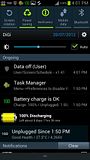 I guess most of you know already...except me This post has been edited by Tookia: Jul 20 2012, 04:36 PM |
|
|
|
|



 Quote
Quote


 0.0404sec
 0.39
0.39
 7 queries
 GZIP Disabled