Isn't change to tablet UI best on 160dpi? Anyway, I downloaded a "True Tablet UI" patch off XDA's and its wonderful. Much better than changing the dpi manually. The apps in the app drawer don't squeeze altogether and the fonts and icons are just nice. =)
do nandroid before anything..u can always restore if not your taste.. vice versa nandroid the table us before restore then u can get back table ui if regretted by the way anyone know any apps for nexus 7 like pgm2 where u can wake/sleep screen by gesture? wanna save power/volume button..
This is exactly the thread I got the "True tablet UI" patch from. But a word of warning, you have to be deodexed and running an AOSP rom. I tried it originally on the stock rom albeit rooted and the launcher would crash and render the tablet unusable. I tried again flashing an AOSP deodexed rom and now it works like a charm.
This post has been edited by juoin: Aug 10 2012, 12:10 PM
isn't AOSP pure android from google? stock nexus 7 rom is not AOSP?
It is, I just put it there in case someone was running AOKP or something else and wanted to try this patch. The deodexed part is important too cause apparently it didnt work on my N7 which was running stock but not deodexed. Anyway, its working now that I switched to an AOSP rom and this is by far the best way to get the tablet UI IMO cause it doesn't edit the DPI but instead modifies the build.prop.
@mtxx if you really really want that tablet UI I really suggest you try the "true tablet UI" patch. Since now you know how to flash custom ROMs this should be no problem for you.
I want to try it. But the condition is need deodex rom
Mine is not.:-(
The steps to make deodex is quite overwhelming for me.
The other method in the xda thread is flash a zip prospered by him, but the warning say will wipe system
How did you make ur stock rom deodex?
I used the deodexer the OP included in the post. I don't remember if it wiped my system cause I did all these once I took my Nexus out of the box. I think it'll be best if you read up more and check which deodexed ROMs wipe and which don't.
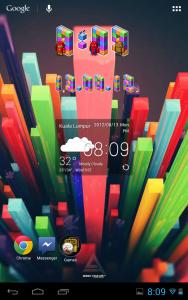
Added on August 13, 2012, 7:58 pmJust for reference, this is how my home screen looks like after applying the patch.
This post has been edited by juoin: Aug 13 2012, 07:59 PM
Your status bar is so thick, make screen smaller.:-(
Why every one so against DPI change? Nv cause any instability force close or compatibility issue. Been using for several weeks d.
In portrait mode, how many recent app window u can open? Can post one screen shot? And the notification bar too:-)
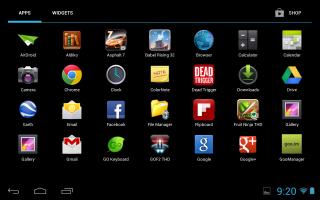
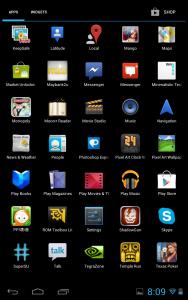
Your app tray looks identical to mine. If the recent app and notification bar also same then I think I'll just stick with mine.
Well, not that I'm against changing DPI, but I think its a hassle, you'd have to find the ro.density file and tweak it and then reboot and tweak again if the DPI doesn't suit you. Anyway, here's a screenshot with the recent apps open.
Just wondering if this tab can be used with stylus that has Note 10.1 capabilities. You know..using stylus on the multitasking mode etc. Are there any apps that can make the tab has theses abilities?
Added on August 13, 2012, 11:31 pm oopss sorry cannot display video. noob here..dont't know how to attach youtube vid
I doubt there is a way to make the Note's stylus work on the Nexus 7. If it could then the Note has pretty much lost its entire appeal. Also if I'm not wrong, the S-pen (I think that's what they call it) is proprietary technology and is a hardware thing.
went into youtube and notices that i got 1 purchase which is Transformers Dark of the Moon by paramount with status paid...
without VPN youtube tells me item n/a
with vpn i can watch the movie..
guess this is the free movie come tith the tab right?
VPN on the Nexus? I don't know why but I can't seem to be able to play any of the movies I bought on YouTube, including the Transformers: Dark Side of the Moon. I can see it alright, but every time I try to play it, it never plays, nor downloads even when I'm on VPN.


 Aug 9 2012, 09:58 PM


 Quote
Quote


 The nexus shop as said by jackdon.
 I think it'll be best if you read up more and check which deodexed ROMs wipe and which don't.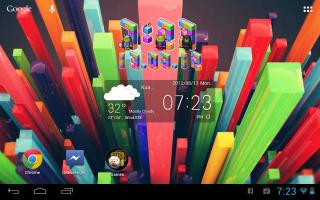


 0.0459sec
 0.54
0.54
 7 queries
 GZIP Disabled