Welcome Guest ( Log In | Register )

64 Pages « < 57 58 59 60 61 > » Bottom

Outline · [ Standard ] · Linear+

 RAM Handbook, updating ... zlol 23/12/07

views
     
ipunk1026
post Feb 1 2021, 04:05 PM

Getting Started
**
Junior Member
192 posts

Joined: Mar 2012
QUOTE(Skylinestar @ Feb 1 2021, 09:07 AM)
u may use typhoon burner to try to read your ram data
http://www.softnology.biz/files.html
https://www.youtube.com/watch?v=_2iZavugowE

generally, any laptop ddr4-2133 should be supported. inserting a 2400 ram will auto downclock it to 2133.
https://ark.intel.com/content/www/us/en/ark...o-3-10-ghz.html
*
thanks it seem 2133 hard to find, maybe i get one 2400
Skylinestar
post Feb 5 2021, 12:17 AM

Mega Duck
********
All Stars
10,472 posts

Joined: Jan 2003
From: Sarawak

https://www.techpowerup.com/278062/digitime...r-40-50-in-2021

DDR3 Prices to Soar 40-50% in 2021
bye.gif
Skylinestar
post Apr 9 2021, 08:57 PM

Mega Duck
********
All Stars
10,472 posts

Joined: Jan 2003
From: Sarawak
https://www.guru3d.com/news-story/micron-wa...-soon-rise.html

Micron warns that the price of your PC DRAM memory will soon rise
bye.gif
Skylinestar
post Apr 15 2021, 08:33 PM

Mega Duck
********
All Stars
10,472 posts

Joined: Jan 2003
From: Sarawak
what happened to silicon power? only 1? ohmy.gif

user posted image
TSjinaun
post May 9 2021, 05:35 PM

where are my stars???
Group Icon
Elite
6,139 posts

Joined: Jan 2003
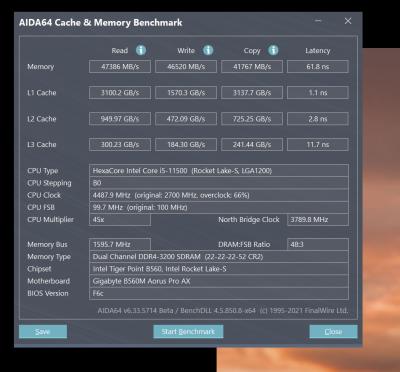
was comparing between 2666 vs 3200 and the result as below

Attached Image

Attached Image
svfn
post May 9 2021, 08:53 PM

On my way
****
Junior Member
500 posts

Joined: Oct 2015
From: Penang
QUOTE(jinaun @ May 9 2021, 05:35 PM)
was comparing between 2666 vs 3200 and the result as below

Attached Image

Attached Image
*
nice, can timings still be tightened? how is the board for OCing RAM?
TSjinaun
post May 10 2021, 09:36 AM

where are my stars???
Group Icon
Elite
6,139 posts

Joined: Jan 2003
QUOTE(svfn @ May 9 2021, 08:53 PM)
nice, can timings still be tightened? how is the board for OCing RAM?
*
I haven’t tried but both is Kingston valueram (Kingston branded chips I think )which I doubt can oc beyond it’s standard spec
InFe_eD
post Aug 15 2021, 11:27 PM

Can you imagine?
*****
Senior Member
929 posts

Joined: Mar 2009
From: Earth, just like you


hi brother, any recommendation for cheap and good ram?
I'm looking at 4gb or 8gb x2
iZuDeeN
post Aug 18 2021, 03:41 PM

Look at all my stars!!
*******
Senior Member
3,466 posts

Joined: Jan 2003
From: PJ, Malaysia
Guys... Quick one

Is it good time to buy RAM? i.e price is not scalper

I'm looking to add
2x8GB 3200

Or straight
2x16GB 3600


And sell off the 16GB

Need the extra ram to run Ms Teams and simultaneously gaming COD

Any recommendations? Brand price etc
Skylinestar
post Oct 12 2021, 06:13 PM

Mega Duck
********
All Stars
10,472 posts

Joined: Jan 2003
From: Sarawak
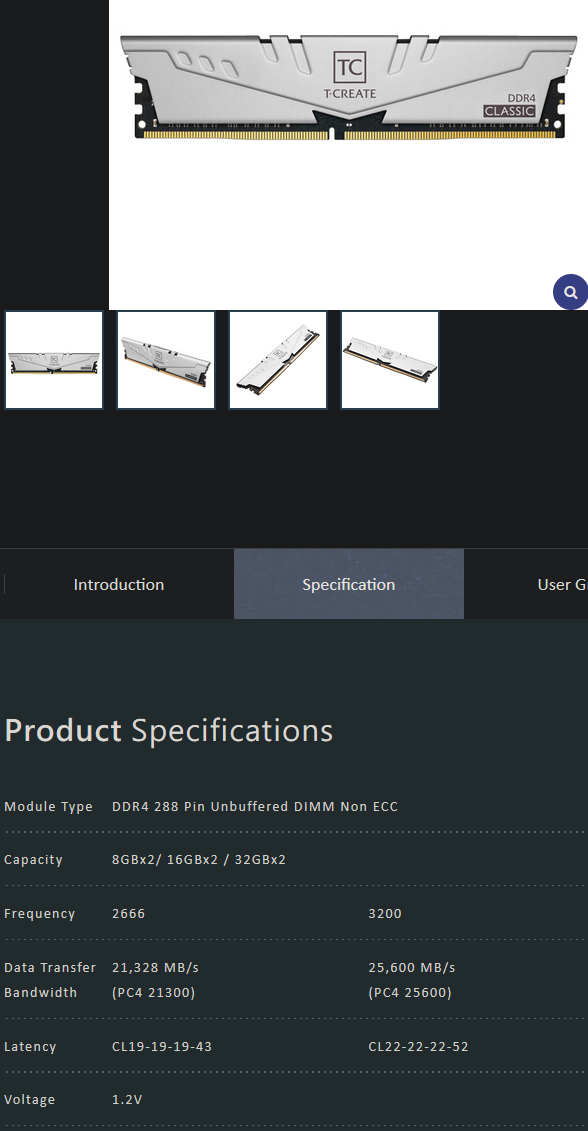
why manufacturer release modern ram with such poor timing?
https://www.teamgroupinc.com/en/product/class-10l

user posted image
dante1989
post Mar 12 2022, 02:43 PM

Getting Started
**
Junior Member
288 posts

Joined: Sep 2010


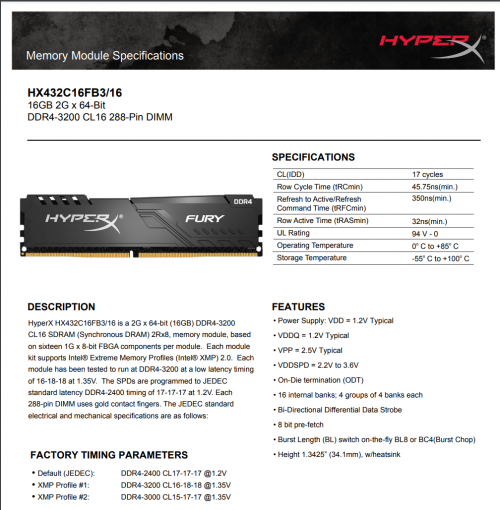
my friend recently gave me the RAM below. currently my mobo is B250M-HDV

every first boot will fail to post. anyone have an idea why this happens? xmp profile was set to 2 if im not mistaken(idk if this info helps)

user posted image
Skylinestar
post Mar 13 2022, 12:28 PM

Mega Duck
********
All Stars
10,472 posts

Joined: Jan 2003
From: Sarawak
QUOTE(dante1989 @ Mar 12 2022, 02:43 PM)
my friend recently gave me the RAM below. currently my mobo is B250M-HDV

every first boot will fail to post. anyone have an idea why this happens? xmp profile was set to 2 if im not mistaken(idk if this info helps)

user posted image
*
is your mobo on latest bios?
dante1989
post Mar 13 2022, 02:28 PM

Getting Started
**
Junior Member
288 posts

Joined: Sep 2010


QUOTE(Skylinestar @ Mar 13 2022, 12:28 PM)
is your mobo on latest bios?
*
no, it is not
arkana
post Apr 24 2022, 09:16 PM

Getting Started
**
Junior Member
147 posts

Joined: Dec 2008
Hi ... I have an Asus TUF F15 with Intel 11Gen chip with 8GB 3200mhz DDR4.

I plan to upgrade my ram. Will it be possible to add another 16GB 3200mh DDR4 ( 8GB + 16GB) ... any issue if I upgrade the following spec?

Thanks in advance for your help.
WaNaWe900
post Apr 27 2022, 08:15 AM

చąហ ąచҽ™
******
Senior Member
1,397 posts

Joined: Feb 2012
From: sOuL SoCiETY.. iSKaNDaRPuTeRi.. JB.. JDT


QUOTE(arkana @ Apr 24 2022, 09:16 PM)
Hi ... I have an Asus TUF F15 with Intel 11Gen chip with 8GB  3200mhz DDR4.

I plan to upgrade my ram. Will it be possible to add another 16GB 3200mh DDR4 ( 8GB + 16GB) ... any issue if I upgrade the following spec?

Thanks in advance for your help.
*
RAM works best in identical pairs to take advantage from the dual-channel icon_rolleyes.gif

Yes you can add in such it will works but highly recommended to get identical twin of 8GB + 8GB brows.gif
Skylinestar
post Sep 19 2022, 09:39 PM

Mega Duck
********
All Stars
10,472 posts

Joined: Jan 2003
From: Sarawak
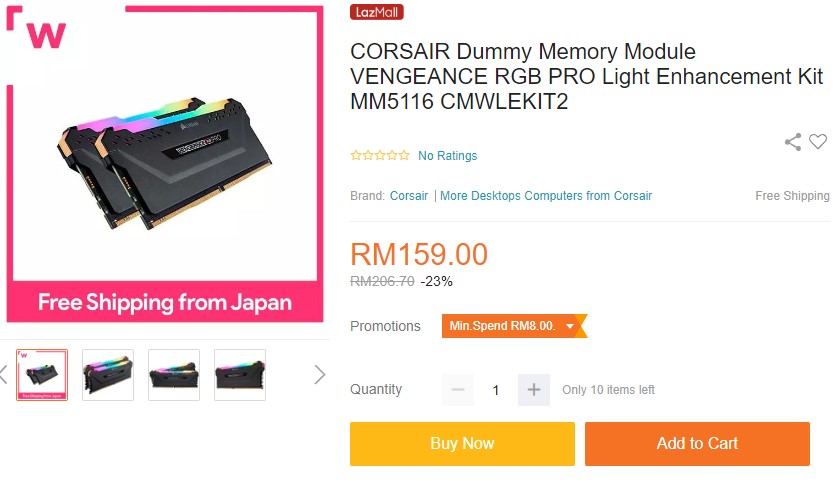
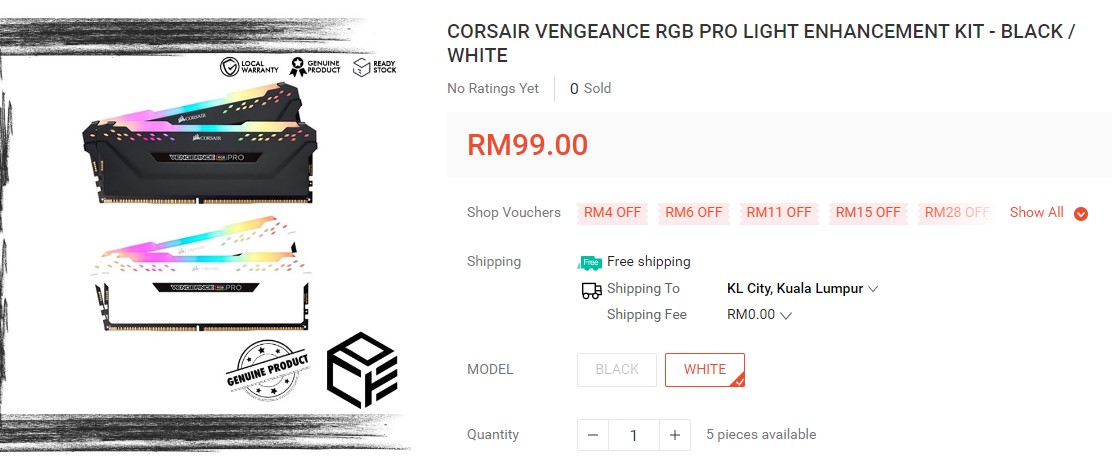
wow. didn't know corsair has this
user posted image

user posted image

This post has been edited by Skylinestar: Sep 19 2022, 09:40 PM
PJng
post Oct 29 2022, 11:42 PM

10k Club
********
All Stars
12,039 posts

Joined: Oct 2017


anyway to reduce hardware reserved memory?
my old prebuilt pc before add graphic card hardware reserve around 200MB,
after i add card become 17.5MB
but now i buy new prebuilt pc, already come with graphic card, hardware reserved still around 250MB
pandera999
post Oct 31 2022, 12:34 PM

모든 것​에는 정해진 때​가 있으니
*******
Senior Member
6,214 posts

Joined: Sep 2010
From: Busan, Kr | Kuching, Swk


QUOTE(PJng @ Oct 29 2022, 11:42 PM)
anyway to reduce hardware reserved memory?
my old prebuilt pc before add graphic card hardware reserve around 200MB,
after i add card become 17.5MB
but now i buy new prebuilt pc, already come with graphic card, hardware reserved still around 250MB
*
did you try play around in bios? normally reserve memory are use for extra buffer for process to use for example. just let it run by default. 250mb.. its not that much.
PJng
post Oct 31 2022, 12:47 PM

10k Club
********
All Stars
12,039 posts

Joined: Oct 2017


QUOTE(pandera999 @ Oct 31 2022, 12:34 PM)
did you try play around in bios? normally reserve memory are use for extra buffer for process to use for example. just let it run by default. 250mb.. its not that much.
*
Normally prebuilt pc bios locked, i mean no so much option on bios
I cannot see anything can be set about memory, on both my old and new desktop
Yes both my prebuilt is branded pc
Win 11 too hungry resource, idle already 3.5GB of 7.78GB use

Look like need upgrade RAM to 16GB, is DDR4 3200MHZ, not sure how much
pandera999
post Oct 31 2022, 05:19 PM

모든 것​에는 정해진 때​가 있으니
*******
Senior Member
6,214 posts

Joined: Sep 2010
From: Busan, Kr | Kuching, Swk


QUOTE(PJng @ Oct 31 2022, 12:47 PM)
Normally prebuilt pc bios locked, i mean no so much option on bios
I cannot see anything can be set about memory, on both my old and new desktop
Yes both my prebuilt is branded pc
Win 11 too hungry resource, idle already 3.5GB of 7.78GB use

Look like need upgrade RAM to 16GB, is DDR4 3200MHZ, not sure how much
*
win 11.. min 8gb... baseline 16gb... best 32gb i believe.. shakehead.gif

64 Pages « < 57 58 59 60 61 > » Top
 

Change to:
| Lo-Fi Version
0.0275sec    0.32    6 queries    GZIP Disabled
Time is now: 2nd December 2025 - 09:35 AM