

the v6 of the Asus G-Series Notebooks Thread!!!! 

This post has been edited by Arvinaaaaa: Jun 20 2012, 01:32 PM
Asus G-Series Notebooks Thread V6, Meet The Powerful G55 And G75(demanding)
|
|
 Jun 20 2012, 01:19 PM, updated 14y ago Jun 20 2012, 01:19 PM, updated 14y ago
Show posts by this member only | Post
#1
|
 
Senior Member
3,928 posts Joined: Jan 2012  
|
the v6 of the Asus G-Series Notebooks Thread!!!!
This post has been edited by Arvinaaaaa: Jun 20 2012, 01:32 PM |
|
|
|
|
|
Jun 20 2012, 01:19 PM
Show posts by this member only | Post
#2
|
|
Senior Member
3,928 posts Joined: Jan 2012
|
*** About Republic of Gamers - R.O.G *** The R.O.G Creed The Republic of Gamers is committed to delivering the most innovative and best performing PC solutions to enhance the gaming experience of power users. Rise To Power - A History of the Republic of Gamers The Birth of a Republic – The Republic of Gamers (ROG) was formed in 2006 with the sole purpose of bringing gaming and overclocking specific hardware to gamers and overclockers the world over. Through technological innovation, design, extensive gaming and overclocking research and development, ROG hardware - specifically motherboards and graphics cards – have been on the frontline of performance and dependability, the preferred choice of champions everywhere, setting 4 new 3DMark Vantage World Records for Entry, Performance, High and Extreme presets.*** Community - Forum & Discussion *** *** Products *** 15" = G50V, G50Vt, G51J 3D, G51JVx, G53JW, G53SW, G53SX and G55VW 16" = G60Vx 17" = G70S, G70Sg, G71G, G71V, G73JH, G73JW, G73SW, G74SX AND G75VW *** Where to Buy? *** Resellers in Malaysia 1. http://my.asus.com/ContentPage.aspx?Conten...Content_Id=5499 2. illeGear Resellers in US 1. GenTechPC E-mail = sales@gentechpc.com or ken@gentechpc.com 2. XOTICPC E-mail = sales@xoticpc.com 3. PowerNotebooks.com E-mail = sales@PowerNotebooks.com 4. EXcaliberPC Online Contact Form = http://www.excaliberpc.com/support/contact.html ***Website Links*** *** Asus *** http://my.asus.com/ *** Asus Support *** http://support.asus.com/default.aspx?SLanguage=en-us *** Asus Products Registration for Warranty Service *** https://vip.asus.com/login.aspx?SLanguage=en-us *** Asus Products BIOS, Drivers, User Manuals and Utilities Download *** http://support.asus.com/download/download....SLanguage=en-us *** Asus Notebook Warranty Policy *** http://support.asus.com/repair/repair.aspx...SLanguage=en-us *** Asus Notebook Warranty Extension Package *** http://support.asus.com/service/service.as...SLanguage=en-us *** Asus Repair Status Inquiry *** http://support.asus.com/contact/contact.as...SLanguage=en-us *** Asus Global Authorized Service Provider *** http://support.asus.com/contact/contact.as...SLanguage=en-us *** Asus FAQ *** http://support.asus.com/faq/faq.aspx?SLanguage=en-us *** Asus Technical Support *** http://support.asus.com/techserv/techserv.aspx This post has been edited by Arvinaaaaa: Jun 20 2012, 01:23 PM |
|
|
Jun 20 2012, 01:20 PM
Show posts by this member only | Post
#3
|
|
Senior Member
3,928 posts Joined: Jan 2012
|
the new G55VW        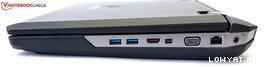 the new G75VW          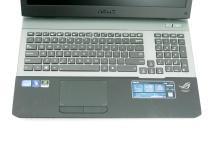  This post has been edited by Arvinaaaaa: Jun 20 2012, 01:47 PM |
|
|
Jun 20 2012, 01:20 PM
Show posts by this member only | Post
#4
|
|
Senior Member
3,928 posts Joined: Jan 2012
|
OWNERS OF CURRENT ROG LAPTOPS owners of the G55VW: - Asus G55VW(3D) - IX044V - gummerz Jujx - Asus G55VW - S1095V - Arvinaaaaa Tomato and Egg edkhailiang fussylogic terion Jaru ah_chak yeocy Revamperz yeahh macrossworks androidfans - Asus G55VW - S1131V - james teo xxxcriminal crazyissac eXPeri3nc3(luckiest person in this world) troy29 crow23 ykgen(finally) SKY233 cravingstar tanyz 2girls1peanut neek94 clarence lim holloway stupid1 techmaxed hanissyazwan cslance satinblack chennyooi syklspurs Bens0n Sieg15 Soon To Be Owners: girugaga86 hanissyazwan chennyooi arthur5011 Dbassnut Zapcure carvenj (if got other soon-to-be owners, please post here, i will add to the list, same goes to the current g55vw owners) owners of the G75VW: NOBODY  YET YETowners of the past g-series laptops Asus G53SX - 3DE trustmeiamlegit| PM Me Bluzzy-| Servex(Evernew) BlackNAGA | C-Zone Asus G53SX - S1208V eenong89|Gadgetzone Evirober|C-Zone ian913|Gadgetzone acad615|Pro-Active ICT, Low Yatt Plaza xxxcriminal|Info Gate Sdn Bhd, Alor Star Freedom1992|PC3, Low Yatt Plaza kennyguy|hikari85 Bushido|Pyramid's Acme Computer Volt|PM Me kahtsin|PM Me Godlike war|LYP beeenn|LYN Forum lanXX|LYN Forum Asus G53SW - xn1 cyh03176|LYN member Asus G53SW - 1X162v Mr_47|Low Yatt Plaza Asus G53SW - 3D yan5619|Unknown Asus G53JW - 3DE putochip123|Amazon.com Asus G53JW - A1 NUR_VER.3|Perth, Australia FollowMeRogerThat|xoticpc jaycn67|xoticpc balat|GenTechPC qq_bear|PowerNotebooks DoubleU|GenTechPC lookig4room|LYN member - putochip123 Asus G74SX-91185V kahtsin|UNKNOWN Asus G73SW - BST6 JaWeKuSuDoKu|LYN member - LuminChung Asus G73SW - A1 anthonyyoh|LYN member - LuminChung bonjiboy|LYN member - LuminChung Asus G73JW - 1ATZ snake234|Singapore Sitex 2010 IT SHOW MariMo|LYN member - LuminChung Asus G73JW - XA1 corallinkz|Amazon.com Adin|LYN member - tamade ta2_kal|LYN member - tamade Asus G73JW - A1 that_guy|Iran 180sx|Amazon.com Prevail|GenTechPC thxxht|GenTechPC Asus G73Jh - BST7 teamloks|Best Buy Asus G73Jh - X3 ezzydamvp|Universal Com (Australia) Asus G73Jh - 1ATZ Antarnis|PC Expo Penang - Asus G73Jh - FHD -TZ155V - Cheesenium|OnlineComputers.com.au (Australia) Asus G73Jh - B1 Zapads|Best Denki (Singapore) Trrienty|GenTechPC Asus G73Jh - A1 pxd|PortableOne nerodante80|GenTechPC Viperion|GenTechPC devkamal|GenTechPC Kaizoku|GenTechPC zyzal|GenTechPC voleman|GenTechPC coolman|HIDevolution (eBay) Asus G73Jh - A2 Jeffrey1987|GenTechPC psjjl|GenTechPC amir_kaldra|GenTechPC naim910|GenTechPC tek|xoticpc kenling|xoticpc stalkie|CubeHub profmka|PortableOne Asus G73Jh - RBBX05 evern|HIDevolution (eBay) lunatiq|HIDevolution AsusG51JX-A1 Mubarak90|LYN Member This post has been edited by Arvinaaaaa: Jul 21 2012, 07:27 PM |
|
|
Jun 20 2012, 01:20 PM
Show posts by this member only | Post
#5
|
|
Senior Member
3,928 posts Joined: Jan 2012
|
G55VW WEBSITE SUPPORT AND REVIEWS: http://my.asus.com/Notebooks/Gaming_Powerhouse/G55VW/ http://www.notebookcheck.net/Review-Asus-G...ok.74851.0.html www.youtube.com/watch?v=j1eJbeM4WEk www.youtube.com/watch?v=Hm895Gg7Z4Q www.youtube.com/watch?v=G9w2BslcD8o http://www.laptopersreview.com/680/asus-g5...notebook-black/ http://reviewlaptoptabletpc.squarespace.co...-pc-review.html G75VW WEBSITE SUPPORT AND REVIEWS: http://my.asus.com/Notebooks/Gaming_Powerhouse/G75VW/ http://www.laptopmag.com/review/laptop/asus-g75vw-ds71.aspx http://www.pcworld.com/article/256070/asus...erformance.html www.youtube.com/watch?v=cy3H6TwMSuU www.youtube.com/watch?v=5CRH6pCYFU4 This post has been edited by Arvinaaaaa: Jun 20 2012, 01:25 PM |
|
|
Jun 20 2012, 01:21 PM
Show posts by this member only | Post
#6
|
|
Senior Member
3,928 posts Joined: Jan 2012
|
FIRST THINGS TO DO ONCE YOU GOT YOUR G55VW..
1. CHECK THE FULL SPECS OF YOUR G55 USING SYSTEM INFORMATION. 2. DOWNLOAD FURMARK TEST AND TEST YOUR GPU MAX TEMP IN FULL HD(1920X1080) 3. UNINSTALL THE AI RECOVERY .23 VERSION AND THE ASUS LIVE UPDATE CURRENT VERSION IN THE G55 4. DOWNLOAD THE NEW VERSION OF AI RECOVERY .25 AND THE ASUS LIVE UPDATE UTILITY 3.1.5, INSTALL THEM.(OR HIGHER IF ASUS RELEASES ANOTHER UPDATE OVER TIME) 5. MAKE THE RECOVERY DVDS USING THE NEW AI RECOVERY .25( THE OLDER VERSION DOES NOT WORK, SO DOWNLOADING THE NEW VERSION IS IMPORTANT). -5 DVDS REQUIRED -TAKES A LONG TIME(APPROX 2 HOURS) 6. AFTER MAKING THE RECOVERY DVDS, KEEP THAT AWAY AND YOU DONT NEED TO WORRY ABOUT BACKUP WINDOWS 7 7. NEXT IS THE AUDIO ISSUE.. -UNINSTALL THE CURRENT VIA AUDIO DRIVER 10300 -RESTART -SCAN FOR HARDWARE CHANGES AND LET WINDOWS INSTALL ITS OWN GENERIC DRIVER -RESTART - DOWNLOAD THE NEW AUDIO DRIVER 10400 (OR HIGHER IF ASUS RELEASES ANOTHER UPDATE OVER TIME).INSTALL IT - RESTART AND IT STILL CANNOT WORK, -RESTART AGAIN(SOME PEOPLE SAY CAN WORK AFTER 2ND TIME OF RESTART) 8. AFTER ALL IMPORTANT STEPS ABOVE DONE, YOU CAN UPDATE ALL THE OTHER SOFTWARE LIKE POWER4GEAR, VIRTUAL CAMERA UTILITY ETC ETC 9. YOU CAN ALSO UNINSTALL ALL BLOATWARE BY ASUS(THE TRIAL BABIES GAMES, WINDOWS LIVE, ALL THE ACTIVE MESH IN ALL LANGUAGES, AND ANY OTHER THING THAT YOU THING IT IS NOT IMPORTANT) -IF NOT SURE WHICH IS SAFE TO UNINSTALL, ASK ME AND I WILL HELP YOU. (THIS STEP CAN BE CONSIDERED IMPORTANT) 10. FINALLY, UNINSTALL THE TREND ANTIVIRUS IN THE G55 AND INSTALL MICROSOFT SECURITY ESSENTIALS(FREE) OR ANY OTHER AT YOUR CHOICE(KASPERSKY, NORTON) THANKS..*****AND ALL DOWNLOAD AND UPDATE FOR THE G55 CAN BE GET FROM THE G55 DOWNLOAD SITE: http://my.asus.com/Notebooks/Gaming_Powerh...G55VW/#download http://rog.asus.com/notebook/15-inch/g55vw/ This post has been edited by Arvinaaaaa: Jun 20 2012, 01:25 PM |
|
|
|
|
|
Jun 20 2012, 01:22 PM
Show posts by this member only | Post
#7
|
|
Senior Member
3,928 posts Joined: Jan 2012
|
GUIDE TO DISMANTLE THE G55 COMPLETELY
IF YOU ARE AFRAID OF DESTROYING YOUR MACHINE, DONT ATTEMPT THIS !! tools needed : 1. screwdriver set (those mini screw driver that usually comes in a set of 6 different sizes.. i got mine from Daiso for RM5 2. a towel (use this as a base so you dont scratch you beloved machine) 3. Balls and some common sense 4. OPTIONAL : a small magnet Here Goes : 1. remove the screws in yellow and blue http://imageshack.us/photo/my-images/21/p7032620.jpg/ http://imageshack.us/photo/my-images/829/p7032622.jpg/ http://imageshack.us/photo/my-images/836/p7032624.jpg/ http://imageshack.us/photo/my-images/444/p7032623.jpg/ 2. flip the laptop over and slowly remove this casing http://imageshack.us/photo/my-images/194/p7032626.jpg/ 3.remove the screw highlighted in yellow http://imageshack.us/photo/my-images/201/p7032627.jpg/ http://imageshack.us/photo/my-images/526/p7032640.jpg/ 4. slowly remove the top cover. becareful on at this part.. do not pull it too hard or you risk breaking the clips. http://imageshack.us/photo/my-images/823/p7032629.jpg/ http://imageshack.us/photo/my-images/696/p7032630.jpg/ 5. take extra care when removing this area and also the other side http://imageshack.us/photo/my-images/221/p7032637.jpg/ http://imageshack.us/photo/my-images/40/p7032633.jpg/ 6. slowly remove the top case but make sure you remove this cable 1st.. IMPORTANT !!! http://imageshack.us/photo/my-images/40/p7032633.jpg http://imageshack.us/photo/my-images/221/p7032637.jpg http://imageshack.us/photo/my-images/546/p7032639.jpg 7. TA DAAAAAAA... http://imageshack.us/photo/my-images/256/p7032641.jpg/ To assemble it back.. juz read the post backwards and you should be fine.. GOOD LUCK !! EXTRA ::: some times when you are removing the cable in pic 10.. this cable might come loose also. juz check it before you assemble the top case or you wont be able to power on the machine. http://img507.imageshack.us/img507/8734/p7032643.jpg if you are installing 1 SSD and 1 HDD like me, remember to set the option in bios like this http://img845.imageshack.us/img845/6583/p7032645.jpg If anything goes wrong.. dun flame me.. ill try to help, but if its major i guess ASUS service centre is the only option. I summarize everything into here.. easier to see and read .. This post has been edited by Arvinaaaaa: Jul 4 2012, 07:05 PM |
|
|
Jun 20 2012, 01:22 PM
Show posts by this member only | Post
#8
|

Junior Member
67 posts Joined: Apr 2012
|
F I R S T T O C O M E
VERY ACTIVE USER x) V6 !  This post has been edited by 2girls1peanut: Jun 20 2012, 01:30 PM |
|
|
Jun 20 2012, 01:31 PM
Show posts by this member only | Post
#9
|

Senior Member
4,743 posts Joined: Jan 2003 From: u noe EARTH ? wher all human being is there  
|
S E C O N D
G55 COME TO PAPA ASAP LA This post has been edited by milky: Jun 20 2012, 01:32 PM |
|
|
Jun 20 2012, 01:34 PM
|

Senior Member
875 posts Joined: Jul 2008 From: :hehe:
|
so fast V6 ady
|
|
|
Jun 20 2012, 01:43 PM
|

Junior Member
123 posts Joined: Feb 2008 From: On the Ivy Bridge
|
Checking in
 |
|
|
Jun 20 2012, 01:45 PM
|

Junior Member
209 posts Joined: Jan 2010
|
reporting in!
|
|
|
Jun 20 2012, 01:47 PM
|

Senior Member
1,457 posts Joined: May 2009 From: In front of my laptop
|
report in !
|
|
|
|
|
|
Jun 20 2012, 01:50 PM
|
|
Senior Member
3,928 posts Joined: Jan 2012
|
nice to meet you guys..care to introduce..this is the first time we meeting
 |
|
|
Jun 20 2012, 01:57 PM
|

Junior Member
5 posts Joined: May 2012
|
Check in
|
|
|
Jun 20 2012, 02:01 PM
|
|
Senior Member
1,457 posts Joined: May 2009 From: In front of my laptop
|
QUOTE(Arvinaaaaa @ Jun 20 2012, 01:50 PM) nice to meet you guys..care to introduce..this is the first time we meeting nice 2 meet you Arvin   |
|
|
Jun 20 2012, 02:20 PM
|
|
Junior Member
112 posts Joined: Jun 2012
|
amitofo
|
|
|
Jun 20 2012, 02:26 PM
|

Junior Member
324 posts Joined: Apr 2007
|
my first post in v6..
Asus sucks, asus sucks, asus sucks |
|
|
Jun 20 2012, 02:27 PM
|
|
Senior Member
4,743 posts Joined: Jan 2003 From: u noe EARTH ? wher all human being is there
|
QUOTE(ykgen @ Jun 20 2012, 02:26 PM) my first post in v6.. got sms/pm from our seller?Asus sucks, asus sucks, asus sucks |
|
|
Jun 20 2012, 02:29 PM
|
|
Junior Member
35 posts Joined: Sep 2009
|
lalalala v6 already. haha lets pray!!
|
|
Topic ClosedOptions
|
| Change to: |  0.0313sec 0.0313sec
 0.46 0.46
 6 queries 6 queries
 GZIP Disabled GZIP Disabled
Time is now: 5th December 2025 - 02:30 AM |
 Quote
Quote