Welcome Guest ( Log In | Register )

Bump Topic Topic Closed RSS Feed

Outline · [ Standard ] · Linear+

 ASUS-N56VZ (i5/i7), 15.6" HD/FHD, GT650m. Discussion of N56

views
     
mardak990
post Jan 26 2013, 04:41 AM

New Member
*
Newbie
0 posts

Joined: Jan 2013


QUOTE(zorbyss. @ Jan 22 2013, 08:55 PM)
Anyone flashed the new BIOS 216 (something says update for Nvidia)?
Mine actually gets lagger and bootup longer. fps in game dropped like hell as well. Should I re-flash the older version?

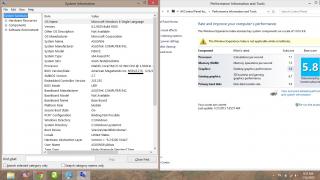
Edit : I realized It's my Nvidia did not kick in during games. Any solution for this? I updated the latest drivers. Changed the global settings to 650m. I refreshed my Windows Experience Index and it shows Intel Graphic HD4000 instead of 650m. Help sad.gif I can't play games now. It sucks.
*
Attached Image

Yes I flashed my bios as well to the latest version which is 216, I didn't faced any troubles i just noticed that the processor and ram rating in windows experience index have dropped by 0.1.
mardak990
post Jan 26 2013, 04:52 AM

New Member
*
Newbie
0 posts

Joined: Jan 2013


QUOTE(sexy93 @ Jan 22 2013, 10:50 AM)
u just bought this laptop... i5 edition.. but when i play game.. the Nvidia NEVER kick in 1... even in Windos experience index... did try with latest driver still same... damn sien google also no solution... haiz... thinking to downgrade to win7 but scared windows 8 cant install back cuz no lisence key.. sad.gif
*
Right click on the game exe or screen shortcut then run with graphics processor and select nvidia, some old games are not compatible with nvidia graphic card, if you check the fps using nvidia and intel graphic cards it will show you the same fps in both. And for windows experience index go to nvidia control panel and change auto select into nvidia, apply changes and then refresh the windows experience index.
mardak990
post Jan 26 2013, 05:53 PM

New Member
*
Newbie
0 posts

Joined: Jan 2013


QUOTE(Omgf @ Jan 26 2013, 05:03 PM)
Wow...how come my graphic score is juz 4.6 compare to urs 5.8 .... blink.gif
Mine oso i5 n56vz
*
Nvidia graphic card is not selected by default, thus before you refresh the Microsoft experience index, right click on the screen and go to nvidia control panel and change auto select into nvidia graphic card GeForce GT 650M then apply changes and refresh the windows experience index. After you finish refreshing the index go back to nvidia control panel and choose auto select as default.

Topic ClosedOptions
 

Change to:
| Lo-Fi Version
0.0376sec    0.45    7 queries    GZIP Disabled
Time is now: 3rd December 2025 - 10:22 PM