Outline ·
[ Standard ] ·
Linear+
ASUS-N56VZ (i5/i7), 15.6" HD/FHD, GT650m. Discussion of N56
|
heartlessboy_92
|
 Jul 15 2012, 02:59 AM Jul 15 2012, 02:59 AM
|
New Member


|
QUOTE(Guardian @ Jul 14 2012, 08:37 AM) The edge of left click key is slightly depressed, need to press the middle for it to work, simply refuse to register the click when you press on edge of the key, while right click key just works fine Asus chose the click pad style for its touch pad, you can click the surface like a button, instead of a light tapping. But not all areas of the touch pad react to clicks. In the center, it is easy to click, but at the upper edge, it fails to work properly. For a right click, you have to press the right lower corner, but reaction to this is limited. In the corner, the click is simply ignored. Especially with drag and drop operations there are problems due to the missing dedicated buttons, which is common with this type of touch pad. Source |
|
|
|
|
|
heartlessboy_92
|
Jul 15 2012, 11:45 AM
|
New Member
|
So far im happy with it..play sniper elite, MW3 also nice with ultra setting ..  ..+ FHD..the screen and sound system was the BOOM |
|
|
|
|
|
heartlessboy_92
|
Jul 15 2012, 04:05 PM
|
New Member
|
QUOTE(Darrylx3 @ Jul 15 2012, 12:31 PM) FHD and HD, big difference? :0 Yeah, some gadgets are blurry but not the icons at desktop..im not sure about difference between HD..but it's look more better on FHD to me.. |
|
|
|
|
|
heartlessboy_92
|
Jul 16 2012, 01:20 PM
|
New Member
|
Did you guys tried gaming?..i get crashed just like in youtube video..does i5 model have problem like this?
|
|
|
|
|
|
heartlessboy_92
|
Jul 16 2012, 01:29 PM
|
New Member
|
QUOTE(ian84 @ Jul 16 2012, 01:22 PM) Yeah.. gaming is no problem so far.. Got few crash in youtube in firefox.. currently using chrome, no problem.. try to update the flashplayer, no ? i updated all include nvidia beta driver,intel driver..but still crash..i hope it is software problem not hardware |
|
|
|
|
|
heartlessboy_92
|
Jul 16 2012, 01:45 PM
|
New Member
|
i delete a few of asus software and now opening windows is much smoother
|
|
|
|
|
|
heartlessboy_92
|
Jul 16 2012, 03:36 PM
|
New Member
|
Hey guys who using i5 model..are you using 4gb ram?..i remove another 4gb of ram n now my game runs smoothly and no crash..ram fault i think..
|
|
|
|
|
|
heartlessboy_92
|
Jul 16 2012, 04:17 PM
|
New Member
|
Not sure whether ram is fault or what..let me do some testing then try to conclude..thats why i need other user feedback and tester..  .. |
|
|
|
|
|
heartlessboy_92
|
Jul 16 2012, 05:54 PM
|
New Member
|
Hey guyz..i am positive about ram problem..mine is 4gb x 2 and one brand is hynix and mushkin..now im thinking to buy another mushkin brand as replacement..mushkin brand is good ram ah?
|
|
|
|
|
|
heartlessboy_92
|
Jul 16 2012, 06:05 PM
|
New Member
|
QUOTE(Grizly87 @ Jul 16 2012, 06:02 PM) never heard of that brand before ... the original ram is hynix or mushkin? they gave me a kingston 1600mhz ram when i bought this laptop. seriously, is the ram problem? the guy must have given you faulty ram? zzzz the original is hynix..now im install 4gb mushkin, no crash anymore |
|
|
|
|
|
heartlessboy_92
|
Aug 29 2012, 12:39 AM
|
New Member
|
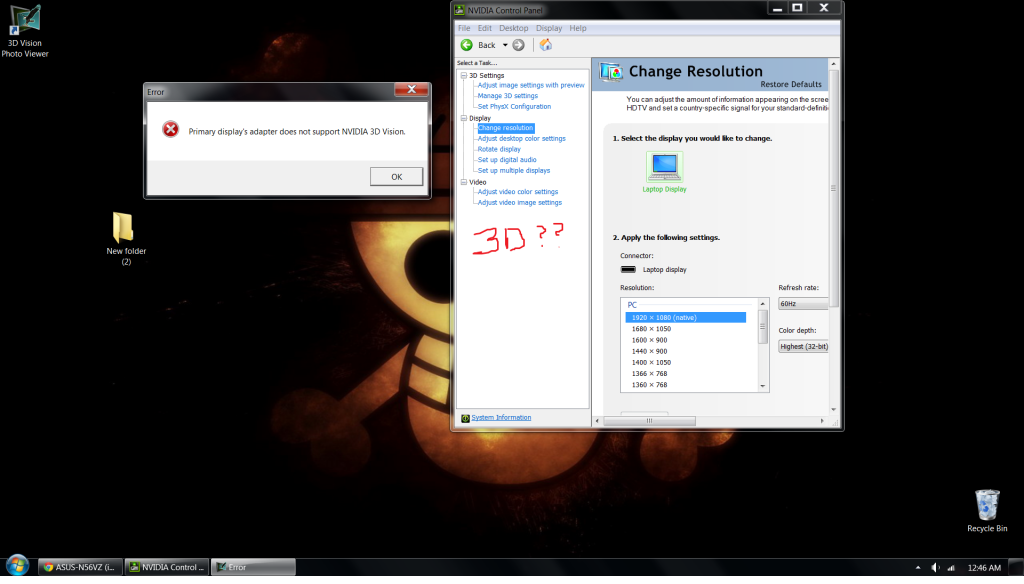
Hey guys..Have you tried to enable 3d vision in this laptop?.. i can only enable it when i plug in on tv (normal tv,not 3d tv) using hdmi cable..other than that it wont be enable..so i was wondering whether i can enable it on build in display to use anaglyph 3d (the red and cyan one).. Edited This what i get when plugged hdmi » Click to show Spoiler - click again to hide... « This is build in display » Click to show Spoiler - click again to hide... « The nvidia 3d vision needed special monitor and the glasses i know that, but i wanted to enable the anaglyph one which it doesn't need special monitor any sifu can help or should i direct to nvidia support?..thanks sorry im noob about this This post has been edited by heartlessboy_92: Aug 29 2012, 12:56 AM |
|
|
|
|



 Quote
Quote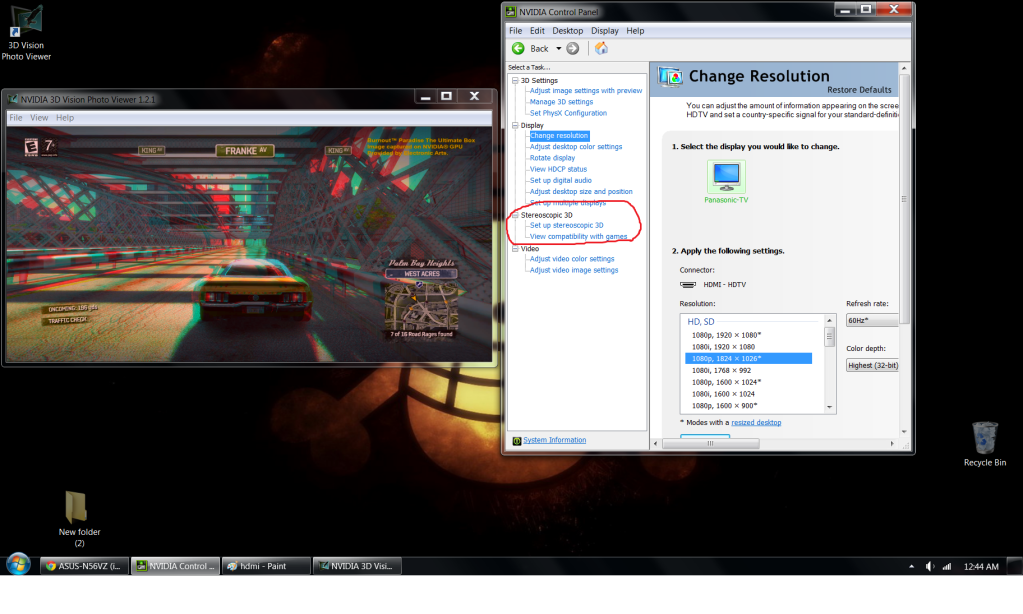

 0.0378sec
 0.30
0.30
 7 queries
 GZIP Disabled